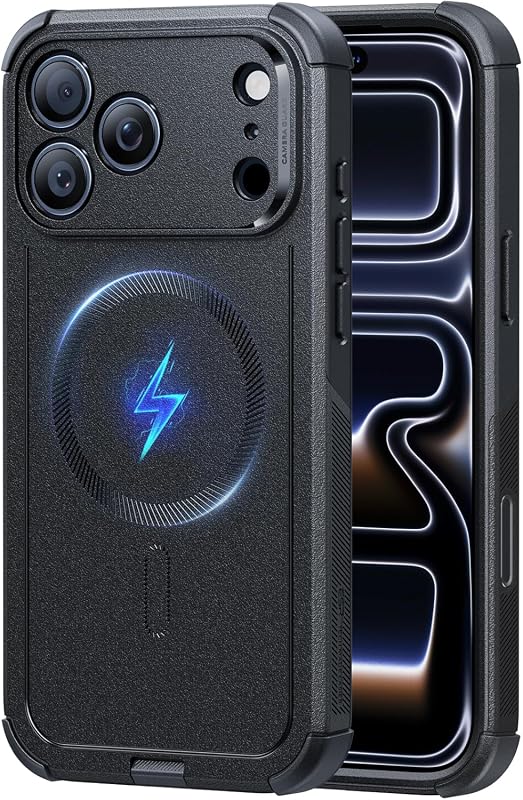
Do iPhone 12 Cases Fit iPhone 13 A Complete Guide
Yes, many iPhone 12 cases fit iPhone 13, but the fit is often not perfect. Soft, flexible cases work best; hard-shell and MagSafe-sensitive designs are more likely to cause problems.
If you are wondering do iPhone 12 cases fit iPhone 13, the short answer is: many do, but not all fit well enough for everyday use. Soft, flexible cases are usually the safest bet, while precision-fit and camera-specific designs are more likely to feel off.
That matters because a case that “kind of fits” can still leave the camera less protected, make buttons harder to press, or interfere with MagSafe accessories. Below, Ethan Walker breaks down where the fit works, where it fails, and what to check before you reuse an older case.
- Fit is close, not identical: iPhone 12 cases may work on iPhone 13, but small design changes can affect.
- Material matters: TPU and silicone cases are more forgiving than rigid shells.
- Check the camera area: Clearance and lens protection are the biggest fit concerns.
- MagSafe can be affected: Alignment and magnetic hold may be weaker with the wrong case.
Do iPhone 12 Cases Fit iPhone 13? Short Answer and Key Takeaway

The quick verdict: mostly yes, but not perfectly
In general, an iPhone 12 case can fit an iPhone 13 closely enough to put on and use, but the fit is not guaranteed to be ideal. The two phones are similar in shape, yet the iPhone 13 has small design changes that can affect button feel, camera clearance, and how securely the case sits around the edges.
Why this question matters for buyers in 2025
Even in 2025, many people still reuse older accessories when upgrading phones, especially if they are trying to save money or avoid buying a temporary case twice. That is practical, but it is also where compatibility mistakes happen, because small changes between generations are easy to overlook.
If you are comparing options, it helps to think beyond “will it snap on?” and ask whether it will protect the phone in daily life. For readers also sorting out charging gear, our guides on what iPhone charger you need and the best charger for iPhone 13 can help with the rest of the setup.
iPhone 12 vs iPhone 13: The Design Differences That Affect Case Fit
Dimensions, thickness, and camera module changes
The iPhone 12 and iPhone 13 are close in overall size, but they are not identical. The iPhone 13 is slightly thicker and has a different rear camera layout, which is the main reason a 12 case may not line up perfectly.
That extra thickness can make a snug case feel tighter than expected, especially around the edges and corners. The camera module is also arranged differently, so a case made for the older model may leave too much open space or place the lip in the wrong spot.
Button placement, speaker cutouts, and port alignment
Small shifts in button and cutout positioning can matter more than people expect. If the side buttons are even a little off, the case may still work, but the press feel can become stiff, shallow, or inconsistent.
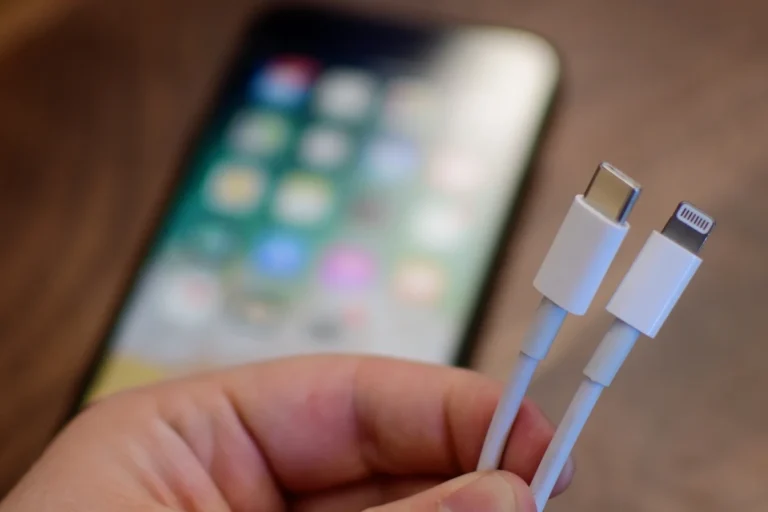
Speaker and port openings are another area to check. A cutout that looks “close enough” may still partially cover the Lightning port, interfere with a charging cable, or make it awkward to plug in accessories with thicker connectors or adapters.
How small hardware changes impact everyday usability
Minor differences do not always show up immediately. A case might seem fine when you first put it on, but over time you may notice it shifts slightly, collects dust at the edges, or makes MagSafe accessories sit less securely.
Note
Compatibility can vary by case brand, case thickness, and whether the design uses rigid corners, molded buttons, or built-in MagSafe rings. Always compare the case listing to the exact iPhone model number, not just the phone name.
When an iPhone 12 Case Can Work on iPhone 13
Flexible TPU and soft silicone cases
Flexible TPU and soft silicone cases are the most likely to work acceptably across these two models. Their stretch and give can compensate for small differences in thickness and camera placement better than rigid materials can.
These cases are also more forgiving if the edges are slightly off, because the material can flex when you insert the phone. That does not make them perfect, but it does make them the most practical option for short-term reuse.
Thin protective cases with forgiving cutouts
Thin cases with generous cutouts and simple button covers may also be usable, especially if the design is not heavily molded around the camera or side controls. The less specialized the shape, the better the odds of an acceptable fit.
If you are reusing a case temporarily, choose one with soft sidewalls, a roomy camera opening, and button covers that still click cleanly after the phone is inserted.
Who is most likely to get an acceptable fit
People who use a basic slim case, carry the phone mostly in a pocket or bag, and do not rely on heavy accessories are the most likely to be satisfied. Students, commuters, and casual users may find the fit “good enough” for a short period.
By contrast, anyone who uses a car mount, magnetic wallet, or frequent wireless charging should be more selective. Those use cases expose alignment issues faster than simple day-to-day handling.
When an iPhone 12 Case Does Not Fit iPhone 13 Well
Hard-shell and precision-fit cases
Hard-shell cases are where compatibility problems show up quickly. Because they do not flex much, even a small difference in thickness or button location can make the case difficult to install or remove.
Precision-fit cases are designed around exact contours, so they are less forgiving of any model-to-model change. If the case is built around a specific camera bump or button layout, it is usually better to use the correct model version instead of forcing it.
Camera bump clearance and lens protection issues
The rear camera area is one of the biggest reasons not to assume interchangeability. If the opening is too small, it can press against the camera surround; if it is too large, the lens area may be less protected from table contact and drops.
Stop using a case if it presses on the camera module, keeps the phone from sitting flat, or leaves the lenses more exposed than intended by the manufacturer’s design.
MagSafe alignment and wireless charging concerns
MagSafe-compatible cases depend on magnet placement, and that placement can be sensitive to small design differences. A case that is slightly off-center may still charge wirelessly, but the magnetic hold can be weaker or less reliable.
If you use wireless charging often, it is worth checking whether the case is specifically labeled for the iPhone 13. For more background on charging compatibility, see our related guides on iPhone 13 Pro Max wireless charging and iPhone 12 mini wireless charging.
What to Check Before Reusing an Older Case
Fit test checklist for corners, buttons, and ports
- Confirm the case is made for iPhone 13 or is explicitly listed as cross-compatible with iPhone 12 and iPhone 13.
- Check that all four corners sit flat and do not pop up after installation.
- Press the volume and side buttons to make sure they still respond cleanly.
- Verify that the Lightning port is fully accessible with your usual cable.
- Check camera clearance and make sure the phone does not wobble on a flat surface.
Signs the case is too loose, too tight, or unsafe
A case is too loose if it shifts when you grip the phone, comes off easily, or leaves gaps at the corners. It is too tight if you have to force the phone in, the buttons feel compressed, or the sides bow outward.
It becomes unsafe if it interferes with heat dissipation, blocks the camera, or keeps a charging cable from seating properly. Those are not cosmetic issues; they affect daily use and protection.
Material wear, stretching, and hidden damage
Older cases can hide wear that is not obvious at first glance. Soft materials may stretch over time, while harder shells can develop tiny cracks that reduce drop protection even if the outside still looks fine.
If the case has yellowing, tearing, loose corners, or a worn-out bumper, it may no longer provide the fit you expect. A reused case is only a good idea if the material still holds its shape and the protective edges are intact.
Real-World Benefits and Trade-Offs of Reusing an iPhone 12 Case
Cost savings and convenience
The biggest benefit is obvious: reusing a case can save money and reduce waste. It is also convenient if you need immediate protection while waiting for a better case to arrive.
That convenience is especially useful for travelers, students, and anyone who upgraded phones quickly and does not want the device exposed even for a day.
Protection compromises and long-term risk
The trade-off is that “close enough” fit can create weak spots. A slightly loose case may let in dust, reduce corner protection, or make the phone more likely to shift during a drop.
Long term, that can matter more than the purchase price of a new case. A case is supposed to protect the phone consistently, not only when it is sitting still on a desk.
Best use cases for temporary versus permanent use
Reusing an iPhone 12 case makes the most sense as a temporary solution, not a permanent one. It is reasonable while you wait for delivery, compare styles, or decide whether you want a slim case, rugged case, or MagSafe option.
For everyday long-term use, the safer choice is usually a case made specifically for iPhone 13. That is especially true if you care about camera protection, wireless charging, or accessory alignment.
Safer Buying Guide: What iPhone 13 Case Features to Prioritize
Exact model compatibility and size labeling
Always check that the product listing names the exact model you own. “Fits iPhone 13” should not be treated the same as “fits iPhone 12/13,” because some listings use broad wording while the actual cutouts still differ.
When possible, match the model name and, if the seller provides it, the model number. That is the most reliable way to avoid accidental misfits.
Drop protection, raised edges, and camera lip design
A good case should do more than cover the back. Look for raised edges around the screen and a camera lip that helps keep lenses off hard surfaces when the phone is laid down.
Drop protection claims vary widely by brand, so focus on the design details you can verify: reinforced corners, a raised bezel, and materials that do not feel overly brittle.
MagSafe support, material quality, and grip
If you use MagSafe chargers or accessories, choose a case that clearly supports them. A case with weak magnets or poor alignment can make charging and attachment less convenient than expected.
Grip matters too. A case that is too slick can defeat the purpose of buying one, especially for people who carry their phone while commuting, walking pets, or multitasking at work.
Value factors: durability, warranty, and replacement timing
Value is not just the sticker price. It also includes how long the case is likely to keep its shape, whether the seller offers a reasonable warranty, and whether it will still fit well after months of use.
Practical Tips
- Choose a case with a return window if you are unsure about fit.
- Replace a case if it loosens, cracks, or starts interfering with charging.
- Keep the case clean so grit does not scratch the phone body over time.
Final Recommendation: Should You Use an iPhone 12 Case on iPhone 13?
Best choice for budget shoppers
If you need something right away and already own a soft, flexible iPhone 12 case, it can be a reasonable stopgap. Just treat it as temporary and inspect the fit carefully before relying on it every day.
Best choice for protection-focused users
If protection matters most, buy a case made specifically for iPhone 13. That gives you the best chance of proper camera clearance, secure corner coverage, and cleaner MagSafe alignment.
Best choice for anyone buying a new case in 2025
For most buyers, the smartest move is to skip the guesswork and choose the exact iPhone 13 case model. Reusing an older case can work in a pinch, but a phone case is one accessory where precise fit really does matter.
- iPhone 12 cases can fit iPhone 13 in many cases, but the fit is not always ideal.
- Soft, flexible cases are more forgiving than hard-shell or precision-fit designs.
- Camera clearance, button feel, and MagSafe alignment are the biggest things to check.
- For long-term use, an iPhone 13-specific case is the safer choice.
Frequently Asked Questions
Sometimes, but it depends on the case design. Soft cases are more likely to work, while hard-shell and precision-fit cases may feel off or reduce protection.
The camera opening and button alignment are the most common issues. Small differences in thickness and layout can also affect how securely the case sits.
It can, especially if the case is thick or not aligned well for MagSafe. Standard wireless charging may still work, but magnetic attachment can be less reliable.
Check for loose corners, cracked material, worn-out edges, and poor camera clearance. If the case blocks buttons or interferes with charging, replace it.
Flexible TPU and soft silicone cases are usually the most forgiving. Thin cases with simple cutouts are also more likely to work than rigid shells.
If you want the best long-term protection, yes. A case made specifically for iPhone 13 is the safer choice for camera clearance, button feel, and accessory compatibility.