8 Best USB-C Hubs for Dell Laptop: Top Picks for Charging Tech
Affiliate disclosure: As an Amazon Associate, Gadget Makers Blog may earn from qualifying purchases. This does not change the price you pay.
If you’re trying to turn a Dell laptop into a cleaner charging and connectivity setup, a good USB-C hub can make a big difference. The challenge is finding the best USB-C hub for Dell laptop use without overpaying for ports you won’t use or buying a dock that depends on a video-capable USB-C connection your laptop may not support.
This guide compares eight USB-C hubs and docking stations with a focus on charging tech, phone accessories, and everyday laptop expansion. You’ll find compact hubs for travel, more capable docks for dual-monitor desks, and a few value picks that are easier on the budget.
The best USB-C hub for Dell laptop buyers depends on how many displays and ports you need. For a compact, low-cost pick, ACASIS is a strong starting point; for more desk-ready expansion, MOKiN and the 13-in-1 docking station options offer broader connectivity.
Quick Product Comparison
| Product | Image | Best For | Check Price |
|---|---|---|---|
| 1. ACASIS USB C Hub | 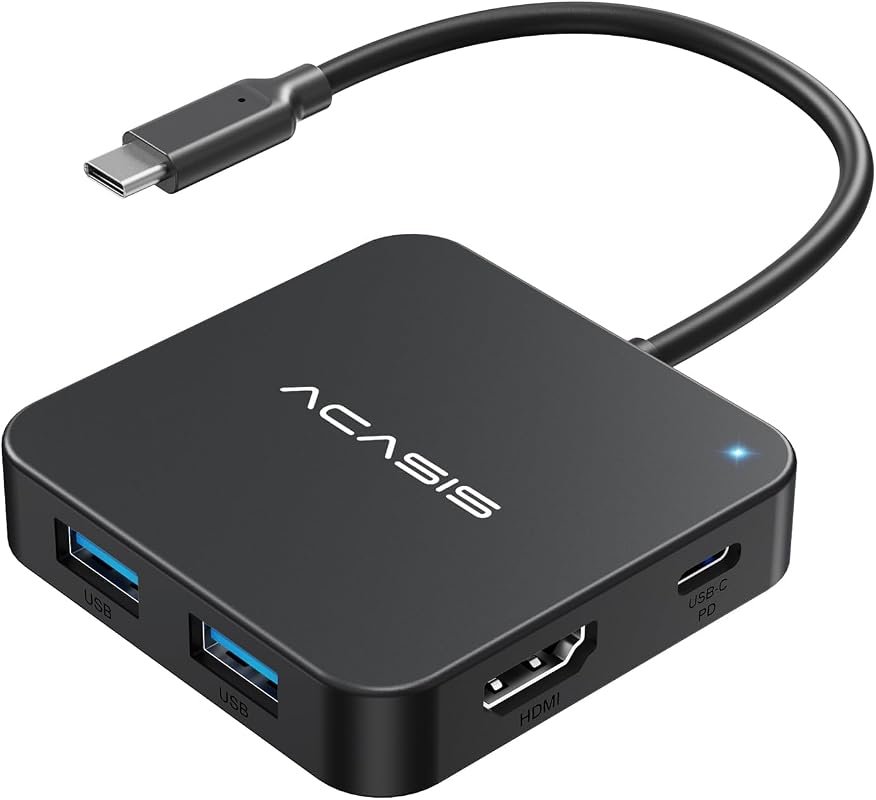 | Travel-friendly charging and single-monitor expansion | Check Price |
| 2. MOKiN USB C Docking Station | 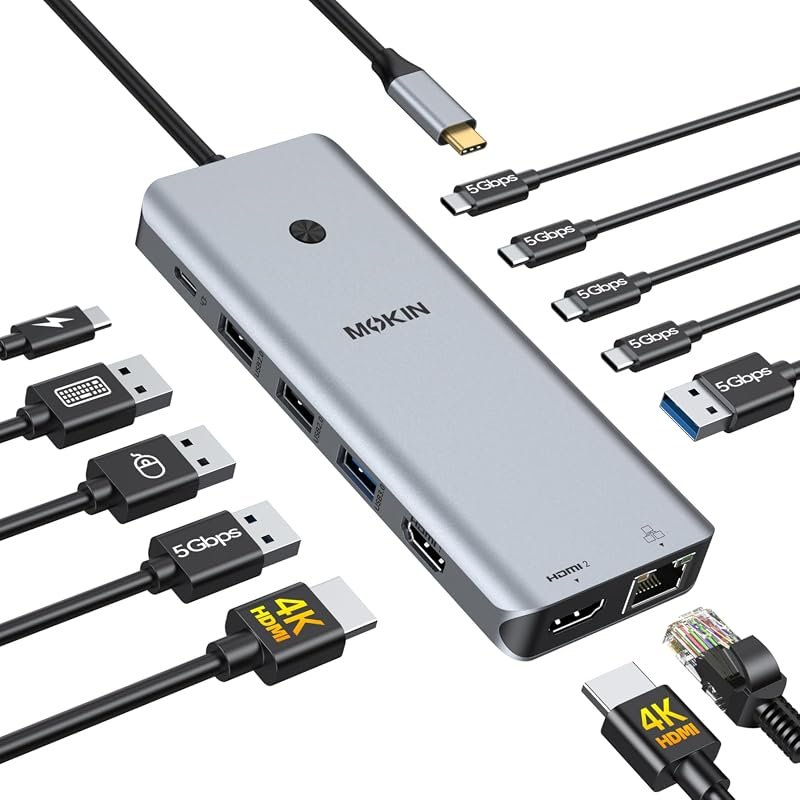 | Dual-monitor desk setups with Ethernet | Check Price |
| 3. Dell DA310 Multiport Adapter | 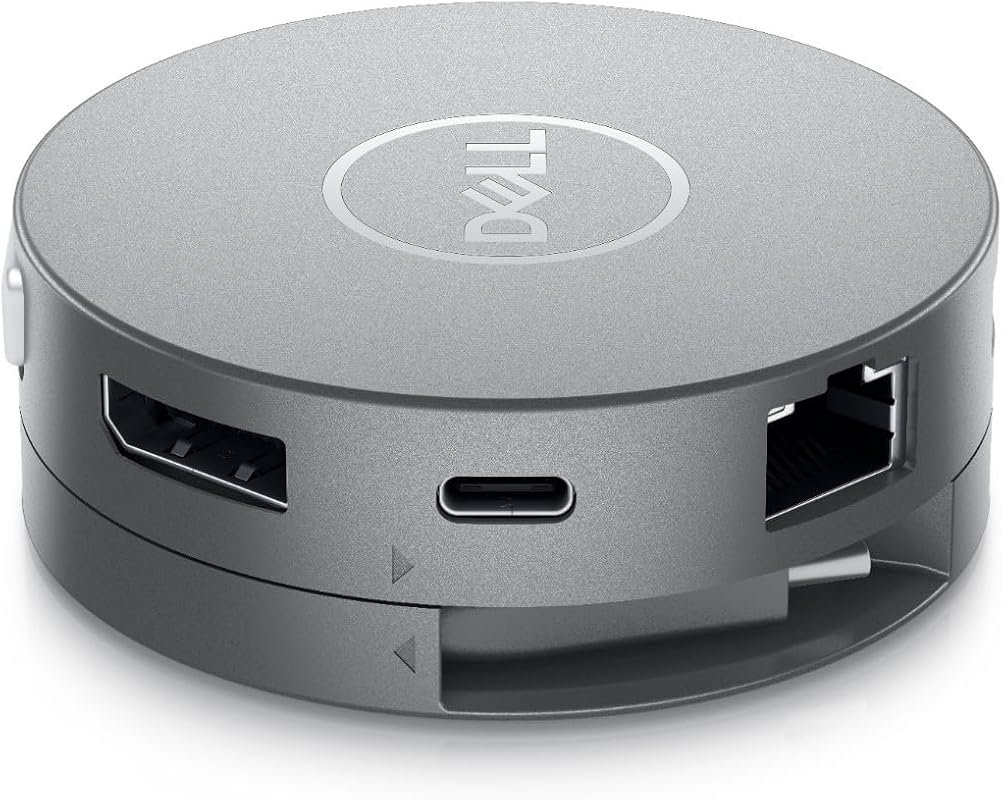 | Brand-matched portable adapter buyers | Check Price |
| 4. UANTIN USB C Hub | 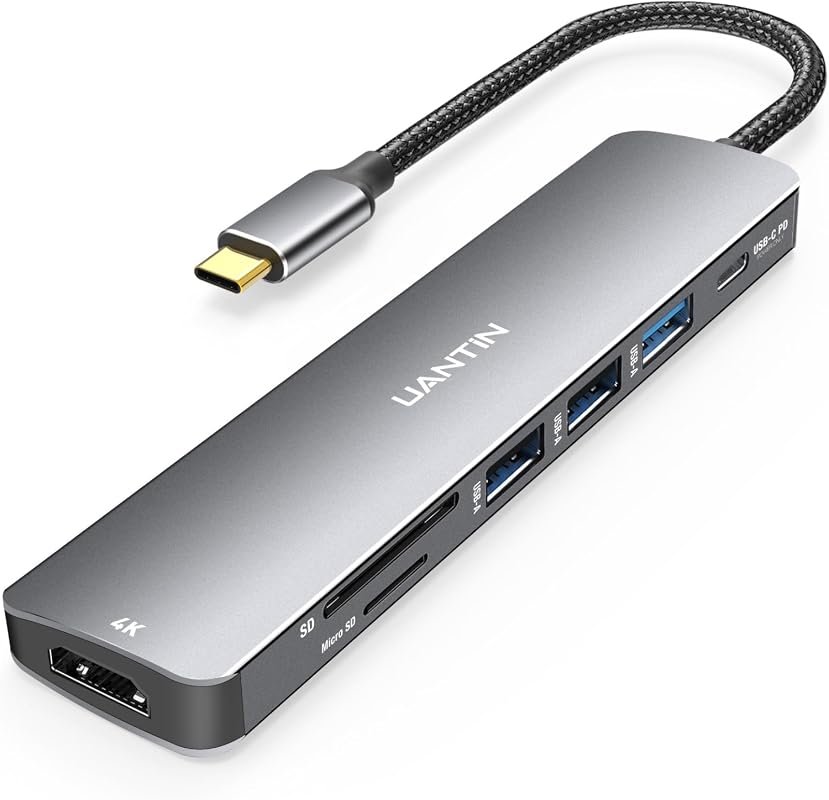 | Budget everyday hub with card readers | Check Price |
| 5. USB C Docking Station | 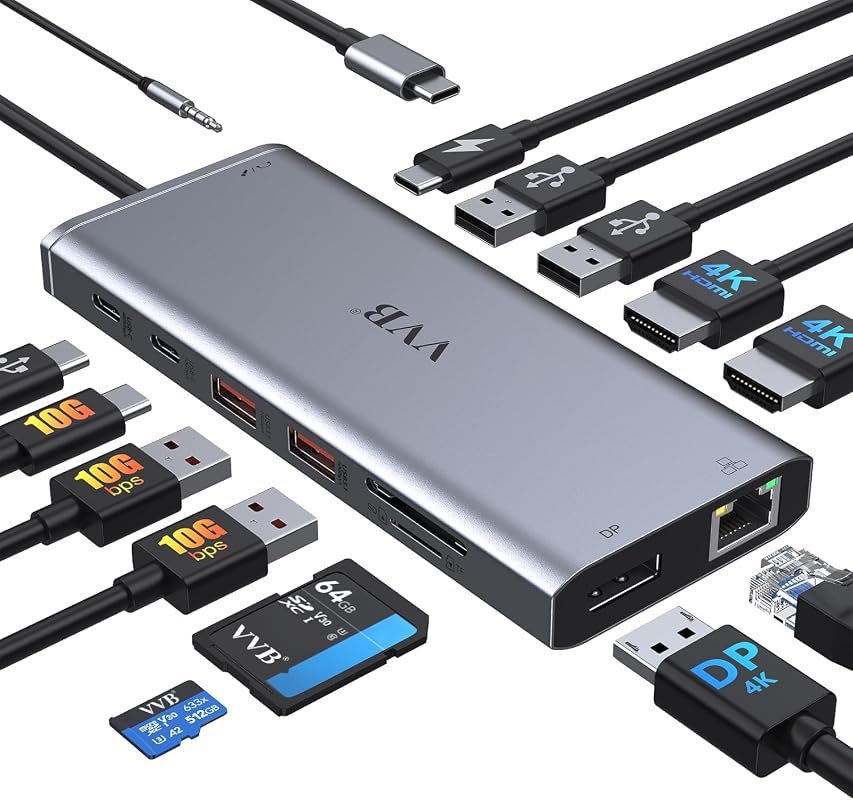 | Full desk dock with triple-display support | Check Price |
| 6. USB C Docking Station | 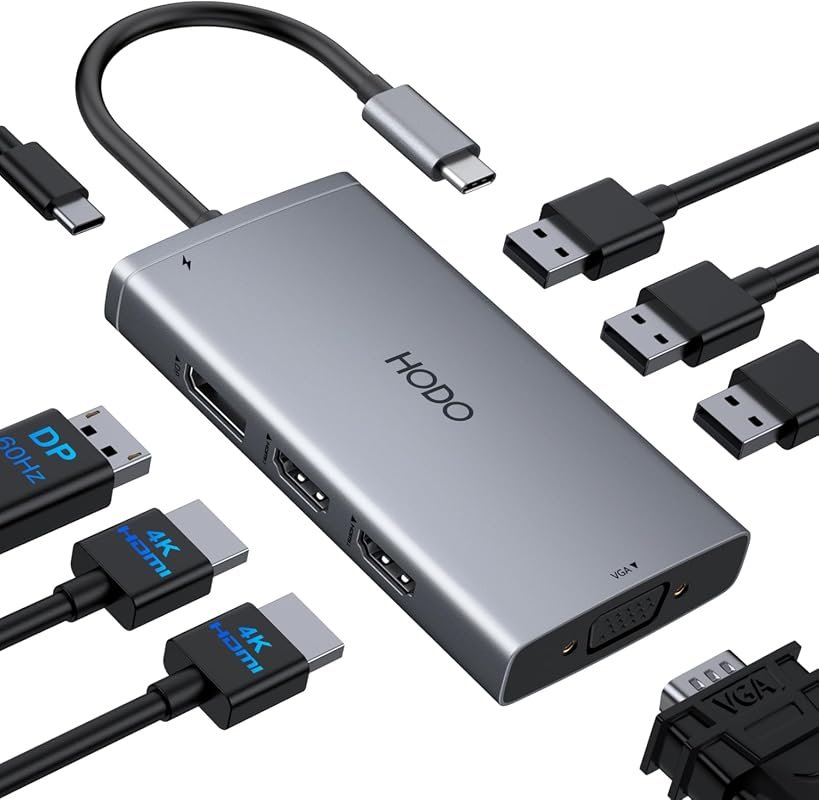 | Video-output flexibility with VGA and DisplayPort | Check Price |
| 7. 13-in-1 USB C Docking Station | 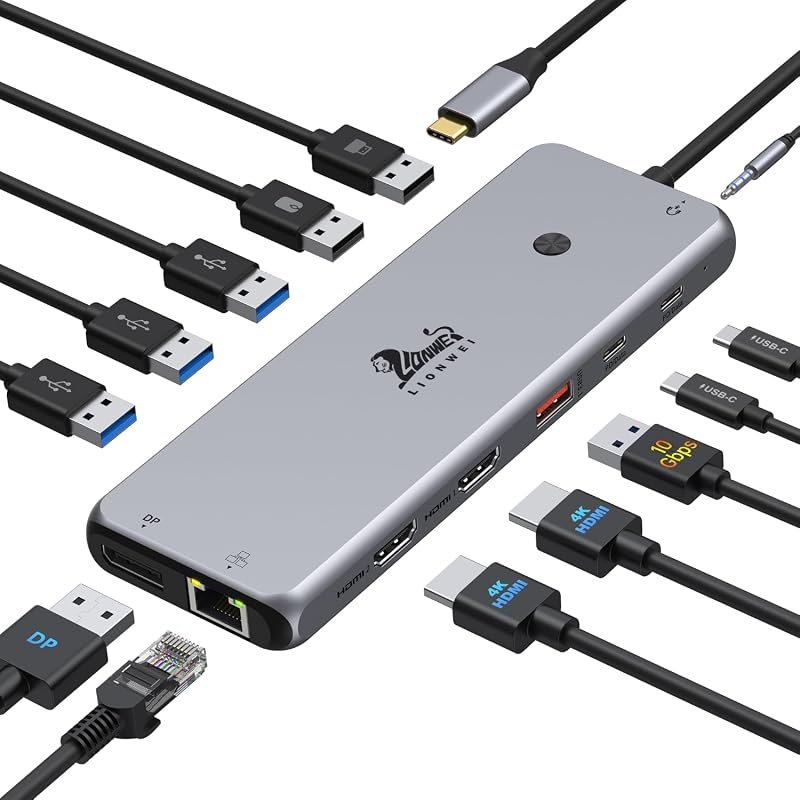 | High-port-count workstation setups | Check Price |
| 8. USB C Laptop Docking Station | 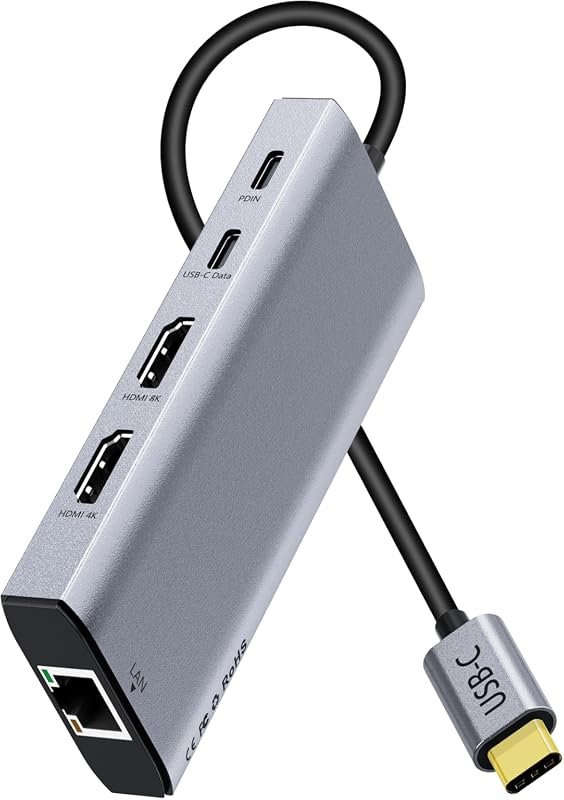 | Balanced dual-HDMI dock for mixed phone and laptop use | Check Price |
What to Look for in the best USB-C hub for Dell laptop
Video output support
Many Dell laptops work well with USB-C hubs, but not every USB-C port supports display output. Check whether your laptop supports DisplayPort Alt Mode, Thunderbolt, or USB4 before buying a hub with HDMI or DisplayPort.
Charging pass-through
If you want one cable for power and accessories, look for PD pass-through support and verify the wattage your laptop expects. The hub may support charging, but your Dell model still needs the right USB-C power behavior.
Port mix for phone accessories
For charging tech and mobile accessories, extra USB-A, USB-C data, SD/TF, and audio ports can help with phone cables, card readers, and wired peripherals. Choose the mix that matches your desk and travel routine.
Display setup goals
Some hubs are best for one external monitor, while others are built for dual or triple displays. If you use a phone, tablet, or laptop at a shared desk, confirm whether you need mirror mode, extend mode, or just simple screen output.
Ethernet and wired stability
For home office or streaming work, a wired RJ45 port can be more reliable than Wi-Fi. It is especially useful when your Dell laptop sits at a fixed workstation and needs stable uploads, calls, or downloads.
Compatibility with your OS and device type
Windows, macOS, ChromeOS, and Linux support can vary by hub and display mode. If you plan to connect a Dell laptop plus a phone, tablet, or other USB-C device, verify the exact compatibility notes on the current listing.
- Match the hub to your laptop’s USB-C feature set first, then choose the number of ports and displays you actually need.
- For charging, use the wattage and cable type recommended by your Dell laptop maker or the hub listing.
- If you switch between phone accessories and laptop peripherals, prioritize hubs with both USB-A and USB-C data ports.
Our Top 8 Best Usb-C Hub For Dell Laptop Picks and Reviews
1. ACASIS USB C Hub 10Gbps 4K 60Hz HDMI Adapter for MacBook and Laptops
This compact 6-in-1 hub is a practical fit for Dell laptop owners who want a lighter desk or travel setup with charging and one external display.
Key Features That Stand Out
- 4K@60Hz HDMI support for one monitor only, which suits simple screen expansion.
- Three USB-A 3.1 ports plus one USB-C 3.1 data port for accessories and drives.
- 100W USB-C PD charging port for pass-through power while other ports are in use.
- Up to 10Gbps transfer speeds on the USB-C data port and USB-A ports.
Why It Stands Out
ACASIS offers a straightforward mix of display, charging, and data features without moving into bulky dock territory. That makes it a strong everyday option for users who want a compact hub for a Dell laptop and a few phone accessories.
Best For
Pros and Cons
- Compact feature set with 4K HDMI and 100W PD pass-through.
- Useful 10Gbps data ports for drives and accessories.
- Budget-friendly price point.
- Only one HDMI port, so it is not a dual-monitor solution.
- Requires a laptop USB-C port that supports video transmission.
2. MOKiN USB C Docking Station Dual HDMI for Dell, HP, and Lenovo Laptops
This 13-in-1 dock leans into desk productivity, with dual HDMI, Ethernet, and a wide spread of USB ports for a more permanent laptop setup.
Key Features That Stand Out
- Two HDMI ports for dual-screen expansion on supported laptops.
- RJ45 Ethernet for a stable wired connection.
- Four USB-C 3.0 ports, two USB-A 3.0 ports, and two USB-A 2.0 ports for accessories.
- 100W max USB-C power charging port for pass-through charging.
- Screen lock button for turning off displays quickly.
Why It Stands Out
MOKiN is built for users who want a full desk dock rather than a compact travel hub. The port mix is broad, and the dual HDMI design suits a work-from-home or office desk where a Dell laptop needs to drive multiple peripherals.
Best For
Pros and Cons
- Wide port selection for office gear and phone accessories.
- Dual HDMI plus Ethernet creates a strong desk setup.
- Screen lock button adds a practical privacy touch.
- Only works with Thunderbolt 3/4 or a full-featured USB-C port.
- macOS external display behavior is limited to mirrored output per the listing.
3. Dell DA310 7-in-1 USB-C Multiport Adapter for Laptop Connectivity
The Dell-branded DA310 is a compact choice for buyers who want a simple multiport adapter from the same ecosystem as their laptop.
Key Features That Stand Out
- 7-in-1 multiport design for streamlined connectivity.
- High-speed data transfer support.
- Compact adapter format for easier carrying.
- Durable build language in the listing.
Why It Stands Out
This is the most brand-aligned pick in the roundup and may appeal to shoppers who prefer a Dell accessory for a Dell laptop. The listing keeps the feature set simple, which can be a plus if you want a no-frills adapter for basic connectivity.
Best For
Pros and Cons
- Simple, portable 7-in-1 design.
- Brand match may appeal to Dell buyers.
- Good fit for basic connectivity needs.
- The supplied listing details are limited compared with other models.
- Shoppers should verify exact port layout and display support before buying.
4. UANTIN 7-in-1 USB C Hub Multiport Adapter for MacBook and Type-C Devices
UANTIN is an affordable 7-in-1 hub for users who want a small desktop helper with HDMI, card slots, and charging support.
Key Features That Stand Out
- 1 HDMI, 3 USB-A ports, SD/TF card reader, and 1 USB-C PD port.
- 4K@30Hz HDMI output with 1080p@120Hz support noted in the listing.
- Up to 100W PD input for pass-through charging.
- USB 3.0 ports with up to 5Gbps transfer speeds.
- Plug-and-play operation with no drivers required.
Why It Stands Out
This hub gives Dell laptop owners a practical middle ground between minimal travel adapters and larger docking stations. It is especially useful if you work with memory cards or need a simple way to connect a monitor and a few peripherals.
Best For
Pros and Cons
- Low price for a 7-in-1 layout.
- Includes SD/TF card reader support.
- 100W PD pass-through is useful for desk charging.
- HDMI tops out at 4K@30Hz in the listing.
- Display support still depends on your USB-C port capabilities.
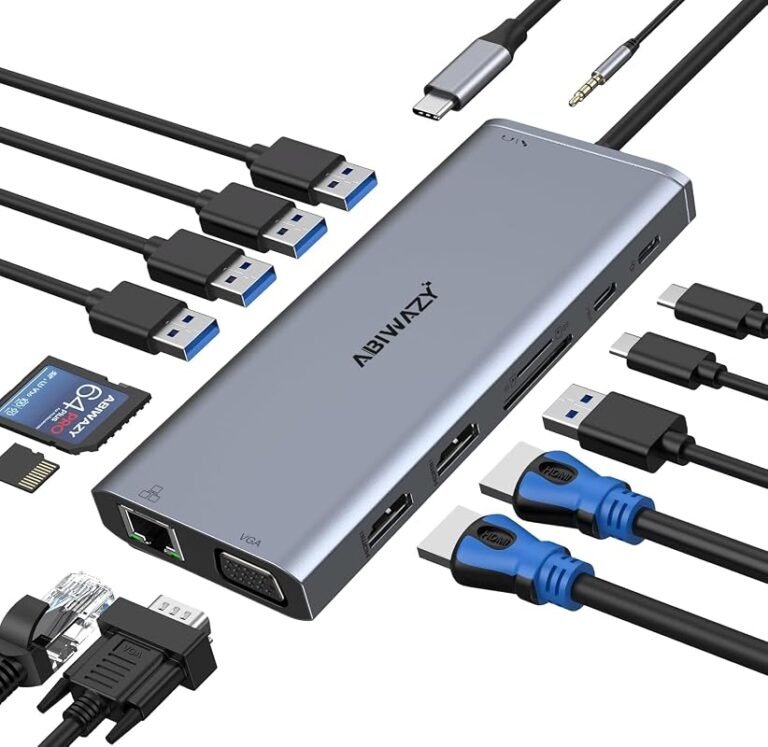
5. USB C Laptop Docking Station Dual HDMI Multiport Adapter for Laptops
This 14-in-1 dock is aimed at users who want a large port selection and broad display support for a fixed workstation.
Key Features That Stand Out
- 14-port layout with HDMI, DisplayPort, Ethernet, SD/microSD, audio, and multiple USB ports.
- Dual and triple display support for Windows systems.
- 10Gbps USB-C and USB-A 3.1 data ports for faster transfers.
- 100W USB-C Power Delivery input with 87W safe output noted in the listing.
Why It Stands Out
This dock is one of the more feature-rich options in the group, which makes it appealing for Dell laptop users building a full desk setup. The combination of HDMI and DisplayPort gives it flexibility, but shoppers should confirm compatibility carefully before buying.
Best For
Pros and Cons
- Very broad port selection.
- Dual and triple display support on Windows.
- Fast 10Gbps data ports.
- Compatibility depends on a video-capable USB-C port.
- MacBook display behavior is more limited than Windows per the listing.
6. USB C Docking Station Dual Monitor for HP Laptops, Triple Display Hub
HoDo’s 8-in-1 dock adds HDMI, DisplayPort, VGA, and charging support for users who need flexible video connections at a desk.
Key Features That Stand Out
- Dual HDMI, DisplayPort, and VGA video outputs.
- Up to 4K dual or triple display support, with resolution limits noted when VGA is used.
- 100W USB-C PD charging input and 87W safe output in the listing.
- Three USB 2.0 ports for basic peripherals.
Why It Stands Out
This is a useful pick when you need a mix of modern and legacy display outputs. For Dell laptop owners in office or classroom environments, that can make it easier to connect to different monitors or projectors without swapping devices.
Best For
Pros and Cons
- Flexible display output options.
- Useful for mixed monitor or projector setups.
- Includes pass-through charging support.
- USB ports are limited to USB 2.0 speeds.
- VGA use reduces overall display resolution per the listing.
7. 13-in-1 USB C Docking Station Dual 4K HDMI Hub for MacBook and Laptops
This dock is built for users who want a lot of ports, dual 4K HDMI support, and a workstation-style layout for laptop expansion.
Key Features That Stand Out
- Two 4K HDMI ports plus DisplayPort for multi-display setups.
- Two USB-C ports that support 100W PD and 10Gbps data transfer.
- USB 3.1, three USB 3.0, two USB 2.0, audio, and Gigabit Ethernet.
- Windows support for MST and SST in the listing.
- 18-month warranty mentioned by the manufacturer.
Why It Stands Out
The port density makes this a strong fit for a desk that handles a laptop, phone accessories, storage devices, and wired networking at the same time. It is a more serious dock than a simple travel hub, so it suits users who leave it connected most of the time.
Best For
Pros and Cons
- Very strong port variety for a workstation.
- Dual 4K HDMI plus DisplayPort support.
- Useful Ethernet and audio options.
- MacOS external display support is more limited in the listing.
- More of a desk dock than a portable hub.
8. USB C Laptop Docking Station 10-in-1 Dual HDMI Hub for Type-C Devices
This 10-in-1 dock balances dual HDMI, charging, Ethernet, and data ports for users who want a flexible setup without moving to the largest category.
Key Features That Stand Out
- Two HDMI ports with dual 4K@60Hz output support.
- Two USB-A 3.0 ports and two USB-C data ports at 5Gbps.
- 100W PD pass-through charging.
- SD/TF card reader for quick media access.
- 1000Mbps Ethernet for wired networking.
Why It Stands Out
This is a balanced middle-ground option for Dell laptop owners who want a dual-monitor capable dock with useful everyday ports. It also fits phone accessory users well because it combines charging, storage access, and wired networking in one unit.
Best For
Pros and Cons
- Dual 4K HDMI output support.
- Includes Ethernet and SD/TF card reader.
- Good mix of charging and data ports.
- Requires DP Alt Mode support on the host USB-C port.
- macOS extended-monitor behavior is limited by the listing.
Before buying any USB-C hub for a Dell laptop, confirm that your exact USB-C port supports video output if you need HDMI or DisplayPort. If your model only supports data and charging, many display features will not work as advertised.
Complete Roundup for Best Usb-C Hub For Dell Laptop
These budget hubs suit light travel and basic charging, with simple HDMI, USB, and pass-through power features for everyday use.
Mid-range docks fit home offices and hybrid work, usually adding Ethernet, card readers, and stronger multiport layouts.
Premium docks are best for desk users needing multiple displays, broader port selection, and more workstation-style expansion.
- Verify your Dell laptop’s USB-C feature support before choosing a hub.
- Match the dock to your actual monitor, charging, and phone accessory needs.
- Use quality cables and the charger wattage recommended by the laptop maker.
- Don’t assume every USB-C port supports video output.
- Don’t buy a dual-monitor dock if you only need one external display.
- Don’t ignore macOS or Windows display-mode limits listed by the manufacturer.
- If you use a phone and laptop together, prioritize hubs with both USB-C and USB-A data ports.
- For desk setups, Ethernet can be a worthwhile upgrade over relying only on Wi-Fi.
- For creators, SD and microSD support can save time when moving photos or video files.
Check whether your Dell laptop supports USB-C video output, Thunderbolt, or USB4, and confirm the hub’s display mode support for Windows or macOS before ordering.
- ACASIS is the most compact choice for simple charging and one-monitor expansion.
- MOKiN is the strongest desk-style alternative for dual HDMI and Ethernet.
- Dell DA310 is the brand-matched pick for buyers who want a simpler portable adapter.
- UANTIN is the budget-friendly choice with card reader support.
- The 14-in-1 dock is for users who want the widest range of ports and display options.
- The HoDo dock is useful if you still need VGA alongside modern video outputs.
- The 13-in-1 dock fits high-port-count workstation setups.
- The 10-in-1 dock offers a balanced mix of dual HDMI, charging, Ethernet, and storage access.
- Always verify your laptop’s USB-C capabilities and the hub’s display limitations before you buy.
Frequently Asked Questions About Best Usb-C Hub For Dell Laptop
Compatibility depends on the laptop’s USB-C features, not just the connector shape. For display output, your Dell laptop usually needs USB-C video support, Thunderbolt, or USB4.
Choose a small hub if you mainly need charging, a monitor, and a few accessories. Pick a docking station if you want Ethernet, multiple displays, and more desk-based ports.
Many of the listed hubs support PD pass-through charging, but the exact charging result depends on your charger, cable, and laptop limits. Check the product page and your laptop manual for the right wattage.
No. Dual HDMI support depends on the dock and on whether your Dell laptop’s USB-C port supports the required display output mode. Some operating systems also limit extended displays.
Yes, especially models with USB-A and USB-C data ports, card readers, and charging pass-through. They can help organize phone cables, storage accessories, and tabletop charging.
Check video support, charging requirements, operating system limits, and the exact port list on the current listing. If you use a monitor, confirm resolution support for your setup.
For most Dell laptop owners, the right hub comes down to how much expansion you need and whether your USB-C port supports video. If you want something simple and portable, a compact hub is often enough; if your desk setup includes monitors, Ethernet, and phone accessories, a larger dock makes more sense.
Among the options here, the best USB-C hub for Dell laptop shoppers is the one that matches your port support, display goals, and charging needs without adding clutter. Start with compatibility, then choose the layout that fits how you actually work.
This roundup is based on the supplied product records only: titles, listed features, prices, ratings, review counts, and compatibility notes. No first-hand testing, ownership, benchmarking, or installation claims are included. We compared each item for port variety, charging support, display options, compatibility guidance, and overall value for Dell laptop and charging-tech shoppers, while keeping the advice aligned with the current listing details and noting where buyers should verify exact support before purchase.