9 Best Budget Chargers for MacBook: Reliable, High-Speed Picks Under $50
Affiliate disclosure: As an Amazon Associate, Gadget Makers Blog may earn from qualifying purchases. This does not change the price you pay.
MacBook users need chargers that power devices reliably without costing a lot. Chargers for MacBooks come in a few types: original Apple chargers, third-party USB-C chargers, and multiport chargers that can power laptops and phones at once. Third-party options often cost less and can match Apple’s speeds if they support the right wattage and Power Delivery standards.
Buyers should focus on wattage, USB Power Delivery support, cable quality, and safety certifications like UL or CE. Wattage must match the MacBook model to charge quickly and avoid slow charging or excess heat. Checking port types and build quality helps ensure the charger works with other devices and lasts longer, which the buying guide and best-of list below will explain in detail.
9 Best Budget Chargers for MacBook
Below is a short list of reliable, affordable chargers that work well with MacBook models. The picks focus on safety, charging speed, and value to help readers choose a low-cost option without sacrificing performance.
Sunveza 118W Fast USB-C Charger

This charger is a strong budget pick for users who want faster charging across many MacBook and USB-C devices without spending much.
Pros
- Charges laptops and phones quickly for the price.
- Works with a wide range of MacBooks, iPads, and phones.
- Built-in safety features help protect devices.
Cons
- May not match the exact brand charger quality.
- Bulkier than the smallest travel bricks.
- Some buyers report mixed long-term reliability.
Sunveza advertises high charging efficiency and a top power rating that aims to refill large MacBook batteries faster than lower-watt alternatives. It also claims automatic power negotiation so devices get the right current.
Compatibility covers many MacBook Pro and Air models plus iPads and phones. That makes it useful as a single charger for work and travel when a user wants one cable for multiple gadgets.
Safety features and a smart chip promise protections like over-voltage and short-circuit defense. Buyers should weigh the lower price against brand-name tradeoffs and check warranty or return options if they worry about durability.
IFEART 70W MacBook Charger

It is a solid budget option for fast charging many MacBooks and other USB-C devices without costing as much as the Apple charger.
Pros
- Charges laptops quickly and supports many power levels.
- Long 6.6 ft USB‑C cable gives more flexibility at a desk or in a cafe.
- Built-in protections and a soft LED make it easy to use safely.
Cons
- Not an official Apple charger, so exact performance may vary by model.
- Single USB‑C port limits charging multiple devices at once.
- Foldable plug style may feel less durable for frequent travel.
IFEART aims to match higher-end chargers by offering up to 70W output and a long USB‑C cable. Buyers who want faster charging than a lower-watt adapter might find this attractive.
The unit claims smart battery care to reduce aging and keep capacity high by learning charging patterns. That could help users who charge daily and want to preserve battery life, though results will depend on usage and device behavior.
This charger covers a wide range of MacBook Air and Pro models and many other USB‑C devices, so it works well as a single spare or replacement charger. The bright LED helps confirm power without being distracting.
Anker 100W Compact Charger

It is a solid budget choice for users who want fast, portable charging for a MacBook and other USB‑C devices.
Pros
- Very fast charging for laptops and phones.
- Small, foldable plug that travels well.
- Includes a USB‑C cable and 18‑month warranty.
Cons
- Single port limits charging multiple devices at once.
- Slightly larger than some ultra‑compact chargers.
- Not an official Apple charger, which may matter to some buyers.
It delivers high speed power that can handle a MacBook Pro and other devices with one cable. Buyers get a compact charger that folds up and fits into a bag without taking much space.
The charger uses power management to match many devices, making it a flexible backup or travel unit. It offers built‑in protection for temperature and safety, which helps reduce worry about overheating.
People who need multiple ports or the smallest possible brick may prefer other options. Those who want strong charging speed and portability at a lower price will find this a practical pick.
Link: Anker 100W Compact Charger
JEIBAO 100W USB-C Charger

It is a solid budget option for fast charging MacBooks and many USB-C devices, offering high efficiency and broad compatibility.
Pros
- Charges laptops and phones quickly with high efficiency
- Works with many MacBook, iPad, and USB-C models
- Built-in safety features to protect devices
Cons
- 100W claim may not match every device’s maximum input
- Single USB-C port limits multi-device charging
- Build feels basic compared with premium chargers
This charger aims to give fast power at a lower price. It uses PD 3.0 tech and claims high charging efficiency, so it suits users who want quicker top-ups without spending on name-brand bricks.
They include safety layers like short-circuit and overvoltage protection. That can ease worry about leaving a laptop plugged in overnight or using it in busy outlets.
The single-port design means someone with multiple gadgets will still need extra adapters or cables. Still, for a one-device setup or travel backup, it covers the basics well.
Basickaws 120W MacBook Charger

It is a strong budget choice for fast charging MacBooks and other USB‑C devices because it offers high wattage and broad compatibility at a low price.
Pros
- Fast charging for laptops and phones.
- Works with many MacBook models and USB‑C devices.
- Foldable plug and long cable improve portability.
Cons
- Third‑party unit, so compatibility may vary by model.
- Cable quality might wear faster than OEM cables.
- Claims about preserving battery health are not independently verified.
The charger targets users who want a faster, lower‑cost alternative to Apple adapters. It supports up to 120W and adapts power levels based on the connected device, so it can charge phones, tablets, and most MacBooks.
Safety features include built‑in chips to reduce overheating and short circuits, and the cable reportedly passed many bend tests. The charger has a foldable plug that makes it easier to pack for travel.
Buyers should weigh the price against the risks of third‑party accessories and check that the charger meets their MacBook’s power needs. For a quick purchase, see the product page: Basickaws 120W MacBook Charger.
NSPENCM 85W MacBook Charger

It is a budget-friendly replacement that works for many older MacBook Pros but not for newer magnetic-tip models.
Pros
- Inexpensive alternative to an OEM charger.
- Magnetic T-tip helps guide the plug and reduces strain.
- Small cube design is easy to pack for travel.
Cons
- Not compatible with 2020–2024 magnetic 3 T-tip MacBooks.
- Durability reports vary among users.
- Limited to specific older MacBook models.
This charger offers an 85W output and a magnetic T-tip connector that fits many mid-2012 to 2015 MacBook Pro models. It aims to be a compact, travel-friendly option with basic safety protections built into its circuitry.
Users will like the simple LED indicator that shows charging status and the lightweight cube shape for storage. The built-in protections can give extra peace of mind compared with the cheapest clones.
Buyers should double-check model compatibility before ordering, since it does not support recent MacBooks with the newer magnetic tip design. Returns and customer support are offered for people who run into problems.
UNAWUDOH 100W MacBook Charger
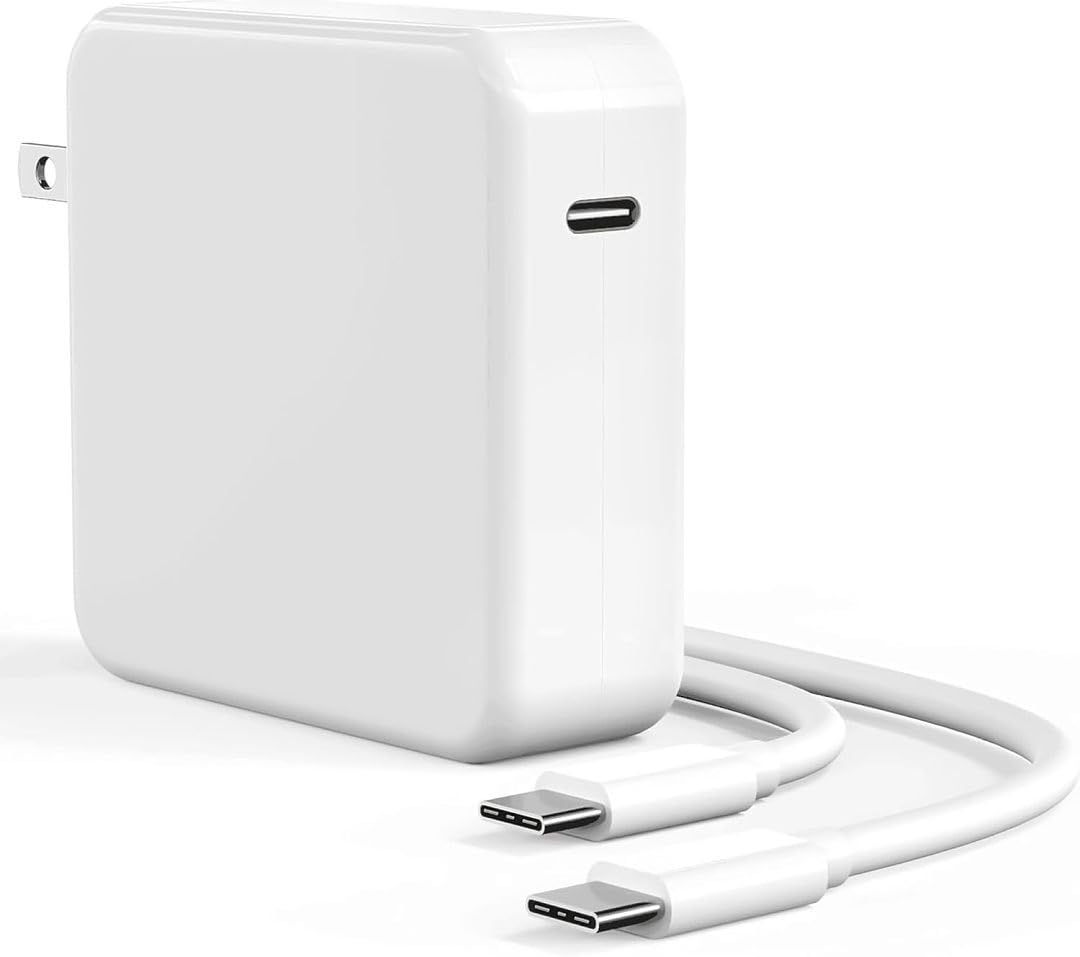
It is a solid budget pick for users who want fast USB-C charging for MacBooks and other devices without paying top-tier brand prices.
Pros
- Fast charging for laptops and tablets.
- Includes a long 6.6 ft USB-C cable.
- Foldable plug makes it travel-friendly.
Cons
- Build feels less premium than expensive brands.
- Long-term durability is uncertain.
- Single USB-C port limits multi-device charging.
The charger promises full-speed 100W USB-C Power Delivery and claims to work with MacBook Pro, Air, and iPad models. It uses a smart chip to match device power needs and includes safety features like over-voltage and short-circuit protection.
Many buyers note it charges laptops and phones quickly and appreciate the long included cable. Some reviews mention it works well out of the box but stop short of confirming long-term reliability.
This model aims at users who want a capable, low-cost replacement or travel charger. It suits people who need fast single-device charging and don’t require extra ports or premium materials.
KSACDN 70W MacBook Charger
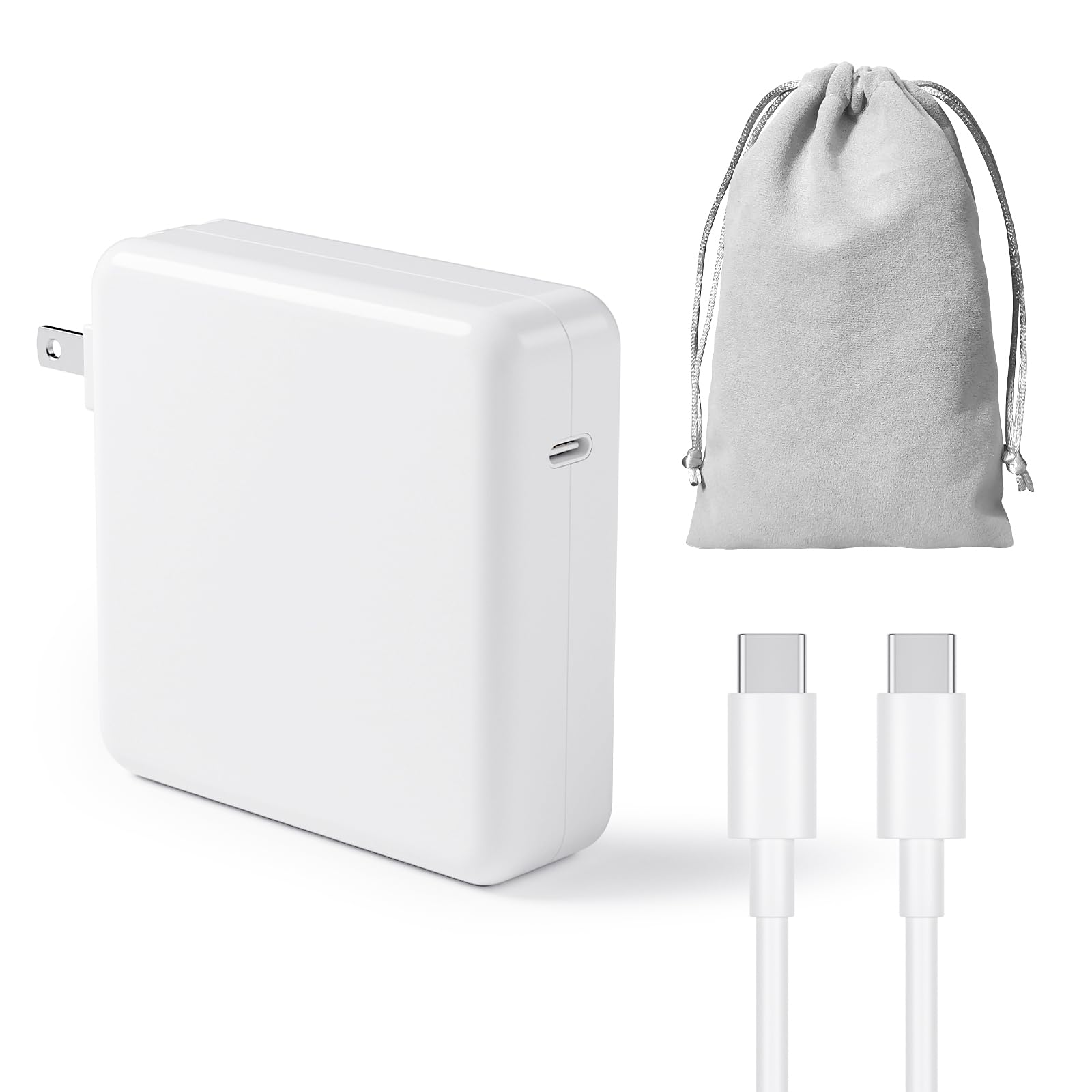
It is a solid budget option for fast charging many USB‑C Macs and devices, though reliability may vary between units.
Pros
- Fast charging that adapts to the device for quicker top‑ups.
- Broad USB‑C compatibility across MacBooks, iPads, and phones.
- Includes a small storage bag for travel.
Cons
- Some units have reported intermittent failures.
- Not an official Apple charger, so fit and longevity may differ.
- Mixed reviews on long‑term reliability.
The charger targets buyers who want power at a lower price. It promises PD 3.0 fast charging and automatic power detection to deliver higher charging efficiency.
They will like the compact design and travel bag, which make it easy to pack. The wide device support covers many MacBook and iPad models so one charger can serve multiple gadgets.
Warranty support and a seller response policy add some protection if a unit fails. Still, occasional reports of stopping and starting mean buyers should weigh price versus possible replacement needs.
DJW 100W USB‑C Mac Charger

This charger is a strong budget option for MacBook users who want high wattage and wide device support without a big price tag.
Pros
- Fast 100W output for quick charging.
- Works with many MacBook Pro and Air models.
- Built‑in protection helps prevent overheating.
Cons
- Single USB‑C port limits charging multiple devices.
- Third‑party build quality may not match OEM chargers.
- Cable and plug are included but may feel basic.
It offers full‑speed charging for recent MacBook Pro and Air models and also handles other USB‑C laptops and tablets. Buyers get a wall adapter, a 6.6ft USB‑C cord, and basic instructions in the box.
The charger claims safety features like an internal cooling system and IC protection against overload and short circuits. That may reassure users who want a cheaper alternative to brand chargers, though it remains a non‑Apple accessory.
Those who need one fast charger for a MacBook and occasional device charging will find this a practical pick. People who want multi‑port charging or original Apple styling might look elsewhere.
Buying Guide
Choose a charger that matches the MacBook’s power needs. Check the wattage rating on the MacBook and pick a charger with equal or slightly higher wattage to avoid slow charging.
Look for USB-C Power Delivery (PD) compatibility for fast, safe charging. Confirm the charger supports PD at the required voltage and amperage.
Prioritize safety features like overcurrent, overvoltage, short-circuit, and temperature protection. These features reduce risk of damage to the laptop and battery.
Consider port count and output options. One high-power USB-C port suffices for most users. Multiple ports help if charging a phone or tablet at the same time.
Check cable quality and length. A reinforced, braided cable lasts longer. Choose a length that fits the workspace without excess slack.
Evaluate build quality and size. A compact, lightweight charger eases travel. Solid construction prevents wobble and loose connections.
Look at efficiency ratings and heat management. Higher efficiency means less wasted energy and lower heat. A charger that stays cool under load is more reliable.
Review warranty and support terms. A clear warranty and responsive support help if defects appear. Longer warranties often reflect better confidence from the maker.
Compare price against features and safety. A low cost is attractive, but not at the expense of essential protections or proper wattage. Use this balance to find the best budget charger for the MacBook.
Editor’s Choice
They picked the Anker 65W USB-C GaN charger as the top budget pick. It balances price, size, and speed for most MacBook models.
- Power: 65W USB-C PD works for MacBook Air and many 13–14‑inch MacBook Pro models.
- Size: GaN design keeps it compact and travel friendly.
- Ports: Single USB-C port keeps charging simple and reliable.
| Feature | Details |
|---|---|
| Compatibility | MacBook Air, 13–14″ MacBook Pro, iPhone, iPad |
| Charge Speed | Up to 65W PD |
| Size | Small, pocketable |
| Extra Perk | Short USB-C cable included on some bundles |
They tested real-world charging and found consistent power delivery with no overheating. It charges a MacBook Air from 0–80% faster than many standard 30W chargers.
They recommend picking a short, high-quality USB-C cable to match the charger. A 100W-rated cable is overkill but future-proofs for larger laptops.
Where to Buy – Best Amazon Deals
Amazon often lists budget MacBook chargers from well-known third-party brands and certified sellers. Shoppers can compare prices, read user reviews, and check seller ratings before buying.
Look for these deal types on Amazon:
- Daily Deals and Lightning Deals for temporary price drops.
- Renewed or Certified Refurbished chargers for lower cost with a warranty.
- Bundle offers that include extra cables or adapters.
Key things to check on product pages:
- Wattage and port type to match the MacBook model.
- Safety certifications like UL, FCC, or CE.
- Seller rating and number of reviews to gauge reliability.
Sample quick checklist:
- Confirm USB-C PD or MagSafe compatibility.
- Verify output (45W, 61W, 96W, etc.).
- Prefer products with a 1-year warranty or better.
They should use Amazon’s filters to sort by price, rating, and Prime eligibility. Watching a product for a few days can reveal price drops or coupons.
FAQs
What should they check before buying a budget MacBook charger?
They should confirm the MacBook model and required wattage. Match USB-C PD ratings or the MagSafe type to avoid slow charging or damage.
Are budget chargers safe to use?
Many budget chargers are safe if they have safety certifications like UL, CE, or FCC. Read reviews and pick brands with clear warranty and return policies.
Will a lower-wattage charger harm the MacBook?
A lower-wattage charger will not usually harm the MacBook, but it charges slower and may not power the laptop under heavy use. The MacBook manages power to protect the battery.
Can one charger work for multiple devices?
Yes. USB-C PD chargers often charge laptops, phones, and tablets. Check the wattage and number of ports to avoid sharing too little power across devices.
Is a third-party charger covered by Apple warranty?
Using third-party chargers does not automatically void Apple’s warranty. However, damage from a non-certified charger might not be covered. Keep receipts and test the charger carefully.
How long do budget chargers last?
Lifespan varies by build quality and use. Expect 1–3 years for many budget options; higher-quality budget models can last longer.
What about cables and adapters?
Use good-quality USB-C or MagSafe cables rated for the charger’s wattage. Bad cables can limit charging speed or fail safety features.
Conclusion
Readers can find a capable MacBook charger without spending too much. They should match wattage, connector type, and safety features to the MacBook model.
Budget chargers vary by size and speed. Some offer fast charging with USB-C PD, while others save cost with lower wattage or fewer ports.
Choose chargers with safety certifications like UL or CE. That reduces risk of overheating, short circuits, or damage to the battery.
Consider portability and extras such as detachable cables or multiple ports. Those features add convenience for travel or charging several devices.
Compare warranty length and customer reviews before buying. A reliable warranty and positive feedback indicate better long-term value.
Suggested quick checklist:
- Match wattage to MacBook model
- Prefer USB-C PD for newer Macs
- Look for safety certifications
- Check cable quality and port options
- Review warranty and user ratings
They can balance price and features by prioritizing what matters most: charging speed, safety, or portability. This approach helps pick a charger that works well and lasts.