9 Best Smart Lights for HomeKit: Top Picks for Reliable, Room-Transforming Lighting
Affiliate disclosure: As an Amazon Associate, Gadget Makers Blog may earn from qualifying purchases. This does not change the price you pay.
Smart lights let people control bulbs with a phone, a voice assistant, or routines. They save energy, add security, and make scenes for watching movies or waking up. Smart lights that work with HomeKit also let users control devices securely through Apple’s Home app and Siri.
Choosing smart lights for HomeKit means checking compatibility, color quality, and how they connect to the network. The most important thing is making sure the bulbs or fixtures support HomeKit natively or via a reliable bridge, because otherwise they won’t integrate with the Home app or Siri. Other key points are whether the lights offer true whites and colors, local controls without cloud dependence, and good range for the home’s layout.
This guide tests and compares bulbs, light strips, and fixtures that play well with HomeKit, and it focuses on performance, ease of setup, and everyday reliability to help readers pick the right options.
9 Best Smart Lights for HomeKit
They tested and gathered the top smart lights that work well with Apple HomeKit. This list focuses on ease of setup, reliable performance, and useful features for a smart home.
Kasa KS200 HomeKit Smart Switch

It is a good buy for Apple users who need a simple, reliable HomeKit switch and already have neutral wiring.
Pros
- Works with Apple HomeKit, Siri, Alexa and Google for flexible voice control.
- No hub required — connects directly to 2.4 GHz Wi‑Fi.
- App guides setup and offers scheduling and away mode.
Cons
- Requires a neutral wire, so not compatible with all homes.
- Needs a networked Apple device at home for remote HomeKit control.
- Faceplate clips may be fragile over repeated removals.
The KS200 fits into a typical light switch slot and replaces standard switches. It supports Siri and other voice assistants, so users can add it to scenes and automations inside HomeKit.
The Kasa app walks through setup and offers timers, schedules, and an away mode. Those features let people automate lights without extra hubs or monthly fees.
Buyers should check for a neutral wire in the wall box before ordering. If a home lacks a neutral, this switch will not work without electrical changes.
Philips Hue Essential A19 4-Pack
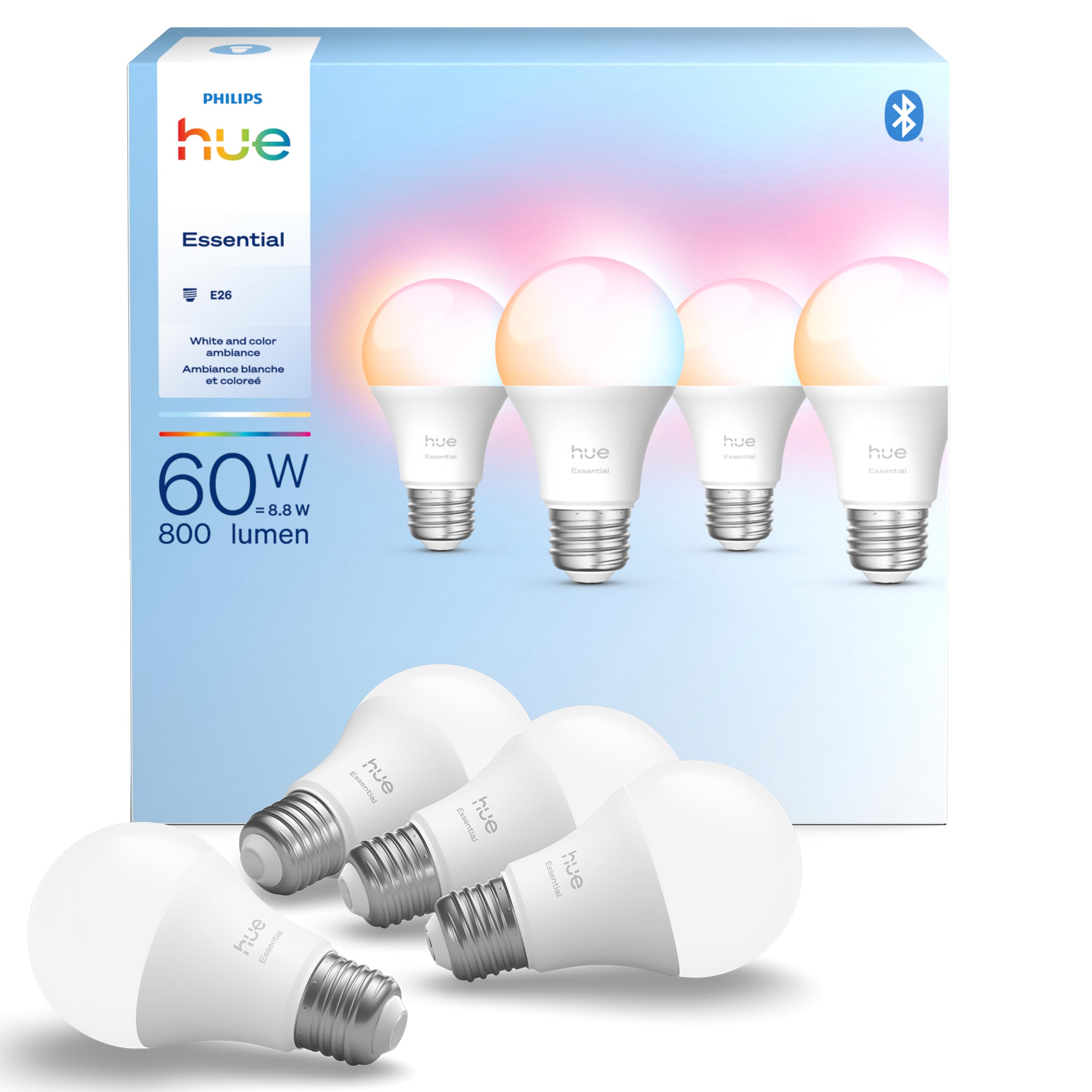
It is a solid choice for HomeKit users who want reliable color and white tuning with easy app and voice control.
Pros
- Wide range of colors and tunable white for mood and tasks.
- Smooth dimming down to low levels for softer lighting.
- Works with Apple Home and other assistants for voice control.
Cons
- More expensive than many non-Hue smart bulbs.
- Some users report occasional early failures.
- Advanced features require a Hue Bridge to unlock.
The bulb gives many color options and true tunable white, so it suits living rooms, bedrooms, and media setups. It fits standard E26 fixtures and pairs with HomeKit for scenes and automations.
Setup via the Hue app looks straightforward and works with voice assistants without much fuss. People adding to an existing Hue system will find it fits into the same ecosystem and app controls.
Those who want every advanced feature like content sync or extended range should consider adding a Hue Bridge. Buyers who only need basic color bulbs might find cheaper alternatives, but this model offers strong HomeKit compatibility and a polished app experience.
Kasa Smart KS200 (3-Pack)

The Kasa Smart KS200 is a solid HomeKit switch for users who want Siri control and app schedules without adding a hub.
Pros
- Works with Apple HomeKit, Siri, Alexa and Google Assistant.
- Easy app-guided install and no hub required.
- Remote control and scheduling from the Kasa app.
Cons
- Neutral wire required, so not ideal for older homes without one.
- Needs 2.4 GHz Wi‑Fi only, not compatible with 5 GHz.
- Faceplate clips can feel fragile on repeat removals.
This switch fits standard wall plates and replaces a single-pole switch, giving HomeKit access to lights and fans. It lets users set timers, create schedules, and control lights from anywhere using the Kasa app or Siri voice commands.
Installation walks through wiring steps in the app, which helps non-experts, but the neutral wire requirement means some homes will need an electrician. The unit talks directly to Wi‑Fi, so it avoids a hub but needs a 2.4 GHz network for reliable pairing.
Customers who want simple HomeKit integration and remote control will like the KS200; those without a neutral wire or who use 5 GHz-only networks should look at alternatives.
Govee Smart Bulbs (4-Pack)

It is a strong choice for HomeKit users who want bright, colorful bulbs at a low price, though it may need extra setup to work smoothly with Apple HomeKit.
Pros
- Wide color options and many preset scenes for mood lighting.
- Good brightness for most rooms while using little power.
- Works with voice assistants and has music-sync and app controls.
Cons
- Not natively HomeKit-certified; may need a bridge or third-party integration.
- Requires stable 2.4 GHz Wi‑Fi and can be picky during setup.
- Some units in reviews arrived defective or needed replacement.
These bulbs offer vivid colors and easy scene creation. They suit living rooms, bedrooms, and accent lighting where users want flexible color and brightness.
The music-sync feature reacts to sound when the phone mic is allowed, which adds fun for parties or gaming. Voice control and grouping make daily control simple once they are connected.
Buyers who want direct HomeKit pairing should plan for extra steps or a HomeKit bridge. Still, the low cost, high brightness, and app features make this set a practical pick for many homes.
Tapo L535E (Tapo Matter Bulb 4-Pack)

Tapo’s L535E is a strong pick for HomeKit users who want bright, color-rich bulbs that work across major smart platforms.
Pros
- Very bright compared to many color bulbs.
- Works with Apple Home via Matter and other platforms.
- Wide range of colors and tunable white for many moods.
Cons
- Some users report occasional connection drops.
- Actual brightness can feel lower than the spec in some fixtures.
- A minority received defective or opened packages.
The bulb aims to deliver extra light and flexible color control without a hub. It uses Matter to simplify setup in Apple Home and allows voice controls through Siri, Alexa, or Google Assistant.
It offers millions of RGBW colors and a high CRI for truer color tones. Users can dim, schedule, and tune white tones for sleep or work routines using the Tapo app.
Some buyers found setup simple and reliable, while others saw intermittent drops or packaging issues. Expect solid value if Matter compatibility and higher lumen output matter to the buyer.
OREiN Matter Smart Bulbs (4-pack)

It is a solid, budget-friendly Matter-compatible bulb pack for HomeKit users who want color, local control, and simple app or voice integration.
Pros
- Easy Matter setup and works with Apple Home, Alexa, and Google Home.
- Bright, colorful output with warm-to-cool whites and good color rendering.
- Local LAN control via 2.4 GHz Wi-Fi keeps lights responsive even if the internet drops.
Cons
- Only supports 2.4 GHz Wi‑Fi and may not fit all fixtures without checking first.
- Smart bulbs usually don’t work well with dimmer switches, which can cause flicker.
- App-driven features like music sync need the vendor app and may feel basic.
The bulbs offer a wide color range and 800-lumen brightness that matches many everyday rooms. They use the Matter standard, so they should join Apple Home and other ecosystems more smoothly than non‑standard bulbs.
Setup relies on scanning a Matter QR code and a 2.4 GHz Wi‑Fi network, so buyers must confirm router settings and socket fit before ordering. The bulbs include music-sync modes and several scene presets through the vendor app for party or mood lighting.
People looking for low-cost, HomeKit-ready color bulbs will find good value here, especially if they need local control and multi-platform compatibility without adding a hub.
Kasa Smart Dimmer (KS220) — 3-Pack

This switch is a good choice for HomeKit users who want affordable, app-guided dimming that works with Siri and other assistants.
Pros
- Easy app setup and HomeKit support.
- Gentle fade feature for smoother on/off transitions.
- No hub required — works over 2.4 GHz Wi‑Fi.
Cons
- Requires a neutral wire, so not ideal for older homes.
- Can be cramped in shallow electrical boxes when installing multiple units.
- Occasional connectivity or setup hiccups reported by some users.
The Kasa KS220 offers straightforward HomeKit integration and voice control through Siri, Alexa, and Google Assistant. The Kasa app walks users through installation and scheduling without needing extra hardware.
It includes a gentle off fade that can help when dimming lights for bedtime. Schedules and countdowns let users automate lights for daily routines or simulate presence while away.
Installers should confirm a neutral wire and enough box space before buying. Some buyers note a small chance of setup or connectivity problems, but support responses have improved.
Meross A19 HomeKit Smart Bulbs (2-Pack)

It is a solid, budget-friendly HomeKit option for users who want color and tunable white without a hub.
Pros
- Easy HomeKit setup and Siri support.
- Wide color range plus warm-to-cool white.
- No hub required — works over 2.4 GHz Wi‑Fi.
Cons
- Can be picky about 2.4 GHz network setup.
- Occasional connectivity or “no response” reports.
- Some users needed replacements for dead-on-arrival bulbs.
The bulbs offer full RGB color and 2700K–6500K white tones, so they fit many rooms and moods. They run on Wi‑Fi and claim stable connections, which keeps the setup straightforward for most smart home setups.
They work with Siri, Alexa, and SmartThings, and you can set schedules, dim lights, or pick colors from the app or HomeKit. Users should note these bulbs require a 2.4 GHz network and that some people reported intermittent disconnects or setup retries.
Customer service has replaced defective units in some reports, which suggests the company supports returns and warranty cases. Buyers who want reliable HomeKit color bulbs at a lower price will find these worth considering, but they should be ready to troubleshoot Wi‑Fi or contact support if issues arise.
Govee Smart A19 Bulbs (4-Pack)
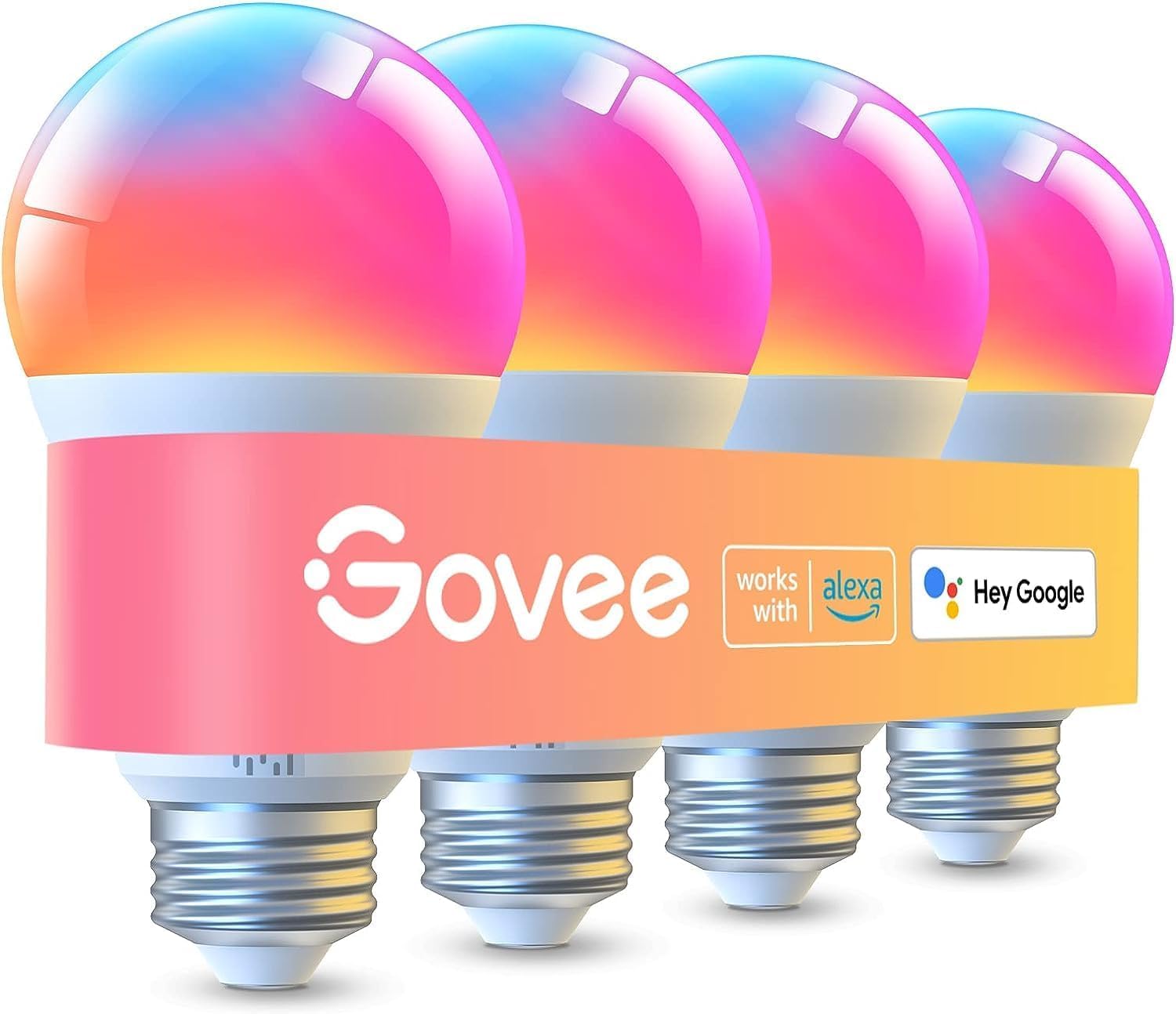
These bulbs offer bright, colorful HomeKit-compatible lighting at a lower price than premium brands, though some users report occasional flicker and limited switch compatibility.
Pros
- Very bright with many color and white-tone options.
- Works with Wi‑Fi, Bluetooth, Alexa, and Google Assistant.
- Good value for a 4‑pack versus higher‑end systems.
Cons
- Not compatible with smart switches; must stay powered.
- Some reports of flicker or dimming issues.
- Presets need Wi‑Fi and Bluetooth must be off to save.
Govee packs a lot into these A19 bulbs: high lumen output, RGBWW colors, and app scenes for easy mood setting. They aim to replace a 75W bulb while using only 9W, which helps save energy.
The Govee Home app adds timers, music sync, and many preset scenes. Voice control works through Alexa and Google Assistant, and the bulbs support both Wi‑Fi and Bluetooth for flexible control.
Buyers should keep bulbs on constant power and use the app or voice controls rather than a wall switch. Those who want full HomeKit-native features or switch-based control may prefer a Hue or other native HomeKit product.
Buying Guide
Choose lights that work with HomeKit natively to avoid extra hubs. Native support gives simpler setup and more reliable voice control.
Look for color range and brightness. Brightness is measured in lumens; higher lumens mean more light. Color options include tunable white and full RGB; pick based on whether mood lighting or accurate whites matter.
Check connectivity and controls. Wi‑Fi, Thread, and Bluetooth have different ranges and reliability. Thread offers low latency and mesh stability when supported. Also confirm if the light needs a bridge or hub.
Consider power and fitting type. Ensure the bulb fits the fixture and that wattage and voltage match. For smart switches, verify neutral wire requirements.
Evaluate automation and scenes support. Ensure the lights respond to HomeKit scenes, automations, and timers. Look for features like adaptive lighting and presence-based triggers if those are useful.
Assess build quality and warranty. Durable materials and good heat dissipation improve lifespan. A clear warranty helps if a device fails.
Compare price versus features. Balance cost against essential features like HomeKit compatibility, brightness, and connectivity. Spending more may be worth it for reliability and better support.
Use a simple checklist when shopping:
- HomeKit native support
- Brightness (lumens) and color type
- Connectivity: Wi‑Fi / Thread / Bluetooth
- Physical fit and power needs
- Automation features
- Warranty and build quality
Editor’s Choice
| Pick | Product | Why it stands out |
|---|---|---|
| Editor’s Choice | Philips Hue White & Color Ambiance | It offers the widest HomeKit support, strong app stability, and a large ecosystem of bulbs and accessories. |
Philips Hue works well with HomeKit and other smart platforms. It lets users set scenes, schedules, and automations with reliable performance.
The system needs a Hue Bridge for full features. That adds cost but improves responsiveness and local control.
Bulb colors look natural and bright at typical home brightness. The app and HomeKit controls keep setups simple for most users.
Accessories like dimmer switches and motion sensors plug into the Hue Bridge. They expand control without relying only on voice or phone apps.
Alternatives may cost less but often trade off reliability or color accuracy. For users who want a long-term, flexible HomeKit setup, this choice balances features, compatibility, and support.
Where to Buy – Best Amazon Deals
They can find many HomeKit-compatible smart lights on Amazon with fast shipping and clear return policies. Amazon often lists bulbs, light strips, and switches from Philips Hue, LIFX, Eve, and Nanoleaf.
Look for Prime-eligible listings to get free two-day delivery and easy returns. Check seller ratings and read recent reviews to confirm HomeKit setup works as described.
Watch for bundle deals that include bridges, dimmers, or extra bulbs. Bundles often lower the per-bulb price and save setup time.
Use Amazon’s filter for “Works with Apple HomeKit” when available. Sorting by customer reviews and price helps spot reliable options.
Compare price history with tools like CamelCamelCamel or Keepa before buying. Those tools show past discounts and help decide if a current deal is truly good.
Quick checklist:
- Confirm “Works with Apple HomeKit” on the product page.
- Verify included bridge/hub if needed.
- Read recent reviews for setup and firmware notes.
- Compare bundle vs single-item pricing.
They should check Amazon’s daily deals and seasonal sales for the best prices. Prices can drop significantly during Prime Day, Black Friday, and holiday sales.
Conclusion
Smart lights for HomeKit give users a simple way to control home lighting with voice or the Home app. They range from bulbs to light strips and switches, so buyers can pick what fits each room and budget.
They should check compatibility, brightness (lumens), color range, and whether a hub is needed. Reliable brands and secure updates matter for long-term use.
For basic needs, replace a few bulbs to start. For larger setups, consider a bridge or hubs that support many devices. Mix white and color lights for flexibility.
Price, ease of setup, and Apple HomeKit support guide choices. Users who value privacy and seamless Apple integration will prefer devices with official HomeKit certification.
FAQs
What does HomeKit require for smart lights?
HomeKit needs lights that explicitly say they support HomeKit or work through a compatible bridge. It also needs a home hub (Apple TV, HomePod, or iPad) for remote control and automations.
Are HomeKit lights secure?
HomeKit uses end-to-end encryption for device pairing and communication. This reduces the chance of unauthorized access when devices and Apple software are up to date.
Can mixed-brand lights work together?
Yes, they can if each light supports HomeKit. The Home app and scenes let different brands act together. Some advanced features may vary by manufacturer.
Do HomeKit lights need Wi‑Fi or Bluetooth?
Some use Wi‑Fi, some use Bluetooth, and some use Zigbee or Thread with a bridge. Wi‑Fi offers direct control; Bluetooth is simpler but limited in range; Thread improves reliability for compatible hubs.
How to set up HomeKit lights?
Open the Home app, tap Add Accessory, and follow prompts to scan the HomeKit code. The app guides network and room setup step by step.
Are HomeKit lights voice controllable?
Yes, Siri works with HomeKit for voice control. Users can set names and scenes to run with short voice commands.
Will HomeKit lights work without internet?
Local control and automations can work on a local network if the home hub stays online. Remote control and some cloud features require internet access.