2MP Camera Guide: A 2MP camera is usually enough for basic indoor monitoring and short-range viewing, but higher resolution is better when you need useful zoom, outdoor identification, or coverage across a larger property.
A premium 2MP option for buyers who need motorized outdoor coverage, PoE reliability, and more flexibility than a fixed indoor camera.
A higher-resolution multi-camera system for readers who need clearer detail, several coverage zones, and centralized recording.
A basic 2MP camera may already be enough when monitoring is close-range and you do not need detailed digital zoom or distant identification.
A 2MP camera is usually enough for basic smart home monitoring, especially indoors and at short range. If you need sharper detail, better zoom, or outdoor identification, a higher-resolution model is the better choice.
2MP Camera Guide explains when a 1080p-class security camera is sufficient and when a higher-resolution model is the better long-term purchase. A 2MP camera is practical for doors, rooms, pets, and routine alerts, but it is less effective for distant faces, license plates, and heavy digital zoom.
- Best use case: Indoor monitoring, entryways, nurseries, and simple remote viewing.
- Key spec checks: Night vision, storage type, app compatibility, and Wi-Fi requirements matter as much as resolution.
- Main limitation: A 2MP camera struggles with distant detail, zoom, faces, and license plates.
- Buy smart: Compare privacy controls, firmware support, warranty, and mounting style before choosing.
Indoor rooms, entryways, nurseries, pets, and basic motion alerts.
Large yards, useful digital zoom, distant faces, license plates, and full-property security.
2MP Camera Guide: What It Is, How It Works, and Whether It’s Enough for Your Smart Home
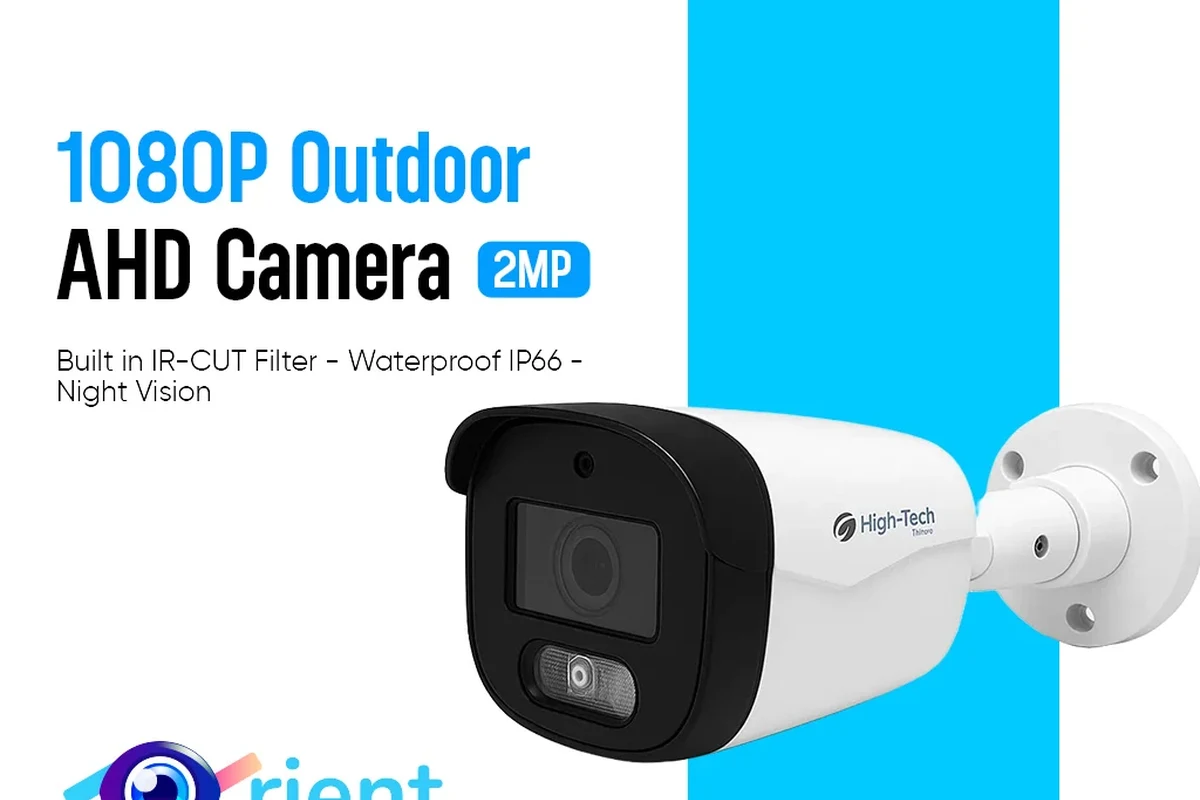
“2MP” means the camera sensor produces about 2 million pixels per frame, which is commonly associated with 1080p video. That makes it a familiar entry point for smart home buyers who want live viewing, motion alerts, and easy app access without stepping into higher-resolution pricing or larger storage demands.
Whether it is enough depends on what you want to see. For a front hallway, nursery, apartment entry, or indoor pet monitoring, a 2MP camera can be a sensible fit. For reading a mailbox label across a yard, identifying a face from far away, or zooming into a moving subject, higher resolution usually gives better results.
2MP Camera Basics: Resolution, Image Quality, and Key Specifications to Check
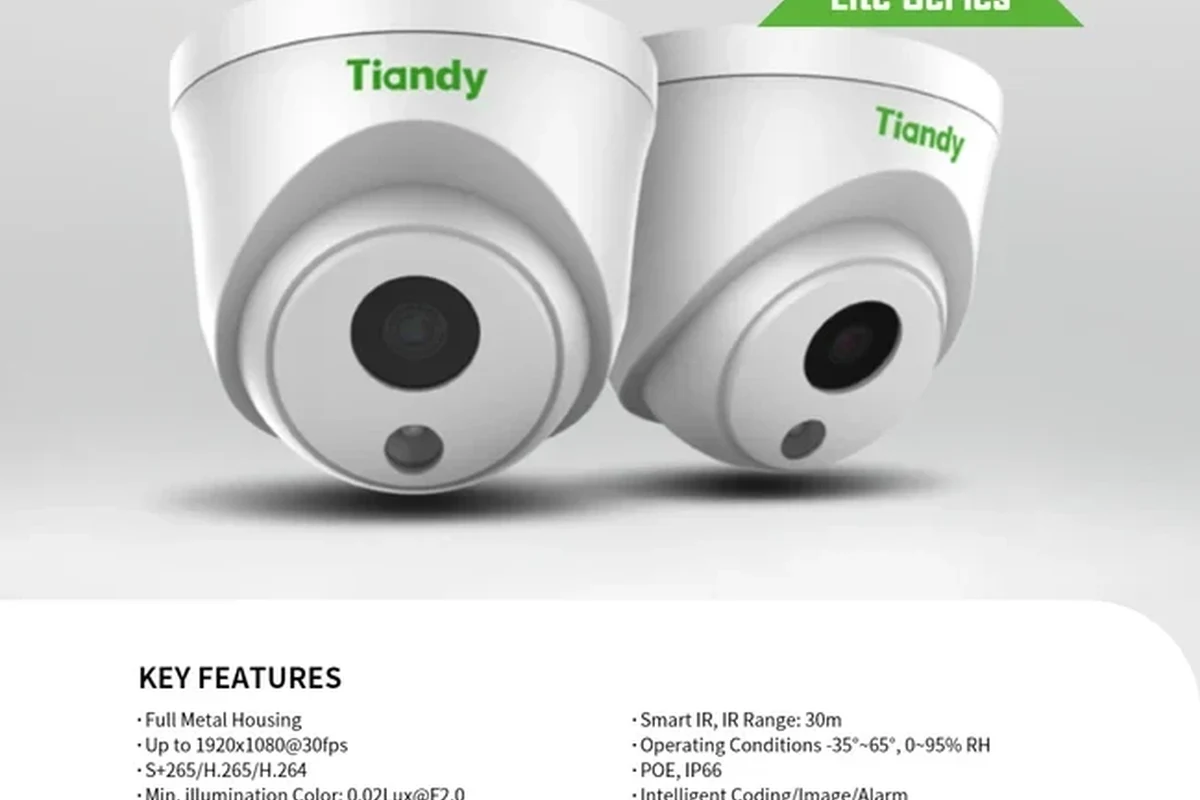
Resolution is only one part of image quality. A camera can have 2MP resolution and still perform differently depending on lens quality, sensor size, processing, compression, and low-light tuning. That is why buyers should look beyond the headline number and compare the specifications that affect everyday use.
Resolution and field of view
Resolution tells you how much detail the camera can capture, while field of view tells you how wide an area it can see. A wider view is useful for covering a room or doorway, but if the scene is too broad, small objects may look less detailed. For smart home use, the best balance is usually a camera that covers the area you care about without stretching the image too much.
Also check whether the camera offers digital zoom, because zooming into a 2MP image can quickly reveal its limits. A tighter mounting position often helps more than relying on zoom later.
Low-light performance and infrared night vision
Many 2MP cameras rely on infrared night vision for dark spaces. That can work well for seeing movement, room layout, or a person entering the frame, but the image may appear black-and-white and less detailed than daytime video.
Some models also advertise color night vision or enhanced low-light processing. Those features vary by model and lighting conditions, so confirm the official specs and remember that a little ambient light can make a big difference.
Frame rate, compression, and storage impact
Frame rate affects how smooth motion looks. A higher frame rate can make moving people, pets, or packages easier to follow, while a lower frame rate may look choppier. Compression also matters because it determines how much storage the camera uses and how much bandwidth it needs.
For buyers, the practical question is not just “How sharp is it?” but “How much video can I store, and how stable will streaming be on my network?” If storage or internet speed is limited, a 2MP camera can be easier to manage than a heavier 4K model.
Connectivity, power options, and app compatibility
Most smart home cameras depend on Wi-Fi and a companion app. Before buying, verify the supported network band, app store availability, and whether the camera works with your phone’s operating system and your preferred smart assistant or home platform.
Power options also matter. Some 2MP cameras are plug-in models, while others may be battery-powered or support both. Plug-in models are usually better for continuous monitoring, while battery models offer more flexible placement but require charging or battery replacement.
Who a 2MP Camera Fits Best in 2026
The best buyers for a 2MP camera are usually people who want simple, affordable, and reliable monitoring rather than advanced surveillance detail. The category still makes sense in 2026 because many homes do not need ultra-high resolution for everyday awareness.
Indoor monitoring for apartments, entryways, and nurseries
For indoor spaces, a 2MP camera can be enough to check whether someone entered a room, whether a child is sleeping, or whether a pet is moving around normally. It is also useful in apartments and entryways where the viewing distance is short and the goal is general awareness.
Privacy controls matter here. Look for features such as activity zones, privacy modes, and scheduled recording if the camera will face shared spaces or family areas.
Budget-conscious smart home buyers
If you are building a smart home on a tight budget, 2MP cameras often offer a lower barrier to entry than higher-resolution options. They can reduce storage use and network strain, which helps if your Wi-Fi setup is modest or shared across many devices.
That said, lower upfront cost should not be the only factor. Check the app quality, firmware update policy, and warranty terms so you are not trading away long-term usability for a small savings.
Users who need simple remote viewing over ultra-detailed footage
Many people mainly want to open an app and confirm that a room is occupied, a pet is safe, or a package was dropped off. For that kind of remote viewing, a 2MP camera is often perfectly adequate.
If your priority is evidence-grade detail, though, you may want to move up to a higher-resolution model. The right choice depends on whether your main goal is awareness or identification.
Choose a 2MP camera if you want straightforward indoor monitoring, lower storage use, and basic smart home integration, but do not need long-distance detail or heavy zoom.
Real-World Benefits and Limitations of 2MP Cameras
In everyday smart home use, a 2MP camera is often a “good enough” solution. It can provide dependable live views, motion alerts, and event clips without making the setup complicated. The trade-off is that the image can lose clarity when subjects are far away or moving quickly.
Clear enough for everyday monitoring and alerts
For doors, hallways, shelves, cribs, and small rooms, 2MP footage is usually clear enough to tell what happened. Motion alerts, package checks, and room monitoring are all realistic use cases, especially when the camera is mounted at the right angle.
In many homes, the value is not cinematic detail but timely awareness. If the camera helps you respond faster or check in remotely with less friction, it is doing its job.
Trade-offs versus 4MP, 5MP, and 4K options
Higher-resolution cameras can capture more detail and usually give you more room to crop or zoom. That matters if you want to inspect a wider area, preserve facial detail, or review a scene after the fact.
But more resolution can also mean larger files, greater bandwidth use, and sometimes more demanding app or network performance. For some households, the added clarity is worth it; for others, it is overkill.
Where 2MP falls short: zooming, license plates, and facial detail
There are clear limits to what a 2MP camera can do. It is not the best choice for reading license plates from a distance, identifying faces in a large yard, or zooming deep into a clip while keeping the image sharp.
If those tasks are important, consider a higher-resolution camera, a model with a narrower field of view, or a second camera placed closer to the target area.
- Usually enough for everyday indoor monitoring
- Lower storage and bandwidth demands
- Often easier to set up and manage
- Less detail when zooming or viewing far away
- Not ideal for small text or distant identification
- Image quality varies widely by lens and low-light tuning
How to Choose the Right 2MP Camera for Your Home
The best 2MP camera is the one that fits your room, network, app preferences, and storage plan. A careful buyer will compare design, setup, and privacy features instead of focusing only on resolution.
Indoor vs. outdoor design, dimensions, and mounting style
Start by deciding where the camera will live. Indoor cameras are usually smaller and easier to place, while outdoor models need weather resistance, sturdier mounts, and better protection from sun, rain, and dust.
Check the physical size, stand type, wall mount options, and cable routing before buying. A camera can have the right specs but still be awkward to place in your intended spot.

This is the most article-relevant premium product because it stays within the 2MP category while adding motorized pan, tilt, and zoom for wider outdoor coverage.
- Driveways, yards, small businesses, and wider outdoor spaces
- Buyers who want a premium 2MP option instead of a fixed indoor camera
- Locations where wired PoE reliability is preferred over battery charging
- PoE switch or NVR compatibility and available power budget
- Current zoom specification, app support, weather rating, and mounting hardware
- Cable routing, installation height, and the real distance to the target area
Wi-Fi requirements, app setup, and smart assistant support
Installation can be simple or frustrating depending on your router, phone, and app version. Confirm whether the camera needs a 2.4 GHz network, a specific app account, or a hub before purchase.
If you use Alexa, Google Home, or another assistant, verify compatibility on the manufacturer’s current support page. Smart home support can change with firmware updates or regional differences.
Storage choices: local microSD, cloud plans, and subscription costs
Storage is one of the most important ownership questions. Local microSD storage can reduce ongoing costs, but you should confirm card capacity limits, overwrite behavior, and whether the camera supports event-only recording or continuous recording.
Cloud storage can be more convenient for remote access and backups, but the subscription terms vary by brand. Always review the plan details, retention period, and cancellation rules before relying on it.
If you want the simplest setup, choose a camera with clear app instructions, easy account recovery, and a storage option that matches how often you plan to review footage.
Warranty, firmware updates, and privacy features to verify
Before buying, check the warranty length, update history, and privacy controls. Useful features can include two-factor authentication, encrypted account access, camera-off scheduling, and motion-zone customization.
Also review the manufacturer’s privacy policy and support page. A camera is a connected device, so long-term software support matters as much as the lens itself.
Setup, Placement, and Safe Use Tips for Better Results
Good placement can improve a 2MP camera more than many buyers expect. The right angle, height, and lighting can make a modest-resolution camera feel much more capable.
Best mounting height, angle, and coverage zones
For indoor use, place the camera high enough to reduce tampering but low enough to keep faces and important activity in frame. Aim it toward the area you actually want to monitor, such as a doorway, crib, or hallway junction.
It helps to think in zones: foreground, midground, and background. The closer the important action is to the camera, the more useful the image will be.
Pick the doorway, shelf, crib, or room section you want covered before mounting anything.
Use the live view to check for blind spots, glare, and unnecessary wall or ceiling space.
Make small adjustments after installation so motion alerts and framing stay useful.
Reducing glare, blind spots, and connection dropouts
Keep the lens away from direct sunlight, reflective glass, and strong lamps when possible. Those light sources can wash out the picture or trigger false motion events.
For Wi-Fi stability, place the camera within a reasonable range of the router or access point and avoid thick walls or large metal obstacles when you can. If the signal is weak, a better network location may help more than changing camera settings.
Safe power use, cable quality, and heat considerations for plugged-in models
Use only the power adapter and cable type recommended by the manufacturer. If a plug-in camera feels unusually hot, shows damage, or behaves erratically, stop using it and follow the official support guidance.
Do not cover power adapters, run cables where children or pets can chew them, or use damaged cords. For outdoor installs, verify the camera and power setup are rated for the environment before exposure to rain or heat.
Maintenance, Care, and Common Troubleshooting Mistakes
Like any smart home device, a 2MP camera works best when it is kept clean, updated, and configured sensibly. Small maintenance habits can prevent many of the problems people blame on the camera itself.
Lens cleaning, housing checks, and weather protection
Dust, fingerprints, and moisture can soften the image. Clean the lens gently with a soft microfiber cloth and check the housing for cracks, loose mounts, or water intrusion if the camera is outdoors.
For weather-exposed models, follow the official mounting and sealing instructions. A camera that is not protected properly may fail earlier than expected.
Memory card care, storage limits, and replacement guidance
If your camera uses microSD storage, format the card through the camera or app if the manufacturer recommends it. Cards wear out over time, especially with continuous recording, so watch for warning signs like missing clips or recording errors.
Replace storage media if the app reports failures or if recordings become unreliable. Always confirm the supported card type and capacity in the manual rather than guessing.
Fixing weak Wi-Fi, lag, motion alert issues, and app pairing problems
Weak Wi-Fi can cause lag, dropped live view sessions, and missed alerts. If that happens, restart the camera and router, check signal strength, and confirm the app has the necessary permissions on your phone.
Motion alerts can also be too sensitive or not sensitive enough depending on the room layout. Adjust detection zones, sensitivity, and notification settings before assuming the camera is faulty.
Stop using damaged electronics, swollen batteries, frayed cables, overheating chargers, or unstable appliances and follow the manufacturer’s guidance.
Final Verdict: Is a 2MP Camera Worth Buying in 2026?
A 2MP camera is still worth buying when your goal is affordable, simple, everyday smart home monitoring. It makes the most sense for indoor spaces, short viewing distances, and buyers who care more about reliable alerts and easy app access than ultra-fine detail.
Best-value recommendation for specific user needs
If you want a basic camera for an apartment, nursery, hallway, or entryway, a well-supported 2MP model can be a smart value choice. Focus on app quality, storage flexibility, Wi-Fi reliability, and privacy controls, because those factors usually affect satisfaction more than resolution alone.
When to upgrade to a higher-resolution smart home camera
Upgrade if you need better zoom, clearer identification, wider-area detail, or more useful footage from farther away. If your use case includes outdoor monitoring, license plate reading, or evidence-focused recording, a higher-resolution camera is often the better long-term choice.
A 2MP camera is a sensible buy for straightforward smart home monitoring, especially indoors and on a budget. Choose a higher-resolution model if you need sharper detail at distance, stronger zoom performance, or more demanding security coverage.
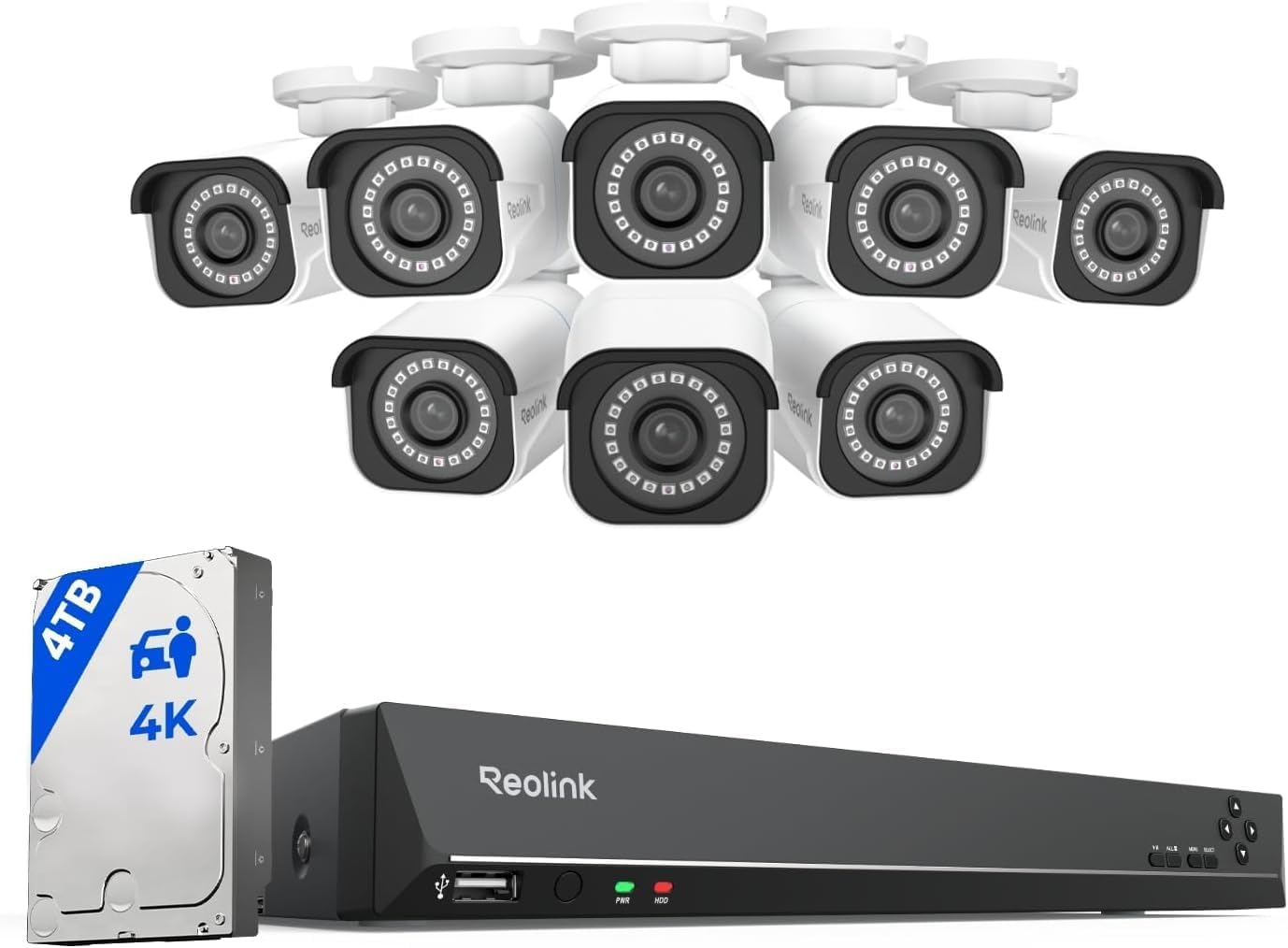
This is the premium upgrade for readers who discover that one or more 2MP cameras cannot provide enough identification detail, property coverage, or long-term recording flexibility.
- Larger homes, driveways, yards, offices, and multi-camera property coverage
- Buyers who need more useful detail than a basic 2MP Wi-Fi camera can provide
- Long-term security setups built around a central recorder
- Current camera count, recorder model, storage capacity, and included accessories
- Cable runs, installation labor, PoE capacity, monitor requirements, and mobile app support
- Whether 4K detail is necessary for every location or only critical outdoor zones
Better when you want a premium 2MP camera with movable outdoor coverage.
Check Amcrest →Better when identification, several camera zones, and higher-resolution recording matter.
Check REOLINK →Frequently Asked Questions
Is a 2MP camera good enough for home security?
It can be good enough for general indoor monitoring, entryways, and basic alerts. It is less suitable when you need fine detail, long-distance identification, or strong zoom performance.
What should I check before buying a 2MP camera?
Verify resolution mode, night vision, storage options, app compatibility, Wi-Fi requirements, and mounting style. Also check warranty terms and firmware update support.
Do 2MP cameras work with smart home apps and assistants?
Many do, but compatibility varies by model and region. Confirm support for your phone, operating system, and smart assistant on the manufacturer’s current compatibility list.
Is local microSD storage better than cloud storage?
Local storage can reduce ongoing costs, while cloud storage is often easier for remote access and backups. The better choice depends on your budget, privacy preferences, and how you plan to review footage.
Where should I place a 2MP camera for the best results?
Mount it high enough to reduce tampering and angle it toward the area you actually want to monitor. Avoid direct glare, and keep the camera within a stable Wi-Fi range.
When should I upgrade from a 2MP camera to a higher-resolution model?
Upgrade if you need better detail for zooming, faces, license plates, or wider-area coverage. Higher-resolution models are usually better for outdoor security and more demanding surveillance needs.