9 Best Smart Lighting System for Home: Expert Comparison and Buying Guide
Affiliate disclosure: As an Amazon Associate, Gadget Makers Blog may earn from qualifying purchases. This does not change the price you pay.
Smart lighting makes home bulbs and fixtures controllable with apps, voice assistants, and schedules. It lets people dim lights, change colors, and automate scenes for comfort, security, and energy savings. Many systems use Wi‑Fi, Zigbee, or Bluetooth and can work with standalone bulbs, smart switches, or whole-home hubs.
Smart bulbs suit renters and simple setups, while smart switches or hubs fit whole‑house control and mixed fixtures. Buyers should focus on compatibility with their phone, voice assistant, and the type of wiring they have, as well as whether they need color lighting, dimming, or local control without cloud dependence. The best choice balances ease of use, device compatibility, and how much of the home the system must cover.
9 Best Smart Lighting Systems for Home
Below is the full list of the best smart lighting systems for home. It covers easy setups, voice and app control, energy savings, and options for different budgets and home sizes.
Govee RGBIC Floor Lamp
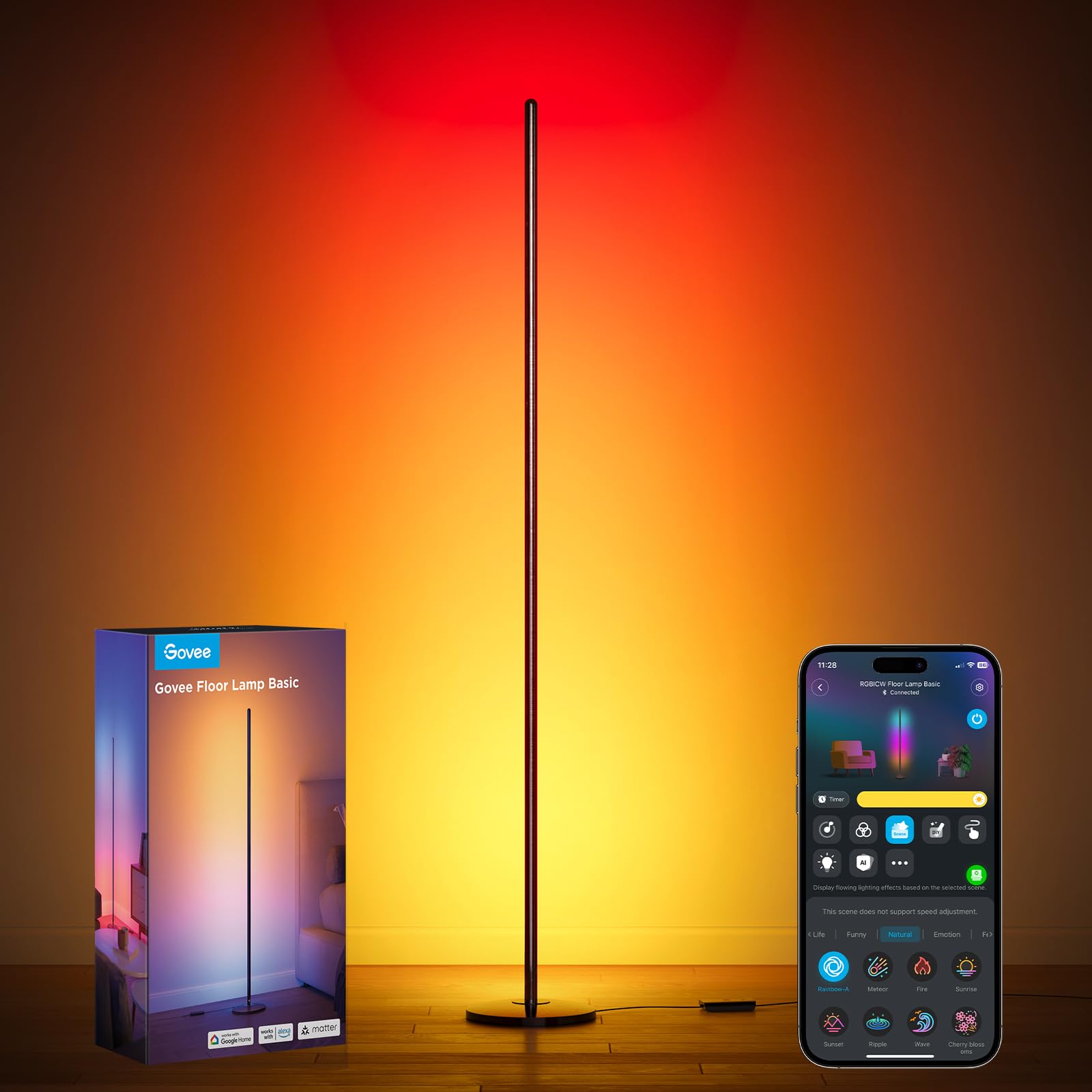
It is a solid choice for mood and accent lighting thanks to wide color options and smart controls.
Pros
- Lots of color and scene choices for custom looks.
- Works with Alexa and Google for voice control.
- Music sync adds dynamic effects for parties or movies.
Cons
- Not very bright for full-room lighting.
- Only supports 2.4 GHz Wi‑Fi, not 5 GHz.
- Uses a corded power connection, so placement depends on outlets.
The lamp gives flexible mood lighting with RGBIC zones that show multiple colors at once. It suits corners, bedrooms, and media spaces where ambience matters more than strong task light.
It connects to the Govee Home app and to voice assistants for easy control. Users can make scenes, set timers, and sync lighting to music or media.
Assembly and setup are usually straightforward, and the slim design fits small spaces. Buyers should note this model lists a 12‑month warranty and that it is corded and for indoor use only.
Linkind Matter Smart Bulb (6-pack)
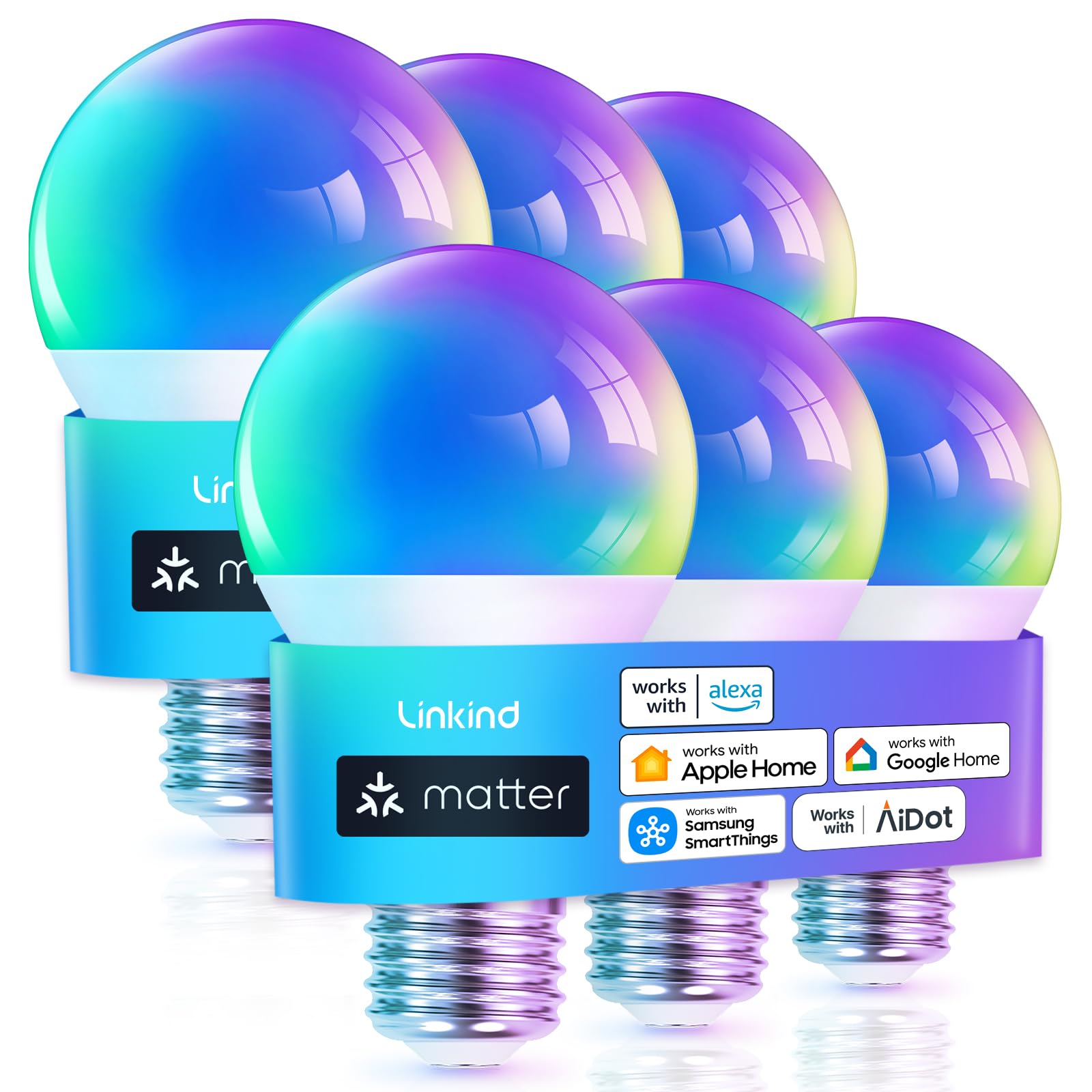
It is a good choice for buyers who want Matter compatibility, wide color options, and easy voice control across platforms.
Pros
- Works with Matter so different smart hubs can control it.
- Lots of colors and preset scenes for different moods.
- Bright 800 lumens while using low power.
Cons
- Only works on 2.4 GHz Wi‑Fi and may not fit some networks.
- Not compatible with traditional wall dimmer switches.
- Music sync needs phone mic permission and can be finicky.
The bulbs aim to simplify a mixed smart-home setup by using the Matter standard. They let users control lights with Alexa, Google, Apple Home, or the AiDot app, reducing the need to juggle multiple apps.
Color range and preset scenes give many options for parties, movie nights, or relaxed reading. The bulbs claim long life and energy savings, so they should suit everyday rooms like living rooms and bedrooms.
Setup usually works over Wi‑Fi and Matter hubs, but make sure the home network uses 2.4 GHz. People should avoid older dimmer switches and confirm hub compatibility before buying.
Linkind Smart Bulbs

It is a good buy for buyers who want bright, color-changing bulbs with many app features and easy voice control.
Pros
- Lots of color and preset scene options for different moods.
- Works with Alexa and Google Home without a hub.
- Bluetooth backup keeps local control when WiFi drops.
Cons
- Needs 2.4GHz WiFi for setup and use, not compatible with 5GHz.
- Not compatible with traditional dimmer switches.
- App can lose connection for some users on certain networks.
These bulbs offer 16 million colors, tunable white, and many preset scenes to match reading, parties, or sleep routines. The AiDot app adds music sync and DIY light shows for more creative setups.
Voice control works with Alexa and Google Home after a simple app setup, which many find convenient for hands-free use. The Bluetooth backup helps when WiFi is unreliable, but initial setup still needs 2.4GHz WiFi.
Light output is bright enough for most rooms, and the bulbs claim a long LED life. Buyers should avoid using old dimmer switches and be prepared to use the app for brightness control.
Lutron Caséta Hub

It is a smart choice for buyers who want a reliable, widely compatible hub to control many lights and shades from one app.
Pros
- Works with Alexa, HomeKit, Google, Ring, Sonos and more
- Supports up to 75 Caséta devices for large setups
- Simple plug-in setup and stable, low-lag control
Cons
- Requires Lutron Caséta devices to get full value
- Some advanced features need time in the app to configure
- Initial setup can conflict with VPNs or network quirks
The hub links lights, shades, and thermostats into one system without needing a lot of tech skill. It uses a dedicated wireless protocol that avoids busy Wi‑Fi traffic, so commands feel fast and steady.
It plays well with most major smart platforms, so users can add voice control or tie lighting to cameras and speakers. The app lets people schedule scenes, use geofencing, and trigger multiple devices at once.
Buyers should expect to buy Lutron switches or dimmers to unlock everything the hub offers. It fits homes that plan to expand smart lighting over time and want a dependable central controller.
Govee 6″ Smart Recessed Lights (4-Pack)

It is a strong pick for people who want bright, color-changing recessed lights that work with Alexa, Google, and Matter.
Pros
- Wide color and white range with segmented RGBIC backlight.
- Bright output and adjustable color temperature for many tasks.
- App, voice, and group control for whole-room scenes.
Cons
- App can be clunky at times and may need updates.
- Not compatible with external dimmer switches.
- Requires at least 2 inches of ceiling clearance for installation.
These downlights offer vivid color effects plus warm-to-cool whites. They suit living rooms, kitchens, and bedrooms that need both practical lighting and mood scenes.
People can control each light or group them for synced scenes. The lights use Wi‑Fi and Matter, so voice control and smart-home linking work with major platforms.
Installation uses a junction box and spring clips and takes a few steps; it fits standard 6-inch openings but needs enough clearance. Users should note the app experience varies and occasional reconnection may be needed.
Govee Uplighter Floor Lamp
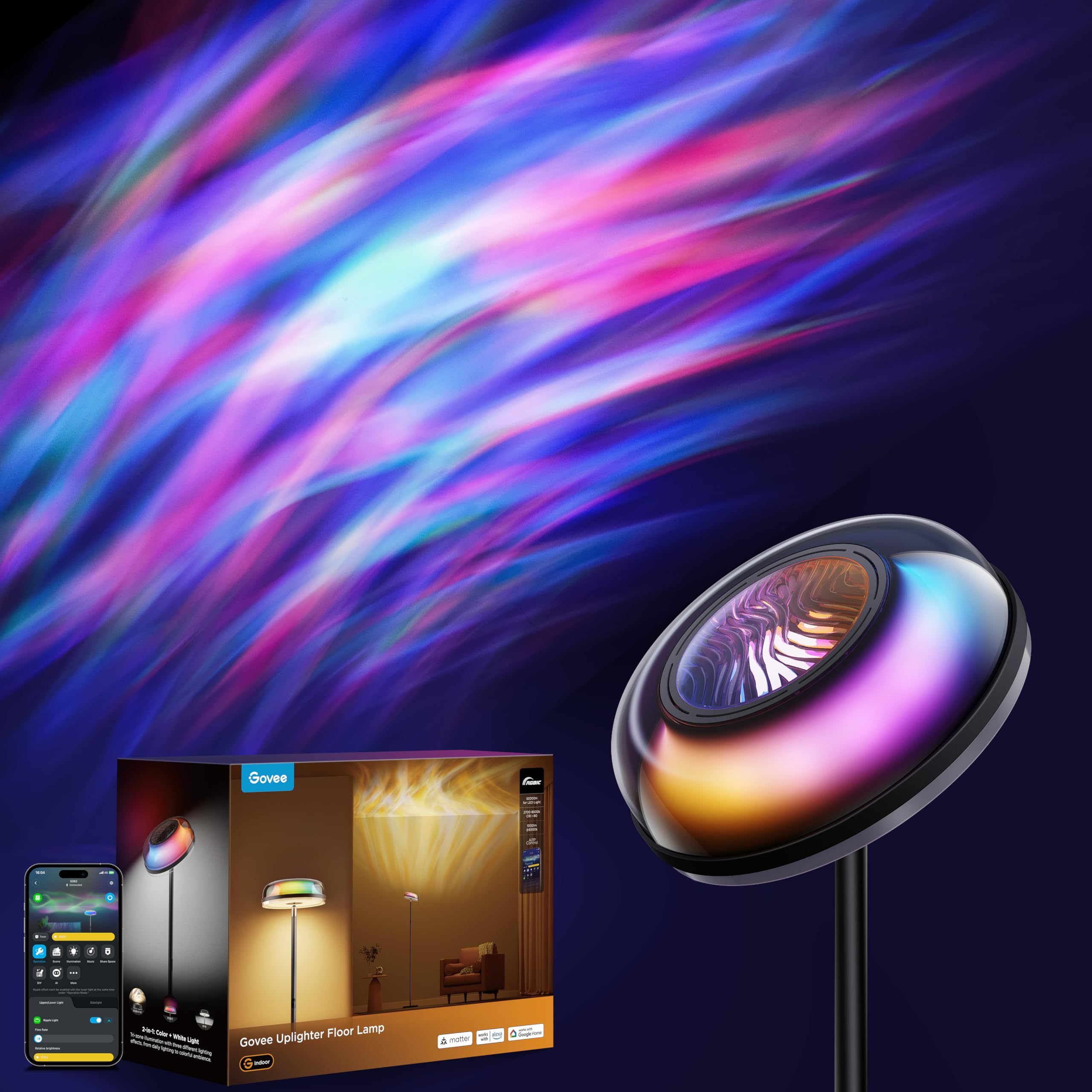
It is a strong pick for buyers who want mood lighting, task light, and smart home control in one floor lamp.
Pros
- Very flexible lighting with separate uplight, mid task light, and RGB ripple effects.
- Works with Alexa, Google, Matter, and SmartThings for easy voice and smart-home control.
- Wide scene options and app features for parties, reading, or relaxing.
Cons
- Requires app 7.0.1+ and occasional firmware updates to unlock full features.
- 2.4 GHz Wi‑Fi needed; 5 GHz-only routers may block setup.
- Not rated for outdoor use and must stay plugged in.
The lamp blends three lighting modes so it can act as a bright reading light, a soft warm lamp, or a color ripple projector for mood. The ripple effect covers large walls and ceilings, which helps in tall rooms and open living areas.
Users will like the circadian-friendly color range from warm to cool white and the option to program “Auto Run” scenes to match daily routines. The app adds DIY shows and music-reactive modes, though full function depends on app and firmware versions.
The design is slim and modern with quiet motors and a sturdy base, fitting most decor without drawing much attention. Buyers should check router compatibility and be prepared for guided setup through the Govee app.
Kasa Smart Bulbs (4-pack)

It is a solid choice for buyers who want easy app and voice control, dimming, and energy tracking without a hub.
Pros
- Simple app setup and works with Alexa and Google.
- Smooth dimming from 1% to 100% for many rooms.
- Energy monitoring helps track usage.
Cons
- Only 2.4 GHz Wi‑Fi works, so some networks may need changes.
- White-only (no color), so limited mood lighting options.
- Multiple bulbs may add Wi‑Fi load in large setups.
The Kasa Smart bulbs offer straight-forward dimming and reliable voice control. They match typical A19 sockets and aim to replace 60 W bulbs while using about 9 W.
They include energy monitoring and scheduling inside the Kasa app. Users can set timers, check consumption, and link bulbs to Alexa or Google Assistant for hands-free control.
Setup follows step-by-step prompts in the app and does not require a separate hub. This keeps the system simple for renters or anyone who wants plug-and-play smart lighting.
Buying Guide
Choose a system that fits the home’s needs and skill level. They should check whether the system uses Wi‑Fi, Zigbee, Z‑Wave, or Bluetooth and learn the pros and cons of each.
They should verify compatibility with existing devices and voice assistants. Look for clear notes about hub requirements and whether bulbs, switches, and sensors will work together.
Consider control options: mobile app, voice, and physical switches. They should prefer systems with reliable apps and easy local control to avoid dependence on the cloud.
Evaluate lighting features: dimming, color temperature, RGB color, and scheduling. Battery life and sensor range matter for motion sensors and outdoor units.
Security and privacy deserve attention. They should look for strong password rules, two‑factor authentication, and clear privacy policies.
Budget and expandability affect long‑term value. They should compare upfront costs, ongoing subscription fees, and how easily the system adds new devices.
Check installation difficulty and required tools. They should know whether a neutral wire is needed and whether a professional install is better for complex wiring.
Warranty and support help protect the purchase. They should choose systems with clear warranty terms and responsive customer service.
| Feature | Why it matters |
|---|---|
| Communication protocol | Affects range, reliability, and device compatibility |
| App & control options | Determines daily ease of use |
| Security | Protects home data and device access |
| Installation needs | Influences cost and who installs |
| Expandability | Lets the system grow with the home |
Editor’s Choice
The Editor’s Choice pick is the Philips Hue ecosystem. It combines wide device support, easy setup, and strong smart home integration.
| Strength | Why it matters |
|---|---|
| Compatibility | Works with Alexa, Google, Apple HomeKit, and many third-party apps. |
| Range of products | Bulbs, light strips, lamps, switches, and outdoor fixtures cover most home needs. |
| Reliability | Uses Zigbee and robust firmware updates to keep lights stable. |
| App and scenes | Intuitive app with preset scenes, routines, and good color accuracy. |
| Expandability | Start small with a starter kit and add bulbs or accessories over time. |
They include starter kits with a hub for best performance. Hub-based control reduces Wi‑Fi load and improves responsiveness.
Setup is simple for most users. The app guides them step-by-step and auto-detects lights.
Power users will like advanced routines and third-party integrations. Developers can extend features through APIs and HomeKit support.
Costs are higher than some budget brands, but Philips Hue balances price with reliability and long-term support.
Where to Buy – Best Amazon Deals
They find Amazon a top place to buy smart lighting because of wide selection and fast shipping. Amazon often lists bundles and seasonal discounts that lower the per-light price.
Look for certified sellers and Amazon-branded deals to reduce the chance of counterfeit or old stock. Check seller ratings and recent reviews before buying.
Use these quick tips to spot good deals:
- Bundle offers: Multi-bulb packs and starter kits usually give better value.
- Lightning Deals & Coupons: Time-limited discounts can trim cost significantly.
- Renewed or Certified Refurbished: Save money on like-new items with warranty.
They should confirm compatibility with the home hub (Alexa, Google, HomeKit) in the product title or description. Read the Q&A and user photos to verify features such as color accuracy and brightness.
Compare prices across Amazon listings and use the price history tools or browser extensions to avoid impulse buys. Prime shipping and easy returns add convenience when testing lights at home.
For quick decision-making, filter by:
- Prime eligible
- 4+ star rating
- Verified purchase reviews
Conclusion
Choosing a smart lighting system comes down to needs, budget, and ecosystem. Readers should weigh features like voice control, automation, and app reliability when deciding.
They can pick a system that fits existing devices to avoid extra hubs. Systems from major brands often offer better compatibility and regular updates.
Energy savings and convenience are real benefits. Dimmable bulbs, motion sensors, and schedules cut waste and make daily life easier.
For simplicity, plug-and-play bulbs work well. For larger homes or advanced scenes, hub-based systems give more control and stability.
Key buying tips:
- Prioritize compatibility with phones and assistants.
- Check for local control and firmware update policies.
- Match bulb types (white vs. color) to room use.
They should test one or two products before committing to a whole-home rollout. Start small in high-use rooms to learn how the system performs and how it fits daily routines.
Balance price against long-term support and energy savings. A slightly higher upfront cost may pay off through better reliability and lower power use over time.
FAQs
What is a smart lighting system?
A smart lighting system lets users control lights with an app, voice, or automation. It can change brightness, color, and schedules.
Do smart lights save energy?
Yes. They use LED bulbs and can dim or turn off automatically, which reduces power use. Savings depend on habits and settings.
Are smart lights hard to set up?
Most are simple to install. Bulb-based systems often just replace existing bulbs. Hub-based systems may need a small hub and app setup.
Will smart lights work with other devices?
Many systems work with voice assistants and smart home platforms. Check compatibility before buying to avoid connection problems.
Is a hub required?
Some brands need a hub; others use Wi‑Fi or Bluetooth and skip the hub. Hubs can improve range and reliability.
How secure are smart lights?
Security varies by brand. Strong passwords, regular firmware updates, and using a separate IoT network improve safety.
Can smart lights be used during power outages?
They need power to work. Some retain local manual control, but most lose smart functions when the power is out.
What should buyers consider before choosing?
Look at compatibility, control options, range, need for a hub, and cost. Also check bulb life, color range, and smart features.
Where to get help?
Use brand support pages, retailer guides, or community forums for setup and troubleshooting.