

Why Would a Charger Stop Working?
Chargers usually stop working because of cable damage, overheating, loose charging ports, weak power adapters, or internal hardware failure. In many cases, the problem is easy to fix with a simple charger check.
Quick Answer
Why would a charger stop working? Most chargers stop working because the cable breaks, the adapter overheats, the charging port becomes dirty, or the charger uses the wrong wattage. Cheap or damaged chargers can also fail suddenly.
Introduction
I test chargers, USB-C cables, smartphones, and power adapters every week.
One of the most common problems people ask me about is this:
“Why did my charger suddenly stop working?”
Sometimes the fix is simple.
Other times, the charger itself is damaged.
In this guide, I’ll explain the common causes, simple fixes, safety tips, and how to prevent charger problems in the future.
Most charger problems come from damaged cables, overheating, weak adapters, or dirty charging ports.
Common Reasons Why a Charger Stops Working
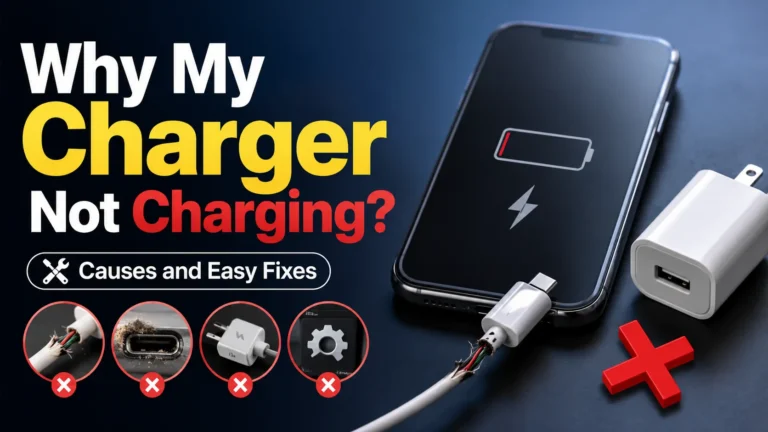
1. Damaged Charging Cable
Charging cables bend every day.
Over time, the wires inside can break.
Common signs include:
- Charging only works in one position
- The cable feels loose
- The cable gets hot
- Charging disconnects often
2. Overheating Problems
Heat damages chargers quickly.
Most chargers become warm during use.
But very high heat is dangerous.
Stop using a charger immediately if it smells burnt or becomes extremely hot.
3. Dirty Charging Port
Dust and lint often block charging ports.
This is very common with phones and laptops.
A dirty port can stop charging completely.
4. Wrong Charger Wattage
Some chargers cannot provide enough power.
For example:
- A weak 20W charger may not power a laptop
- A low-quality USB charger may charge very slowly
- Cheap adapters often fail under heavy use
5. Internal Charger Failure
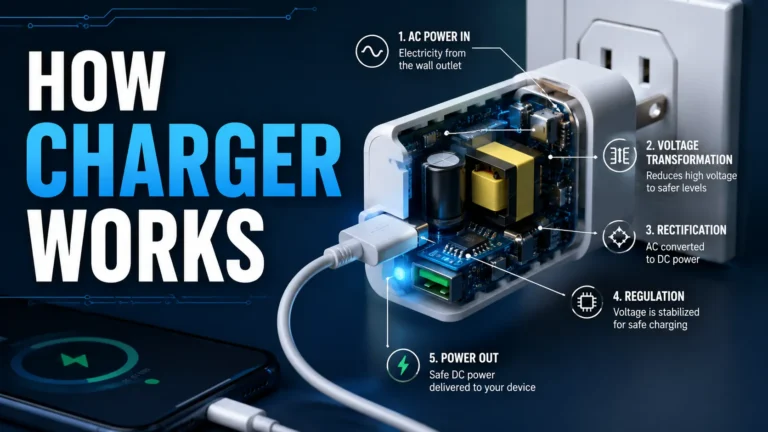
Chargers contain small power components.
These parts wear out over time.
Old chargers can suddenly stop working without warning.
Charger Problems and Solutions
| Problem | Possible Cause | Simple Fix |
|---|---|---|
| No charging | Broken cable | Replace cable |
| Slow charging | Weak adapter | Use higher wattage |
| Charging disconnects | Loose port | Clean charging port |
| Very hot charger | Overheating | Stop using charger |
| No power light | Dead adapter | Replace charger |
How To Check If Your Charger Is Broken
Check the Wall Outlet
Plug another device into the outlet first.
Sometimes the outlet itself is the problem.
Inspect the Cable
Look for:
- Bends
- Cuts
- Burn marks
- Loose ends
Test Another Charger
If another charger works, your original charger is likely damaged.
Restart Your Device
Software bugs sometimes stop charging temporarily.
USB-C Charger Problems
USB-C chargers are now very common.
They support fast charging and USB Power Delivery.
But not all USB-C chargers are equal.
Some cheap USB-C chargers lack proper safety protection.
Learn more from USB-IF.
Common USB-C Problems
- Weak power output
- Low-quality cable
- Loose USB-C connector
- Overheating adapter
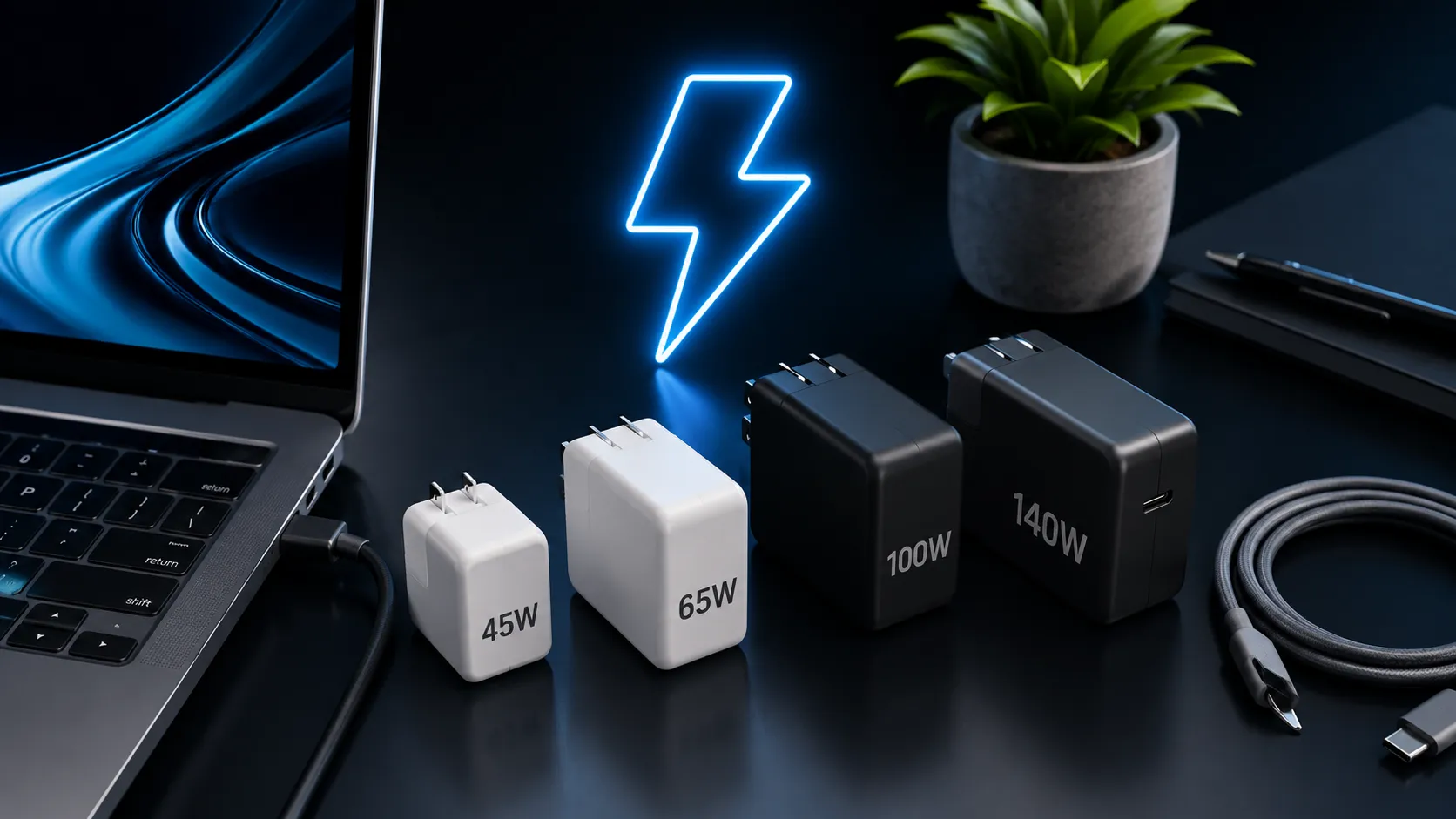
Best Charger Wattage Guide
| Device | Minimum Wattage | Recommended Wattage |
|---|---|---|
| iPhone | 20W | 30W |
| Android Phone | 25W | 45W |
| Tablet | 30W | 45W |
| Ultrabook | 45W | 65W |
| Gaming Laptop | 100W | 140W |
Can Cheap Chargers Damage Devices?
Yes.
Cheap chargers often skip important safety parts.
Bad chargers can damage:
- Batteries
- Charging ports
- Motherboards
- USB-C ports
I always recommend trusted charger brands.
Learn more from Consumer Reports.
Tip: GaN chargers are smaller, cooler, and more efficient than many older chargers.
Safe Charging Habits
- Use certified chargers
- Avoid damaged cables
- Keep chargers cool
- Do not charge near water
- Do not place chargers under blankets
- Stop using chargers that smell burnt
Battery safety is important.
Learn more at Battery University.
Common Charging Mistakes
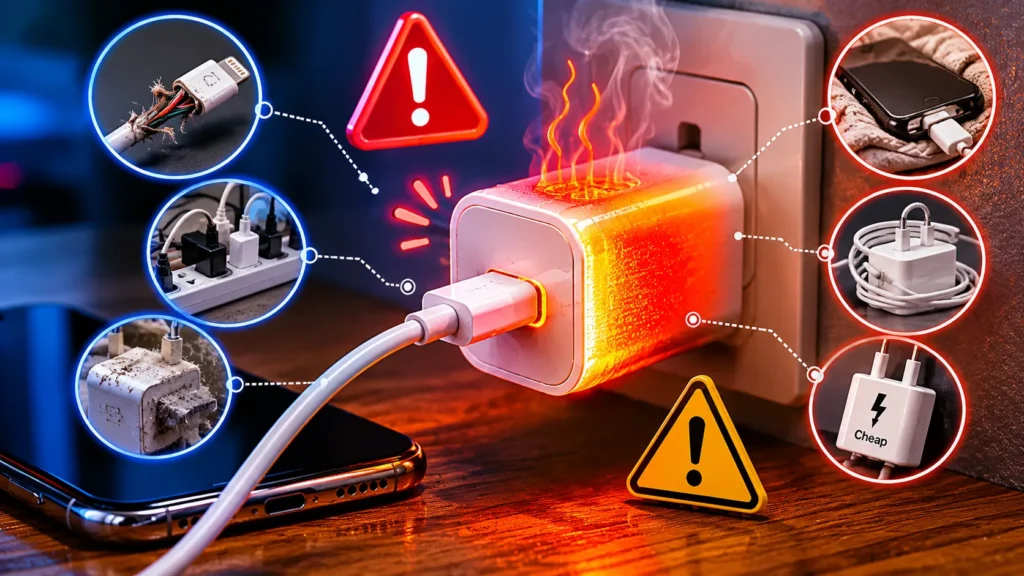
Many users accidentally damage chargers.
- Wrapping cables too tightly
- Using fake chargers
- Charging in hot rooms
- Using weak adapters
- Ignoring overheating
Note: Fast charging is safe when using quality chargers and certified USB-C cables.
Helpful Tips Before Buying a New Charger
Always check:
- Wattage
- Voltage
- USB-C compatibility
- Charging speed support
- Safety certification
Trusted brands usually last longer.
Key Takeaways
- Chargers stop working for many reasons
- Damaged cables are very common
- Overheating can damage chargers
- Weak chargers may fail quickly
- USB-C chargers need proper power support
- Certified chargers are safer
- Most charging problems are easy to fix
Frequently Asked Questions
Why would a charger suddenly stop working?
The cable, adapter, charging port, or internal hardware may be damaged.
Can overheating damage a charger?
Yes. High heat can damage internal charger components.
Why does my charger get hot?
Chargers create heat during charging, but extreme heat is unsafe.
Can a bad cable stop charging?
Yes. Broken cables are one of the most common charging problems.
Are USB-C chargers safe?
Yes. Certified USB-C chargers are usually very safe.
Can dust stop charging?
Yes. Dust inside the charging port can block connections.
Should I replace damaged chargers?
Yes. Damaged chargers can become unsafe quickly.
Can cheap chargers damage batteries?
Yes. Low-quality chargers may damage battery health over time.
Conclusion
Why would a charger stop working?
Most charger problems come from damaged cables, overheating, weak adapters, or dirty charging ports.
The good news is that many fixes are simple.
Always use trusted chargers and safe charging habits.
If your charger becomes very hot or damaged, replace it immediately.
A quality charger protects both your device and battery health.

One Comment