Does Charger Work Without Battery? A Simple Tech Gadget Guide
Does Charger Work Without Battery? Sometimes. Many laptops can run directly from a compatible power adapter, while phones, tablets, power banks, and other devices often still need a healthy battery.
A charger can work without a battery on some devices, especially compatible laptops. Most phones, tablets, power banks, and many battery-powered gadgets still need the battery installed because it is part of the device’s power system.
Best for compatible USB-C laptops and multi-device desks that need high total output from one premium charging station.
Best for protecting a laptop that is running without its internal battery from sudden power loss, loose cables, and brief outages.
Does Charger Work Without Battery? On some devices, especially many laptops, the charger can power the device directly. Phones, tablets, power banks, cameras, speakers, and smart gadgets may still need a working battery because the battery can stabilize power, communicate with the device, or complete the power circuit.
Introduction
You plug in a charger, press the power button, and… nothing happens.
Then the question comes: does charger work without battery?
This question applies to laptops, phones, cameras, Bluetooth speakers, gaming controllers, and many smart gadgets. The simple answer is: sometimes yes, sometimes no. It depends on how the device is designed.
A laptop may run directly from its charger. A smartphone usually will not. A power bank without a battery is basically just an empty shell. A camera may need a dummy battery or USB-C power mode.
So let’s break it down in plain English.
Quick Answer: Does a Charger Work Without a Battery?
Yes, a charger can work without a battery on some devices, but not all.
In most cases:
- Many laptops can run without a battery if the charger is compatible.
- Most modern phones cannot run properly without a battery.
- Tablets usually need a battery, just like phones.
- Cameras may work without a battery only if they support a dummy battery, DC coupler, or USB-C power.
- Power banks do not work normally without batteries because the battery is the main part of the product.
- Some Bluetooth speakers and controllers may work plugged in, but it depends on the model.
The key point is this: a charger is not always a full battery replacement. It supplies power, but the device decides how to use that power.
What Does a Charger Actually Do?
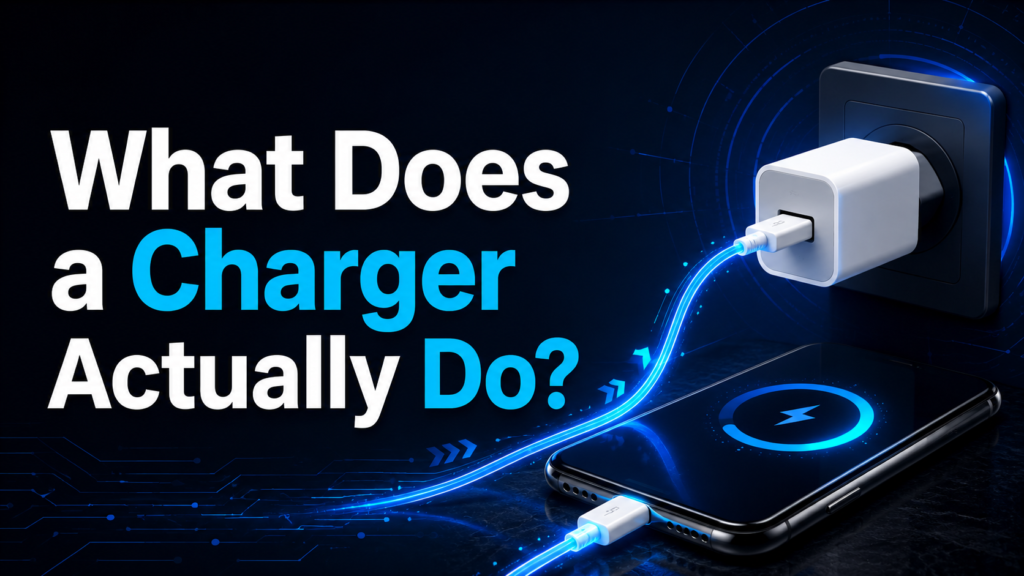
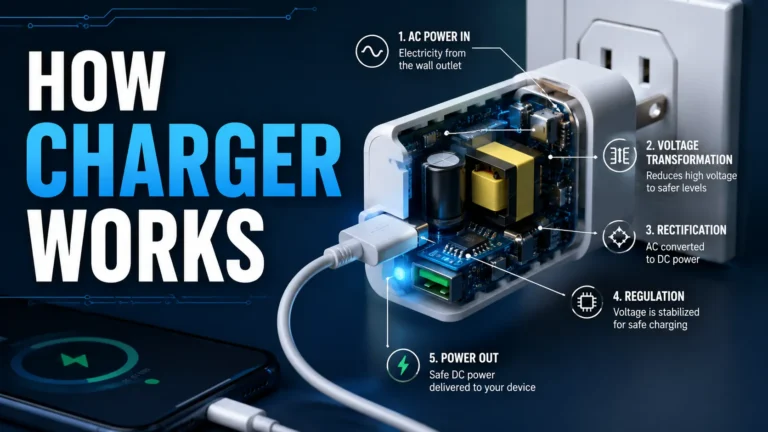
A charger or power adapter takes electricity from your wall outlet and changes it into a safer, lower-voltage output your device can use.
For example:
- A phone charger may provide USB power.
- A laptop adapter may provide higher wattage.
- A USB-C charger may negotiate power with the device.
- A camera adapter may provide steady DC power.
But the charger does not control everything. Inside the device, there is usually a charging circuit or power management system. That system decides whether to:
- Charge the battery
- Run the device from external power
- Use both charger and battery
- Refuse power if something is missing or unsafe
Modern USB-C devices can also communicate through USB-C power rules before drawing higher power. USB-C includes communication pins that help devices manage charging and power roles, and USB Power Delivery can support much higher power levels depending on the charger, cable, and device design. (Microchip Technology)
Charger vs Power Adapter: Are They the Same?
People often use the word charger for everything. Technically, that is not always correct.
| Term | What It Usually Means | Example |
|---|---|---|
| Charger | Supplies power to charge a battery | Phone wall charger |
| Power adapter | Converts wall power into device power | Laptop AC adapter |
| Charging circuit | Inside the device, controls battery charging | Phone or laptop motherboard |
| Battery management system | Monitors battery safety, voltage, and temperature | Phone/laptop battery system |
For a laptop, the “charger” is often really a power adapter. For a phone, the wall brick and cable supply power, but the phone’s internal charging system controls the battery.
That is why two devices can behave very differently with the same charger.
Can a Laptop Work Without a Battery?
Yes, Many Laptops Can Work Without a Battery
Many laptops can run directly from the charger without the battery installed. This is especially common with older laptops that have removable batteries.
For example, if you remove the battery from a compatible laptop and plug in the AC adapter, the laptop may turn on and run normally. Dell explains that laptops have two power sources: the AC adapter and the battery, which is why troubleshooting often checks both sides separately. (Dell)
In this case, the charger is not really “charging” anything. It is powering the laptop directly.

This premium desktop charger is the most relevant choice for a compatible USB-C laptop that needs substantial power while also charging phones, tablets, and accessories from one station.
- Compatible USB-C laptops
- Multi-device desks and home offices
- Users who want one premium charging station
- Laptop USB Power Delivery support
- Required laptop wattage and cable rating
- Whether the laptop needs a proprietary adapter
When a Laptop May Not Work Without a Battery
A laptop may fail to turn on without a battery if:
- The charger is too weak.
- The charger is damaged.
- The charging port is loose.
- The motherboard power circuit has a problem.
- The laptop model requires the battery for stable power.
- The USB-C charger does not provide enough wattage.
- The BIOS or firmware blocks certain actions without a battery.
Some laptops also need a working battery for BIOS updates or firmware updates. So even if the laptop runs without a battery, it may not support every function.
Is It Safe to Use a Laptop Without a Battery?
Usually, yes — if the laptop supports it and you use the correct charger.
But there are some risks:
- If the power goes out, the laptop shuts off instantly.
- If the cable comes loose, you may lose unsaved work.
- Sudden shutdowns can corrupt files.
- A cheap charger may damage the laptop.
Practical advice: if you use a laptop without a battery, use the correct manufacturer-approved charger and save your work often. A UPS is also useful for desktop-style use.

This is the strongest safety-focused recommendation when a laptop is being used without its battery and would otherwise shut down immediately during a power interruption.
- Home-office laptop setups
- Battery-less laptops and desktop computers
- Users who need time to save work and shut down safely
- Total connected load and expected runtime
- Outlet count and device power requirements
- Floor space, ventilation, and replacement-battery planning
Can a Phone Work Without a Battery?
Most Modern Phones Do Not Work Without a Battery
For most modern smartphones, the answer is no. A phone usually cannot run normally from the charger alone if the battery is removed or completely dead.
You may see:
- No power at all
- A blinking charging icon
- A boot loop
- The logo appearing and disappearing
- The phone turning off during startup
This happens because the phone battery does more than store power. It also helps regulate power and communicates with the device.
Apple notes that rechargeable batteries are consumable parts with a limited lifespan, meaning they eventually lose capacity and performance and need replacement. (Apple Support)
Why Phones Need a Battery Even When Plugged In
A phone can demand sudden power spikes during:
- Startup
- Camera use
- Gaming
- Software updates
- Mobile data use
- Screen brightness changes
The battery acts like a power buffer. It helps smooth out those changes.
Without a battery, the charger may not provide stable enough power at the exact moment the phone needs it. That is why a phone can be plugged in but still refuse to boot without a healthy battery.
Can a Tablet Work Without a Battery?
Most tablets behave like phones. They usually need a working internal battery.
A tablet may not work without a battery because:
- The battery is built into the power circuit.
- The tablet checks battery temperature and voltage.
- The internal charging board expects battery communication.
- The charger alone may not provide stable power for startup.
Some tablets may briefly show a charging symbol even with a bad battery, but that does not mean they can run properly without one.
Do not try to bypass a tablet battery at home. It can damage the device or create a safety risk.
Can a Camera Work Without a Battery?
Sometimes, But Only With the Right Setup
Many DSLR, mirrorless, and action cameras need a battery installed. But some cameras can run without a normal battery if they support:
- Dummy battery
- DC coupler
- USB-C power delivery
- External power adapter
- Battery grip
- AC adapter kit
This is common for:
- YouTube recording
- Livestreaming
- Studio photography
- Long video shoots
- Product photography
A dummy battery looks like a regular camera battery, but it connects to an external power source. It tricks the camera into receiving steady power through the battery slot.
But not every camera supports this. Always check the model manual before buying an adapter.
Can a Power Bank Work Without a Battery?
No, not in the normal way.
A power bank is basically a battery pack with a charging circuit inside. If the battery cells are removed or dead, there is no stored energy to send to your phone or gadget.
Some cheap power banks may pass limited power through their circuit while plugged in, but that is not the same as normal operation.
If a power bank battery is swollen, hot, leaking, or damaged, stop using it.
Lithium-ion battery safety matters. Apple’s battery safety documentation references recognized safety standards for lithium-ion battery use, including UL 2054 for lithium-ion batteries. (Apple Support)
Can a Bluetooth Speaker Work Without a Battery?
Sometimes.
Some Bluetooth speakers can play music while plugged into a charger, even if the battery is weak. Others need the battery connected to complete the circuit.
A speaker may fail without a battery if:
- The battery is part of the power path.
- The charger only charges the battery, not the speaker directly.
- The speaker needs battery voltage to start.
- The internal board is designed for battery-first operation.
If the speaker only works while plugged in, the battery is probably worn out. If it does not work even when plugged in, the problem could be the charging port, cable, power board, or battery.
Can a Gaming Controller Work Without a Battery?
Yes, some gaming controllers can work without a battery when connected by cable.
For example:
- Some Xbox controllers can work through USB without AA batteries.
- Some PC controllers can work wired.
- Some rechargeable controllers still need their internal battery.
- Some wireless controllers only charge through USB but still depend on the battery.
The easiest test is simple: remove the batteries, connect the controller with a good data-capable USB cable, and see if the device recognizes it.
One important note: not all USB cables support data. Some cheap cables are charge-only cables.
Can Smart Home Gadgets Work Without a Battery?
It depends on the gadget.
| Smart Gadget | Can It Work Without Battery? | Notes |
|---|---|---|
| Wired smart doorbell | Usually yes | Battery may be backup only |
| Battery smart doorbell | No | Needs battery to operate |
| Wired security camera | Usually yes | Uses wall power |
| Battery security camera | No | Battery is required |
| Smart thermostat | Sometimes | May use C-wire, batteries, or both |
| Smart sensor | Usually no | Most sensors are battery-powered |
| Smart lock | Usually no | Battery powers motor and electronics |
For smart home devices, check whether the device is wired, battery-powered, or hybrid.
A wired device may work without a battery. A battery-only device will not.
Device-by-Device Comparison Table
| Device Type | Does Charger Work Without Battery? | Best Explanation |
|---|---|---|
| Laptop | Usually yes | Many laptops can run from AC adapter |
| Smartphone | Usually no | Battery regulates power and communicates with phone |
| Tablet | Usually no | Similar to phone power design |
| Camera | Sometimes | Needs dummy battery, DC coupler, or USB-C support |
| Power bank | No | Battery is the main power source |
| Bluetooth speaker | Sometimes | Depends on circuit design |
| Gaming controller | Sometimes | Some work wired without batteries |
| Smart doorbell | Depends | Wired models may work |
| Security camera | Depends | Wired cameras work, battery cameras do not |
| Wireless mouse | Usually no | Most need battery unless wired mode exists |
Why Some Gadgets Need a Battery to Work
A battery is not always just a storage tank. In many gadgets, it is part of the full power system.
A device may need the battery because the battery:
- Stabilizes voltage
- Handles sudden power demand
- Sends health information to the device
- Reports temperature
- Prevents unsafe charging
- Completes the power circuit
- Helps the device boot properly
That is why some gadgets will not turn on even when the charger is connected.
The device may be asking, “Where is the battery?” before it allows startup.
Signs Your Battery Is the Real Problem
Your battery may be bad if:
- The device works only when plugged in.
- Battery percentage stays at 0%.
- Battery drains very fast.
- Device shuts off suddenly.
- Battery percentage jumps up or down.
- The battery looks swollen.
- The device gets hot while charging.
- The charger works with another device.
- The device says “plugged in, not charging.”
- Battery health shows poor condition.
For laptops, battery health tools from the manufacturer can help. Many brands, including Dell, provide battery troubleshooting steps through their support pages. (Dell)
Signs Your Charger Is the Problem Instead
The charger may be the issue if:
- The device does not detect the charger.
- Charging starts and stops randomly.
- The cable feels loose.
- The charger gets unusually hot.
- The laptop says the adapter is unknown.
- The phone charges with another charger.
- The cable only works at a certain angle.
- USB-C charging is slower than expected.
- The charger wattage is too low for the device.
A common example is using a low-watt phone charger on a laptop. The plug may fit, but the power may not be enough.
With USB-C, the charger, cable, and device all matter. Power delivery depends on proper support across the whole chain, not just the connector shape. (Microchip Technology)
Is It Dangerous to Use a Charger Without a Battery?
It depends on the device and how you are doing it.
Usually Safe
It is usually safe when:
- A laptop is designed to run without a battery.
- You use the original charger.
- The charger wattage is correct.
- The device is not overheating.
- The battery is simply removed, not bypassed.
Risky or Unsafe
It can be unsafe when:
- You try to bypass a phone battery.
- You use exposed wires.
- You use a cheap unknown charger.
- The battery is swollen or leaking.
- You force a mismatched adapter.
- You connect direct power to battery terminals.
Never cut battery wires or connect random power directly to a phone, tablet, camera, or power bank. That is not normal charging. That is a repair-level electrical modification.
What About Swollen Batteries?
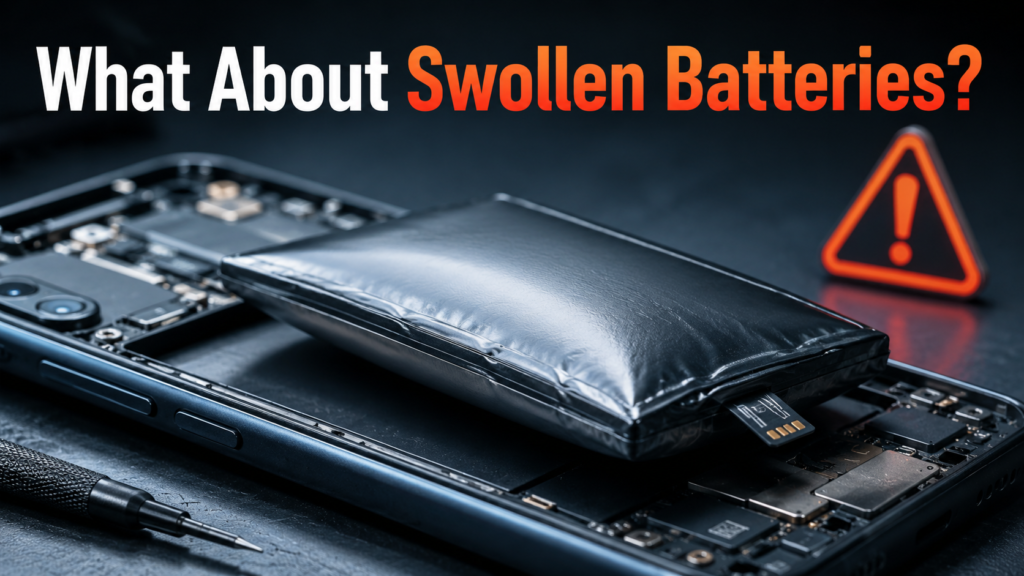
A swollen battery is serious.
If your phone, laptop, power bank, or speaker battery is swollen:
- Stop using the device.
- Do not press the battery.
- Do not puncture it.
- Do not keep charging it.
- Keep it away from heat.
- Take it to a repair center or proper battery recycling location.
Lithium-ion batteries are widely used because they are powerful and rechargeable, but they still need careful handling. Apple explains that lithium-ion batteries charge quickly at first and then switch to a slower charging stage after reaching around 80%, which is part of modern battery management. (Apple)
Best Practices for Using a Device Without a Battery
Use these practical rules:
- Use the original charger when possible.
- Match voltage, wattage, and connector type.
- Avoid very cheap third-party chargers.
- Do not use damaged cables.
- Do not bypass internal batteries.
- Use a surge protector for laptops.
- Back up your files often.
- Replace swollen or dead batteries quickly.
- Check the device manual before buying adapters.
- Do not assume every USB-C charger is powerful enough.
The charger may fit, but that does not mean it is right for the device.
What to Do If Your Device Only Works When Plugged In
If your device works only when connected to the charger, follow this checklist.
| Step | What to Check | Why It Matters |
|---|---|---|
| 1 | Try another charger | Confirms if charger is bad |
| 2 | Try another cable | Cables fail often |
| 3 | Check charging port | Dust or damage can block power |
| 4 | Restart the device | Clears temporary software glitches |
| 5 | Check battery health | Shows if battery is worn out |
| 6 | Update software | Fixes some charging bugs |
| 7 | Test with original adapter | Avoids wattage mismatch |
| 8 | Visit repair shop | Needed for battery or board issues |
If it is a laptop, test whether it powers on with only the charger. If it does, the battery may be the issue. If it does not, the charger, port, or motherboard may be the problem.
Common Myths About Chargers and Batteries
Myth 1: A Charger Can Always Replace a Battery
False.
A charger can supply power, but many devices still require a battery for communication, stability, or startup.
Myth 2: If the Plug Fits, the Charger Is Safe
False.
The connector shape is only one part. Voltage, current, wattage, charging protocol, and cable quality also matter.
Myth 3: A Phone Should Work Without a Battery If Plugged In
Usually false.
Most phones need the battery installed because the battery is part of the phone’s power system.
Myth 4: Removing a Laptop Battery Always Improves Battery Life
Not always.
Modern laptops manage charging better than older models. Removing the battery may help in some old laptops, but it can also remove your backup power during outages.
Myth 5: A Dead Battery Means the Charger Is Bad
Not always.
A charger and battery are separate parts. A bad battery may refuse to hold charge even with a perfect charger.
When Should You Replace the Battery?
You should consider battery replacement when:
- The device shuts off quickly.
- Battery health is poor.
- It only works plugged in.
- It takes forever to charge.
- It gets hot during normal use.
- The battery percentage is inaccurate.
- The battery is swollen.
- Runtime is much shorter than before.
For phones, batteries are consumable parts. Over time, capacity naturally declines, and replacement becomes the better fix instead of fighting with chargers. (Apple Support)
Best for compatible USB-C laptops and multi-device charging.
Check Anker →Best for preventing instant shutdowns when a laptop has no battery backup.
Check APC →FAQ: Does Charger Work Without Battery?
Does a charger work without a battery in a laptop?
Yes, many laptops can work without a battery if they are plugged into a compatible charger. However, not every laptop supports this, especially some modern thin models.
Can a phone turn on without a battery?
Most modern phones cannot turn on normally without a battery. The battery helps regulate power and communicate with the phone’s internal power system.
Can I use my laptop plugged in all the time without a battery?
Yes, if your laptop supports it. But if the power disconnects, the laptop shuts off instantly. That can cause data loss.
Does removing the battery damage a laptop?
Usually no, if the laptop is designed with a removable battery. But always shut it down before removing the battery.
Can a charger power a device directly?
Some devices allow direct power from the charger. Others need a battery installed before they will turn on.
Why does my device work only when plugged in?
The battery may be dead, weak, disconnected, or unable to hold charge. It may also be a charging circuit issue.
Is it safe to bypass a phone battery?
No. Bypassing a phone battery is risky and can damage the phone or create a safety hazard.
Can a camera work without a battery?
Some cameras can work without a normal battery if they support a dummy battery, DC coupler, or USB-C power input.
Can a power bank work without battery cells?
No, not normally. A power bank needs battery cells because storing power is its main function.
Can a Bluetooth speaker work without a battery?
Some can, but many cannot. It depends on whether the speaker can run directly from USB or needs the battery in the circuit.
Conclusion
So, does charger work without battery?
Yes, but only for some devices. Many laptops can run directly from a charger. Some cameras, controllers, and speakers can also work without a battery if they support direct power.
But phones, tablets, power banks, and many small gadgets usually need a working battery. The battery is not just for storage. It often helps stabilize power, communicate with the device, and keep the system safe.
Final advice: do not force the device to run without a battery. Use the correct charger, check battery health, avoid unknown adapters, and never bypass a lithium-ion battery unless the work is performed by a qualified technician.
A good charger can solve many problems — but it cannot replace every battery.