Can Rain Set Off a Motion Sensor
Yes, rain can set off some motion sensors, usually because of splash, wind, reflections, or temperature changes rather than the raindrops themselves. Outdoor-rated sensors with better placement and tuning are less likely to false alert.
Yes—rain can set off a motion sensor, but usually indirectly. The bigger issue is not raindrops “moving” in the air; it is how water, wind, temperature changes, reflections, and nearby objects interact with the sensor’s detection method.
- Rain is usually indirect: Splash, dripping, and reflections are more common triggers than rainfall itself.
- Sensor type matters: PIR, microwave, and camera-based motion detection react differently to wet weather.
- Outdoor placement is critical: Avoid drip lines, splash zones, and reflective surfaces.
- Check the specs: Verify weather rating, field of view, range, mounting height, and app controls before buying.
Can Rain Set Off a Motion Sensor? Quick Answer and What Actually Triggers It
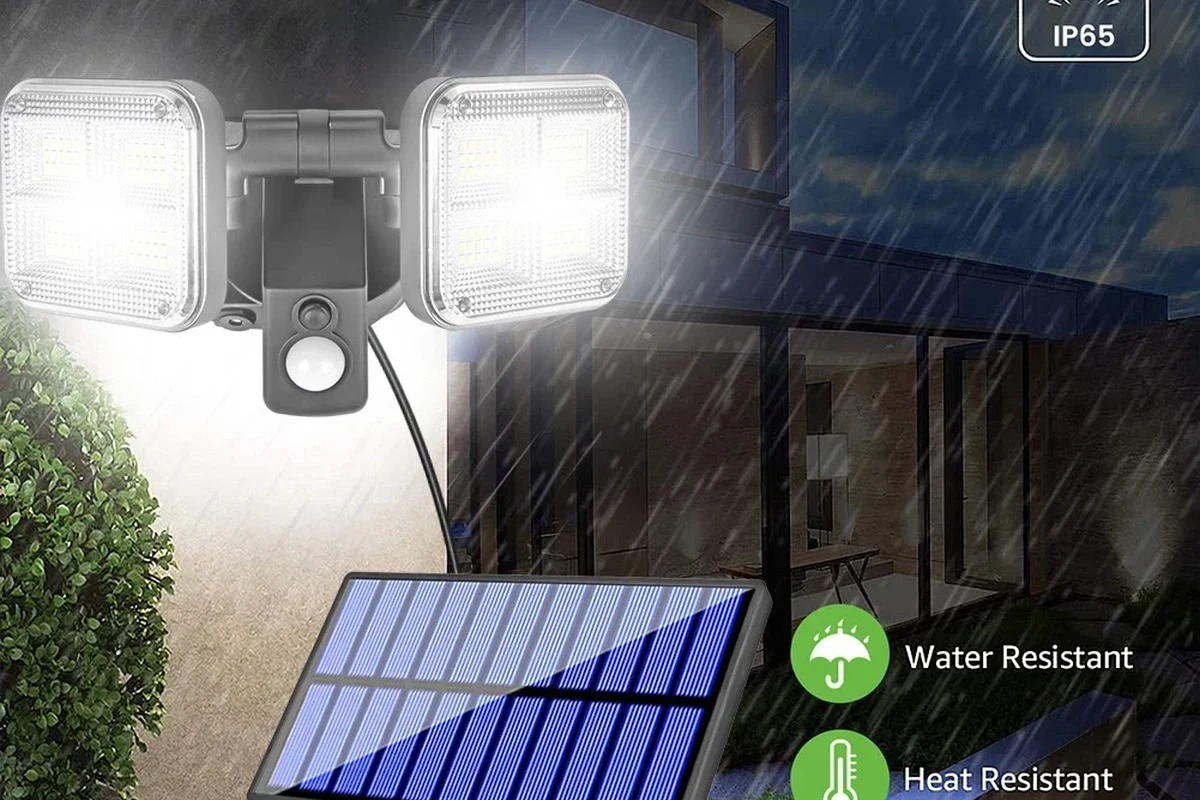
Rain is more likely to cause a false alert on outdoor motion sensors than on indoor ones, especially when the sensor is exposed, mounted too low, or aimed at a surface that gets wet and reflective. In many cases, the sensor is reacting to moving water, swaying plants, or a sudden temperature shift rather than the rain itself.
That matters because “motion sensor” is a broad term. A PIR sensor, microwave sensor, dual-tech sensor, or smart camera with motion detection can all respond differently to weather, so the best fix depends on the model and where it is installed.
How Motion Sensors Detect Movement: PIR, Microwave, Dual-Tech, and Outdoor Models

Most home motion sensors do not “see” rain in the same way a camera does. Instead, they detect changes in heat, reflected energy, or a combination of signals.
PIR sensors detect changes in infrared energy, which means they are looking for heat differences across their field of view. Microwave sensors send out radio waves and look for changes in the return signal. Dual-tech sensors combine two methods so one sensor can help confirm what the other sees.
Outdoor-rated models often add weather sealing, better filtering, and smarter logic to reduce nuisance alerts. Still, no sensor is immune to every rain-related trigger because installation conditions vary so much.
Why Rain Can Cause False Alerts in Some Sensors
Rain can trigger a sensor when it changes the scene in a way the device interprets as movement. For example, water dripping across a lens, wind pushing wet branches, or a warm surface cooling quickly during a storm can all create a signal change.
With PIR sensors, rain itself is not usually the direct trigger. Instead, the sensor may react to temperature instability, steam, or sunlight that has been scattered by wet surfaces. With microwave sensors, moving water and vibrating foliage can be enough to create a detection event.
Many false motion alerts happen because the environment changes faster than the sensor’s filtering can ignore, not because the sensor is “broken.”
Which Sensor Types Are Most and Least Affected
Most affected: basic outdoor PIR sensors placed in open rain, low-cost motion lights with limited filtering, and camera-based motion detection aimed at reflective surfaces.
Less affected: well-positioned dual-tech sensors, enclosed indoor sensors used indoors only, and outdoor models with strong weather ratings plus adjustable sensitivity.
- Dual-tech sensors can reduce some nuisance alerts by requiring more than one detection method.
- Outdoor-rated models are usually better sealed and more stable in changing weather.
- No sensor type is completely immune to heavy rain, splashback, or windblown debris.
- Camera motion detection can be especially sensitive to reflections and moving water.
Common Rain-Related False Trigger Scenarios in 2026 Smart Home Setups
Smart home motion alerts can become noisy when weather and automation rules overlap. This is especially common when a motion sensor is tied to lights, alarms, door notifications, or camera recording.
Heavy Rain, Windblown Water, and Dripping Eaves
Heavy rain can splash off pavement, railings, and roof edges into the sensor’s field of view. If the sensor sits near an eave or gutter, dripping water may repeatedly cross the detection zone and create repeated alerts.
Windblown water is another common cause. A sensor mounted near a side entry, garage opening, or porch can react when rain is pushed sideways, especially during storms with gusts.
Reflections, Temperature Swings, and Moving Vegetation
Wet pavement and glass can reflect heat, light, and movement in ways that confuse some sensors. A porch light reflecting off a wet driveway may not trigger the sensor directly, but it can make the scene more unstable for certain camera-based systems.
Temperature swings matter too. A warm wall cooling rapidly in rain, or a sunlit area turning cloudy and wet, can cause PIR sensors to register a change. Add in swaying shrubs or tree branches, and the sensor may report motion even when no person is nearby.
App behavior varies by brand and firmware. Some systems let you reduce alerts with activity zones, sensitivity sliders, or rain-friendly automation delays, while others offer only basic on/off settings.
Who Needs Weather-Resistant Motion Sensors and Who Can Use Standard Models
If your motion sensor is exposed to rain, sprinklers, condensation, or large temperature swings, a weather-resistant model is usually worth considering. If the sensor stays indoors or under strong shelter, a standard indoor unit may be enough.
Best Use Cases for Driveways, Porches, Garages, and Yards
Driveways, front porches, detached garages, and open yards are the most obvious places to use outdoor-rated sensors. These areas benefit from weather sealing, wider detection options, and mounting hardware designed for exterior surfaces.
They are also the areas where false alerts are most likely if the sensor is poorly placed. A garage sensor that faces a wet driveway or a porch sensor aimed at a downspout is more likely to be bothered by rain than one tucked under a deeper overhang.
Outdoor-rated motion sensors are the best choice for exposed porches, driveways, and yards because they handle weather better and usually offer more tuning options. The main limitation is that placement still matters, so even a good model can false-trigger if it faces water, glare, or moving plants.
When Indoor Sensors Are Safer and More Reliable
Indoor sensors are usually more reliable when they stay away from humidity, drafts, and direct sunlight. That makes them a better fit for bedrooms, hallways, offices, and living rooms where weather is not part of the equation.
If you only need motion detection for indoor automation, do not buy an outdoor model just because it sounds “better.” Many outdoor units are bulkier, may require more careful mounting, and can be overkill for a simple interior setup.
Key Specs to Check Before Buying a Motion Sensor for Outdoor Use
Before buying, check the exact model’s manual and spec sheet. Outdoor motion sensors can look similar on a product page but differ a lot in sealing, detection behavior, and app features.
IP Rating, Detection Range, Field of View, and Mounting Height
An IP rating helps indicate how well a device resists dust and water, but the exact meaning depends on the number and the manufacturer’s implementation. For outdoor use, verify the rating in the official documentation rather than assuming “weatherproof” means the same thing across brands.
Also check detection range, field of view, and recommended mounting height. A sensor that is too low may catch splashing water, while one that is too high may miss people or animals moving near the ground.
Power Source, Battery Life, Connectivity, and App Support
Battery-powered sensors are easier to place, but battery life varies widely with weather exposure, alert frequency, and connection quality. Wired or low-voltage models may be more stable for fixed outdoor locations, but installation depends on the site and the manufacturer’s guidance.
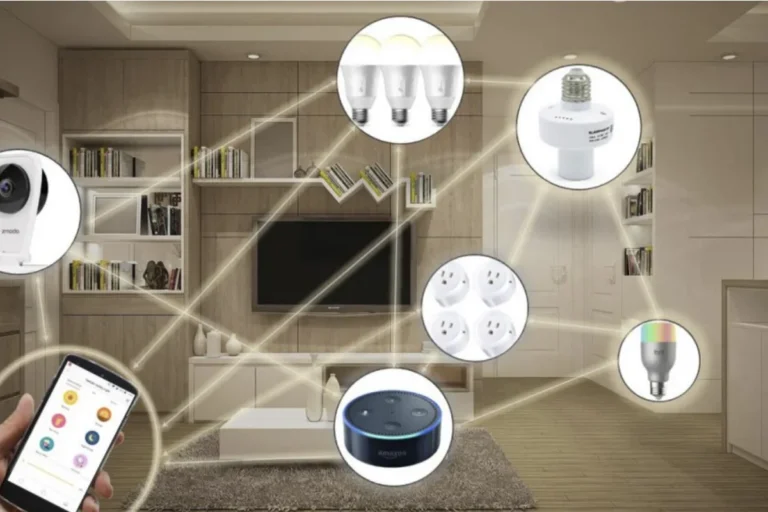
Connectivity also matters. If the sensor relies on Wi-Fi, Bluetooth, Zigbee, Z-Wave, or a hub, confirm compatibility with your smart home platform before buying. App support, firmware updates, and automation features can change over time, so check the current app listing and support pages.
- Check compatibility with your phone, hub, and smart home platform.
- Confirm outdoor rating, mounting guidance, and recommended temperature range.
- Review app features such as sensitivity, activity zones, delay timers, and notification controls.
- Verify warranty terms, return policy, and current firmware support.
How to Reduce Rain-Triggered Alerts: Setup, Placement, and Sensitivity Tuning
Most rain-related false alerts can be reduced with better placement and careful settings. The goal is to keep the sensor focused on people and vehicles, not on water, glare, or vegetation.
Angle, Height, and Shelter Placement Best Practices
Mount the sensor so it has a clear view of the area you care about, but not the roof edge, gutter drip line, or sprinkler spray. A small overhang can help, but do not place the sensor where water can run directly over the lens or housing.
Angle it away from shiny pavement, reflective windows, and moving shrubs when possible. If the sensor must face a driveway or yard, try to position it so the main detection zone crosses the path of travel rather than the wet surface itself.
Use an overhang or protected wall area without blocking the target zone.
Avoid downspouts, puddles, sprinkler coverage, and dripping edges.
Trim branches or reposition the sensor so plants do not dominate the field of view.
App Settings, Delay Timers, and Sensitivity Trade-Offs
Lower sensitivity can reduce rain-triggered alerts, but it can also make the sensor less responsive to people. Delay timers and notification cooldowns may help if your system supports them, especially during storms.
Some apps also offer activity zones, which let you ignore part of the frame or detection area. That can be useful if rain only affects one corner of the scene. If your sensor has firmware updates, keep them current through the official app so you get the latest stability fixes and compatibility improvements.
If alerts spike only during storms, adjust one setting at a time so you can tell whether the fix came from placement, sensitivity, or notification timing.
Safety, Maintenance, and Long-Term Reliability in Wet Weather
Outdoor sensors need regular inspection because seals, mounts, and lenses can degrade over time. Even a well-rated device can become unreliable if water gets into the housing or if the mount loosens.
Cleaning, Inspection, Seal Checks, and Replacement Timing
Wipe the lens and housing gently according to the manufacturer’s instructions. Check for cracks, loose mounts, condensation inside the case, rust on screws, and any sign that the seal has failed.
If a battery compartment looks corroded, if the device overheats, or if the housing is damaged, stop using it until you follow the manufacturer’s guidance. For battery-powered units, replace batteries with the correct type and avoid mixing old and new cells unless the manual explicitly allows it.
Stop using damaged electronics, swollen batteries, frayed cables, overheating chargers, or unstable mounts and follow the manufacturer’s guidance.
Common Mistakes That Shorten Sensor Life or Increase False Alarms
Common mistakes include mounting the sensor where water runs across it, ignoring the recommended height, and placing it too close to heat sources like vents or sun-baked walls. Another frequent issue is using an indoor sensor outdoors because it “mostly stays dry.”
It is also a mistake to assume the app will solve a bad installation. Software can help, but it cannot fully compensate for a sensor aimed at a dripping gutter or a windblown bush.
Final Recommendation: When Rain Is a Real Problem and What to Buy Instead
If rain is causing false alerts, the best fix is usually a better outdoor-rated sensor plus smarter placement, not just a sensitivity tweak. For exposed locations, prioritize weather resistance, adjustable detection settings, and a mounting position that avoids splash, drip lines, and reflective surfaces.
Best Overall Choice by Use Case, Value, and Limitations to Expect
For most homeowners, the best overall choice is an outdoor motion sensor with an official weather rating, adjustable sensitivity, and support for app-based filtering or zones. For indoor-only spaces, a standard indoor sensor is usually simpler, cheaper, and more dependable.
The main limitation to expect is that no sensor can perfectly ignore every storm condition. If your setup is especially exposed, you may need a combination of better mounting, a different sensor type, and more conservative automation rules to keep alerts useful.
- Rain can trigger motion sensors indirectly through splash, reflections, wind, and temperature shifts.
- Outdoor-rated sensors handle weather better, but placement and settings still matter.
- Check the official specs for IP rating, range, field of view, and mounting height before buying.
- Reduce false alerts by avoiding drip lines, reflective surfaces, and nearby moving vegetation.
Frequently Asked Questions
Yes, rain can trigger some motion sensors indirectly. Splash, windblown water, reflections, and temperature changes are common causes of false alerts.
Basic outdoor PIR sensors, low-cost motion lights, and camera motion detection are often more affected. Dual-tech and well-shielded outdoor models usually handle weather better.
Mount the sensor under shelter, avoid drip lines and splash zones, and lower sensitivity if the app allows it. Activity zones and delay timers can also help.
Check the weather rating, detection range, field of view, mounting height, power source, and app support. Always confirm the exact model’s manual and compatibility list.
It is usually better to use a true outdoor-rated model. Indoor sensors are more likely to fail or false-trigger when exposed to humidity, condensation, or splash.
Replace or stop using it if the housing is cracked, the seal fails, the battery compartment corrodes, or the device overheats. Follow the manufacturer’s guidance for repair or replacement.