Does Arlo Video Doorbell Work With Apple HomeKit Guide
Some Arlo video doorbells do work with Apple HomeKit, but compatibility depends on the exact model. Check the official model support and HomeKit features before you buy or set up.
If you’re asking whether an Arlo video doorbell works with Apple HomeKit, the short answer is yes for select Arlo models, but not every Arlo doorbell supports it. The exact experience depends on the model, firmware, and whether you want basic Home app control or deeper HomeKit Secure Video features.
That distinction matters if you’re building a mixed smart home with iPhone, iPad, Apple TV, or HomePod in the center. It also matters if you care about privacy, notifications, automations, and whether you’ll still need the Arlo app for full functionality.
- Model matters: Arlo HomeKit support is not universal across every doorbell.
- Apple Home is not the full story: Some features may still require the Arlo app.
- Verify setup needs: Firmware, Wi-Fi, and a Home hub can affect pairing and reliability.
- Best for Apple homes: It suits users who want Home app control and automations.
- Check before buying: Confirm the exact product page, manual, and current compatibility list.
Does Arlo Video Doorbell Work With Apple HomeKit? Quick Answer for 2026 Buyers
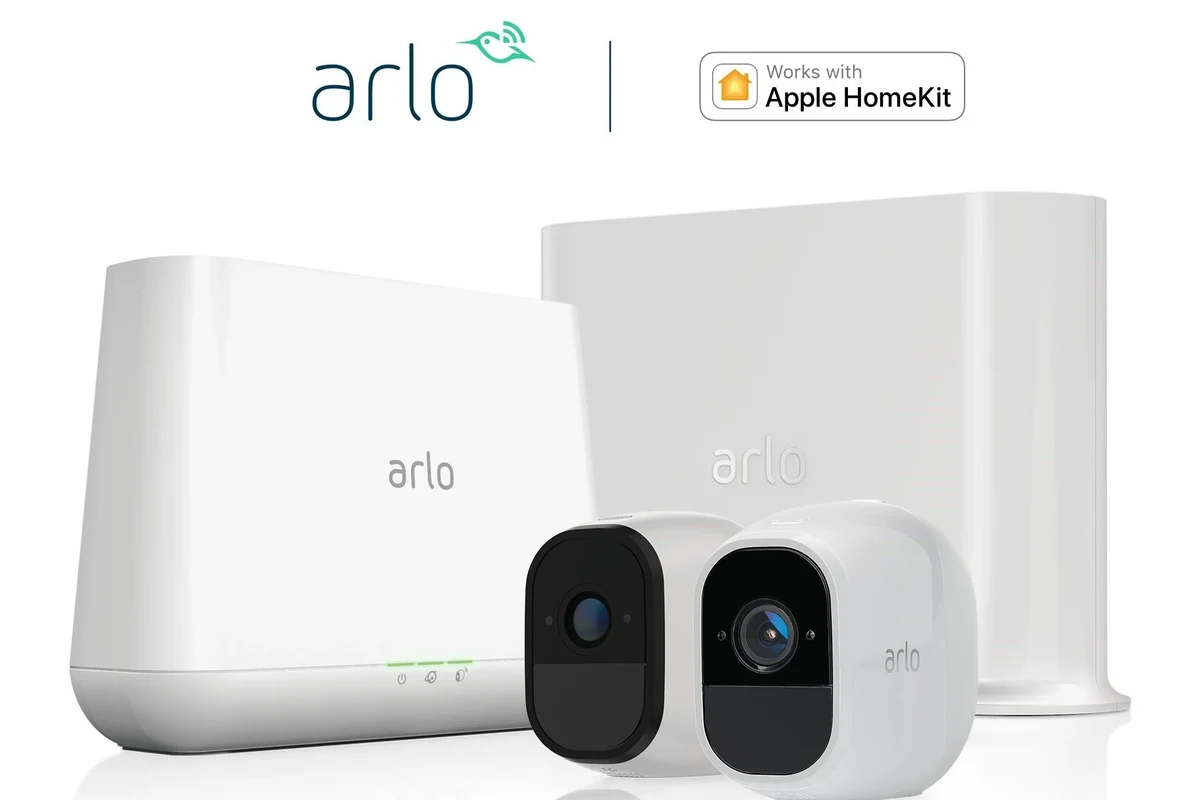
Yes, some Arlo video doorbells can work with Apple HomeKit, but compatibility is model-specific rather than automatic. In practice, that means you should verify the exact product page, manual, or Arlo compatibility list before you buy or set up the doorbell.
For many buyers, the real question is not just “does it connect?” but “what do I get once it’s connected?” HomeKit support can be useful for viewing the doorbell in Apple’s Home app, creating automations, and using Siri, but the Arlo app may still be needed for setup, certain alerts, and any features Apple Home does not expose.
- Check the exact Arlo doorbell model and generation
- Confirm HomeKit or HomeKit Secure Video support on the official product page
- Verify your Apple Home hub setup if you want remote access and automations
- Review the current firmware, app, and region requirements
How Arlo HomeKit Compatibility Works in Practice
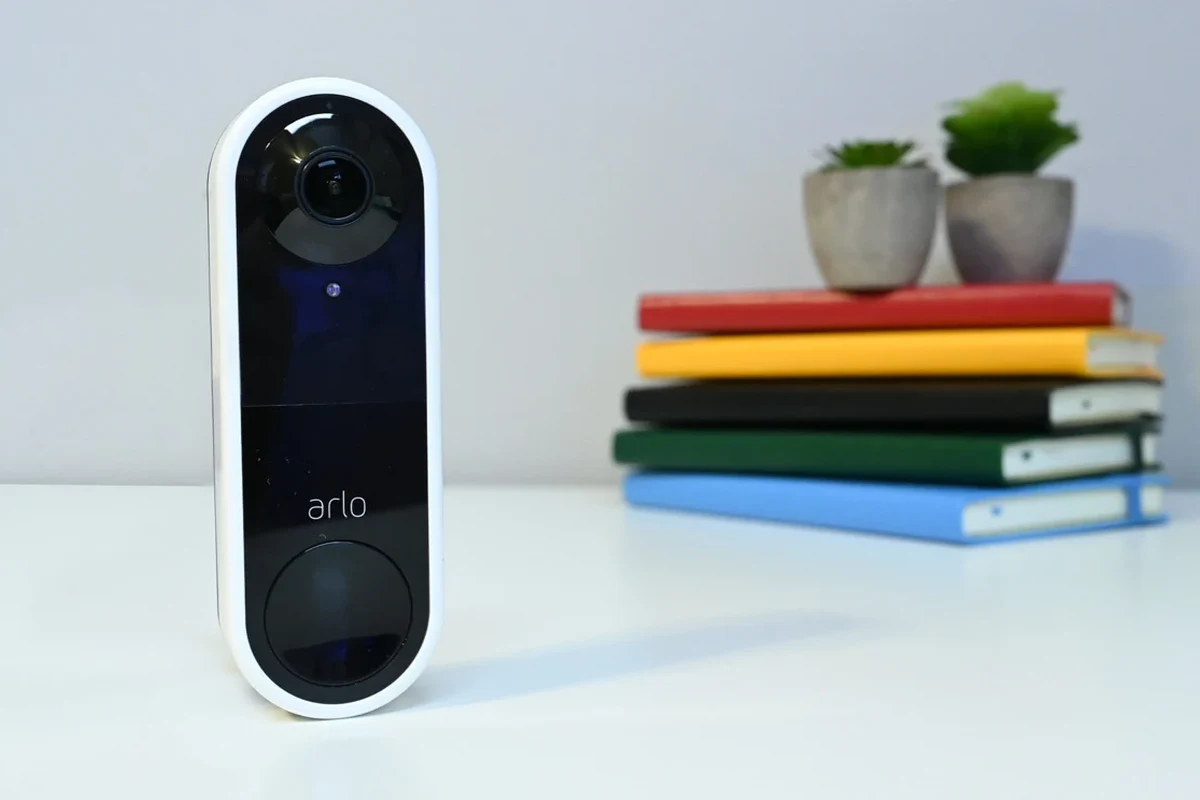
HomeKit compatibility usually means the doorbell can be added to Apple Home and controlled through the Home app. That may include live viewing, notifications, and automation triggers, depending on the model and Apple’s current platform rules.
But “works with HomeKit” does not always mean every Arlo feature is mirrored inside Apple Home. Many smart doorbells have a split experience: one app for the vendor’s full feature set and another app for Apple-centered control.
HomeKit vs. HomeKit Secure Video vs. Arlo App Features
Apple HomeKit is the broader smart-home platform. HomeKit Secure Video is the Apple feature set that can store and analyze camera clips in iCloud under Apple’s privacy framework, but support depends on the camera or doorbell model and your iCloud plan.
The Arlo app may still offer features that Apple Home does not, such as device-specific settings, broader notification controls, package-related views, or manufacturer cloud options. If you want the most complete feature set, expect to use both ecosystems in parallel rather than choosing only one.
Apple Home and Arlo app features can change with firmware updates, region, and subscription status. Always confirm the latest support details before relying on a specific function.
What You Need to Connect Arlo to Apple Home
To connect an Arlo doorbell to Apple Home, you generally need a supported Arlo model, the Arlo app, an Apple device running a compatible version of iOS or iPadOS, and a Home hub if you want remote access and automations. A HomePod, Apple TV, or always-on iPad may serve as the hub depending on Apple’s current requirements.
Stable Wi-Fi is also important. Doorbells are more sensitive than many indoor devices because they sit farther from the router, deal with exterior walls, and may need consistent signal strength for timely alerts and video loading.
If pairing fails, move the doorbell and phone closer to the router during setup, then finalize placement only after the connection is stable.
Which Arlo Video Doorbells Support Apple HomeKit
Arlo has offered different doorbell generations over time, and HomeKit support can vary by model. That means a buyer should never assume that “Arlo video doorbell” automatically equals “HomeKit compatible.”
Before purchase, look for explicit Apple Home or HomeKit language in the official product listing, not just a retailer title or a marketing summary. If the support claim is missing or unclear, treat compatibility as unverified until Arlo confirms it.
Compatibility Differences by Model and Generation
Some Arlo doorbells are designed with Apple Home integration in mind, while others may focus on the Arlo ecosystem first. Even within the same product family, support can differ by hardware revision, bundled kit, or firmware branch.
If you are shopping secondhand, be extra careful. A listing may say “Arlo doorbell” without naming the exact generation, and that can be enough to create a HomeKit mismatch later.
Key Specs to Verify Before You Buy
For HomeKit-focused buyers, the most important spec is not megapixels or design alone. It is whether the exact model supports Apple Home, whether it supports HomeKit Secure Video, and whether that support requires a subscription or a specific power setup.
Setup Guide: Adding an Arlo Doorbell to Apple Home
The safest setup path is to finish the Arlo app installation first, then add the device to Apple Home if the model supports it. That order helps because many smart devices rely on the vendor app for initial activation, firmware updates, and account linking.
Account, Firmware, and App Requirements
Make sure your Arlo account is active, the doorbell is powered correctly, and the Arlo app is updated before pairing. If the doorbell has a firmware update available, install it first when the app prompts you, since outdated firmware is a common reason smart-home pairing fails.
Complete the basic device onboarding, Wi-Fi connection, and account sign-in before opening Apple Home.
Use the Home app’s accessory-add flow and follow the on-screen pairing steps for the supported model.
Confirm live view, notifications, and any automations you plan to rely on.
Common Setup Mistakes That Cause Pairing Failures
One common mistake is trying to pair the doorbell before the Arlo app has fully registered it. Another is using the wrong Wi-Fi band, weak signal, or an outdated phone OS that no longer matches the current setup requirements.
It also helps to avoid rushing through permissions. If you deny key permissions during setup, you may later wonder why notifications, microphone access, or Home app visibility is incomplete.
Stop using damaged electronics, frayed charging cables, unstable mounts, or overheated power accessories and follow the manufacturer’s guidance before continuing setup.
Real-World Benefits of Using Arlo With Apple HomeKit
When the integration is supported and configured well, the biggest advantage is convenience. You can keep doorbell activity inside the Apple Home ecosystem, which is especially useful for households already using HomeKit-compatible lights, locks, sensors, or routines.
That can make a doorbell feel less like a separate gadget and more like part of the whole home. For some users, that is the main reason to choose a HomeKit-capable model in the first place.
Home App Controls, Automation, and Siri Use Cases
Apple Home can be useful for checking the doorbell from a familiar interface, receiving alerts, and tying motion or ring events into automations. For example, you may want porch lights to turn on when someone rings the bell, or a scene to activate when motion is detected after dark.
Siri can also be convenient for quick status checks, though voice control is best treated as a supplement rather than a replacement for the vendor app. If you want to compare this kind of ecosystem planning with other accessories, our guide to what smart lights work with Apple HomeKit may help you think through broader Home app compatibility.
Who This Integration Fits Best
This setup fits best for iPhone households, Apple-centric smart homes, and people who want doorbell events to trigger other HomeKit devices. It is also a solid match for renters or busy homeowners who want a simpler app experience instead of juggling multiple platforms all day.
It is less compelling if you prefer the deepest possible vendor features, if your Wi-Fi is weak near the front door, or if you already use another ecosystem as your main smart-home hub. In those cases, integration may be nice but not decisive.
Limitations, Trade-Offs, and Evidence Gaps
There are two important realities to keep in mind. First, HomeKit support does not guarantee that every Arlo feature is available in Apple Home. Second, public compatibility claims can change with firmware updates, subscription changes, and platform policy updates.
Because of that, the best buying decision is based on current documentation, not assumptions from older forum posts or outdated retailer listings. If you need a feature for security or accessibility, verify it directly before purchase.
Feature Differences Between Apple Home and the Arlo App
Apple Home is often cleaner and simpler, but the Arlo app may still offer more device-specific controls. That may include camera settings, richer event history, or subscription-linked features that Apple Home does not replicate.
If you want to keep everything in one place, that simplicity is appealing. If you want the fullest doorbell experience, you may need to accept a two-app workflow.
- Fits well into an Apple-centered smart home
- Can simplify automations and notifications
- May reduce the need to switch between apps for basic use
- Not every Arlo model supports HomeKit
- Some features may remain in the Arlo app only
- Setup and reliability depend on firmware, Wi-Fi, and Apple hub requirements
If you are comparing broader smart-home compatibility, it may also help to read our guide on what smart lights work with Apple Home so you can see how device ecosystems usually split between native app control and Home app control.
Privacy, Recording, and Notification Considerations
Privacy expectations should be realistic. HomeKit Secure Video can be attractive because of Apple’s privacy positioning, but actual recording behavior still depends on the specific doorbell, your iCloud plan, and the settings you choose.
Notifications can also vary in quality. Motion alerts, person detection, and ring alerts may arrive differently depending on your network, phone settings, and whether the doorbell is in a location with strong signal and low interference.
Review notification permissions, Home app alert settings, and Arlo app permissions after setup so you do not miss important alerts.
Safety, Maintenance, and Long-Term Ownership Tips
A doorbell is a long-term outdoor device, so installation quality and maintenance matter as much as compatibility. Even a smart doorbell that pairs perfectly can still disappoint if it is exposed to poor wiring, moisture, dirt buildup, or unstable Wi-Fi.
Before mounting or powering any doorbell, follow the official installation instructions for your exact model and stop if the wiring, transformer, or mount looks damaged or unsafe. If you are not comfortable with doorbell wiring, a qualified installer is the safer choice.
Power, Wiring, Weather Resistance, and Inspection Checklist
Some Arlo doorbells are battery-powered, while others may support wired installation or use wiring for charging or continuous operation depending on the model. That difference affects convenience, maintenance, and how often you need to think about charging or power availability.
Do not modify doorbell wiring, use damaged chargers, or expose power connections to moisture. If you see corrosion, heat, cracking, or loose mounting hardware, stop using the device until it is inspected.
- Doorbell unit and mounting hardware
- Power or charging accessories required by the model
- Installation guide and safety paperwork
- Any included wedge, plate, or chime adapter if supplied
Routine Cleaning, Wi-Fi Stability, and When to Reset or Replace
Keep the lens and exterior clean with the manufacturer-approved method, since dirt, spider webs, and rain residue can affect video and motion detection. Also keep your router firmware current and place the access point as close as practical to the front door without creating unsafe cable runs.
If the doorbell starts dropping offline repeatedly, fails to charge normally, or shows physical wear, treat that as a maintenance issue rather than a software problem. A reset may help with software glitches, but persistent power issues, swelling, overheating, or repeated hardware failure are reasons to contact support or replace the unit.
Final Verdict: Is an Arlo Video Doorbell a Good HomeKit Choice?
Yes, an Arlo video doorbell can be a good Apple HomeKit choice if you choose a model that explicitly supports it and you are comfortable verifying the setup details before buying. The best experience comes from matching the exact doorbell generation to your Apple Home setup, not from assuming every Arlo model behaves the same way.
Best For, Not Ideal For, and Recommended Buying Decision
Apple-focused households that want a smart doorbell integrated into the Home app, with the understanding that some advanced features may still live in the Arlo app.
Choose Arlo if you value HomeKit compatibility, flexible smart-home automation, and a familiar Apple-centered interface. Choose a different doorbell if you need guaranteed feature completeness inside one app, if model verification feels too uncertain, or if your home network is not stable enough for dependable video doorbell use.
- Arlo video doorbells can work with Apple HomeKit, but only supported models should be considered.
- Apple Home and the Arlo app may offer different feature sets, so check what matters most to you.
- Verify model number, firmware, power setup, and Home hub requirements before buying.
- For the best long-term experience, prioritize stable Wi-Fi, safe installation, and regular maintenance.
Frequently Asked Questions
No. HomeKit support depends on the exact Arlo model and generation, so you should verify the official compatibility list before buying or pairing.
Usually yes. The Arlo app is often needed for initial setup, firmware updates, and some device-specific settings that Apple Home may not show.
You typically need a supported Home hub such as a HomePod, Apple TV, or compatible always-on iPad, plus a stable internet connection.
Only if the specific model supports it and your Apple account, iCloud plan, and setup meet Apple’s current requirements.
Common causes include unsupported model numbers, outdated firmware, weak Wi-Fi, missing permissions, or trying to pair before completing setup in the Arlo app.
Yes, if you want Apple Home integration and are willing to verify model compatibility first. It is less ideal if you want every feature in one app or need a doorbell with fully confirmed support.