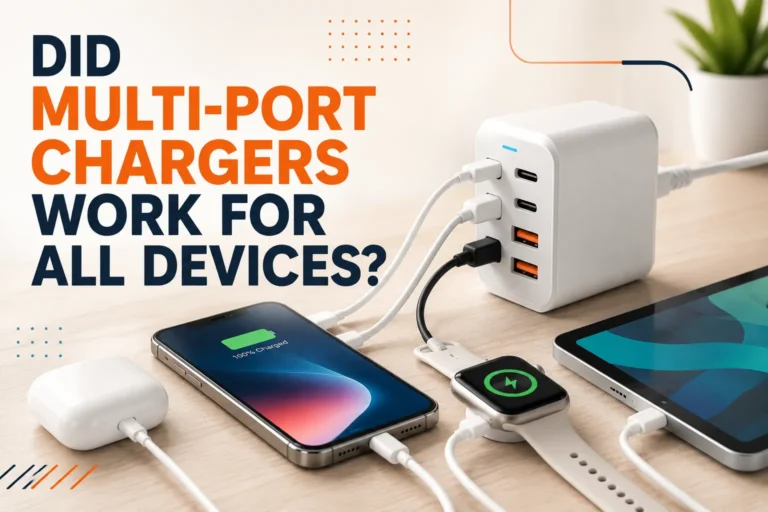
Can I Use a 100w Charger for Iphone
Yes, you can usually use a 100W charger for an iPhone if it supports USB-C Power Delivery and the cable is in good condition. The iPhone will only draw the power it needs, so the bigger charger mainly adds flexibility, not forced power.
If you’re asking, “can I use a 100W charger for iPhone,” the short answer is yes in most cases, as long as the charger and cable are in good condition and support the right USB-C charging standard. Your iPhone will only draw the power it is designed to accept, so a higher-watt adapter does not automatically push 100W into the phone.
That makes a 100W adapter less about “overpowering” the phone and more about convenience, flexibility, and future-proofing. In 2026, many people use one charger for an iPhone, iPad, earbuds, and even a laptop, but there are a few compatibility details worth checking before you plug in.
- Safe in most cases: A 100W USB-C PD charger is generally fine for iPhone use.
- Cable matters most: A quality, undamaged cable is essential for safe charging.
- Wattage is a ceiling: Your iPhone negotiates power and will not take 100W.
- Best for multi-device users: One high-watt charger can cover phones, tablets, and laptops.
Can You Use a 100W Charger for iPhone? Quick Answer and Safety Overview
Yes, a 100W charger can be used with an iPhone if it is a reputable USB-C charger and you use a compatible cable. The iPhone negotiates how much power it wants, so the charger’s maximum output is only a ceiling, not a forced delivery rate.
For most users, this is safe and practical. The real risks come from poor-quality accessories, damaged cables, heat buildup, or chargers that do not follow proper USB-C Power Delivery behavior.
Stop using any charger or cable that gets unusually hot, smells burnt, flickers, sparks, or shows frayed insulation, bent connectors, or loose fit. If an iPhone becomes hot while charging, unplug it and let it cool before continuing.
How iPhone Charging Works in 2026: Wattage, USB-C, and Power Negotiation
Modern iPhones use a charging handshake that helps the phone and charger agree on a safe power level. This is why a charger rated for 100W, 65W, or even higher does not automatically push its full output into the phone.
Why a Higher-Watt Charger Does Not Automatically “Force” More Power
Think of wattage as the charger’s maximum capacity, not its constant output. The iPhone decides how much power to request based on battery state, temperature, charging stage, and the charger’s supported protocol.
That means a larger adapter can be perfectly fine for a smaller device. In fact, many buyers prefer a higher-watt charger because it can also power tablets, laptops, handheld gaming devices, and accessories without needing multiple bricks.
USB-C Power Delivery is designed so compatible devices negotiate power instead of blindly accepting the adapter’s maximum output.
Which iPhone Models Benefit Most from Fast Charging
Fast charging matters most for newer iPhone models that support USB-C charging and higher charging rates than older 5W-era adapters. The exact charging behavior varies by model generation, battery condition, temperature, and software version.
Users who notice the biggest difference are usually those who charge in short bursts: commuters, students, remote workers, travelers, and anyone who wants a quick top-up before leaving home. If you regularly charge overnight, the benefit of a 100W charger is usually convenience rather than a dramatic speed jump.
What Actually Matters: Charger, Cable, and iPhone Compatibility
The charger is only one part of the setup. To charge safely and efficiently, you need a compatible adapter, a good cable, and an iPhone that supports the connection type you’re using.
USB-C Power Delivery Support and Why It Is the Key Spec to Check
USB-C Power Delivery, often called USB-C PD, is the main charging standard to look for. If the charger supports PD, it is much more likely to communicate properly with an iPhone and provide safe, efficient charging.
Some chargers also advertise PPS or multi-device output profiles. Those features can be useful, but for iPhone charging, PD support is the core specification to verify first in the manual or product listing.
Choosing the Right Cable: Rated Wattage, Quality, and Heat Resistance
A cable needs to support the charging level and be built well enough to handle repeated use. For a 100W charger, the cable should be from a reputable brand and rated appropriately for the power it may carry, even if your iPhone itself will not draw anywhere near 100W.
Good cables often have sturdier strain relief, better connector fit, and insulation that resists wear. If you travel often or plug and unplug several times a day, cable durability matters almost as much as charger wattage.
When a Cheap or Damaged Cable Becomes the Real Risk
Many charging problems blamed on the phone are actually cable problems. A low-quality or damaged cable can cause slow charging, intermittent charging, excess heat, or unstable power delivery.
Inspect both ends of the cable for bent pins, fraying, discoloration, looseness, or melted plastic. If the cable only works when bent at an angle or feels unusually warm, replace it rather than trying to keep using it.
Real-World Benefits of Using a 100W Charger with iPhone
Even though your iPhone will not charge at 100W, a higher-watt charger can still be a smart purchase. The main advantage is flexibility: one adapter can cover more than one device without forcing you to carry a separate charger for each gadget.
Faster Top-Ups for Busy Days and Travel
With a compatible setup, a 100W charger can still give your iPhone a useful fast-charge experience. That is especially helpful before meetings, during layovers, in hotel rooms, or when you need enough battery to last the rest of the day.
If you want the best charging consistency, plug the iPhone directly into the charger instead of through a low-quality hub, worn extension cable, or loose adapter chain.
One Charger for iPhone, iPad, MacBook, and Other Devices
For households with multiple devices, a 100W charger can reduce clutter. It may replace several lower-watt bricks on a desk, in a backpack, or in a carry-on bag, which is especially convenient for students, creators, and hybrid workers.
That said, the number of ports matters. A single-port 100W adapter is great for one-device charging, while a multi-port version may split power across devices depending on what is plugged in. Always confirm how power is shared across ports before assuming full output is available on every port at once.
Limitations, Risks, and Common Mistakes to Avoid
A 100W charger is not automatically better in every situation. It can be a great tool, but buyers sometimes overestimate what it does or ignore signs that the cable, port, or adapter is the real issue.
Heat, Battery Health, and What “Safe” Really Means
Safe charging does not mean zero heat. Some warmth is normal during fast charging, especially when the battery is low or the phone is being used at the same time.
What matters is excessive heat. If the phone becomes too hot to comfortably hold, remove thick cases if appropriate, charge in a cooler area, and avoid stacking the phone under blankets, pillows, or other insulating materials.
Why 100W Does Not Mean Your iPhone Charges at 100W
This is one of the most common misunderstandings. The charger’s wattage rating tells you the maximum it can supply, not what your iPhone will constantly consume.
Your iPhone controls the draw, and the actual rate changes over the charge cycle. It may charge faster at lower battery levels and slow down as it approaches full charge to protect the battery.
Misreading Charging Speeds, Battery Health, and Adapter Labels
Do not assume all “fast chargers” are equal. Some labels focus on peak output, while others hide details about port sharing, voltage profiles, or whether the charger uses a proper charging standard.
Also remember that battery health is influenced by many factors: heat, charging habits, software, age, and usage patterns. A 100W charger alone is not the only variable, and it is not automatically harmful when used correctly.
- A 100W charger is usually fine for iPhone if it supports USB-C PD and the cable is reliable.
- The iPhone negotiates power, so the phone will not simply take 100W because the adapter can provide it.
- Heat, cable quality, and charger condition matter more than the headline wattage.
How to Use a 100W Charger Safely with iPhone
Using a high-watt charger safely is mostly about setup and inspection. A careful routine helps you get the convenience of fast charging without unnecessary wear or risk.
Setup Steps, Inspection Checklist, and Best Charging Habits
Confirm that the adapter supports USB-C Power Delivery and that the port you plan to use is intended for phone charging.
Choose a cable from a reputable brand with the correct connector type and an appropriate power rating for the charger.
Look for fraying, bent connectors, loose fit, discoloration, or heat damage before plugging in.
Place the phone and charger on a hard, ventilated surface instead of on bedding or under clutter.
- Use the shortest practical cable length for desk charging to reduce clutter and strain.
- If you charge overnight, keep the setup away from pillows, blankets, and direct sunlight.
- When possible, avoid charging while running heavy games or video editing apps that add heat.
Storage, Replacement Guidance, and When to Stop Using a Charger or Cable
Store cables loosely coiled rather than sharply bent. Repeated tight wrapping can weaken the internal conductors and shorten the life of the cable.
Replace the charger or cable if you notice intermittent charging, visible damage, melting, burning odor, or excessive heat. If the charger’s plug feels loose in the wall outlet, stop using it and confirm the outlet condition before trying another adapter.
Who Should Buy a 100W Charger and What to Look For
A 100W charger is not necessary for every iPhone owner, but it can be a very sensible purchase for people who own multiple devices or want one compact power solution. The best choice depends on your charging habits, travel routine, and how many gadgets you carry.
Ideal Users: Multi-Device Owners, Travelers, and Power Users
This type of charger makes the most sense for people who charge an iPhone alongside a tablet, laptop, earbuds case, handheld console, or smartwatch. It is also useful for travelers who want to pack one adapter instead of several.
If your life revolves around a desk, a carry-on bag, or a shared family charging station, a 100W charger can simplify things. If you only ever charge one iPhone at home, a smaller charger may be more than enough.
Decision Criteria: Brand Reputation, PPS/PD Support, Port Layout, and Warranty
Look for a charger from a reputable manufacturer with clear specifications, a warranty you can verify, and transparent port behavior. If the listing is vague about supported standards or power sharing, that is a warning sign.
- Check compatibility with your exact iPhone model and cable type.
- Confirm USB-C Power Delivery support and port-sharing behavior.
- Review warranty terms, return policy, and safety guidance.
- Inspect the charger and cable regularly for heat, looseness, or wear.
A 100W charger is best for iPhone users who also charge tablets, laptops, or other USB-C devices and want one versatile adapter. If you only need basic iPhone charging, a smaller PD charger may be simpler and more cost-effective.
Final Verdict: Is a 100W Charger Worth It for iPhone Users?
For most people, yes—a 100W charger is a safe and practical choice for iPhone as long as it is a quality USB-C Power Delivery adapter and you pair it with a good cable. The phone will only take the power it needs, so the higher watt rating mainly adds flexibility rather than risk by itself.
Transparent Recommendation Based on Value, Safety, and Practical Trade-Offs
Choose a 100W charger if you want one adapter for multiple devices, travel convenience, and fewer bricks in your bag or on your desk. Choose a smaller charger if you only charge an iPhone and want the simplest, most compact setup possible.
A 100W charger is worth it for many iPhone owners, but the cable, charger standard, and condition matter more than the watt number alone. Verify compatibility, watch for heat, and replace damaged accessories promptly.
Frequently Asked Questions
Usually no, as long as the charger is a quality USB-C Power Delivery adapter and the cable is in good condition. The iPhone negotiates how much power to draw, so the charger’s maximum wattage is only a ceiling.
No, the iPhone will not simply pull 100W because the adapter can supply it. It only requests the power level it is designed to accept, and that changes during the charging cycle.
Use a reputable cable that matches your iPhone’s connector type and is rated for the power it may carry. A poor-quality or damaged cable is often the real source of slow charging or heat.
It can, but only up to the iPhone’s supported charging speed. If both chargers support the same USB-C Power Delivery behavior, the difference may be small.
Check for heat, loose ports, frayed cables, discoloration, burning smells, or intermittent charging. If you notice any of those signs, stop using the charger or cable and replace it.
Only if you also want to charge other devices like a tablet or laptop with the same adapter. If you charge only one iPhone, a smaller USB-C PD charger may be simpler and more practical.