Is a 100w Charger Enough for a Laptop
Yes, a 100W charger is enough for many laptops, especially ultrabooks and productivity models that support USB-C Power Delivery. It may fall short for gaming laptops, workstations, or heavy workloads, so check your exact model’s charging specs first.
A 100W charger is enough for many laptops, especially ultrabooks, MacBooks, and everyday productivity machines that charge over USB-C Power Delivery. It may also work for larger laptops, but gaming and workstation models often need more power for full-speed charging or heavy use.
- Best fit: 100W works well for many thin-and-light laptops and travel setups.
- Not universal: Gaming and workstation laptops may need more power for full performance.
- Check the cable: A 5A e-marked USB-C cable is important for reliable 100W charging.
- Watch shared power: Multi-port chargers and docks can reduce the wattage available to the laptop.
Is a 100W Charger Enough for a Laptop? Quick Answer and Who It’s For
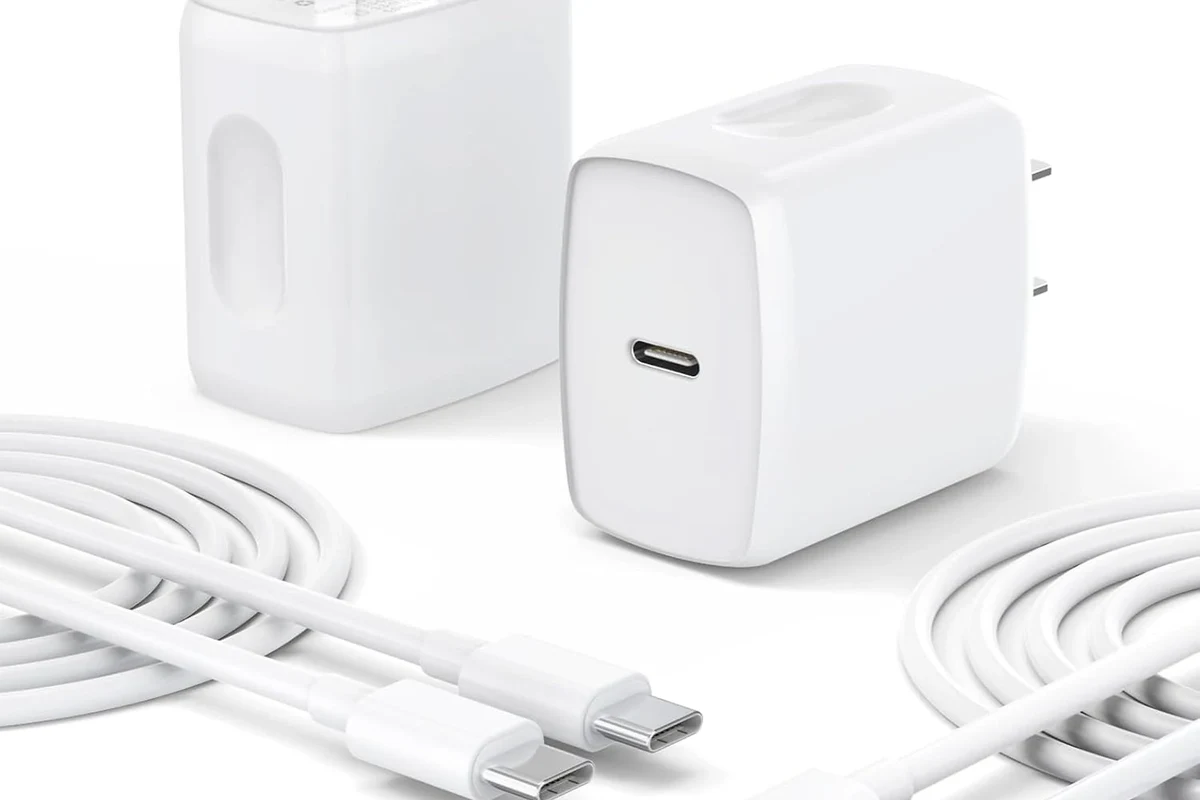
In most cases, yes for everyday charging and light-to-moderate use. The real answer depends on your laptop’s power limits, whether it supports USB-C charging, and how much power the laptop draws while you are working.
If you use a thin-and-light laptop for browsing, writing, schoolwork, video calls, and office apps, a 100W charger is often a smart, portable choice. If you use a gaming laptop, a creator workstation, or a large 16-inch machine with a high-power GPU, you may need the original adapter or a higher-wattage USB-C charger for best results.
How Laptop Charging Power Works in 2026
Laptop charging is not just about wattage. The charger, cable, laptop charging controller, and even what you are doing on the laptop all affect whether the system charges slowly, charges normally, or keeps the battery steady while plugged in.
Wattage, voltage, and USB-C Power Delivery explained
Wattage is the amount of power a charger can supply, while voltage and current are the electrical pieces that create that total. USB-C Power Delivery, often called USB-C PD, is the common standard that lets a laptop and charger negotiate a safe charging level.
A charger labeled 100W does not always send 100W all the time. The laptop only draws what it supports, and the charger may share power across multiple ports if you plug in more than one device.
Many USB-C chargers support several fixed voltage steps, and the laptop picks the one it can use safely through the PD handshake.
Why a charger can be “enough” without being the laptop’s original adapter
Many laptops no longer require a proprietary brick as long as the charger meets the correct USB-C PD profile and wattage range. That means a 100W charger can be fully compatible even if it is not the exact charger that came in the box.
Compatibility still matters. Some laptops can charge from USB-C but only at lower speeds, some need a specific wattage to avoid battery drain, and some older or performance-focused models may charge only through their barrel connector or a higher-rated USB-C adapter.
Which Laptops Can Run Well on a 100W Charger
The easiest way to think about a 100W charger is this: it is ideal for many portable laptops, acceptable for some larger laptops, and often insufficient for sustained peak performance on power-hungry systems.
Ultrabooks, MacBooks, and everyday productivity laptops
Ultrabooks and mainstream productivity laptops are the best fit. These systems are usually designed around efficiency, so a 100W charger is often more than enough for charging, office work, streaming, note-taking, and remote work.
Many MacBook models and Windows ultrabooks support USB-C charging, but model-specific support still matters. Check the laptop’s official specs or manual to confirm the supported input wattage and whether the USB-C port you plan to use is actually a charging port.
Students, remote workers, travelers, and anyone with a thin-and-light laptop who wants one charger for the desk and the road.
Gaming laptops, workstation laptops, and larger 16-inch models
Gaming laptops and mobile workstations are the most likely to outgrow a 100W charger. These systems can draw much more power during gaming, rendering, compiling, 3D work, or AI-related tasks, and a 100W adapter may only slow the battery drain rather than fully keep up.
That does not mean a 100W charger is useless. It can still be helpful for travel, light work, overnight charging, or as a backup charger, but it may not replace the original higher-wattage adapter for demanding use.
If your laptop becomes unusually hot, the charger disconnects repeatedly, or the battery drains even while plugged in during normal work, stop relying on guesswork and check the official charging requirements for your exact model.
How to check your laptop’s rated input and charging limits
Start with the manufacturer’s product page, manual, or support article for your exact model number. Look for the supported USB-C charging wattage, whether the device supports USB-C PD, and whether there are separate limits for charging versus running the laptop under load.
- Check your exact laptop model number, not just the brand
- Confirm the supported USB-C charging wattage and port type
- Review the official manual for any charging restrictions while docked or gaming
- Verify whether the charger shares output across ports
Key Specs to Verify Before You Buy or Use a 100W Charger
A charger can look right on paper and still disappoint in daily use if the standard, cable, or port layout is wrong. The details below matter more than marketing language.
USB-C PD version, PPS support, and multi-voltage output
USB-C PD support is the baseline to look for. Some chargers also support PPS, or Programmable Power Supply, which can help certain devices charge more efficiently, though laptop compatibility still depends on the laptop itself.
Multi-voltage output matters because laptops do not all charge at the same electrical profile. A charger that only supports a narrow range may work poorly or not at all, even if the wattage number looks high enough.
Cable quality, 5A e-marked cables, and why cheap cables cause problems
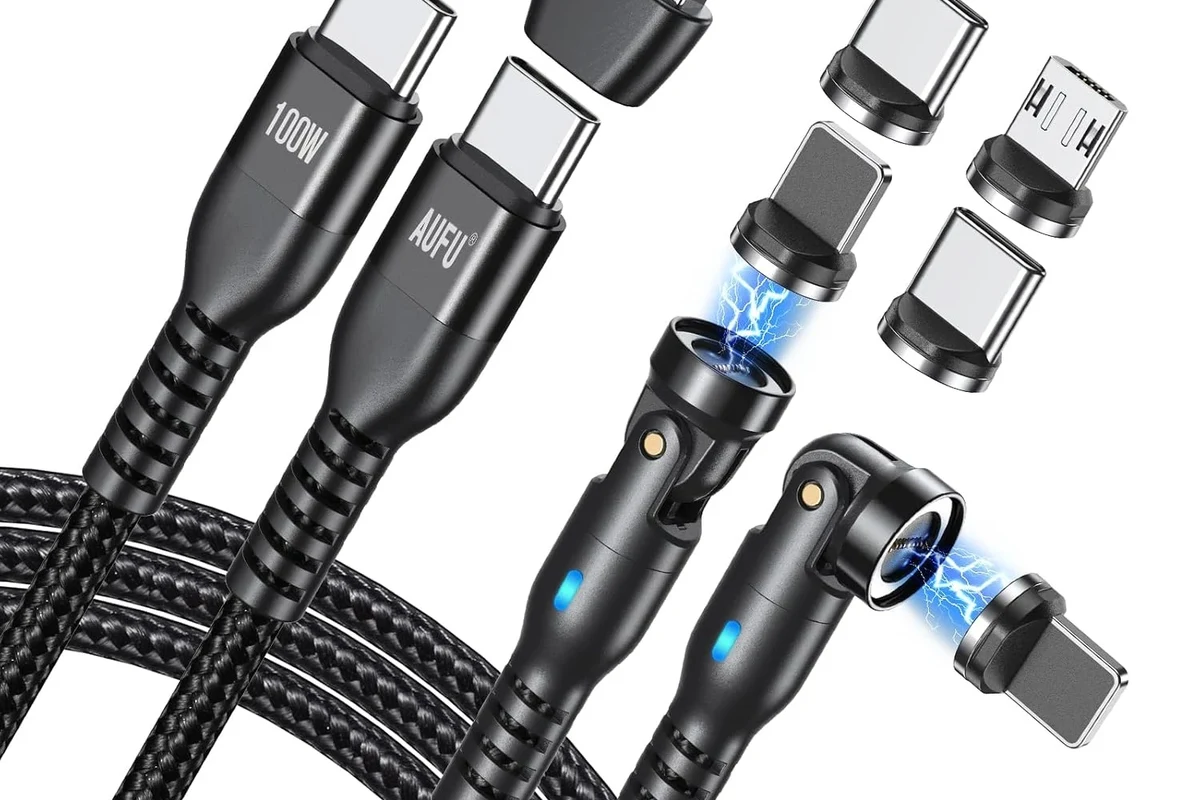
The cable is a major part of the system. For 100W charging, you generally want a USB-C cable rated for 5A and e-marked, because lower-quality cables may limit power, run hotter, or fail to negotiate the full charging rate.
If a charger seems slow, the cable is often the first thing to check. A good charger with a weak cable may behave like a much lower-wattage setup.
Cheap or damaged cables can cause intermittent charging, lower charging speeds, or connection drops. If a cable gets warm, feels loose, or only works at certain angles, replace it rather than trying to “work around” it.
Port count, shared output, and real-world wattage drop
Many 100W chargers have two or more ports, which is convenient for travel and desk setups. The trade-off is that the charger may split power when multiple devices are connected, so the laptop may no longer receive the full 100W.
Always check how power is shared across ports. The charger’s top-rated wattage is usually available only in a specific single-port configuration, and that detail is easy to miss in product listings.
Real-World Benefits and Trade-Offs of a 100W Laptop Charger
For many people, the appeal of a 100W charger is less about raw power and more about flexibility. It can reduce clutter, simplify travel, and cover several devices without carrying multiple bricks.
Portability, travel convenience, and fewer chargers to carry
A 100W charger is often a strong travel pick because it can replace a laptop charger, tablet charger, and phone charger in one compact unit. That is especially useful for commuters, students, and remote workers who move between home, office, and coffee shops.
The benefit grows when the charger supports multiple ports and a wide range of USB-C devices. Still, portability only helps if the charger is matched to your laptop’s actual charging needs.
Charging speed during sleep, light work, and heavy workloads
During sleep or light work, a 100W charger is usually more than enough for many laptops. During heavier workloads, charging speed can slow dramatically because the laptop is using more power at the same time it is receiving power.
This is why some users think a charger is “not enough” when the real issue is workload. If the laptop is editing video, rendering, gaming, or driving an external display and accessories, the charger may still be working correctly even if the battery does not rise quickly.
Heat, fan noise, and battery drain when the laptop is under load
When a laptop is under load, it may generate more heat and spin its fans harder regardless of charger size. If the charger cannot keep up with demand, the system may pull from the battery even while plugged in, which can feel confusing but is often normal for high-power tasks.
Stop using damaged electronics, swollen batteries, frayed cables, overheating chargers, or unstable appliances and follow the manufacturer’s guidance.
Common Mistakes That Make a 100W Charger Seem “Not Enough”
Many charging complaints come from setup issues rather than the charger itself. Before replacing hardware, it helps to rule out the most common mistakes.
Using the wrong cable or a non-PD charger
A charger that is not USB-C PD compatible may not negotiate properly with the laptop. Likewise, a cable that is not rated for the needed current can cap charging speed or make the connection unreliable.
Expecting full-speed charging while gaming or editing video
Heavy workloads change the equation. A 100W charger may be fully adequate for charging a laptop at idle or during light use, but not enough to maintain full battery level while the laptop is pushing its CPU and GPU hard.
Ignoring dock, monitor, and accessory power draw
USB-C hubs, docks, external monitors, and bus-powered accessories can all draw power from the same setup. If the laptop is charging through a dock, some of the charger’s output may be diverted to peripherals instead of the battery.
Dock behavior varies by model, firmware, and monitor setup. Check the dock manufacturer’s power-pass-through rating and the laptop’s support documentation before assuming the charger is the problem.
Safe Use, Inspection, and Maintenance Tips
Charging gear lasts longer and works more reliably when it is handled carefully. A little inspection and storage discipline can prevent a lot of frustration later.
How to spot wear, overheating, loose connectors, and damaged insulation
Look for cracked plastic, bent USB-C tips, visible fraying, discoloration, or a connector that feels loose in the port. If the charger or cable becomes unusually hot during normal use, that is another reason to stop and inspect it.
Replacement guidance for chargers and cables
Replace the cable first if the charger is still in good condition but charging is inconsistent. Replace the charger if it no longer negotiates the right wattage, has damaged prongs or housing, or behaves unpredictably across multiple verified cables and devices.
- Use the charger and cable combination recommended by the laptop maker when possible
- Keep vents and charging areas clear so heat can escape
- Carry the charger loosely coiled instead of tightly bent
- Check for firmware or support notes on docks and USB-C charging behavior
Storage, travel care, and avoiding long-term performance issues
Store chargers in a dry place away from crushing pressure, sharp bends, and moisture. When traveling, avoid wrapping the cable tightly around the brick for long periods, since that can stress the cable jacket and connectors over time.
If your laptop and charger support it, using a higher-quality cable and a reputable charger can reduce nuisance disconnects and help maintain stable charging behavior. For long-term value, the best setup is usually the one that matches your laptop’s real power needs without running at the edge of its limits.
Final Verdict: Is a 100W Charger Enough for Your Laptop?
For many laptops, yes. A 100W charger is enough for ultrabooks, productivity laptops, and many USB-C charging devices, especially if you want one portable charger for work, school, and travel.
Best-fit scenarios and when to choose a higher-wattage charger instead
Choose 100W if your laptop officially supports USB-C charging at that level or lower, and your daily use is mostly browsing, office work, streaming, and light creative tasks. Choose a higher-wattage charger if your laptop is a gaming machine, a workstation, or a large model that regularly draws more power than 100W can supply during real use.
A 100W charger is a strong, versatile choice for many modern laptops, but it is not a universal solution. Check your exact laptop model, cable rating, and port support before buying, and step up to a higher-wattage charger if your device needs more power for demanding work.
Value recommendation for buyers in 2026
In 2026, a good 100W USB-C charger remains one of the most practical charging purchases for people who own multiple devices or travel often. The best value comes from matching the charger to your laptop’s official specs, using a proper 5A e-marked cable, and confirming that any dock or multi-port setup still delivers enough power for your workflow.
Frequently Asked Questions
Yes, many ultrabooks, productivity laptops, and USB-C charging models can use a 100W charger. Gaming laptops and workstations often need more power for heavy workloads.
Check your exact laptop model’s manual or official specs for USB-C Power Delivery support and the supported input wattage. Do not rely on the brand name alone, since charging support varies by model.
It may charge some gaming laptops, but often not fast enough for full-speed use during gaming or rendering. In many cases it works better as a travel or backup charger than as the main adapter.
Yes, you should use a USB-C cable rated for 5A and e-marked if you want full 100W support. A low-quality or underrated cable can limit charging speed or cause unstable charging.
The laptop may be using more power than the charger can supply during heavy tasks, especially with gaming, video editing, docks, or external monitors. That can cause the battery to drain slowly even though the charger is working normally.
Stop using it if you notice fraying, cracked housing, loose connectors, repeated disconnects, or unusual heat. Replace damaged charging gear and follow the manufacturer’s guidance.