60w Vs 100w Vs 240w Usb-c Cable
For most people, a 100W USB-C cable is the best all-around choice because it works well with a wide range of phones, tablets, and laptops. Choose 60W for lighter devices and 240W only if your charger and device explicitly support that higher power level.
If you are choosing between a 60W, 100W, and 240W USB-C cable, the short answer is simple: buy the cable that matches the most power-hungry device you actually need to charge, not the biggest number available. For most phones, tablets, earbuds, and many accessories, 60W is enough; 100W is the safer all-around choice for many laptops; 240W is mainly for newer high-power laptops and dock-style setups that explicitly support USB-C Extended Power Range.
- 60W: Best for phones, tablets, and accessories, with enough headroom for some smaller laptops.
- 100W: The most versatile option for mixed-device homes, offices, and travel bags.
- 240W: Only worth it for compatible high-power laptops and advanced USB-C EPR setups.
- Compatibility: Cable wattage, charger output, and device demand must all line up for the best.
60W vs 100W vs 240W USB-C Cable: Quick Answer and What Actually Matters
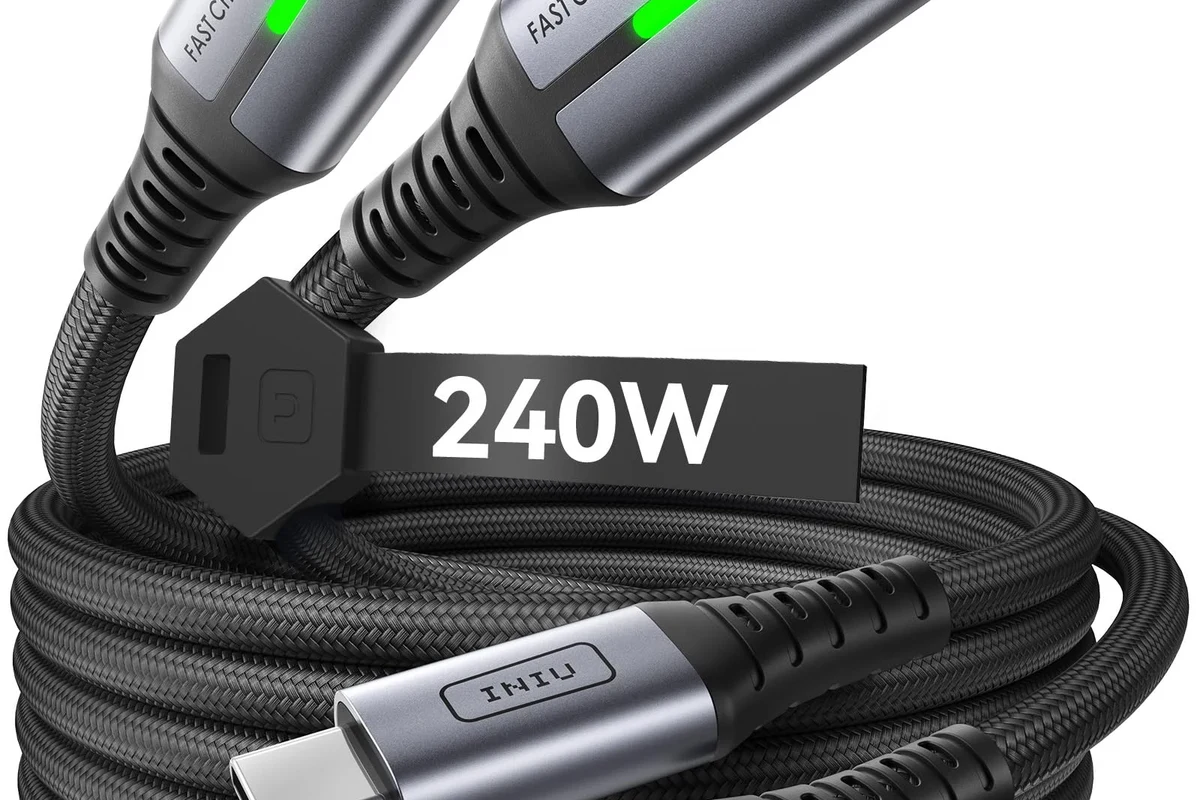
The wattage printed on a USB-C cable tells you its power-handling ceiling, but it does not guarantee faster charging by itself. Real charging speed depends on three things working together: the charger, the cable, and the device’s own power limits.
A 60W cable is usually fine for phones, tablets, handheld accessories, and many smaller laptops. A 100W cable is the most flexible middle ground for mixed-device households and office bags. A 240W cable is only worth it if you have a device that can actually request that much power and you want extra headroom for future gear.
How USB-C Power Delivery Works in 2026
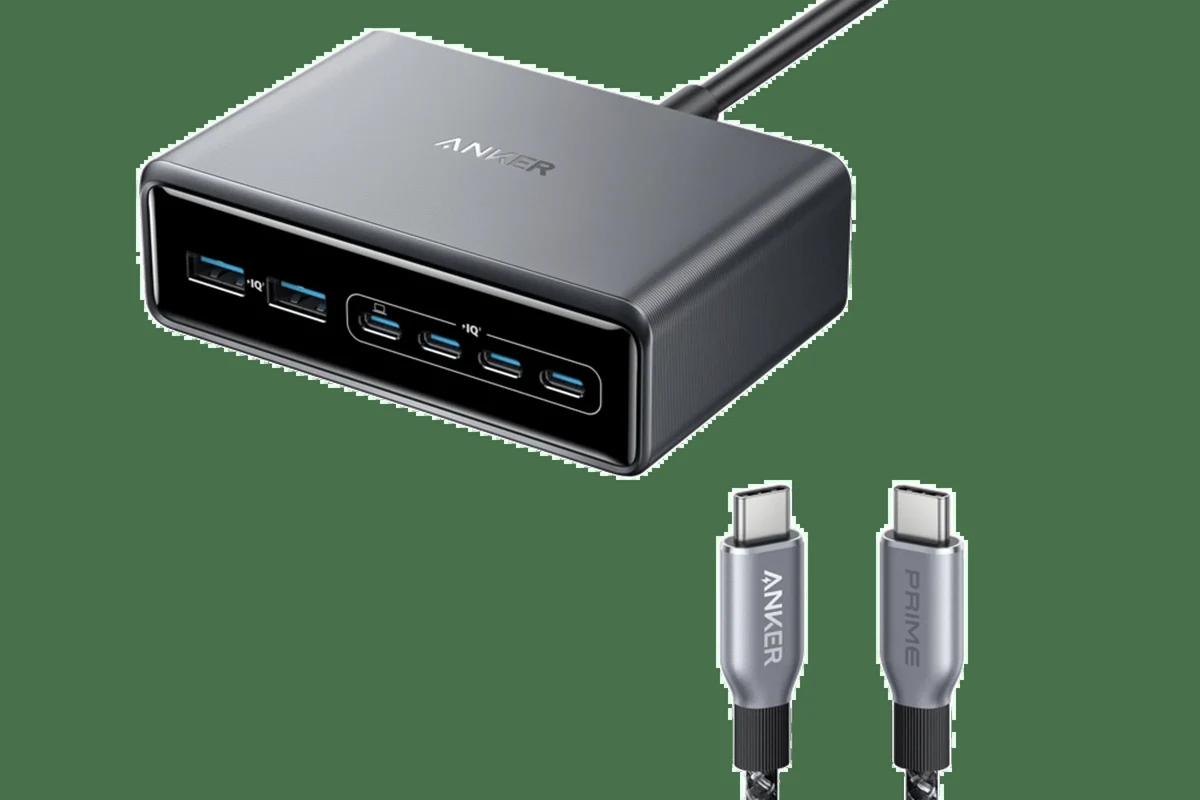
USB-C charging is based on negotiation. When you connect a device, the charger and device communicate to decide how much voltage and current to use. The cable has to be able to safely carry that power level, which is why cable rating matters.
Power rating, cable e-marker chips, and why wattage is not the whole story
Higher-wattage USB-C cables often include an e-marker chip, which helps the charger and device identify the cable’s capabilities. This is especially important for cables rated above basic charging levels, because the cable needs to signal whether it can safely support higher current or newer USB-C power profiles.
Exact cable behavior can vary by brand, length, USB-C standard support, and whether the cable is designed for USB Power Delivery, USB4, or USB-C EPR. Always check the product listing and manual rather than assuming every USB-C cable behaves the same way.
Wattage alone also does not tell you data speed. Some charging cables are built mainly for power and may not support fast data transfer, video output, or docking features. If you need a cable for a monitor, hub, or external SSD, verify those specs separately.
How charger output, device demand, and cable rating work together
The charger sets the maximum power available, the device decides how much it wants, and the cable must safely handle the result. If any one of those pieces is underspecified, the system falls back to a lower level.
A higher-wattage cable does not force a device to charge faster. The device still controls how much power it accepts, which is why a 240W cable will not magically speed up a phone that only needs a small amount of power.
That is why buying the largest cable rating is not always the smartest move. For many people, the best cable is the one that matches today’s devices with a little room to spare.
60W vs 100W vs 240W USB-C Cable: Key Differences at a Glance
The biggest differences are compatibility range, future-proofing, and the kinds of devices each cable is meant to support. The table below is a practical buying guide, not a promise of charging speed for every device.
| Option | Best For | Key Consideration |
|---|---|---|
| 60W USB-C cable | Phones, tablets, earbuds, handhelds, smaller laptops | Good value, but may be too limited for many full-size laptops |
| 100W USB-C cable | Most laptops, 2-in-1s, mixed-device users | Strong balance of compatibility and flexibility |
| 240W USB-C cable | High-power laptops and advanced USB-C EPR setups | Only useful if your charger and device support 240W power delivery |
Best use cases for 60W cables
60W cables make sense if your daily devices are mostly phones, tablets, wireless accessories, portable speakers, and lightweight USB-C gadgets. They are also a reasonable choice for some smaller laptops that do not need high charging wattage.
They are often easier to carry, and in many cases they cost less than higher-rated cables. The trade-off is that a 60W cable can become the bottleneck if you later buy a larger laptop or a power-hungry dock.
Best use cases for 100W cables
100W cables are the most practical all-purpose pick for many homes and offices. They cover a wide range of laptops, tablets, and mobile devices, while also giving you more flexibility when you do not want to think about exact power needs every time you plug in.
Most buyers who want one USB-C cable for everyday charging across phones, tablets, and many laptops should start with 100W. It is the best balance of compatibility and future flexibility, though it still may not be enough for the highest-power gaming or workstation laptops.
Best use cases for 240W cables
240W cables are for the top end of USB-C charging. They are most relevant for devices and chargers that support USB-C Extended Power Range, such as some newer laptops and high-demand mobile workstations.
Only use a 240W cable with devices and chargers that explicitly support that power level. If the charger, device, or cable is mismatched, the system should negotiate down safely, but you should still verify compatibility in the official specs before relying on it.
For many buyers, 240W is more cable than they need. That is not a problem if you already own compatible gear, but it can be unnecessary if your devices will never ask for that much power.
Who Each Cable Is Best For
The right cable depends less on the number on the package and more on your device mix. If you only charge small electronics, the cheapest high-power option is not always the most sensible one.
Phone, tablet, and accessory users
If your USB-C life is mostly phones, tablets, earbuds, controllers, cameras, and portable accessories, a 60W cable is usually enough. It gives you a safe margin above basic charging needs without overpaying for capacity you may never use.
That said, many households are mixed-device households. If you sometimes borrow a laptop charger, share cables with a work bag, or expect to upgrade soon, 100W is often the better long-term purchase.
Laptop and 2-in-1 users
For most laptop owners, 100W is the sweet spot. It covers a broad range of ultrabooks, convertibles, and many productivity laptops, while also working well for tablets and phones.
- Check your laptop’s official charging requirement before buying a cable.
- If your laptop ships with a higher-wattage charger, match the cable to that spec or higher.
- Keep one cable at your desk and one in your bag to reduce wear from constant unplugging.
If your laptop specifically requires more than 100W over USB-C, move to a 240W-rated cable only if the charger and device both support the same power standard.
Creator, gaming, and high-power device users
Creators using portable workstations, gamers with power-hungry laptops, and users with advanced USB-C docks may be the strongest candidates for 240W cables. In those setups, the cable is not just about charging speed; it is part of a broader power-delivery chain that needs enough headroom.
Even then, check whether the device actually benefits from 240W. Some laptops can charge at lower levels just fine, while others may only reach peak performance or fastest charging with the exact charger and cable combination the manufacturer recommends.
Buying Criteria: Specs That Decide Real-World Performance
A good USB-C cable should be chosen by specification, not marketing language. The most useful buying checklist is whether the cable matches your charger, device, and usage pattern.
Wattage rating, amperage, and USB-C PD support
Look for the cable’s wattage rating first, but also check the current rating and whether it supports USB Power Delivery. Many charging problems happen when people buy a cable rated for one level and then pair it with a charger or laptop that expects another.
Cable length, thickness, and flexibility
Longer cables can be more convenient, but they may be thicker, stiffer, or less portable. Short cables are great for power banks and desk setups, while longer ones can be better for bedside charging or shared outlets across a room.
Thickness is not automatically bad. A thicker cable may reflect heavier-duty construction, but it can also be less flexible in a bag or around tight desk corners.
Build quality, connector fit, and strain relief
Connector fit matters because a loose plug can interrupt charging or wear out faster over time. Look for solid strain relief where the cable meets the connector, since this is a common failure point on cheaper cables.
Stop using a cable if the plug feels unstable, the jacket is frayed, the connector gets unusually hot, or charging cuts in and out when the cable moves. Replace damaged cables rather than trying to “work around” the problem.
Certification, safety markings, and brand transparency
Prefer brands that clearly list the cable’s maximum wattage, supported standards, data capabilities, and any safety or compliance information they provide. If a listing is vague about power rating or compatibility, treat that as a warning sign.
When possible, confirm details in the official product manual or manufacturer page instead of relying only on retail listings. Retail pages can be incomplete, outdated, or region-specific.
Real-World Benefits and Trade-Offs
In daily use, the best cable is the one that behaves predictably and fits your routine. Higher wattage is helpful only when it solves a real compatibility or charging-time problem.
Charging speed expectations by device type
Phones and smaller accessories often do not need anywhere near 100W, so a 60W cable may already be more than enough. Tablets may benefit from more headroom, but the actual speed still depends on the tablet model and charger support.
Laptops are where the difference becomes more noticeable. A 100W cable can be a practical baseline for many portable computers, while a 240W cable is reserved for devices that can genuinely draw that level of power.
Heat, efficiency, and why overbuying can be unnecessary
A properly rated cable should not be pushed beyond its intended limit, because that can increase heat and reduce reliability. Buying far more wattage than you need usually does not improve charging in a meaningful way, and it can mean paying for capability you never use.
If you are unsure between two ratings, choose the one that matches your most demanding current device with a little headroom. That usually offers the best mix of safety, convenience, and value.
Portability, durability, and desk or travel convenience
For travel, a compact 60W or 100W cable can be easier to pack and manage. For a permanent desk setup, a sturdier 100W or 240W cable may make more sense if you frequently connect and disconnect power-hungry gear.
Think about how often the cable will be bent, coiled, stuffed into a backpack, or shared between devices. Repeated stress usually matters more than the wattage number printed on the packaging.
Common Mistakes, Safety Limits, and Cable Care
Most cable problems come from mismatched gear or simple wear, not from the cable rating alone. A little inspection and good storage habits go a long way.
Mixing the wrong cable with the wrong charger
Do not assume every USB-C charger and cable combination will deliver the same result. The charger must support the needed power profile, the cable must be rated for it, and the device must be designed to accept it.
- Check the device’s official charging requirement
- Confirm the charger output and cable wattage match the same power standard
- Verify whether you need data transfer, video output, or charging only
- Review warranty, return policy, and any regional compatibility notes
Signs of wear, overheating, and when to replace the cable
Replace the cable if you notice fraying, bent connectors, intermittent charging, discoloration near the plug, or unusual warmth during normal charging. Those are practical signs that the cable may no longer be reliable.
If a charger or cable becomes hot enough to be uncomfortable to touch, stop using it and check the manufacturer’s guidance. Heat can be normal to a degree, but persistent or extreme heat is a reason to be cautious.
Safe storage, inspection habits, and maintenance tips
Store cables loosely instead of wrapping them tightly around adapters or corners. Tight bends can stress the internal wiring and shorten the cable’s usable life.
- Unplug by holding the connector, not by pulling the cord.
- Keep cables dry and away from sharp edges, pet chewing, and heavy furniture.
- Inspect cables regularly if they live in a backpack, car, or shared office drawer.
Final Recommendation: Which USB-C Cable Should You Buy in 2026?
The best choice depends on your devices, but the safest general advice is to buy for the highest real need you have today, not the biggest number on the box. For many people, that means 100W is the most useful single-cable choice, while 60W is enough for lighter devices and 240W is reserved for true high-power setups.
Best value pick
A 60W cable is the best value if you mainly charge phones, tablets, earbuds, and accessories. It keeps costs and bulk down, but it may be too limited if a laptop enters your routine.
Best future-proof pick
A 100W cable is the best future-proof pick for most buyers because it fits a wide range of modern devices without being excessive. If you want one cable for travel, work, and home, this is usually the smartest place to start.
Best high-power pick for demanding devices
A 240W cable is the best high-power option for users with compatible laptops or advanced USB-C power setups. It is the right choice only when your charger and device are designed for that level, and it is worth confirming the official specifications before buying.
Frequently Asked Questions
A 100W cable is more flexible and better for many laptops, but it is not always necessary. If you only charge phones, tablets, and accessories, a 60W cable is often enough.
Only if your device and charger both support USB-C Extended Power Range and actually need that much power. Most phones and many laptops do not benefit from 240W.
Not by itself. The charger and phone still decide how much power is used, so a 240W cable will not make a low-power phone charge faster than its own limits allow.
Check that the cable’s wattage rating matches your device and charger, and inspect it for fraying, loose connectors, or overheating. If the cable is damaged or gets unusually hot, stop using it.
Yes, if the cable is rated for the laptop’s power needs and the charger supports the right output. A 100W cable is often the most practical all-around choice.
Check the wattage rating, USB Power Delivery support, data and video needs, cable length, and whether your charger and device are compatible. It is also smart to confirm the manufacturer’s official specifications and warranty terms.