

Did Multi-Port Chargers Improve Performance?
Yes, multi-port chargers improved charging convenience and power management. They can charge several devices at once and often use smart power distribution. However, they do not automatically make every device charge faster. Performance depends on charger quality, power output, and device compatibility.
Did multi-port chargers improve performance? In many cases, yes. Modern multi-port chargers can power multiple devices safely and efficiently. They improve convenience and reduce cable clutter. However, charging speed still depends on the charger’s total wattage and your device’s charging standards.
As someone who regularly tests smartphones, USB-C cables, laptops, and power banks, I have found that modern multi-port chargers offer better overall charging performance than older single-port solutions for most users. The key is choosing a charger with enough power for all connected devices.
Introduction
Hi, I’m Ethan Walker. I spend a lot of time testing charging gear and everyday gadgets.
One question I hear often is: “Did multi-port chargers improve performance?”
The short answer is yes. They made charging more efficient and more convenient. Instead of carrying several chargers, you can often use one charger for many devices.
Still, there are a few things you should know before you expect faster charging from every port.
How Multi-Port Chargers Changed Charging
Older chargers usually powered one device at a time.
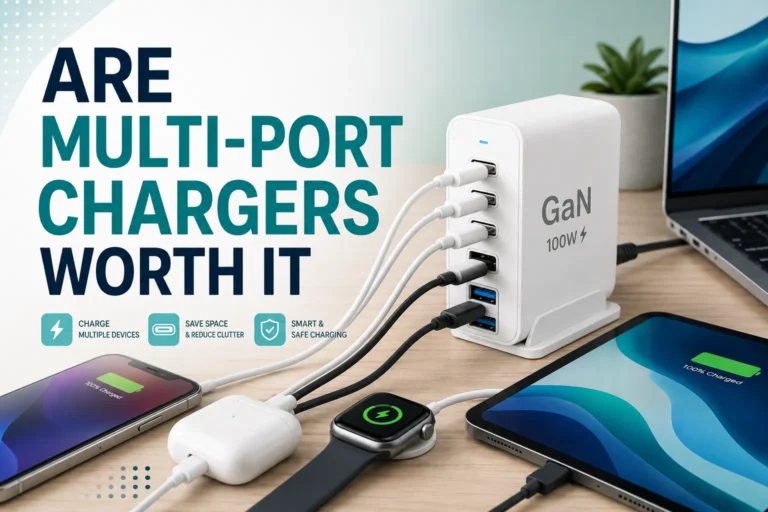
Modern multi-port chargers can charge phones, tablets, earbuds, smartwatches, and laptops from a single unit.
Many also use smart chips. These chips detect connected devices and send appropriate power levels.
Check the total wattage of a charger before connecting several devices. Higher total output usually delivers better performance when multiple ports are active.
What Performance Improvements Did They Bring?
- Fewer chargers to carry
- Cleaner desk setup
- Better power management
- Reduced outlet usage
- Ability to charge several devices at once
- Smarter power allocation
These improvements help users save time and simplify daily charging routines.
Single-Port vs Multi-Port Chargers
| Feature | Single-Port Charger | Multi-Port Charger |
|---|---|---|
| Number of Devices | One | Several |
| Travel Convenience | Lower | Higher |
| Desk Organization | Average | Better |
| Power Sharing | No | Usually Yes |
| Outlet Usage | More | Less |
Some multi-port chargers reduce power to each port when many devices are connected. This behavior is normal and depends on the charger’s design.
Can Multi-Port Chargers Charge Faster?
Sometimes.
If the charger has enough power and supports modern fast-charging standards, charging speeds can be excellent.
However, if several high-power devices share limited wattage, charging may slow down.
| Scenario | Expected Performance |
|---|---|
| One phone connected | Often fastest speed available |
| Phone and earbuds connected | Usually little difference |
| Phone, tablet, and laptop connected | Power may be shared |
| Low-watt charger with many devices | Slower charging possible |
Compatibility Matters
Compatibility depends on charging standards and cable quality.
Useful resources include Apple Support and USB-IF.
- Verify total charger wattage
- Use certified charging cables
- Check device charging standards
- Avoid damaged ports
- Keep chargers cool during use
Pros and Cons of Multi-Port Chargers
- Charge multiple devices at once
- Reduce clutter
- Save outlet space
- Great for travel
- Smart power management
- Power may be shared between devices
- Low-quality chargers can underperform
- Not every port may support fast charging
How to Get the Best Performance
Make sure the charger provides enough total power for all devices.
Good cables help maintain stable charging speeds.
Laptops and tablets usually need more power than earbuds.
Keep chargers in open areas with good airflow.
Troubleshooting Common Charging Issues
| Problem | Possible Fix |
|---|---|
| Slow charging | Use higher wattage charger |
| Device disconnects | Replace cable |
| Charger gets hot | Improve airflow |
| Fast charging not working | Check device compatibility |
| One port slower | Review charger specifications |
Avoid cheap uncertified chargers. Poor-quality chargers may overheat, reduce charging performance, or damage connected devices.
Safety Tips
Safety should always come first.
I recommend following guidance from Battery University, FTC, and ENERGY STAR.
| Safety Practice | Benefit |
|---|---|
| Use certified chargers | Improves reliability |
| Avoid damaged cables | Reduces risk |
| Keep charger ventilated | Controls heat |
| Inspect ports regularly | Prevents connection issues |
| Unplug damaged equipment | Improves safety |
In my testing, the biggest performance gains come from smart power management and reduced charger clutter, not necessarily from higher charging speeds.
Many modern USB-C multi-port chargers automatically detect connected devices and adjust power delivery in real time.
Frequently Asked Questions
Yes. They improved convenience, device management, and charging efficiency for multiple devices.
Not always. Charging speed depends on total wattage, device support, and charger design.
Yes. Many modern multi-port chargers support simultaneous charging of phones and laptops.
No. Some chargers assign different power levels to different ports.
Yes, if they come from reputable manufacturers and include proper safety protections.
Yes. When several devices draw power at the same time, charging speeds may decrease.
Yes. Certified cables help maintain safety, compatibility, and charging performance.
Related Guides
- How USB-C charging works
- Understanding fast charging standards
- How to choose safe charging cables
- Laptop charging best practices
- Common battery health myths
Conclusion
So, did multi-port chargers improve performance? Yes, they did.
They made charging simpler, cleaner, and more efficient for people who use multiple devices every day.
While they do not guarantee faster charging in every situation, they offer better overall convenience and smarter power distribution.
For the best results, use quality chargers, certified cables, and follow safe charging habits.
- Multi-port chargers improved charging convenience
- Smart power management is a major benefit
- Charging speed depends on total wattage
- Quality cables and compatibility matter
- Safety should always be a priority
Multi-port chargers improved overall charging performance by helping users charge several devices efficiently from one charger. The best experience comes from using a high-quality charger with enough power for all connected devices.






One Comment