Do iPhones Charge Faster on Low Power Mode?
Low Power Mode does not increase the wattage entering an iPhone. It can make the battery percentage rise a little more efficiently by reducing background activity, but the largest charging-speed gains come from the charger, cable, temperature, battery level, and how much you use the phone while it is plugged in.
A 26,250mAh portable charger with two USB-C ports, one USB-A port, up to 300W shared output, a smart display, and app controls.
A premium magnetic station for a compatible iPhone, Apple Watch, and wireless earbuds with active cooling and a live charging display.
Turn off the screen, stop gaming or navigation, move the phone out of direct sun, and remove a heat-trapping case when necessary.
iPhones do not directly charge faster because Low Power Mode is enabled. The setting does not raise charger output, change the cable rating, or force the battery to accept more power. It mainly lowers power consumption by reducing or pausing selected background activities.
That reduced drain can make the displayed battery percentage rise a little faster when the phone would otherwise be busy. The difference is usually small when the screen is off and the iPhone is already idle. Replacing a weak charger or cable, reducing heat, and avoiding heavy phone use normally makes a much larger difference.
Low Power Mode is designed to extend battery life. Depending on the iPhone and software version, it can reduce background app refresh, mail fetching, automatic downloads, selected visual effects, display brightness, and other nonessential activity.
Those changes lower the power the phone consumes while it is running. When the iPhone is connected to a charger, less background consumption means a slightly larger share of the incoming power may contribute to increasing the battery level.
| Low Power Mode action | Possible charging effect | What it does not do |
|---|---|---|
| Reduces background activity | Lowers battery drain while plugged in | Increase charger wattage |
| Reduces selected visual and display activity | May lower heat and power use | Change the cable specification |
| Limits selected automatic tasks | Can improve a short top-up slightly | Override the iPhone charging curve |
| Turns off automatically after charging sufficiently | Returns the phone to normal operation | Repair an aging battery |
Charging speed is controlled by the entire charging chain: power source, protocol, cable, connector, iPhone model, battery percentage, battery condition, temperature, and current phone workload.
The phone usually accepts more power when the battery is lower, then gradually reduces the rate as the battery fills. This charging curve protects the battery and helps manage heat. That is why moving from 10% to 50% often feels much faster than moving from 80% to 100%.
| Factor | How it affects speed | Best practice |
|---|---|---|
| Power adapter or power bank | Sets the available charging capability | Use compatible USB-C Power Delivery hardware |
| Cable | Can limit or interrupt charging | Use a reliable cable in good condition |
| Battery percentage | Charging normally slows at higher levels | Expect the fastest top-up at lower percentages |
| Temperature | Excess heat can reduce or pause charging | Keep the phone cool and ventilated |
| Screen and apps | Consume incoming power while charging | Turn off the screen and stop heavy tasks |
| Battery health | A worn battery may heat more or behave inconsistently | Check Battery Health in Settings |
Charging creates heat, and wireless charging generally produces more heat than an efficient wired connection. Gaming, video calls, navigation, hotspot use, direct sunlight, thick cases, and warm rooms can increase temperature further.
If the iPhone becomes too warm, its battery-management system can reduce charging speed or pause charging temporarily. Low Power Mode can help indirectly by reducing some activity, but moving the phone to a cooler environment and stopping demanding apps is usually more effective.

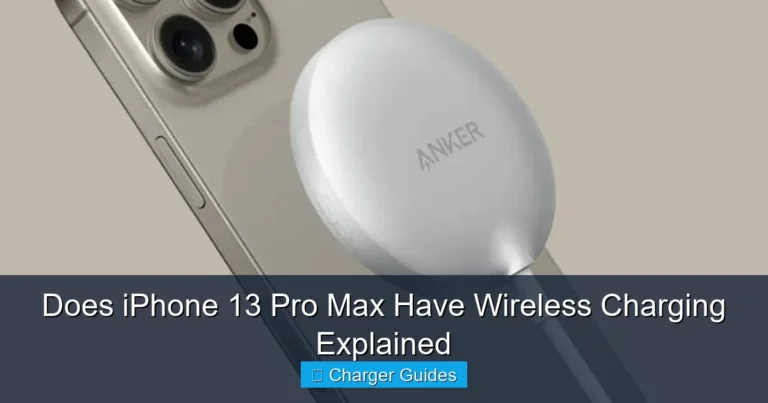
The Anker Prime 3-in-1 charges a compatible iPhone, Apple Watch, and wireless earbuds from one station. Anker lists up to 25W phone output, up to 5W for Apple Watch, and up to 5W for earbuds. Active TEC cooling, a smart display, and multiple charging modes make it especially relevant for users concerned about wireless-charging heat.
- Three-device Apple charging station
- Up to 25W Qi2.2 phone charging on supported models
- Active TEC cooling
- Live power and temperature display
- Apple Watch charging up to 5W
- Earbud charging up to 5W
- 65W USB-C power adapter included
- Best suited to Apple-device owners
- iPhone 12 through iPhone 15 are generally limited to 15W
- 25W requires a supported newer iPhone and compatible software
- Not compatible with iPhone 16e
- More expensive than a basic wired charger
- Wireless charging can still create heat despite active cooling
The difference is most noticeable when the phone would otherwise consume a meaningful amount of power. Examples include frequent notifications, background synchronization, a bright screen, active mail fetching, or many apps refreshing.
The difference may be almost impossible to notice when the iPhone is already idle, cool, and connected to a strong charger. In that situation, the charging hardware and normal battery curve dominate the result.
| Charging situation | Low Power Mode benefit | Better improvement |
|---|---|---|
| Screen off and phone idle | Usually very small | Use compatible fast-charging hardware |
| Many background tasks | Can reduce visible drain | Stop unnecessary apps and lock the screen |
| Phone is hot | May lower activity slightly | Cool the phone and stop heavy use |
| Weak USB-A charger | Minor | Switch to USB-C Power Delivery |
| Battery above 80% | Limited | Accept that charging naturally slows near full |
Short top-ups before leaving
When you have only 15 to 30 minutes, Low Power Mode can reduce small background drains. Locking the screen and avoiding phone use will usually help more.
Travel days
Travel can involve maps, tickets, camera use, messaging, translation, and hotspot activity. Low Power Mode helps preserve the energy you add, while a large power bank provides the hardware solution when a wall outlet is unavailable.
Emergency battery recovery
When the iPhone is nearly empty, enable Low Power Mode, connect a compatible charger or power bank, turn off the screen, and leave the phone alone for the available charging window.
Overnight charging
Low Power Mode is less important when the phone has many hours to charge. Alignment, ventilation, optimized charging features, and controlling heat matter more.

The Anker Prime 26K is a premium multi-device power bank with 26,250mAh capacity, two USB-C ports, one USB-A port, up to 300W total shared output, up to 140W from a single USB-C port, a smart display, and app controls. It is designed for users carrying an iPhone alongside a laptop, tablet, camera, or handheld device.
- 26,250mAh / 99.75Wh capacity
- Up to 300W total shared output
- Up to 140W from one USB-C port
- Two USB-C ports and one USB-A port
- Up to 250W dual-port recharging input
- Smart display and app control
- Can charge an iPhone, iPad, and laptop from one battery
- Heavy and expensive for phone-only use
- The iPhone will not charge at 300W
- 300W is the maximum combined output
- Fast power-bank recharging requires suitable chargers and cables
- Airline and carry-on rules should be checked before travel
- Large capacity means more bulk than a pocket power bank
The 300W number describes the maximum combined output available across the power bank’s ports. It is useful when powering several demanding devices, such as laptops and tablets, at the same time.
An iPhone negotiates a supported power level through USB Power Delivery and draws only what its charging system allows. The extra capacity gives the power bank flexibility; it does not force excess power into the phone.
| Headline specification | What it really means | iPhone relevance |
|---|---|---|
| 300W total output | Shared capacity across three ports | Useful when charging phones, tablets, and laptops together |
| 140W single USB-C output | Maximum for compatible high-power devices | The iPhone still accepts only its supported level |
| 26,250mAh capacity | Large stored-energy capacity before conversion losses | Supports several top-ups depending on model and conditions |
| 250W input | Fast power-bank recharging with two compatible inputs | Reduces time spent recharging the power bank itself |
| Feature | Anker Prime Power Bank | Anker Prime 3-in-1 |
|---|---|---|
| Best location | Travel, commuting, work, and emergencies | Desk or nightstand |
| Charging type | Wired USB-C and USB-A | Magnetic Qi2.2 wireless plus Watch and earbuds |
| Main iPhone benefit | Large portable energy reserve | Convenient alignment and active cooling |
| Other devices | Laptops, tablets, phones, and accessories | Apple Watch and wireless earbuds |
| Headline output | 300W total shared | Up to 25W to supported iPhones |
| Main drawback | Heavy for phone-only users | Model-specific wireless limits |
- Use USB-C Power Delivery. Match the adapter or power bank to the iPhone model’s supported charging system.
- Use a reliable cable. Replace loose, damaged, discolored, or unstable cables.
- Turn off the screen. Display activity can consume a meaningful share of incoming power.
- Stop demanding apps. Pause gaming, navigation, video calls, hotspot use, and high-resolution video.
- Keep the phone cool. Avoid direct sun, hot cars, bedding, and heat-trapping cases.
- Enable Low Power Mode. Use it as a supporting measure, especially during short top-ups.
- Consider Airplane Mode. It can reduce wireless activity more aggressively when connectivity is not needed.
- Check Battery Health. A worn battery may heat more, hold less energy, or charge inconsistently.
| Problem | Likely cause | What to do |
|---|---|---|
| Battery percentage barely rises | Heavy phone use consumes incoming power | Lock the screen and stop demanding apps |
| Charging slows near 80% | Normal charging curve or battery-protection feature | Allow more time and avoid excessive heat |
| Phone becomes hot | Environment, case, apps, or wireless charging heat | Move it to a cooler open surface |
| Fast charger behaves slowly | Incompatible cable, port, or shared output | Check the complete charging chain |
| Wireless charger disconnects | Poor alignment, thick case, foreign object, or heat | Realign the phone and inspect the charging surface |
| Old iPhone charges inconsistently | Battery aging, debris in port, cable wear, or temperature | Inspect hardware and check Battery Health |
Does Low Power Mode make an iPhone charge faster?
Not directly. It reduces selected background activity and battery use, which can make the displayed percentage rise slightly more efficiently.
Does Low Power Mode increase charging wattage?
No. Charger output and iPhone charging intake are controlled by the hardware and charging protocol.
What is the fastest practical way to charge an iPhone?
Use compatible USB-C Power Delivery hardware, a reliable cable, keep the phone cool, turn off the screen, and avoid demanding apps.
Is Airplane Mode faster than Low Power Mode for charging?
Airplane Mode can reduce wireless activity more aggressively, but it also disconnects cellular and other wireless services.
Can the Anker Prime Power Bank charge an iPhone at 300W?
No. The 300W rating is the maximum shared output for multiple devices. The iPhone accepts only its supported charging level.
Can I take the Anker Prime 26K on a flight?
It is rated at 99.75Wh, but airline and security rules vary. Carry power banks in hand luggage and confirm the current airline policy before travel.
Does the Anker Prime 3-in-1 charge every iPhone at 25W?
No. Full 25W charging requires a supported newer iPhone and compatible software. Older compatible models charge at lower wireless rates.
Does active cooling eliminate wireless charging heat?
No. It helps manage temperature, but room conditions, alignment, case thickness, battery condition, and phone activity still affect heat.
Why does charging slow near 80%?
iPhones normally reduce charging speed as the battery fills to manage heat and battery health.
Can a damaged cable slow iPhone charging?
Yes. A worn, loose, or incompatible cable can limit power, disconnect intermittently, or create excess heat.
For real charging improvements, prioritize compatible hardware, a good cable, lower heat, and less phone use. Choose Anker Prime 26K when portable multi-device power is the goal.

One Comment