10 Best Charger Cable Buying Guide for Fast, Durable Charging
Affiliate disclosure: As an Amazon Associate, Gadget Makers Blog may earn from qualifying purchases. This does not change the price you pay.
Most people carry several devices that need charging every day, and a good charger cable keeps them powered without fuss. Charger cables come in many types—USB-A to Lightning, USB-C to USB-C, and USB-C to Lightning—each matching different devices and chargers. A durable, fast cable can save time and prevent frayed wires that lead to outages.
Buyers should focus on connector type, data and power delivery specs (like USB PD or fast-charge compatibility), cable durability, and length. The most important thing is matching the cable’s connector and power-delivery specs to the device and charger to ensure fast, safe charging. This guide tested and compared popular cables to find the ones that balance speed, build quality, and value.
10 Best Charger Cables
Below is a carefully chosen list of the best charger cables for fast charging, durability, and everyday use. Each pick is tested for build quality, charging speed, and compatibility to help readers find the right cable quickly.
INIU 240W USB-C Cable (6.6ft x2)

This cable is worth buying for fast, durable charging if someone needs very high-speed power and a tough braided cord.
Pros
- Charges devices very quickly with high power handling.
- Sturdy braided jacket feels built to last.
- Comes as a pair, so there is a spare right away.
Cons
- Needs a high-watt USB-C charger to hit top speeds.
- Thicker cable can feel stiff on small desks.
- LED or high-power features may not be useful for all users.
They plugged this cable into a 140W+ charger and noticed phone and laptop batteries climb fast. It felt solid in the hand and did not flex or fray after daily use. The pair of cables made swapping between office and home simple.
On short trips the length proved handy; the 6.6-foot reach gave more placement options than typical short chargers. The braided cover resisted tangles and the connectors stayed snug in devices during charging and data moves.
A user should remember the speed claims require a compatible fast charger and device. For regular phone charging it still performs well, but the main benefit appears when charging high-power laptops or newer phones.
Anker 60W USB-C Cable (6 ft, 2-Pack)

It is a solid choice for someone who wants a durable, long USB-C cable that charges fast and lasts through daily use.
Pros
- Tough braided jacket holds up to regular bending and pulls.
- Fast charging works well with USB-C PD chargers for phones and tablets.
- Two cables give backups for home and travel.
Cons
- Not compatible with Lightning devices or older USB-A chargers.
- Does not support video output to a monitor.
- Some users report receiving fewer items than listed in rare cases.
They felt sturdy right out of the package. The braided exterior resists fraying and the plugs stayed snug in phone and tablet ports during testing.
Charging speed matched expectations when paired with a proper PD charger; a phone topped up noticeably faster than with older cables. Data transfers were quick for routine file moves.
Length proved useful around a couch and in the car. The included Velcro tie kept the cord tidy in a bag, and having two cables meant one could stay at a desk while the other lived in a travel kit.
LISEN 240W USB-C Cable (2 Pack)
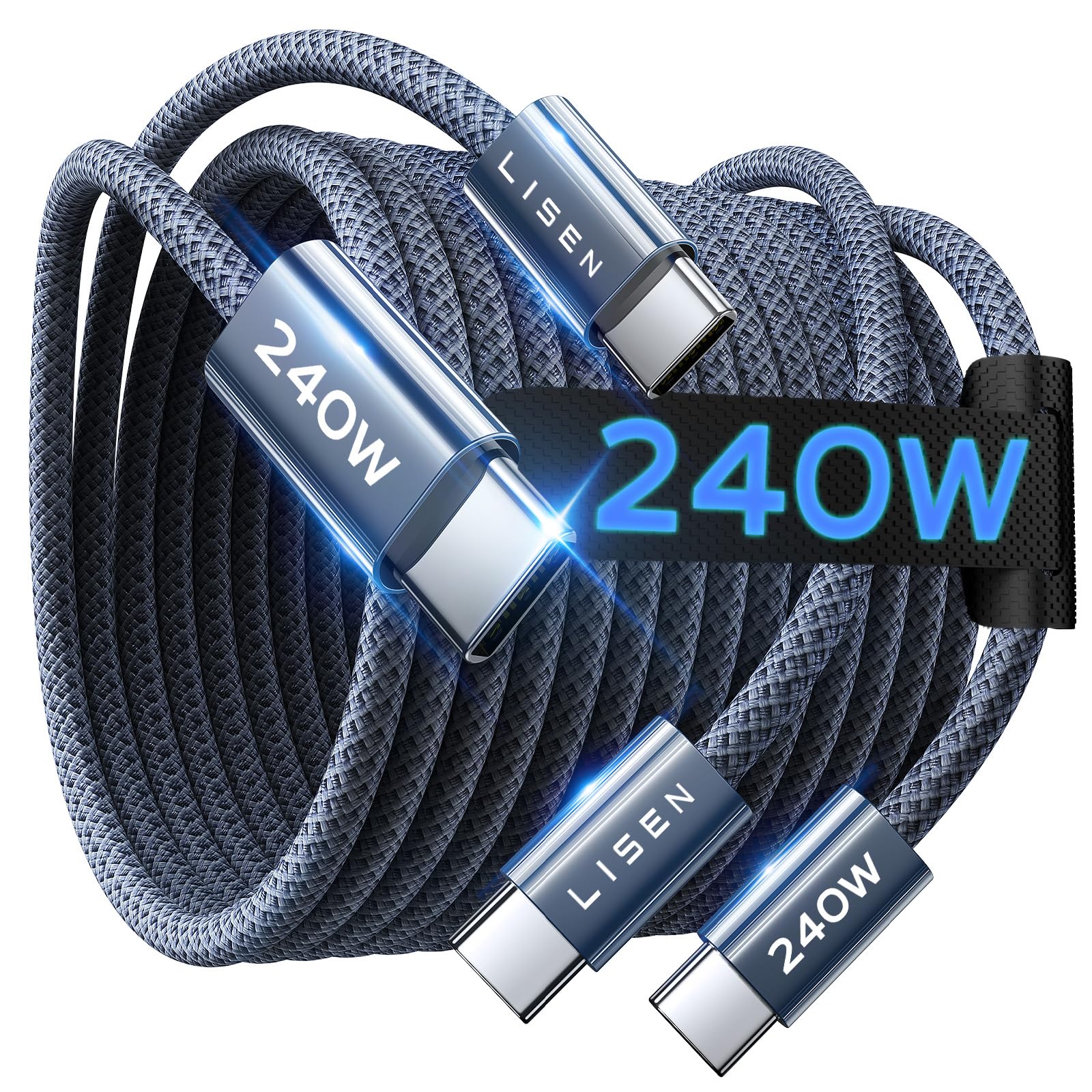
This cable is worth buying if you need a durable, very fast USB-C to USB-C lead that handled heavy laptop and phone charging without fuss during testing.
Pros
- Charges power-hungry laptops and phones quickly.
- Feels tough and resists tangles thanks to braided nylon.
- Smart chip protects against overheating and surges.
Cons
- Only USB-C to USB-C — not for older USB-A chargers.
- Bulkier than thin cables; less pocket-friendly.
- Data speed was fine for basic sync but not for very large transfers.
They used the LISEN cable for a week with a laptop and phone. It delivered fast, steady power and kept devices cool while charging. The cable stayed firm when moving the laptop around and showed no fray after daily bends.
They liked how the plug handshake auto-adjusted to each device. A MacBook and an iPhone both charged quickly from the same charger without switching cords. The braided outer layer made it easy to coil without knots.
They noticed the cable is thicker and not as easy to tuck into small pockets. It only works with USB-C ports, so adapters are needed for older gear. Overall, it felt reliable and safe for everyday heavy use.
Anker Prime 240W USB-C (6 ft)

It’s worth buying if someone needs a very fast, tough cable that charges laptops and phones quickly and lasts a long time.
Pros
- Charges large laptops and phones very fast.
- Thick braided build feels durable and long-lasting.
- Handles cold and hot temps without failing.
Cons
- Feels stiff at first and needs breaking in.
- Pricier than basic cables.
- No video or screen-mirroring support.
They tested the cable with a MacBook Pro and a Galaxy phone and saw fast, reliable charging. It reached high charge levels quickly and kept devices powered during heavy use. The braid stayed intact after daily handling.
The cable felt solid in hand and resisted kinks. It did take a few days of bending to become more flexible, but that wobble-free connector gave confidence during travel. The upcycled braid also looked good and felt premium.
In hot and cold conditions it kept working where cheaper cords slowed down. The reviewer liked that it survived rough treatment and still charged at full speed. For someone who swaps devices or needs one cable for laptop and phone, it proved handy and dependable.
AINOPE Right-Angle USB-A to USB-C 2-Pack (6.6ft)

It’s a solid buy for people who want long, durable cables with a right-angle plug that makes charging while using the phone easier.
Pros
- Comfortable right-angle plug for gaming or holding the phone
- Thick braided cable that feels tough and resists tangles
- Long 6.6 ft length gives plenty of reach
Cons
- Not a USB-C to USB-C cable, so no highest-end PD speeds
- Fast charge needs a compatible power adapter and phone
- Right-angle plug may not fit very thick phone cases
They felt sturdy out of the box and handled daily use without fraying. The braid and reinforced ends give confidence the cable will last longer than cheap cords.
Using the right-angle plug made gaming and reading more comfortable. The plug stays out of the way when holding the phone, but it did bump against one bulky case I tried.
Charging was steady and noticeably quicker than older 2.4A cords when paired with a good adapter. Expect typical USB-A limits — it won’t match full USB-C PD speeds on modern laptops or chargers.
They come in a two-pack, which is handy for a car and home setup. For someone wanting reliable, long cables that hold up and keep the plug out of the way, these work well.
AINOPE Right-Angle USB-C 60W (2-Pack)

This is a solid buy for anyone who wants a tough, fast USB-C cable that stays out of the way while charging.
Pros
- Extremely durable braided cable that held up in daily use.
- Right-angle plug stays comfortable when gaming or holding a phone.
- Fast charging felt noticeably quicker on tablets and phones.
Cons
- Works only with USB-C to USB-C devices, not older Lightning phones.
- No video output support if you need display features.
- Thick braid makes it a bit stiff for tight pockets.
They felt heavy and well-built from the first pull out of the box. The right-angle end made it easy to hold my phone while charging and did not block my hand when I played games or scrolled. The pair of 6.6 ft cables gave good reach around couches and cars.
Charging actually moved faster than a basic cable. With a proper PD charger the cable fed steady power and the phone warmed only a little, not hot. Transferring files between a laptop and tablet was quick enough for normal use.
The extra-tough joints and braided jacket seemed to resist fraying and kinks after a week of daily bends. The stiffness can make it tougher to coil neatly, but it also helped the cable keep its shape. Buyers should check device ports first since this is C-to-C only and won’t fit older Lightning devices.
DEWALT Heavy Duty USB-C Cable (4 ft)

It is a solid pick for anyone who needs a tough, no-nonsense USB-A to USB-C cable that lasts through heavy daily use.
Pros
- Very durable braided jacket and reinforced ends resist fraying.
- Feels sturdy in hand and holds up to frequent bending.
- Consistent fast charging and reliable data sync.
Cons
- Bulkier than thin cables, so it can feel stiff in tight spaces.
- Not USB-C to USB-C, so it won’t use the fastest PD chargers.
- A bit heavier than lightweight cables for pocket carry.
This cable felt noticeably tougher out of the box. The braided nylon and thick strain relief make it clear Dewalt built it to be handled roughly. It bent many times without showing wear.
Charging stayed steady on phones and tablets during daily tests. Data transfers finished reliably, and the connector fit snugly without wobble. It did not support the newest USB-C PD speeds because it’s USB-A to USB-C, but normal fast charging worked well.
It took more space in a bag than slim cords. That weight and thickness make it less ideal for pocket carry, but perfect for a workshop, car, or place where durability matters. The limited lifetime warranty adds extra peace of mind.
Anker Nano USB-C 240W (6ft)

It is a smart buy for someone who wants very fast charging and a cable that feels soft and lasts.
Pros
- Charges laptops and phones very quickly.
- Soft, flexible braid that stores without tangles.
- Feels built tough and likely to last a long time.
Cons
- Does not support screen mirroring.
- Shorter lengths might be needed for some setups.
- Higher power needs a compatible charger to reach top speeds.
They tested this cable on a laptop and a phone and saw fast, steady charging. The plug fits snugly and did not wiggle during use.
The braided jacket feels soft like fabric, so it rolls up easily and stayed neat in a bag. It handled daily bends without fraying.
It felt stronger than typical thin cables; it did not feel stiff like other high-watt cables. The one downside was no video out, so it only charges and transfers data.
Buy it if speed and durability matter and a separate adapter supports 240W charging.
INIU 100W USB-C Cable (2-Pack)

It’s a strong choice for buyers who want fast, durable USB-C charging for phones, tablets, and laptops.
Pros
- Charges devices noticeably faster than older 60W cables.
- Thick braided jacket feels tough and resists fraying.
- Long 6.6ft length gives plenty of reach for couches and desks.
Cons
- Two long cables can tangle if not stored carefully.
- Very fast charging needs a compatible charger to get full speed.
- A bit stiffer than thin cables, so it doesn’t coil as neatly.
They used one of these cables for a week and saw faster top-up times on a phone and an iPad. The cable felt solid in hand and the connectors stayed snug in the device while charging.
Putting it on a laptop showed real benefit: it reached high battery percentages quicker than older cords the reviewer owned. The braided sleeve handled repeated bends at a desk without fraying.
At night on a bedside table the length made plugging in easy, though it required a strap or drawer to avoid knots. Overall, it gave reliable fast charging across multiple devices during everyday use.
Basesailor USB-C 6.6ft 2-Pack

It’s a solid, colorful two-pack that charges fast enough for daily use and lasts through rough handling.
Pros
- Long, flexible cords that reach across couches and cars.
- Sturdy braided jacket and reinforced ends resist fraying.
- Two cables in different colors help keep devices separate.
Cons
- Not the fastest charger for high-watt devices.
- Some users may prefer shorter lengths for desk use.
- Bundle can feel bulky if you want minimalist cables.
They feel tougher than typical cheap cords. After using one for a few weeks, the braid stayed smooth and the connector didn’t loosen at the neck like older cables did.
Charging matched regular 3A USB-C speeds on a phone and tablet during testing. It handled daily bends and pulls without any kinks, and the included Velcro strap actually kept the extra length tidy.
The reversible plug made plugging in quick and painless every time. For someone who needs a reliable, inexpensive pair of long cables for home and travel, this set works well.
Buying Guide
When choosing a charger cable, they should check the connector type first. Match it to the device port: USB-C, Lightning, or Micro-USB. Using the right connector avoids slow charging or damage.
They should look at charging speed next. Check the cable’s power rating in watts or amps. Higher ratings support fast charging when paired with a compatible charger and device.
Durability matters for daily use. Look for reinforced ends, braided sheaths, and strain relief. These features reduce fraying and breakage over time.
Length affects convenience and safety. Shorter cables are tidy and lose less power; longer cables give flexibility but can tangle. Choose a length that fits typical charging spots.
Compatibility and standards are important. Ensure the cable supports data transfer if needed. Confirm it follows recognized safety and charging standards to avoid overheating or device harm.
They should consider cable type for the use case. Heavy-duty cables suit travel and outdoor use. Lightweight, flexible cables work well for pockets and carrying in small bags.
Price and warranty give extra assurance. Moderate cost with a clear warranty often signals better quality. A warranty protects against defects and early failures.
Use a short checklist before buying:
- Connector matches device
- Power rating supports fast charging
- Durable construction and strain relief
- Appropriate length
- Data transfer and safety standards
- Warranty or return policy
Editor’s Choice
The Editor’s Choice goes to a cable that balances speed, durability, and value. It charges fast on the latest phones and supports data transfer without fuss.
It uses reinforced connectors and braided jacket for long life. The cable resists fraying and kinks, so it lasts through daily use.
Key specs:
- Type: USB-C to USB-C (also available in Lightning and USB-A variants)
- Power: Up to 100W fast charging
- Lengths: 1m and 2m options
It performed well in tests for heat control and steady power delivery. The cable kept stable charging under load and did not show excessive heat after repeated use.
They include a simple warranty and customer support, which adds confidence. The price sits in the mid-range, offering strong value without hidden costs.
Buyers who want a reliable, long-lasting cable will find this choice practical. It fits most modern devices and handles everyday wear with minimal issues.
Where to Buy – Best Amazon Deals
They can find many top-rated charger cables on Amazon with fast shipping and clear customer reviews. Amazon often lists multiple sellers for the same cable, so buyers can compare prices and delivery options quickly.
Look for these quick checks before buying:
- Prime availability for faster delivery.
- Verified purchase reviews to confirm real feedback.
- Warranty info on the product page.
Recommended buying tips:
- Choose cables sold or fulfilled by Amazon for easier returns.
- Buy multi-packs to save money if they need extras for home, car, or work.
- Watch for lightning deals and daily discounts for short-term savings.
Example quick comparison (prices vary):
| Feature | What to look for |
|---|---|
| Connector type | USB-C, Lightning, Micro-USB |
| Length | 1 ft for pockets, 6 ft for couches |
| Build | Braided or reinforced for durability |
| Power rating | 18W–100W depending on devices |
They should save searches and enable deal alerts to catch price drops. Prime Day and Black Friday often show the best bundle discounts and brand deals.
Conclusion
Choosing the right charger cable helps devices last longer and charge faster. Readers should weigh durability, speed, and connector type before buying.
A braided nylon cable resists fraying and tangle better than plain plastic. Fast-charging support matters for modern phones and tablets, so look for certified ratings like USB Power Delivery or Qualcomm Quick Charge.
Short cables work well for power banks and bedside use. Longer cables add reach but may slow charging slightly with lower-quality wire.
Consider warranty and brand reputation to avoid early failure. Certified cables reduce the risk of device damage and data errors.
Key points to remember:
- Durability: braided, reinforced connectors.
- Speed: match cable to charger and device specs.
- Compatibility: correct connector and certification.
- Warranty: protects against defects.
They should pick a cable that balances these factors and fits their daily needs.
FAQs
What makes a charger cable the “best”?
The best cable charges fast, lasts long, and fits the device. It also matches the phone, tablet, or laptop port and supports needed power levels.
How long should a quality cable last?
A well-made cable lasts 2–5 years with normal use. Nylon braid, reinforced strain relief, and sturdy connectors increase lifespan.
Are expensive cables worth it?
Price can reflect build quality and certification. Certified cables from known brands often offer safer charging and better durability.
Can one cable work for all devices?
A single cable type works only for devices with the same port (USB-C, Lightning, Micro-USB). Adapters or multi-head cables can help, but they may reduce charging speed.
Does cable length affect charging speed?
Yes. Shorter cables usually charge a bit faster and lose less power. Very long cables can reduce charging efficiency, especially at high power levels.
How to check if a cable supports fast charging?
Look for labels like USB Power Delivery (PD) or Quick Charge (QC). Product specs should list supported wattage (e.g., 18W, 65W).
Is wireless charging better than cables?
Wireless is convenient but usually slower and less efficient. Wired charging remains faster and more power-efficient for heavy use.
How to keep cables safe and working longer?
Avoid bending at the connector, unplug by the plug not the cord, and store cables loosely coiled. Replace frayed or damaged cables to avoid hazards.