

What Charger Will iPhone 18 Use in 2026 Explained
iPhone 18 is most likely to use a USB-C charger with USB Power Delivery support. For most buyers, a quality USB-C PD adapter and durable USB-C cable are the safest, most practical choice.
Our Premium Charger Shortlist
Choose by setup—not by the biggest wattage number. These premium options cover travel, a multi-device desk, and wireless Apple charging.

Anker Prime 160W 3-Port GaN Charger
A strong one-charger solution for buyers who carry an iPhone, tablet, and USB-C laptop. Its extra output is for multi-device flexibility—the iPhone will still control how much power it accepts.
- Three USB-C charging ports
- Up to 160W combined output
- Compact GaN design with smart display
Check Anker Prime Price on AmazonASIN: B0F9NK4M7Q · Availability may change
If you’re asking what charger will iPhone 18 use, the safest answer is: expect a USB-C charger with USB Power Delivery support, plus a compatible USB-C cable. Apple’s exact charging behavior can still vary by model and region, so the best move is to buy for the standard, not for a rumored wattage number.
- Likely standard: USB-C with Power Delivery is the best bet for iPhone 18.
- Best everyday pick: A reputable 20W to 30W USB-C charger usually fits phone-only use.
- Cable matters: Use a durable USB-C cable to reduce heat and connection issues.
- Wireless trade-off: Convenient, but usually slower and warmer than wired charging.
What Charger Will iPhone 18 Use? The Short Answer for 2026
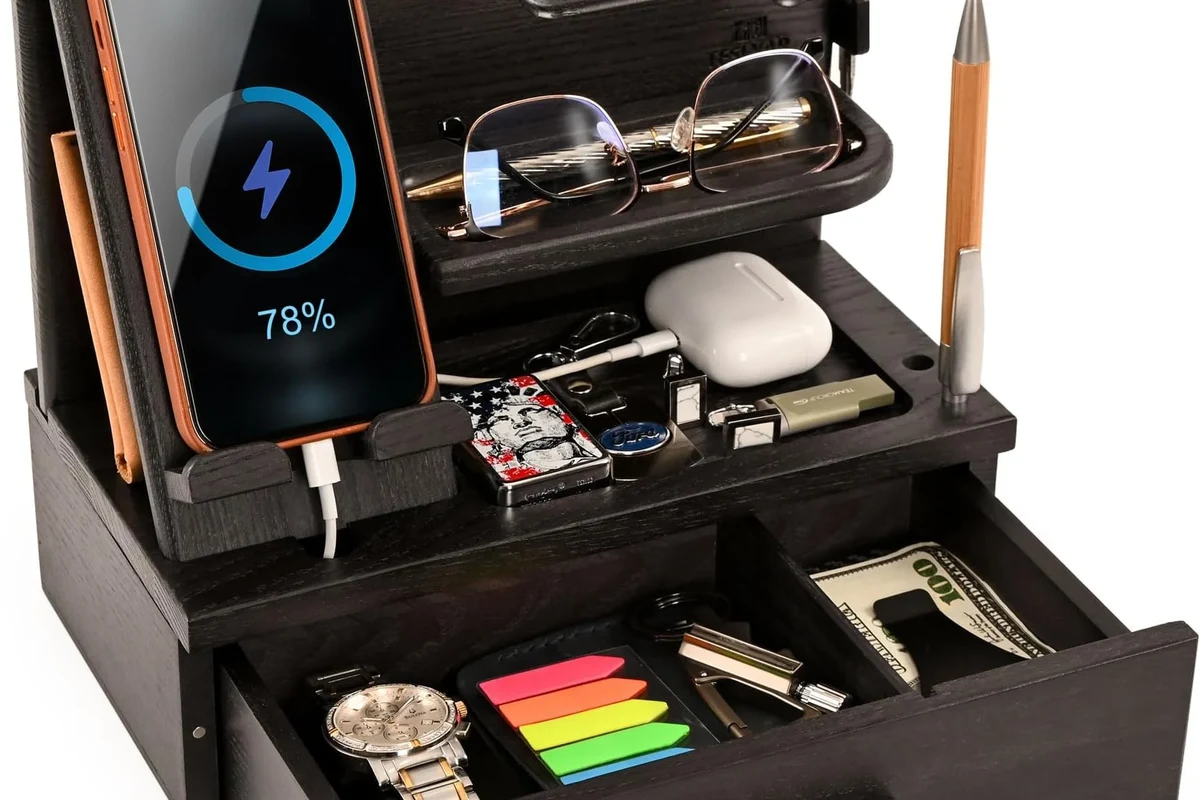
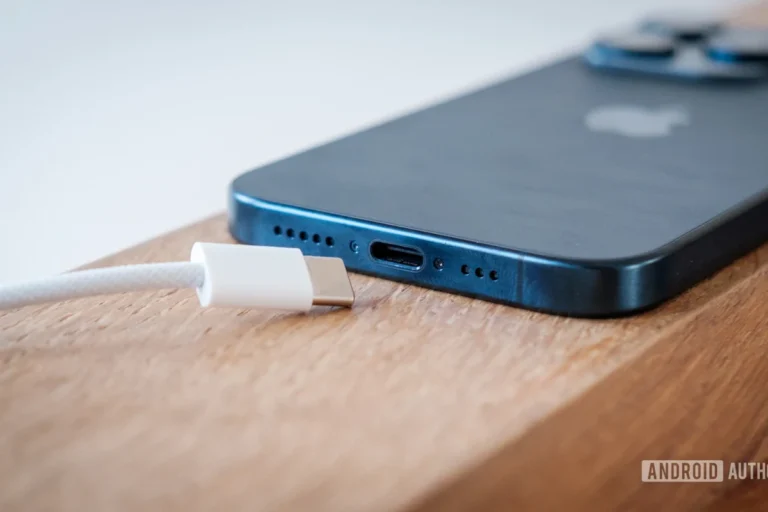
For most buyers, the iPhone 18 is expected to use a USB-C charger, not Apple’s older Lightning setup. That means the charger you want is a quality USB-C power adapter that supports USB Power Delivery, paired with a USB-C cable that matches the charging speed and your use case.
In practical terms, this is less about finding a special “iPhone 18 charger” and more about choosing the right USB-C charging setup. If you already own a modern USB-C adapter from another phone, tablet, or laptop brand, it may work well—as long as it meets the right power and safety standards.
iPhone 18 Charging Compatibility: USB-C, Power Delivery, and What Apple Is Likely to Support
Apple’s recent charging direction makes USB-C the most likely connector standard for iPhone 18. The important part is not just the plug shape, but the charging protocol behind it: USB Power Delivery is what usually allows the phone and charger to negotiate a safe charging rate.
Why USB-C remains the most likely standard
USB-C is now the common connector across phones, tablets, laptops, game devices, and accessories. For iPhone buyers, that usually means fewer cables to carry and easier compatibility with travel chargers, car chargers, and desktop hubs.
It also simplifies accessory shopping. Instead of looking for a phone-specific brick, you can focus on trusted USB-C chargers from reputable brands, then verify that the cable and port combination fits your needs.
Expected wattage range and fast-charging behavior
Apple has not confirmed every detail about iPhone 18 charging behavior in this guide’s context, so avoid assuming a specific wattage until the official specs are published. In general, modern iPhones tend to charge fastest when paired with a USB-C PD adapter that can supply more than the phone’s minimum requirement, but the phone itself controls how much power it actually draws.
Fast charging is limited by the phone, cable, battery temperature, and software rules. A higher-wattage charger does not force the phone to charge faster.
That means a 30W, 45W, or even higher-rated charger may all be usable, but the phone will only take what it is designed to accept. The real advantage of a stronger charger is often better flexibility if you also charge a tablet, earbuds, or laptop.
How iPhone 18 Charging Will Work in Real Use
In everyday use, charging will likely be straightforward: plug in a USB-C cable, connect it to a compatible adapter or port, and let the phone manage the power flow. The details matter, though, because cable quality, heat, and charger design can affect convenience and long-term battery comfort.
Wired charging with USB-C cables and adapters
Wired charging is still the most reliable way to get consistent charging speeds. A USB-C to USB-C cable and a USB-C PD adapter should be the default setup for most users, especially if you want predictable charging at your desk, beside your bed, or in a carry-on bag.
Choose a charger with at least one USB-C port and a cable from a reputable brand. If you charge while working, look for a compact adapter that won’t block nearby outlets or power strips.
If you are using a multi-port charger, the available wattage may be shared across ports. That can be fine for overnight charging, but it may reduce charging speed when several devices are connected at once.
Wireless charging and MagSafe-style options
Wireless charging should remain a convenient option for desks, nightstands, and shared family spaces. Apple’s magnetic alignment style has made it easier to place the phone correctly, which helps reduce wasted energy from poor positioning.
That said, wireless charging is usually slower and warmer than wired charging. It is best viewed as a convenience feature, not the fastest way to refill the battery.

Anker Prime 25W Qi2.2 3-in-1 Foldable Charger
A premium travel-friendly station for a compatible iPhone, Apple Watch, and wireless earbuds. Its foldable format reduces cable clutter, while active cooling is designed to manage heat during wireless charging.
- Qi2.2-certified wireless charging
- Three-device Apple charging setup
- Foldable, palm-sized travel design
See the 3-in-1 Charger on AmazonASIN: B0FHWK3W1S · Confirm iPhone 18 support after Apple publishes final specifications
Heat is one of the main reasons charging speed can slow down. If a charger, cable, or phone becomes unusually hot, stop using it and follow the manufacturer’s guidance.
Battery management, heat, and charging speed limits
Modern phones manage battery health by adjusting charging speed when the battery is warm, nearly full, or under heavy use. So if you are gaming, navigating, or streaming while charging, the phone may charge more slowly than expected.
This is normal behavior, not usually a defect. The best way to help charging stay efficient is to keep the phone out of direct sun, avoid thick insulating cases during heavy charging if the device gets warm, and use a charger that matches the phone’s expected power standard.
Best Charger Specs to Look For in 2026
The best charger for iPhone 18 is not necessarily the highest-wattage one. It is the charger that combines the right protocol, solid safety design, and enough headroom for your other devices without creating extra clutter or heat.
Recommended wattage, PD support, and safety certifications
Look for a USB-C charger that supports USB Power Delivery. Wattage in the 20W to 30W range is often enough for a phone-only setup, while 30W and above can make more sense if you also charge tablets or small laptops.
Because certifications and regional approvals can vary, confirm the exact model listing before buying. The safest choice is a well-known charger from a reputable manufacturer with clear documentation, warranty terms, and support information.
Why cable quality matters: data, durability, and heat resistance
The cable is part of the charger system, not just an accessory. A poor cable can cause slow charging, intermittent connection, extra heat, or premature wear at the connector ends.
Stop using frayed cables, bent connectors, loose plugs, or chargers that smell burnt, buzz, or overheat. Replace damaged gear instead of trying to “make it work.”
For most users, a durable USB-C cable with reinforced strain relief is worth prioritizing over flashy packaging claims. If you move between home, office, and travel bags, a better cable often pays off in fewer connection problems.
Single-port vs multi-port chargers for travel and desk use
A single-port charger is usually the simplest option for pure phone charging. It is compact, easy to pack, and less likely to confuse users who just want one cable and one device.
Multi-port chargers are better when you need to charge a phone, earbuds, watch, tablet, or laptop from one outlet. The trade-off is that shared power can reduce charging speed, so check how the charger divides wattage across ports.

Anker Prime 250W 6-Port Charging Station
This is the premium choice for a desk with an iPhone, MacBook, iPad, and accessories. Six ports replace several adapters, while the screen and control dial make power sharing easier to understand.
- 250W total shared output
- Four USB-C and two USB-A ports
- Smart display and adjustable charging modes
View Today’s Amazon OfferASIN: B0CYLL8Y89 · The phone only draws the power it supports
| Option | Best For | Key Consideration |
|---|---|---|
| Single-port USB-C charger | Everyday phone charging | Small, simple, and usually the least cluttered |
| Multi-port USB-C charger | Desk setups and travel | Shared wattage can affect speed when several devices charge |
| Wireless charger | Nightstand or desk convenience | Usually slower and more heat-sensitive than wired charging |
Who This Charger Setup Fits Best
Not every buyer needs the same charger. The best setup depends on whether you care most about simplicity, portability, multi-device charging, or keeping your desk tidy.
Best for everyday iPhone users
If you mainly charge one phone at home, a compact USB-C PD wall charger with a reliable cable is the cleanest answer. It is easy to understand, easy to replace, and usually the least expensive way to get dependable charging.
Most iPhone 18 owners should start with a compact USB-C Power Delivery charger and a quality USB-C cable. It is the simplest setup, though it may not be ideal if you also charge a laptop or multiple accessories.
Best for travelers, students, and office setups
Travelers and students often do better with a multi-port charger, especially one that can handle a phone and another device at the same time. Office users may also prefer a charger with a longer cable or a desktop-friendly layout so the phone can stay visible while charging.
If you move between locations often, prioritize compact size, foldable prongs where available, and a cable that is long enough for awkward outlet placement without becoming a tripping hazard.
Who may want a higher-wattage or multi-device charger
Higher-wattage chargers make the most sense for people who own several USB-C devices or plan to charge a tablet or laptop from the same brick. They are also useful if you want one charger to cover more than one role, instead of buying separate adapters for each device.
Just remember that more wattage is not automatically better for the phone itself. It is better to buy for your whole device mix than to chase a number that may not improve iPhone charging speed at all.
Common Mistakes to Avoid When Charging iPhone 18
Most charging problems come from avoidable setup mistakes, not from the phone itself. Paying attention to cable quality, heat, and charger specifications can prevent slow charging and reduce wear over time.
Using low-quality cables or uncertified adapters
Cheap cables and unverified adapters are a common source of flaky charging. They may work at first, then fail under heat, movement, or repeated plugging and unplugging.
- Buy from reputable brands with clear model numbers and support pages.
- Match the cable to the charger’s output and your charging habits.
- Keep a spare cable in your bag if you rely on charging away from home.
Ignoring heat, worn connectors, and damaged insulation
Heat is one of the clearest signs that something may be wrong. A little warmth can be normal during fast charging, but persistent overheating, discoloration, or a loose fit should be treated seriously.
Also check the cable jacket, connector ends, and charger body for cracks or deformation. If the insulation is damaged, replace the cable rather than taping over it.
Assuming higher wattage always means faster charging
This is a common myth. The phone decides how much power to accept, and charging speed changes with battery level, temperature, background activity, and software rules.
In many cases, a well-made 20W to 30W USB-C PD charger will be more than enough for a phone. Going much higher only helps if you have other devices that can also use the extra capacity.
Safe Use, Care, and Replacement Guidance
A charger lasts longer and works more reliably when it is stored well and inspected regularly. Good care also lowers the chance of heat buildup, intermittent charging, and connector wear.
How to inspect chargers and cables for wear
Look for fraying, kinks, loose plugs, bent pins, cracked housings, or scorch marks. If a charger wiggles in the outlet or the cable only works at certain angles, it is time to stop relying on it.
For travel use, inspect gear more often because bags, compression, and repeated wrapping can stress the cable ends. A quick monthly check is a simple habit that can prevent bigger problems later.
Storage, cable handling, and heat management tips
Store cables loosely rather than wrapping them too tightly around a charger brick. Tight bends can weaken the internal wiring and shorten the cable’s life.
Keep chargers out of direct sunlight, away from water, and away from soft surfaces that trap heat. If you charge overnight, make sure the adapter has enough ventilation and is not buried under blankets, pillows, or papers.
When to replace a charger or cable
Replace the charger or cable if it becomes unusually hot, shows visible damage, charges inconsistently, or no longer fits securely. If a cable or adapter is recalled by the manufacturer, stop using it and follow the recall instructions.
When in doubt, replace sooner rather than later. Charging gear is inexpensive compared with the cost and inconvenience of a damaged phone battery or a failed overnight charge.
Value, Trade-Offs, and Final Recommendation for Buyers
The best charger for iPhone 18 is the one that matches your daily habits, not the one with the biggest power number on the box. Most people will be happiest with a compact USB-C PD charger and a durable USB-C cable, while heavier users may want a multi-port model for flexibility.
Best overall charger type for most iPhone 18 owners
For most buyers, the best overall choice is a reputable USB-C Power Delivery wall charger in the moderate-wattage range, paired with a quality USB-C cable. That setup is simple, safe when properly certified, and flexible enough for future accessories.
- USB-C with Power Delivery is the most likely charger setup for iPhone 18.
- A quality cable matters as much as the wall adapter.
- Higher wattage helps with flexibility, but the phone controls charging speed.
Limitations, evidence gaps, and what to verify before buying
Because Apple has not confirmed every iPhone 18 charging detail in this guide’s context, verify the final phone specs, cable requirements, and any regional certification notes before you buy. Check the official Apple support pages, the charger manufacturer’s documentation, and any current safety or recall notices.
If you want the safest one-and-done purchase, choose a trusted USB-C PD charger from a reputable brand, then match it with a durable cable and use it according to the manufacturer’s instructions. That approach should serve most iPhone 18 owners well without overcomplicating the decision.
Choose the Charger That Fits Your Setup
Pick the 160W model for portable multi-device charging, the 250W station for a serious desk setup, or the Qi2.2 3-in-1 for wireless convenience.
Frequently Asked Questions
USB-C is the most likely charging connector for iPhone 18 based on Apple’s recent direction. Confirm the final official specs before buying a charger.
A moderate-wattage USB-C Power Delivery charger is usually the safest choice for a phone-only setup. Higher wattage helps more with multi-device charging than with forcing faster phone charging.
You should use a quality USB-C cable that matches the charger and your intended use. A durable, reputable cable is important for stable charging and lower wear.
Wireless charging is convenient for desks and nightstands, but it is usually slower and warmer than wired charging. It is best as a convenience option, not the fastest one.
Look for recognized safety markings, clear manufacturer documentation, and a reputable brand with warranty support. Stop using any charger that overheats, smells burnt, or shows visible damage.
Replace it if you see fraying, cracked insulation, loose connectors, inconsistent charging, or unusual heat. Also stop using any recalled accessory and follow the manufacturer’s instructions.

One Comment