9 Best Samsung Charger for Galaxy Tab: Top Fast Chargers, Cables, and Accessories in 2026
Affiliate disclosure: As an Amazon Associate, Gadget Makers Blog may earn from qualifying purchases. This does not change the price you pay.
Samsung Galaxy Tabs need chargers that power quickly and protect the battery. Chargers vary by wattage, cable type, and connector size, and the right charger can cut charging time while keeping the tablet safe. Many users want a balance of speed, compatibility, and durability when replacing or upgrading a charger.
The key things to check are power output (watts), compatibility with USB-C Power Delivery, and built-in safety features like overvoltage and temperature protection. Cables and plugs matter too: a sturdy USB-C cable and a charger that supports the tablet’s fast-charge profile are essential for reliable, long-lasting use. Choose a charger that matches your Galaxy Tab’s required wattage and supports USB-C Power Delivery for the best mix of speed and safety.
9 Best Samsung Chargers for Galaxy Tab
Below is a curated list of the best Samsung chargers for Galaxy Tab models. It helps buyers find reliable, fast, and safe chargers that match their tablet’s charging needs.
Samsung 45W Fast Charger

It is a solid pick for Galaxy Tab users who want faster charging and a trusted brand adapter.
Pros
- Charges tablets and phones faster than standard chargers.
- Includes a USB-C cable so you can plug in right away.
- Low standby power use saves a bit of electricity.
Cons
- Higher price than basic chargers.
- Some users report the cable can feel loose over time.
- Full speed depends on the tablet’s own charging limits.
This charger focuses on speed and safety, offering protections against overheating and short circuits. It aims to keep a Galaxy Tab charged quickly without needless power draw when idle.
It should work well for people who often need quick top-ups between meetings or travel. The single USB-C port keeps things simple, but that means only one device can charge at once.
They should check that their Galaxy Tab supports higher charging rates to get the fastest results. If a tablet only accepts lower power, the charger will reduce output to match the device.
Defydayer 20W USB-C Charger

It is a solid budget pick for Samsung USB-C tablets that need faster charging and a long cable.
Pros
- Fast charging for USB-C Galaxy tablets.
- Includes a long 6.6 ft cable for flexible use.
- Safety certifications and built-in protections.
Cons
- Not compatible with older Micro-USB Samsung devices.
- Single USB-C port limits charging multiple devices at once.
- Plastic build may feel less premium than OEM chargers.
The charger aims to give reliable 20W power and a really long cord. Buyers who want quicker top-ups will like that it can reach higher charging speeds than basic adapters.
It lists many compatible Galaxy Tab models, so people should check their tablet has a USB-C port before buying. The built-in protections help lower the risk of overheating or short circuits.
They will find the unit light and easy to pack for travel, but the single port means carrying an extra hub for more devices. Overall, it offers good value for someone who needs faster USB-C charging without paying for a name-brand brick.
Defydayer 30W USB-C Charger (10ft)
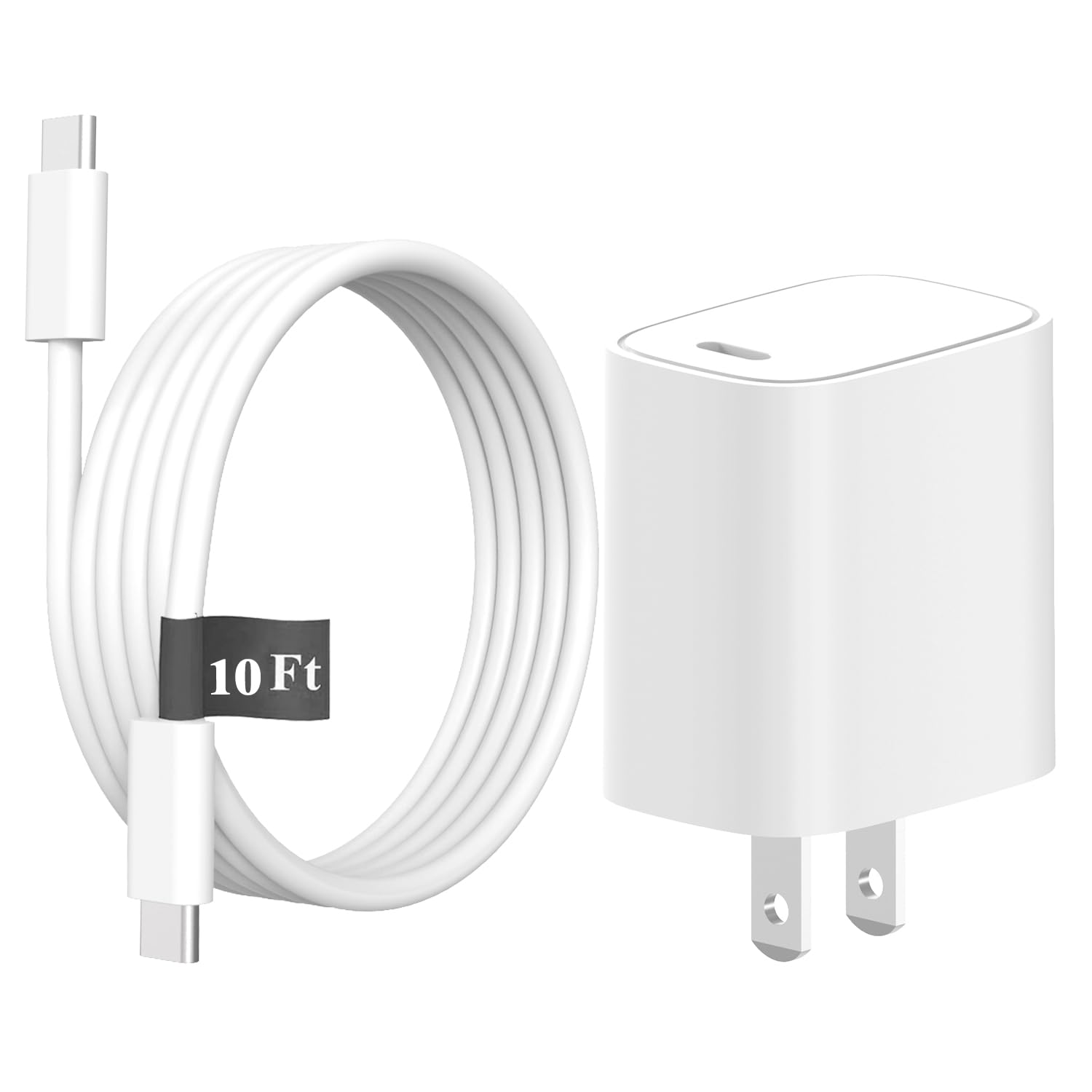
This charger is a solid budget option for Galaxy Tab users who want a longer cable and faster charging without paying for a name-brand adapter.
Pros
- Long 10ft USB-C cable so a tablet can charge from farther away.
- 30W output supports faster charging for many Galaxy Tabs.
- Safety certifications and built-in protections for peace of mind.
Cons
- Not compatible with older Samsung devices that use micro‑USB.
- Some users report it charges slower than their original adapter.
- Mixed feedback on long-term reliability.
The charger aims to match many Galaxy Tab models that use USB-C and offers a much longer cord than most stock chargers. It lists multiple voltage levels to handle fast-charge profiles.
They highlight safety certifications like ETL, FCC, and RoHS, plus over‑current and over‑voltage protection. That may reassure buyers who want a low-cost replacement with safety features.
Some owners found it slower than their original adapter, and a few reported compatibility quirks with specific devices. Shoppers should confirm their tablet uses USB-C before buying.
SHANCOSI 20W USB-C Charger

It is a solid budget option for Samsung Galaxy Tab users who want a compact, fast charger without extra cables.
Pros
- Charges tablets quickly for its size.
- Small and easy to carry.
- Built-in safety features reduce overheat and overcharge risk.
Cons
- Cable not included, so buyers may need to add one.
- Limited to one USB-C port.
- Some models may charge at slightly lower wattage than top-tier chargers.
This charger promises faster charging than basic bricks and keeps a low profile in a bag or on a desk. It targets tablet users who want a simple, no-frills power adapter that fits most Galaxy Tab models.
The safety features give added confidence for daily use, and the compact design is useful for travel. Buyers should expect basic functionality without extra ports or bundled accessories.
Shoppers who need multiple-device charging or peak high-watt performance might look elsewhere, but those wanting a reliable single-port wall charger for a Galaxy Tab will find this a practical, affordable pick.
Samsung 45W Power Adapter
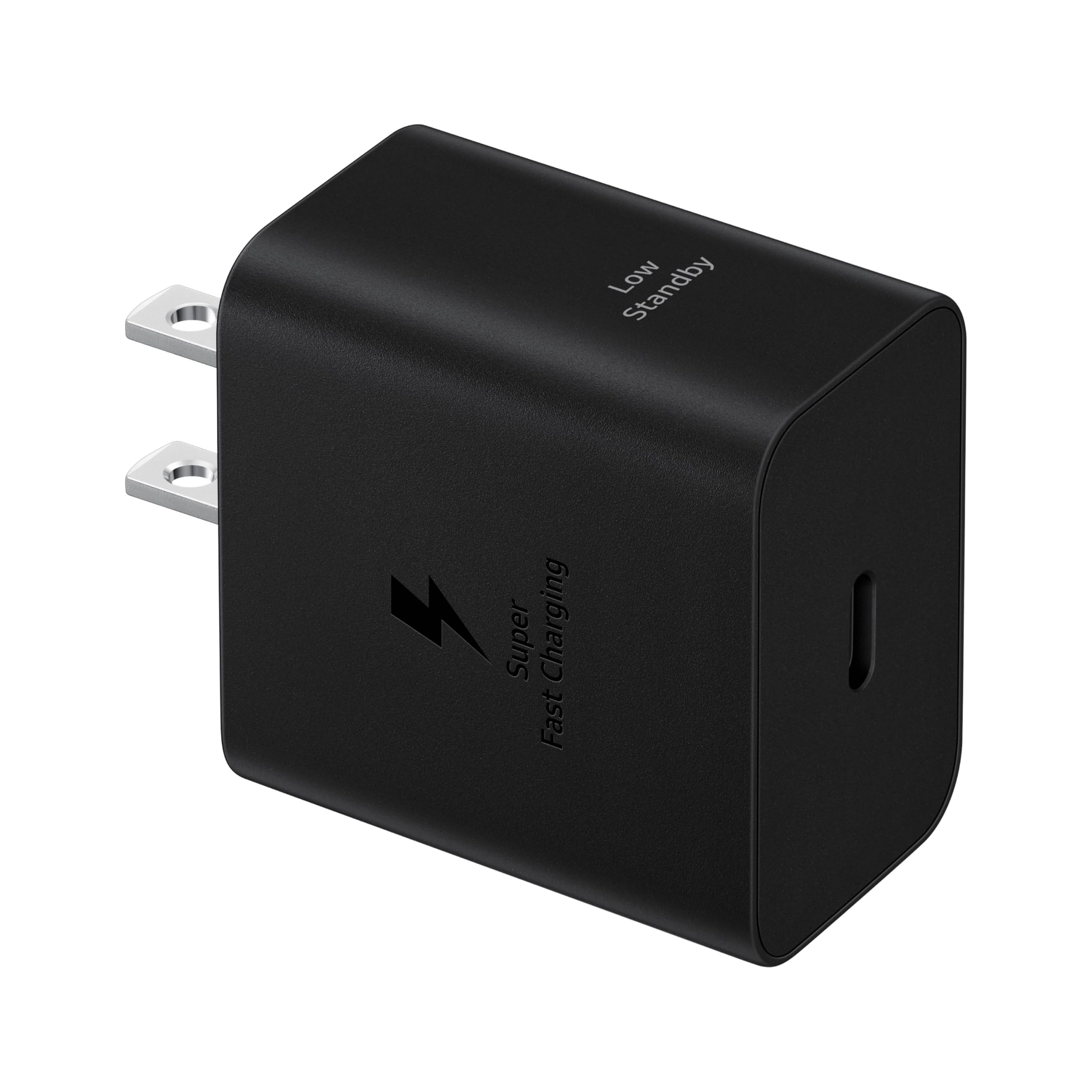
This charger is a solid choice for buyers who want faster charging for Galaxy tablets and other USB-C devices without added frills.
Pros
- Charges compatible devices notably faster than lower-watt adapters.
- Uses little power when idle, which can save energy.
- Offers built-in protections for safer charging.
Cons
- Cable not included, so buyers must buy a compatible high-current USB-C cable.
- Maximum speed depends on the device’s charging support.
- More expensive than basic chargers that offer lower power.
The adapter targets users who need higher charging speed for tablets and high-end phones. It aims to deliver steady power and includes safety features for peace of mind.
It works best with devices that support Super Fast Charging 2.0 and a proper 5A cable. Users should match the cable and device capabilities to get the fastest charge.
Buyers who want a reliable, branded fast charger and don’t mind buying a separate cable will find this useful. Others who need just occasional charging may prefer a lower-watt, cheaper option.
WGHWQ Galaxy Tab Adaptive Fast Charger

It may be a good buy for users who need a low-cost charger that claims fast-charge features and multiple cable types, but results vary by device.
Pros
- Low price and includes both Micro-USB and USB-C cables.
- Claims fast-charge modes that work on supported models.
- Wide list of compatible Samsung tablets and phones.
Cons
- Charging speed appears inconsistent across users and models.
- Can run hot under heavy use; high surface temperatures are normal.
- Some buyers report very slow or failed charging for certain tablets.
The charger bundles a wall plug with two 3-foot cables and targets many Samsung tablet models. It looks like a simple, budget-friendly option for someone who wants extra cords or a spare wall charger.
They should check if their tablet truly supports the advertised fast-charge voltage before expecting rapid charging. The product warning notes the adapter can reach high temperatures during fast charging, which is normal up to a point.
User feedback shows mixed results: some say it charges well and connects better than older models, while others report very slow charging or compatibility issues. The listing is clear about device compatibility, so buyers should match their model before ordering.
Find the product on Amazon: WGHWQ Galaxy Tab Adaptive Fast Charger.
Samsung 45W Fast Charger (2024)
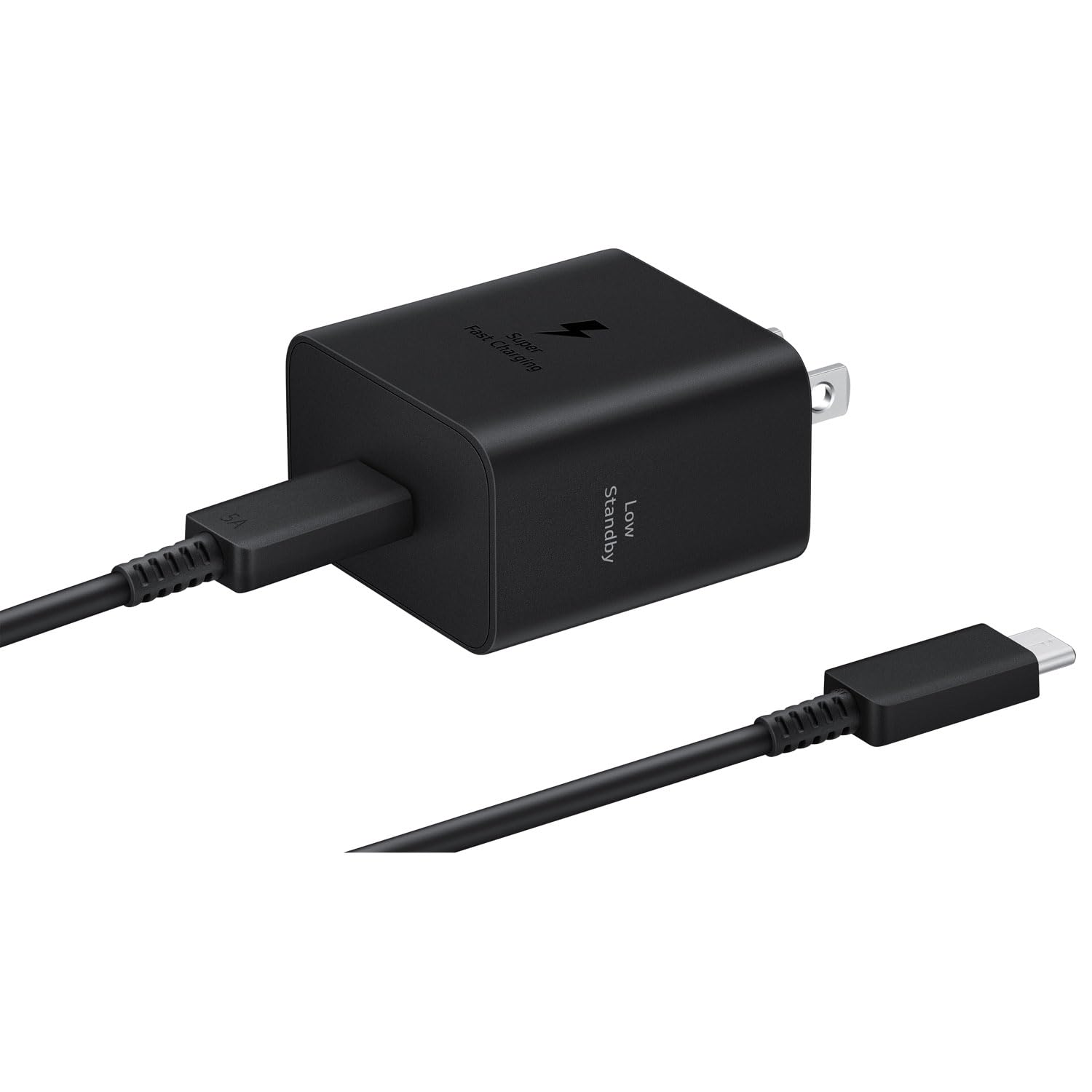
It is a solid option for someone who wants faster charging on Galaxy tablets and phones, but buyers should watch for model variations and safety reports.
Pros
- Charges tablets and phones much faster than basic adapters
- Includes a USB‑C cable so it’s ready to use out of the box
- Made by Samsung, so it matches device charging standards
Cons
- Some listings may mix similar versions, causing confusion
- A few users reported overheating or melting issues
- Only one USB port limits charging multiple devices at once
It supports high‑speed charging that can cut wait time compared with lower‑watt adapters. It looks compact and works with USB‑C devices, which suits most Galaxy tablets.
They should note that not every unit in the market is identical; listings sometimes blur differences between versions. A small number of buyers mentioned safety concerns, so buyers should inspect the charger on arrival and stop using it if it smells hot or shows damage.
This charger fits well for single‑device, fast charging needs and for users who prefer official Samsung accessories, as long as they confirm the exact model before buying.
Samsung 50W Duo Power Adapter

It is a solid pick for someone who wants to charge a Galaxy tablet and another device at once while keeping fast charge on the main port.
Pros
- Charges two devices at once.
- Super Fast Charging on the top USB-C port.
- Comes with a thick USB-C cable.
Cons
- Second port is limited to lower speed when both ports are used.
- Super Fast Charging only works on compatible devices and the top port.
- Adds one more wall block to pack when traveling.
This charger lets a tablet and phone charge from the same outlet without extra adapters. It aims to keep charging fast for the primary device while still powering a second gadget.
They designed it to save standby power and offer safety features against overheating and short circuits. The included cable fits high-current charging and reduces the need to buy extras.
Expect the fastest charge only from the top USB-C port and when the device supports Super Fast Charging 2.0. For someone who needs reliable, branded charging for a Galaxy tablet and another device, it balances speed and convenience.
LSSBUUD Galaxy Tab USB C Charger
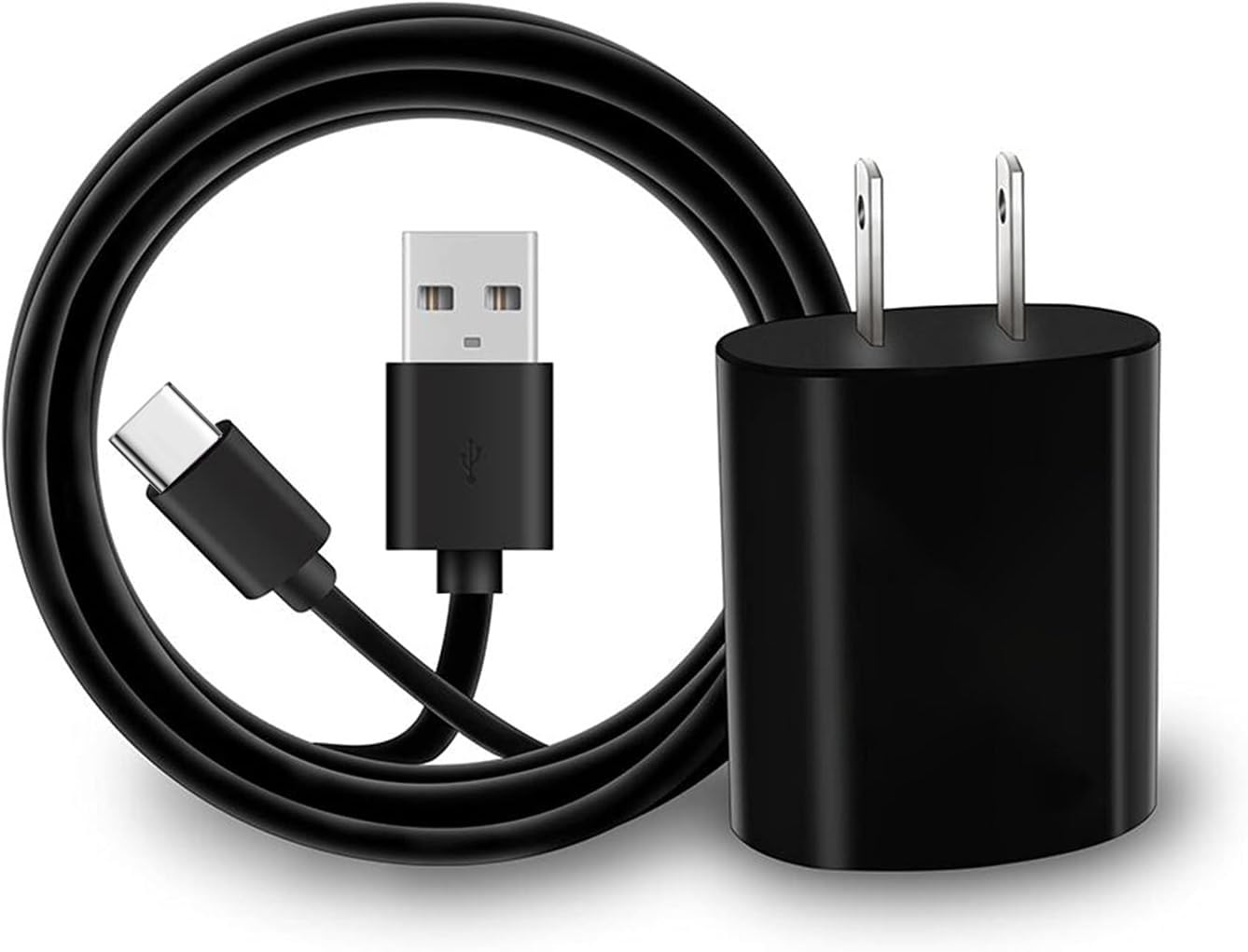
It is a budget-friendly charger that works with many Galaxy Tab models and includes a 5 ft cable for flexible charging.
Pros
- Wide device compatibility across many Galaxy Tab models
- Long 5 ft cable for easier reach
- Includes short-circuit protection for safer charging
Cons
- Charger is basic and lacks advanced fast-charge protocols
- Some reports of connector fit issues with older devices
- Limited warranty and support compared with brand chargers
This charger aims at people who want a low-cost replacement or spare for a Galaxy Tab. It pairs a simple wall adapter with a longer USB-C cable to reduce the need to stay close to an outlet.
They advertise compatibility with many Tab models, which makes it useful for households with different Samsung tablets. The unit claims protection features and steady data transfer, but it does not offer premium charging tech.
Shoppers should weigh the low price and long cable against occasional fit problems and the lack of high-end fast charging. The product link above leads to the Amazon listing for current price and availability.
Buying Guide
Choose a charger that matches the tablet’s charging port and power needs. Check the tablet’s manual or settings for the recommended wattage and port type.
Look for fast-charge support if the tablet accepts it. A charger that lists the correct wattage and shows fast-charge protocols helps charge faster and safer.
Consider port type and cable. USB-C is common; make sure the charger and cable both use the same port. A detachable cable lets the user replace it without replacing the whole charger.
Check safety features. Over-voltage, over-current, and short-circuit protection reduce risk. Certifications and safety markings indicate the charger met testing standards.
Think about size and build. A compact charger is easier to carry. A heavier, well-built unit may last longer.
Compare ports and simultaneous charging. Multi-port chargers allow charging another device at once. Make sure total output stays high enough when multiple ports are used.
Verify compatibility with accessories. Some tablets charge faster only with specific cable types or power delivery levels. The user should ensure the cable and charger support the same specs.
Budget and warranty matter. A modest price can be fine if the charger has the needed power and safety features. A warranty gives added protection if the charger fails.
| Feature | Why it matters |
|---|---|
| Wattage/Power | Ensures proper charging speed |
| Port type (USB-C) | Matches tablet connector |
| Fast-charge support | Reduces charging time |
| Safety protections | Prevents damage and hazards |
| Size and build | Affects portability and durability |
| Number of ports | Allows charging multiple devices |
Conclusion
They should pick a charger that matches their Galaxy Tab’s power needs and port type. A 25W USB-C charger from Samsung gives fast, safe charging for most newer Tabs. Third-party chargers can work well if they support USB-PD and have proper safety ratings.
Below is a quick comparison table to help decide:
| Option | Best for | Notes |
|---|---|---|
| Samsung 25W USB-C | Most Galaxy Tab models | Official, reliable, supports fast charging |
| Samsung 45W USB-C | Power users, tablets with larger batteries | Faster for big batteries, check device limits |
| USB-PD third-party 30–65W | Budget or multi-device use | Choose reputable brand and PD support |
| Multiport chargers | Charging phone + tablet | Look for enough wattage per port |
They should also consider cable quality, port count, and travel needs. A short, sturdy USB-C cable helps daily use. A compact multiport charger helps when charging more than one device.
They should avoid very cheap, unbranded chargers without safety certifications. Those can harm the tablet or charge slowly. Choosing a tested charger keeps the tablet safe and charging reliably.
Where to Buy – Best Amazon Deals
They can find many Samsung chargers and compatible third‑party options on Amazon. It often lists fast chargers, USB‑C cables, and charging pads with customer reviews and clear specs.
Look for sellers with high ratings and many reviews. Amazon Fulfilled or “Ships from and sold by Amazon.com” reduces risk of counterfeit items.
Watch for these details on the product page:
- Wattage (e.g., 25W, 45W) to match tablet charging needs.
- PD (Power Delivery) support for fast charging.
- Cable type (USB‑C to USB‑C or USB‑A) so it fits the tablet.
Use filters to sort by price, Prime shipping, and customer rating. Reading the Q&A and recent reviews helps confirm real performance and build quality.
Check product bundles that include both charger and cable. Bundles can save money and ensure compatibility.
Watch Amazon Lightening Deals and Prime Day for discounted prices. They can set price alerts or use browser extensions to track price history.
Editor’s Choice
The editor picks the Samsung 45W USB‑C Super Fast Charger as the top choice. It charges Galaxy Tab models quickly and stays cool during use, which makes it reliable for daily charging.
It includes a USB‑C to USB‑C cable that supports fast charging and data transfer. The charger works with tablets and many phones, so it fits different devices without extra adapters.
Key features:
- Power: 45W output for fast charging.
- Compatibility: Works with most Galaxy Tab models that accept USB‑C PD.
- Safety: Built‑in protections for over‑current, over‑voltage, and overheating.
They recommend this charger for users who want speed and safety in one package. It costs more than basic chargers, but it saves time and reduces heat during long charging sessions.
FAQs
What charger speed does a Galaxy Tab need?
Most Galaxy Tabs support fast charging between 15W and 45W depending on the model. Users should check the tablet’s specs to match the charger’s wattage.
Can any USB-C charger work with a Galaxy Tab?
Yes, a USB-C charger can charge a Galaxy Tab, but not all will deliver fast charging. Choose a charger that supports PD (Power Delivery) or Samsung Adaptive Fast Charging for best results.
Is it safe to use third-party chargers?
They are safe if they have proper certifications like UL, FCC, or CE. Low-quality chargers may charge slowly or risk damage, so buy from reputable brands.
Will a higher-wattage charger harm the tablet?
No, the tablet draws only the power it needs. A higher-wattage charger can charge faster if the tablet supports it, but it won’t force excess power into the device.
Should users buy chargers with multiple ports?
Multiport chargers add convenience for charging several devices at once. Ensure the charger can deliver adequate power to each port when multiple devices are connected.
How important is the cable?
Very important. A poor cable can slow charging even with a good charger. Use a quality USB-C cable that supports the charger’s power level.