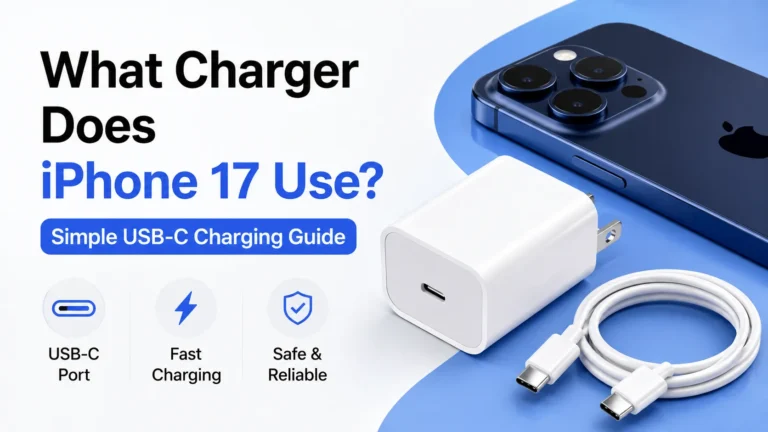
Does iPhone Charge Faster on Low Power Mode Explained
Low Power Mode can help your iPhone charge a little more efficiently, but it does not make the charger itself deliver power faster. It mainly reduces background drain, so more of the incoming charge goes straight to the battery. If you want the best charging speed, the charger, cable, battery health, and phone temperature matter more than Low Power Mode.
- Point 1: Low Power Mode does not increase the wattage your iPhone accepts from the charger.
- Point 2: It can make charging seem faster because the phone uses less power while plugged in.
- Point 3: Fast charging depends more on the charger, cable, and iPhone model than on Low Power Mode.
- Point 4: Heat slows charging, so a cooler phone often charges better than a phone in Low Power Mode.
- Point 5: Low Power Mode is most useful when you need the battery to last longer during charging.
- Point 6: A good USB-C charger and certified cable will have a bigger impact than any software setting.
- Point 7: For overnight charging, Low Power Mode is nice to use, but it is not a must.
📑 Table of Contents
- Does iPhone Charge Faster on Low Power Mode?
- How Low Power Mode Actually Works
- What Really Affects iPhone Charging Speed
- When Low Power Mode Helps During Charging
- Low Power Mode vs Fast Charging: What’s the Difference?
- Best Charging Habits for iPhone Users
- Buying Tips for Better iPhone Charging
- Final Verdict: Does iPhone Charge Faster on Low Power Mode?
Does iPhone Charge Faster on Low Power Mode?
If you have ever plugged in your iPhone and wondered why the battery still feels slow to climb, you are not alone. A lot of people turn on Low Power Mode and expect the phone to charge faster. It sounds logical. The phone is using less power, so the battery should fill up quicker, right?
The short answer is: not really. Low Power Mode does not change how much power your charger sends to the iPhone. It does not unlock a special fast charge setting. But it can help your iPhone appear to charge faster because the phone is doing less work in the background while it is plugged in.
That difference matters. If you are trying to get as much battery as possible before heading out, every bit helps. But if you want true charging speed gains, you need to focus on the charger, the cable, the battery temperature, and the iPhone model itself.
How Low Power Mode Actually Works
It reduces background activity
Low Power Mode is made to save battery life, not to boost charging power. It lowers some background tasks, cuts down on mail fetch, reduces visual effects, and limits certain system actions. That means your iPhone uses less battery while it is on.
When the phone is using less power during charging, more of the incoming energy can go into the battery instead of being used right away. That is why some people feel like the phone charges faster when Low Power Mode is on.
It does not raise charging wattage
This is the key point. The charger still sends the same power to the phone. If you use a 20W charger, the iPhone will not suddenly accept 30W just because Low Power Mode is enabled. The charging limit is controlled by the phone’s hardware and charging system, not by that battery setting.
So when people ask, “does iPhone charge faster on low power mode,” the most accurate answer is that it may help the battery percentage rise more steadily, but it does not truly speed up the charging process in a technical sense.
What Really Affects iPhone Charging Speed
The charger matters most
Your charger is one of the biggest factors. A modern USB-C charger with enough wattage will usually charge an iPhone much faster than an old 5W brick. If you want fast charging, use a charger that supports USB Power Delivery and matches your iPhone’s needs.
For newer models, Apple’s USB-C charging setup is the easiest path to good speed. If you are still using older accessories, you may be missing out on faster charging. If you want a deeper look at model-specific options, see what charger does iPhone 16 use and what charger does iPhone 15 use.
The cable matters too
A weak or damaged cable can slow things down. Some cables are only made for basic charging. Others support faster power delivery. A quality cable helps keep charging stable and efficient.
If you use a cheap cable, your iPhone may charge slower, disconnect more often, or get warm. That is a bigger problem than Low Power Mode in most real cases.
Heat can slow charging
Heat is one of the biggest enemies of fast charging. If your iPhone gets too warm, it may reduce charging speed to protect the battery. This can happen during gaming, video calls, car charging in the sun, or even while using a thick case.
Low Power Mode can help a little here because it reduces some activity, which may lower heat. But again, the main benefit is indirect. A cooler iPhone often charges better than a busy, hot one.
Battery health plays a role
Older batteries do not always charge as fast or hold charge as well as new ones. If your battery health has dropped, you may notice slower charging or faster draining. Low Power Mode cannot fix that. It only helps stretch what the battery has left.
When Low Power Mode Helps During Charging
When you need every percent
Low Power Mode is useful when you are charging in a hurry and still want to use your phone. For example, maybe you are at the airport, waiting for a ride, or trying to get through a long workday. In that case, turning on Low Power Mode can keep battery drain low while the phone charges.
This is especially helpful if you are checking maps, messages, or email while plugged in. Without Low Power Mode, those apps can eat into the incoming charge.
When the phone is doing too much
If your iPhone is syncing photos, downloading updates, refreshing apps, and streaming music all at once, it may charge more slowly in practice. Low Power Mode can reduce some of that background load. The battery may climb more cleanly because the phone is not spending as much power at the same time.
That is why some users think Low Power Mode is a charging trick. It is not a speed boost in the strict sense, but it can improve the charging experience.
When you are using a slower charger
If you are stuck with a basic charger, Low Power Mode may help you get a little more from it. The charger is still slow, but the phone is also using less power. So the battery percentage can rise more efficiently than it would on normal mode.
Still, if you want a real upgrade, a better charger is the smarter move. For mobile charging gear, you may also want to read what fast charging power banks work with iPhone if you often charge on the go.
Low Power Mode vs Fast Charging: What’s the Difference?
Low Power Mode saves battery
Low Power Mode is about reducing power use. It is a software setting. It helps your iPhone last longer between charges and can make charging feel more efficient.
Fast charging sends more power
Fast charging is about input. It depends on the charger, cable, and phone support. A fast charger can refill the battery much quicker, especially in the first 30 to 50 percent of the charge cycle.
They solve different problems
Think of it this way. Low Power Mode is like turning off extra lights in a house. Fast charging is like opening a bigger water tap. One saves energy. The other increases supply. They are not the same thing.
If your goal is speed, focus on fast charging gear. If your goal is battery life while you are away from a charger, use Low Power Mode. If you want both, you can use them together.
Best Charging Habits for iPhone Users
Use the right charger and cable
The best setup is usually a reputable USB-C charger with a certified cable. That gives your iPhone the best chance of charging at a strong and stable rate. Avoid worn-out cables and random no-name bricks when possible.
Keep the phone cool
Remove thick cases if the phone feels hot. Do not leave it in direct sun. Try not to game or record video while it is charging. A cooler phone charges more efficiently and protects battery health over time.
Do not worry about 100% all the time
It is fine to charge your iPhone to full when needed. But if you are trying to protect battery health, avoid keeping it hot and full for long periods. That matters more than whether Low Power Mode is on during a short charge.
Use Low Power Mode as a support tool
Low Power Mode is best used as a helper, not a charger upgrade. Turn it on when you need to stretch battery life or reduce background drain. Do not expect it to turn a slow charger into a fast one.
Buying Tips for Better iPhone Charging
Look for USB-C Power Delivery
If you are buying a charger for your iPhone, look for USB-C Power Delivery support. That is the standard that gives iPhones their best charging performance. It is the safest bet for newer models and a good choice for older ones too.
Choose the wattage wisely
You do not need an extreme wattage number. For most iPhones, a solid 20W to 30W charger is enough for fast charging. Higher wattage chargers are fine, but the iPhone will only draw what it can use.
Check your use case
If you mostly charge at home, a compact wall charger is enough. If you travel a lot, a reliable power bank may be better. If you want help choosing the right portable option, the guide on what MagSafe power banks work with iPhone can be useful.
Do not chase gimmicks
Some products promise huge speed gains, but real charging performance usually comes from simple things: good charger, good cable, low heat, and a healthy battery. Low Power Mode is nice, but it should not be your main buying reason.
Final Verdict: Does iPhone Charge Faster on Low Power Mode?
So, does iPhone charge faster on Low Power Mode? Not in a direct way. Low Power Mode does not increase charging wattage or unlock a hidden fast charge feature. What it does do is reduce the phone’s power use, which can make charging feel smoother and a little more efficient.
If your charger is weak, your cable is poor, or your phone is hot, Low Power Mode will not fix those problems. The biggest gains come from better charging gear and cooler conditions. That is the real answer.
My recommendation is simple: use Low Power Mode when you need it, especially if you are trying to conserve battery while plugged in. But if you want the fastest possible charge, spend your effort on a good USB-C charger, a quality cable, and keeping the phone cool. That will make a much bigger difference than any software setting.
Frequently Asked Questions
Not directly. Low Power Mode lowers background activity, so your iPhone may use less power while charging, but it does not increase the charger’s output.
No, you do not need to. It is helpful when you want to save battery or reduce drain while plugged in, but it is not required for normal charging.
No, it is not bad for battery health. In fact, reducing heat and heavy use while charging can be a good thing for long-term battery care.
The charger, cable, and phone temperature matter much more. A good USB-C Power Delivery charger will have a far bigger impact than any software setting.
Yes, you can. Low Power Mode and fast charging work together, but they do different jobs. One saves battery use, and the other increases charging input.
Heat, battery health, background activity, or a bad cable can slow charging. If the phone is warm or the battery is older, charging speed may drop even with a strong charger.

Tech & Gadget Reviewer
Ethan Walker is a tech enthusiast and gadget reviewer with over 8 years of hands-on experience testing consumer electronics, smart home devices, and cutting-edge accessories. He helps readers make smarter buying decisions through honest, in-depth reviews.