Best Charger Dock for MacBook: Top Picks, Features, and Buying Guide
Affiliate disclosure: As an Amazon Associate, Gadget Makers Blog may earn from qualifying purchases. This does not change the price you pay.
MacBook users often need a reliable place to charge, sync, and store their laptop without clutter. Charger docks combine power delivery, cable management, and often extra ports or a stand to keep a workspace neat. They can speed up charging, reduce wear on ports, and make it easier to use a MacBook like a desktop when paired with a monitor and keyboard.
Choosing the right dock comes down to power delivery, port type, and build quality. Look for a dock that supports sufficient wattage for your MacBook model, includes the ports you actually use (USB‑C, USB‑A, HDMI, Ethernet), and has a sturdy design that won’t damage the laptop. We tested multiple docks to find options that balance power, compatibility, and value, so you can pick the best dock for your setup.
Best Charger Docks for MacBook
We tested and compared charger docks that work well with MacBook models to find reliable, fast, and compact options. Below is our list of the best charger docks to help you keep your MacBook charged and your desk tidy.
Anker Prime 200W 6-Port

We recommend this if you need one powerful desk charger to keep several MacBooks and other devices ready without juggling bricks.
Pros
- Charges many devices at once, so fewer cords and outlets.
- High USB-C power can speed up MacBook charging when two ports are used.
- Solid, stable build that stays put on a desk.
Cons
- Not meant for travel because it is fairly heavy.
- Some users reported a failed port or early problems.
- Lacks a simple indicator for which port is delivering peak power.
This charger gives a clean, single spot to power laptops, phones, and tablets. We like the idea of replacing many adapters with one unit on a desk.
When two USB-C ports share power, each can give up to 100W, which helps charge larger MacBooks faster than typical single-port chargers. That makes it useful when you have two Macs or a Mac and a tablet to charge quickly.
The design feels sturdy and compact for desktop use, but the weight and size make it a poor choice for packing in a bag. Also, a few reviews mention ports failing, so consider your comfort with warranty and return options.
See it on Amazon: Anker Prime Charging Station, 200W 6-Port GaN Desktop Charger
Anker 7-in-2 Mac Dock

We recommend this if you want many ports in a compact hub and reliable charging for newer MacBooks.
Pros
- Plenty of ports for displays, storage, and accessories
- Strong pass-through charging up to 100W
- Compact design that matches MacBook looks
Cons
- Not all Mac chips allow dual external displays
- Side-mounted fit can feel awkward on some models
- A few units may arrive with defects
This hub turns one or two MacBook USB-C ports into a full set of ports. It gives HDMI, SD slots, USB-A sockets, and a high-power USB-C pass-through without adding much bulk.
We found it useful for desk setups that need external monitors, fast data transfers, and charging from a single connection. The 4K@60Hz and 5K support are helpful for sharp displays, though newer M1/M2 Macs limit dual-monitor use.
The build and finish match Apple gear and the hub stays cool during normal use. Keep in mind some buyers report fit or quality-control issues, so check return options if yours arrives faulty.
Anker 140W 4-Port Charger
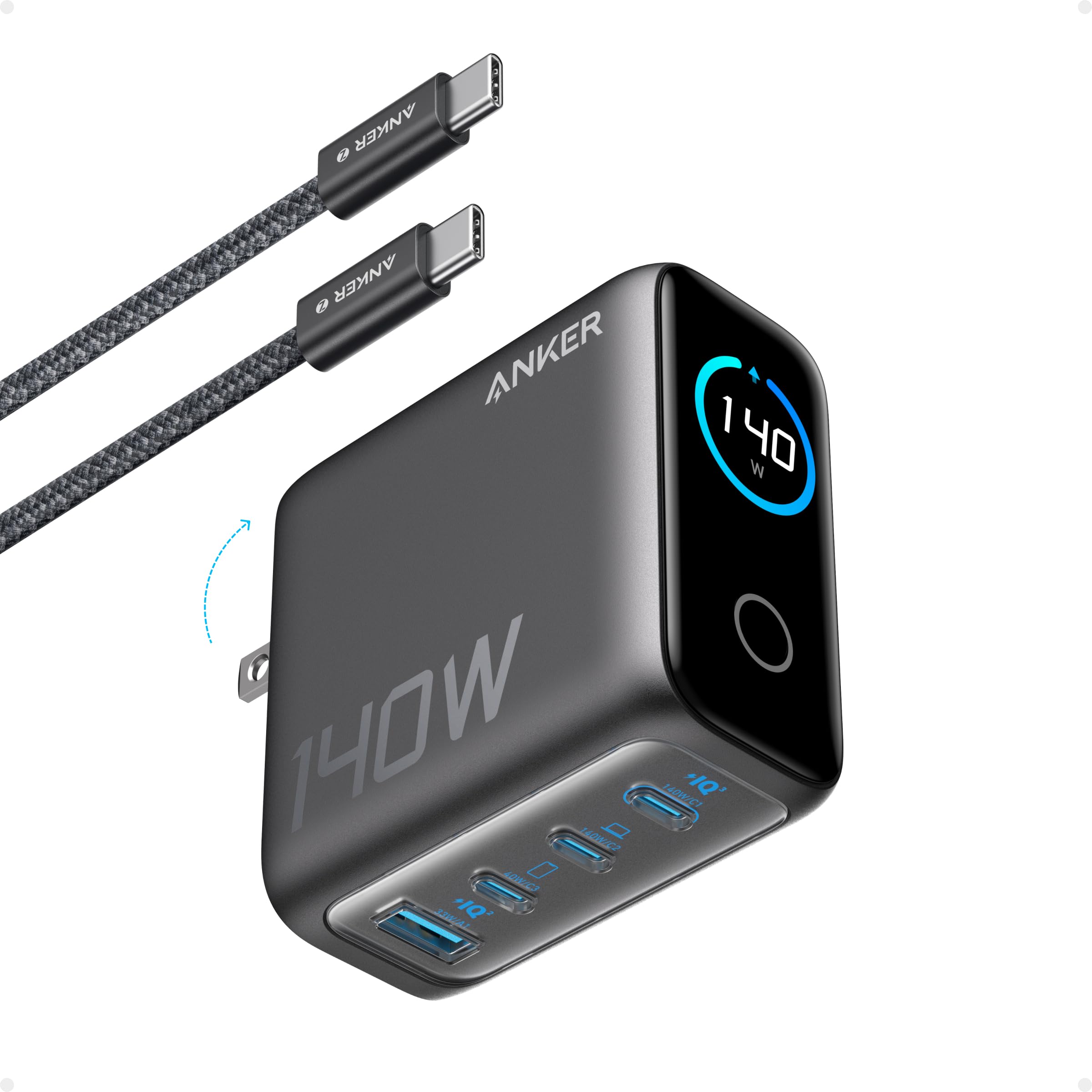
We recommend this charger if you want one compact unit that can fast-charge a MacBook and several devices at once.
Pros
- Very fast charging for laptops and phones.
- Charges up to four devices at the same time.
- Small, travel-friendly size.
Cons
- Can get warm under heavy use.
- Occasional cord compatibility quirks reported.
- More expensive than basic chargers.
We like the high power output and the idea of replacing several bricks with one tidy charger. The dual high-speed USB-C ports help when you need laptop-level power quickly.
The color display and touch controls make it easy to check charging status at a glance. That feature adds convenience for shared desks and travel.
Safety systems aim to keep devices cool and protected during charging. Still, heavy use can raise surface heat, so keep it on a hard surface.
This Anker unit fits well for people who carry a MacBook and multiple gadgets and who value speed and a smaller carry footprint.
Anker Prime TB5 Dock

We recommend this dock if you need lots of ports, very fast transfers, and strong charging for a MacBook.
Pros
- Huge port selection for many devices.
- Very fast file transfers over Thunderbolt 5.
- Strong 140W charging for power-hungry laptops.
Cons
- MacBooks with standard M-series chips may only support one external display.
- Some users report sleep or reconnect issues with certain Macs.
- Does not work with external USB-A hubs due to internal protocol limits.
We like the compact design and the way it packs many connection types into one box. It fits well on a desk and reduces cable clutter while giving options for USB-C, USB-A, card readers, Ethernet, and video.
The speed claims are real for Thunderbolt 5 workflows, which helps when moving large media files. Charging up a MacBook Pro feels fast and reliable when the host supports full PD 3.1 power delivery.
Compatibility varies by Mac and Windows model, so check your Mac’s external display support before buying. Some customers saw sleep-related disconnects, so updating firmware and macOS may help.
Anker 100W MacBook Charger

We recommend this charger if you want fast, compact charging for a MacBook and other USB-C devices.
Pros
- Very fast charging for laptops and phones.
- Small, foldable design great for travel.
- Built-in safety monitoring for steady temperatures.
Cons
- Only one USB‑C port limits multi-device charging.
- Slightly larger than the smallest travel bricks.
- No built-in plug cover for ports during transport.
We like how the charger delivers strong power in a small package. It feels designed for people who carry a laptop and want to cut down on bulky adapters.
Compatibility claims cover many laptops and phones, so the charger can work across devices in a mixed gear bag. The included 5 ft cable helps if outlets sit a bit far from your desk.
Safety features aim to keep temperatures stable during heavy use, which matters when charging a high‑watt laptop. For someone who needs a single, reliable USB‑C source, this makes sense as a primary or travel charger.
Anker Prime 250W Charger
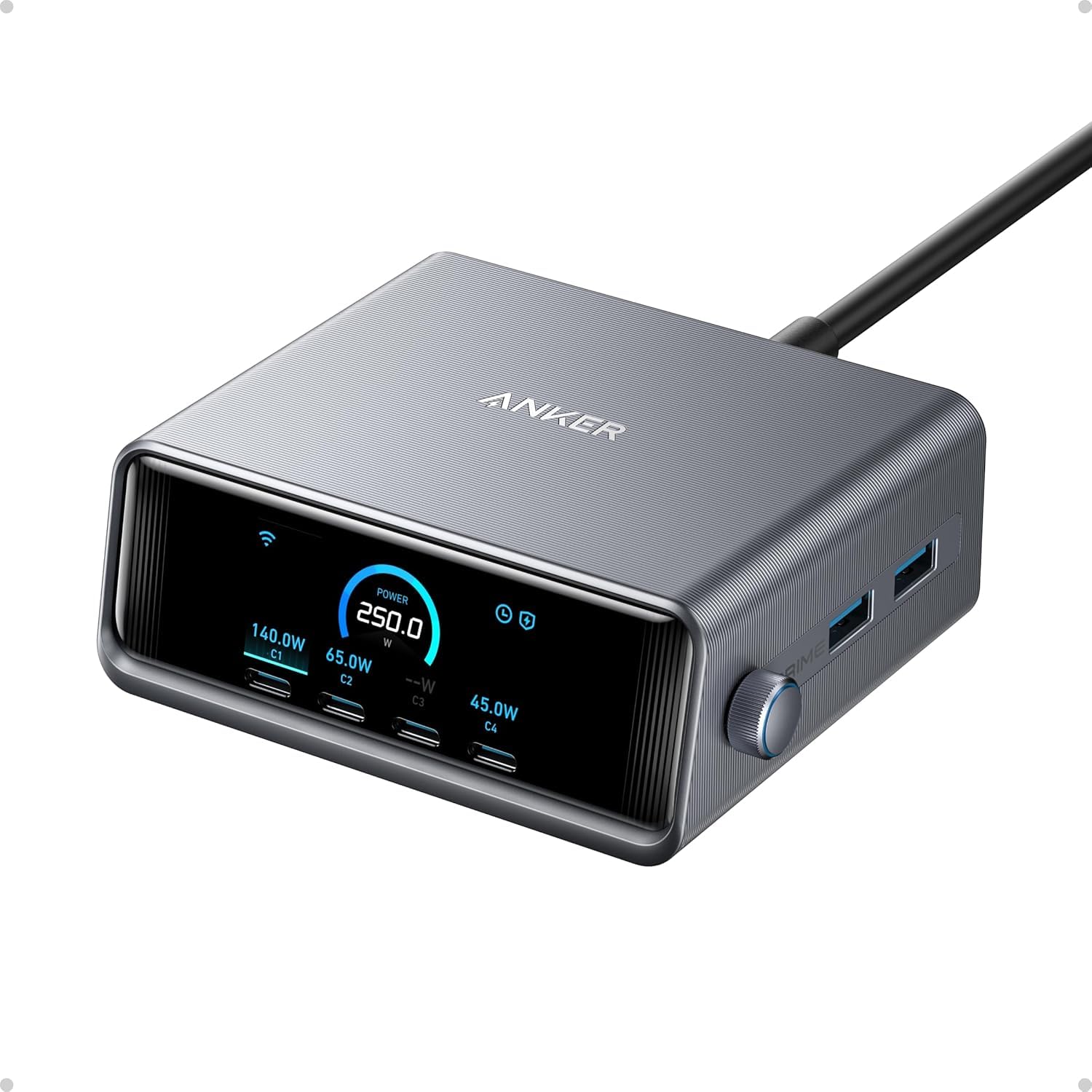
We recommend this if you need a desktop hub that charges many devices fast and shows real-time output.
Pros
- Very high total power for charging multiple devices at once.
- Fast single-port charging for large MacBooks.
- Easy-to-read LCD with adjustable output control.
Cons
- Heavy and not ideal for travel.
- Some features need the app to unlock fully.
- Only supports 2.4 GHz Wi-Fi, not 5 GHz.
We like the Anker Prime for a busy desk where several devices need steady power. It gives clear numbers on the small LCD so we can see how fast each device charges.
The 140W USB-C output promises quick MacBook charging and the 250W total lets us run a laptop plus phones and tablets without hunting for extra bricks. The smart dial helps fine-tune output if we want to limit power for small devices.
Weight and size make it a desktop item, not a pocket or suitcase charger. Buyers who want wireless-band flexibility should note it lacks 5 GHz Wi‑Fi and some features require app registration.
Get it on Amazon: Anker Prime 250W Charger
Anker Nano 7‑in‑1 Charging Station

We recommend this if you want a compact desktop hub that reduces cable clutter and charges a MacBook at full speed.
Pros
- Built‑in retractable USB‑C cords keep desks tidy.
- High single‑port power for fast MacBook charging.
- Multiple AC and USB ports in one compact unit.
Cons
- Retractable cord length may be short for some layouts.
- Power sharing can reduce wattage when many ports are used.
- Heavier than simple chargers, so not ideal for travel.
We like the tidy desk this creates. The retractable cords pull out smoothly and disappear when you don’t need them, which cuts down on loose cables around a MacBook setup.
The unit can deliver up to 100W from a USB‑C port when used alone, so it will fast‑charge a MacBook under the right conditions. An LCD shows real‑time status, which helps us see how power is being used.
Space is tight on some desks, and the fixed power cord is not retractable. If you plug in many devices at once, available power splits across ports and charging slows. For a home or office desk where cleanliness and fast MacBook charging matter, this is a strong option.
Acer 3‑in‑1 MagSafe Charger
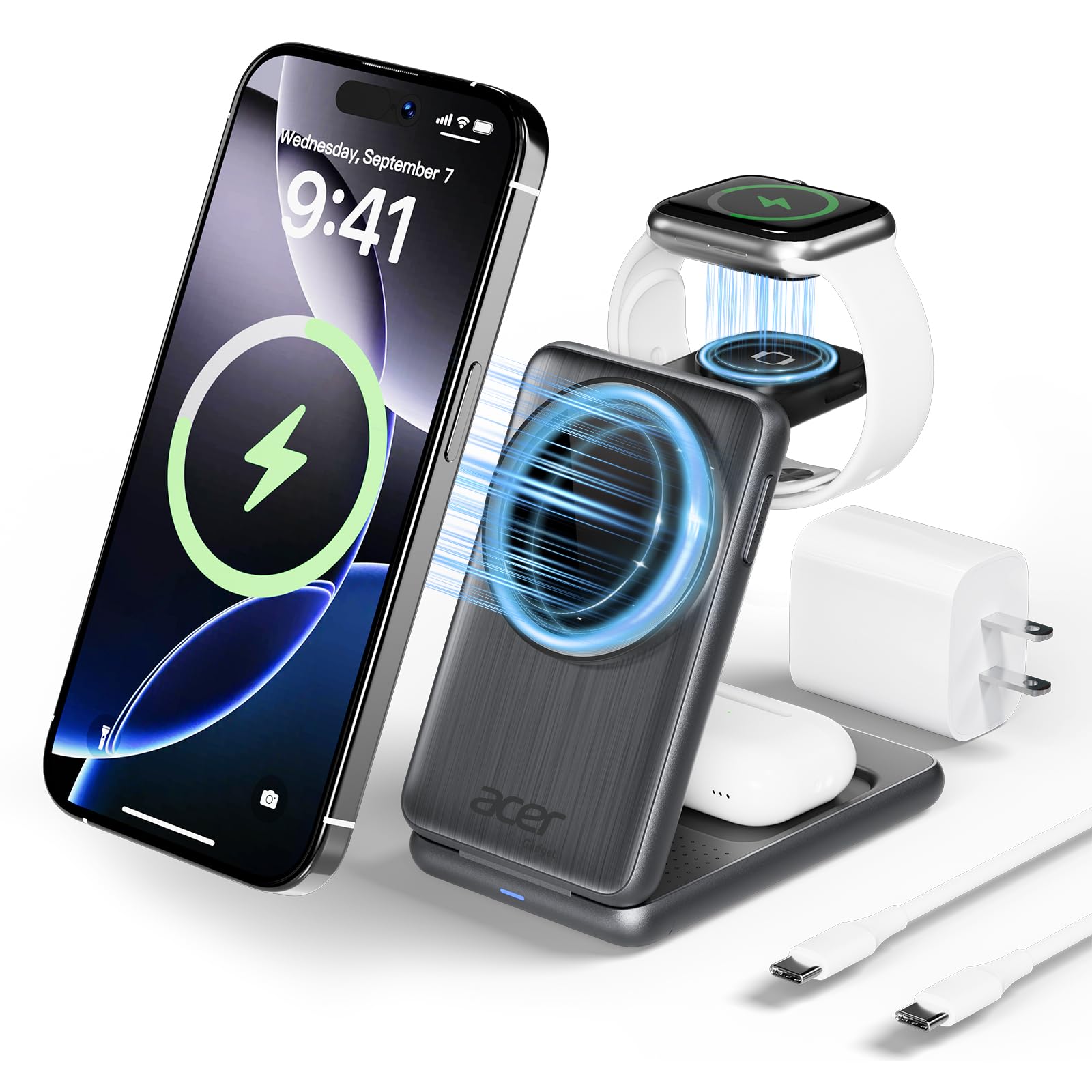
We recommend this charger if you want a compact, travel‑friendly dock that charges an iPhone, Apple Watch, and AirPods with MagSafe alignment.
Pros
- Compact and foldable for travel
- Strong magnetic alignment for easy placement
- Built‑in safety features for heat and power protection
Cons
- Works best with MagSafe or thin cases
- Limited power split for multiple devices at once
- USB‑C adapter and short cable included may limit placement
We like how small this unit is. It folds flat into a bag and clears up desk clutter. The magnetic pad snaps phones into place so you don’t fiddle to find the sweet spot.
The charger supports fast 15W phone charging plus lower wattages for watch and earbuds. That makes it handy for overnight charging and short boosts before heading out.
Users should note case thickness and metal details can block MagSafe. Also, powering three devices at once may not match a dedicated fast charger for each device.
Overall, this Acer dock suits people who value space savings and tidy charging for Apple gear. If you travel or want a neat bedside setup, this is a practical choice.
Belkin UltraCharge Pro 3‑in‑1
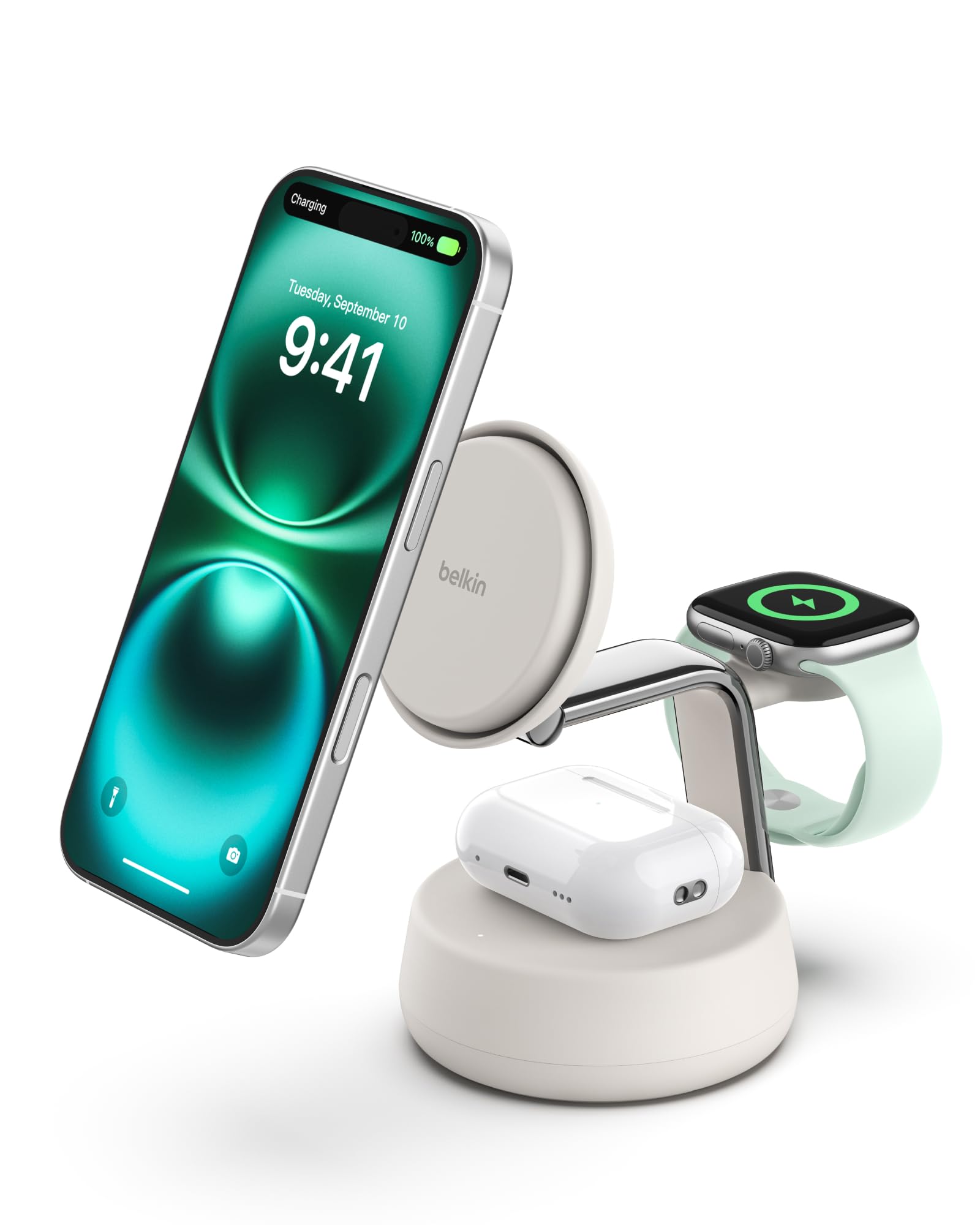
We recommend this dock if you want a tidy way to charge an iPhone, Apple Watch, and AirPods at once with fast wireless charging and thermal control.
Pros
- Fast charging for iPhone with Qi2 and included 45W adapter.
- Charges three Apple devices at the same time and stays stable on a desk.
- Built-in cooling with a fan and recyclable materials.
Cons
- Fan makes a low hum when active, which might bother quiet rooms.
- Strong magnets can make phone removal tougher with some cases.
- Fast charge needs iOS 26+ and MagSafe‑compatible cases for best results.
This dock keeps three devices in one spot and reduces cable clutter. We like the weighted base and soft silicone that help the phone stay put while charging.
Fast charging feels useful when you need a quick boost, but the speed can depend on your phone software and case. The fan helps manage heat, yet it does run quietly when charging fast.
Setup is straightforward since Belkin includes the power supply and USB‑C cable. We see this as a good choice for Apple users who want a neat, all‑in‑one bedside or desk charger.
Buying Guide
We look for docks that match our MacBook’s power needs and ports. Check the wattage rating to ensure it can charge while the laptop is heavy under load.
We want ports that fit our workflow. Think about how many USB-C, USB-A, HDMI, and Ethernet ports we need. Also consider SD card slots if we transfer photos often.
We care about build quality and cooling. A sturdy case and good ventilation help the dock last and avoid heat throttling.
We pay attention to cable and connector type. Detachable cables make travel easier. Magnetic or latching connectors can reduce wear.
We balance features with price and size. A compact dock is great for travel but may offer fewer ports. A larger desktop dock will give more options and higher power delivery.
Use the table below to compare key features quickly.
| Feature | What to check | Why it matters |
|---|---|---|
| Power Delivery (W) | Match or exceed MacBook charger | Ensures charging under load |
| Port Types & Count | USB-C, USB-A, HDMI, Ethernet, SD | Supports devices and displays we use |
| Video Support | Resolution & refresh rate (e.g., 4K@60Hz) | Needed for external monitors |
| Build & Cooling | Metal body, vents, passive/active cooling | Durability and thermal control |
| Cable & Connector | Detachable, length, lock type | Convenience and wear reduction |
| Size & Weight | Portable vs desktop | Fits travel or workstation needs |
| Safety Features | Over-voltage, over-current protection | Protects laptop and accessories |
We recommend testing compatibility with our MacBook model and reading warranty details before buying.
Conclusion
We chose chargers that balance speed, safety, and convenience to fit different needs and budgets. Our picks include compact options for travel, docks for tidy desks, and multiport units for power users.
We recommend matching wattage to your MacBook model and keeping at least one USB-C PD port for reliable charging. Using certified cables and chargers reduces heat and battery wear.
We list standout features to watch for:
- Wattage — 61W to 140W depending on model.
- Ports — USB-C PD, USB-A, HDMI, Ethernet.
- Build — sturdy materials and good heat dissipation.
- Safety — overcurrent and temperature protection.
We prioritize chargers that deliver consistent power without excess bulk. For most users, a 65W–100W dock with extra ports hits the best mix of speed and functionality.
If you want our top pick for travel or the best for a workstation, check the earlier product entries. We base our choices on real-world use, specifications, and safety features.
FAQs
What charger dock should we buy for a MacBook?
We recommend a dock that supports USB-C Power Delivery (PD) at your MacBook’s wattage. Look for at least 60W for MacBook Air and 85–100W for 14–16-inch MacBook Pro models.
Will a dock charge other devices?
Yes. Most USB-C docks provide extra USB-A or USB-C ports for phones, tablets, and accessories. Check total power output to avoid slow charging when multiple devices connect.
Do all docks supply full laptop speed?
No. Some docks split power between ports or limit wattage. Read specs for per-port wattage and total power delivery to ensure full-speed charging.
Are Thunderbolt docks better than USB-C docks?
Thunderbolt docks offer faster data transfer and more video outputs. USB-C PD docks work fine for simple charging and a few peripherals. Choose based on how many monitors and data lanes we need.
How do we know a dock is safe?
Look for PD certification, overcurrent/overvoltage protection, and good customer reviews. Branded docks with warranties usually give more reliable safety features.
Can we use a dock with older MacBooks?
Older MacBooks may need adapters. USB-A chargers won’t provide PD. Confirm port compatibility before buying.
Do docks cause heat or battery wear?
All chargers produce some heat. Quality docks manage heat better. Using proper PD levels reduces battery stress and keeps charging efficient.
Where to Buy – Best Amazon Deals
We checked Amazon daily for the best charger dock deals for MacBook. Prices change fast, so we focus on trusted sellers and items with many reviews.
- Look for Prime shipping to get fast delivery and easy returns.
- Check verified reviews and filter by “4 stars & up” to cut down poor options.
- Compare bundled chargers if you want extra cables or adapters included.
Our top tips when shopping:
- Read the product Q&A to confirm MacBook compatibility.
- Watch for certified chargers (USB‑C PD, GaN).
- Use the “Used” or “Renewed” filter for savings, but check seller ratings.
Example quick comparison:
| Feature | Why it matters |
|---|---|
| Prime | Fast shipping, easier returns |
| Warranty | Protects against defects |
| Reviews count | Shows real-world reliability |
We track Lightning Deals and coupon codes to save more. Set an Amazon price alert or add items to your wishlist to catch drops.
Editor’s Choice
We picked the Anker 737 GaN Prime as our Editor’s Choice. It charges MacBook models quickly and stays cool during heavy use. The compact design fits a desk or travel bag without adding bulk.
What we like most is the combination of power and ports. It delivers up to 140W over USB-C and supports dual-device charging with stable output. The passthrough and smart negotiation keep the MacBook at optimal speed without overloading other devices.
Build quality feels solid and reliable. The matte finish resists fingerprints and the plug is sturdy. We also value the safety features like overcurrent and temperature protection.
Key specs at a glance:
- Power: Up to 140W via USB-C PD
- Ports: 2 USB-C (high power + secondary), 1 USB-A
- Size: Compact for travel
- Safety: Overcurrent, overvoltage, temperature protection
This charger works well with the latest MacBook Air and Pro models. It handles sustained workloads like video editing or long presentations without hiccups. We recommend it for users who want strong, dependable charging with multi-device support.