Does an iPhone Charge Faster on Low Power Mode Explained
Low Power Mode can help your iPhone charge a little faster, but the boost is usually small. It does this by reducing background activity, so less power is used while the phone is plugged in. If you want the biggest charging gains, the charger, cable, and battery condition matter far more than Low Power Mode.
Does an iPhone Charge Faster on Low Power Mode Explained
If your iPhone is at 12% and you need to leave in 20 minutes, you may have asked the same thing many users ask: does an iPhone charge faster on Low Power Mode? It is a smart question. When the battery is low, every minute matters. People want the fastest charge possible, but they also want to know if a simple setting can help.
The short answer is yes, but only a little. Low Power Mode can help your iPhone charge faster in real-world use because it cuts down on background tasks, screen activity, and some system features. That means less power is being used while the phone is plugged in. Still, the charger, cable, and battery health have a much bigger effect than the setting itself.
In this guide, we will break down how Low Power Mode works, when it helps, when it does not, and what actually makes an iPhone charge faster. If you want a clear answer without the tech jargon, you are in the right place.
- Point 1: Low Power Mode can slightly improve charging speed by lowering power use during charging.
- Point 2: The effect is modest. A fast charger and good cable make a much bigger difference.
- Point 3: If you keep using your iPhone while it charges, Low Power Mode can help offset some drain.
- Point 4: Battery health, heat, and screen use have a bigger impact than Low Power Mode alone.
- Point 5: For the best results, use a USB-C Power Delivery charger and a quality cable.
- Point 6: Low Power Mode is useful when you need quick top-ups, travel charging, or low-battery emergencies.
- Point 7: It is safe to use while charging and can also help reduce heat and background load.
📑 Table of Contents
- What Low Power Mode Actually Does
- Does an iPhone Charge Faster on Low Power Mode in Real Life?
- What Really Affects iPhone Charging Speed
- When Low Power Mode Helps the Most
- When Low Power Mode Does Not Matter Much
- Best Charging Habits for Faster iPhone Charging
- Should You Always Use Low Power Mode While Charging?
- Buying Tips for Better Charging Results
- Conclusion: Does an iPhone Charge Faster on Low Power Mode?
What Low Power Mode Actually Does
It reduces background power use
Low Power Mode is made to save battery, not to speed up charging directly. It lowers background activity like mail fetch, app refresh, visual effects, and some automatic downloads. When your iPhone is plugged in, that lower power use can leave more of the charger’s output for the battery.
Think of it like this: if your phone is sipping less energy while charging, more of the incoming power can go to the battery. That is why many people notice a small improvement. It is not magic. It is just less waste.
It may also reduce heat
Heat slows charging. When an iPhone gets warm, the system may reduce charging speed to protect the battery. Low Power Mode can help lower workload, which may keep the phone a little cooler. That can help in some cases, especially if you are charging in a hot room or using the phone at the same time.
If you want more background on how charging behavior changes with different accessories, our guide on what fast charging power banks work with iPhone explains which setups are best for quick top-ups.
Does an iPhone Charge Faster on Low Power Mode in Real Life?
The answer is yes, but the gain is small
So, does an iPhone charge faster on Low Power Mode? Yes, but usually only by a small amount. You may see a little better progress over time, especially if you are using the phone while it charges. If the screen is on, apps are running, or notifications are coming in, Low Power Mode can reduce some of that drain.
But if the phone is idle and the screen is off, the difference is often tiny. In that case, the charger is doing most of the work already. Low Power Mode may still help a bit, but it will not turn a standard charger into a super-fast charger.
What users usually notice
Most people see one of three things:
- The battery climbs a little faster than usual.
- The phone stays cooler during charging.
- The battery percentage feels more stable because less power is being used.
That is useful, but it is not the main factor. If you want the best charging speed, use the right charging gear first. If you are comparing accessories, our article on what charger does iPhone 16 use can help you choose the right setup for newer models.
What Really Affects iPhone Charging Speed
The charger matters most
The biggest charging factor is the charger itself. A weak 5W charger will always be slow. A USB-C Power Delivery charger can charge much faster, especially for modern iPhones. The iPhone can only take in so much power, so the charger needs to match what the phone supports.
If you are using a fast charger and wondering if Low Power Mode will make a meaningful difference, the answer is usually no. The charger is already doing the heavy lifting. Low Power Mode just helps reduce background drain.
The cable matters too
A poor cable can slow charging or even make it unstable. A good USB-C to Lightning cable or USB-C to USB-C cable, depending on your iPhone model, helps keep power delivery steady. Cheap cables may not support proper fast charging speeds.
That is why many users get better results by upgrading the cable first. It is a simple fix with a real impact.
Battery health and temperature matter a lot
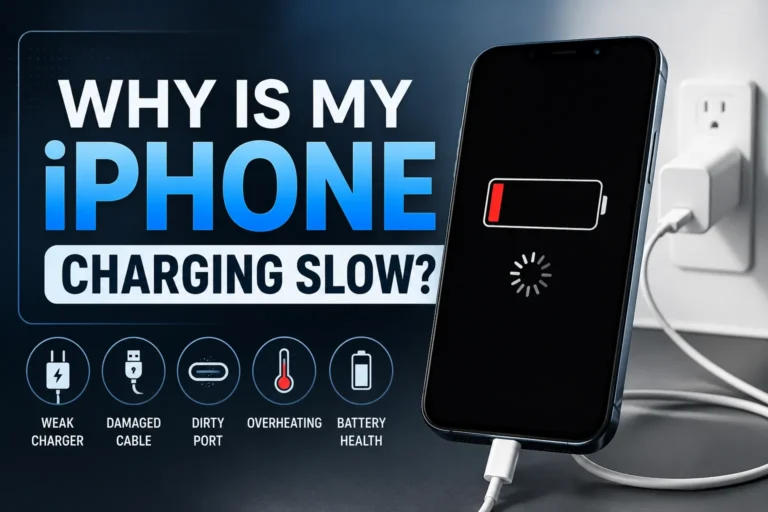
Old batteries charge less efficiently. If battery health is low, the iPhone may slow charging more often to protect itself. Temperature also matters. An overheated phone will charge slower than a cool one. This is one reason why charging in direct sunlight or while gaming is not a good idea.
If you often use portable chargers, it may also help to read about whether fast charging power banks are worth it. A good power bank can make a much bigger difference than Low Power Mode alone.
When Low Power Mode Helps the Most
While using the phone during charging
This is where Low Power Mode can really help. If you are scrolling, watching videos, replying to messages, or checking maps while charging, your iPhone is using power at the same time it is receiving power. Low Power Mode cuts that use down, so the battery can still move upward faster.
For example, if you plug in your iPhone in a car during a short drive, Low Power Mode can help the phone gain more charge instead of losing it to screen use and background tasks.
When the battery is very low
If your battery is near empty, Low Power Mode can be useful during a quick emergency charge. The phone will do less work, and that can make each minute count a little more. This is handy before a meeting, flight, or commute.
When you want less heat
Heat is not good for speed or battery life. Low Power Mode may help keep the phone calmer by lowering system activity. That can support steadier charging, especially if you are charging in a warm place.
When Low Power Mode Does Not Matter Much
When the screen is off and the phone is idle
If your iPhone is sitting still with the screen off, it already uses very little power. In that case, Low Power Mode does not have much extra work to do. You may still get a tiny benefit, but it will be hard to notice.
When you use a slow charger
If you are using an old low-watt charger, Low Power Mode will not make it fast. It can only reduce what the phone is using. It cannot force more power into the battery than the charger can provide.
When the phone is hot
If your iPhone is warm or hot, the system may slow charging no matter what mode you use. In that case, the best fix is to cool the phone down. Take off a thick case, stop heavy apps, and move it away from heat.
Best Charging Habits for Faster iPhone Charging
Use a proper fast charger
If you want the biggest speed boost, start with a good charger. A USB-C Power Delivery charger is the best choice for most modern iPhones. It delivers more power safely and usually charges much faster than old brick-style chargers.
For users who want a portable option, our guide on what MagSafe power banks work with iPhone can help you find a solid wireless backup for travel and daily carry.
Choose a quality cable
Do not ignore the cable. A certified cable helps your iPhone charge at the right speed and keeps the connection stable. If you are using a worn-out cable, replace it. That alone can improve charging performance.
Keep the phone cool
Charging works best in a cool, open space. Avoid blankets, hot cars, and direct sunlight. If your iPhone feels warm, let it rest for a minute or two before charging again. Less heat usually means better charging speed.
Turn off heavy tasks while charging
If you need the fastest charge possible, stop gaming, video editing, hotspot use, or long streaming sessions while plugged in. These tasks pull power away from the battery. Low Power Mode can help here, but turning off heavy use helps even more.
Use Low Power Mode as a support tool
The best way to think about Low Power Mode is this: it is a helper, not the main engine. It supports faster charging by lowering power use, but the charger and cable still matter most. Use it when you need every bit of extra efficiency.
Should You Always Use Low Power Mode While Charging?
Yes, if you want a simple boost
There is no real downside for most users. Low Power Mode is safe to use while charging. If you are in a rush, it is a good habit. It may not double your charging speed, but it can help a little and may reduce heat.
No, if you need full performance right away
Low Power Mode limits some features. If you need full app refresh, smoother background sync, or certain performance tasks, you may want to turn it off after your battery is healthy again. For normal charging, though, it is a good temporary setting.
A practical rule
Use Low Power Mode when your battery is low, your charger is average, or you are using the phone while it charges. Turn it off later if you want the full iPhone experience. That balance works well for most people.
Buying Tips for Better Charging Results
Pick the right charger for your iPhone model
Not all chargers are equal. Newer iPhones benefit most from USB-C Power Delivery chargers. If you are unsure which one fits your device, check guides like what charger does iPhone 15 use. The right charger is the fastest path to better results.
Look for trusted brands and certified accessories
Cheap accessories can be risky. They may charge slower, run hotter, or wear out sooner. Choose trusted brands and certified cables when possible. That gives you better speed and better safety.
Consider your charging style
If you charge at a desk, a wall charger is usually best. If you travel a lot, a fast power bank may be smarter. If you like wireless convenience, MagSafe can be great, but it is often slower than wired charging. Think about how you really use your phone before you buy.
Conclusion: Does an iPhone Charge Faster on Low Power Mode?
So, does an iPhone charge faster on Low Power Mode? Yes, but only a little. It helps by cutting background power use and sometimes reducing heat, which can make charging a bit more efficient. That said, it is not the main factor behind fast charging.
If you want the fastest iPhone charging experience, focus on the charger, cable, and temperature first. Use Low Power Mode as a smart extra step, not the whole solution. For quick top-ups, travel, or low-battery emergencies, it is absolutely worth turning on.
My simple recommendation: use Low Power Mode when you need every bit of battery gain, but pair it with a good USB-C fast charger and a quality cable. That is the best mix for speed, safety, and convenience.
Frequently Asked Questions
Not always. Low Power Mode can help a little, but the gain is usually small and depends on how much you are using the phone while it charges.
Yes, it is safe. Low Power Mode is a normal iPhone feature and does not harm the battery when used during charging.
It may help slightly by reducing background use, but wireless charging speed is still limited by the charger and heat. Wired charging is usually faster.
It can help a bit by lowering system activity, but the best fix is to cool the phone down. Heat is one of the biggest reasons charging slows.
If you want the best chance at a small boost, yes. It is most useful when the phone is low on battery or when you plan to use it while charging.
A good USB-C Power Delivery charger, a quality cable, and a cool charging environment help much more. Those are the biggest factors for faster charging.

Tech & Gadget Reviewer
Ethan Walker is a tech enthusiast and gadget reviewer with over 8 years of hands-on experience testing consumer electronics, smart home devices, and cutting-edge accessories. He helps readers make smarter buying decisions through honest, in-depth reviews.