Does a Charger Overheat While Charging? Causes, Fixes, and When to Worry
Does a Charger Overheat While Charging?
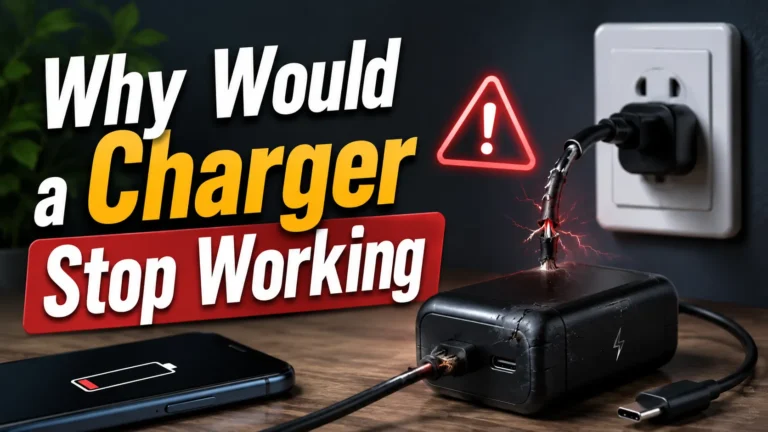
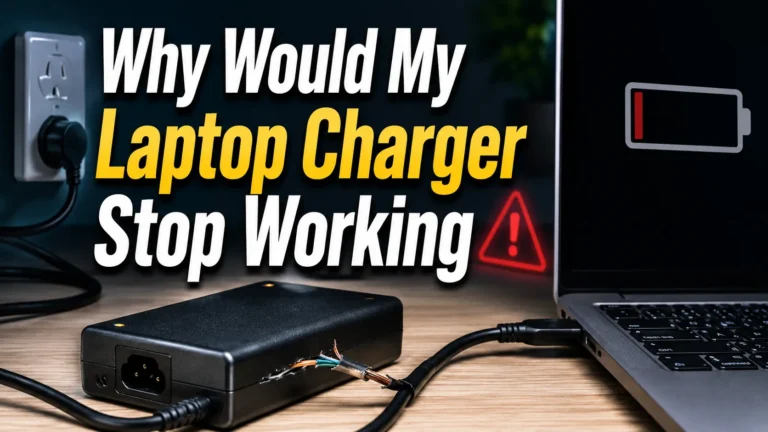
Yes. A charger may feel warm during normal use, but painful heat, a burnt smell, buzzing, discoloration, or repeated shutdowns are warning signs.
All chargers lose some energy as heat. Therefore, mild warmth does not automatically mean something is wrong. However, excess heat can point to a damaged cable, an overloaded charger, poor ventilation, a loose outlet, or low-quality internal parts.
Is It Normal for a Charger to Get Warm?
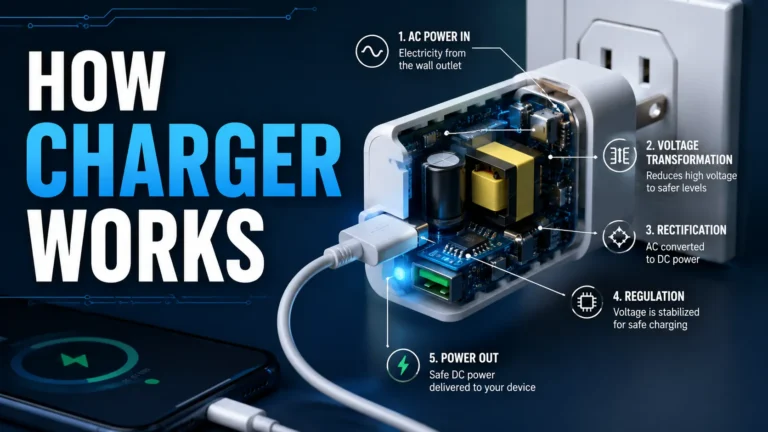
Yes. A charger converts AC power from the wall into the DC power your device uses. That process creates heat. Fast chargers and high-wattage laptop chargers may feel warmer than small phone adapters.
Why Does a Charger Overheat?
Can an Overheating Charger Damage Your Battery?
Heat can speed up lithium-ion battery aging. Phones and laptops include thermal controls that may slow or pause charging, but frequent high-temperature charging still adds stress. First check whether the phone is also running games, navigation, video, or a demanding update because the device itself may be producing much of the heat.

Anker Prime 3-in-1 Qi2.2 Wireless Charging Station
A premium option for readers who want one station for a compatible iPhone, Apple Watch, and AirPods. Its active-cooling design directly matches the article’s wireless-charging heat concern.
- Up to 25W Qi2.2 magnetic charging for compatible devices
- TEC active cooling and live charging information
- Three-device charging for a cleaner desk or nightstand
How Fast Charging Affects Heat
Fast charging moves more power in less time, so some extra warmth is expected. A quality charger manages that load with efficient components, temperature monitoring, and protective circuits. GaN technology can also help manufacturers build compact, efficient high-power chargers.
- Designed for its rated load
- Thermal and electrical protection
- Clear port-sharing specifications
- Support from an established brand
- Burnt smell or discoloration
- Sparking, buzzing, or crackling
- Loose or damaged plug
- Repeated thermal shutdown
How to Check an Overheating Charger
- Unplug it if it is painfully hot. Do not keep testing a charger that smells burnt or shows damage.
- Let it cool on a hard, open surface. Keep it away from fabric and direct sunlight.
- Inspect the cable and connectors. Replace frayed, loose, bent, or discolored parts.
- Confirm device and wattage support. Check the manufacturer’s recommended charging standard.
- Reduce the load. Disconnect extra devices from a multi-port charger and test again.
- Try a safe environment. Use a known-good outlet with open airflow.
- Replace it if the problem returns. Do not open or repair a sealed charger yourself.
How to Pick a Charger That Will Manage Heat Better
Choose enough total wattage for all connected devices, read the port-sharing table, and buy from the brand or a trusted seller. Also check the product’s safety information and use certified cables rated for the required power.
- Allow power headroom for multi-device use.
- Match USB-C PD and charging profiles to your devices.
- Look for clear thermal, over-current, and short-circuit protection details.
- Avoid counterfeit listings and vague specifications.
- Do not rely on a logo alone; verify the exact model and seller.

Anker Prime 250W 6-Port GaN Charging Station
This station suits a laptop, tablet, and phone setup. The display and configurable power distribution make it easier to understand how the desk’s charging power is being used.
- 250W total output with six charging ports
- Up to 140W from a supported USB-C port
- Smart display for charging status and power information
Power Banks and Car Chargers Can Overheat Too
They follow the same basic rules. Never leave a power bank or charger in direct sun or a parked hot car. Stop using any battery pack that swells, leaks, smells unusual, or becomes extremely hot. Do not puncture it or place it in household trash; follow local battery-disposal guidance.
Common Mistakes That Trap Heat
- Charging under a pillow, blanket, or cushion
- Placing a charger on thick carpet or soft furniture
- Using a visibly damaged cable
- Stacking devices on top of a charging station
- Ignoring a loose wall outlet or power strip
- Running every port heavily without checking total output
- Buying a suspicious counterfeit to save a small amount
A Note on Multi-Port Chargers and Heat
A multi-port station may run warmer when several ports are active. The key specification is total output and how power is shared. Add the needs of connected devices and choose a station with enough capacity. For a demanding desk with multiple laptops, extra wattage headroom can reduce the need to run a small charger at its limit.

UGREEN Nexode 500W GaN Charging Station
The strongest high-ticket option here is intended for a demanding multi-device workstation. It gives compatible laptops and mobile devices far more total power headroom than a standard phone charger.
- Up to 500W combined output
- Five USB-C ports plus one USB-A port
- Built-in temperature and electrical protection features
Premium Charging Stations Compared
| Product | Best for | Key reason | Check offer |
|---|---|---|---|
| UGREEN Nexode 500W | Several laptops and a demanding desk | Highest total power headroom | Check Amazon |
| Anker Prime 250W | Home office | Six ports and smart display | Check Amazon |
| Anker Prime 3-in-1 | Compatible Apple devices | Active cooling for wireless charging | Check Amazon |
Charger Safety Rules
- Charge on a hard, dry, open surface.
- Keep chargers away from bedding and water.
- Replace damaged cables and loose adapters.
- Use the correct charger for the device.
- Keep vents and surrounding space clear.
- Do not leave a questionable charger unattended.
Frequently Asked Questions
Is it normal for a charger to get hot?
Mild warmth is normal. Painful heat, odor, noise, discoloration, melting, or repeated shutdowns are not. Unplug the charger if any of those warning signs appear.
Can an overheating charger cause a fire?
A faulty, damaged, counterfeit, or poorly ventilated charger can become a fire hazard. Stop using it if it sparks, smokes, smells burnt, or becomes dangerously hot.
Why does my charger overheat but still work?
A failing charger may continue delivering power. Continued operation does not prove it is safe. Replace it if abnormal heat returns after you check the cable, load, outlet, and ventilation.
Does fast charging create more heat?
Fast charging can create more warmth because it transfers more power. A compatible, good-quality charger should manage that heat within its designed operating limits.
How do I stop my charger from overheating?
Move it to a hard open surface, disconnect extra devices, inspect the cable, confirm wattage and compatibility, and avoid hot rooms. Replace it if the problem continues.
Is GaN automatically safer?
GaN can improve efficiency and power density, but the technology name alone does not guarantee quality. Brand reputation, exact design, protections, correct use, and seller authenticity still matter.
Should I unplug a charger when it gets hot?
Unplug it if it is uncomfortably hot or shows any other warning sign. Let it cool completely. Do not reuse it if it smells burnt, is damaged, or becomes abnormally hot again.
Conclusion
A warm charger is usually normal. A charger that is painful to touch, smells burnt, changes color, makes unusual noise, or repeatedly stops is not. Unplug it, check the cable and charging environment, and replace it if the issue returns. For a multi-device desk, choose enough total wattage and follow the manufacturer’s port-sharing guidance.