Should Chargers Be Unplugged When Not in Use?
Affiliate disclosure: As an Amazon Associate, Gadget Makers Blog may earn from qualifying purchases. This does not change the price you pay.
Should chargers be unplugged when not in use? Yes, in most cases, unplugging chargers when you are not using them is safer, saves a small amount of electricity, and helps reduce heat and wear over time.
Tech Guide
Everything You Need to Know About Leaving Chargers Plugged In
Many people leave phone, laptop, and USB-C chargers plugged in all day. In this guide, I’ll explain if that is safe, how much power chargers use, and when you should unplug them.
Quick Answer
Modern chargers use very little power when idle, but unplugging them can reduce heat, improve safety, and slightly lower electricity use.
Updated: May 20269 Min ReadBy Ethan Walker
Ethan Walker
I regularly test USB-C chargers, fast chargers, power adapters, laptops, and smartphone accessories for everyday safety and charging performance.
Table of Contents
- Should chargers stay plugged in?
- Do chargers waste electricity?
- Safety risks
- Heat and battery concerns
- Best charging habits
- FAQ
Chargers are small devices, but they work with electricity every day. I often get asked if chargers should stay plugged into the wall after charging finishes.
The short answer is simple. Modern chargers are safer than old chargers, but unplugging them is still a smart habit.
5W–140WCommon Charger Range
USB-CModern Charging Port
PDFast Charging Standard
Should Chargers Be Unplugged When Not in Use?
Yes. I recommend unplugging chargers when they are not in use, especially overnight or when leaving home for long periods.
Modern chargers usually stop drawing large amounts of power once charging ends. Still, many chargers continue using a tiny amount of electricity.
Some chargers also stay warm while plugged in. Heat over long periods can slowly wear down internal parts.
Pro Tip
Use a power strip with a switch if you charge multiple devices. It makes unplugging everything much easier.
Do Chargers Waste Electricity?
Yes, but the amount is usually very small.
This is called vampire power or standby power. Even when no device is connected, some chargers still draw electricity from the wall.
| Charger Type | Idle Power Use | Should You Unplug? |
|---|---|---|
| Modern USB-C Charger | Very Low | Recommended |
| Old Cheap Charger | Moderate | Yes |
| Laptop Power Brick | Low to Medium | Yes |
| Fast GaN Charger | Very Low | Optional |
According to the ENERGY STAR standby power guide, small electronics can still use energy while idle.
Can Leaving Chargers Plugged In Be Dangerous?
Usually, modern chargers are safe. But there are still some risks.
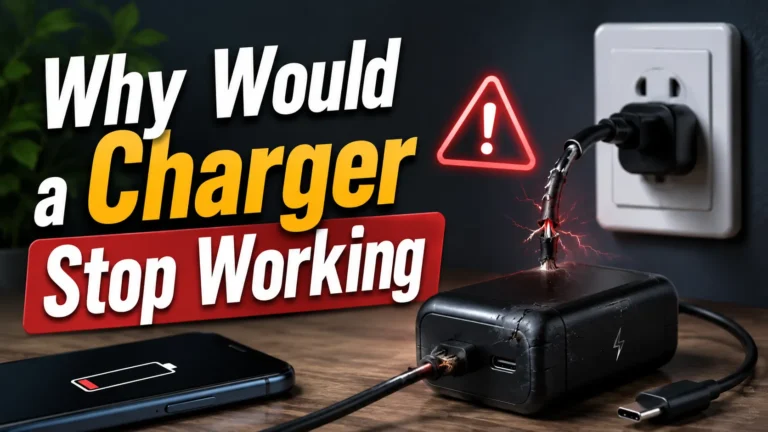
Cheap chargers without safety protection can overheat, fail, or even become a fire hazard.
Warning
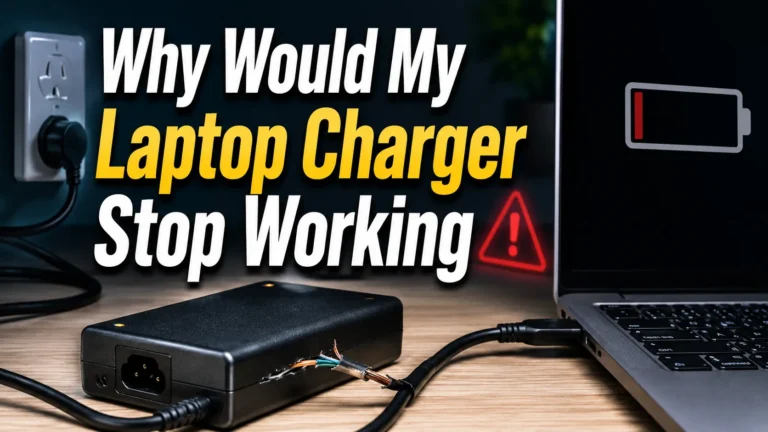
Never leave damaged chargers plugged in. Cracked adapters, bent USB-C cables, and exposed wires can become dangerous.
I especially recommend unplugging chargers during:
- Thunderstorms
- Long vacations
- High heat conditions
- Power surges
- When children or pets are nearby
Does Leaving a Charger Plugged In Make It Hot?
Yes, some chargers stay slightly warm even when not charging a device.
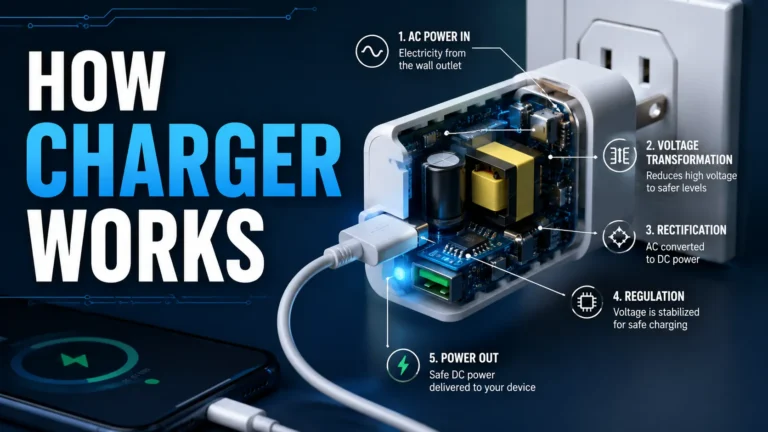
This happens because electricity still flows through internal components.
High-wattage laptop chargers and fast chargers often produce more heat than small phone chargers.
Signs Your Charger Is Too Hot
- Very hot plastic body
- Burning smell
- Buzzing sound
- Discoloration
- Loose charging port
Are USB-C and GaN Chargers Safer?
In my testing, modern USB-C and GaN chargers are usually much safer and more efficient than old charging adapters.
GaN chargers waste less energy and often stay cooler.
| Charger Type | Heat Level | Efficiency |
|---|---|---|
| Old Standard Charger | Higher | Lower |
| USB-C PD Charger | Medium | Good |
| GaN Charger | Lower | Excellent |
You can learn more about USB Power Delivery at the USB-IF official website.
Best Charging Habits for Safety
1
Use Certified Chargers
Buy chargers from trusted brands with safety certifications.
2
Unplug When Possible
Disconnect chargers when you leave home or finish charging.
3
Avoid Heat
Do not place chargers under pillows, blankets, or direct sunlight.
4
Check Cables Regularly
Replace damaged USB-C and Lightning cables immediately.
Should Laptop Chargers Be Unplugged Too?
Yes. Laptop chargers use more power than phone chargers.
Large laptop power adapters can stay warm for hours if left plugged in continuously.
I unplug gaming laptop chargers and high-wattage USB-C adapters whenever I am done using them.
Helpful Tip
Using a surge protector can help protect laptop chargers from power spikes and electrical damage.
Pros and Cons of Unplugging Chargers
Pros
- Improves safety
- Reduces heat
- Saves electricity
- Protects charger lifespan
- Reduces fire risk
Cons
- Less convenient
- Easy to forget
- May wear outlets over time
Recommended Charger Features
USB-C GaN Fast Charger20W–65W
Common Mistakes People Make
- Using fake chargers
- Leaving chargers under pillows
- Using damaged cables
- Ignoring overheating
- Using wrong wattage adapters
FAQ
Should chargers be unplugged when not in use?
Yes. Unplugging chargers improves safety and slightly reduces electricity use.
Do chargers use electricity when idle?
Most modern chargers use a very small amount of standby power.
Can a charger cause a fire?
Cheap or damaged chargers can become dangerous, especially if they overheat.
Are USB-C chargers safer?
Certified USB-C chargers with USB Power Delivery are usually safer and more efficient.
Should laptop chargers stay plugged in?
It is better to unplug laptop chargers when not using them for long periods.
Do fast chargers overheat?
Fast chargers can become warm, but certified chargers should not become dangerously hot.
Final Thoughts
So, should chargers be unplugged when not in use? In most cases, yes.
Modern chargers are much safer than older adapters, but unplugging them still helps reduce heat, lowers energy waste, and improves safety.
I always recommend using certified USB-C chargers, quality cables, and safe charging habits to protect your devices and battery health.
Quick Recap
- Chargers can still use standby power
- Unplugging improves safety
- Cheap chargers are riskier
- GaN chargers are more efficient
- Heat is the biggest warning sign
Key Takeaway
Leaving modern chargers plugged in is usually safe, but unplugging them when not in use is still the smartest and safest habit.