Robot Vacuum Lifespan How Long Do They Last
Most robot vacuums last about 4 to 7 years, but that range depends heavily on battery health, maintenance, spare-part support, and how hard the robot has to work in your home. If you want one that stays useful longer, focus less on marketing claims and more on replaceable parts, dock quality, app support, and whether the brand still sells batteries, brushes, and filters after purchase.
- Typical lifespan: Most robot vacuums stay useful for 4 to 7 years.
- First major wear point: Battery capacity usually drops before the main robot body fails.
- Best buying factor: Replaceable batteries, brushes, filters, and dock parts matter more than flashy specs.
- Biggest lifespan risks: Heat, clogged rollers, dirty sensors, and charging problems shorten service life.
- Best value move: Replace the battery or consumables first if the robot still navigates and docks well.
Robot Vacuum Lifespan at a Glance: Most Last 4 to 7 Years
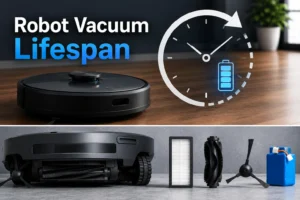
When people ask about robot vacuum lifespan, they usually mean one thing: how long until it is no longer worth keeping. In practice, that answer is different for each part. The robot body may keep moving for years, while the battery, side brushes, filters, rollers, dock cable, or charging contacts may need attention much sooner.
What “lifespan” really means for the robot, battery, brushes, filters, and dock
A robot vacuum is not a single wear item. It is a system made of durable parts and consumable parts. The shell, wheel assembly, and many internal electronics can last several years if the unit is kept clean and charged correctly. Consumables such as filters, side brushes, main rollers, and sometimes mop pads on combo models are expected to wear out regularly and should be replaced on schedule.
The battery is often the first major component to feel “old.” Even if the robot still powers on, reduced runtime can lead to incomplete cleaning, more frequent charging, and greater strain on the dock. Charging accessories also matter. A weak power adapter, dirty charging contacts, or a failing dock can make a healthy robot seem worn out when the real issue is charging reliability.
Why some units fail in 2 to 3 years while better-maintained models keep going longer
Early failures usually come from a mix of heavy use, skipped maintenance, and poor parts support. A robot that runs daily in a pet-heavy home, hits thick rugs, tangles on cords, and never gets its brushroll cleaned will wear faster than one used for light daily upkeep on hard floors. Lower-cost models may also become difficult to keep alive if batteries or brush assemblies disappear from the market after a short time.
By contrast, better-maintained models often last longer because the owner replaces basic wear parts, keeps sensors clean, and avoids unnecessary battery stress. Long life is not only about build quality. It is also about whether the robot can still be serviced with ordinary parts after the first year or two.
How a Robot Vacuum Works and Which Parts Wear Out First
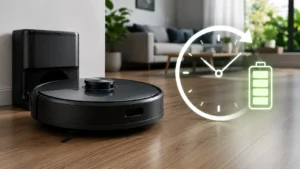
Understanding how the machine works makes it much easier to predict lifespan. Robot vacuums combine movement, suction, sensing, and charging into one compact appliance, so several systems age at different speeds.
Drive motors, suction motor, sensors, wheels, side brushes, and charging dock basics
Most robot vacuums use separate drive motors to move the wheels and another motor for suction. The wheel system deals with bumps, thresholds, hair, dust, and repeated turning, which means tires, wheel wells, and drive mechanisms can wear over time. The suction motor also ages, especially if airflow is restricted by clogged filters or overfilled bins.
Side brushes and main rollers are among the fastest-wearing parts because they constantly contact floors, hair, and debris. Sensors are another common trouble spot. Cliff sensors, wall sensors, and mapping sensors may not fail outright, but dust buildup can reduce navigation accuracy. The dock is simpler than the robot itself, yet it still matters because charging contact wear, cable strain, and adapter issues can shorten usable life.
Battery chemistry, charging cycles, rated wattage, and why heat shortens service life
Most modern robot vacuums use rechargeable lithium-based batteries. These batteries age through charge cycles, time, and heat exposure. A robot that runs long sessions at maximum suction every day will generally lose runtime faster than one used in shorter, lighter cycles.
Heat is especially important. Warm rooms, blocked vents, dirty filters, and charging in poorly ventilated corners can all raise internal temperatures. Over time, that can reduce battery capacity and stress nearby electronics. It is also smart to verify the dock and adapter match the manufacturer’s rated power requirements. Using the wrong replacement adapter or a low-quality substitute can cause charging instability or excess heat.
App control, Wi-Fi connectivity, mapping hardware, and software support limits in 2026
In 2026, software support is part of lifespan too. Many robot vacuums depend on a phone app for scheduling, maps, room labels, no-go zones, and firmware updates. If the app loses support for your phone OS, the cloud service changes, or the brand stops pushing updates, the robot may still clean but lose convenience features.
Connectivity can also age poorly. Some models work only on certain Wi-Fi bands or need older setup methods that can become frustrating with newer routers. Mapping hardware such as cameras, lidar, or structured-light sensors can remain functional for years, but the long-term experience depends on firmware support and whether the app remains stable. Before buying, check the official app store listing, router requirements, and support pages rather than assuming every smart feature will stay equally polished forever.
Who a Robot Vacuum Fits Best and When It May Not Be the Right Choice
Robot vacuums are best viewed as routine floor-maintenance tools, not perfect replacements for every type of vacuum. Lifespan satisfaction often depends on whether the product matches the home.
Best fit for pet owners, busy households, apartments, and daily light-cleaning routines
A robot vacuum makes the most sense for homes that collect daily dust, crumbs, and pet hair. Busy families, apartment dwellers, and pet owners often get the best value because frequent light cleaning keeps floors under control without needing a full manual vacuum every day. If pet hair is your main concern, it also helps to compare robot ownership with the needs covered in guides about which cordless vacuum is best for pet hair, since many homes benefit from both tools rather than only one.
Limits in high-pile carpet, cluttered rooms, large thresholds, and messy edge cases
Robot vacuums are less ideal in homes with high-pile carpet, frequent floor clutter, thick cables, toy-strewn rooms, or tall thresholds between rooms. These conditions increase motor strain, tangles, navigation errors, and repeated rescue events. They can also shorten lifespan by forcing the robot to work harder than intended.
Messy edge cases matter too. Fine powder, damp debris, liquid spills, fireplace ash, and outdoor dirt are not safe cleanup jobs for many robot vacuums. If your cleaning needs regularly include heavier debris or more demanding floor recovery, a stick or upright cordless model may be the better primary tool, such as the broader use cases discussed in this commercial cordless vacuum guide.
Dimensions, dock placement, clearance needs, and storage space to check before buying
Before buying, check more than room size. Measure under-bed and under-sofa clearance if low furniture is part of your plan. Make sure the dock can sit on a flat wall area with the manufacturer’s recommended side and front clearance. Also think about cable routing, nearby outlets, and whether the dock will sit in a cool, dry, low-traffic area.
- Check floor type, threshold height, furniture clearance, and whether cords or pet toys often stay on the floor.
- Confirm app requirements, Wi-Fi compatibility, battery availability, filter and brush pricing, and warranty terms.
What Determines Robot Vacuum Lifespan Before You Buy
The best time to protect lifespan is before checkout. A few buying decisions have a bigger impact than most shoppers realize.
Battery capacity, replacement availability, and charger or dock quality
Battery size affects runtime, but replacement availability affects long-term value. A robot with average runtime and easy battery replacement can outlast a more powerful model that becomes impossible to service. Check whether the brand sells official replacement batteries, how the battery is identified by model number, and whether the dock or adapter can be purchased separately.
Dock quality matters because the charging system is used constantly. Look for a stable dock design, clear contact alignment, and official replacement power accessories. If you have dealt with battery wear in other floor-care devices, the same long-term logic applies here as in this replaceable battery cordless vacuum guide.
Build quality, spare parts support, consumables cost, and warranty details to verify
A longer-lived robot is usually one from a brand that still sells filters, brushes, rollers, wheels, and docks after the initial launch period. Consumables should be easy to identify and reasonably available. Warranty terms are also worth reading closely. Coverage periods, battery exclusions, and regional service options vary by manufacturer.
If a model looks inexpensive up front but uses hard-to-find accessories, the total ownership cost may be worse than a better-supported alternative. Official manuals and warranty documents are more useful than retailer bullet points here.
Noise levels, bin size, water tank design for combo models, and maintenance access
Noise does not directly determine lifespan, but it affects how often the robot gets used and whether owners stick to routine cleaning. Bin size matters because a small bin in a pet-heavy home will overfill quickly, increasing clogs and reducing airflow. Combo models add another variable: water tank design. Tanks, seals, and moisture pathways need regular cleaning, and poor maintenance can create odor or residue issues that shorten practical life.
Maintenance access is underrated. If the brushroll, wheels, filter compartment, and charging contacts are easy to reach, owners are more likely to keep the robot in good shape.
App requirements, connectivity standards, firmware updates, and long-term brand support
Smart features can be a value boost or a future headache. Some models require account creation, location permissions, or cloud-dependent app features. Others offer more local control. Review the app listing, privacy policy, update history, and support documentation before buying. In 2026, long-term software support is a real ownership factor, especially for mapping-heavy robots that rely on app stability to deliver their best features.
Real-World Benefits of a Longer-Lasting Robot Vacuum
A robot vacuum that stays reliable for years saves more than money. It also saves routine effort and reduces the annoyance of replacing a still-useful appliance too soon.
Lower cleaning effort, steadier performance, and better value over total cost of ownership
When a robot keeps dependable runtime and navigation, it becomes part of the home routine instead of a gadget that needs constant troubleshooting. That means less manual sweeping between deep cleans, fewer missed rooms, and more consistent floor care. Total cost of ownership improves when the robot lasts long enough to justify its dock, accessories, and replacement filters.
How routine upkeep protects suction, navigation accuracy, battery runtime, and charging reliability
Regular upkeep has an outsized effect on lifespan because it protects multiple systems at once. A clean filter helps airflow and motor load. Untangled rollers reduce strain on the brush drive. Wiped sensors improve navigation. Clean charging contacts reduce failed dock connections that can mimic battery problems.
Why replaceable brushes, filters, batteries, and cables matter more than headline suction specs
Headline suction figures are easy to market, but long-term ownership usually comes down to serviceability. A robot with moderate suction and strong parts support can stay useful longer than a more powerful model that becomes difficult to maintain. The same principle appears across rechargeable cleaning gear, including battery-focused ownership topics like this guide to cordless vacuum cleaner batteries.
Common Reasons Robot Vacuums Wear Out Early
Most early wear is preventable. Knowing the common failure patterns helps you avoid them.
Skipped maintenance, clogged rollers, dirty sensors, and overfilled dustbins
Hair-wrapped rollers, blocked air channels, and overloaded bins force the robot to work harder. Dirty cliff sensors and bumper edges can also create navigation problems that look like software issues but are really just maintenance problems. Over time, this extra strain can affect motors, battery runtime, and cleaning consistency.
Battery stress from constant max-power runs, deep discharge, poor ventilation, and excess heat
Running max suction on every cycle is not always necessary, especially on hard floors with light debris. Repeatedly draining the battery very low, charging in hot spaces, or blocking airflow around the dock can shorten battery life faster than expected. Heat is one of the most common silent lifespan killers in rechargeable appliances.
Dock issues, damaged charging contacts, low-quality power adapters or cables, and power surges
Charging problems are often misdiagnosed as robot failure. Dusty contacts, bent dock placement, adapter wear, and cable damage can all interrupt charging. Third-party adapters that do not match the rated output can also create unstable behavior. If your area is prone to electrical instability, surge protection may be worth considering based on the manufacturer’s guidance and your home setup.
Using the robot beyond safe limits around liquids, cords, thick rugs, or outdoor debris
Robot vacuums are indoor floor tools, not all-purpose cleanup machines. Water exposure, wet spills, stringy cords, thick shag rugs, and outdoor grit can all lead to jams or damage. Combo models are not immune either; their mopping systems still require careful use around electronics, rugs, and floor types the manufacturer excludes.
Safe Use, Charging, and Maintenance Tips That Extend Lifespan
Good habits do more for lifespan than most buyers expect. A simple maintenance routine can add years of useful service.
Setup basics: dock location, app pairing, Wi-Fi requirements, and first-charge expectations
Place the dock on a level surface with the recommended clearance around it, close to a stable outlet and away from direct heat sources. Complete app pairing using the official app, confirm the correct Wi-Fi band if the robot requires one, and allow the first full charge process described in the manual before judging runtime.
How often to clean brushes, filters, wheels, sensors, and charging contacts
Cleaning frequency depends on pets, carpet, and how often the robot runs. In many homes, brushes and the main roller need at least weekly checks, while filters, wheels, sensors, and charging contacts should be inspected regularly and cleaned before buildup becomes heavy. Homes with long hair or multiple pets may need more frequent attention.
Inspecting rated wattage, adapter condition, cable quality, connector heat, and battery swelling signs
Use the official adapter or a manufacturer-approved replacement with the correct ratings. Periodically inspect the cable for cuts, crushed sections, or loose strain relief. Feel for unusual heat at the connector or dock after charging. If you notice battery swelling, warped housing, or persistent overheating, stop use and follow official support guidance.
Storage guidance for seasonal use, vacation homes, and long gaps between cleaning cycles
If the robot will sit unused for a long period, store it indoors in a dry, moderate-temperature space and follow the manufacturer’s battery storage recommendations. Some brands suggest charging to a certain level and topping up periodically rather than leaving the battery deeply discharged for months. Seasonal homes are a common place where avoidable battery decline happens.
When to replace consumables, batteries, docks, or the full robot vacuum
Replace filters, brushes, and rollers when wear is visible or cleaning performance drops. Consider a battery replacement when runtime has fallen enough to interrupt normal cleaning but the rest of the robot still works well. Replace the dock or adapter if charging is unreliable and the robot itself checks out. Buying a new robot makes more sense when multiple major systems are failing, official parts are no longer available, or app support has effectively ended.
- Run lower suction on light daily cleans when your floors do not need maximum power.
- Trim hair and thread off the roller before tangles become tight enough to stress the motor.
- Keep the dock in a cool, open area instead of a cramped, dusty corner.
- Check official parts availability before buying a robot, not after something wears out.
Robot Vacuum Lifespan by Price Tier: Budget vs Mid-Range vs Premium Value in 2026
Price tier does not guarantee longevity, but it often shapes repairability, software support, and parts access.
Expected durability, repairability, smart features, and replacement-part support by tier
Budget models can be a good fit for small apartments and simple hard-floor cleaning, but they are more likely to cut costs in navigation hardware, battery size, dock quality, and long-term parts support. Mid-range models often offer the best balance because they add better mapping, more reliable docks, and easier access to common replacement parts without the highest upfront cost. Premium robots may provide stronger navigation, smarter app controls, and broader accessory ecosystems, but they still need maintenance and can be expensive to repair if proprietary parts are involved.
Practical trade-offs between upfront price, runtime, mapping quality, and long-term ownership cost
A cheaper robot may save money now but cost more over time if it misses rooms, needs frequent intervention, or becomes unserviceable after the battery fades. A mid-range option often makes sense for buyers who want dependable daily cleaning and a reasonable chance of finding batteries, brushes, and docks later. Premium models are easiest to justify in larger homes or layouts where advanced mapping genuinely reduces frustration and wear from repeated navigation mistakes.
Final recommendation: when to repair, when to replace the battery, and when buying new makes more sense
If your robot still navigates well, docks normally, and only suffers from reduced runtime, replacing the battery is often the most cost-effective move. If cleaning quality is poor but the battery is fine, start with fresh filters, brushes, and a full cleaning before assuming the robot is done. Buy new when the battery is weak, the dock is unreliable, sensors are failing, and official parts or software support are no longer easy to get.
For most homes, a robot vacuum is a 4-to-7-year appliance when the battery, brushes, filters, and dock are maintained properly. The smartest buy is usually the model with solid parts support, easy maintenance access, and reliable charging hardware, even if it is not the one with the flashiest suction claim.
Frequently Asked Questions
Most robot vacuums last around 4 to 7 years. The actual result depends on battery health, maintenance, floor type, and whether replacement parts stay available.
The battery is often the first major part to lose performance because runtime drops over time. Brushes, filters, rollers, and charging contacts also need regular care and replacement.
Yes, a battery replacement can make sense if the robot still maps, docks, and cleans normally. It is usually worth doing when official or approved replacement batteries are still sold.
Not a lot, but they do need consistent upkeep. Emptying the bin, removing hair from rollers, wiping sensors, and checking the dock contacts can prevent many common problems.
Often yes, especially for daily pet hair and dust control on hard floors and low-pile rugs. Homes with heavy shedding may still need a full-size cordless or upright vacuum for deeper weekly cleaning.
Check battery replacement availability, official charger or dock support, consumables cost, app requirements, Wi-Fi compatibility, and warranty terms. Those details usually matter more over time than headline suction claims.