Eufy Robot Vacuum Red Light Causes and Easy Fixes
An Eufy Robot Vacuum Red Light usually points to charging trouble, a battery fault, a blockage, or a sensor error. Begin with safe cleaning, dock alignment, outlet, adapter, and app checks. Consider replacing the robot only when the red light returns after correct troubleshooting or several aging-related problems appear together.
Many red-light errors are caused by dirty charging contacts, poor dock alignment, hair-wrapped rollers, blocked wheels, or a temporary software fault.
A premium replacement option for readers whose current RoboVac has recurring battery, dock, navigation, and parts-availability problems.
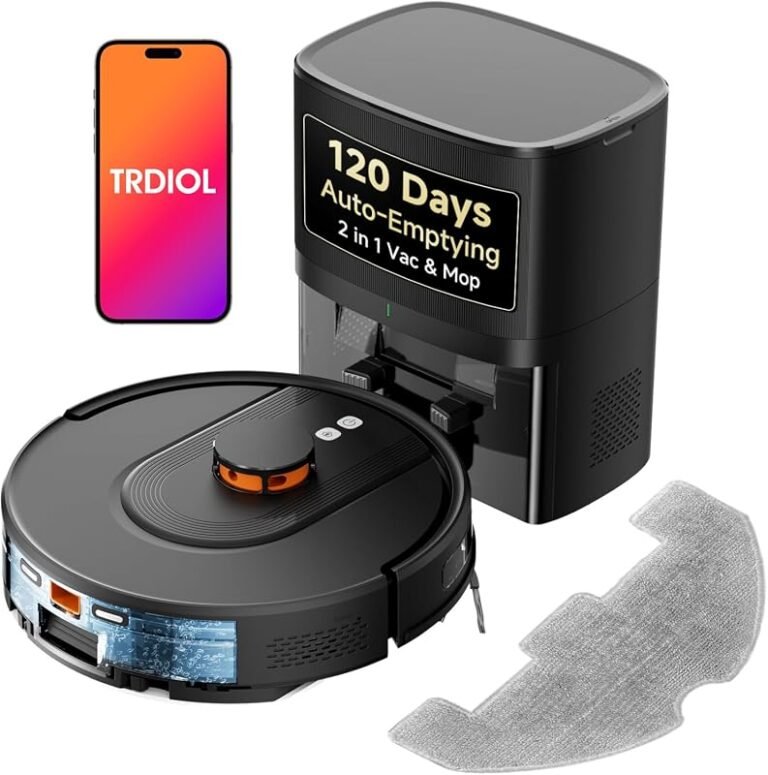
A replacement choice for users who want to move beyond basic vacuuming and add a combined vacuum-and-mop workflow.
A red status light normally means the robot has entered an error state. The problem may involve charging, battery health, dock alignment, a jammed brush or wheel, blocked airflow, a dirty sensor, or a navigation fault. The exact meaning varies by model, light pattern, beeps, firmware, and app message.
Start with the safe basics: stop if there is heat or battery swelling, clean the charging contacts, place the dock on a flat hard surface, remove hair and debris, confirm the adapter specifications, and check the Eufy app or voice prompt before resetting the robot.
A red light is generally a fault signal rather than a normal charging indicator. However, a solid red light and a flashing red light may represent different problems on different Eufy RoboVac families.
| What you see | Likely direction | First action |
|---|---|---|
| Solid red light | General error, low battery, stuck robot, or charging failure | Check the app or voice message and inspect the dock |
| Flashing red light | Active wheel, brush, sensor, bumper, or charging error | Listen for beeps or voice prompts and clean the indicated area |
| Red light only on the dock | Contact, alignment, adapter, outlet, or battery issue | Clean contacts and confirm stable dock power |
| Starts, spins, then turns red | Navigation, bumper, wheel, cliff sensor, or lidar problem | Clean sensors and remove physical obstructions |
| Red after a short runtime | Battery wear, blocked airflow, or motor resistance | Clean the robot and compare runtime after a full charge |
Entry-level RoboVac models may rely mainly on a status LED and beeps. Wi-Fi-connected models can add app alerts. Newer navigation-focused models may also provide voice prompts, mapped error information, or more specific sensor and docking messages.
Always compare the light pattern and error wording with the manual or official support information for the exact model number. A light code from one RoboVac family may not mean the same thing on another.
Charging contacts, dock alignment, and adapter problems
Dirty contacts, a tilted dock, an unstable outlet, a loose barrel connector, or the wrong replacement adapter can prevent reliable charging. A dock placed on thick carpet or squeezed between furniture may also stop the robot from aligning correctly.
Hair-wrapped brushes, stuck wheels, and blocked airflow
Hair can wrap around the main brush, side brushes, caster wheel, and drive-wheel axles. A packed filter, full dustbin, blocked intake, or incorrectly seated bin may also trigger an error or overload protection.
Dirty sensors, a jammed bumper, or navigation faults
Dirty cliff sensors can falsely detect a drop. A sticky bumper may fail its startup check. On lidar-equipped models, dust or an obstruction around the navigation hardware can interrupt localization and cause the robot to stop.
- Power down and inspect for danger signs. Stop if you see swelling, melting, corrosion, sparking, or unusual heat.
- Unplug the dock. Inspect the power adapter, cable, connector, and dock input for damage.
- Clean the charging contacts. Wipe the robot and dock contacts with a soft dry cloth and let any moisture dry completely.
- Reposition the dock. Use a flat hard surface with open space for a straight approach.
- Remove the main brush and side brushes. Cut away hair carefully and clear the roller ends and bearings.
- Inspect the wheels and bumper. Remove debris and confirm each component moves freely.
- Empty the dustbin and clear the air path. Clean or replace the filter according to the model instructions.
- Clean the sensors. Wipe cliff sensors and accessible navigation windows with a soft cloth.
- Check the app, voice prompt, and firmware. Record the exact error before resetting.
- Reset only as directed. Use the model-specific reset procedure rather than guessing at button combinations.
Compare the current adapter with the original label or exact model specification. Voltage, amperage, polarity, wattage, connector size, and fit matter. A plug that physically fits can still be electrically wrong.
| Item to verify | What to confirm | Warning sign |
|---|---|---|
| Voltage | Must match the exact model requirement | Wrong output can stop charging or cause heat |
| Amperage and wattage | Must meet the manufacturer’s requirement | Weak adapter, slow charge, or repeated faults |
| Connector and fit | Secure and model-compatible | Wobble, intermittent charging, or heat |
| Battery condition | Normal shape, temperature, and runtime | Swelling, distortion, rapid shutdown, or no charge |
Wi-Fi or app trouble may not create the physical fault, but it can hide useful diagnostics. If the router, network name, password, or 2.4 GHz setup changed, reconnect the robot so app alerts and firmware updates remain available.
- Place the dock on a stable, level, hard surface when possible.
- Leave enough open space for a straight approach.
- Remove nearby clutter, deep rugs, or reflective obstacles that interfere with docking.
- Use the official app and a compatible 2.4 GHz network when the model requires it.
- Recheck pairing after a router change, outage, or factory reset.
- Empty the dustbin
- Clean filters as directed
- Remove hair from rollers and wheels
- Wipe charging contacts and sensors
- Inspect the cable and adapter
- Install firmware updates through the official app
- Using an unverified replacement charger
- Storing the robot with a fully depleted battery
- Ignoring heat, odor, or swelling
- Docking on an unstable rug
- Letting hair build up around wheel axles
- Opening sealed electronic sections
A simple cleaning, contact, dock, adapter, or battery problem is usually worth fixing. Replacement becomes more reasonable when the robot is older, several problems appear together, compatible parts are difficult to find, or the current model no longer provides the navigation, floor coverage, and maintenance features your home needs.

A premium replacement option for readers whose current RoboVac has recurring battery, dock, navigation, and parts-availability problems.
Check eufy Omni Price on Amazon →
ASIN: B0DR89FBBJ · Affiliate tag: atik7670f0-20
Large homes, mixed floors, pet hair, and frequent maintenance demands can justify moving to a more capable system. A smaller home with lighter debris may not need the most expensive replacement.

A replacement choice for users who want to move beyond basic vacuuming and add a combined vacuum-and-mop workflow.
Check Vacuum-and-Mop Combo Price →
ASIN: B0DR8BMGM9 · Affiliate tag: atik7670f0-20
| Your situation | Best next step | Why |
|---|---|---|
| Dirty contacts, hair jam, or poor dock alignment | Repair and clean | The fix is low-cost and commonly successful |
| Battery is old but the robot works well otherwise | Verify a compatible battery replacement | A single-part repair may extend useful life |
| Repeated charging, navigation, and parts problems | Consider replacement | Multiple repairs may not provide good value |
| Want a premium eufy upgrade | Consider eufy Omni Robot Vacuum | Premium replacement option from the supplied products |
| Want both vacuuming and mopping | Consider eufy Robot Vacuum and Mop Combo | Targets a combined floor-cleaning workflow |
Why is my Eufy robot vacuum showing a red light while charging?
A red light while charging commonly points to dirty charging contacts, poor dock alignment, a weak or incompatible adapter, or a battery that is not accepting charge correctly.
Can I use any charger with a Eufy RoboVac if the plug fits?
No. The voltage, amperage, polarity, wattage, connector, and model compatibility must be correct. A plug that physically fits can still be electrically unsuitable.
How can I tell whether the battery or dock is failing?
If the dock has stable power but the robot has very short runtime or never reaches a full charge, the battery becomes more likely. If the dock has intermittent power or the adapter becomes unusually hot, inspect the dock and adapter first.
Can a wheel, brush, or sensor problem cause a red light?
Yes. Hair-wrapped rollers, stuck wheels, a jammed bumper, dirty cliff sensors, blocked suction, and obstructed navigation hardware can all trigger an error state.
When should I stop using the robot immediately?
Stop using it when you notice swelling, a burning smell, melted plastic, corrosion, sparking, a frayed cable, or unusual heat from the robot, dock, battery, or adapter.
Is it better to repair or replace a Eufy robot vacuum with a red light?
Repair usually makes sense when the problem is limited to cleaning, alignment, a battery, a dock, or an adapter. Replacement becomes more reasonable when several faults appear, parts are difficult to source, or the older robot no longer fits the home’s cleaning needs.
Which replacement option is better for a larger or mixed-floor home?
The premium eufy Omni option is positioned for buyers seeking a higher-end replacement, while the eufy Robot Vacuum and Mop Combo is the more direct choice for users who specifically want both vacuuming and mopping.
Do not replace a robot for one dirty contact. Consider a new system when several expensive or recurring problems appear together.