Do Wireless Chargers Work on All Phones Find Out Now
Do Wireless Chargers Work on All Phones?
No. A phone needs built-in Qi or Qi2 charging—or a compatible receiver—to charge wirelessly. Check the exact model before buying a pad, stand, or multi-device station.
Best buying advice: Confirm your exact phone model supports Qi or Qi2. Choose the Anker Prime for a premium Apple travel setup, or the ZENS Quattro when several compatible phones need one organized charging hub.
Anker Prime 3-in-1
A foldable 25W Qi2.2 station for compatible iPhone, Apple Watch, and AirPods setups.
Check Price on AmazonZENS Quattro Pro 4
Four magnetic Qi2 charging positions for a shared family or office charging area.
Check Price on AmazonCheck Your Phone First
Look for Qi, Qi2, or wireless charging in the official specifications before spending money.
Check CompatibilityWireless chargers do not work on all phones. Your phone must support wireless charging natively or through a compatible accessory, and the charger must match the right standard.
Wireless chargers do not work on all phones. They only work on phones that support wireless charging natively or with a compatible case or adapter. The phone, charger, case, cable, and power adapter must also work together correctly.
- Compatibility first: Check your exact phone model for Qi or Qi2 support before buying.
- Accessories can help: Some phones without built-in support can use a receiver or special case.
- Speed varies: Wattage, adapter quality, case thickness, and heat affect real performance.
- Alignment matters: Magnetic chargers and stands are easier to place correctly than flat pads.
Do Wireless Chargers Work on All Phones? The Short Answer
The short answer is no: a wireless charger only works if your phone has the right charging hardware and the charger follows a compatible standard. If your phone does not support wireless charging built in, you may still be able to add it with a case or receiver, but results vary by model.
For shoppers comparing charging gear more broadly, our guide on whether wall chargers work with all devices can help you separate universal charging myths from real compatibility limits.
How Wireless Charging Works and Why Compatibility Matters
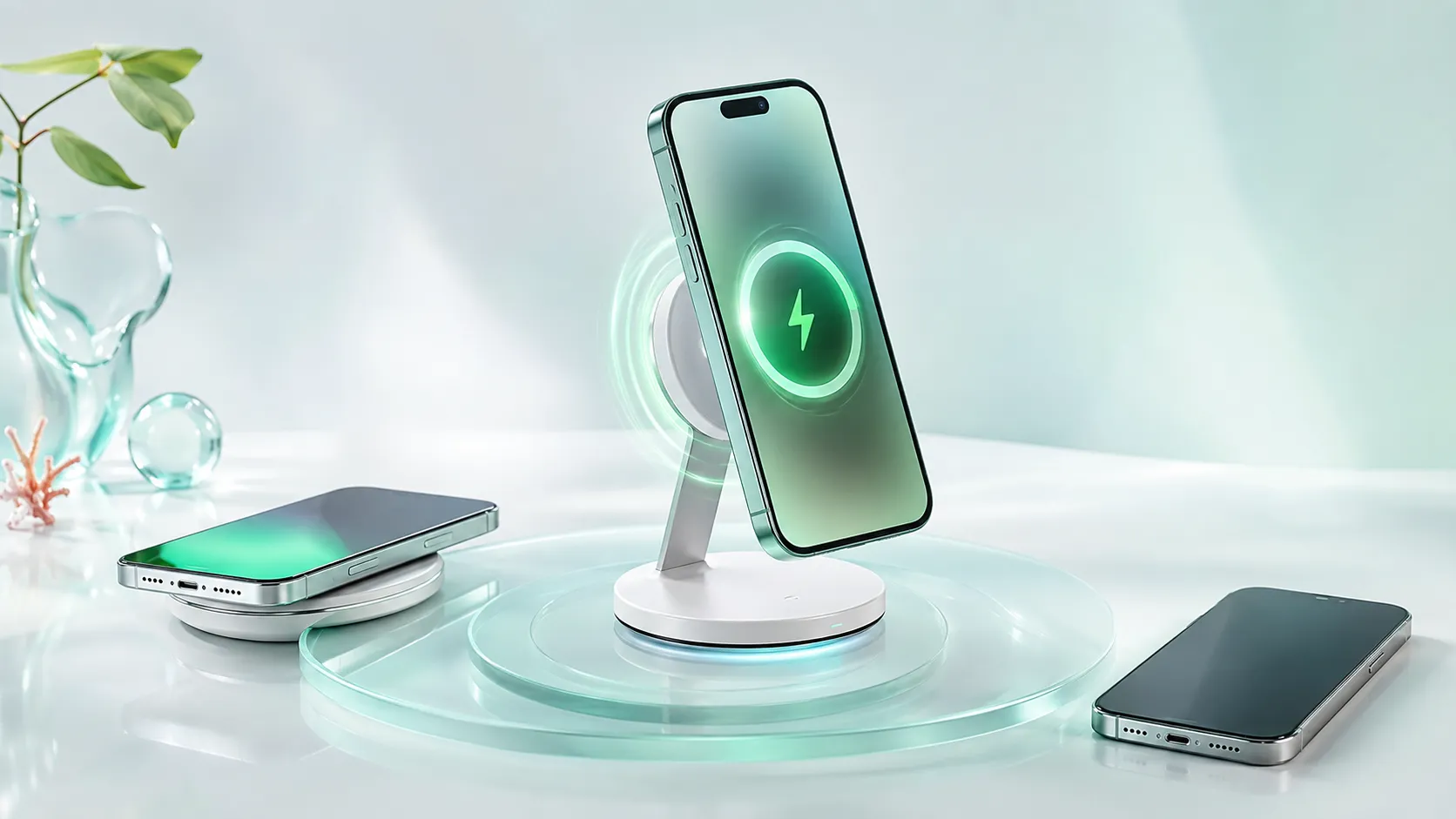
Wireless charging uses electromagnetic induction. In plain English, the charger creates a magnetic field, and the phone converts that energy into battery power through a coil inside the device.
That means the phone has to include a receiving coil and supporting electronics. If those parts are missing, a wireless pad will not charge the phone no matter how expensive the charger is.
Qi and Qi2 Standards in 2026
Most wireless chargers are built around the Qi standard, which remains the main compatibility baseline for many phones and accessories. Qi2 adds improved magnetic alignment for supported devices and accessories, which can make placement easier and more consistent.
Compatibility still depends on the phone, not just the charger. A Qi2 charger may work with many Qi phones, but the magnetic benefits and fastest supported speeds usually require a phone and accessory that both support the same features.
Wireless charging behavior can differ by phone model, software version, case thickness, and accessory certification. Always confirm the exact compatibility list in the manufacturer’s specs or manual.
What Your Phone Needs to Support Wireless Charging
At minimum, your phone needs a built-in wireless charging coil or an approved add-on receiver. It also needs firmware and power-management support so the phone can negotiate charging safely with the pad.
Some phones support basic wireless charging but not magnetic alignment or the highest speeds. Others support wireless charging only on certain models within a lineup, so the model number matters more than the brand name alone.
Which Phones Are Compatible and Which Ones Are Not
Many modern iPhones, many Android flagships, and some foldables support wireless charging out of the box. Budget phones often skip it to save cost, and older models may predate the feature entirely.
If you are checking a specific iPhone model, it helps to verify the exact device page rather than assume all recent phones behave the same. For example, model-specific compatibility articles such as does the iPhone 11 have wireless charging can be more useful than a broad brand assumption.
Built-In Wireless Charging on iPhone, Android, and Foldables
Many premium iPhones support wireless charging, but the exact speed and magnetic behavior depend on the generation and accessory used. On Android, support is common in higher-end lines from many manufacturers, but it is not guaranteed across every series.
Foldables can be especially variable. Some support wireless charging, some support reverse wireless charging, and some omit it because of internal layout constraints. Always check the official product page for the exact foldable model.
Phones That Need a Wireless Charging Case or Adapter
Phones without built-in wireless charging can sometimes use a wireless charging receiver, case, or adapter that plugs into the charging port. These add-ons can work, but they usually charge more slowly and may make the phone thicker or less convenient to use.
They also depend on the port type and case fit. If the accessory blocks your cable port, interferes with your case, or is not designed for your exact phone model, charging may be unreliable.
If your phone charges by cable but not wirelessly, check the manual for “Qi,” “Qi2,” or “wireless charging” support before buying an accessory. A receiver is a workaround, not a guarantee.
How to Choose the Right Wireless Charger for Your Phone
The right charger is not just about brand or shape. You want the right standard, the right wattage range, a reliable power adapter, and a layout that keeps the phone aligned during everyday use.
Rated Wattage, Charging Speed, and Real-World Expectations
Wireless charger wattage tells you the maximum output the pad can provide under ideal conditions, but the phone decides how much power it actually accepts. Real-world speed depends on the phone model, case thickness, heat, cable quality, and the power adapter feeding the charger.
Fast wireless charging is often slower than wired charging, especially once the battery gets warmer or approaches higher charge levels. If you want a deeper look at charger behavior across device types, see our guide to whether multi-port chargers work with all devices.
Cable Quality, Power Adapter Requirements, and Build Quality
Many wireless pads do not include a wall adapter, and some need a higher-wattage USB-C power brick to reach their advertised performance. If the adapter is underpowered, the charger may still work but charge more slowly or behave inconsistently.
The cable matters too. A damaged, loose, or low-quality cable can interrupt the power delivery to the pad, which then affects the phone. Build quality also matters for heat management, because cheap enclosures may not disperse warmth as well.
Stop using any charger, cable, or adapter that runs hot, smells unusual, flickers, or shows frayed insulation. Follow the manufacturer’s guidance and replace damaged parts instead of trying to “push through” charging problems.
Magnetic Alignment, Stand vs Pad, and Portability
Magnetic chargers and stands are easier to place correctly because the phone snaps into a better charging position. Flat pads are often more portable and simpler, but they can be more sensitive to misalignment.
Choose a stand if you want to check notifications, use a desk clock, or keep the screen visible while charging. Choose a pad if you want something low-profile for a nightstand, travel bag, or shared workspace.
Benefits, Trade-Offs, and Limitations of Wireless Charging
Wireless charging is popular because it is easy to use, but it is not always the fastest or most efficient option. The best choice depends on how you use your phone during the day.
Convenience, Desk Use, and Reduced Port Wear
The biggest benefit is convenience. You can set the phone down and pick it up repeatedly without plugging and unplugging a cable, which is especially useful for desks, bedside tables, kitchens, and shared family spaces.
Wireless charging can also reduce wear on the charging port over time because the port is used less often. That does not make the phone immune to damage, but it can help if you charge frequently.
Heat, Slower Speeds, and Case Thickness Limits
Wireless charging usually creates more heat than wired charging, and heat can reduce charging speed or make the phone stop and start charging. Thick cases, metal plates, pop grips, cards, or magnetic accessories can also interfere with the connection.
In practice, that means wireless charging works best with slim, non-metal cases and a stable placement surface. If your phone gets warm quickly, the charger may still be working correctly, but the phone may throttle power to protect the battery.
Some phones can charge wirelessly through a case, but the maximum case thickness and material limits vary by model and charger design.
Common Mistakes That Prevent Wireless Charging from Working
When wireless charging fails, the problem is often not the charger itself. The most common issues are case interference, poor alignment, weak power input, or a phone that simply does not support the feature.
Case Interference, Misalignment, and Foreign Objects
Thick cases, metal rings, credit cards, pop sockets, and magnetic accessories can block the coil from connecting properly. Even a phone that supports wireless charging may fail to charge if it is sitting slightly off-center on a pad.
Foreign objects like keys, coins, or earbuds near the charging area can also interfere with charging and create heat. Keep the pad clear and place the phone flat or centered on the magnetic target area.
Using Underpowered Adapters or Damaged Cables
Some wireless chargers need a specific USB-C power adapter to work as intended. If the adapter is too weak, the pad may light up but not deliver a stable charge to the phone.
Damaged cables can cause the same issue. If charging seems to cut in and out, try a manufacturer-recommended adapter and cable before assuming the phone is incompatible.
- Check your exact phone model for built-in wireless charging or approved accessory support
- Confirm the charger’s standard, wattage, and adapter requirements
- Use a slim, non-metal case and remove cards or attachments before charging
- Inspect the cable, pad, and power brick for heat damage or wear
Safe Use, Maintenance, and When to Replace Your Charger
Wireless chargers are simple to use, but they still deserve routine checks. A little maintenance can improve reliability and help you avoid heat-related problems or accessory failures.
Heat Management and Safe Charging Habits
Keep chargers on a hard, ventilated surface rather than under pillows, blankets, or paperwork. Heat builds up more easily when airflow is blocked, and extra heat is not good for the charger or the phone battery.
If your phone becomes unusually hot, remove it and let everything cool down. Follow the phone maker’s charging guidance, especially if the device warns about temperature or accessory issues.
Cleaning the Pad, Inspecting the Cable, and Storage Tips
Dust and debris can reduce alignment quality and make the pad less stable. Wipe the surface gently with a dry or slightly damp cloth, and make sure the charger is unplugged before cleaning.
Inspect the cable ends for looseness, fraying, or bent connectors. When storing a charger, coil the cable loosely and avoid sharp bends that can stress the wiring over time.
Signs It Is Time to Replace the Charger
Replace the charger if it overheats, disconnects often, stops aligning properly, or shows visible damage. If the phone charges only at very low speed after you have ruled out case and adapter issues, the pad or cable may be wearing out.
Also check the manufacturer’s warranty terms and any current safety notices before continuing to use an aging charger. If the charger is part of a recalled product line, stop using it and follow the recall instructions.
Stop using damaged electronics, swollen batteries, frayed cables, overheating chargers, or unstable accessories and follow the manufacturer’s guidance.
Final Verdict: Who Should Buy a Wireless Charger in 2026?
A wireless charger is a smart buy if your phone supports it and you value convenience more than maximum speed. It is especially useful for desks, bedside charging, and everyday top-ups where easy placement matters.
If your phone lacks built-in wireless support, you will need to verify whether a compatible receiver or case is available before buying. For some users, a wired charger is still the better choice because it is faster, simpler, and less sensitive to alignment and case thickness.
Wireless chargers do not work on all phones, but they work well for phones with the right hardware and a compatible charging standard. Check your exact model, confirm the charger’s wattage and adapter requirements, and choose wireless only if the convenience fits your daily routine.
Compare Our Two Premium Wireless Charger Picks
Choose based on the devices you actually need to charge—not the highest advertised wattage alone.
| Feature | Anker Prime 3-in-1 | ZENS Quattro Pro 4 |
|---|---|---|
| Best for | Apple ecosystem and travel | Families, couples, and offices |
| Charging positions | Phone, Apple Watch, earbuds | Four Qi2 magnetic positions |
| Listed phone output | Up to 25W on supported devices | Up to 15W per supported position |
| Main advantage | Compact foldable all-in-one setup | High-capacity shared charging hub |
Frequently Asked Questions
No. A phone needs built-in wireless charging support or a compatible receiver or case, and the charger must match the right standard.
Check the official product specs, manual, or support page for your exact model. Look for Qi, Qi2, or wireless charging support.
Slow charging can happen because of a weak adapter, thick case, poor alignment, heat, or a charger that does not match the phone’s fastest supported speed.
Sometimes. A wireless charging receiver or case may add support, but compatibility and performance vary by phone model and accessory design.
No. Magnetic alignment features usually work best with phones and accessories designed for that system, while other phones may only charge normally or may need a case.
Replace it if it overheats, disconnects often, shows damage, or no longer aligns properly. Also stop using it if the manufacturer issues a recall or safety notice.