Bissell Stick Vacuum Battery Guide for Longer Runtime
A Bissell stick vacuum battery is worth replacing when runtime has clearly dropped and the vacuum still fits your needs. Always verify the exact model, voltage, connector style, and charger requirements before buying a new pack.
If your cordless Bissell feels weaker or dies too quickly, the battery is usually the first thing to check. A healthy bissell stick vacuum battery matters more than a high suction spec on paper because runtime, charge behavior, and pack condition determine how much cleaning you can actually finish.
- Runtime first: Battery health affects real cleaning time more than a strong suction claim.
- Match the model: Verify the exact Bissell model number, voltage, and connector before purchasing.
- Watch for failure signs: Short runtime, slow charging, and sudden shutoff usually point to battery wear.
- Charge safely: Use the recommended charger, avoid heat, and stop using damaged packs.
- Replace or upgrade wisely: A new battery is best when the vacuum still works well overall; otherwise, consider.
Bissell Stick Vacuum Battery: What It Does and How It Affects Runtime
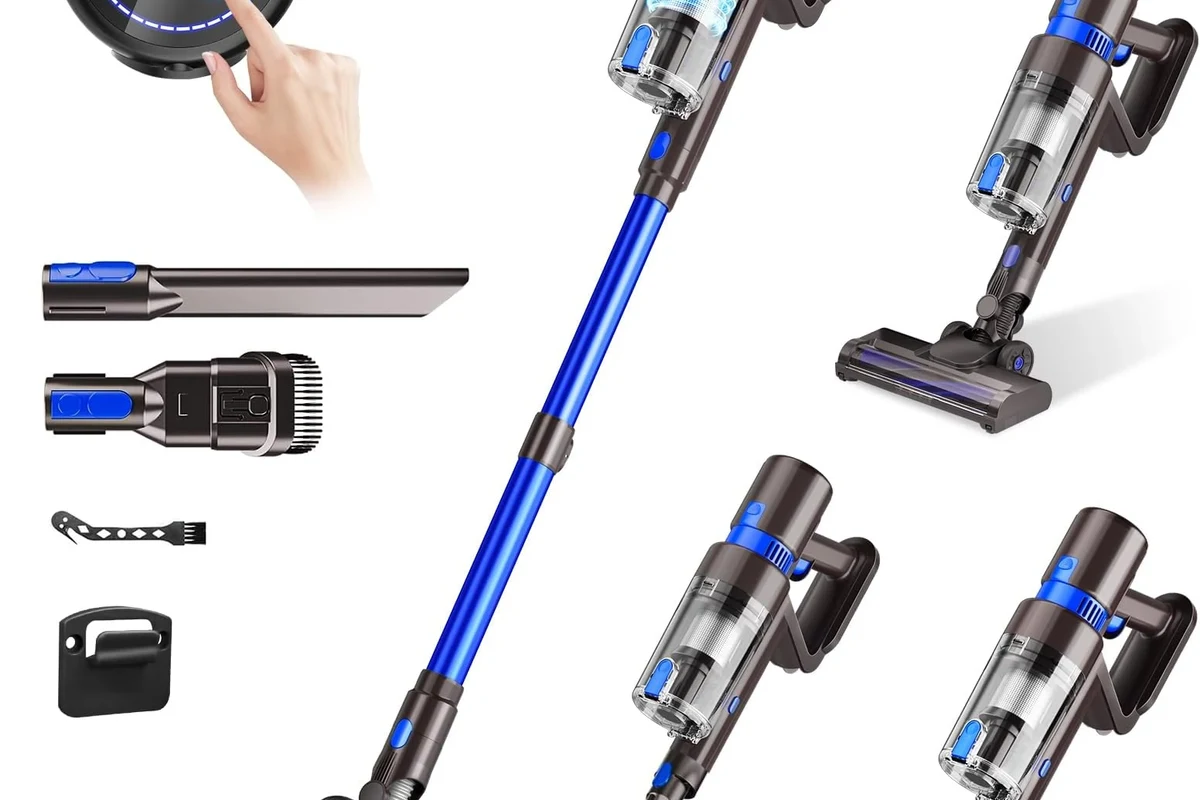
The battery powers the motor, brush roll, and any boost mode your stick vacuum offers. In real homes, runtime is shaped less by the headline battery number and more by how efficiently the vacuum uses that power, how full the bin and filter are, and whether you clean on standard or max settings.
Why battery health matters more than raw suction in cordless cleaning
Many cordless vacuums can feel strong for the first few minutes and then taper off as the battery drains or warms up. That is why a well-matched, healthy battery often matters more than chasing the strongest boost mode.
As the pack ages, it may hold less charge, deliver power less consistently, or shut down earlier under load. If you want a broader look at how cordless battery design affects upkeep, our cordless vacuum replaceable battery guide explains why removable packs are often easier to live with over time.
Quick answer: when to replace, recharge, or upgrade your battery
Recharge first if runtime suddenly dropped after a long cleaning session, a dirty filter, or an incomplete charge. Replace the battery if the vacuum now runs much shorter than it used to, takes unusually long to charge, or powers off early even after basic maintenance.
Upgrade only when the replacement pack is clearly compatible with your exact Bissell model and the original vacuum still fits your needs. If the machine is discontinued or the battery is built in and hard to service, a new vacuum may be the more practical choice.
How Bissell Stick Vacuum Batteries Work in 2026 Models
Most modern Bissell stick vacuums use rechargeable lithium-ion packs, though exact design varies by model. The battery usually sits in or near the handle or body, and some models use removable packs while others make replacement more difficult.
Battery type, voltage, and what runtime numbers usually mean
Voltage helps describe how the vacuum is powered, but it does not tell the whole runtime story. Two batteries with similar voltage can perform differently depending on capacity, internal cell quality, and how the vacuum manages power.
Manufacturer runtime claims are usually based on ideal conditions, often on the lowest power setting and with a fully charged battery. Real-world runtime can be shorter if you use high suction, clean carpets, run the brush roll continuously, or deal with pet hair and debris that create extra drag.
How charging cycles and power settings change performance
Every rechargeable battery has a limited number of charge cycles before capacity gradually declines. Frequent deep drains, heat, and long-term storage at a low charge can all reduce useful life.
Power settings matter too. Standard mode usually gives the best runtime, while boost or max mode can drain the battery much faster. If your vacuum has multiple modes, the battery may seem “bad” when the real issue is simply that the highest setting is not meant for full-room cleaning.
Which Bissell Stick Vacuum Owners Need a Battery Upgrade Most
Not every owner needs a higher-capacity battery. The best upgrade candidates are people who use their stick vacuum often, value convenience, and want to avoid buying a whole new machine for a single worn-out pack.
Best fit for apartments, pet homes, and quick daily cleanups
Apartment dwellers and people doing fast daily cleanups often benefit most from a reliable battery because the vacuum is used frequently but in shorter bursts. Pet homes can also see a meaningful difference, since fur and litter can push a battery harder than light dust.
If your routine is mostly quick pickups, stairs, or spot cleaning, a fresh battery can restore the convenience that made a cordless vacuum appealing in the first place. For households focused on pet hair, it also helps to compare battery life with airflow and brush roll performance, not just the battery label alone. Our cordless vacuum for pet hair guide can help frame those trade-offs.
When a replacement battery makes more sense than a new vacuum
A replacement battery makes the most sense when the vacuum body, brush head, and filter system still work well and the battery is the main weak point. That is usually the case if the machine is otherwise reliable, the parts are still available, and the cost of a pack is reasonable compared with a full replacement.
Buying a new vacuum may be smarter if the battery is sealed, the charger is no longer supported, the machine has recurring faults, or the vacuum’s overall cleaning performance no longer matches your home. A battery swap should solve the problem, not delay a bigger repair decision indefinitely.
Key Specs to Check Before Buying a Replacement Bissell Stick Vacuum Battery
Compatibility matters more than marketing language. Before buying any replacement, confirm the exact model number from the vacuum label, the manual, or Bissell’s official support information.
- Check the exact Bissell model number and battery style
- Confirm voltage, connector shape, and charger requirements
- Review warranty terms, safety guidance, and return policy
Compatibility, voltage match, connector style, and model number verification
The safest choice is a battery listed for your exact vacuum model or a clearly stated compatible series. Voltage should match the original specification unless the manufacturer explicitly says otherwise, and the connector style must fit correctly without forcing it.
Model numbers can look similar across product families, so do not rely on appearance alone. If the battery or vacuum manual lists a part number, use that as your primary reference and double-check it against the retailer listing before ordering.
Runtime expectations, charge time, and safety certifications to confirm
Runtime claims are useful only as a rough comparison. Look for the battery’s stated capacity, the manufacturer’s expected charge time, and any safety markings or certifications the seller provides, then verify those details through official documentation when possible.
If certification language is vague, incomplete, or missing, treat that as a reason to slow down and verify before buying. A replacement battery should be clearly identified, properly documented, and suitable for the vacuum’s charging system.
Charger wattage, cable quality, and heat management during charging
Use the charger that Bissell recommends for your model. Even when a plug fits, the wrong adapter or cable can create charging issues or extra heat.
Charging in a cool, open area is better than placing the vacuum near soft furnishings or direct sunlight. If the battery, charger, or cord feels unusually hot, stop and inspect it before continuing.
Real-World Runtime Benefits and Trade-Offs
A fresh battery can make a stick vacuum feel noticeably more useful, but the improvement depends on how the rest of the machine is holding up. Runtime gains are most valuable when they let you finish a room, a floor, or a quick whole-home cleanup without stopping to recharge.
What longer battery life improves in everyday cleaning
Longer battery life reduces interruptions and helps you clean in a single pass. That matters for stairs, cars, kitchens, and homes where small sessions add up throughout the day.
It also makes cordless cleaning feel less stressful. Instead of planning around a dying battery, you can use the vacuum when you notice messes and put it away after a normal charge cycle.
Common limitations: fading capacity, reduced suction on boost mode, and aging cells
Even a new replacement battery will not make an old vacuum perform like a brand-new premium model. Aging motors, clogged filters, worn brush rolls, and weak seals can still limit suction.
Boost mode is especially demanding, so runtime often drops sharply when you use it. That does not always mean the battery is faulty; it may simply be doing the extra work the highest setting requires.
Evidence limits: why published specs may differ from home use
Published battery and runtime figures are usually measured under controlled conditions that do not match every home. Carpet thickness, pet hair, debris type, room size, and cleaning habits all change how long the vacuum lasts in practice.
That is why it helps to treat spec sheets as a starting point, not a promise. If you want a general comparison point for battery-driven cleaning gear, the battery behavior discussed in our cordless vacuum cleaner battery overview shows how much usage patterns can change the outcome.
How to Use, Charge, and Store a Bissell Stick Vacuum Battery Safely
Safe battery care is mostly about temperature, charging habits, and avoiding damage. Follow the manual for your exact model first, especially if the battery is removable or the charger is model-specific.
Stop using any battery that is swollen, cracked, leaking, unusually hot, or causing the vacuum to shut down unpredictably. Do not charge damaged packs, and keep batteries away from water, open flames, and unattended high-heat areas.
First-charge setup and normal charging habits
Some batteries arrive partially charged, so the first charge should follow the manufacturer’s instructions rather than a universal rule. After that, normal top-up charging is usually better than waiting for the battery to fully drain every time.
Keeping the battery within its intended charge range can help preserve long-term capacity. If your model uses a dock or wall charger, make sure the vacuum is seated correctly so the contacts align without strain.
Safe use limits: overheating, damaged packs, and leaving batteries plugged in too long
Heat is one of the biggest enemies of battery life. If the pack becomes hot during use or charging, give it time to cool and check for blocked airflow, dirty filters, or a charger problem.
Leaving a battery plugged in far beyond the normal charge window is not ideal unless the manufacturer specifically allows it. When in doubt, use the official manual and support resources rather than assuming all lithium-ion batteries behave the same way.
Storage tips for seasonal or infrequent use
If you only use the vacuum occasionally, store the battery in a cool, dry place away from direct sun and moisture. Avoid putting it in a fully empty state for long periods, since very low charge can make recovery harder later.
For long breaks, check the manual for the recommended storage charge level and recharge interval. This is especially helpful for guest rooms, vacation homes, and backup cleaning tools that sit unused for weeks at a time.
Maintenance and Troubleshooting for Better Battery Life
Battery problems are often a mix of power, airflow, and maintenance. Before assuming the pack has failed, check the parts that make the motor work harder than necessary.
Cleaning contacts, checking the filter, and reducing unnecessary load
Dirty charging contacts can prevent a full charge, and a clogged filter can make the motor draw more power than normal. Empty the bin, clean the filter according to the manual, and inspect the brush roll for wrapped hair or debris.
A lighter load helps the battery last longer. Using the right mode for the surface, clearing large debris first, and keeping the airflow path open can all improve usable runtime.
Signs the battery is failing: short runtime, slow charging, or sudden shutoff
The most common warning sign is a noticeable drop in runtime compared with normal use. Other signs include slow charging, inconsistent power, or the vacuum turning off even when the battery indicator suggests there is still charge left.
If the battery and charger both seem to be working but the vacuum still dies quickly, the pack may be near the end of its useful life. At that point, replacement is often more practical than repeated troubleshooting.
Replacement guidance: when to stop troubleshooting and buy a new pack
If cleaning the contacts, filters, and brush roll does not improve performance, and the battery still fails under normal use, replacement becomes the sensible next step. That is especially true when the pack is removable and the manufacturer still lists a compatible part.
If you are comparing replacement options for different cordless brands, our battery replacement and performance comparison for Linx cordless vacuums is a useful example of how fit, runtime, and support can shape the decision.
Final Recommendation: Is a New Bissell Stick Vacuum Battery Worth It?
For most owners, yes — if the vacuum still suits the home and the battery is the clear weak point. A compatible replacement can restore convenience, reduce charging interruptions, and extend the life of a machine that still cleans well.
Best-value choice for most users
The best-value path is usually a genuine or clearly compatible replacement battery matched to your exact Bissell model. That gives you the biggest runtime improvement with the least disruption, provided the charger and vacuum body are still in good condition.
Alternatives to consider if runtime, suction, or warranty coverage are the priority
If you need much longer runtime, stronger carpet pickup, or broader warranty support, a new vacuum may be the better long-term buy. That is especially true if your current model is aging, the battery is hard to source, or the rest of the machine is showing wear.
A replacement bissell stick vacuum battery is worth it when the vacuum still fits your routine and the old pack is the main problem. If compatibility is uncertain, the charger is aging, or the machine has other performance issues, confirm support details with Bissell before spending money.
Frequently Asked Questions
Look for much shorter runtime, slow charging, or sudden shutoff during normal cleaning. If basic maintenance does not help, the battery may be nearing the end of its life.
No, the battery must match your exact model, voltage, connector style, and charging system. Always verify compatibility with the manual or Bissell support before buying.
It can improve runtime, but it will not fix clogged filters, worn parts, or a weak motor. Performance still depends on the vacuum design and the cleaning mode you use.
Follow the official manual and use the recommended charger. Avoid heat, damaged cables, and charging a battery that is swollen, cracked, or unusually hot.
Confirm the model number, voltage, connector fit, expected runtime, charge time, and any safety markings or certifications listed by the seller. If any detail is unclear, verify it with the manufacturer first.
Consider a new vacuum if the battery is sealed, parts are discontinued, the charger is failing, or the machine no longer cleans well overall. A battery swap should solve the main problem, not hide broader wear.