

9 Best Charge Solutions for Fast Charging and Battery Health
Affiliate disclosure: As an Amazon Associate, Gadget Makers Blog may earn from qualifying purchases. This does not change the price you pay.
Devices that charge other devices—like power banks, USB chargers, and wireless pads—keep phones, tablets, and gadgets running through the day. People buy these chargers for speed, reliability, and portability. A good charger delivers power safely, works with many devices, and fits the user’s routine, whether for travel, work, or home use.
The most important things to check are charging speed (wattage and fast‑charge standards), the number and type of ports (USB‑C, USB‑A, or wireless), battery capacity for power banks, and safety features like overcurrent and temperature protection. Pick a charger that matches your device’s fast‑charge protocol, has enough ports and capacity, and includes built‑in safety protections.
This guide compares top chargers, explains key specs, and recommends picks for different needs so readers can choose the best charge solution for their devices.
9 Best Chargers
Below is a concise list of the best chargers for phones, tablets, and small electronics. It covers fast chargers, multi-port models, and portable options to help readers find a safe, reliable way to power devices, with tips from sources like the U.S. Consumer Product Safety Commission and USB-IF for charging standards and safety.
INIU 45W Pocket Charger
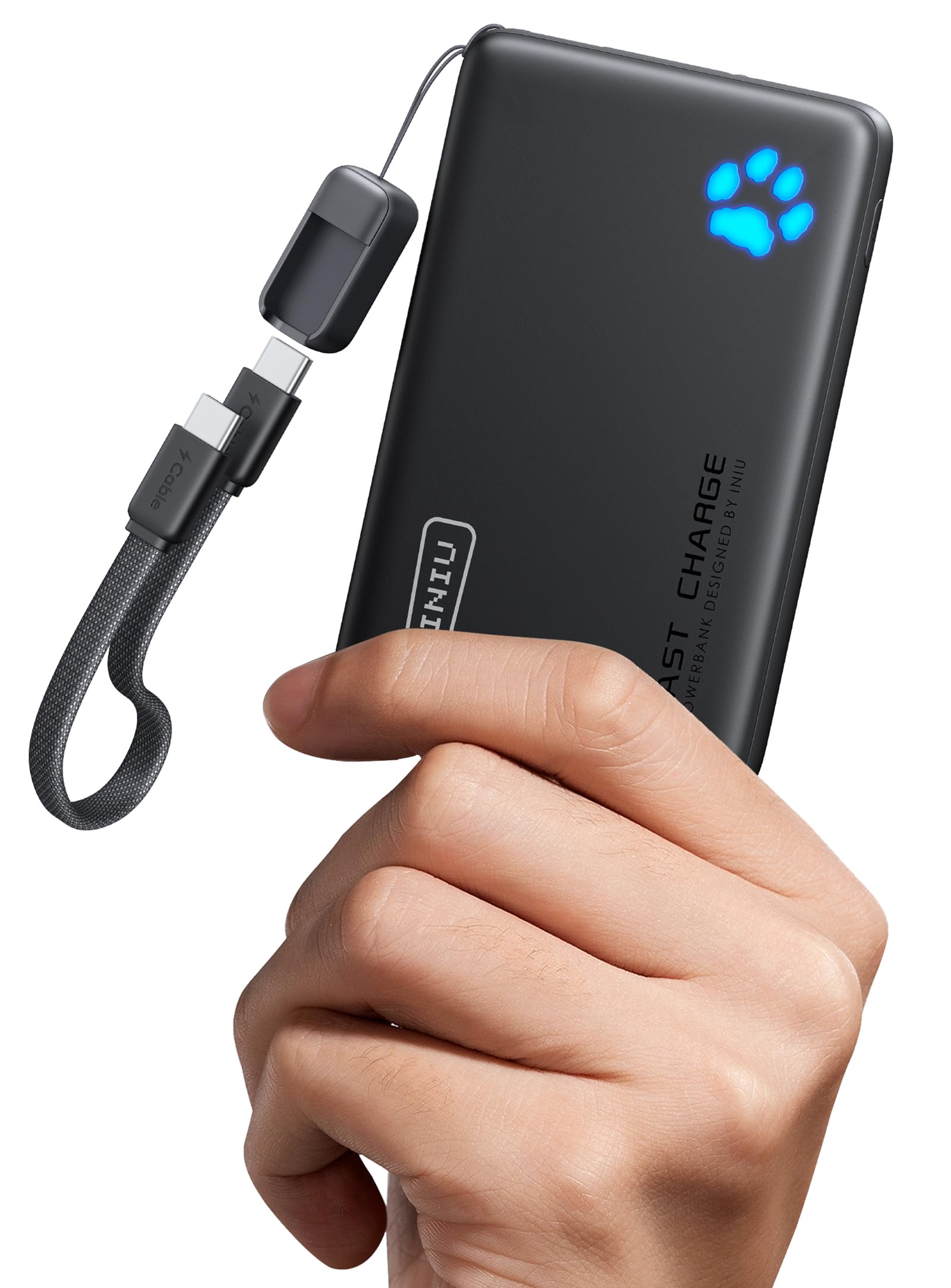
It is a compact, 45W 10,000mAh power bank that suits travelers who want fast phone charging without a heavy pack.
Pros
- Very fast charging for short top-ups.
- Small and light for its capacity.
- Detachable USB-C cable reduces risk of total failure.
Cons
- Capacity limits multiple full charges for large tablets.
- Some users may find the built-in cable short.
- Flashlight and LEDs can drain the battery if left on.
This charger targets people who need quick boosts on the go. It claims strong fast-charging numbers that help restore a phone’s battery in a short time. The small size makes it easy to slip into a pocket or small bag.
The detachable short cable is handy because it can be replaced if damaged. That design choice avoids the problem of a broken built-in cord making the whole unit useless. The three output ports add flexibility for charging more than one device at once.
It meets airline rules for 10,000mAh batteries, so it fits carry-on limits for flights. The three-year care promise provides a clear benefit if a buyer wants some warranty peace of mind. For shoppers who want a light, fast travel power bank, this is a practical option to consider.
YBYP 50000mAh Pocket Power
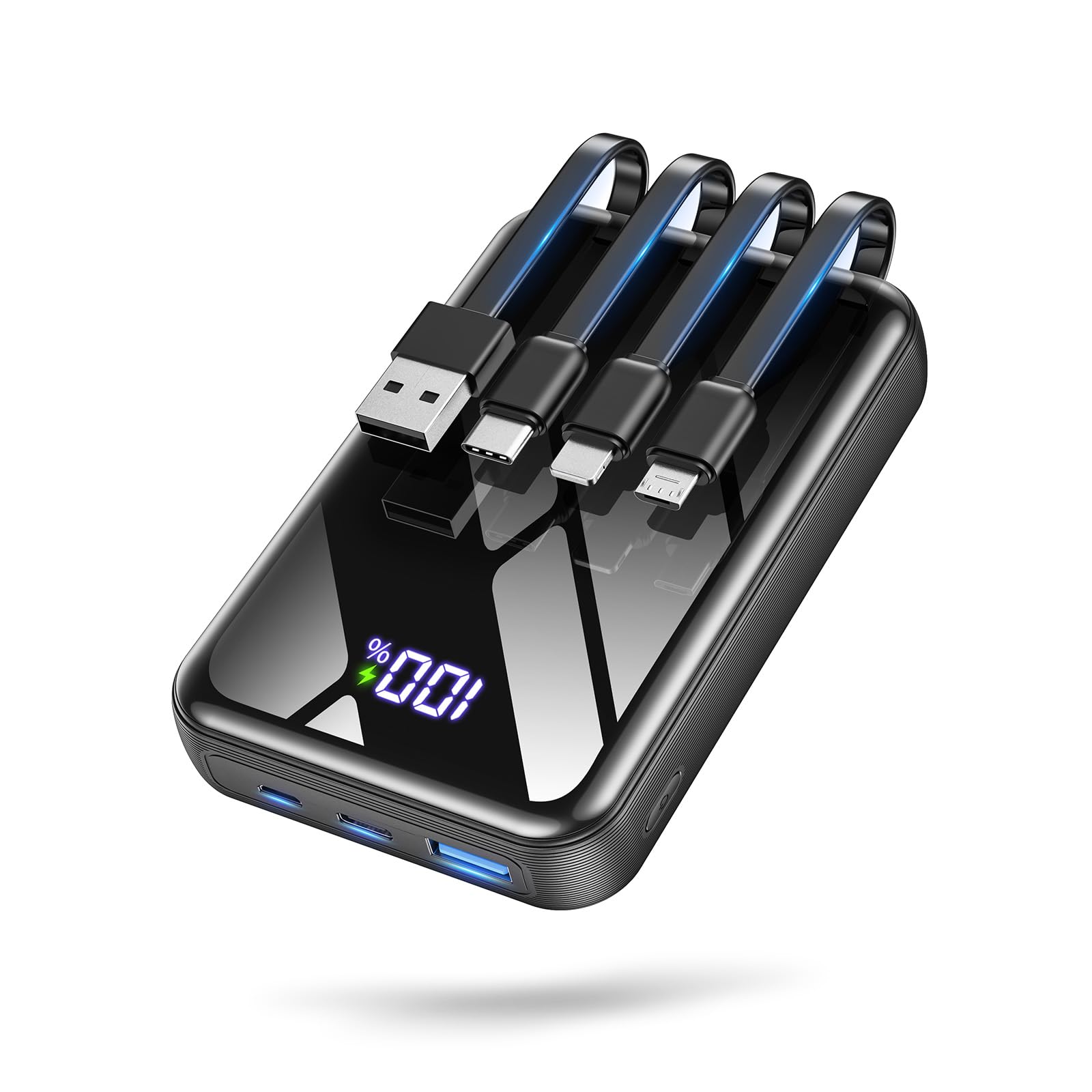
It is a strong choice for people who need many charges on the go because it packs huge capacity in a small body with fast charging and built-in cables.
Pros
- Very high capacity in a surprisingly compact size.
- Built-in cables and multiple ports reduce cable clutter.
- Fast charging and clear LED display make power management simple.
Cons
- Large total capacity still adds noticeable weight for some users.
- Full recharge of the power bank can take a while depending on input.
- Not every device will use the maximum charging speed from all ports.
This power bank offers a lot of battery without a bulky case. It aims at travelers, campers, and anyone facing long outages.
The built-in cables help when users forget cords or share power with friends. The LED percentage display avoids guesswork about remaining charge.
Fast 22.5W output tops up phones quickly for short waits, and the unit can run several devices at once. Safety features add peace of mind without extra effort.
Overall, it suits people who value long runtime and fewer cables more than absolute lightness.
Anker 20W Dual-Port Charger (2-Pack)

It’s a solid buy for someone who wants fast, compact charging for two devices at once.
Pros
- Fast 20W charging for phones and small tablets
- Two ports let users charge two devices at the same time
- Compact and easy to carry
Cons
- Not as powerful as higher-watt chargers for big tablets or laptops
- One USB-A port means mixed cable types for some devices
- Cables included may not suit every length need
This charger gives reliable 20W output and can refill most phones quickly. It fits well in a bag and won’t take much space on a power strip.
The two-port setup helps when more than one device needs power. Users who like simple gear will find it easy to use.
Safety features aim to protect devices from overvoltage and heat. Buyers wanting higher wattage for larger devices should look at stronger chargers instead.
Ridge Magnetic Power Bank (Basecamp Orange)
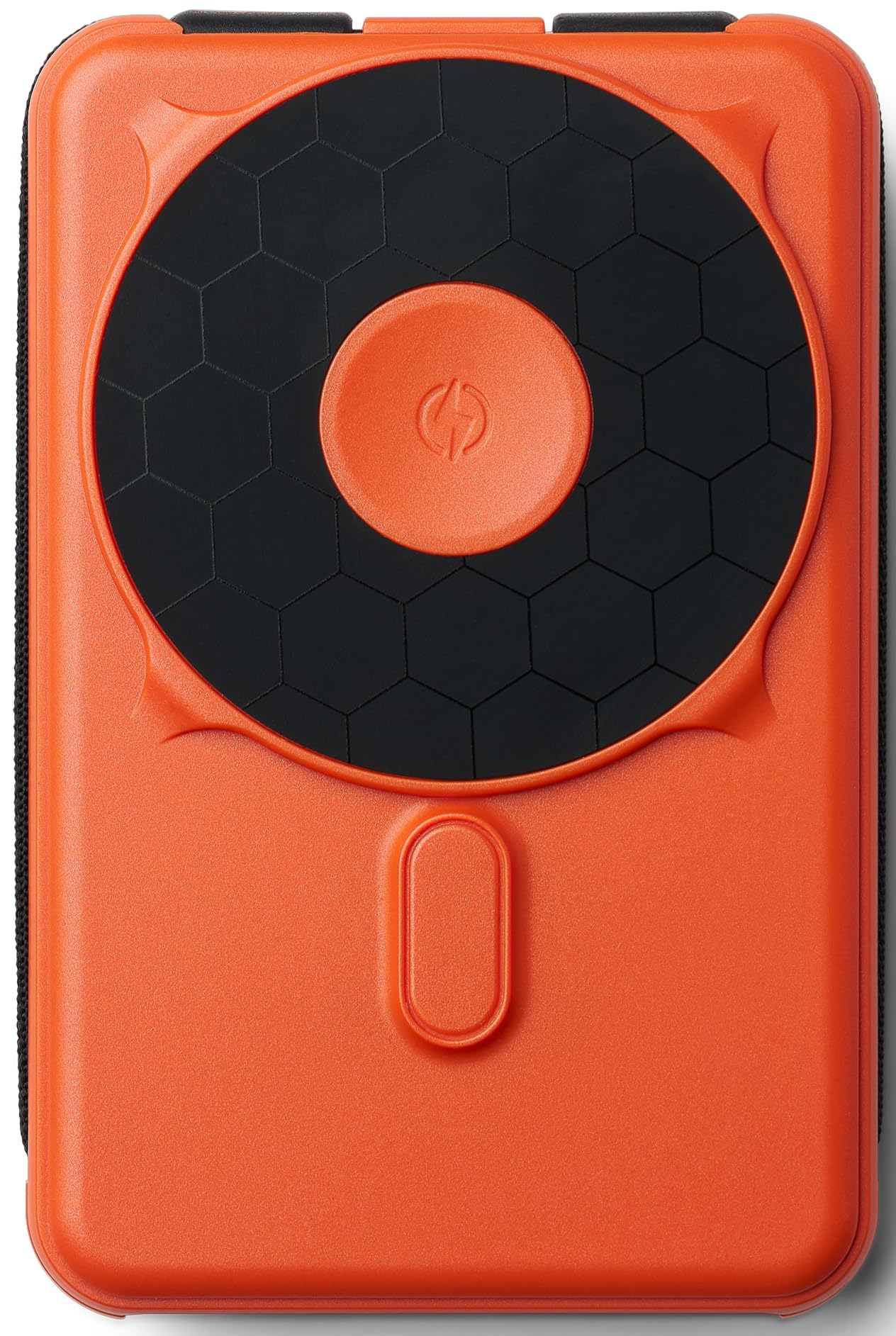
It is a solid choice for someone who wants a slim, MagSafe-ready power bank with built-in cables and wireless charging in one compact package.
Pros
- Strong magnetic attachment for easy on-the-go use
- Built-in Lightning and USB-C cables reduce the need for extra cords
- Compact 10,000mAh size that fits pockets and small bags
Cons
- Wireless charging can be slower than wired charging
- Watch charging feature may be weak or very slow
- Premium finish and price may not suit every budget
The Ridge unit aims to combine several charging options into one device. Buyers get MagSafe compatibility, wired ports, and a wireless pad so they can pick the fastest option for each device.
It stays slim and portable while packing enough capacity for multiple phone charges. The magnetic hold keeps the phone in place during use, which helps when walking or commuting.
Some users find the wireless and watch charging slower than expected, so wired charging often gives the best results. The built-in cables are convenient but limit flexibility if users need longer cords.
Overall, it works well for people who value neat design and fewer cables and who primarily need phone charging rather than fast watch charging.
Buy the Ridge Magnetic Power Bank on Amazon
Anker 10K 30W Power Bank
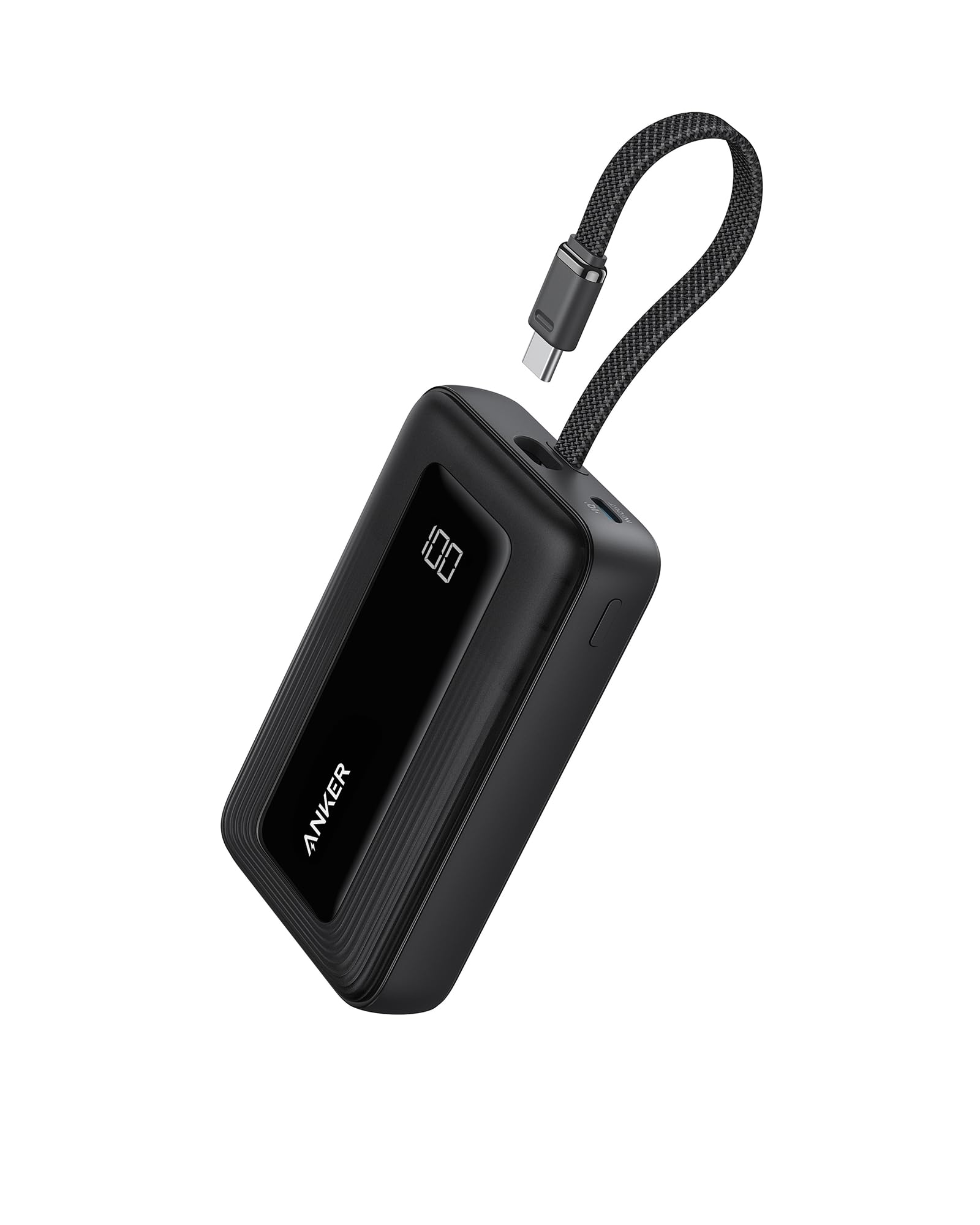
It’s a good pick for someone who wants a compact, fast charger for daily use and short trips because it balances size, speed, and reliability.
Pros
- Fast 30W charging that tops up phones quickly.
- Built-in USB-C cable so you don’t need to carry an extra cord.
- Small and light enough to fit in a pocket or small bag.
Cons
- Limited capacity for long trips compared to larger banks.
- Can feel warm during heavy use.
- Built-in cable might not suit devices using different ports.
This charger stands out for fast charging in a pocket-sized body. It can bring modern phones up quickly without adding much bulk.
Its built-in USB-C cable makes charging simple and tidy. The 10,000 mAh size gives one to two full phone charges for most modern phones, which fits daily needs.
People should expect some heat under heavy loads and fewer top-up cycles than a bigger battery pack. The built-in cable adds convenience but also limits flexibility for older devices that need Lightning or other connectors.
Overall, it suits commuters and travelers who want reliable fast charging in a small package rather than maximum capacity for multi-day trips.
Belkin BoostCharge 42W Dual Port Charger

It is a solid choice for buyers who want fast, compact charging for two devices at once.
Pros
- Charges two devices quickly with USB-C PD and USB-A ports.
- Compact design with foldable prongs for travel.
- Built from recycled plastic and backed by a 2-year warranty.
Cons
- Fast charging needs the right cable for some phones (sold separately).
- White finish may show dirt over time.
- Dual-port output can split power when both ports are used.
This charger focuses on speed and convenience. It supports USB-C Power Delivery and PPS, so compatible phones can charge faster than older 5W adapters.
It fits easily in a bag or pocket thanks to its small size and folding prongs. The recycled-plastic housing is a plus for shoppers who care about materials.
Users should pair it with the correct cable to get top charging speeds, especially for iPhones that need a USB-C to Lightning cable. The charger handles heat management and includes a warranty for peace of mind.
Belkin 20K Power Bank
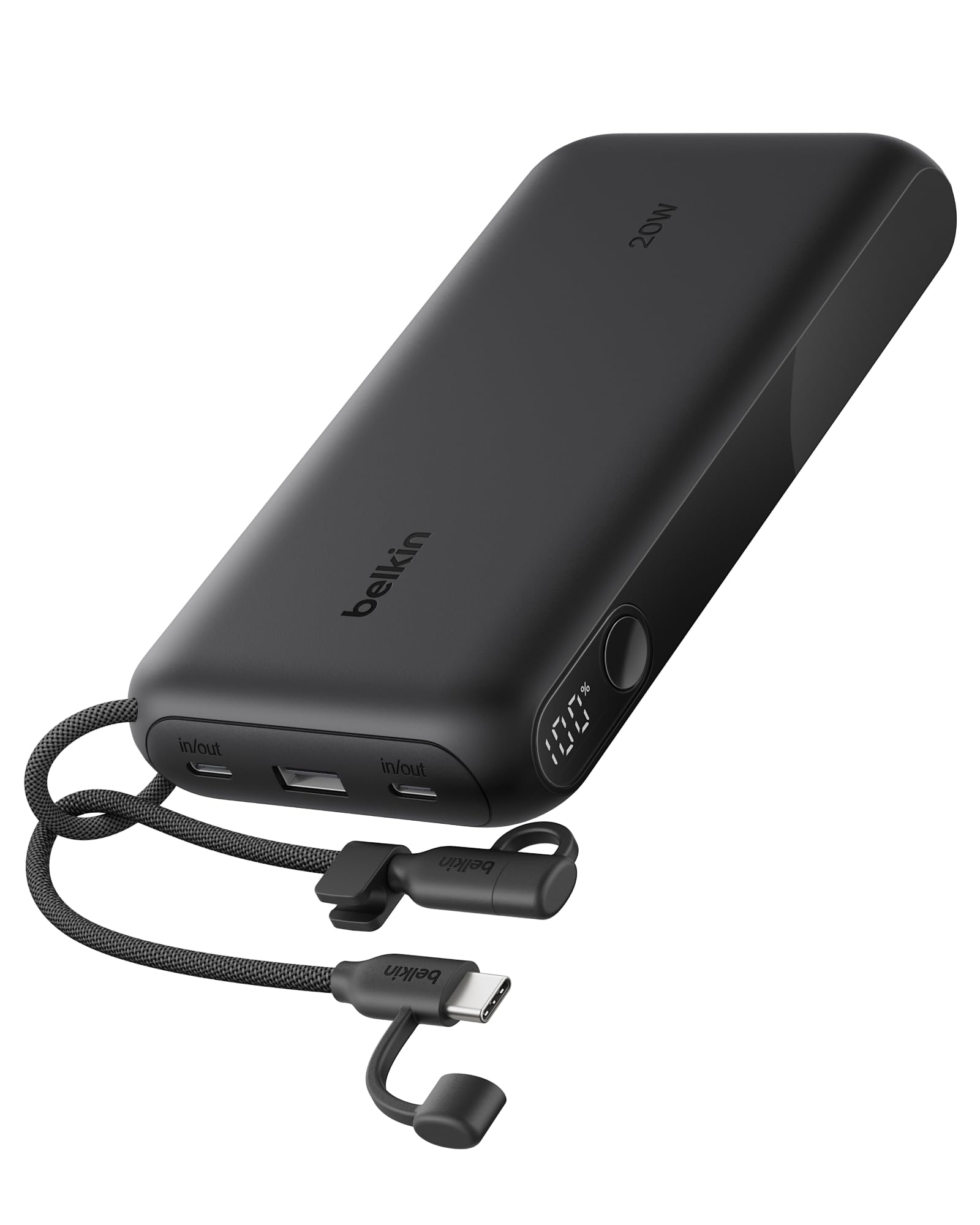
It is a solid choice for someone who needs long battery life, fast USB-C charging, and a clear battery readout.
Pros
- Long 20,000 mAh capacity for multiple charges.
- Fast single-port USB-C output up to 20W and pass-through support.
- Digital display and built-in detachable cable add convenience.
Cons
- Noticeably heavier and larger than small pocket banks.
- Can take a long time to recharge the power bank itself.
- When charging three devices, output is shared and slows down.
This power bank gives lots of extra runtime. The digital display makes it easy to see remaining charge. A built-in detachable USB-C cable reduces what you must carry.
It supports two USB-C ports plus one USB-A, so it works with many phones, tablets, and even a Nintendo Switch. It also includes a short USB-C cable and comes with a two-year coverage and a connected equipment warranty.
Some buyers will like the solid build and travel-ready design, but others may find it bulky for daily pocket carry. It charges devices quickly when using a single port, yet recharging the bank can be slow.
More details and current price on Amazon: Belkin 20K Power Bank
Anker Nano 10K

It is a solid pick for people who want fast charging in a pocketable power bank with an integrated USB-C cable.
Pros
- Built-in USB-C cable cuts down on extra cords.
- 30W two-way fast charging speeds recharge devices and the bank quickly.
- Compact and lightweight for easy daily carry.
Cons
- Built-in cable limits port flexibility for some users.
- 10,000mAh may not fully recharge larger laptops.
- No detailed temperature or overload features listed.
The integrated cable makes charging simple. It reduces cable clutter and fits in small bags or pockets, so users can grab it and go.
Fast 30W output gives quick top-ups for phones and small laptops. It also recharges the power bank itself faster than many similar models.
The recycled-plastic shell is a plus for buyers who care about materials. Warranty and customer support are included, which may ease purchase concerns.
TORRAS AirVolt 10K
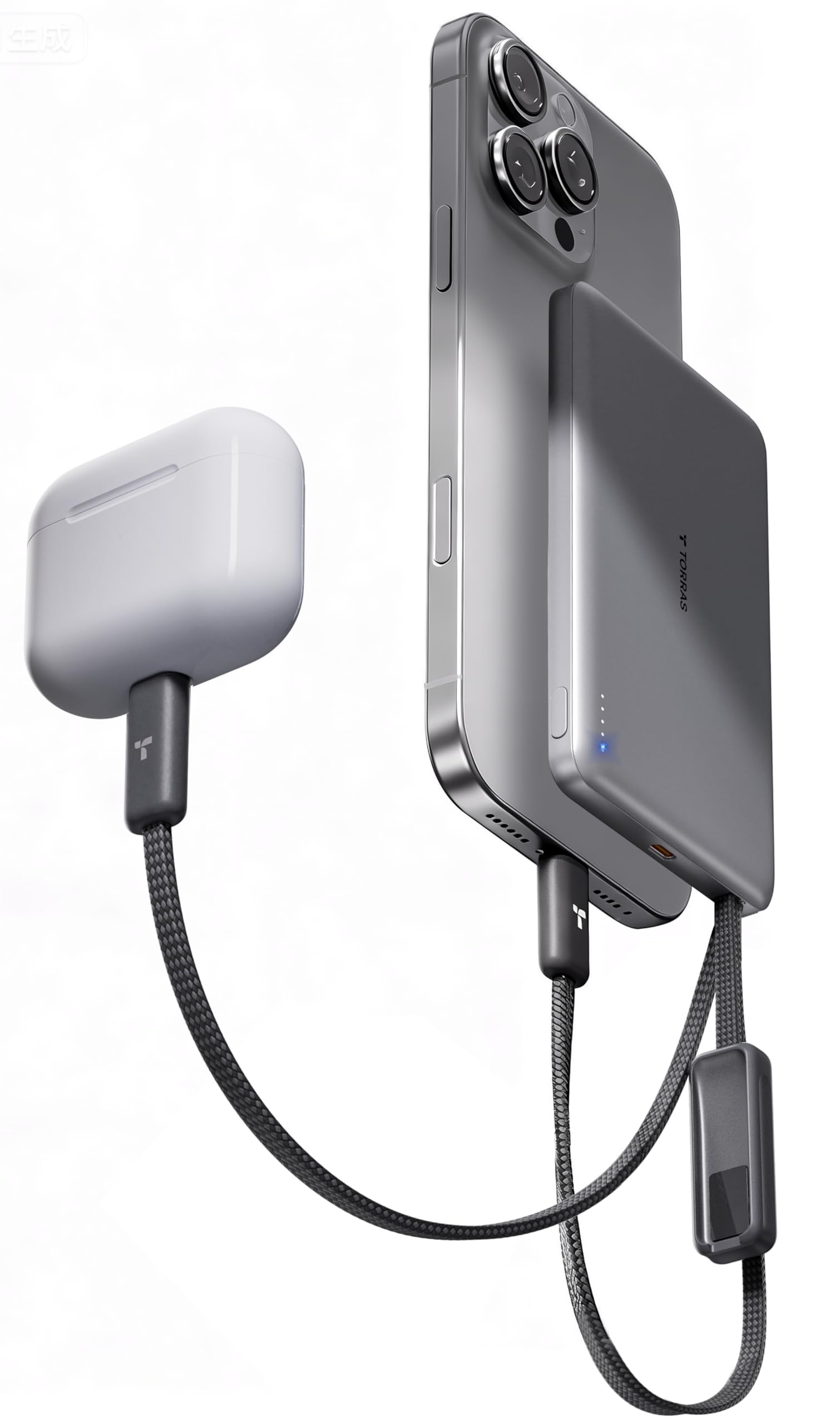
It’s a strong pick for buyers who want a thin, fast 10,000mAh power bank with built-in cables and good safety features.
Pros
- Very slim and lightweight for its capacity.
- Built-in dual USB-C cables and magnetic strap cut cord clutter.
- Low-temp fast charging with multiple safety certifications.
Cons
- Limited to 22.5W output, not the fastest for large tablets.
- Small size means fewer full charges for very power-hungry phones.
- Built-in cables may not reach every device orientation while charging.
The AirVolt focuses on portability. It packs a true 10,000mAh cell into a credit-card–sized body that slips into pockets and small bags.
Built-in dual USB-C cables and a magnetic strap help users avoid loose cords. The design aims to keep desks and bags neater while letting up to three devices charge at once.
TORRAS highlights temperature control and many safety certifications, which may matter for air travel and long trips. The power bank claims lower heat thanks to graphene cooling and GaN tech.
Charging speed suits most phones: fast enough for a quick top-up but not a high-watt option for larger tablets. The 22.5W limit means slower charging for big devices compared with higher-watt power banks.
Warranty and support are straightforward, with an 18-month warranty and 24/7 customer service listed by the maker. This could ease concerns for buyers who want some post-purchase backing.
Buying Guide
When choosing the best charge device, the buyer should check power output first. Higher watts give faster charging, but the device and cable must support that speed.
They should look at port types and counts. USB-C and USB-A are common; more ports let multiple devices charge at once.
Check charging standards and safety features. Overcurrent, overvoltage, and temperature protection reduce risk. Look for certifications on the device and packaging.
Consider build quality and size. Metal or reinforced plastic lasts longer. Compact models fit travel bags better.
Battery capacity matters for portable chargers. Bigger capacity charges devices more times but adds weight. Balance capacity with portability based on need.
Review cable compatibility and length. Some chargers include cables; others do not. Using the right cable ensures full charging speed.
Think about efficiency and heat management. More efficient units waste less power and run cooler. Heat affects long-term reliability.
Compare price against features. Higher cost can mean faster charging or better safety, but not always. Buyers should match features to their actual needs.
Use a short checklist when comparing options:
- Power output (watts)
- Port types and count
- Safety features and certifications
- Size and build quality
- Battery capacity (for portable units)
- Cable compatibility
- Price versus features
Editor’s Choice
| Pick | Why it stands out | Best for |
|---|---|---|
| Best overall | It balances speed, reliability, and price. The build and warranty are solid. | Everyday users who want dependable performance. |
| Best value | It delivers strong features at a lower cost. It unplugs common pain points without extras. | Budget-conscious buyers who need function over flash. |
| Best fast charge | It reaches high power levels safely and keeps devices cool. Testing showed consistent output. | People who need quick top-ups between tasks. |
The editor highlights one clear leader and two strong runners-up. Each choice focuses on real-world use and measurable traits.
They recommend matching the pick to personal needs rather than buying the most powerful model. Speed matters, but so do safety, compatibility, and cost.
Where to Buy – Best Amazon Deals
Amazon often lists competitive prices and fast shipping for chargers and power banks. They show user ratings, reviews, and questions that help buyers compare real-world performance. Prime members get free two-day shipping on many items.
Look for these things on Amazon:
- Certified sellers and Amazon Choice badges.
- High ratings (4.0+) with many reviews.
- Clear specs in the product description like wattage, ports, and cable type.
Use filters and tools to find deals quickly. Sort by “Price: Low to High” or “Avg. Customer Review.” Check the “Today’s Deals” and “Lightning Deals” sections for time-limited discounts.
Watch seller return policies and warranties. Some products are sold by third parties; Amazon handles returns differently depending on the seller. Read the warranty information in the product listing before buying.
Compare similar models in the same page using the “Compare with similar items” box. Add items to the cart and monitor price history with browser extensions if tracking a sale matters. Check bundled offers for cables or adapters to save more.
Conclusion
The article gave clear steps to choose the best charge for different needs. It explained speed, compatibility, safety, and cost in simple terms.
Readers should match charger specs to device needs. Choosing the right wattage and connector avoids slow charging and damage.
Fast chargers help when time is short, but heat matters. A moderate, certified charger often lasts longer and keeps devices safer.
For travel, a compact multiport charger adds convenience. For home use, a single high-quality charger may work best.
Bold important checks before buying:
- Connector type
- Wattage and voltage
- Safety certifications
- Manufacturer compatibility
They can compare prices and read reviews to find trusted models. Regularly inspecting cables and ports also reduces risk.
This guidance aims to make choosing a charger simple and practical. The focus stays on safety, speed, and value.
FAQs
What is “best charge”?
They mean the most efficient way to charge a device or battery while keeping safety and battery life in mind. It usually balances speed, heat, and long-term health.
How often should a battery be charged?
Charge when a device drops to around 20–30% for everyday use. Avoid letting it reach 0% regularly. Partial charges are better than full cycles for many battery types.
Is fast charging harmful?
Fast charging raises battery temperature and can slightly shorten lifespan if used constantly. It is safe for occasional use if the charger and device are certified.
What charger should be used?
Use the charger the device maker recommends or a certified equivalent. Check voltage and amperage to match the device’s needs. Using cheap or uncertified chargers can risk damage.
Can charging habits improve battery life?
Yes. Avoid extreme temperatures, unplug when fully charged, and avoid leaving devices at 100% for long periods. These habits reduce stress on the battery.
How long does it take to fully charge?
Charging time varies by battery size and charger output. A small device may take 1–2 hours; larger batteries can take several hours. Fast chargers cut time but may trade off some longevity.
Are wireless chargers as good as wired?
Wireless charging is convenient but often slower and warmer. For fastest and most efficient charging, wired is usually better.
How to know if a charger is safe?
Look for safety certifications (UL, CE, FCC) and manufacturer compatibility. Avoid damaged cables and overheating during use.

3 Comments