9 Best Charger Dock for iPad: Top Picks, Features, and Buying Guide 2026
7 Best Charger Docks for iPad
The best charger docks for iPad keep your tablet upright, powered, and easy to use. Yet not every dock charges an iPad in the same way. Some add USB-C power and useful ports. Others organize several devices.
Anker 551
A stable iPad stand with HDMI, card slots, USB ports, and USB-C pass-through power.
Check on AmazonZobirez 420W
A high-output station for a busy home, office, or shared charging area.
Check on AmazonMeifigno 5-in-1
It holds and charges an iPad by cable while charging smaller Apple gear.
Check on AmazonQuick Comparison
| Product | Best for | How it powers an iPad | Main strength |
|---|---|---|---|
| Anker 551 Hub & Stand | Work and creative use | USB-C pass-through | Stand plus many ports |
| Zobirez 420W Station | Families and offices | USB-C cable | Ten ports and high total output |
| Meifigno 5-in-1 | Apple device owners | Wired USB-C output | Several devices in one station |
| Belkin 10-Device Station | Schools and shared rooms | Uses separate device chargers | Storage and surge protection |
| MSTJRY 5-Port Station | Simple home organization | Included USB cables | Low-clutter setup |
| Anker Prime 3-in-1 | iPhone travel setup | Does not charge iPad directly | Compact Apple accessory charger |
| Anker MagGo 3-in-1 | Nightstand use | Does not charge iPad directly | Phone, watch, and earbuds dock |
As an Amazon Associate, GadgetMakersBlog may earn from qualifying purchases. Product prices and availability can change.
Best Charger Docks for iPad Reviewed

1. Anker 551 USB-C Hub & Stand
Best for: iPad users who want a neat desktop setup with extra ports.
The Anker 551 holds an iPad at a useful angle. It also adds HDMI, USB-A, SD, microSD, audio, and USB-C pass-through charging. This can turn a compatible USB-C iPad into a small workstation.
- Stable, foldable stand
- Useful display and data ports
- Compact aluminum body
- Power adapter is sold separately
- Short connection cable
- Best suited to USB-C iPads
Use a suitable USB-C PD charger for the best result. Also check that your iPad and apps support the display features you need.
Check Current Price on Amazon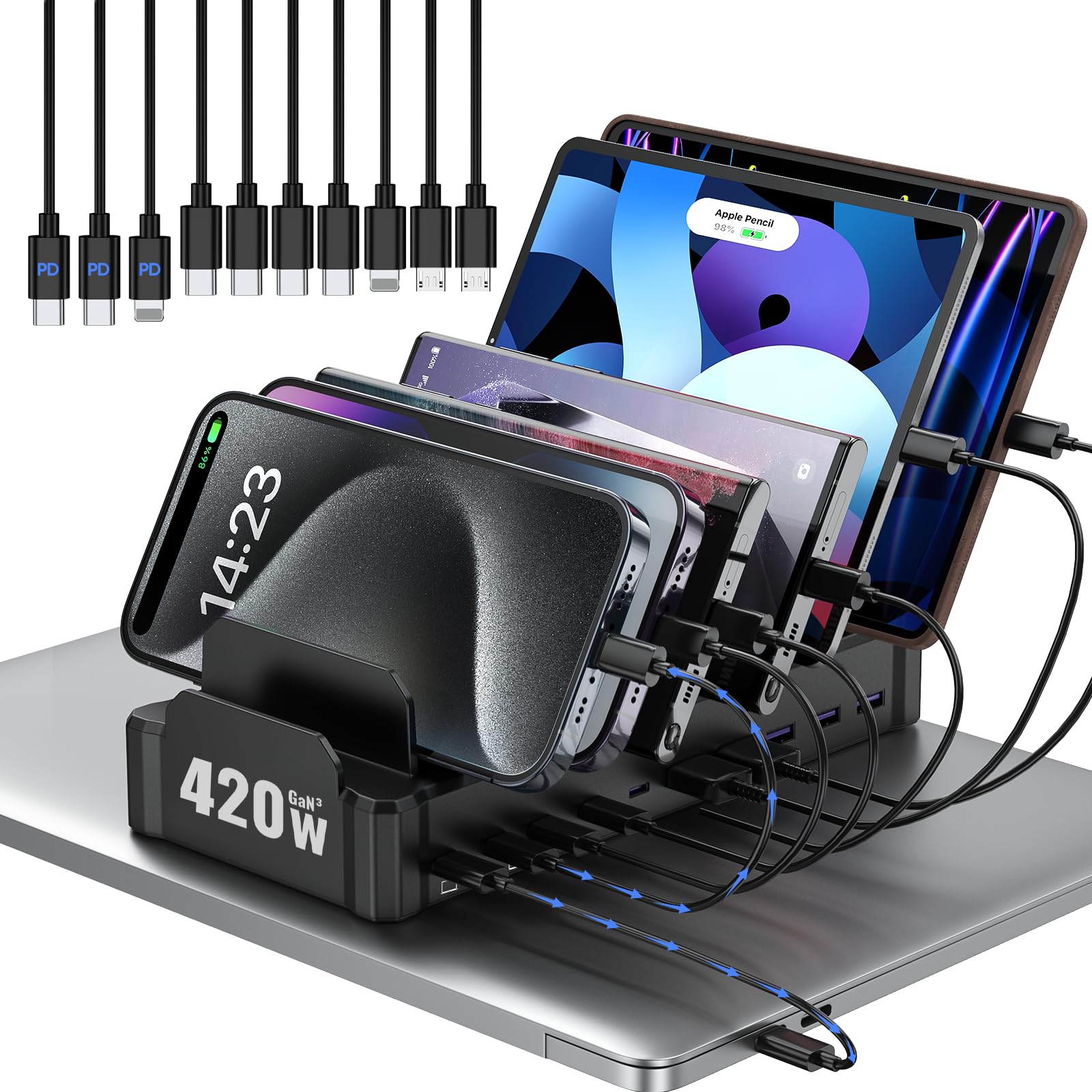
2. Zobirez 420W 10-Port Charging Station
Best for: Families, small offices, and shared work areas.
This station combines ten charging ports with upright device slots. Wider spaces can hold tablets or a slim laptop. It is a strong option when several people charge gear in one place.
- Many USB-C charging ports
- Organizes tablets and phones
- Short cables are included
- Needs a fair amount of desk space
- Total power is shared
- Check case width before buying
High total output sounds useful. Still, each device receives power based on the active port mix. Review the listing’s port chart before connecting a laptop and several iPads.
View on Amazon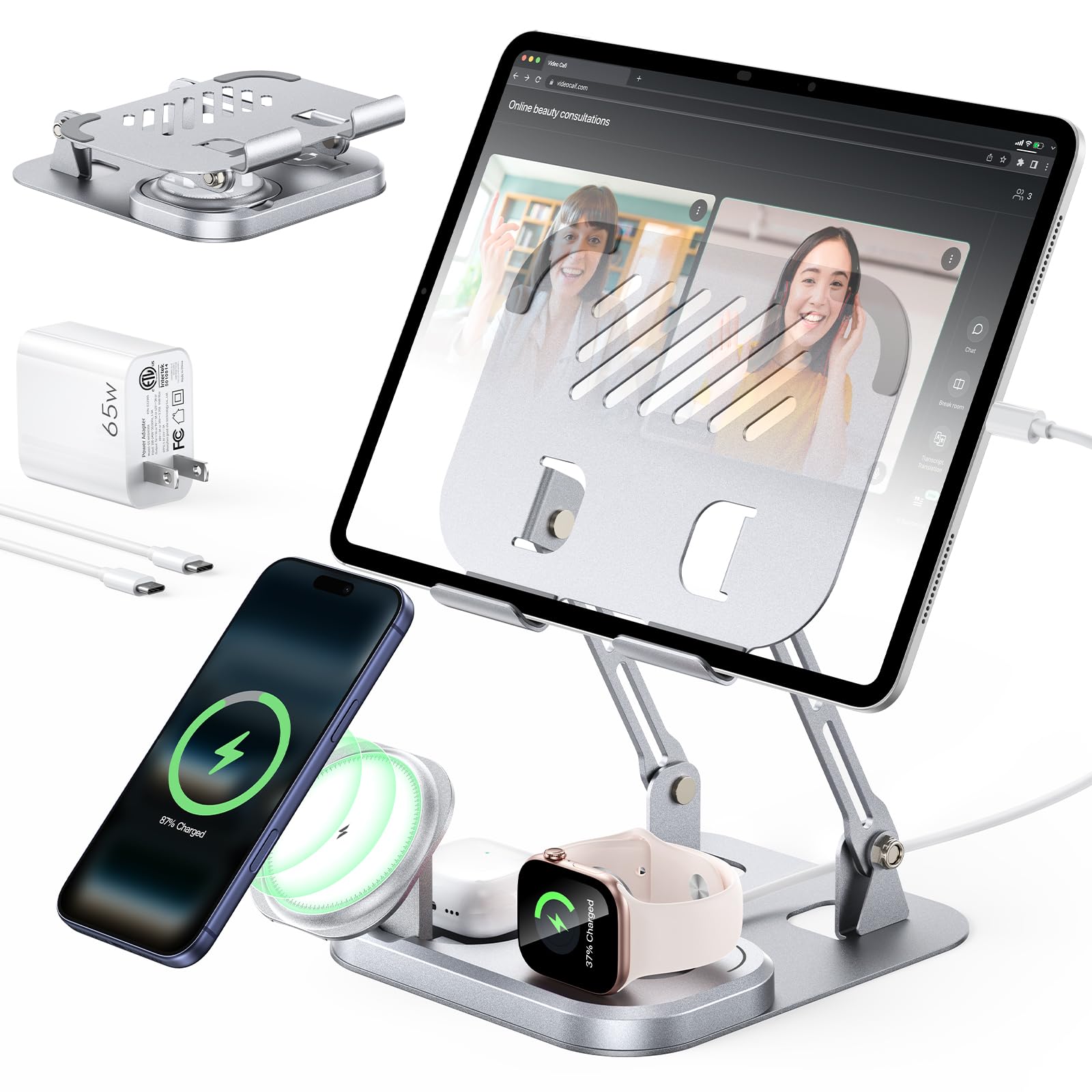
3. Meifigno 5-in-1 Charger
Best for: One iPad plus an iPhone, Apple Watch, and AirPods.
The Meifigno provides a stand and wired iPad power. It also gives smaller Apple devices their own charging spots. The design folds down, so it is easier to store or carry.
- Charges several Apple devices
- Adapter and cables included
- Adjustable, foldable stand
- iPad charging is wired
- Needs compatible magnetic cases
- Apple-focused design
This is a convenient all-in-one choice. However, verify the exact watch and phone compatibility on Amazon before you order.
Check Availability on Amazon
4. Belkin 10-Device Charging Station
Best for: Schools, training rooms, and device storage.
This Belkin station holds up to ten devices. It also helps manage cords and offers surge-protected power. It is more of an organized power station than a modern USB-C dock.
- Stores many tablets
- Built-in surge protection
- Can work in shared rooms
- Separate chargers are required
- Large adapters may crowd the rear
- Bulkier than a desk dock
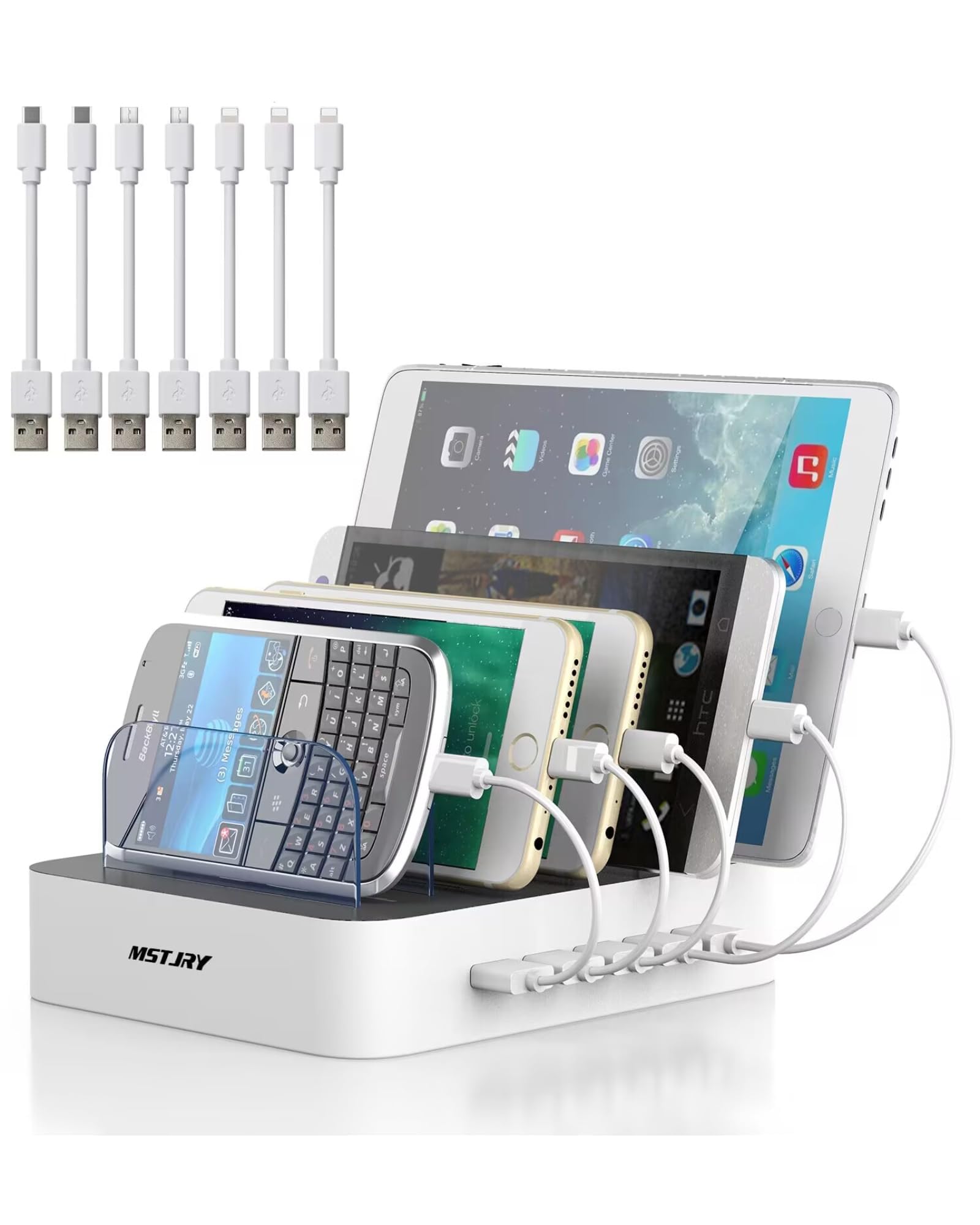
5. MSTJRY 5-Port Charging Station
Best for: A family charging spot for tablets and phones.
This dock holds five devices and includes short cables. Removable dividers make room for different device sizes. Its USB-A design is simple, but it may charge newer iPads more slowly than USB-C PD gear.
- Neat five-device layout
- Several cables included
- Adjustable divider setup
- Older USB-A power system
- Not ideal for fastest iPad charging
- Short cables limit placement
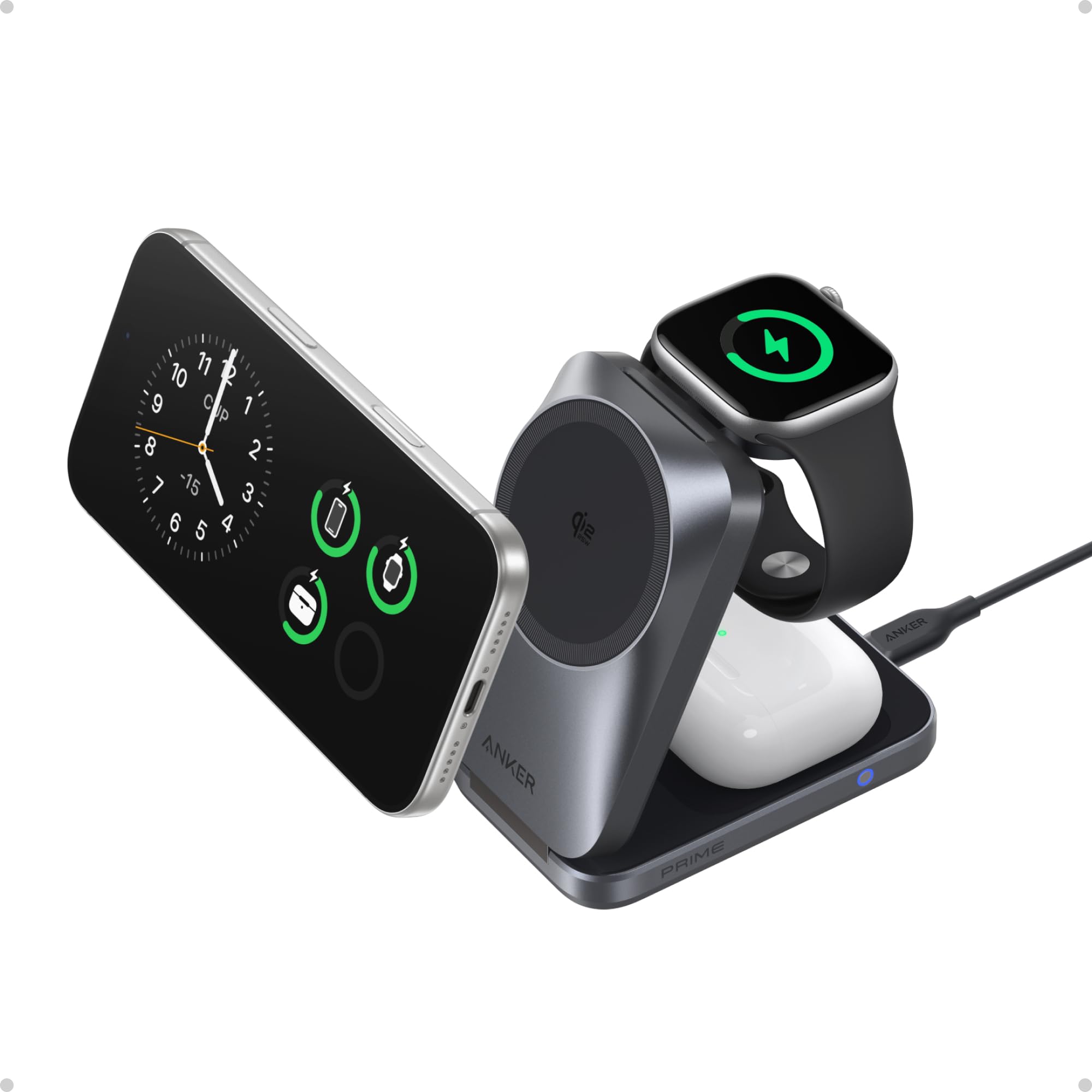
6. Anker Prime 3-in-1 MagGo Charger
Best for: Charging smaller Apple devices beside your iPad.
This compact charger folds flat and can power a compatible iPhone, Apple Watch, and AirPods. It does not charge an iPad directly. Keep the iPad on its own USB-C or Lightning cable.
- Compact travel design
- Three Apple charging points
- Adapter and cable included
- Not an iPad charger dock
- Requires wall power
- Premium price
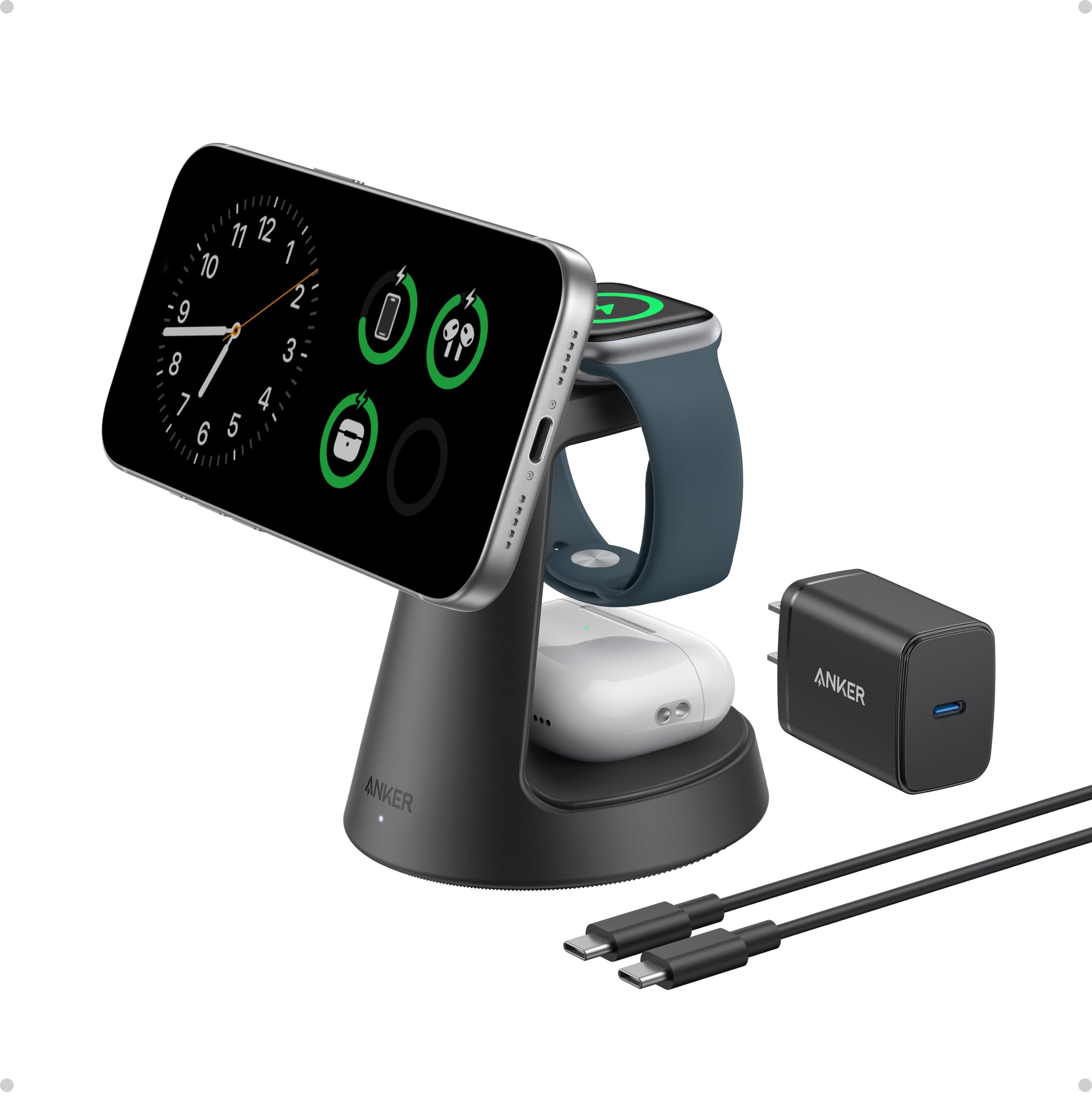
7. Anker MagGo 3-in-1 Dock
Best for: An iPhone, Apple Watch, and AirPods beside an iPad.
This weighted dock keeps three smaller Apple devices in one place. The phone angle can work well for StandBy mode. However, an iPad still needs a separate cable and charger.
- Strong magnetic hold
- Clean nightstand design
- Adapter and cable included
- Does not power an iPad
- Takes more space than a pad
- Wireless area may feel warm
How to Choose the Best Charger Dock for iPad
Recent iPads use USB-C. Older models may use Lightning. The dock or cable must match.
Look for USB-C PD when fast charging matters. The iPad only takes the power it supports.
Thick cases can block a connector or make a slot too narrow. Check the listed slot width.
A hub stand suits desk work. A multi-port station suits families. A simple stand suits basic viewing.
Some docks need a separate power adapter. Add that cost before comparing value.
Final Recommendation
Choose the Anker 551 if you want the most useful iPad desk dock. It offers a steady stand and extra ports. You must add a suitable USB-C charger.
Choose the Zobirez 420W if several people charge devices together. Its main advantage is capacity.
Choose the Meifigno 5-in-1 if you want one Apple-focused charging area. Remember that the iPad still charges by cable.
Frequently Asked Questions
Can an iPad charge wirelessly on a dock?
No current iPad charges on a standard Qi or MagSafe phone pad. It needs power through its USB-C or Lightning port.
How much power does an iPad charger dock need?
It depends on the iPad model. A USB-C PD charger rated at 20W or more is a practical starting point for many recent iPads. More capable models may benefit from a higher-output adapter.
Will a dock work with an iPad case?
It may work with a thin case. Thick cases can block a connector or make a holder too narrow. Check the dock dimensions first.
Is a USB-C hub stand safe for an iPad?
A good hub is normally safe when used with a suitable charger and cable. Avoid damaged cables and poorly made power adapters.
Can one station charge several iPads?
Yes, if it has enough ports and total power. Charging may slow when many devices share the available output.
Which charger dock is best for iPad desk work?
The Anker 551 is the strongest pick in this list for desk work. It adds a stand, display output, data ports, card slots, and pass-through charging.