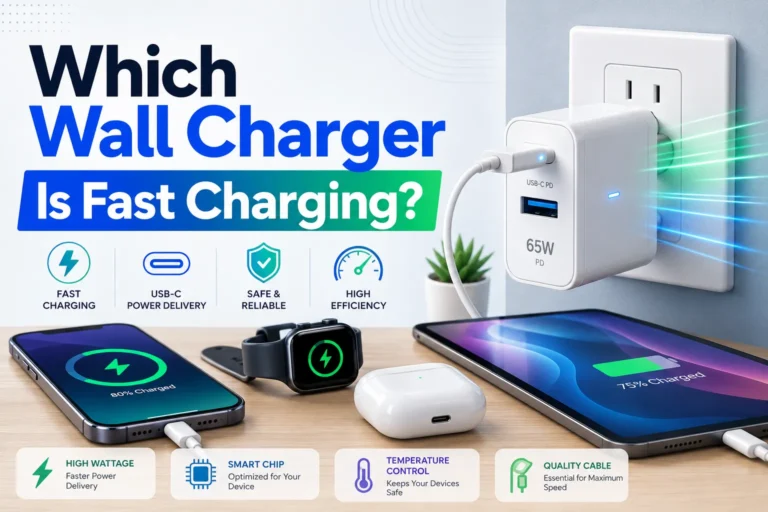
9 Best Charging Hub for Multiple Devices and Fast Charging in 2026
Charging hubs keep multiple devices powered from one outlet, reduce cable clutter, and speed up recharging for phones, tablets, laptops, and accessories. They range from compact desktop stations to multi-port USB-C units and wireless charging pads. A good charging hub delivers fast, consistent power, wide device compatibility, and safety features like overcurrent and temperature protection.
Buyers should focus on total power output (watts), the mix of ports (USB-C PD, USB-A, and wireless coils), and whether the hub supports simultaneous fast charging for several devices. Size and heat management matter for desks and travel, and certification or built-in safety circuits help protect expensive devices. This guide tests and compares popular charging hubs to find the most reliable picks and explain what features matter most.
9 Best Charging Hubs
Below is a carefully chosen list of the best charging hubs available. It highlights reliable options for charging multiple devices quickly and safely.
Anker Prime 200W 6-Port

It is a strong desktop charger for someone who needs to power many devices at once without juggling cords.
Pros
- Charges up to six devices from one spot.
- Two USB-C ports can deliver high power when used together.
- Solid, stable build that stays put on a desk.
Cons
- Not designed for travel; bulk and weight make it less portable.
- A port failure has been reported by some users.
- Price is higher than small single-device chargers.
It handles many devices at once, so it works well for families, home offices, or anyone with multiple laptops, phones, and tablets. The high combined wattage helps charge larger laptops faster than most multiport chargers.
It sits firmly on a desk and feels well made, which helps when plugging devices in and out. Safety systems aim to protect devices from heat and power issues, which gives extra peace of mind.
Some buyers noted a port stopped working after months, so longevity may vary. People who travel a lot or need a pocketable charger will want something smaller.
Anker 6-Port Desktop Charger (112W)

It is a solid choice for someone who wants to charge several devices at once without many power bricks.
Pros
- Charges multiple devices at the same time with strong total output.
- Small footprint keeps a desk or nightstand tidy.
- Comes with a cable organizer and an 18-month warranty.
Cons
- Full 30W speed is limited to one USB-C port.
- Does not include USB-C charging cables.
- Can feel a bit heavy for frequent travel.
This charger suits people who own a phone, tablet, and a laptop that can use USB-C power. It spreads power across six ports so many gadgets can top up overnight.
The compact size saves space and reduces cord clutter. The included silicone organizer helps keep cables neat on a desk or bedside table.
Expect good charging speeds for phones and tablets, and moderate speed for a laptop unless it uses the single 30W USB-C port. The unit’s weight and missing cables may matter for travelers who want an all-in-one kit.
MEKIOJEO 12-Port 380W Charging Station

It may be a good buy for someone who needs to charge many devices at once and wants a metal-bodied, high-wattage hub.
Pros
- Lots of ports for charging many gadgets at once.
- Metal body that helps with heat and looks more durable.
- Includes high-watt PD port for laptops and several fast USB-C ports.
Cons
- Large power draw and high output may be overkill for light users.
- Metal finish can show scratches over time.
- May be pricier than single or dual-port chargers.
This charging station aims to replace several adapters with one tidy unit. It offers many USB-C and USB-A ports and claims intelligent power distribution so multiple devices get decent speeds at once.
The aluminum shell gives a cleaner look and helps move heat away from the ports. Buyers who worry about warmth or desk clutter may like that design and the vertical or horizontal placement options.
Small businesses, families, or travel groups that need to top up phones, tablets, and a laptop at the same time will find the port count useful. Those with only one or two devices might prefer a simpler charger.
MEKIOJEO 12-Port 380W Charging Station
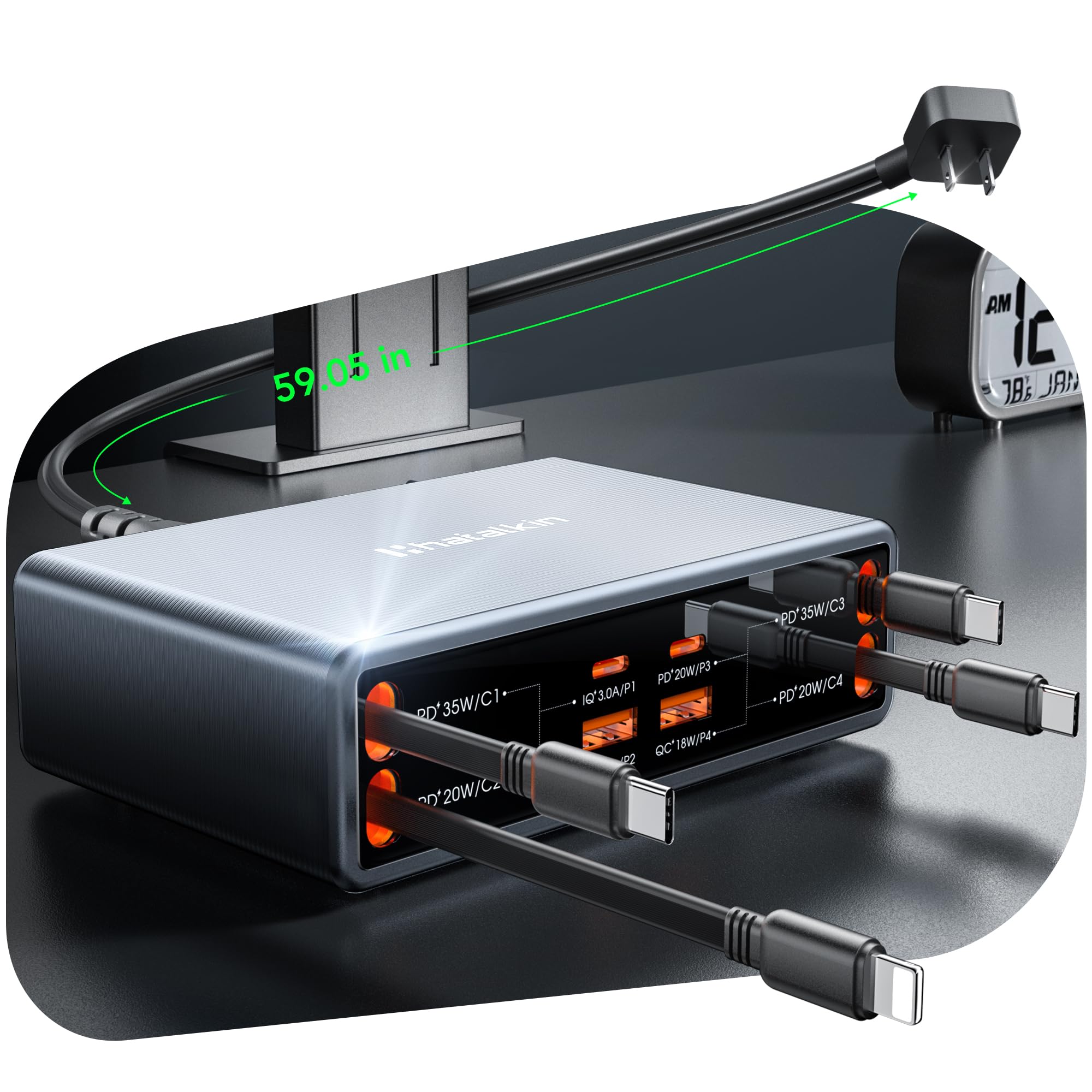
HATALKIN 8-in-1 Retractable Charging Hub

It is a strong choice for someone who wants to charge many devices in one tidy spot because it offers retractable cords and up to 105W total power.
Pros
- Retractable cables tidy up the desk and reduce cable clutter.
- Can charge multiple devices at once with a high combined power output.
- Uses GaN tech for efficient charging in a compact unit.
Cons
- Retractable cords cannot be replaced if they break.
- May not support full power for some larger laptops.
- Plastic build may feel less durable than metal chargers.
The retractable cables make it easy to keep a desk or nightstand neat. It fits well where several phones, earbuds, and tablets need power without a tangle of cords.
It supports many phone and tablet models and includes multiple USB-C and USB-A ports. The GaN design helps deliver higher power while staying small and cool.
Some users may worry about long-term durability because the cords are built into the unit. Buyers who need replaceable cables or heavy laptop charging might consider other options.
Anker PowerPort 6

It is a strong choice for someone who needs a compact hub to charge many devices at once without extra complexity.
Pros
- Charges up to six devices at the same time.
- Compact size saves desk or travel space.
- Built-in safety features and UL certification.
Cons
- Lacks newer fast-charge standards like Qualcomm Quick Charge.
- Total output is shared, so full speed may drop with many devices.
- Not compatible with some older iPods and a few tablets.
This charger works well for families or small offices that plug in phones, tablets, and accessories. It gives steady power to many gadgets and keeps cords organized.
The hub uses Anker’s PowerIQ and VoltageBoost to balance charge speeds across ports. Devices get reliable charging without complex setup or extra adapters.
Safety features include surge protection and temperature control, which adds peace of mind when many items charge overnight. The unit stays small enough to fit in a bag for travel.
Buy it if someone wants a simple, reliable multi-port USB charger that prioritizes safety and convenience over the fastest possible per-port speeds.
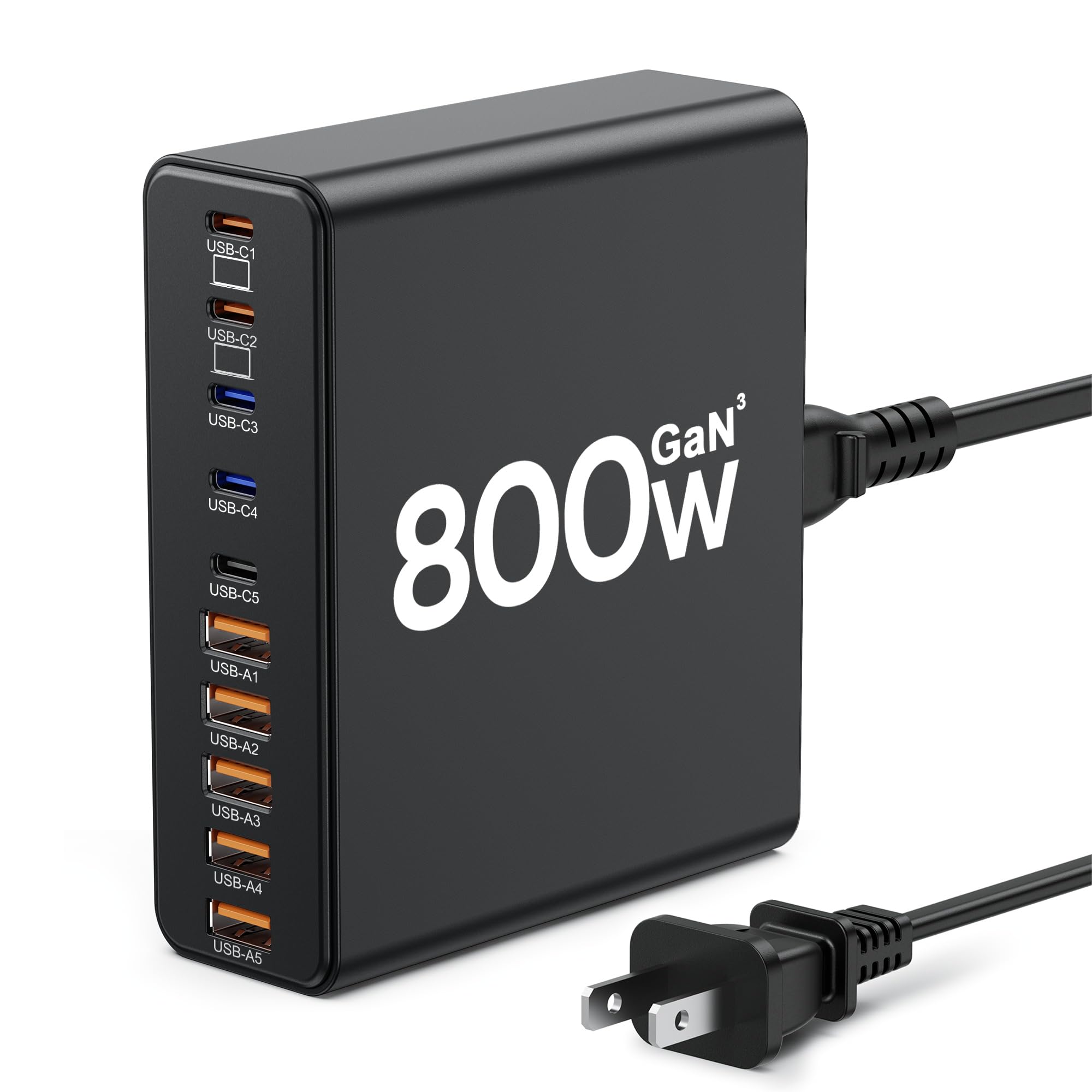
Aexhend 10-Port Charger

It is a strong pick for buyers who need many fast ports in one compact charger.
Pros
- Lots of ports so many devices can charge at once.
- GaN tech keeps the unit smaller and more efficient.
- Detachable cord makes it easier to place on a desk or nightstand.
Cons
- Some ports may not power very low-current USB-C devices.
- A few users report ports failing after some use.
- Heavier than a simple single-port charger.
This charger offers ten ports including five USB-C and five USB-A. It aims to replace several adapters and free up outlets for a household or small office.
The GaN-based design helps shrink size while supporting higher power. Users can charge laptops, tablets, phones, and smaller gadgets from one block instead of using many plugs.
Expect strong overall performance but check that your low-current USB-C devices will draw power from the specific ports you plan to use. Some reviewers noted reliability issues on certain ports over time, so plan accordingly.
UGREEN 100W 6‑Port Charging Hub

It is a solid choice for someone who needs to charge many devices fast and save desk space.
Pros
- Charges up to six devices at once.
- Uses GaN tech for a smaller, cooler charger.
- Smart power split keeps devices charging efficiently.
Cons
- Might be larger than tiny travel chargers.
- Not every port gives the top 65W at the same time.
- Only includes a corded AC plug, no built‑in wall prongs.
The hub fits on a desk in a small vertical footprint, which helps keep cables tidy. It offers a mix of USB‑C and USB‑A ports for phones, tablets, laptops, and accessories.
GaN components let it deliver high power without a bulky block. The power distribution adjusts so a laptop can get up to 65W while other devices get the right share.
Some buyers may prefer a single smaller charger for travel. Others will like having one station at home that handles multiple gadgets without swapping chargers.
Anker 9‑in‑1 Desktop Charger

It is a strong pick for someone who needs many fast ports in a small space because it packs USB-C, USB‑A, and AC outlets into one compact hub.
Pros
- Lots of ports in a small footprint.
- High 100W USB‑C power for charging laptops and phones.
- Flat plug and tidy layout keep cords neat.
Cons
- Full 100W output needs an E‑Marker cable.
- Fewer USB‑A ports for older devices.
- Limited surge protection compared with heavy‑duty strips.
The charger gives many charging options without taking up much desk space. It places AC outlets on multiple sides so plugs do not crowd each other.
Its 100W USB‑C port can power larger laptops while other ports handle phones and accessories. Buyers should note the maximum USB‑C power depends on using a certified cable.
The slim plug and short cord help fit the unit behind furniture or near a wall outlet. It seems best for home or office users who want fewer separate chargers and a cleaner workspace.
Buying Guide
Choose a hub based on how many devices it must charge at once. Count phones, tablets, laptops, and accessories. Pick a hub with enough ports to avoid daily unplugging.
Look for power output and port types. Check total wattage and per-port limits. USB-C with Power Delivery suits laptops; USB-A handles smaller devices.
Consider charging speed and safety features. Fast charging matters for big batteries. Look for overcurrent, overvoltage, and temperature protection to keep devices safe.
Think about port layout and build quality. A mix of port sizes helps. A sturdy case and good ventilation reduce heat during heavy use.
Evaluate power delivery profiles and cables. Some hubs share power across ports. Verify how power is distributed so a laptop won’t slow phone charging dramatically.
Decide between wall-mounted and desktop units. Wall hubs save space but may block outlets. Desktop hubs sit on a table and often include extra USB ports or card readers.
Check compatibility and certification. Ensure the hub supports the devices’ charging protocols. Look for safety certifications to confirm compliance with regional standards.
Compare warranty and customer support. A clear warranty shows confidence from the maker. Fast support helps if the hub fails or has defects.
Use a short checklist to decide:
| Feature | Why it matters |
|---|---|
| Port count/types | Matches device needs |
| Total wattage | Ensures full-speed charging |
| Safety features | Protects devices |
| Build & cooling | Improves durability |
| Compatibility | Prevents slow charging |
| Warranty | Offers repair or replacement |
Editor’s Choice
The editor picks the Anker PowerWave Hub as the top charging hub for most users. It balances speed, build quality, and ease of use without extra complexity.
| Feature | Why it matters |
|---|---|
| Charging ports | Multiple USB-A and USB-C ports let users charge phones, tablets, and accessories at once. |
| Power delivery | Fast charging with PD supports laptops and tablets, not just phones. |
| Build and safety | Solid casing and protection features reduce heat and risk during long use. |
| Compact design | Small footprint fits on desks and travel bags. |
It charges a phone and tablet together without big slowdowns. The PD port handles power-hungry devices while other ports serve smaller gadgets.
The hub’s controls stay simple. LED indicators show power status without confusing menus.
Accessories and cables work with it widely, so users do not need special adapters. Price sits in the mid-range, giving good value for most households.
Where to Buy – Best Amazon Deals
Amazon lists many of the top charging hubs from trusted brands. They often show user reviews, specs, and fast shipping options which help buyers compare models quickly.
Look for these quick checks on Amazon:
- Prime eligibility for faster delivery.
- Verified reviews with photos to confirm real-world use.
- Included cables and power ratings in the product description.
Recommended search tips:
- Use keywords like “USB-C charging hub 65W” or “multi-port charger with PD” for precise results.
- Filter by Customer Review (4 stars & up) and Prime to narrow choices.
- Sort by Price: Low to High or Avg. Customer Review depending on priority.
Price tracking and deals:
- Check the “Today’s Deals” and Lightning Deals sections for temporary discounts.
- Use the Amazon app to enable price drop alerts or third-party trackers to catch better sales.
- Watch for bundle offers that include cables or adapters to save money.
Compare models side-by-side using Amazon’s product comparison and read the Q&A for real user tips. They should also check return policies and warranty info before buying.
Conclusion
A good charging hub meets needs without fuss. It charges multiple devices safely, fits the space, and lasts through daily use.
Buyers should weigh power output, port types, and safety features first. Faster charging matters, but so does compatibility and cable management.
Consider device mix and future needs. A hub with both USB-C PD and USB-A gives flexibility for older and newer gadgets.
Price and warranty signal quality. Midrange models often balance performance and value better than the cheapest options.
Key choices at a glance:
- Power: higher watts for laptops and tablets.
- Ports: mix of USB-C and USB-A for versatility.
- Safety: overheat and surge protection reduce risk.
- Size: compact hubs suit travel; larger ones fit desks.
They should pick a hub that matches device power needs and daily habits. That approach keeps devices ready and reduces clutter.
FAQs
What is a charging hub?
A charging hub is a single device that charges multiple gadgets at once. It usually has several USB ports and may include wireless pads or USB-C ports with fast charging.
How many devices can a hub charge?
It depends on the model. Some hubs charge 3–4 devices, while larger ones handle 6–12 or more.
Are all ports equally fast?
No. Some ports support fast charging like Power Delivery (PD) or Quick Charge. Others supply standard power. Check the hub’s specs for port power ratings.
Is wireless charging as fast as wired?
Wireless charging is usually slower than wired PD or QC. It is more convenient but trades speed for ease of use.
How to choose the right hub?
Look at total power output, port types (USB-C, USB-A, wireless), and safety features. Consider device compatibility and cable needs as well.
Are charging hubs safe?
Most quality hubs include protections for overcurrent, overvoltage, and overheating. Buyers should choose reputable brands and look for certifications like UL or CE.
Can a hub charge a laptop?
Some high-power USB-C PD hubs can charge laptops. Verify the PD wattage matches the laptop’s power needs, typically 45–100W.
Does a charging hub slow down devices when many are connected?
If the hub’s total output is lower than combined device needs, charging speeds can drop. Choose a hub with enough total wattage to avoid slowdowns.
What else should buyers consider?
Consider portability, cable management, warranty, and real-world reviews. These factors help pick a hub that fits daily routines and device mixes.