8 Best Charging Hub for Multiple Devices and Fast Charging in 2026
Best Charging Hubs should provide enough total power, useful USB-C and USB-A ports, safe power distribution, and a stable desktop design. The right choice depends on laptop wattage, the number of devices, cable compatibility, portability, cooling, certification, seller support, and how output changes when several ports are active.
A high-output desktop station for users who need to power several demanding devices from one organized charging point.
A vertical GaN charging hub with a useful USB-C and USB-A mix for phones, tablets, laptops, and accessories.
A compact desktop power center that combines high-power USB-C charging, legacy USB-A, and AC outlets.
The Anker Prime 200W 6-Port Charging Station is the best overall premium option from the supplied list for laptops, phones, tablets, and accessories. The UGREEN 100W 6-Port Hub is better for a smaller desk, while the Anker 9-in-1 Desktop Charger is the most useful choice when USB charging and AC outlets are both required.
| Rank | Product | Power | Ports | Best for | Amazon |
|---|---|---|---|---|---|
| #1 | Anker Prime 200W 6-Port Charging Station Best overall | 200W total | 6 ports | Premium desks with laptops, tablets, and phones | View |
| #2 | UGREEN 100W 6-Port Charging Hub Best compact desktop hub | 100W total | USB-C + USB-A | Space-saving home-office charging | View |
| #3 | Anker 9-in-1 Desktop Charger Best with AC outlets | Up to 100W USB-C | USB-C + USB-A + AC | Desks that need charging and power expansion | View |
| #4 | Anker 6-Port Desktop Charger 112W Best for family devices | 112W total listing | 3 USB-C + 3 USB-A | Phones, tablets, and accessories in shared spaces | View |
| #5 | MEKIOJEO 12-Port 380W Charging Station Most ports | 380W listing claim | 12 ports | Families, teams, or small offices with many devices | View |
| #6 | HATALKIN 8-in-1 Retractable Charging Hub Best cable management | 105W total listing | Retractable cables + USB ports | Nightstands and desks with visible cable clutter | View |
| #7 | Anker PowerPort 6 Best for legacy USB-A | Shared USB-A output | 6 USB-A | Older phones, tablets, cameras, and accessories | View |
| #8 | Aexhend 10-Port GaN Charger Best mixed-port capacity | High-output listing | 5 USB-C + 5 USB-A | Households or offices with mixed old and new cables | View |

A high-output desktop station for users who need to power several demanding devices from one organized charging point.

A vertical GaN charging hub with a useful USB-C and USB-A mix for phones, tablets, laptops, and accessories.

A compact desktop power center that combines high-power USB-C charging, legacy USB-A, and AC outlets.

A compact six-port station for households that want one organized charging area without carrying several wall adapters.

A metal-bodied high-port-count station aimed at users who need to charge many phones, tablets, and laptops together.
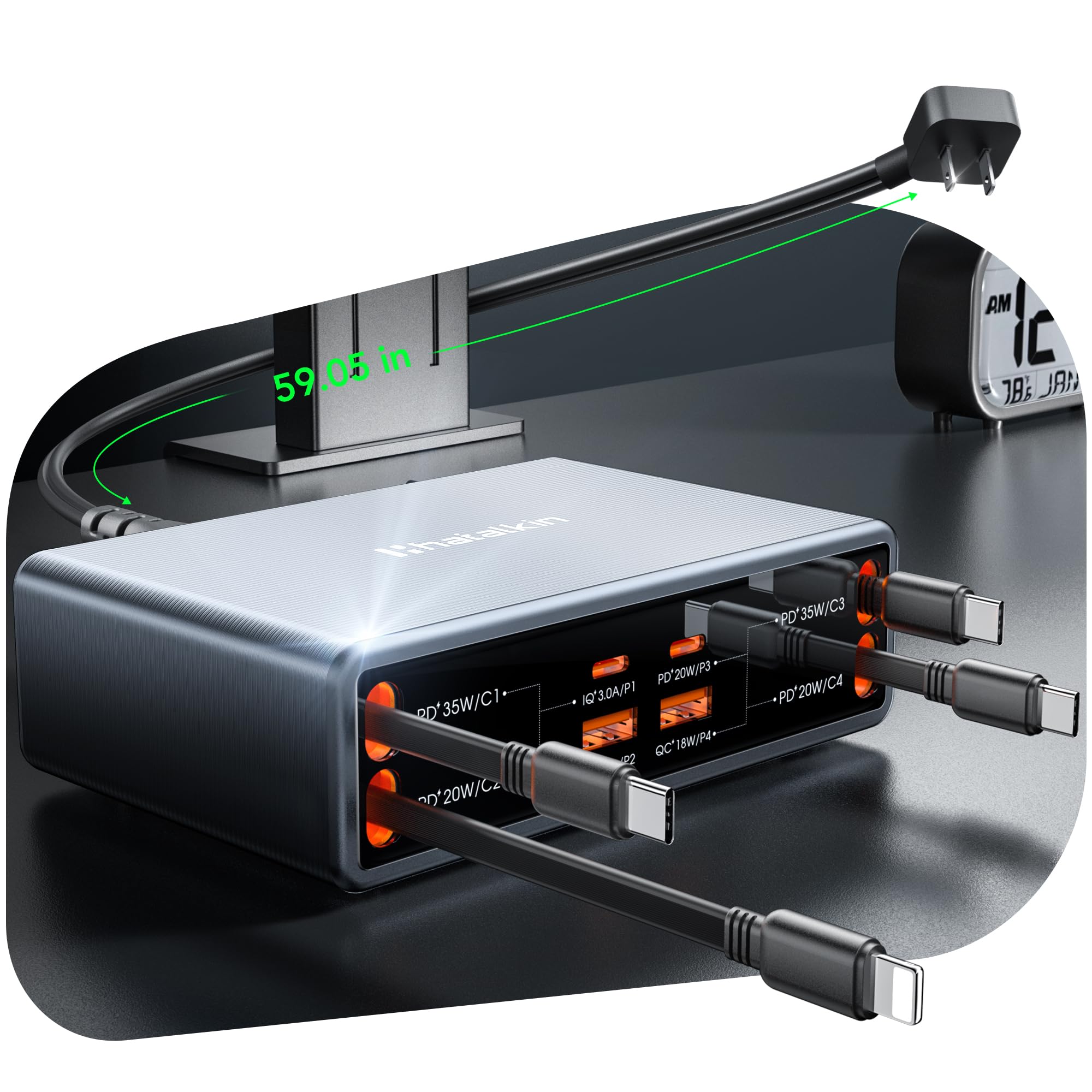
A charging hub with built-in retractable cables for users who value a cleaner workspace more than replaceable cable flexibility.

A simple six-port USB-A hub for users with older cables who do not need modern USB-C Power Delivery.
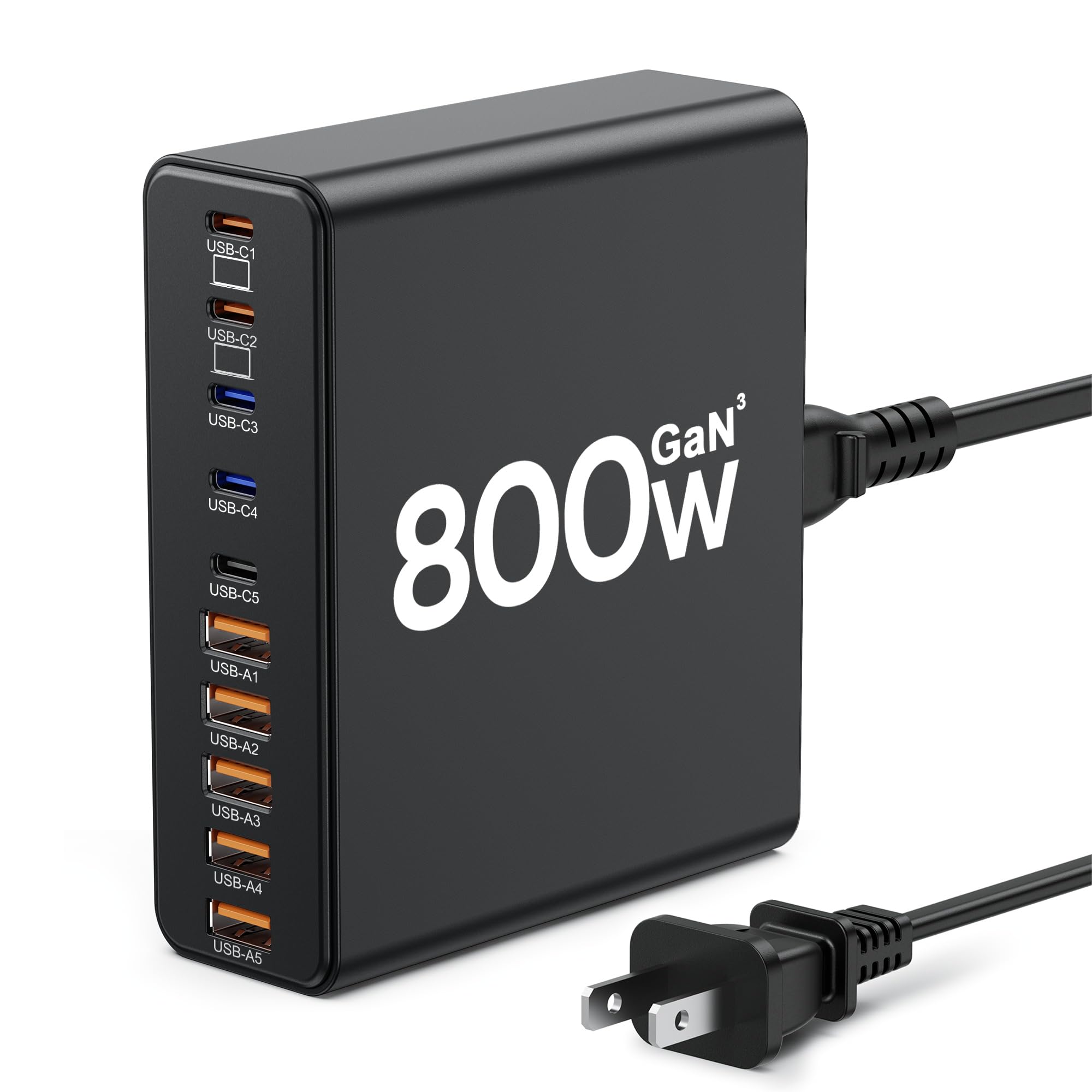
A ten-port desktop charger designed to replace many separate adapters with an even USB-C and USB-A split.
- Count every device. Include laptops, tablets, phones, watches, earbuds, cameras, and power banks.
- Find the highest single-device requirement. A laptop can need much more power than a phone.
- Check the single-port maximum. Total wattage does not reveal what one USB-C port can provide.
- Read the power-distribution chart. Charging speed normally changes when several ports are occupied.
- Choose the right connector mix. USB-C is more future-focused; USB-A remains useful for older accessories.
- Use correctly rated cables. High-power charging may require a 5A E-Marker cable.
- Check desk placement and cooling. Keep the hub stable, open, and ventilated.
- Verify certification, seller, and warranty. This matters especially for high-output lesser-known products.
| Your setup | Best choice | Reason |
|---|---|---|
| Premium home office | Anker Prime 200W | High total output and six-device charging |
| Compact desk | UGREEN 100W | Vertical footprint and mixed ports |
| USB plus AC outlets | Anker 9-in-1 | Charging hub and power expansion in one unit |
| Large family or team | MEKIOJEO 12-Port | Highest port count, but verify claims carefully |
| Older USB-A devices | Anker PowerPort 6 | Simple legacy-device charging |
| Built-in cable organization | HATALKIN 8-in-1 | Retractable cables reduce visible clutter |
- Place the hub on a hard, open, ventilated surface.
- Do not cover it with bedding, paper, clothing, or other heat-trapping materials.
- Replace loose, damaged, frayed, or discolored cables.
- Stop using equipment that sparks, smells burnt, crackles, or becomes abnormally hot.
- Do not overload the wall outlet or daisy-chain power strips.
- Verify very high wattage claims and certification before connecting expensive devices.
What is a charging hub?
A charging hub is one desktop or wall-powered device with several USB-C, USB-A, AC, or integrated charging connections for powering multiple devices.
How many devices can a charging hub power?
It depends on the product. The supplied options range from six to twelve ports, but total output is shared across active devices.
Are all charging-hub ports equally fast?
No. Each port can have a different maximum output, and power distribution changes when several devices are connected.
Can a charging hub charge a laptop?
Some high-power USB-C Power Delivery hubs can charge compatible laptops. Confirm the laptop requirement and the hub’s single-port output.
Is a larger total wattage always better?
No. Port layout, single-port output, power sharing, certification, cooling, seller support, and device compatibility matter more than the headline number alone.
Are charging hubs safe to leave plugged in?
A reputable undamaged hub used within its specifications can normally remain connected, but it should stay ventilated and be replaced if it sparks, smells burnt, or becomes abnormally hot.
What cable is needed for 100W USB-C charging?
Full high-power USB-C charging may require a properly rated cable with an E-Marker chip.
Is the Anker PowerPort 6 suitable for modern laptops?
No. It is a legacy USB-A charging hub and does not provide modern USB-C Power Delivery.
Compare per-port output, power sharing, cables, safety, and warranty before choosing the biggest wattage or port count.