Where Can I Buy a Video Doorbell in 2026 Best Options
Buy a video doorbell from a major retailer, the brand’s official store, or a trusted installer, depending on whether you care most about price, warranty support, or installation help. Before ordering, confirm power compatibility, Wi-Fi support, app requirements, and any subscription costs.
If you’re asking where can I buy a video doorbell, the safest starting points are major retailers, the manufacturer’s own store, and reputable home security installers. Those options usually give you the best mix of selection, warranty support, and a smoother return or installation process.
- Best buying sources: Major retailers, brand stores, and security installers are the safest first stops.
- Compatibility matters: Check wired power, transformer limits, chime support, and Wi-Fi bands before buying.
- Compare total cost: Include subscriptions, accessories, and installation, not just the sticker price.
- Choose by use case: Renters, homeowners, and travelers often need different power and mounting options.
Where Can I Buy a Video Doorbell in 2026? Best Places to Shop First
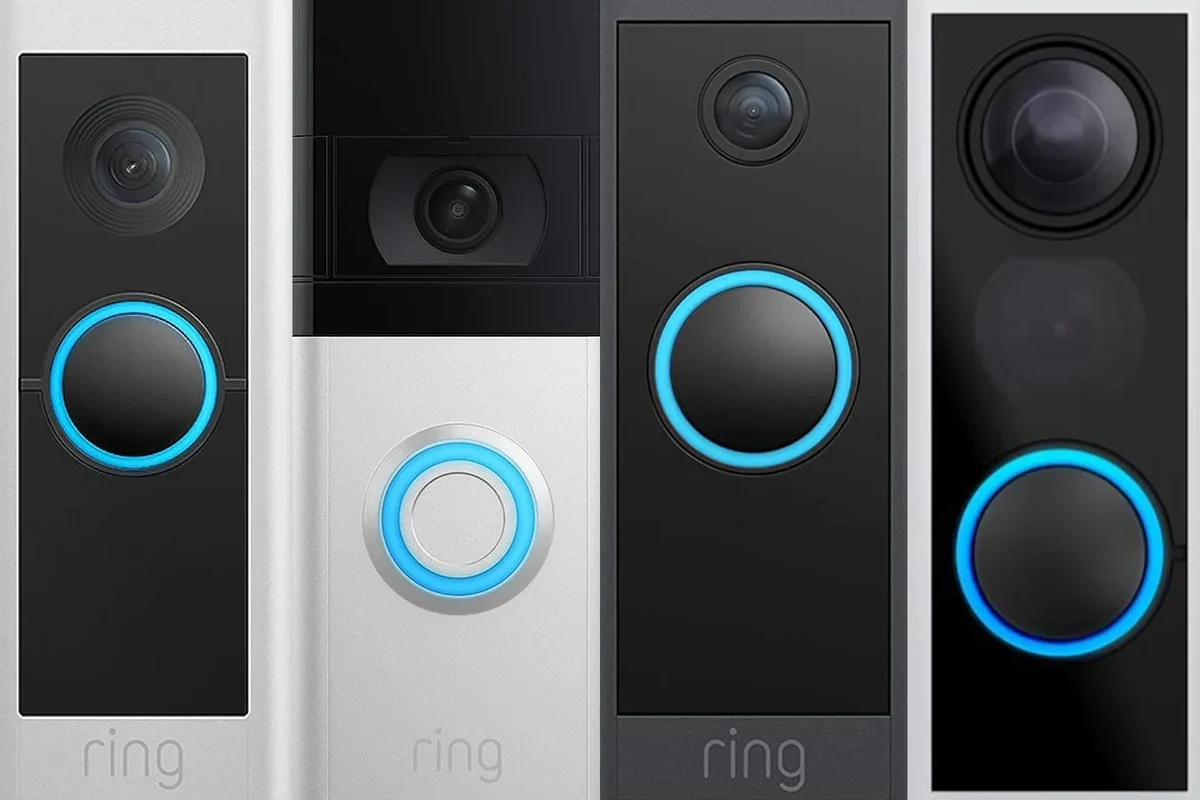
Quick answer: major retailers, brand stores, and trusted installers
Most buyers should begin with large online and local retailers, then compare against the brand’s official website and any installer-backed security package. If you want the widest choice, shop broadly; if you want the newest model or the cleanest warranty path, the brand store is often the better first stop.
Why buying source matters for price, warranty, and setup support
Where you buy can affect whether you get the latest firmware-ready model, a bundle with accessories, or a simpler return process if the doorbell does not fit your home. It can also affect support quality, because some sellers help more with installation, while others mainly handle shipping and basic returns.
Availability, bundle contents, app features, and warranty terms can vary by region and retailer. Before you buy, confirm the exact model number, what is included in the box, and whether the seller is an authorized source for warranty support.
How Video Doorbells Work and What You Need Before Buying
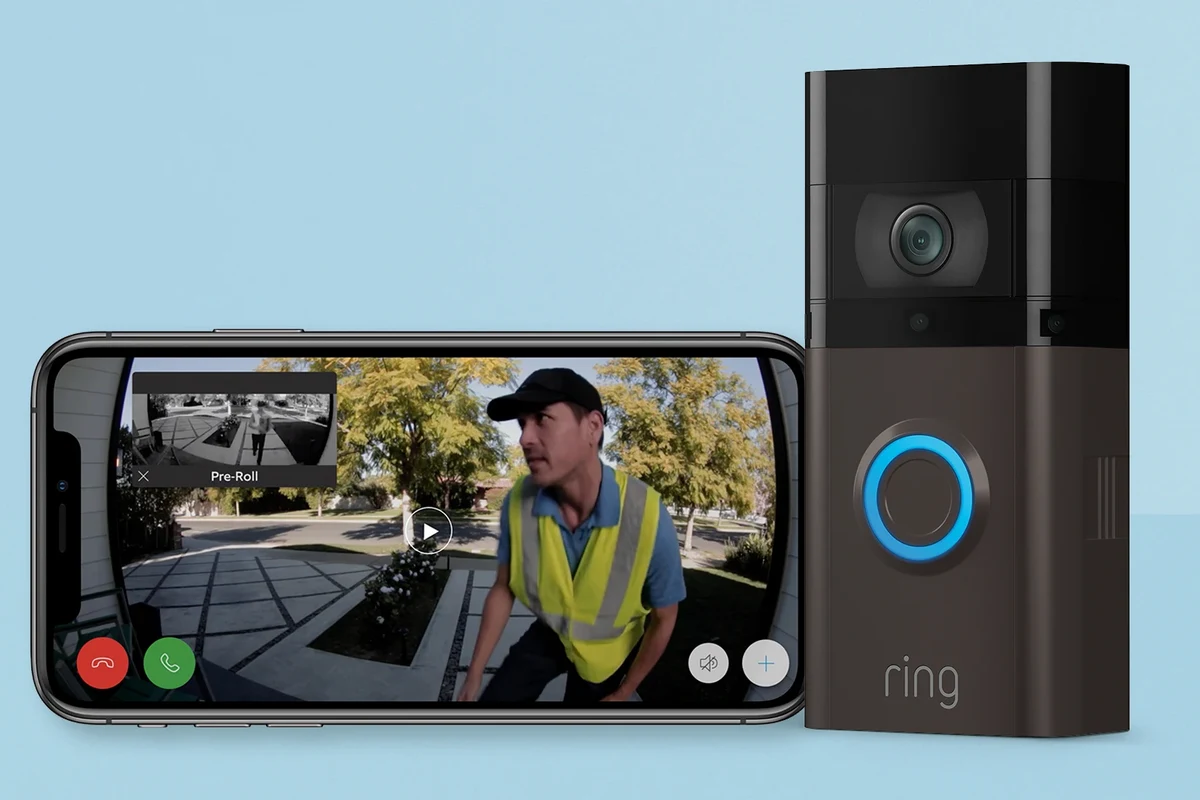
Wi-Fi, power options, and app-based monitoring
A video doorbell connects to your home network and sends live video, motion alerts, and visitor notifications to a smartphone app. Some models also store clips in the cloud or on local storage, but that depends on the brand, subscription plan, and firmware version.
Wired vs. battery-powered models: which type fits your home
Wired models are usually better for homes with an existing doorbell circuit and a compatible transformer, since they can provide more continuous operation and avoid recharging. Battery-powered models are often easier for renters or homes without existing wiring, but they need periodic charging and may have different motion or recording behavior depending on power-saving settings.
Compatibility checks: door frame, existing chime, voltage, and smart home ecosystem
Before buying, check whether the doorbell fits your mounting area, whether your current chime is compatible, and whether your transformer voltage meets the manufacturer’s requirements. If you use a smart home platform, confirm support for your ecosystem in the official compatibility list rather than assuming every feature works everywhere.
- Check model number, power type, app requirements, and mounting dimensions
- Confirm transformer voltage, chime compatibility, Wi-Fi band support, and return policy
- Review warranty terms, subscription costs, privacy settings, and firmware update support
Best Places to Buy a Video Doorbell in 2026
Online marketplaces: selection, pricing, and return policies
Large marketplaces can be convenient because they often have the broadest selection, user reviews, and frequent promotions. The tradeoff is that seller quality can vary, so it is smart to verify who is fulfilling the order, whether the item is new and sealed, and how returns work if the unit is incompatible.
Brand websites: latest models, bundles, and direct warranty support
Buying from the manufacturer’s website is often the best way to see the newest models, official accessories, and current bundle options. It can also simplify warranty questions, especially if you want direct support from the brand rather than navigating a third-party seller.
Home improvement stores and electronics retailers: hands-on comparison and installation help
Brick-and-mortar stores can be useful if you want to compare sizes, mounts, and accessory options in person. Some home improvement retailers also offer installation services, which can help if you are replacing an older wired doorbell and want a cleaner setup.
Professional security providers: subscription plans, monitoring, and bundled hardware
Security companies may bundle the doorbell with monitoring, storage, and other smart security devices. That can be a good fit if you want one account and one support path, but it is worth checking how much of the system depends on a monthly plan and whether the hardware works well without it.
If you are comparing sellers, check three things first: whether the model is current, whether the seller is authorized, and whether returns are easy if the doorbell does not match your wiring or Wi-Fi setup.
How to Choose the Right Video Doorbell for Your Home
Key specifications to compare: resolution, field of view, night vision, motion detection, and two-way audio
The most useful specs are the ones that affect everyday use. Look at video resolution, the field of view, night vision quality, motion zones, and how clearly the two-way audio works in the manufacturer’s app and support materials.
Power and battery considerations: rated voltage, charging method, cable quality, and safe use limits
For wired units, verify the rated voltage and transformer requirements before purchase. For battery units, check how the battery charges, what cable or adapter is required, and whether the manufacturer gives any limits on heat, charging time, or outdoor exposure during charging.
Use only the charger, cable, and power method approved by the manufacturer. If a battery swells, a cable frays, a charger overheats, or the unit shows damage, stop using it and follow the brand’s safety guidance.
Connectivity and app requirements: Wi-Fi bands, smartphone compatibility, and cloud storage needs
Many doorbells rely on stable Wi-Fi and a current app version to deliver alerts and video clips reliably. Confirm whether the model supports 2.4 GHz only or both 2.4 GHz and 5 GHz Wi-Fi, and make sure your phone or tablet is supported by the official app store listing.
Size, mounting space, and weather resistance for different entryways
Entryways vary a lot. Narrow door frames, recessed trim, shared apartment entrances, and exposed porches may each require different mounting hardware or a different model shape, so check the dimensions and weather rating before you buy.
Who a Video Doorbell Fits Best and Where It Delivers the Most Value
Homeowners, renters, families, and frequent travelers
Homeowners often get the most value because they can choose a wired model and integrate it into the home more permanently. Renters may prefer battery-powered options or models that are easier to remove, while travelers and busy households may value remote alerts and package visibility.
Security, package monitoring, visitor screening, and delivery convenience
A video doorbell is most helpful when you want to see who is at the door without opening it, keep an eye on deliveries, or review motion alerts while away. It can also be useful for families with kids, pet owners, and remote workers who want to screen visitors during the day.
When a video doorbell may not be worth it: weak Wi-Fi, shared entrances, or strict subscription budgets
If your Wi-Fi signal is weak at the front door, the experience may be frustrating no matter which model you buy. It may also be a poor fit for some shared entrances or for buyers who want advanced recording features but do not want to pay for ongoing cloud storage or monitoring.
Choose a video doorbell if you want simple front-door awareness, package monitoring, and app alerts. It is usually most worthwhile when your Wi-Fi is stable, your entryway is compatible, and you are comfortable with the app and any optional subscription.
Common Buying Mistakes to Avoid
Ignoring power compatibility and transformer limits
One of the biggest mistakes is assuming a wired doorbell will work with any existing setup. Always check the transformer voltage, chime compatibility, and installation instructions before you order, because an incompatible power setup can cause unreliable performance.
Overlooking subscription costs, storage limits, and app lock-in
Some models work well out of the box but rely on paid storage or advanced alerts for their best features. Read the plan details carefully so you know what happens if you cancel, and make sure you are comfortable with the app ecosystem before committing.
Choosing the wrong field of view, motion range, or mounting height
A doorbell can have strong specs on paper and still miss faces, packages, or walkway activity if it is mounted too high or too low. Check the recommended mounting height and field of view so the camera covers the area you actually want to monitor.
Skipping cable inspection, battery care, and replacement planning
Before installation, inspect any existing wiring for wear and make sure the cable or adapter is in good condition. For battery models, plan for periodic charging and review the manufacturer’s guidance on storage, recharging, and replacement timing.
Setup, Safety, and Maintenance Tips After Purchase
Mounting basics, app setup, and connectivity checks
Start by confirming the doorbell is fully compatible with your home, then follow the official manual for mounting and app pairing. After setup, test notifications, live view, and chime behavior so you can catch app or Wi-Fi issues early.
Safe installation practices for wired and battery models
If you are installing a wired model, turn off power at the breaker and follow the manufacturer’s safety steps closely. If you are using a battery model, mount it securely and keep charging accessories away from moisture, extreme heat, and damaged surfaces.
Stop using any doorbell, battery, charger, or cable that shows swelling, cracking, overheating, corrosion, or loose connections. If anything seems unsafe, consult the official manual or the manufacturer’s support team before reinstalling it.
Routine maintenance: cleaning the lens, checking seals, updating firmware, and recharging batteries
Keep the lens clean with a soft, dry cloth and check that seals or covers are still intact after rain, dust, or seasonal weather changes. Also keep the app updated and install firmware updates when the manufacturer recommends them, since those updates may improve stability or security.
Storage, weather exposure, and signs the unit or battery should be replaced
If you remove the doorbell for storage, keep it in a cool, dry place and avoid leaving the battery fully depleted for long periods. Replace the unit or battery if alerts become unreliable, charging becomes inconsistent, or the housing shows signs of wear that affect safe operation.
- Check the official compatibility list before ordering, not after delivery.
- Compare total cost, including subscriptions and installation, not just the sticker price.
- Test Wi-Fi strength at the front door before finalizing your model choice.
- Keep the app, firmware, and account security settings up to date.
Final Recommendation: The Best Buying Path Based on Your Needs
Best option for budget buyers, smart home users, and security-focused households
Budget buyers should start with major retailers and compare return policies carefully, because flexibility matters if the doorbell does not fit the existing wiring or entryway. Smart home users usually benefit from buying through the brand store or a retailer that clearly lists platform support, while security-focused households may prefer a professional installer or security provider that bundles monitoring and support.
Transparent verdict: where to buy, what to prioritize, and when to wait for a better deal
The best buying path is the one that matches your wiring, Wi-Fi, and support needs. If you are unsure, prioritize compatibility and warranty support first, then wait for a sale only when you have already confirmed the model will work in your home.
Frequently Asked Questions
Major retailers, the brand’s official store, and trusted security installers are the best places to start. The right source depends on whether you want the widest selection, the newest model, or installation support.
The brand website is often best for the latest models, official bundles, and direct warranty support. Retailers can be better if you want easy price comparisons, local pickup, or a simpler return process.
Yes, if you want a wired model, you should confirm transformer voltage, chime compatibility, and mounting fit first. Battery-powered models are usually easier to install, but they still need Wi-Fi and a suitable mounting spot.
Compare resolution, field of view, night vision, motion detection, power type, app support, and subscription needs. It is also important to verify Wi-Fi band support, weather resistance, and the return policy.
They can be worth it if you choose a battery-powered model or another setup that is easy to remove. Renters should check lease rules, mounting options, and whether the device can be installed without permanent changes.
The most common mistakes are ignoring power compatibility, overlooking subscription costs, and choosing a camera with the wrong field of view. It also helps to check app support, warranty terms, and installation requirements before ordering.