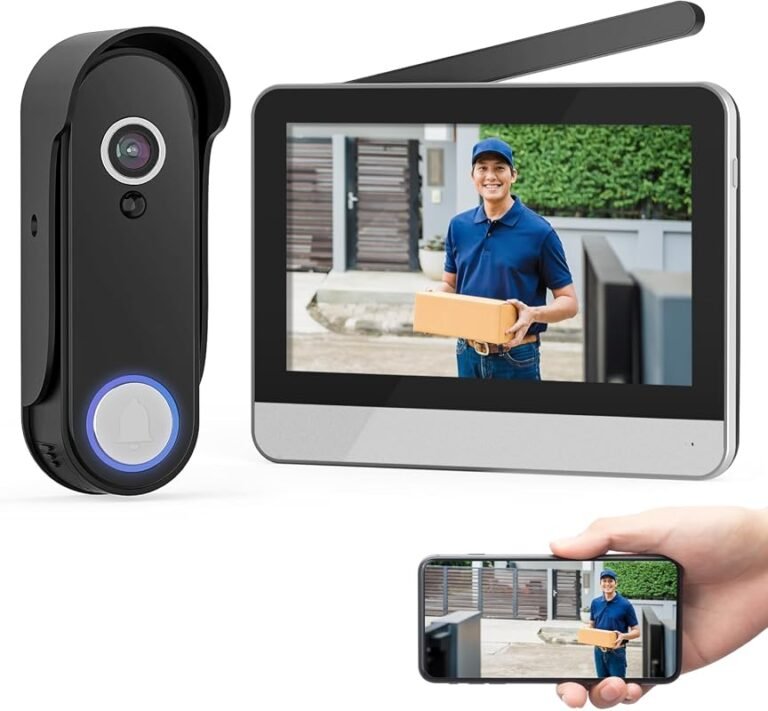
Does Arlo Video Doorbell Work With Google Home Guide
Yes, many Arlo video doorbells work with Google Home, but the exact features depend on the model and app support. For the best experience, verify compatibility, wiring, and any subscription requirements before you buy.
If you’re asking does Arlo video doorbell work with Google Home, the short answer is yes for many Arlo doorbell setups, but the experience depends on the exact model, your Arlo account, and which Google Home features you expect to use. In most cases, you can link Arlo to Google Home for basic voice control and smart home access, but live-view, notifications, and automation behavior can vary by device and app version.
- Compatibility varies: Arlo doorbells may work with Google Home, but feature support depends on the exact.
- Two-app setup is normal: Use Arlo for device setup and Google Home for linking and everyday smart home.
- Check the hardware fit: Power source, wiring, chime support, and mounting space can matter as much as app.
- Expect some limits: Google Home often handles convenience features, while Arlo keeps deeper camera controls in its.
Does Arlo Video Doorbell Work With Google Home? Quick Answer and What It Means
Arlo video doorbells are generally designed to integrate with Google Home through account linking and Google Assistant support, but not every feature behaves the same way across every model. That means the answer is not just “yes” or “no”; it is “yes, with feature limits that you should verify before buying or setting up.”
For many homeowners, the most important question is whether Google Home can become the control layer for the doorbell. In practice, that usually means checking whether you can view the camera feed, use voice commands, and include the doorbell in routines, while remembering that Arlo’s own app often remains the primary place for setup, advanced alerts, and device settings.
How Arlo Integrates With Google Home in 2026
Arlo’s Google Home integration is best understood as a bridge between two ecosystems. Google Home can surface the doorbell as a connected smart device, but the exact controls available depend on the Arlo model, your subscription status, and current platform support from both companies.
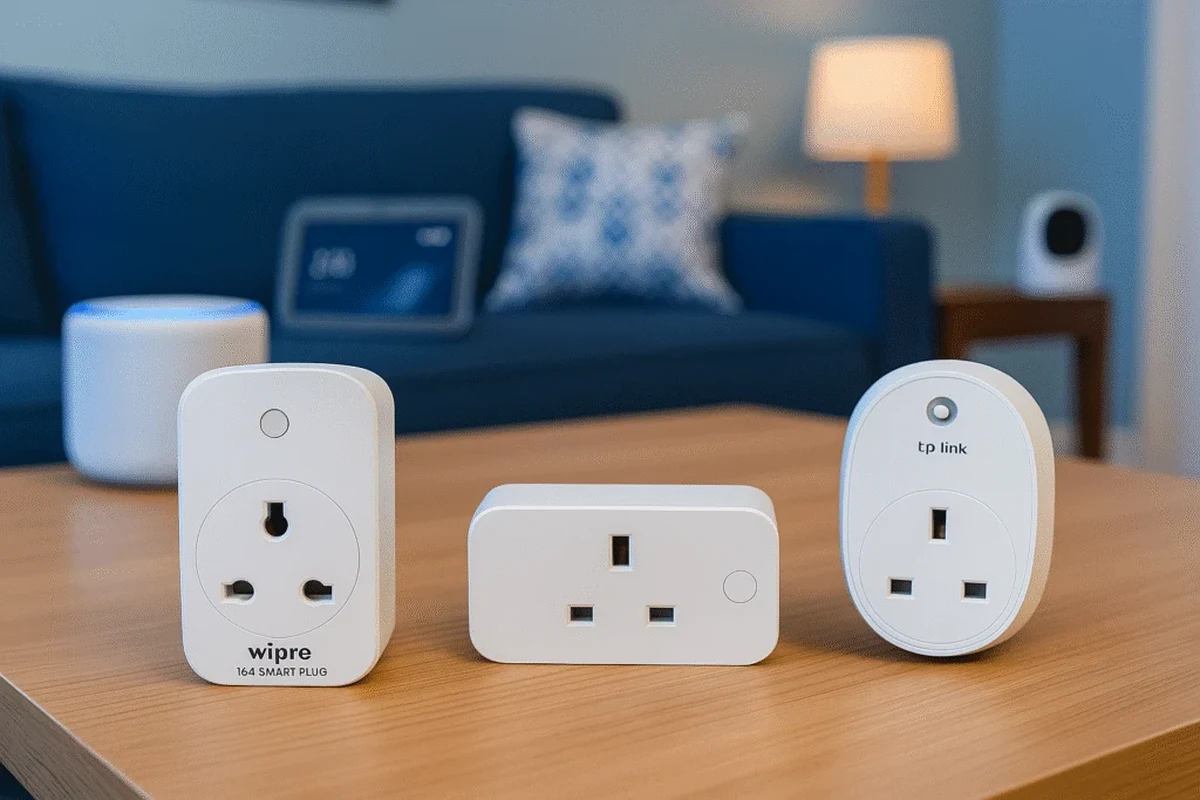
This matters because smart home compatibility is rarely all-or-nothing. A doorbell may show up in Google Home, yet still rely on Arlo for event history, notification tuning, person detection settings, or cloud-recording management. If you want broader Google smart home compatibility, it helps to compare the doorbell’s behavior with other devices in your home, such as Google Home-compatible smart lights or smart plugs that work with Google Home.
Supported Arlo Doorbell Models and Google Home Compatibility
Compatibility can vary by model generation and region, so the safest approach is to confirm your exact Arlo doorbell model in the official compatibility documentation before you buy or pair it. Some Arlo doorbells are more tightly integrated than others, and firmware updates can change what is supported inside Google Home.
Model names, app features, and Google Home support can differ by region, firmware version, and account type. Always verify the exact model number in Arlo’s current support materials.
As a buyer, focus on three things: whether the doorbell is listed as Google Home compatible, whether live view is supported in the Google Home app, and whether you need any subscription to unlock the features you care about. Those answers are more useful than a generic “works with Google” badge.
What You Can and Cannot Do in the Google Home App
In many setups, Google Home can help you access the doorbell camera, view compatible devices, and trigger voice commands through Google Assistant. Some users also use it as part of a larger smart home dashboard, especially if they already manage lights, speakers, and routines in one place.
However, Google Home is usually not the full Arlo control center. You may not get the same level of event history, clip management, motion-zone tuning, or notification customization that Arlo’s own app provides. If you want a more complete smart-home ecosystem, it may help to think of Google Home as the convenience layer and Arlo as the device-management layer.
Setup Guide: Connecting Arlo Video Doorbell to Google Home
Setup usually starts in the Arlo app and finishes in Google Home. That order matters because the Arlo account, device firmware, and permissions are typically established first, then Google Home is allowed to discover and control the linked device.
Before you begin, make sure your Wi-Fi is stable at the doorbell location, your phone is signed into the correct Google account, and you know which Arlo account owns the device. Many pairing problems come from account confusion rather than hardware failure.
Required Apps, Accounts, and Network Conditions
You will usually need the Arlo app, the Google Home app, and a Google account that matches the home you want to control. Depending on the device and region, you may also need an Arlo subscription for certain camera features, though basic linking and simple control may still work without it.
- Update both apps before pairing so you are not troubleshooting an outdated interface.
- Use the same Wi-Fi network and the same home structure in Google Home to avoid duplicate devices.
- Check that your router allows reliable 2.4 GHz or dual-band connectivity if the doorbell requires it.
Network stability is especially important for doorbells because they depend on consistent connectivity at the front door. Weak signal, router congestion, or mesh handoff issues can make a compatible doorbell feel unreliable even when the integration itself is working correctly.
Pairing Steps, Permissions, and Common Setup Mistakes
Complete the device setup in the Arlo app before trying to link Google Home.
Use the official account-linking flow and grant the permissions requested by the app.
This helps Google Assistant find the device and reduces command errors.
Common mistakes include using the wrong Google account, skipping firmware updates, and expecting every Arlo feature to appear immediately in Google Home. If the doorbell does not show up, remove the link, confirm the device is online in Arlo, and try again after checking permissions and network status.
If pairing fails, restart the router and the phone first. That simple step often clears stale network sessions without changing any settings.
Real-World Use: Voice Control, Live View, and Smart Home Automation
Once connected, the real value of the Arlo and Google Home combination is convenience. You can ask Google to surface the doorbell or include it in a broader home routine, but the usefulness depends on how consistently the live feed loads and how well your home network handles camera traffic.
This is where expectations matter. A smart doorbell is not just a camera at the door; it is also a network device, a notification device, and often part of a subscription-based security ecosystem. The more you rely on it, the more important it becomes to verify how it behaves under normal daily use rather than just during setup.
Google Assistant Commands That Matter Most
The most useful commands are usually the simple ones: asking whether the doorbell is available, checking a live view on a compatible display, or using voice to interact with the device through your smart home setup. Availability can depend on the display you use, the account connection, and current Google Assistant support for the model.
Smart doorbell integrations often work best with a display-based Google device, because voice-only speakers cannot show live video.
If you own a Google smart display, the experience may be more useful than with a speaker alone. That makes the doorbell a better fit for kitchens, living rooms, or home offices where a quick visual check is more helpful than a spoken status update.
How It Fits Into a Larger Google Smart Home Routine
Arlo can be part of a larger routine that includes lights, speakers, and home modes, but the exact automation options depend on what Google Home currently supports for the device. For example, a doorbell press or motion event may be more useful as a trigger when paired with lights or announcements, but the available triggers can change over time.
If your goal is to build a more complete Google-centered setup, it is worth reading how other devices behave in the ecosystem, such as whether you can have smart lights with Google Home and which smart lights are compatible with Google Home. A doorbell works best when it fits into a broader automation plan, not when it is treated as a standalone gadget.
Key Specs and Decision Criteria Before You Buy
Before choosing an Arlo video doorbell for Google Home, focus on the hardware details that affect daily use. Compatibility is important, but power source, video quality, field of view, and installation fit often decide whether the doorbell will actually work well at your front door.
Because exact specifications can differ by model, verify the current product page and manual rather than relying on a general product description. That is especially true if you are comparing battery-powered and wired versions.
Power Source, Video Quality, Field of View, and Dimensions to Verify
These details matter because a doorbell can be compatible with Google Home and still be a poor fit for your entryway. A narrow field of view may miss packages, while a bulky unit may not suit a tight apartment door or older trim.
Wi-Fi, Doorbell Wiring, Chime Support, and Installation Fit
Installation is often the deciding factor for renters and homeowners alike. Some Arlo doorbells are easier to install if you already have doorbell wiring, while battery-based models may offer more flexibility but require charging or periodic removal.
Follow the manufacturer’s wiring instructions exactly. If you are unsure about existing doorbell wiring, transformer compatibility, or breaker safety, use a qualified professional rather than guessing.
Also verify whether your existing indoor chime, smart chime, or mechanical chime is supported. A doorbell may work in Google Home but still have chime limitations inside your house, which can affect how useful it feels day to day.
Benefits, Drawbacks, and Limitations of the Arlo + Google Home Combo
The biggest benefit of this combo is ecosystem convenience. If your home already runs on Google Home, adding an Arlo doorbell can make the front door part of the same voice-controlled environment as your lights, speakers, and routines.
The biggest drawback is that integration depth may not match a native Google device. You can get a useful smart-home experience, but it may not be as seamless as using hardware designed from the ground up for Google’s ecosystem.
Best Use Cases for Homeowners, Renters, and Smart Home Beginners
- Works well for homes already centered on Google Home
- Can simplify voice access and smart display viewing
- Useful for users who want one app ecosystem for multiple devices
- Some advanced features remain in the Arlo app
- Compatibility and live-view behavior can vary by model
- Wired installation may not suit every renter or apartment
Homeowners with a stable Wi-Fi network are usually the best fit. Renters can still benefit, but they should pay extra attention to mounting options, removable power setups, and whether the installation leaves no permanent damage.
Where the Experience Falls Short Compared With Native Google Devices
Native Google devices often feel more unified inside the Google Home app because they are built around that ecosystem from the start. With Arlo, the integration is practical, but it may feel like a partnership between systems rather than a single tightly controlled platform.
That means you should expect occasional feature gaps, app switching, or differences in how quickly the camera appears in Google Home. If a fully unified experience matters most, compare Arlo with other Google-friendly doorbell options before buying.
Safety, Maintenance, and Long-Term Reliability
Smart doorbells are exposed to weather, temperature swings, dust, and repeated use, so long-term reliability depends on more than app support. Placement, power stability, and regular inspection all matter.
It also helps to think about maintenance before the first alert ever arrives. A doorbell that is easy to clean, recharge, and update is usually the one that stays useful after the novelty wears off.
Battery Care, Weather Exposure, Heat, and Inspection Guidance
If your Arlo model uses a battery, follow the official charging guidance and avoid leaving damaged batteries or cables in service. Battery performance can vary with cold weather, heat, usage frequency, and how often the camera records events.
Stop using any doorbell, battery, charger, or cable that shows swelling, cracking, overheating, corrosion, or water intrusion. Follow the manufacturer’s instructions for replacement and disposal.
Weather exposure also matters. Even outdoor-rated devices benefit from a sheltered mounting position when possible, because direct rain, blazing sun, and wind-driven debris can shorten the life of the hardware or affect motion detection performance.
App Updates, Subscription Considerations, and Warranty Details to Check
Keep both the Arlo and Google Home apps updated, since compatibility and device behavior can change with software releases. If a feature suddenly disappears or behaves differently, check the release notes, support pages, and device firmware status before assuming the hardware is faulty.
Subscription details are also worth reviewing carefully. Some camera features, event history options, or advanced alerts may depend on an Arlo plan, and those terms can affect the long-term value of the system more than the sticker price does.
Before buying, confirm the warranty period, return window, and support process in your region. Those details matter if you discover after installation that the doorbell does not fit your wiring, your chime, or your preferred Google Home workflow.
Final Recommendation: Is Arlo Video Doorbell Worth It for Google Home Users?
Arlo video doorbells can be a good match for Google Home users who want a recognized security brand and are comfortable with a setup that blends Google control with Arlo’s own app. The combination is especially appealing if you already manage lights, speakers, and routines through Google and want the front door to join that system.
It is less ideal for buyers who want every camera feature inside Google Home with minimal app switching. In that case, a more natively integrated Google ecosystem option may feel simpler, even if it is less flexible in other respects.
Choose Arlo if you want a flexible video doorbell that can work with Google Home and you are willing to verify model-specific features, wiring, and subscription terms before buying. Skip it if you need the most seamless Google-only experience or if your installation space is too limited for the model you want.
Who Should Buy It, Who Should Skip It, and Better Alternatives to Consider
Buy it if you already use Google Home, want a doorbell that can join a mixed smart home, and are okay checking compatibility details carefully before installation.
Skip it if you need a completely unified Google experience, have uncertain wiring, or want a doorbell that requires the least amount of app juggling.
Consider alternatives if your top priority is deeper native integration, simpler setup, or a more specific fit for renters, wired homes, or display-based voice control. The best choice is the one that matches your network, mounting space, and the level of Google Home control you actually plan to use.
- Arlo video doorbells can work with Google Home, but feature depth varies by model and firmware.
- Google Home is usually the convenience layer, while Arlo handles deeper camera settings and history.
- Verify wiring, power type, chime support, and subscription needs before you buy or install.
Frequently Asked Questions
Basic linking, voice control, and some live-view access are common, but the exact feature set depends on the model and current platform support. For deeper settings like event history and notification tuning, you will usually still use the Arlo app.
Not always for basic linking, but some camera features may depend on an Arlo plan. Check the current plan details for your exact model before you buy if recordings or advanced alerts matter to you.
Often yes, if the model and current integration support live view on compatible displays. Smart displays are usually more useful than speakers because they can show the camera feed.
This can happen when the account link is incomplete, permissions are missing, or the device is offline. Confirm the doorbell is working in the Arlo app first, then recheck the Google Home link.
It can be, especially if you choose a model and mounting method that fit a temporary installation. Renters should confirm wiring, removal, and landlord rules before installing anything permanent.
Check the exact model number, power source, chime compatibility, Wi-Fi requirements, and whether any subscription is needed. Those details matter more than a general compatibility claim.