

What Laptop Charger Do I Need? A Simple Guide for Every Laptop Owner
A laptop charger is not something to choose only by plug shape. Two adapters can fit the same port but support different voltage, wattage or charging protocols. The safest replacement is one that meets your laptop manufacturer’s specifications and comes from a reputable brand.
This guide explains how to identify your laptop model, calculate wattage, check USB-C Power Delivery compatibility and decide whether a universal GaN charger or original manufacturer adapter makes more sense.
How Do I Know What Laptop Charger I Need?
Begin with the information printed on the original charger. Look for a line marked Output. It may say something like 20V ⎓ 3.25A. Multiply volts by amps to calculate wattage: 20 × 3.25 = 65 watts. Many modern adapters print the wattage directly.
If the original adapter is missing, check the label on the bottom of the laptop, the manufacturer’s support page, or the specifications for the exact model number. Do not search only by a broad family name such as “Dell Inspiron” or “HP Pavilion,” because different generations can use different connectors and power requirements.
Recommended Laptop Chargers by Use Case
Anker 735 65W GaN Charger
A compact three-port charger for many ultrabooks, MacBook Air models, Chromebooks, tablets and phones. Its travel-friendly design can replace several lower-powered adapters when your laptop supports 65W USB-C PD charging.
- Up to 65W output
- Two USB-C ports plus USB-A
- Compact GaN design
Anker Prime 200W 6-Port Charger
A high-output desktop station for users who charge two compatible laptops, phones and accessories in one place. It is a stronger fit for a home office than carrying multiple separate wall adapters.
- 200W shared output
- Four USB-C and two USB-A ports
- Organized multi-device charging
Official Replacement Adapter
Gaming laptops and models with barrel connectors often work best with the manufacturer’s original adapter. Search using the complete laptop model and confirm the connector dimensions and output specifications.
- Best match for proprietary ports
- Appropriate for high-power gaming laptops
- Model-specific compatibility
As an Amazon Associate, Gadget Makers Blog earns from qualifying purchases. This does not increase your price. Product prices and availability can change, so verify the current listing before ordering.
Laptop Charger Wattage Guide
| Laptop category | Typical power | Recommended approach |
|---|---|---|
| Chromebook or compact notebook | 30W–45W | USB-C PD charger matched to model specifications |
| Ultrabook or MacBook Air | 45W–70W | 65W GaN charger is a practical starting point |
| Business laptop | 65W–100W | Match the original wattage and USB-C PD profile |
| MacBook Pro or creator laptop | 96W–140W | 100W–140W charger with an appropriately rated cable |
| Gaming or workstation laptop | 180W–330W+ | Use the original or manufacturer-approved adapter |
Understanding Voltage, Amperage and Wattage
Voltage is the electrical pressure supplied to the laptop. With traditional barrel-plug chargers, the replacement voltage should match the laptop’s required voltage. Using an incompatible voltage can prevent charging and may damage hardware.
Amperage describes the current available. A compatible charger can generally offer more current than the laptop requires, because the laptop draws what it needs. It should not provide less than the original specification when the computer is under load.
Wattage is the total power capacity. It is calculated by multiplying volts by amps. A charger with a higher maximum wattage is not automatically faster; the laptop controls how much compatible power it accepts.
Can I Use a Higher-Wattage Laptop Charger?
Usually yes when both devices follow the USB-C Power Delivery standard. For example, a 100W USB-C PD charger can safely power a laptop that requests 65W, provided the charger supports the voltage profile the laptop needs. The laptop negotiates the appropriate level instead of receiving the full 100W continuously.
A higher-wattage adapter does not override connector or protocol compatibility. A 140W USB-C charger will not help a laptop that only accepts charging through a proprietary barrel port. Likewise, some high-speed charging modes require a specific cable and newer USB PD profile.
Can I Use a Lower-Wattage Charger?
A lower-powered charger may work while the laptop is sleeping or switched off, but it can charge slowly, trigger a “slow charger” warning or allow the battery to drain during demanding tasks. The laptop may reduce performance to stay within the available power.
For occasional emergency use, a lower-watt USB-C PD charger may provide some power to compatible laptops. It should not be treated as the permanent replacement if it cannot meet the manufacturer’s recommendation.
USB-C Power Delivery Explained
USB-C describes the connector; it does not guarantee laptop charging. The charger must support USB-C Power Delivery, often abbreviated USB-C PD. The laptop, charger and cable communicate to select a mutually supported voltage and current.
Many 45W and 65W laptops use common PD profiles. Higher-powered laptops may use 100W or USB PD 3.1 Extended Power Range up to 140W or more. For charging above 60W, choose a cable explicitly rated for the required power. A 100W or 240W e-marked cable is a sensible choice for higher-output setups.
Connector Types You May Encounter
USB-C
USB-C is common on current MacBooks, Chromebooks and Windows ultrabooks. It is reversible and can carry power, data and video, but not every USB-C port accepts charging. Look for a charging, battery or Thunderbolt symbol and consult the manual.
Barrel connector
Traditional round barrel plugs come in multiple outer and inner diameters. A plug that looks correct may still be the wrong size or polarity. Use the exact laptop model and adapter part number when buying a replacement.
MagSafe and proprietary connectors
Apple MagSafe and brand-specific connectors require the correct generation and compatible power adapter. Some laptops support both proprietary charging and USB-C, but charging speed may differ.
How to Find Your Exact Laptop Model
- Check the label on the laptop’s underside for a model or product number.
- In Windows, open System Information and look for System Model.
- On a Mac, choose About This Mac and note the model, size and year.
- Search the manufacturer’s support site for the original adapter specification.
- Compare the connector, voltage, wattage and charging protocol with the replacement listing.
Universal and Multi-Port Chargers: Are They Worth It?
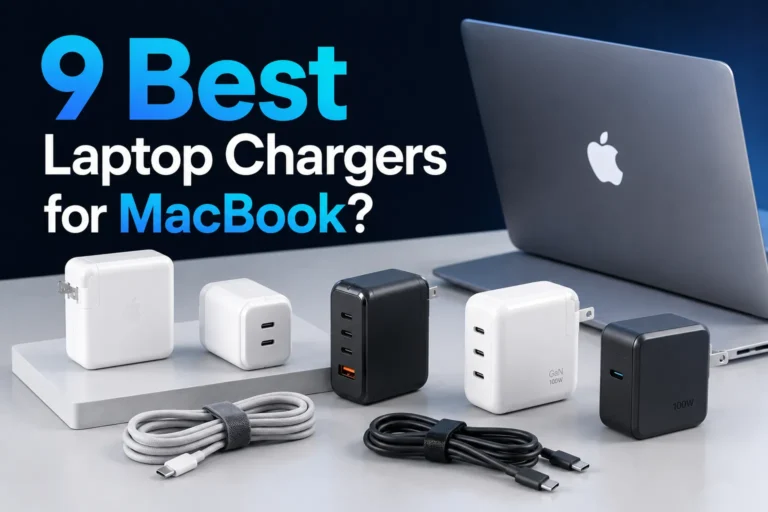
A quality multi-port GaN charger can reduce desk clutter and make travel easier. It is useful when your laptop, phone, tablet and accessories all support USB-C charging. The important detail is power distribution: a charger advertised as 200W may divide that total among several ports when multiple devices are connected.
Check the output table in the product listing. Make sure the primary USB-C port can still provide enough power for your laptop in the device combination you plan to use. For more options, see our best multi-port charger guide.
Laptop Charger Safety Checklist
- Buy from a recognizable manufacturer or an official replacement source.
- Confirm safety certification and avoid listings with unclear specifications.
- Do not use a cable with damaged insulation, exposed wires or a loose connector.
- Keep the power brick on a hard, ventilated surface instead of under bedding.
- Stop using an adapter that smells burnt, sparks, crackles or becomes unusually hot.
- Do not force a connector into a port.
- When travelling internationally, verify the charger’s input voltage and use the correct plug adapter.
Warmth during charging can be normal, particularly under heavy load. Excessive heat, repeated shutdowns or discoloration is not normal. Read our guide on laptop charger overheating for warning signs and corrective steps.
Common Laptop Charging Problems
The laptop says “plugged in, not charging”
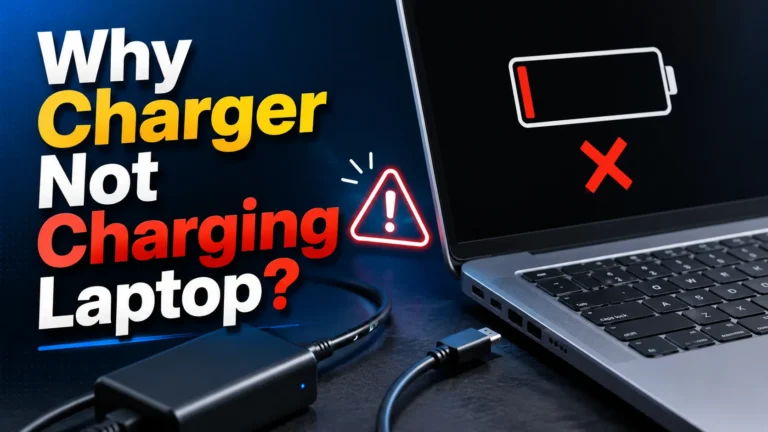
This can be caused by battery protection settings, an underpowered charger, a damaged cable, debris in the port or a battery fault. Restart the laptop, inspect the connector and test with the approved adapter if available.
The charger works only at a certain angle
A cable, plug or charging port may be worn. Continuing to bend the connector can worsen the damage. Stop using it and have the port and adapter inspected.
USB-C charging is slow
Confirm that the charger supports USB-C PD, the selected port provides the advertised laptop output and the cable is rated for that power. Multi-port chargers may reduce laptop output when several devices are connected.
The adapter gets very hot
Move it to a ventilated surface, disconnect unnecessary devices and check whether its wattage is adequate. Replace it if heat is extreme or accompanied by odor, noise or visible damage.
Frequently Asked Questions
Can I charge my laptop with a phone charger?
Only when the laptop accepts USB-C PD and the phone charger offers a compatible power profile. Many phone chargers are too weak for normal laptop use.
Is 65W enough for a laptop?
It is sufficient for many thin-and-light USB-C laptops, MacBook Air models and business notebooks. Larger performance laptops may require 100W or more.
Will a 100W charger damage a 65W laptop?
A standards-compliant USB-C PD laptop should request only the compatible power it needs. Confirm that both charger and cable meet recognized specifications.
Can I use any USB-C cable?
No. Basic cables may be limited to lower power. Use a cable rated for the required wattage, especially for 100W–140W charging.
Should I buy an original or third-party charger?
An original adapter is the safest choice for proprietary connectors and gaming laptops. A reputable third-party USB-C PD charger can be an excellent option for standards-compliant laptops when its profiles and wattage match.
Final Recommendation
Choose by compatibility first and convenience second. Verify the exact laptop model, connector, voltage, wattage and protocol. For many portable USB-C laptops, a reputable 65W GaN charger is the best balance of size and power. For a multi-device desk, a higher-output charging station can simplify cable management. For gaming laptops or proprietary ports, stay with the original manufacturer specification.


One Comment