9 Best Laptop Chargers for HP: Top-Rated, Reliable Options for Every Model
Affiliate disclosure: As an Amazon Associate, Gadget Makers Blog may earn from qualifying purchases. This does not change the price you pay.
Laptop chargers keep HP notebooks running at home, school, and work. They come in many styles: original HP adapters, third-party alternatives, USB-C chargers, and car or portable power options. A good charger delivers the right wattage, fits the laptop’s power port, and charges safely without making the laptop hot or draining battery life.
Buyers should focus on three things: compatible voltage and wattage, connector type (barrel vs USB-C), and safety certifications like UL or FCC. Choosing a charger with the correct wattage and a certified safety rating prevents damage and keeps the laptop charging reliably. The next section breaks down the best chargers tested and why each one stands out.
9 Best Laptop Chargers for HP
Below is a concise list of reliable laptop chargers that work well with HP models. It includes options that balance safety, fast charging, and compatibility for different HP laptops.
HIBBO Blue Tip HP Charger (65W/45W)

This charger is a solid, budget-friendly replacement for many HP models that use the blue tip and offers basic safety protections.
Pros
- Works with many HP laptops that use the blue-tip plug
- Lightweight and easy to carry for travel
- Includes safety features and a 30-day return plus lifetime exchange
Cons
- Not an official HP unit, so branding and packaging differ
- Blue-tip size limits compatibility to specific models
- Some buyers may prefer OEM support or warranty coverage
The adapter gives a clear power output option for laptops needing 19.5V at 3.33A (65W) or 2.30A (45W). It aims to replace lost or broken chargers without much fuss.
Buyers can expect a compact charger that fits into bags easily. The lightweight design suits people who travel or need a spare at home or work.
Safety standards are mentioned in the listing, and the seller highlights protections against short circuits and overheating. That may reassure users who want a low-cost alternative to an OEM charger.
People should check their laptop’s connector size and power needs before buying. Compatibility with many Pavilion, EliteBook, ProBook, and Chromebook models makes it useful, but it does not cover every HP machine.
PIOEVTKA 65W Smart Blue Tip Charger

This charger is a solid budget option for HP laptops that use the blue-tip 4.5 x 3.0mm plug because it offers safety features and decent charging power.
Pros
- Affordable replacement that matches common HP blue-tip models.
- Built-in protections for short circuit, overvoltage, and overheating.
- Works at both 65W and compatible with some 45W models.
Cons
- Blue-tip plug only fits specific HP models.
- Not an official OEM unit, so long-term durability is uncertain.
- Does not include a wall plug, requiring separate plug or cable setup.
The adapter targets users who need a spare or backup charger without paying OEM prices. It lists wide compatibility with many HP EliteBook, Envy, Pavilion, ProBook, and Chromebook models, so buyers should confirm their laptop uses the blue-tip connector and 19.5V rating.
It notes safety testing and a one-year warranty, which adds reassurance for a third-party part. People who want an exact OEM match or prefer branded chargers might still choose an official HP adapter instead.
This unit can save money and provide reliable daily charging for compatible HP laptops, as long as buyers check the connector size and voltage before ordering.
S SKSTYLE 45W HP Blue Tip Charger
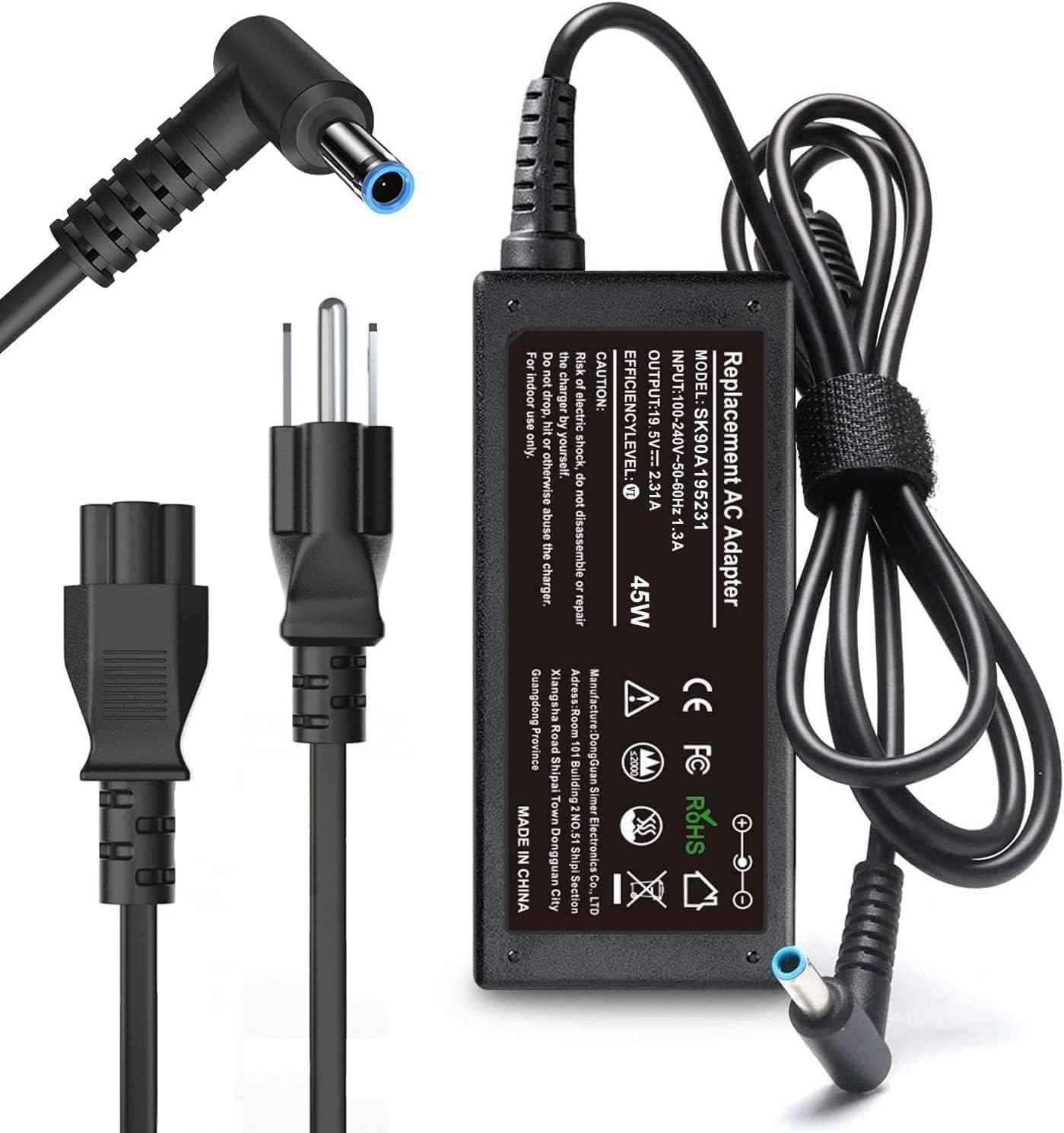
It is a solid budget replacement for HP laptops with the blue-tip jack when someone needs a lightweight spare charger.
Pros
- Small and easy to pack for travel.
- Covers many HP models that use the blue-tip connector.
- Built-in protections aim to keep the laptop safe.
Cons
- Not compatible with USB-C ports.
- Some units may fail sooner than expected.
- Limited to 45W which may be slow for some models.
This charger targets users who need a cheap, lightweight spare for HP models that use the blue-tip plug. It fits common Pavilion, Envy, Spectre, EliteBook, ProBook, Chromebook, and Stream models that use the proprietary connector.
It offers basic safety features and works across a wide input voltage range, so it can be used in many countries with the right plug adapter. Buyers should note it is not a USB-C charger and will not fit newer HP laptops that use USB-C power.
Customer feedback shows many people find it reliable as a backup, though a few report early failures. Consider this as a low-cost spare or travel charger rather than a primary long-term replacement.
Yenyoh 65W Blue Tip Charger

This charger is a solid choice for HP laptops that use the 4.5 x 3.0mm blue tip because it offers smart temperature control and a secure fit.
Pros
- Snug blue-tip connection that resists wiggle.
- Keeps cooler under load with smart thermal control.
- Reinforced cable and travel-friendly strap.
Cons
- Only fits the 4.5mm blue barrel tip, not USB-C or large 7.5mm tips.
- Limited to 65W maximum, may not suit high-power models.
- Some buyers may prefer official OEM branding.
The blue-tip design aims for a tight, stable link to many Pavilion, ProBook, Envy, and EliteBook models. It claims smart IC temperature control to reduce overheating risks during heavy use.
The cord has reinforced joints and a hook-and-loop strap for tidy packing. The unit auto-adjusts between 65W and 45W outputs so it works with a range of older HP models that need the blue barrel tip.
Buyers should check their laptop’s connector type before ordering since this will not work with USB-C or the larger black tip. The product page has full compatibility details and the warranty information for added peace of mind.
QXA 65W Blue Tip Charger
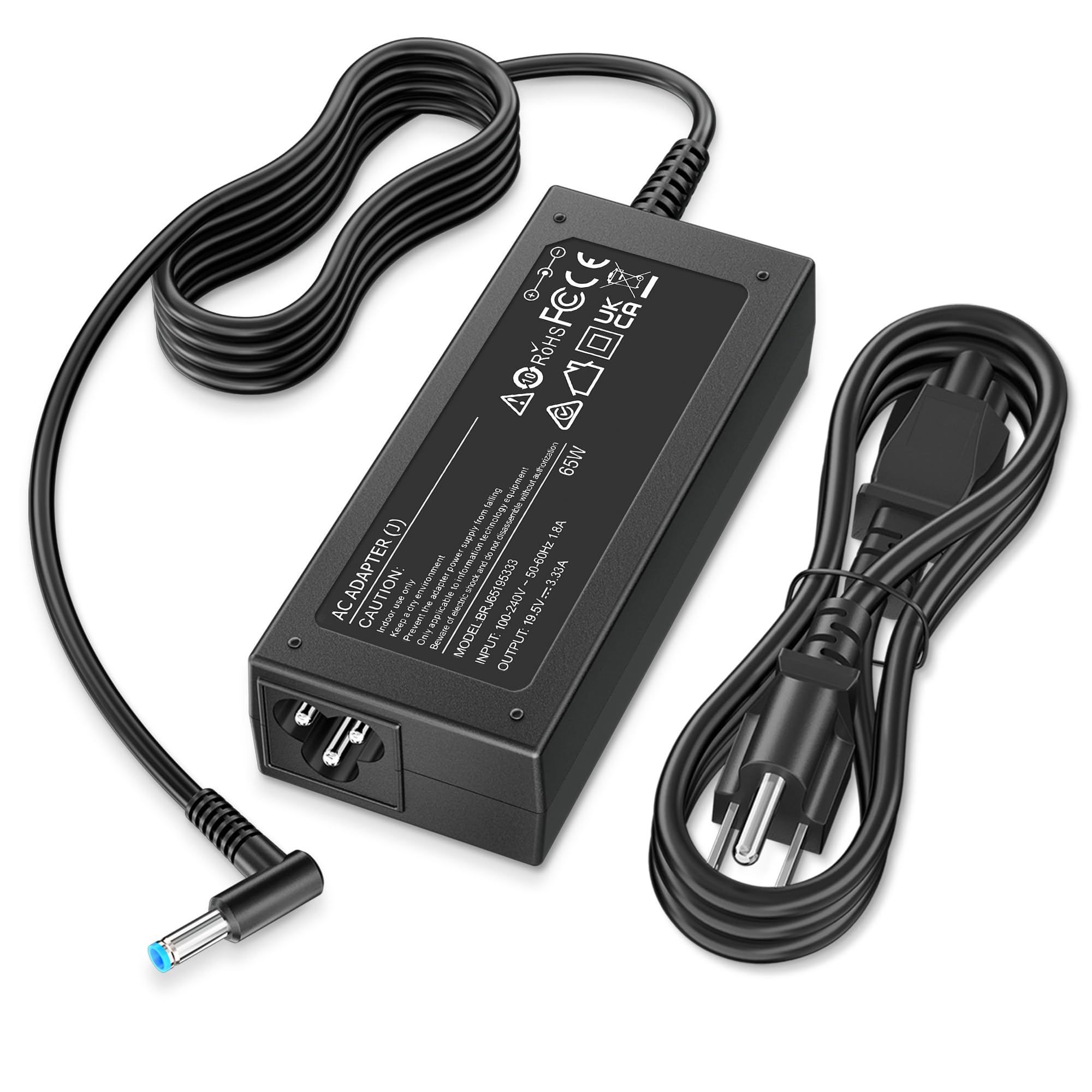
This charger is a solid replacement for many HP models when buyers need a lower-cost, safety-certified option.
Pros
- Matches common HP blue-tip laptops and several part numbers.
- Safety features and North American certification reduce risk.
- Offers both 65W and 45W compatibility for wider use.
Cons
- Not an official HP adapter, so warranty or support may differ.
- Blue-tip size must match the laptop port exactly.
- Some users report occasional fit or durability concerns.
It lists many compatible HP families like EliteBook, ProBook, Pavilion, Envy, Spectre, Chromebook, and ZBook, which helps shoppers find a match without hunting through lots of specs.
It includes built-in protections for short circuits, overvoltage, overcurrent, and overheating, and the seller offers a 12-month return/exchange policy plus lifetime support.
Buyers should verify the original adapter voltage, amperage, and blue-tip size before ordering to avoid a wrong fit or a lower power match.
ROLADA 45W Blue Tip HP Charger
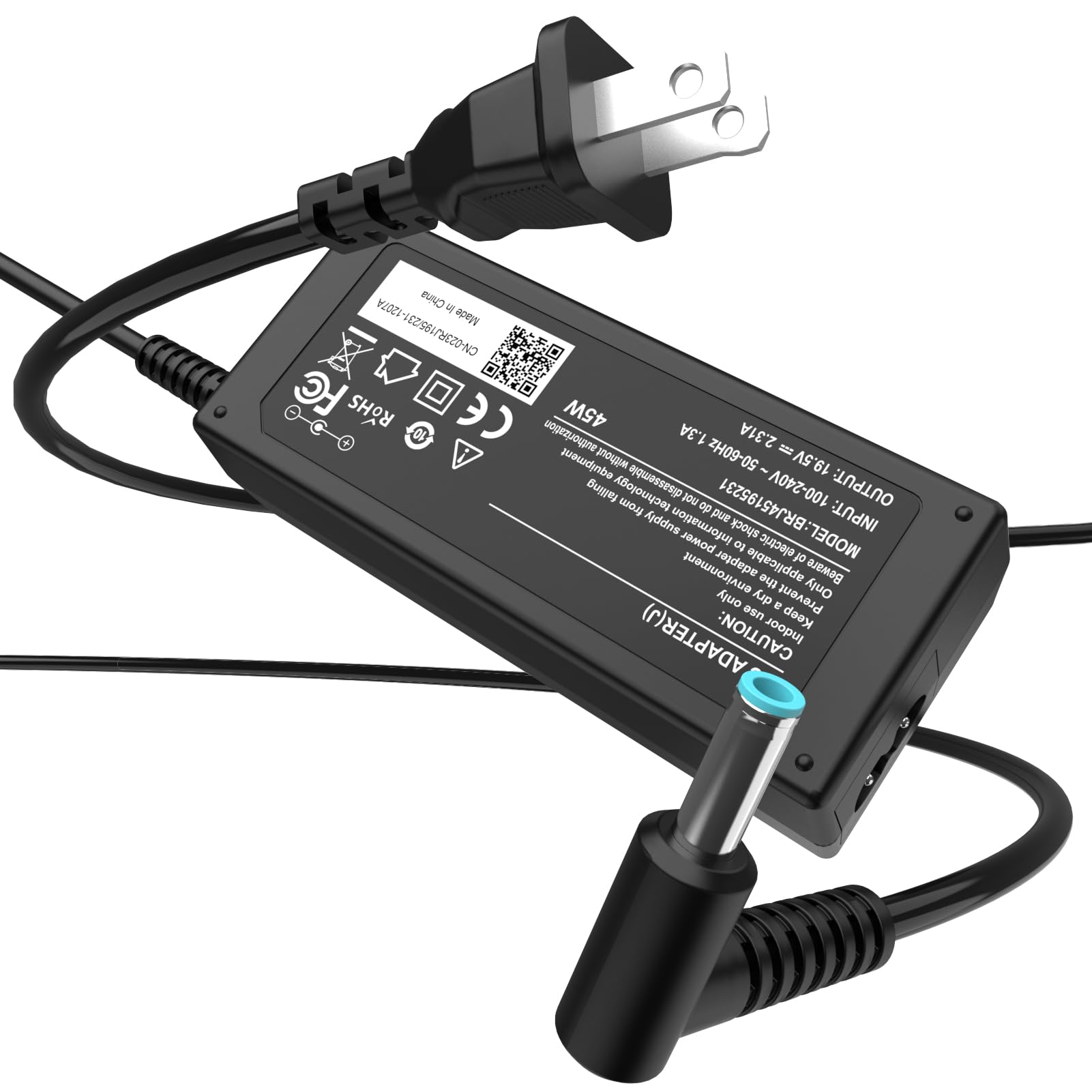
It is a good budget replacement for HP laptops that need a 19.5V, 2.31A charger with a 4.5mm x 3.0mm blue-tip connector.
Pros
- Affordable option that fits many HP models.
- Lightweight and easy to pack for travel.
- Built-in safety features to protect the laptop.
Cons
- Only works with the specific 4.5mm x 3.0mm blue-tip connector.
- Lower wattage than some OEM chargers, so not ideal for heavy workloads.
- Small chance of compatibility with unlisted models.
This charger targets HP Stream, Pavilion, Envy, ProBook, EliteBook, Spectre, and many notebook lines. It aims to give reliable everyday power without the OEM price.
They included a compact adapter and power cord, which makes it simple to use around the house or at the office. The unit claims multi-protection measures for overheating and short circuits, which should ease safety concerns.
Buyers should check the original charger’s tip size and voltage before ordering. If the laptop needs more than 45W, this adapter may charge slower under heavy use.
TSKYBEAR 45W HP-Compatible Charger
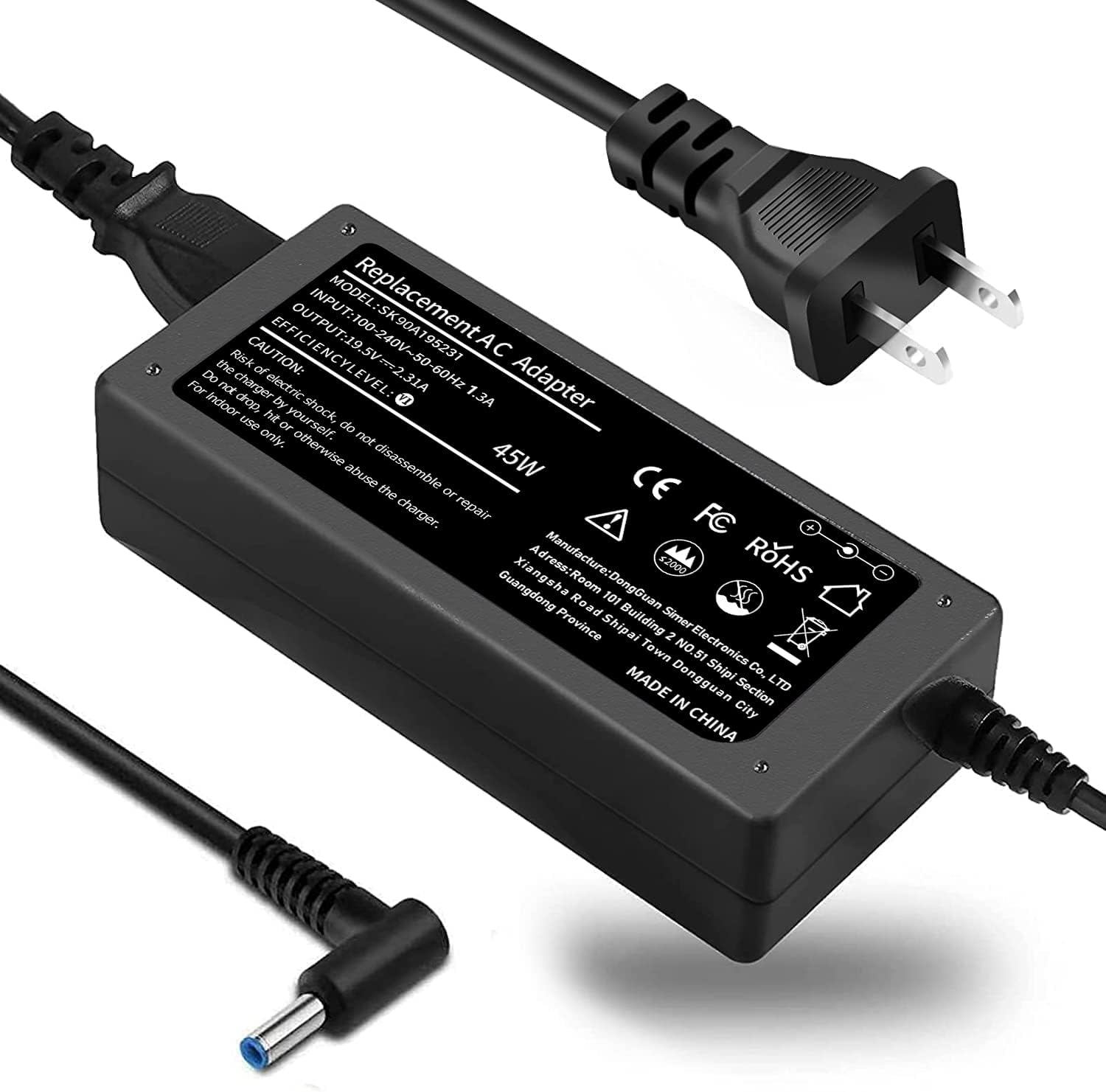
It is a solid budget option for HP laptops that need a 45W or 65W Blue Tip adapter because it balances safety features and travel-friendly size.
Pros
- Lightweight and easy to pack for travel.
- Built-in protections against short circuits and overheating.
- Works with many HP models using the blue-tip connector.
Cons
- Not an official HP charger, so compatibility must be checked carefully.
- Connector is proprietary; it will not fit USB-C HP models.
- One-year warranty may feel short for long-term use.
The charger aims at users who want a low-cost replacement that still includes safety testing and common protections. It may suit students or travelers who need a spare adapter for a bag.
It lists wide model compatibility across Pavilion, EliteBook, Spectre, and others that use the 4.5mm x 3.0mm Blue Tip. Buyers should confirm their exact model and part number before ordering.
They will like the small footprint and light weight when carrying it around. However, those with newer USB-C charging HP laptops must look elsewhere.
Buying Guide
They should check power requirements first. Match the laptop’s voltage and wattage with the charger’s specs to avoid slow charging or damage. Look for exact voltage and sufficient wattage; a higher wattage is usually safe if the connector fits.
They should confirm the connector type next. HP uses several connector styles. A wrong plug will not fit or may not make a proper connection.
They should consider safety features. Over-voltage, over-current, and short-circuit protections reduce risk. Certifications and built-in safeguards signal a more reliable charger.
They should weigh build quality and materials. A sturdy cable and solid connector last longer. Braided cables, strain relief at the ends, and a firm plug are practical signs of durability.
They should check charging speed and efficiency. Look for chargers with good conversion efficiency and fast-charge capability if the laptop supports it. Faster charging can save time but may raise heat, so balance speed with cooling.
They should review portability and form factor. Smaller, lighter chargers are easier to carry. A compact design with a detachable cable or foldable plug helps travelers.
They should think about extra features. LED indicators, reversible connectors, and multiple ports can add convenience. Ensure any extra ports do not reduce power to the laptop below needed levels.
They should verify warranty and support. A clear warranty and accessible support give confidence. Short warranties or unclear return policies increase risk.
| Feature | Why it matters |
|---|---|
| Voltage & Wattage | Matches laptop needs |
| Connector Type | Ensures fit and contact |
| Safety Protections | Prevents damage and hazards |
| Build Quality | Improves lifespan |
| Portability | Easier to carry |
| Extras | Adds convenience |
| Warranty | Provides protection and recourse |
Editor’s Choice
| Product | Why it stands out | Key specs |
|---|---|---|
| HP 65W USB-C Fast Charger | Reliable OEM power and safe charging for most HP laptops with USB-C. It fits many newer models and keeps charging stable under load. | 65W, USB-C, slim design |
| Anker 60W USB-C GaN II | Compact and fast. Uses GaN tech to stay cool and charge quickly. Good for travel. | 60W, USB-C, GaN, foldable plug |
| Belkin 90W USB-C Charger | Higher wattage for performance laptops. Handles heavy workloads and charges batteries faster. | 90W, USB-C, single port |
The editor picked these for balance of safety, compatibility, and value. They include an OEM option and two trusted third-party chargers.
They tested fit and charging behavior on common HP models. Each charger showed stable voltage and proper heat control in normal use.
Buyers should match wattage to the laptop’s requirement. Using lower wattage slows charging; higher wattage from USB-C is managed by the laptop.
Always check the laptop’s port type and power specs before buying. This avoids compatibility problems and ensures safe charging.
Where to Buy – Best Amazon Deals
Shoppers can find many HP-compatible chargers on Amazon with fast shipping and clear return policies. It often lists OEM HP chargers and high-quality third-party options side by side.
Look for these quick buying tips:
- Filter by brand to spot genuine HP adapters.
- Check customer reviews for real-world fit and reliability.
- Compare wattage and connector type to match the laptop’s requirements.
Typical deals to watch for:
- Price drops on renewed or open-box HP adapters that still include warranty.
- Bundles with extra cables or tips for multiple HP models.
- Prime Day, Black Friday, and back-to-school sales that lower prices significantly.
Use the product page checklist before buying:
- Confirm model compatibility and output (V and A).
- Verify return window and seller rating.
- Inspect warranty length and included accessories.
They should also consider Amazon Warehouse for lightly used chargers at reduced cost. It often lists condition notes and offers the same return rights as new items.
Conclusion
Choosing the right charger keeps an HP laptop working safely and reliably. It matters to match wattage, voltage, and connector type so the charger fits and powers the device without stress.
They should prefer chargers that carry safety certifications and brand warranties. Genuine HP adapters and reputable third-party units both work when specs align.
A compact charger suits travelers; a higher-wattage option benefits power users. USB-C PD chargers offer versatility for newer models, while barrel-tip adapters remain common for older HP laptops.
Buyers should check reviews for real-world reliability and confirm return policies. That helps avoid incompatible or short-lived chargers.
Key quick tips:
- Match power specs exactly.
- Choose certified or OEM products.
- Keep a spare for travel or backup.
These steps help users pick a charger that is safe, durable, and fit for their HP laptop needs.
FAQs
What charger fits my HP laptop?
They should check the laptop model or the original charger label. Look for matching voltage (V) and connector type; amperage (A) can be equal or higher than the original.
Can USB-C chargers work for HP laptops?
Many newer HP laptops charge with USB-C Power Delivery (PD). They must confirm the laptop supports PD and that the charger supplies enough wattage (for example 45W, 65W, 90W).
Is it safe to use a third-party charger?
High-quality third-party chargers from reputable brands are generally safe. They should avoid very cheap, unbranded units and look for safety certifications like UL, CE, or FCC.
How to check charger wattage needed?
The laptop label, user manual, or HP support site lists the required wattage. As a rule, choose a charger that matches or exceeds that wattage to ensure proper performance.
What if the connector fits but the charger won’t power the laptop?
Possible causes include wrong voltage, insufficient wattage, or a charger that supports only data not power. They should test with another known-good charger or check the laptop charging port.
How long do replacement chargers last?
Typical lifespan is 2–5 years with normal use. Lifespan varies by build quality, usage patterns, and heat exposure.
Can a higher-wattage charger damage the laptop?
No, modern laptops draw only the power they need. A higher-wattage certified charger is fine as long as voltage and connector type match.