9 Best Laptop Chargers Review: Top Picks, Compatibility Guide, and Buying Advice
Affiliate disclosure: As an Amazon Associate, Gadget Makers Blog may earn from qualifying purchases. This does not change the price you pay.
Laptop chargers keep notebooks running through work, school, and travel. They come in many shapes: small USB-C chargers for thin laptops, larger barrel-style adapters for older models, and multiport chargers that can power a laptop and a phone at once. People choose chargers for speed, portability, and compatibility with their device.
The most important thing to check is whether the charger matches the laptop’s power needs and connector type — using the wrong voltage or connector can slow charging or damage the battery. Look for the correct wattage, the right plug (USB-C PD or proprietary barrel), and safety certifications like UL or CE. Other useful features include fast-charge support, compact size for travel, and durable cables. This guide tests popular chargers and explains which models work best for different users, making it easier to pick the right one.
9 Best Laptop Chargers
Below is a list of the best laptop chargers chosen for power, safety, and compatibility. The list helps readers compare fast chargers, universal models, and compact options to find the right match for their laptop.
VJYUIJAY 65W USB-C Charger
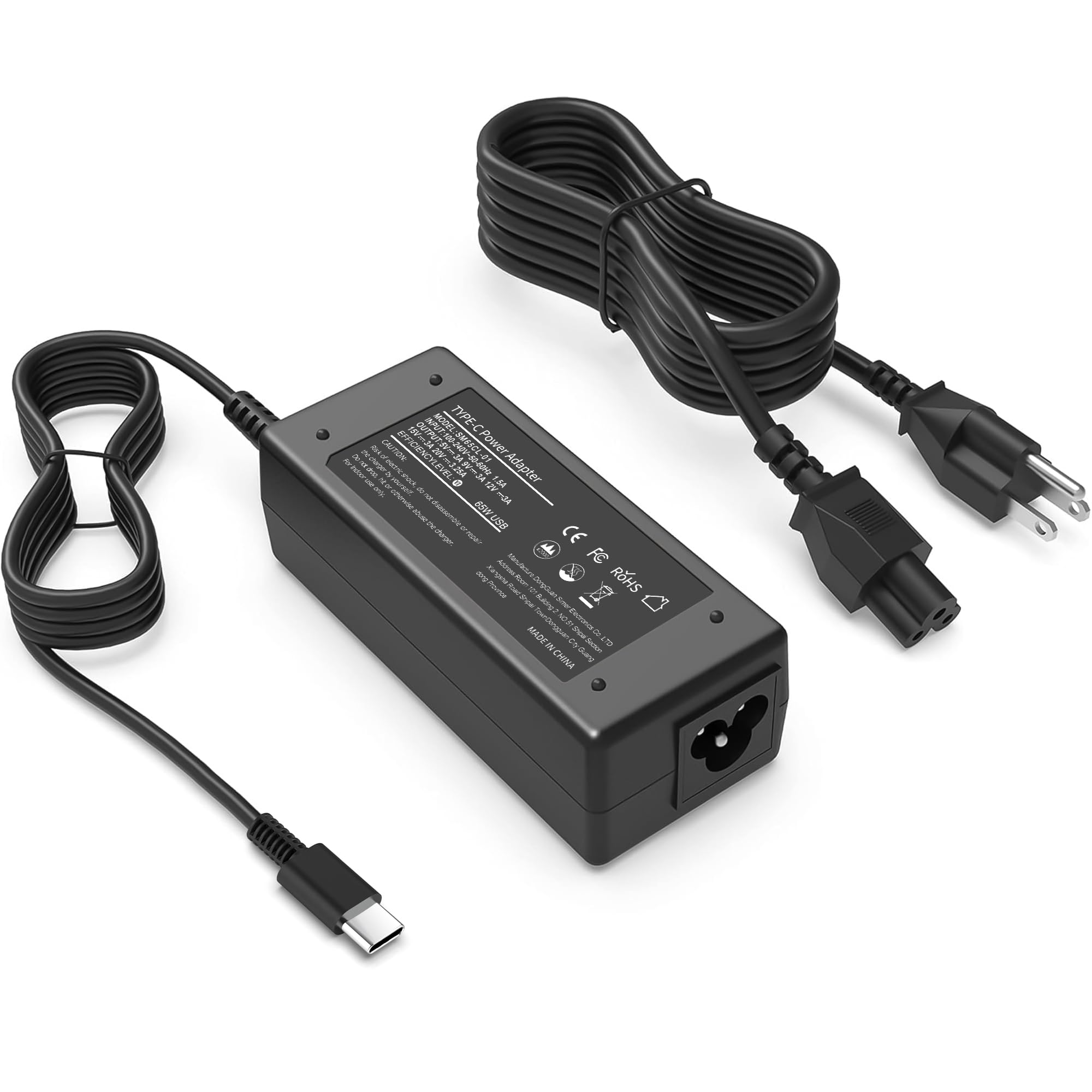
It is a solid budget USB-C charger for many laptops that offers fast charging and wide compatibility but has mixed long-term reliability reports.
Pros
- Fast charging for compatible USB-C laptops.
- Works with many laptop brands and models.
- Compact and easy to carry for travel.
Cons
- Some users report durability issues over time.
- Occasional negotiation problems with certain devices.
- Not all cables or devices will reach full rated power.
This charger targets people who need a low-cost, portable USB-C power adapter for work, school, or travel. It promises 65W output and lists many laptop models it can serve, making it a safe choice when a matching OEM charger is not required.
They should note the charger includes basic safety features and a power cable, and it aims to protect against short circuits and overheating. Reviews show quick charging and small size as clear benefits, though a few buyers mention it stopped working after months.
Buyers who want steady, long-term use may prefer to check warranty terms or consider higher-priced options with stronger longevity records. Those who need a cheap, flexible spare or travel charger will likely find it useful.
HIBBO 65W Blue Tip Charger

This charger is a solid budget option for people who need a reliable replacement for HP laptops with the blue-tip connector.
Pros
- Affordable and good value
- Widely compatible with many HP models
- Lightweight and easy to pack
Cons
- May not match OEM build finish
- Single charging connector limits multi-device use
- Some buyers prefer official brand chargers
The HIBBO 65W Blue Tip Charger gives standard power and safety features at a lower price than branded adapters. It targets users who want a quick, cheap replacement that fits common HP laptops.
Buyers like that it works with many EliteBook, ProBook, Pavilion, and Chromebook models. The adapter also claims safety testing and protection against short circuits, overvoltage, and overheating.
People who need a compact travel spare will appreciate the small size and light weight. Those who want the exact OEM look or extra ports might look elsewhere.
heesky 100W USB-C Charger
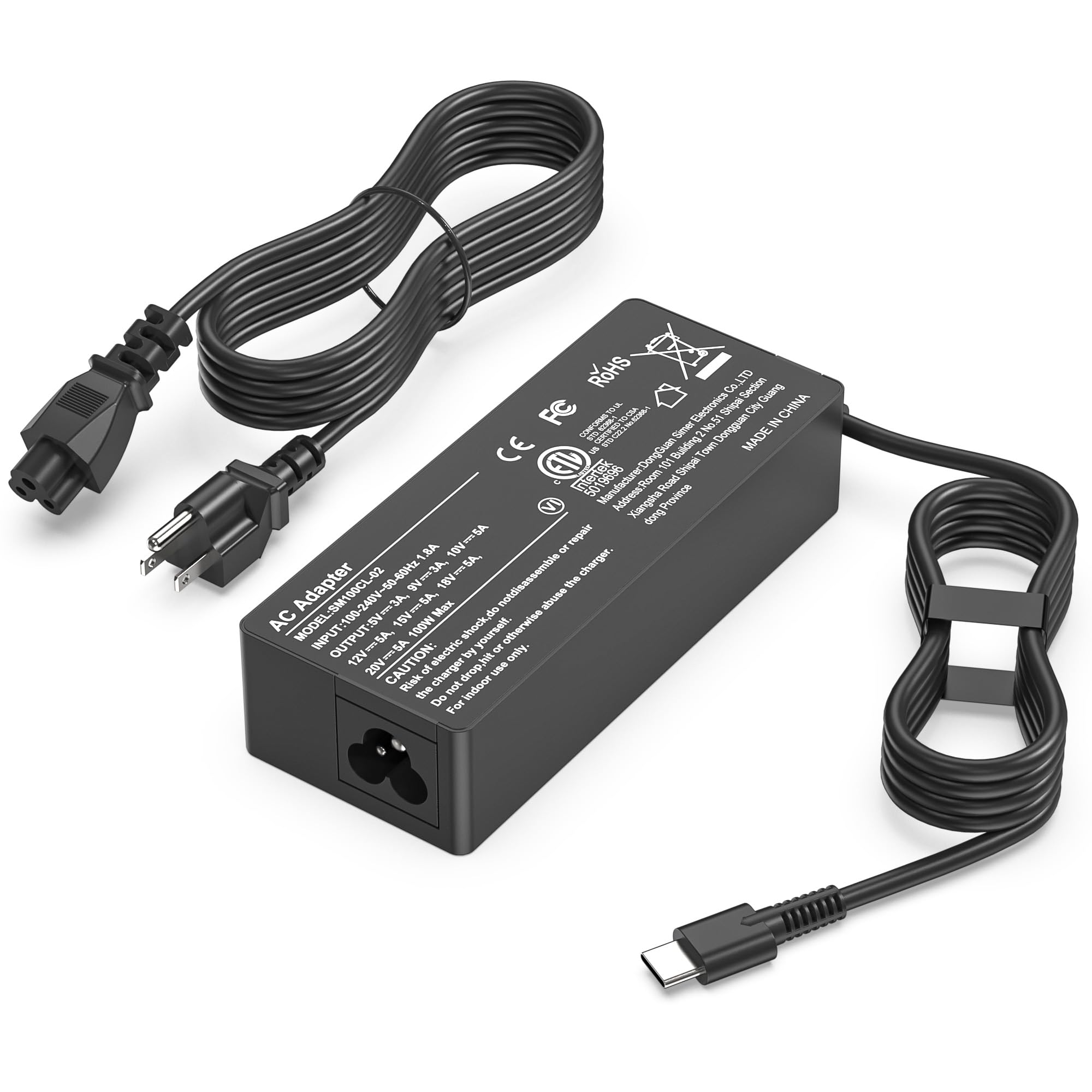
It is a solid choice for someone who needs a high-power USB-C charger that works with many laptops and devices.
Pros
- Charges high-watt laptops and other USB-C devices quickly.
- Long power cord offers flexible placement.
- Built-in safety protections reduce risk during use.
Cons
- Some users report a low buzzing noise during operation.
- It can warm up under heavy load.
- Single USB-C port limits charging multiple devices at once.
This charger fits a wide range of brands and models, so buyers who switch between devices will likely find it convenient. The 100W output helps power demanding laptops and keeps performance steady during heavy tasks.
The cord length is useful for desks or setups where outlets sit far away. Safety features and factory testing aim to provide confidence, though the unit is plastic and not premium-feeling.
A few reviewers mention noise and warmth, which could bother sensitive users. The one-port design means users who need to charge a phone and a laptop at once will need a hub or extra charger.
Anker 100W Compact Charger
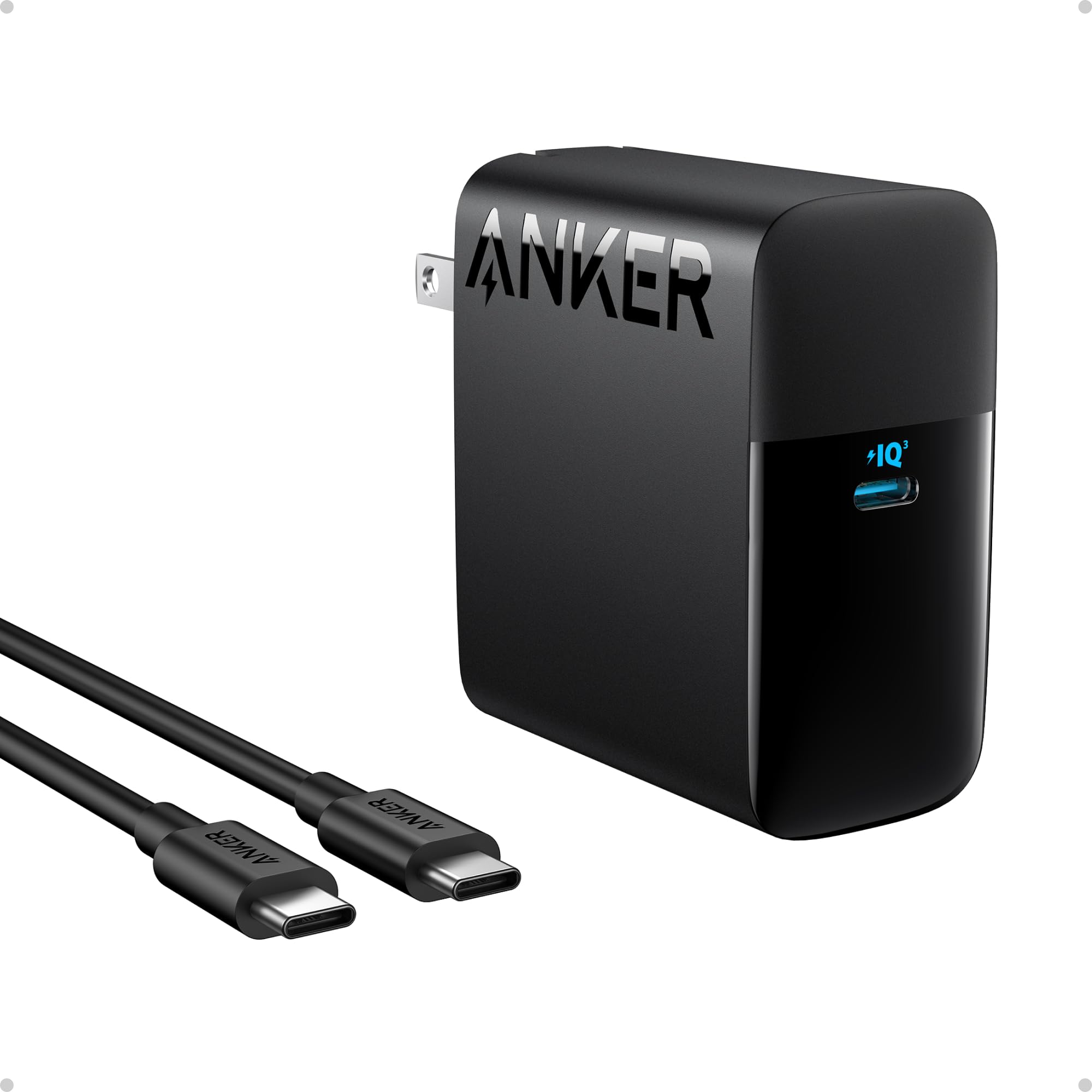
It is a strong choice for buyers who want fast USB-C charging in a small, travel-friendly package.
Pros
- Charges high-power laptops quickly.
- Small size and foldable plug make it easy to pack.
- Built-in safety features help prevent overheating.
Cons
- Only one USB-C port limits charging multiple devices at once.
- Some users may prefer a longer or different cable type.
- High wattage may be overkill for simple phone charging.
The charger aims to deliver serious power in a compact shape. It offers up to 100W so larger laptops can top up faster than with typical phone chargers.
Its foldable plug and included 5ft USB-C cable make it handy for travel and daily carry. Active safety monitoring gives a level of protection during long charging sessions.
Buyers should pick this if they need a single, powerful USB-C charger that saves space. Those who want multiple ports or mixed cable types might look elsewhere.
GreBed 90W Universal Charger

This charger is a solid pick for buyers who need one adapter that can work with many laptop brands and deliver up to 90W.
Pros
- Wide compatibility with 15 tip options.
- Supports global input voltage for travel.
- Includes fast-charging and a USB port.
Cons
- May not fit every model despite many tips.
- Switching tips can feel fragile for some users.
- Limited to 90W, so high-power laptops may not get full speed.
This adapter appeals to people who want fewer chargers and more flexibility. The smart chip adjusts output to match many machines, which makes it handy for mixed-device households.
Travelers will like the 100–240V input and the single unit that replaces several brand chargers. Buyers should still check their laptop’s required wattage and the connector diagrams before ordering.
Some reviewers note the tip-switching mechanism can be fiddly and one reviewer reported breakage while changing tips. It serves most mid-range laptops well but may not suit heavy gaming rigs that need more than 90W.
Lenovo 65W USB-C Charger

It is a solid choice for ThinkPad and Lenovo users who need a compact, 65W USB-C charger that supports fast charging across many models.
Pros
- Reliable 65W output for laptops that need more power.
- Wide compatibility with many Lenovo ThinkPad and IdeaPad models.
- USB-C plug makes it simple to use and carry.
Cons
- Mainly fits Lenovo devices, so non-Lenovo users may not get full compatibility.
- Cable is built-in, so replacement means swapping the whole charger.
- Heats up under heavy load for long charging sessions.
The charger offers standard 65W power and multiple voltage levels that match many Lenovo laptops. It aims to be a no-frills, OEM-style replacement for lost or damaged adapters.
It links directly to a Lenovo-compatible list, so buyers should check their model before ordering. The product comes with a one-year warranty, which adds some protection for peace of mind.
For someone who owns a supported ThinkPad or IdeaPad and wants a compact USB-C charger with fast-charge capability, this charger fits the need without extra features or frills.
Ostrich 65W Dell-Compatible Charger

It is a solid, budget-friendly replacement for Dell laptops that need a 65W or 45W round-tip charger.
Pros
- Affordable substitute for OEM chargers
- Includes two tip sizes for wider laptop fit
- Built-in safety protections and lifetime exchange policy
Cons
- Adapter tip can feel loose for some users
- Not an OEM product, so brand purists may avoid it
- Limited to round-tip Dell models, not universal USB-C
This charger matches many Dell Inspiron, XPS, and Vostro models that use a round 4.5 x 3.0mm plug. It offers 65W output with a 45W option and comes with a converter cable to fit larger jacks.
The seller notes safety testing and several protections like overcurrent and overheating guards. Buyers get a power cord, the adapter, and a tip converter, which helps with older or mixed Dell laptops.
Some users report reliable charging and decent speed. A few mention the converter can detach easily, so occasional taping or careful handling might help.
Dell 65W USB-C Charger

It is a solid OEM choice for Dell USB-C laptops when users need a compact 65W power supply.
Pros
- Genuine Dell part that fits many models.
- Small, easy to carry for travel.
- Includes power cord and USB-C connector.
Cons
- Some reports of connector wear or breakage.
- May show “underpowered” warnings on higher-demand laptops.
- Limited to 65W, not ideal for heavy-workstation use.
This charger appeals to people who want an official replacement from the laptop maker. It works well for everyday tasks and light to moderate use on supported Dell models.
They will like the compact size and the confidence of buying an OEM adapter. The single USB-C port keeps things simple but also limits multi-device charging.
A few buyers reported durability issues with the connector and occasional underpower messages on power-hungry systems. Those needing faster charging or stronger output should check wattage needs before buying.
Buying Guide
Choosing the right laptop charger starts with matching power needs. Check the laptop’s required voltage and wattage and pick a charger that meets those numbers. A higher wattage can work if the voltage and connector match, but too low wattage will charge slowly or not at all.
Look at connector type and compatibility. USB-C PD, barrel plugs, and proprietary tips are common. Confirm the plug fits securely and that the charger supports the laptop’s charging standard.
Consider safety features. Over-voltage, over-current, short-circuit, and temperature protection reduce risk. Certified chargers and testing marks show the charger passed basic safety checks.
Think about portability and build quality. Smaller, lighter chargers are easier to carry. Durable cables and a firm connector reduce wear. Detachable cables add convenience and make replacement cheaper.
Check charging speed and efficiency. Higher efficiency wastes less energy and runs cooler. Fast-charge capability matters for quick top-ups; ensure the laptop accepts fast charge at the charger’s power level.
Review extra features that add value. LED indicators, foldable prongs, multiport output, and surge protection can help. Prioritize features that match daily use, like travel or multiple-device charging.
Compare warranty and support. A longer warranty and clear customer support make replacements easier. Keep receipts and documentation for warranty claims.
Pricing should reflect quality and safety. Avoid very cheap chargers that lack protection or certifications. Balance cost against compatibility, safety, and durability to choose the best option.
Editor’s Choice
They picked the Anker 737 GaN Prime as the top choice for most users. It charges laptops quickly and supports USB-C Power Delivery up to 100W, which fits most modern laptops.
Benefits:
- Compact GaN design saves space.
- Multiple ports let users charge a laptop and phone at once.
- Good safety features like overcurrent and temperature control.
Key specs:
| Feature | Detail |
|---|---|
| Max Power | 100W USB-C PD |
| Ports | 2× USB-C, 1× USB-A |
| Size | Small, pocket-friendly |
| Weight | Light for travel |
| Safety | Overheat, overvoltage, short-circuit protection |
It works well with both Windows and Mac laptops and adapts power per device needs. Users saw fast charging with high-capacity laptops and steady charging with smaller devices.
They noted a few trade-offs. The USB-A port shares power with USB-C ports, so maximum output drops when all ports are used. The unit can get warm under heavy load, but safety cutoffs protect the laptop.
Where to Buy – Best Amazon Deals
They can find many laptop chargers on Amazon with fast shipping and clear return policies. Amazon lists OEM and third‑party chargers, often with customer reviews that help check fit and quality.
Use filters to narrow choices by brand, wattage, and connector type. Sorting by “Top Rated” or “Prime” helps spot reliable listings quickly.
Look for these key labels:
- Amazon Prime for fast delivery.
- Fulfilled by Amazon for smoother returns.
- Seller ratings above 4.5 stars and detailed reviews.
Compare price, warranty, and included cables before buying. Cheaper options may lack safety features like overcurrent protection, so read specs.
They should watch for deals:
- Daily Lightning Deals and seasonal sales often cut prices.
- Bundles sometimes include extra tips or a carrying case.
Check the product Q&A and user photos to confirm compatibility. If unsure, contact the seller through Amazon for model-specific advice.
Conclusion
They chose chargers based on power, compatibility, and safety. A good charger meets the laptop’s wattage needs and fits the port type.
Durability and warranty matter. A well-built charger with a clear warranty reduces replacement costs and downtime.
USB-C PD chargers suit many modern laptops. They offer fast charging and single-cable convenience, but buyers must check wattage and cable quality.
Proprietary chargers work best for some models. They ensure full features like battery conditioning and system updates.
Budget options can save money when used carefully. Look for safety certifications and read reviews to avoid poor performance.
Buyers should match charger specs to device needs. Voltage, amperage, connector type, and smart charging features guide a safe choice.
Keep these quick tips in mind:
- Verify wattage and connector type.
- Choose certified or OEM products.
- Consider portability versus power.
- Check return policy and warranty.
This approach helps users pick a charger that fits their laptop, lifestyle, and budget without unnecessary risk.
FAQs
What size charger does a laptop need?
It depends on the laptop’s voltage and wattage. Users should check the laptop’s label or manual for exact specs and match those numbers on the charger.
Can a higher-wattage charger harm a laptop?
No, a laptop will only draw the power it needs if the charger provides the correct voltage and polarity. Using a charger with much higher voltage or wrong polarity can damage the laptop.
Are USB-C chargers safe for all laptops?
Many modern laptops accept USB-C Power Delivery, but not all. Users must confirm the laptop supports USB-C PD and the charger provides sufficient wattage.
How can one tell if a charger is authentic?
Look for brand logos, proper certifications (UL, CE), and sturdy build quality. Cheap, lightweight chargers with missing labels are often knockoffs.
Is it okay to use a universal charger?
Universal chargers work if the voltage, tip size, and polarity match. They add convenience, but verify compatibility before plugging in.
How long should a charger last?
A quality charger often lasts several years with normal use. Factors like heat, cable strain, and drops shorten its life.
What are safety tips for charging?
Avoid blocking vents, use the correct charger, and unplug during storms. Replace frayed cables and stop using chargers that overheat or spark.
Where to buy replacement chargers?
Buy from the laptop maker, reputable electronics stores, or trusted online retailers. Keep receipts and check return policies.