

What Is the Best Ring Video Doorbell for Your Home
The best Ring video doorbell for most homes is a midrange model that fits your wiring, Wi-Fi, and subscription preferences. Battery-powered versions are usually best for renters, while wired models suit homeowners who want fewer charging interruptions.
If you’re asking what is the best Ring video doorbell, the best choice for most homes is usually the model that matches your wiring, entryway traffic, and subscription comfort level rather than the most expensive one. For many buyers, that means a Ring doorbell with a strong balance of video clarity, reliable motion alerts, and either battery or wired power that fits the home.
- Best overall fit: Choose the Ring model that matches your power setup and entryway layout first.
- Renters: Battery-powered installs are usually simpler and easier to remove later.
- Homeowners: Wired models can reduce charging chores and feel more permanent.
- Compare carefully: Video quality, field of view, app support, and subscription needs matter most.
What Is the Best Ring Video Doorbell in 2026? Quick Answer and Top Pick Criteria
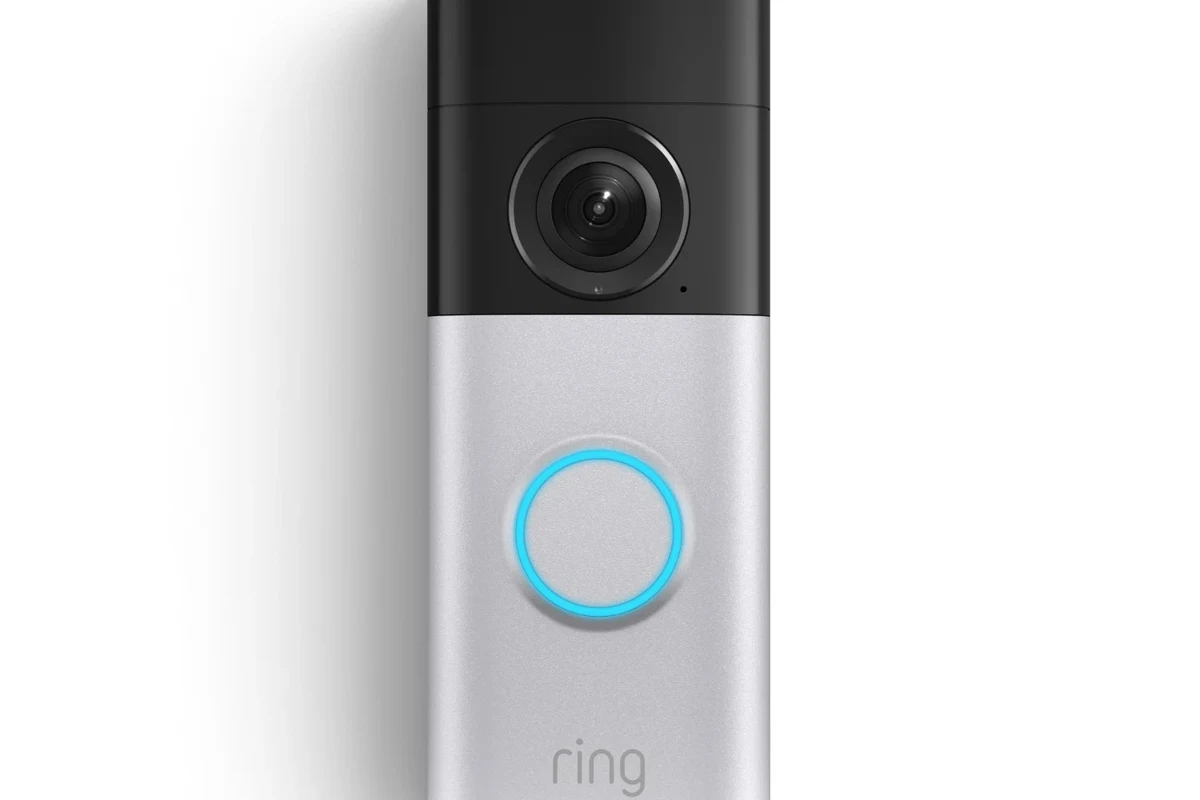
The “best” Ring video doorbell depends on where and how you plan to install it. A renter may need a battery-powered model with simple mounting, while a homeowner with existing wiring may prefer a wired option for fewer charging interruptions and more consistent operation.
Most households should start with a midrange Ring model that offers dependable app alerts, decent video quality, and a power option that matches the door setup. Choose premium only if you specifically need extra viewing detail, more advanced detection, or a more polished finish—and confirm the current feature list before buying, since Ring features can vary by model and firmware.
- Check whether your door has existing chime wiring or needs battery power.
- Confirm app support, smart home compatibility, and any subscription features you actually want.
- Measure the mounting area and verify the doorbell’s dimensions and weather rating for your entryway.
- Review privacy settings, notification controls, and warranty terms in the official Ring documentation.
Because Ring’s lineup changes over time, the smartest approach is to compare the current model page, the official app requirements, and your home’s power setup before deciding. If you’re also comparing other smart-home gear, our guides on choosing the right wall charger and smart lighting options can help you think through compatibility and ecosystem fit.
How Ring Video Doorbells Work: Core Features, App Setup, and Connectivity
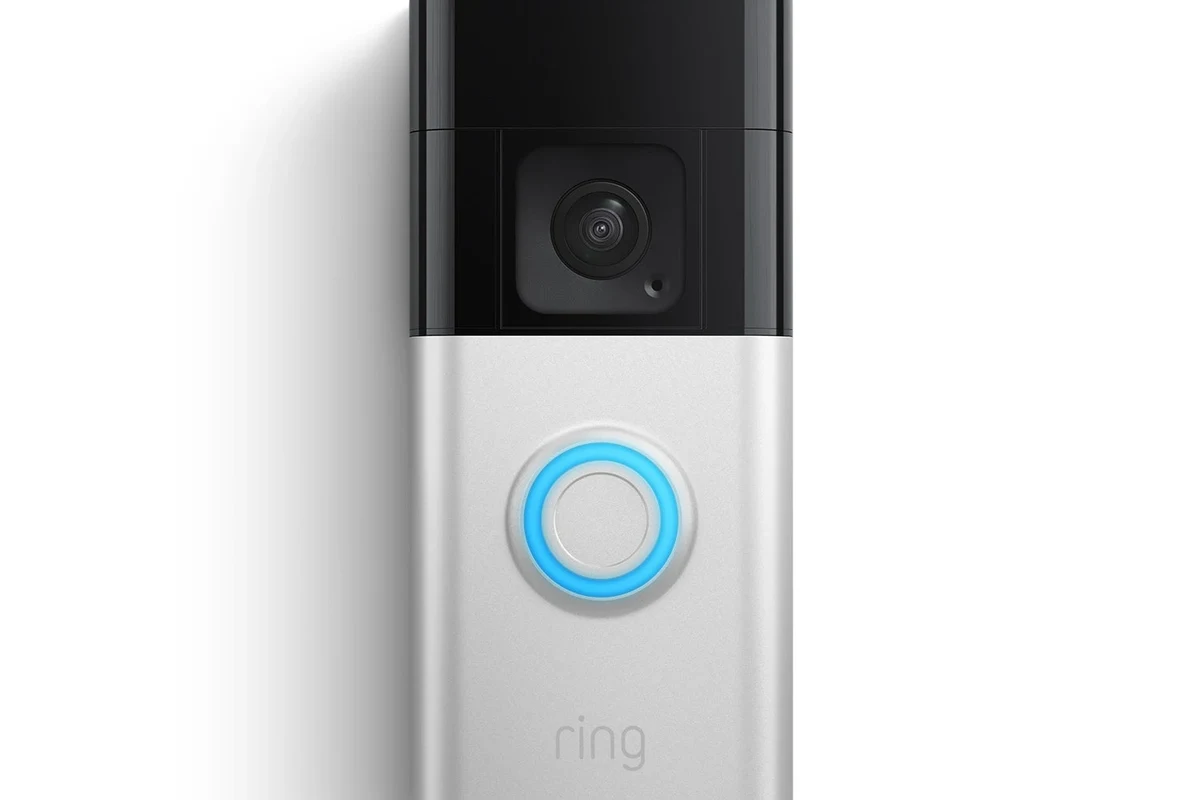
Ring video doorbells combine a camera, motion sensor, microphone, speaker, and smartphone app so you can see and speak with visitors from inside or away from home. Most models also support motion alerts, live view, and recorded clips, but the exact recording and history features may depend on the app version and subscription plan.
Wi-Fi, power options, and installation paths
Ring doorbells typically connect to your home Wi-Fi and then send alerts to the Ring app. Setup usually involves adding the device in the app, connecting it to your network, and mounting it at a height that gives a clear view of faces and packages.
Power options generally fall into two buckets: battery-powered and wired. Battery models are easier for renters or homes without doorbell wiring, while wired models are better suited to users who want a more permanent install and fewer charging interruptions.
Compatibility can vary by Ring model, doorframe shape, existing transformer, Wi-Fi strength, and regional availability. Always verify the exact model’s installation guide before purchase or installation.
Motion detection, alerts, two-way talk, and cloud recording
Motion detection is one of the main reasons people buy a smart doorbell. Ring models can notify you when someone approaches, rings the bell, or lingers near the entryway, but sensitivity, detection zones, and package alerts may vary by model and app settings.
Two-way talk lets you speak with delivery drivers, guests, or family members through the app. Cloud recording is useful if you want to review activity later, but the length of storage and whether clips are saved depends on the current subscription terms.
To reduce missed alerts, place the doorbell where the camera has a clear line of sight and review motion zones in the app after installation. Small changes in angle can make a big difference in how well the camera sees faces versus passing cars.
Which Ring Video Doorbell Fits Your Home Best?
The right Ring doorbell is the one that matches your living situation first and your feature wish list second. Think about whether you need a portable install, a clean wired setup, or a model that handles frequent front-door traffic without constant adjustment.
Apartments and renters
Renters usually benefit most from a battery-powered Ring doorbell that can be mounted without major electrical work. That makes it easier to remove later, which matters if you move often or have to restore the original door frame.
For apartments, the main priorities are simple installation, dependable Wi-Fi, and respectful notification settings so you are not overwhelmed by motion alerts from hallways or shared entrances. If you live in a building with strict rules, check the lease and ask whether exterior camera devices are allowed before buying.
Single-family homes and busy front entries
Homes with frequent deliveries, kids, guests, or service visits often benefit from stronger motion control and more consistent power. A wired Ring doorbell can be a better fit if your front entry already has the right wiring and you want fewer charging chores.
Busy entryways also make placement more important. If your porch is wide, angled, or has steps, look for a model with a field of view that covers both the person at the door and the space where packages are usually left.
Homes with existing doorbell wiring vs. battery-powered installs
If your home already has a compatible doorbell wire and transformer, a wired Ring model may offer the cleanest experience. If you do not want to deal with wiring checks, battery models are simpler, though you will need to monitor charge levels and plan for recharging.
Before choosing wired power, confirm the transformer requirements in the official manual. If you are unsure about electrical compatibility, it is safer to consult a qualified installer than to guess.
Key Specs to Compare Before You Buy
Specs matter because they affect what you actually see, hear, and maintain every week. A model with a great app but weak motion coverage may be less useful than a simpler one that fits your door and power setup better.
Video resolution, field of view, and night vision
Higher resolution can help with detail, but it is not the only factor that matters. A well-placed camera with a useful viewing angle often performs better in real life than a higher-spec model aimed at the wrong part of the entryway.
Night vision is also important if your porch is dim or your neighborhood lighting is inconsistent. Check whether the model uses infrared or another nighttime viewing method, and remember that reflective surfaces, porch lights, and weather can affect the image.
Power, battery life, and charging convenience
Battery life varies widely based on motion frequency, weather, Wi-Fi signal strength, and how often you use live view. A busy front door can drain a battery faster than a quiet one, so the same model may feel low-maintenance in one home and annoying in another.
For battery models, think about charging convenience too. If removing the doorbell for charging is awkward, a wired model or a second battery strategy may be more practical.
Dimensions, mounting, weather resistance, and finish
Doorbell size matters more than many shoppers expect. A bulky unit may look out of place on a narrow frame, while a compact one may be easier to mount cleanly and position for the best view.
Weather resistance and finish also matter, especially if the door faces direct rain, heat, or snow. Confirm the model’s environmental rating and care instructions in the official documentation, since exposure limits vary by product.
App requirements, smart home compatibility, and subscription needs
Ring’s app is the center of the experience, so check your phone’s operating system support and any account requirements before you buy. Smart-home compatibility can also vary, especially if you want to use voice assistants, routines, or shared household access.
If you care about storage, alerts, and history, pay close attention to what is included without a subscription and what is not. That detail often matters more over time than a small difference in camera resolution.
Real-World Benefits and Limitations of Ring Doorbells
Ring doorbells are popular because they add visibility and convenience to a front door without requiring a full security system. They can help you see package deliveries, check who is outside, and respond to visitors when you are not home.
Security, convenience, and package monitoring value
For many households, the biggest benefit is simple awareness. A doorbell camera gives you a quick look at activity near the entry, which can be useful for deliveries, school pickups, pet care, and everyday peace of mind.
That said, a video doorbell is not a complete security solution. It is one layer of awareness, not a replacement for locks, lighting, and sensible home security habits.
Doorbell camera performance often depends as much on placement and Wi-Fi stability as on the camera itself. A strong signal and proper angle can improve day-to-day usefulness more than a small spec bump.
Common trade-offs: subscription costs, false alerts, and privacy concerns
Like many smart security devices, Ring can involve ongoing costs if you want recording history or advanced features. Before buying, decide whether you are comfortable with a subscription-based experience or only need live alerts.
False alerts can also happen, especially near sidewalks, trees, cars, or busy streets. Adjusting motion zones and sensitivity usually helps, but no camera is perfect in every environment.
Privacy deserves attention too. Review account security, two-factor authentication, shared-user settings, and notification permissions in the official app. If you are setting up a household device, make sure everyone who uses it understands what it records and who can view clips.
Do not install or charge any battery-powered device near water, damaged outlets, or visibly worn cables. If a battery, charger, or cable is swollen, frayed, hot, or otherwise damaged, stop using it and follow the manufacturer’s instructions.
How to Choose the Best Ring Video Doorbell for Your Budget
Budget shopping is really about matching the right feature level to your actual needs. Paying for premium features you will not use is usually less helpful than choosing a model that fits your power setup, entryway layout, and app preferences.
Best value for most households
The best value is usually a midrange Ring model that covers the basics well: solid video, dependable alerts, clear two-way talk, and a power option that fits your home. That combination tends to satisfy most buyers without pushing them into features they may never use.
If you want a practical starting point, prioritize compatibility, motion coverage, and ease of maintenance over the longest feature list. A doorbell that is easy to keep charged and easy to live with is often the better value.
Best premium choice for advanced features
Premium Ring models make sense if you want the most refined package of video detail, detection options, and design. They are best for users who have a busy entryway, care about appearance, and are willing to pay more for convenience and extra control.
Before choosing premium, verify which advanced features are actually included in the current version. Smart-home products can change over time, and some capabilities depend on subscription or app updates.
When a cheaper alternative makes more sense
A cheaper model may be the smarter move if you only need basic front-door visibility and occasional alerts. That is especially true for students, renters, or anyone who wants simple monitoring without a high upfront cost or recurring extras.
If you are still comparing power and battery trade-offs across gadgets, our guides on fast charging power banks and iPhone chargers can be useful for thinking about charging convenience and long-term maintenance habits.
Setup, Maintenance, and Safe Use Tips
Good setup and routine care matter because they affect reliability more than most buyers expect. A well-installed doorbell with updated firmware and clean camera glass usually performs better than a neglected one with the same hardware.
Installation checklist, cable quality, and inspection points
Start by confirming the mounting location, Wi-Fi strength, and power source. If the model is wired, verify the transformer and wiring details in the official manual before installation, and do not improvise with electrical connections.
Confirm the doorbell has a clear view of visitors and packages, with enough room for the mount and the angle you need.
Use only intact, manufacturer-approved parts and stop if you see frayed wiring, loose fittings, or corrosion.
Confirm notifications, motion zones, and household sharing settings after installation so you are not surprised later.
Battery care, replacement guidance, and safe charging limits
If your model uses a rechargeable battery, follow the charging instructions in the manual and avoid using unknown adapters or damaged cables. Charge in a dry, ventilated area and remove the battery from service if it becomes swollen, unusually hot, or physically damaged.
Battery performance can decline over time, especially in extreme heat or cold. If charging becomes inconsistent, check the contacts, cable, and app status first, then review the manufacturer’s battery replacement guidance.
Cleaning, storage, firmware updates, and troubleshooting basics
Clean the lens and housing gently with a soft, dry cloth unless the manual says otherwise. Avoid harsh cleaners, abrasive pads, and excess moisture, since those can damage the finish or camera components.
If you store the device or remove it for seasonal reasons, keep it in a dry place with the accessories together so reinstallation is easier later. Also install firmware and app updates from official sources, since updates may improve stability, fix bugs, or adjust motion behavior.
- Recheck motion zones after seasonal changes, porch furniture moves, or lighting changes.
- Keep your Wi-Fi password and Ring account secure with a strong password and two-factor authentication.
- Review shared-user access periodically so only the right people can see alerts and clips.
- Confirm the warranty and support process before you need it.
Final Verdict: The Best Ring Video Doorbell for Different Types of Users
The best Ring video doorbell is the one that fits your home’s power setup, your entryway layout, and how much maintenance you are willing to handle. For most people, a midrange model is the safest recommendation because it balances useful features, manageable upkeep, and broad household fit.
Choose a battery-powered Ring doorbell if you rent, need flexible installation, or want the easiest setup. Choose a wired Ring doorbell if your home already supports it and you want fewer charging interruptions. If you want the most advanced features, verify the current premium model details first, because app features, subscriptions, and compatibility can change.
In short, the best Ring video doorbell for your home is the one that you can install correctly, keep powered reliably, and use comfortably every day. If you confirm the current specs before buying, you will be much more likely to end up with the right model the first time.
Frequently Asked Questions
Renters usually do best with a battery-powered Ring model that mounts easily and does not require electrical changes. Always check lease rules and building policies before installing any exterior camera device.
A wired model is often better if your home already has compatible doorbell wiring and you want fewer charging interruptions. A battery model is better when flexibility and simple installation matter more.
Focus on video quality, field of view, power method, night vision, app compatibility, and any subscription requirements. Those factors affect real-world use more than marketing terms.
Some features may work without a subscription, but recording history and advanced options often depend on the current plan. Check the official Ring product page and plan details before buying.
Keep the lens clean, update firmware through the official app, and recheck motion settings after changes around your entryway. For battery models, follow the manufacturer’s charging guidance and stop using damaged batteries or cables.
Verify the exact model number, power requirements, app support, mounting dimensions, weather guidance, and warranty terms. Also confirm privacy settings and any current compatibility notes from the manufacturer.


One Comment