How Do Smart Light Switches Work and Why They Matter
Smart light switches control the power to a light circuit while adding app, voice, and automation features. They matter most when you want reliable wall control, smart scheduling, and a setup that works for the whole room.
Smart light switches work by replacing a standard wall switch with a connected control that can turn lights on and off from the wall, an app, voice assistant, or automation routine. In most homes, they matter because they keep normal wall control intact while adding remote access, scheduling, and smarter lighting behavior without changing every bulb.
- Controls the circuit: A smart switch manages power to the fixture, not just a single bulb.
- Check wiring first: Neutral wire needs, load limits, and wall box depth can make or break compatibility.
- Best for shared rooms: Hallways, kitchens, and living spaces usually benefit most from smart switches.
- Bulbs still matter: Dimmer models need compatible bulbs to avoid flicker or buzzing.
- Platform support varies: Verify Wi-Fi, Zigbee, Z-Wave, Matter, and app compatibility before buying.
How Do Smart Light Switches Work? A Quick Answer for 2026 Buyers
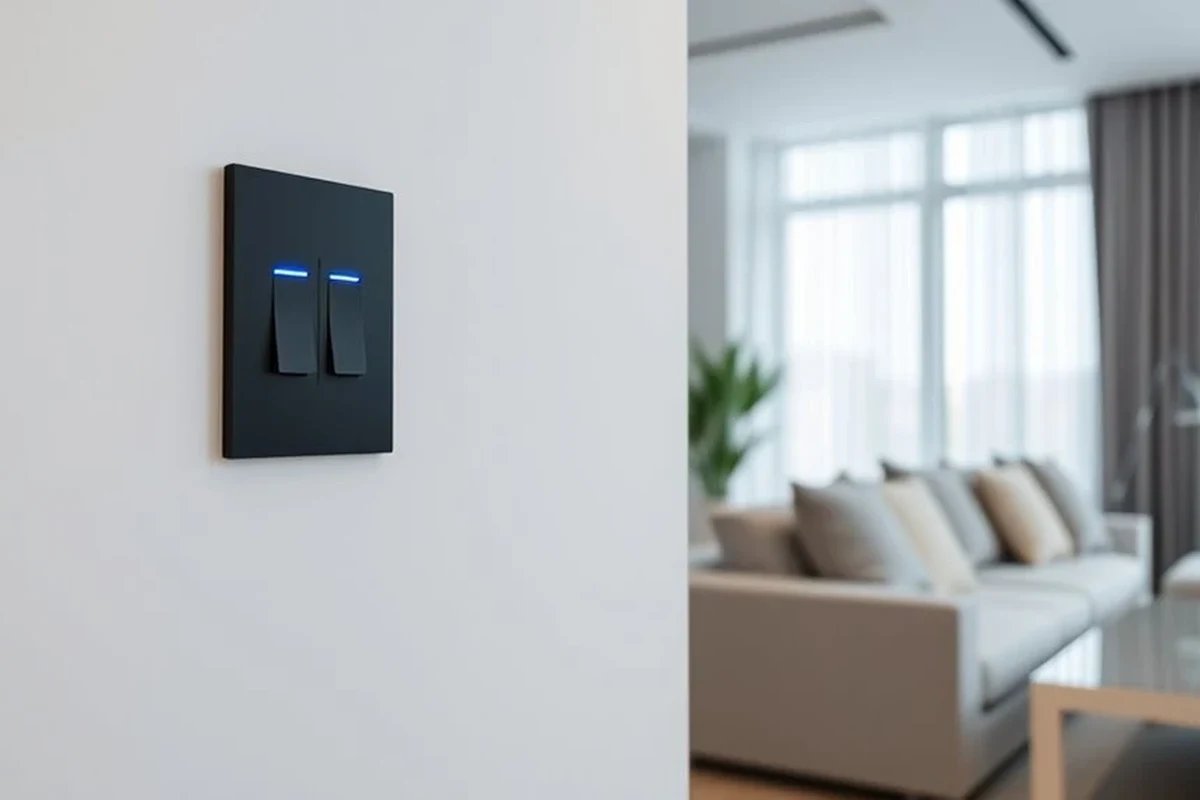
A smart light switch interrupts or allows power to the light circuit just like a regular switch, but it also includes a small control module, wireless radio, and software. That combination lets it respond to app commands, schedules, scenes, and voice requests while still working as a physical switch on the wall.
The key buying question is not just “does it turn the light on?” but “does it fit my wiring, my bulbs, and my smart home platform?” If those three pieces line up, a smart switch can be one of the most practical home-gadget upgrades for everyday lighting control.
What a Smart Light Switch Actually Does Behind the Wall
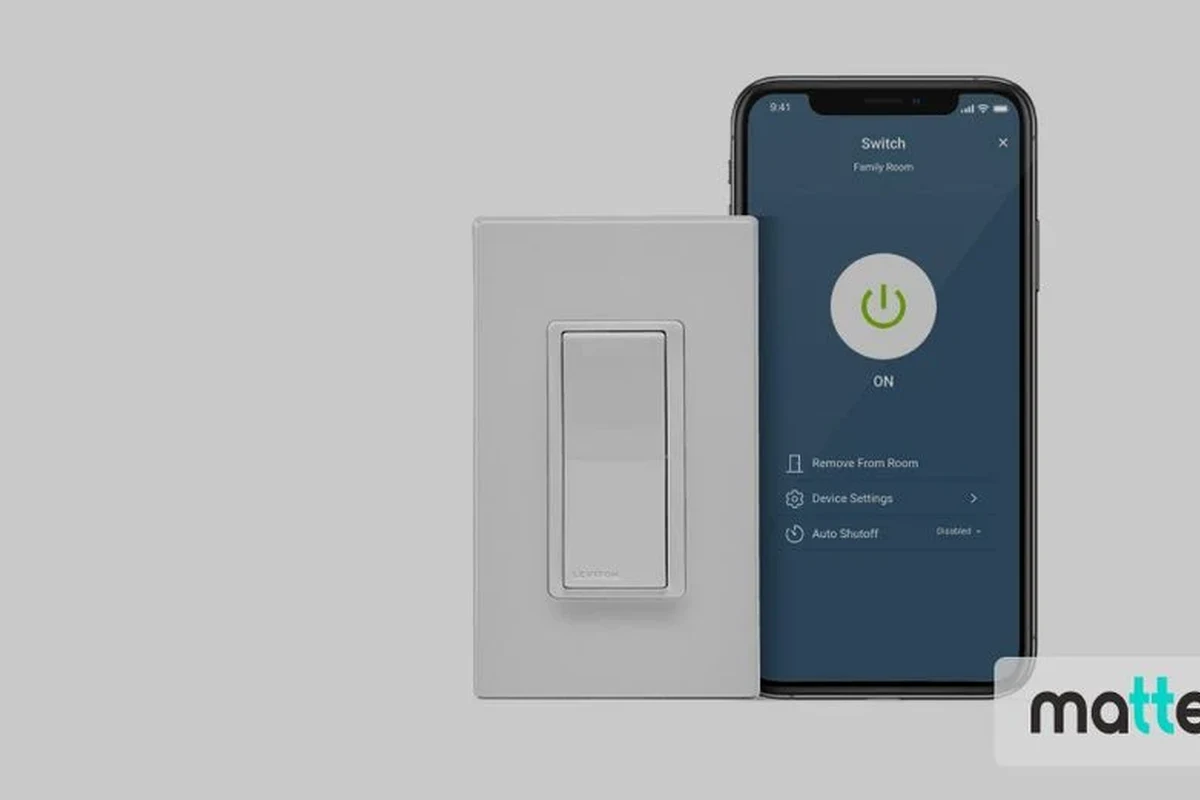
Inside the wall plate, a smart switch usually contains a relay or dimming circuit, a communication chip, and a small processor. When you tap the switch, the device decides whether to pass power through, cut power, or dim the load depending on the model and the type of lights connected.
Unlike a smart bulb, the switch controls the circuit feeding the fixture. That means the light stays “smart” at the wall level, which is helpful for rooms where multiple people expect a normal switch location and where the bulb itself should not be constantly cut off from power.
How the switch controls power, not just the light bulb
A traditional switch is a simple gate for electricity. A smart switch does that job too, but it adds a digital layer that can listen for commands from your phone, hub, or voice assistant.
Many models also support local button presses, so the lights still respond even if the app is closed. In some setups, the switch can remember its last state, follow a schedule, or trigger other devices in the home.
Wi-Fi, Zigbee, Z-Wave, and Matter: the connection types that matter
Connection type affects setup, reliability, and whether you need a hub. Wi-Fi switches connect directly to your router, while Zigbee and Z-Wave models usually need a compatible hub or bridge for full control.
Matter-compatible switches can simplify cross-platform use, but support still varies by brand, firmware, and ecosystem. Before buying, confirm the exact model’s compatibility list and whether it needs a neutral wire, hub, or specific app version.
Platform support can change with firmware updates, region, and app version. Always check the current manufacturer documentation before purchase or installation.
Who Smart Light Switches Fit Best in a Home Gadgets Setup
Smart switches are a strong fit for homeowners and long-term renters who want room-wide lighting control, especially in spaces where people naturally use a wall switch. They are also useful in households that want schedules, voice control, and automation without replacing every bulb in the room.
Ideal rooms, wiring situations, and user needs
They tend to make the most sense in entryways, hallways, living rooms, kitchens, staircases, and bedrooms. They are especially practical when a fixture has multiple bulbs or when several family members need a simple wall control that still supports smart features.
- Choose a smart switch when the wall location matters more than individual bulb color control.
- Check whether the switch requires a neutral wire before you plan the installation.
- Look for a model that matches your existing dimming or on/off needs.
When a smart bulb may be the better choice instead
Smart bulbs are often better when you want color changes, tunable white light, or easy setup without opening the wall box. They can also be a better fit for renters who want less permanent changes, as long as the lamp or fixture stays powered on.
If you need one lamp to change colors while the rest of the room stays standard, a smart bulb may be the simpler choice. For whole-room control and normal wall-switch behavior, a smart switch usually wins.
For more context on bulb-based setups, see whether smart light bulbs are worth it and our guide to what smart lights work with Alexa.
Key Specs and Buying Criteria to Check Before You Install
Smart switches are not one-size-fits-all. The right model depends on your wiring, the type of lights you have, the wall box space available, and the ecosystem you want to use.
- Check compatibility, model number, app requirements, dimensions, and intended use
- Confirm safety guidance, warranty, return policy, privacy settings, and update support
Neutral wire requirements, load ratings, and bulb compatibility
Many smart switches require a neutral wire to power their electronics, though some models are designed to work without one. That detail matters because older homes may not have a neutral in every switch box.
Load rating is another important spec. The switch must support the total lighting load it will control, and dimmer models must be compatible with the exact bulb type and fixture. If the bulb or fixture is not supported, you may see flicker, buzzing, delayed response, or premature wear.
Stop using a switch or fixture that feels hot, flickers unexpectedly, smells burnt, or behaves erratically. Follow the manufacturer’s guidance and contact a licensed electrician if the wiring or load is uncertain.
Dimensions, wall box depth, and faceplate fit
Some smart switches are deeper than standard switches because they contain more electronics. That can make installation difficult in crowded electrical boxes, especially in older homes with limited space behind the wall plate.
Faceplate shape also matters. A switch that fits electrically may still look awkward if the included plate does not match your wall opening or if the device style conflicts with nearby switches. Measure the box depth and compare the product dimensions before ordering.
App requirements, voice assistant support, and platform compatibility
Many smart switches rely on a companion app for setup, firmware updates, schedules, and advanced controls. Some can be used locally after setup, but others depend more heavily on cloud services or a vendor account.
If you use Alexa, Google Home, Apple Home, or Matter-based systems, verify the exact model and feature support. A switch may technically connect to a platform but still lack certain features such as dimming control, scene triggers, or local automation.
For platform-specific research, it helps to compare the switch against your ecosystem, such as smart lights that work with Google Home or our roundup of smart light switch options.
Real-World Benefits: Why Smart Light Switches Matter in Daily Use
The biggest benefit is convenience, but the value goes beyond remote control. Smart switches can make lighting easier to manage for busy households, reduce wasted energy from lights left on, and create routines that match how people actually use a home.
Convenience, automation, and energy-saving potential
With scheduling, you can have porch lights turn on at dusk, hallway lights shut off late at night, or bedroom lights dim on a routine. That kind of automation is useful for parents, remote workers, frequent travelers, and anyone who wants fewer small tasks during the day.
Energy savings are possible when automation prevents lights from staying on unnecessarily, but results depend on your habits, the room, and how often lights are used. The switch itself does not save energy magically; it helps you control usage more consistently.
Scene control, scheduling, and remote access for busy households
Scenes can tie several lights together so a single tap sets the room for movie night, cooking, or bedtime. Remote access is also helpful if you want to check whether lights were left on after leaving home.
In family settings, a smart switch can be easier than asking everyone to learn separate app controls for each bulb. It keeps the familiar wall interface while adding smarter behavior in the background.
Limitations, Trade-Offs, and Common Mistakes to Avoid
Smart switches are useful, but they are not the easiest smart-lighting path for every home. Installation complexity, network dependence, and bulb compatibility issues are the most common reasons buyers run into trouble.
Wiring complexity, network dependence, and dimmer mismatches
Some installs are straightforward, but others require careful identification of line, load, neutral, and traveler wiring. If your home has three-way switching, older wiring, or an unusual fixture setup, compatibility becomes more important than brand name.
Dimmer mismatches are another frequent issue. A dimmer switch must be paired with bulbs and fixtures that support dimming; otherwise, you can get flicker, limited dimming range, or noisy operation.
Turn off power at the breaker before any switch installation, and do not rely on the wall switch alone. If you are unsure about the wiring, call a licensed electrician rather than guessing.
Problems caused by poor setup, unsupported bulbs, or weak Wi-Fi
Weak Wi-Fi can make app control laggy or unreliable for Wi-Fi models, especially if the router is far from the switch or the home has crowded networks. Zigbee, Z-Wave, and Matter can improve reliability in some homes, but only if the rest of the system is set up correctly.
Unsupported bulbs can also cause headaches after installation. If the switch is designed for a specific bulb type or wattage range, ignoring that guidance can lead to poor performance or shortened bulb life.
Safe Installation, Maintenance, and Long-Term Care
Smart switches are low-maintenance once installed, but they still need safe handling, occasional updates, and basic inspection. A little care goes a long way toward keeping them reliable and reducing nuisance problems.
Power shutoff, inspection checks, and when to call an electrician
Before any installation, shut off the circuit at the breaker and verify that the power is off with an appropriate tester if you know how to use one safely. Check the switch box for wire condition, box depth, and signs of damage before proceeding.
Call an electrician if the wiring is unclear, the box is crowded, the switch controls a complex circuit, or the fixture behaves unpredictably after installation. That is especially important in older homes or when the switch is controlling higher-load lighting.
Cleaning, firmware updates, and warranty details to verify
For maintenance, keep the faceplate clean with a dry or slightly damp cloth and avoid harsh cleaners that can damage the finish or labels. Do not spray liquid directly into the switch or wall plate.
Firmware updates can improve stability, add platform support, or fix bugs, but the exact update process varies by brand. Before buying, verify the warranty terms, update support window, and whether the manufacturer still maintains the app and cloud services.
If you are comparing models, prioritize clear wiring instructions, current app support, and a published compatibility list over flashy app screenshots.
Best Value Picks and Final Recommendation for 2026
The best value depends on who is using the switch and how much installation flexibility the home has. For most buyers, the most practical choice is the model that matches the wiring in the wall box and the smart-home platform already in the house.
Which type offers the best value for renters, homeowners, and smart home beginners
Renters usually get the best value from smart bulbs or plug-in lighting unless the landlord allows switch replacement. Homeowners often get the best long-term value from a smart switch because it controls the whole fixture and keeps the wall control familiar.
Smart-home beginners should look for a straightforward app, clear setup instructions, and broad platform support. If you want a deeper buying shortlist, our guide to the best smart light switches can help narrow the field.
Transparent verdict: what to buy, what to skip, and why
Buy a smart light switch if you want reliable wall-based control, automation, and a cleaner whole-room solution. Skip it if your wiring is incompatible, your box is too shallow, or you mainly want color-changing bulbs and easy renter-friendly setup.
The smartest purchase is the one that fits your wiring, your bulbs, and your platform without forcing workarounds. If those pieces align, a smart switch is one of the most useful home-gadget upgrades you can make.
Frequently Asked Questions
Many do, but not all. Check the exact model’s wiring requirements before buying, because older homes may not have a neutral wire in every switch box.
Some switches can still work manually at the wall, and certain systems support local control after setup. App features, remote access, and voice control may depend on Wi-Fi, a hub, or cloud services.
They are better when you want whole-room control from the wall and simple operation for everyone in the home. Smart bulbs are usually better for color changes, easy renter setups, or single lamps.
Verify wiring type, neutral wire requirements, load rating, wall box depth, and bulb compatibility. Also confirm app support, platform compatibility, and the manufacturer’s installation instructions.
They can help reduce wasted lighting by making schedules and automation easier to use. Actual savings depend on your habits, room usage, and how often lights are left on.
Call an electrician if the wiring is unclear, the box is crowded, the circuit is complex, or the switch behaves oddly after installation. Safety should come first whenever you are unsure about electrical work.