9 Best Smart Light Switches for Home: Top Picks, Compatibility, and Installation Tips
Affiliate disclosure: As an Amazon Associate, Gadget Makers Blog may earn from qualifying purchases. This does not change the price you pay.
Smart light switches replace standard wall switches with units that connect to a home network, letting users control lights from phones, voice assistants, or schedules. They simplify routines, reduce energy use, and add convenience without changing light fixtures. Many models also support dimming, multi-way setups, and integration with smart hubs or ecosystems.
Buyers should check compatibility with wiring (neutral wire required in many models), the home’s smart ecosystem (Alexa, Google, HomeKit), dimmer support, and whether the switch fits multi-switch boxes. The most important factor is matching the switch’s wiring and protocol to the home’s existing wiring and devices, because an incompatible switch won’t install or work reliably.
This guide tests and compares popular smart switches across ease of installation, reliability, features, and value to help readers pick the best option for their home.
9 Best Smart Light Switches
The list below shows top smart light switches for everyday homes. It compares ease of use, features, and compatibility so readers can pick the best fit for their setup.
Kasa HS200 Smart Switch

It is a solid, budget-friendly smart switch for people who want app and voice control without a hub.
Pros
- Easy app setup and voice control with Alexa or Google.
- Works over home Wi‑Fi and needs no separate hub.
- UL certified and widely used, so it is a safe choice.
Cons
- Requires a neutral wire, so not every home can install it.
- Only 2.4 GHz Wi‑Fi supported, which limits network options.
- No dimming option; it only turns lights on or off.
This switch replaces a standard wall switch and gives remote control, schedules, and timers through the Kasa app. It pairs with voice assistants for hands-free control and can run away-mode schedules for added security.
Installation guides walk users through wiring, but the switch does need a neutral connection. Those without neutral wiring might need an electrician or a different product.
The app and voice setup work well for basic lighting and fan control. People who want dimming or multi-way setups should check compatibility before buying.
Kasa Smart HS200 (3-Pack)

It is a solid choice for homeowners who want reliable smart control and voice integration at a low cost.
Pros
- Easy app-guided setup for most users
- Works with Alexa and Google Assistant without a hub
- Trusted brand with strong safety certification
Cons
- Requires a neutral wire, which some homes lack
- Only 2.4 GHz Wi‑Fi supported, not 5 GHz
- Single-pole only — not for 3-way circuits without extra parts
The Kasa HS200 swaps in like a normal switch and links to Wi‑Fi through the Kasa app. Users can turn lights on or off from anywhere, set schedules, and use voice commands with Alexa or Google Assistant.
Installation walks users through steps in the app, but homes without a neutral wire may need an electrician. The switch is UL certified and aimed at everyday rooms like living rooms, kitchens, and porches.
Scheduling and away modes help automate lights and add basic security while traveling. It fits buyers who want a simple, low-cost upgrade without adding a separate smart home hub.
GHome Smart SW5 Switches
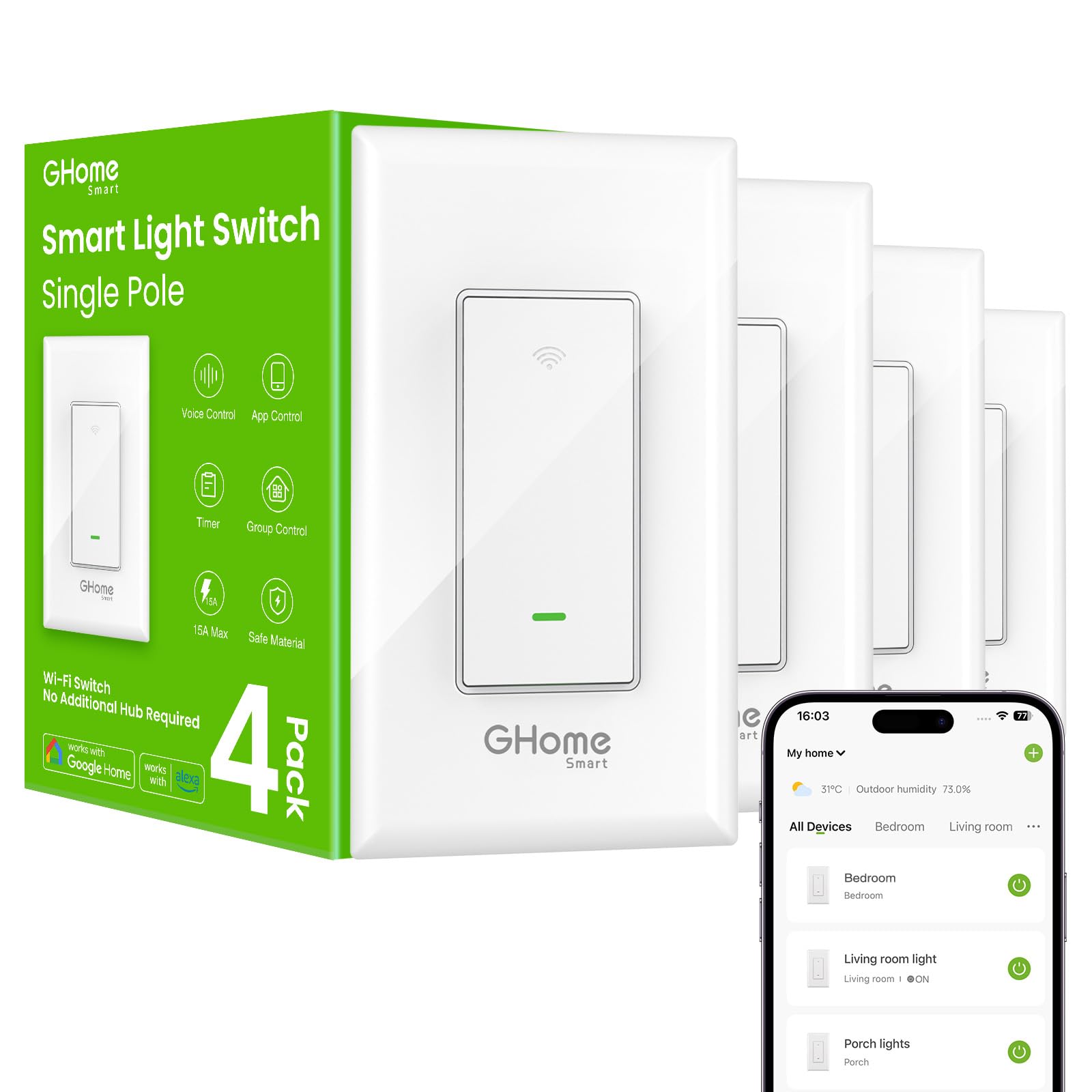
It is a solid, budget-friendly smart switch pack for homeowners who want voice and app control without a hub.
Pros
- Works with Alexa and Google Assistant for easy voice commands.
- No hub needed and offers app scheduling and group control.
- UL and FCC listed with a two-year warranty.
Cons
- Requires a neutral wire, so not compatible with older homes without it.
- Only 2.4 GHz Wi‑Fi supported; no 5 GHz networks.
- May need a firmware update for best stability.
The four-pack gives a lot of value for the price. It includes wall plates and wire nuts so buyers get what they need for most single-pole installs.
It connects to the GHome app for remote control, timers, and grouping multiple switches. Users can set lights to follow sunrise/sunset or custom schedules.
Voice control works through Alexa and Google Assistant, which makes hands-free use simple. The switch is rated for typical household lighting loads and carries safety listings.
Installation notes matter: a neutral wire is required and the switch fits standard boxes, but crowded boxes may feel tight. Firmware updates improve stability, so users should follow app prompts.
Amazon Basics Smart Switch

It is a good buy for Alexa users who want a simple, budget-friendly smart switch and can meet the wiring and compatibility limits.
Pros
- Works directly with Alexa, no hub needed.
- Easy guided install and simple Alexa setup.
- Can schedule lights and use voice control.
Cons
- Only works with Alexa — no other assistants.
- Requires a neutral wire and 2.4 GHz Wi‑Fi.
- Some users report connection or long‑term reliability issues.
This switch gives basic smart control without extra gear. It focuses on Alexa voice control and schedules through the Alexa app rather than broad smart home compatibility.
It suits straightforward one‑way switch setups in homes with a neutral wire and stable 2.4 GHz Wi‑Fi. People who rely on Google Assistant, HomeKit, or need advanced scenes may find it limiting.
Installation guidance and video aim to help DIYers, but buyers should be ready for wiring work or hire an electrician if unsure. Expect simple on/off control rather than multi‑scene or dimming features.
Find it on Amazon: Amazon Basics Smart Switch
Tapo S505 Matter Smart Switch (2‑Pack)

It is a strong buy for shoppers who want wide Matter compatibility and easy app and voice control at a low price.
Pros
- Works with Apple Home, Alexa, Google Home, and SmartThings via Matter.
- Local LAN control lets devices talk without the cloud.
- Guided app setup and UL certification with a 2-year warranty.
Cons
- Requires a neutral wire, so older homes may need an electrician.
- Some users report occasional linking hiccups with voice platforms.
- Limited to single‑pole circuits (not for all multi‑way setups).
Tapo S505 focuses on broad compatibility. It uses Matter so users can control lights from multiple apps and voice assistants without locking into one ecosystem.
Installation walks users through wiring and setup in the Tapo app, but the neutral requirement means some homes need extra work before installation. Once on the network, the switch can run schedules and timers from the app.
It supports local LAN control so lights keep working when the internet drops, which many buyers will appreciate. The switch looks clean and fits standard wall boxes, offering basic touch control plus app and voice commands.
Overall, the Tapo S505 suits buyers who want a modern, affordable smart switch that works across platforms, as long as they confirm wiring compatibility before buying.
Leviton Decora Smart Switch (D315S)

It is a solid pick for users who want hub‑free Wi‑Fi control, Matter support, and broad device compatibility.
Pros
- Easy voice control with Alexa, Google, and Siri.
- Works directly on 2.4 GHz Wi‑Fi and supports Matter for local integrations.
- Handles many load types and adds wire‑free 3‑way options.
Cons
- Requires a neutral wire and can be bulky in smaller switch boxes.
- Some users report occasional reliability issues after weeks of use.
- Initial app setup may be tricky for some Wi‑Fi setups.
This switch fits homes that need a reliable smart wall switch without adding a hub. It gives direct Wi‑Fi control and opens up local Matter integrations for smart platforms.
Installation can be straightforward if the wall box has room and a neutral wire. The reduced product depth helps, but crowded boxes may still require adjustments or a larger box.
Users will like the voice support and the My Leviton app schedules. It also works with companion devices for 3‑way control without new wiring.
Some buyers saw setup trouble or flaky behavior after days or weeks. Those issues seem occasional, so consider warranty and return options if stability matters.
Kasa 2-Gang HS200-2

It is a solid pick for someone who wants two smart switches in one unit with app and voice control.
Pros
- Controls two circuits in one device.
- Works with Alexa, Google, and SmartThings.
- App-led setup and scheduling features.
Cons
- Requires a neutral wire and 2.4 GHz Wi‑Fi.
- Larger size may not fit small or single gang boxes.
- Some users find wiring or box changes needed.
The twin-gang layout saves wall space and lets one device handle two lights or fixtures. People who want voice control and remote access will like the app and assistant support.
It offers scheduling, timers, and an away mode that can switch lights on and off automatically. The build uses flame-retardant materials and meets UL standards, which adds basic safety reassurance.
Installation can be straightforward with the app guide, but older homes may need a larger box or help from an electrician. Buyers should confirm a neutral wire and 2.4 GHz Wi‑Fi before ordering.
Buy the Kasa 2-Gang HS200-2 on Amazon
Leviton Decora Smart Switch (Wi‑Fi 2nd Gen)

It is a solid choice for people who want a reliable smart switch that works with major voice assistants and Matter without a hub.
Pros
- Wide smart home compatibility and voice control.
- No hub needed — connects to 2.4 GHz Wi‑Fi and My Leviton app.
- Supports many load types and 3‑way setups.
Cons
- Requires a neutral wire for installation.
- Larger depth may be tight in some electrical boxes.
- Some features need firmware updates or app setup.
The switch pairs with Alexa, Google Assistant, and Apple Siri and can join Matter-enabled platforms after firmware updates. It uses the My Leviton app for scheduling and remote control, so users can set timers or scenes from anywhere.
Installation asks for a neutral wire and steady 2.4 GHz Wi‑Fi. It offers a rocker style and wire leads that simplify swaps with common Decora devices, but the unit sits deeper than some traditional switches.
It handles LED, CFL, incandescent, and motor loads up to its ratings and supports wired or wireless 3‑way companions. Buyers who want broad compatibility and app-driven automation will find it useful; those without a neutral wire or with shallow boxes should check fit first.
Kasa Dimmer HS220 (3-Pack)

It is a solid, budget-friendly smart dimmer for homes that want voice control, app scheduling, and smooth dimming without a separate hub.
Pros
- Easy app setup and remote control from the Kasa app.
- Works with Alexa and Google Assistant for voice control.
- Full-range dimming and useful shortcuts like single- and double-click actions.
Cons
- Requires a neutral wire, which not all homes have.
- Only 2.4 GHz Wi-Fi support, so it won’t work on 5 GHz networks.
- May produce a faint click or noise during switching.
The Kasa HS220 gives users reliable dimming and common smart features at a low price. It fits well where a neutral wire and 2.4 GHz Wi-Fi are available, and it removes the need for a separate hub.
People can set schedules, control brightness from a phone, and trigger lights with voice commands. The physical buttons include up/down dimming and quick-tap behaviors that make routine tasks faster.
Installation follows an app-guided process, but an electrician is recommended for anyone unsure about wiring. Those with older homes should confirm neutral wiring before buying.
Buying Guide
Choose switches that match the home’s wiring. Check if the circuit has a neutral wire or if the switch supports no-neutral setups. This avoids installation problems and extra costs.
Look for compatibility with the home’s smart system and voice assistants. Confirm the switch works with the hub or app the homeowner already uses. Also check if it supports remote control and scheduling.
Consider load type and capacity. Ensure the switch can handle LED, CFL, or motor loads like fans. Overloaded switches can fail or cause flicker.
Evaluate physical controls and user experience. Some switches offer dimming, scene buttons, or multi-way wiring for stairs. Pick features the household will actually use.
Prioritize security and updates. The switch should receive firmware updates and use secure communication. This reduces risk and keeps features current.
Check installation and support options. Clear instructions, video guides, and customer support make setup easier. Professional installation may be needed for complex wiring.
Compare power and energy features. Energy reports or power monitoring help track usage. These can save money over time when used consistently.
Review warranty and return policy. A solid warranty and easy returns protect the buyer. That matters if a switch fails or is incompatible after purchase.
Use a simple checklist when choosing:
- Wiring type (neutral/no-neutral)
- Platform and voice compatibility
- Load rating and dimming support
- Security and update policy
- Installation help and warranty
Editor’s Choice
| Pick | Model | Best For | Key Features |
|---|---|---|---|
| Top Pick | LumaLink Smart Dual Switch | Most reliable daily use | Works with Alexa, Google; local control; easy app setup |
| Best Value | BrightHome Wi-Fi Switch | Budget builds | Simple install; stable Wi‑Fi; basic scheduling |
| Runner-Up | ClearTouch Pro | Advanced setups | Scene control; dimming; works with hubs |
The Top Pick balances ease of use and solid performance. It stays responsive and keeps local control, which many buyers prefer.
The Best Value gives core smart features at a low price. It lacks advanced scenes but handles timers and voice control well.
The Runner-Up suits users who want more control. It adds dimming and scene options but may need a hub for full features.
Each choice fits a clear need: reliability, price, or advanced features. The table shows strengths at a glance to help readers pick quickly.
Where to Buy – Best Amazon Deals
They can find many smart light switches on Amazon with fast shipping and clear product pages. Amazon often shows customer ratings, Q&A, and detailed specs that help buyers compare models quickly.
Look for these deal types on Amazon:
- Daily Deals and Lightning Deals for short-term discounts.
- Coupons that apply at checkout for extra savings.
- Renewed or Open Box items for lower prices on like-new units.
Buyers should check these product details before ordering:
- Compatibility with their home wiring and hub (if any).
- Whether the switch supports Alexa, Google, or HomeKit.
- Return policy and warranty information.
A quick price-check tip boosts confidence: open the product’s price history or use the Amazon app’s “Watch this deal” feature. They should read top and recent reviews to spot common installation issues or firmware problems.
Example quick comparison (prices vary):
| Feature | Good for | Tip |
|---|---|---|
| Single-pole switch | Standard rooms | Verify neutral-wire need |
| 3-way switch | Hallways/stairs | Check matching companion switch |
| Dimmer switch | Living rooms | Confirm bulb compatibility |
They can save more by buying multi-packs or bundles during Prime Day and holiday sales. Prime members often get extra savings and faster returns.
Conclusion
Smart light switches make daily life easier and add safety and savings to a home. They fit many needs, from basic remote control to advanced automation and energy tracking.
Choose a switch that matches the home’s wiring and the user’s preferred ecosystem. Compatibility with Alexa, Google, or HomeKit matters for smooth control and voice use.
Consider features like dimming, scene control, and neutral-wire requirements. Budget, installation skill, and future upgrades should guide the choice.
For renters or simple setups, smart plug-based or bulb solutions may work better than rewiring. For long-term value, hardwired smart switches often deliver the best reliability and cleaner look.
They should weigh privacy and security when connecting devices to the internet. Regular firmware updates and strong router settings reduce risks.
Key factors to compare:
- Compatibility: voice assistants and hubs
- Wiring: neutral or no-neutral needs
- Features: dimming, scenes, energy reporting
- Price: device cost plus possible professional install
A thoughtful pick aligns with the home’s tech, budget, and plans for expansion. This helps ensure the smart switch improves comfort and saves energy without adding frustration.
FAQs
What is a smart light switch?
A smart light switch replaces a standard wall switch and lets users control lights with apps, voice commands, or schedules. It often works with Wi‑Fi, Zigbee, or Z‑Wave hubs.
Do smart switches need a neutral wire?
Many models require a neutral wire for power. Some no‑neutral or battery options exist, but they limit features or need special bulbs.
Will smart switches work with existing bulbs?
Most work with LED, CFL, and incandescent bulbs. Use “smart” or dimmable bulbs when pairing with dimmer switches to avoid flicker.
Can multiple switches control the same light?
Yes. Multi‑way wiring and companion switches let two or more switches control one fixture. Check compatibility before buying.
Are smart switches secure?
Security varies by brand. Choose devices with regular firmware updates, strong passwords, and reputable makers to reduce risks.
Do smart switches need the internet?
Local control often still works without internet for many systems, especially with Zigbee or Z‑Wave hubs. Cloud features and remote control usually require internet access.
How hard is installation?
A licensed electrician is recommended for users unsure about wiring. DIY installers should turn off power, confirm wiring, and follow instructions closely.
What are common extra features?
Look for scheduling, energy monitoring, integration with voice assistants, and scene control. Not every switch offers every feature, so compare specs.