Ryobi Vacuum Stick Parts Guide for Easy Repairs and Replacements
Ryobi Vacuum Stick Parts Guide: Find the Right Replacement
Use the symptom, model number, and connector style to find the part that can restore suction, pickup, or runtime.
Clean clogs, filters, seals, and the brush roll before buying anything.
See the checksChoose a compatible RYOBI ONE+ battery kit when the vacuum still works well.
View battery optionConsider a complete kit when the motor, housing, and floor head all need work.
View vacuum optionWhat Ryobi Vacuum Stick Part Do You Need?
A stick vacuum works as one connected airflow system. The battery powers the motor. The motor creates suction. The filter traps fine dust. The bin, wand, seals, and floor head must stay closed and clear.
Because every part works together, a small clog or air leak can feel like a motor failure. Diagnose the symptom before you order a replacement.
| Symptom | Check first | Possible part |
|---|---|---|
| Weak suction | Filter, bin, wand, and seals | Filter, seal, hose, or bin |
| Short runtime | Battery age and charging behavior | Battery or approved charger |
| Brush stops | Hair, string, and floor-head blockage | Brush roll, belt, or floor head |
| Dust escapes | Filter seating and bin latch | Filter, bin, latch, or seal |
| Noise or vibration | Brush roll, bearings, and debris | Brush roll or floor head |
Identify Your Exact Ryobi Vacuum Model
Find the model number on the vacuum body, label, manual, or original box. Do not rely only on the product name or color. Product revisions may change the connector, latch position, or accessory depth.
Common Ryobi Stick Vacuum Parts
Filters and pre-filters
A clogged filter restricts airflow. Clean it as the manual directs. Replace it if it is torn, warped, permanently clogged, or no longer seats well. Let every washable filter dry fully before reinstalling it.
Brush rolls, belts, and floor heads
Hair and string can stop the brush roll. Clear the debris first. Replace the roll if it is warped or badly worn. Also inspect the wheels, pivot, belt, and floor-head seals.
Batteries and chargers
A battery replacement may help when runtime falls sharply or charging becomes unreliable. First, confirm that the vacuum, battery, and charger belong to the same supported platform.

RYOBI ONE+ 18V High Performance Starter Kit
If the vacuum still cleans well but its battery no longer gives useful runtime, a compatible battery kit may cost less than a full replacement. It can add more value if you also own other RYOBI ONE+ tools.
- Designed for the RYOBI ONE+ 18V platform
- Useful for backup power and longer cleaning sessions
- Includes multiple battery capacities and a charger per the listing
Wands, bins, hoses, latches, and seals
A crack or loose joint lets air escape. Listen for hissing. Check the wand, hose, bin, latch, and every seal. Replace a part that is cracked, warped, or unable to lock into place.
OEM vs. Third-Party Parts
OEM parts usually offer the lowest fit risk. This matters most for batteries, chargers, and sealed airflow components. A third-party filter or brush roll may still be useful when the seller gives an exact model list, clear dimensions, and a practical return policy.
Safe Installation and Maintenance
- Turn off the vacuum and remove the battery.
- Empty the bin and clear visible debris from the airflow path.
- Clean the filter and brush roll as the manual directs.
- Compare the old and new part before installation.
- Install the part without forcing any latch or connector.
- Test the vacuum briefly and stop if you notice heat, odor, noise, or vibration.
Store the vacuum in a dry area away from strong heat and direct sun. Inspect the brush roll and bin seal when suction drops. Regular cleaning can prevent an unnecessary parts order.
When a Full Vacuum Upgrade Makes More Sense
A low-cost filter, brush roll, or seal can be an excellent repair. However, replacement parts cannot fix every problem. A full upgrade may offer better value when the motor, electronics, housing, and floor head all need work or when correct parts are hard to source.
Compare the likely total repair cost with the value of a complete kit. Also consider the condition of your current battery and charger.
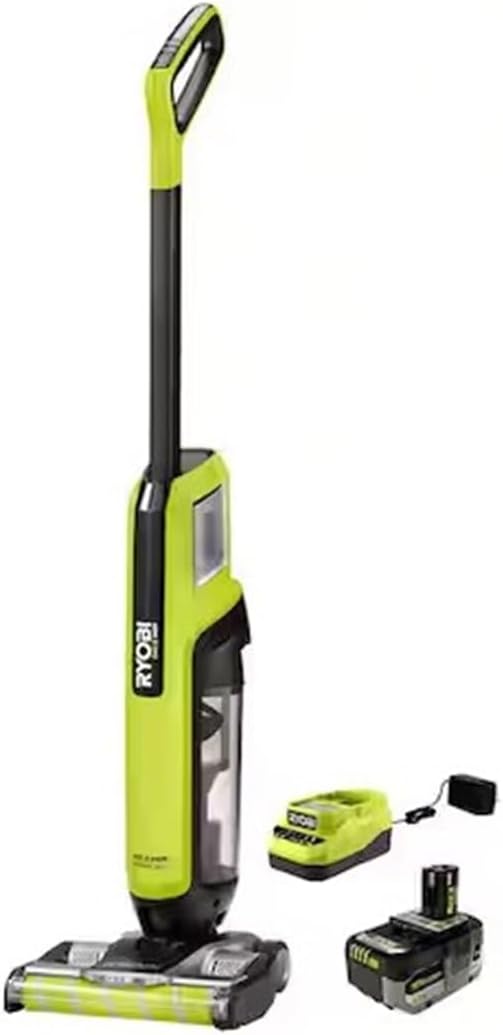
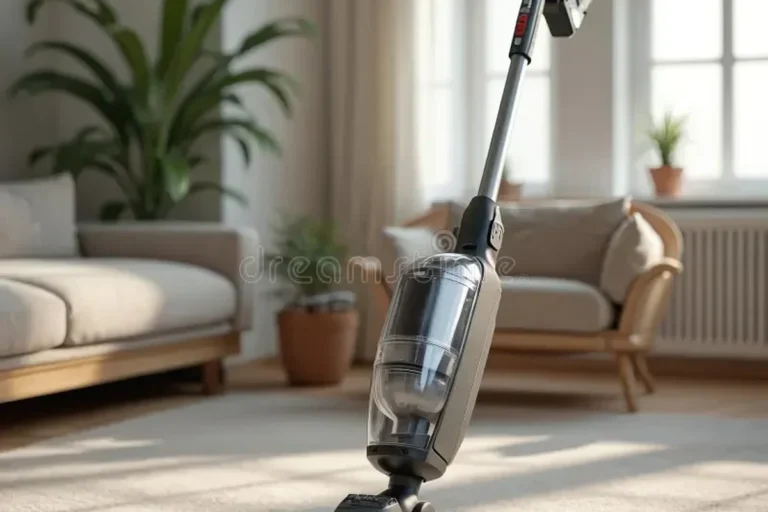
ONEAND HP 18V Cordless High-Capacity Stick Vacuum Kit
This complete kit is a practical option when several major parts need attention. It may also suit a reader who wants to remain on a compatible 18V tool platform instead of repairing an older vacuum piece by piece.
- Complete cordless stick vacuum kit
- High-capacity design for regular home cleaning
- Replacement path when multiple repairs no longer offer good value
Repair or Upgrade? Final Comparison
| Choice | Best for | Choose it when |
|---|---|---|
| Clean or replace a small part | Clogs, worn filter, brush, seal, or latch | The motor, battery, and housing still work well |
| RYOBI battery starter kit | Poor runtime or backup power | The vacuum works well and compatibility is confirmed |
| Complete vacuum kit | Several major failures | Repair costs and sourcing problems keep adding up |
Our practical recommendation: start with the exact model number and the cheapest safe fix. Buy a battery only when runtime is the clear problem. Consider a complete kit only after several major parts fail.
Frequently Asked Questions
Which Ryobi vacuum stick parts are replaced most often?
Filters, batteries, brush rolls, floor heads, bins, latches, and seals are common replacements. They directly affect airflow, runtime, and debris pickup.
How do I know which Ryobi part fits my vacuum?
Check the exact model number. Then compare the voltage, connector, dimensions, and latch style with the official manual or approved parts list.
Can a clogged filter cause very weak suction?
Yes. A clogged filter can restrict airflow even when the motor works normally. Clean it correctly and replace it if damage or deep clogging remains.
Should I buy OEM or third-party parts?
OEM parts usually reduce fit risk. Third-party parts can offer value when the listing names your exact model, gives clear measurements, and includes a good return policy.
When should I replace the battery?
Consider replacement when runtime falls sharply or charging becomes unreliable. Stop using a battery that swells, leaks, overheats, smells odd, or behaves unpredictably.
When should I replace the full vacuum?
A full replacement may make sense when the motor, electronics, housing, and floor head all need work or when correct parts are costly and hard to find.