Why Charger Gets Hot: Causes, Safety Tips, and What to Do
Why Does My Charger Get Hot?
Why does my charger get hot? Many readers also search “why charger gets hot” when the adapter feels warmer than expected. Mild warmth is often normal because the adapter converts wall power into the lower-voltage power your device needs. New or extreme heat, a burning smell, discoloration, buzzing, loose parts, melting, or repeated charging failures are warning signs.
Quick answer: Chargers commonly become warmer during fast charging, laptop charging, or when a battery is low. A damaged cable, blocked airflow, loose wall outlet, overloaded power strip, poor-quality adapter, or failing internal component can create abnormal heat. Unplug the charger immediately if you notice smoke, sparks, a burning smell, melting, or extreme heat.
Normal Warmth vs. a Dangerous Warning
| What you notice | What it may mean | What to do |
|---|---|---|
| Slightly warm | Common during normal power conversion and fast charging. | Keep the charger uncovered on a hard, open surface. |
| Warmer than usual | The device is drawing more power, airflow is restricted, or a cable or outlet needs checking. | Disconnect extra devices and inspect the complete charging setup. |
| Very hot or unstable | The adapter, cable, outlet, or connected device may be faulty. | Unplug it, let it cool, and test only with known-good accessories. |
| Smoke, smell, sparks, or melting | A serious electrical fault may be present. | Stop using it immediately and replace the faulty part. Do not keep testing it. |
The 8 Main Reasons a Charger Gets Hot
1. Normal Power Conversion
No charger is perfectly efficient. The adapter converts AC power from the wall into the DC power your device uses, and some electrical energy becomes heat during that process. Mild, stable warmth can therefore be normal.
2. Fast or High-Power Charging
A phone, tablet, power bank, or laptop may draw more power when its battery is low. Higher output makes internal components work harder, so the charger can feel warmer during the fastest part of the charging session.
3. A Damaged or Weak Cable
Frayed wires, bent plugs, loose connectors, and poorly made cables can add electrical resistance. Heat may develop near the cable end, charging port, or adapter. Replace a cable that is loose, cracked, discolored, or unusually hot.
4. Trapped Heat
A charger under bedding, behind a sofa, on thick carpet, inside a closed box, or covered by clothing cannot release heat effectively. Keep it exposed to open air and away from materials that insulate it.
5. Hot Surroundings
Direct sunlight, a parked car, a heater, or a very warm room reduces the charger’s ability to cool. Move both the device and adapter to a cooler, shaded location before charging again.
6. A Loose Outlet or Power Strip
A worn wall outlet, damaged extension cord, overloaded power strip, or plug that does not sit firmly can create heat at the connection. If the outlet itself is hot, loose, sparking, or discolored, stop using it and contact a qualified electrician.
7. Multi-Port Power Sharing
A multi-port charger often runs warmer when several devices charge at the same time because it is operating closer to its total rated output. Disconnect unnecessary devices and check the manufacturer’s port-sharing rules.
8. Aging or Internal Failure
A charger that suddenly runs much hotter after months or years of normal use may have a failing internal component. Repeated overheating, buzzing, unstable charging, or visible damage means replacement is safer than continued testing.
What to Do When the Charger Is Too Hot
- Unplug it safely. Stop immediately if you smell burning, see smoke or sparks, hear crackling, or notice melting. Do not touch damaged or exposed metal.
- Let it cool in an open place. Put it on a hard, dry, nonflammable surface with good airflow. Do not cover it or place it on bedding.
- Inspect the charger and cable. Look for cracks, fraying, bent pins, loose plugs, dark marks, swelling, or melted areas.
- Try one known-good cable. A damaged cable is a common and relatively easy part to isolate. Use a cable rated for the charger’s intended power.
- Check a different safe outlet. Do not reuse an outlet or power strip that is hot, loose, sparking, buzzing, or discolored.
- Reduce the load. Disconnect extra devices from a multi-port adapter or crowded power strip.
- Replace the adapter if abnormal heat returns. Do not continue cycling a charger that repeatedly shows the same warning signs.
- It has suddenly become much hotter than before.
- You notice buzzing, burning odor, cracks, discoloration, loose prongs, sparks, smoke, or melted plastic.
- The plug or wall outlet becomes hot or no longer holds the charger firmly.
- Overheating returns after you change the cable, outlet, and charging location.
Overheating keeps returning? Compare two practical replacement options below instead of continuing to use a damaged or unstable adapter.
Safer Replacement Charger Options
Do not replace a charger only because it becomes mildly warm. Replacement makes sense when it is damaged, recalled, unstable, unusually hot, incompatible with your device, or no longer charges reliably.
| Your charging need | Recommended option | Why it fits |
|---|---|---|
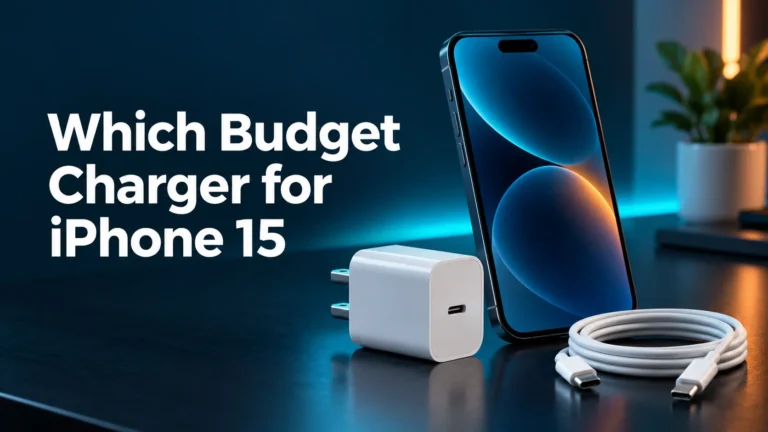
| One iPhone or everyday USB-C phone | Apple 20W USB-C Power Adapter | A simple, compact, single-port option with enough output for everyday phone fast charging. |
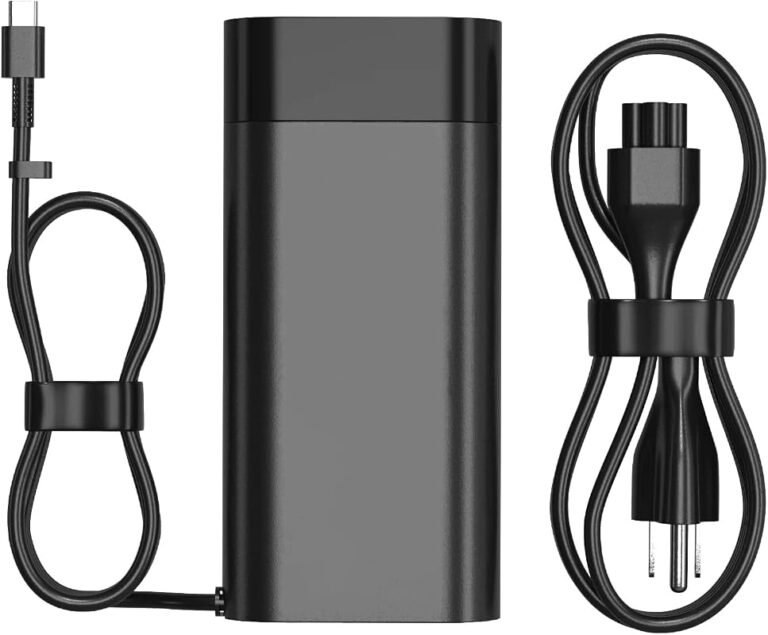
| Phone, tablet, and compatible USB-C laptop | Anker 735 Charger (Nano II 65W) | Two USB-C ports, one USB-A port, and up to 65W from a single USB-C connection. |

Official Apple Pick
Apple 20W USB-C Power Adapter
A straightforward official option for compatible iPhones and other USB-C devices. It is ideal when you want one dependable phone-charging port without paying for unused laptop power.
Why we recommend it: Compact, simple, and correctly sized for everyday phone charging.
Keep in mind: One port only and not intended for most USB-C laptops.
Check current availability and details on Amazon.

Compact GaN Upgrade
Anker 735 Charger (Nano II 65W)
This compact GaN charger can replace several adapters in a travel bag. A single USB-C device can receive up to 65W, while available power is shared when multiple devices are connected.
Why we recommend it: Flexible multi-device charging in a compact travel-friendly adapter.
Keep in mind: Output is shared across ports; confirm your device wattage before ordering.
Check current availability and details on Amazon.
Does a Higher-Watt Charger Make More Heat?
A higher maximum wattage does not mean the charger continuously sends that full amount. With a compatible USB Power Delivery setup, the charger advertises supported power levels and the connected device requests an appropriate level. The USB Implementers Forum explains USB Power Delivery as a negotiated system with multiple supported power levels.
That is why a reputable 65W USB-C PD charger can charge a 20W phone without forcing 65W into it. The adapter may still feel warm because compact chargers contain power-handling components in a small enclosure.
| Situation | Why heat may rise | What to check |
|---|---|---|
| Phone fast charging | The phone draws more power while the battery is low. | Cable condition, airflow, charger quality, and device temperature. |
| Laptop charging | The laptop may request 45W, 65W, 100W, or more. | Required wattage and a USB-C cable rated for that power. |
| Several devices at once | The charger operates closer to its total output limit. | The manufacturer’s port power-sharing rules. |
| Low-power USB-A charging | A damaged or poor-quality adapter can heat even at low output. | Damage, connection quality, and product reliability—not wattage alone. |
If a laptop is involved, use our guide to determine what laptop charger you need before choosing a replacement.
GaN Chargers: Cooler, Smaller, or Both?
GaN stands for gallium nitride. The technology can help manufacturers build smaller and more efficient chargers, but the label does not guarantee that the outer case will always feel cool.
A compact GaN charger can feel warm because its heat is concentrated in a smaller body. Build quality, circuit design, output load, case material, and airflow matter more than the “GaN” label by itself.
How to Prevent Charger Overheating
- Keep the adapter on a hard, dry, open surface with airflow.
- Never charge under pillows, blankets, clothing, or thick cushions.
- Use the correct charger and cable for the device.
- Use a USB-C cable rated for the charger’s intended power.
- Do not leave charging equipment inside a hot vehicle or in direct sunlight.
- Make sure plugs are fully inserted into the charger, device, and wall outlet.
- Do not overload a power strip or use a damaged extension cord.
- Replace frayed, loose, cracked, burnt, or discolored components.
- Check official recall notices when a charger or power bank behaves strangely.
Apple’s published safety guidance warns against using damaged power adapters or cables and advises keeping charging equipment properly connected. Apple also advises against placing an adapter in a poorly ventilated location such as bedding or a pillow. See Apple’s iPhone safety information and its USB-C power adapter guidance.
Charger, Cable, Outlet, or Device: Which Part Is Hot?
| Hot area | Possible cause | Next step |
|---|---|---|
| Charger body | Normal conversion, heavy load, blocked airflow, or a failing adapter. | Improve airflow, reduce the load, and replace it if unusual heat returns. |
| Cable connector | Loose fit, damaged cable, dirt, corrosion, or a worn port. | Stop using the cable and inspect both connection points. |
| Wall outlet | Loose contact, damaged wiring, overloaded circuit, or worn receptacle. | Stop using that outlet and contact a qualified electrician. |
| Phone or laptop | Fast charging, heavy use, a hot room, battery trouble, or blocked cooling. | Stop demanding tasks, move it away from heat, and seek service for swelling or extreme heat. |
Check Recalls and Official Safety Advice
Chargers, power banks, and charging accessories can occasionally be recalled for overheating, fire, or burn hazards. If your product behaves abnormally, search the model number on the U.S. Consumer Product Safety Commission’s batteries and chargers page and follow the manufacturer’s instructions.
Bottom Line: Do Not Ignore a Charger That Suddenly Runs Hot
Warm can be normal; warning signs are not
A little stable warmth can be a normal result of power conversion, especially during fast or laptop charging. Heat that is new, extreme, or accompanied by damage, smell, smoke, sparks, melting, buzzing, loose connections, or repeated charging failures is not normal.
Start with airflow and the cable, then check the outlet and connected device. Replace faulty accessories instead of continuing to use them. If a replacement is necessary, choose the correct wattage and charging standard for your device from a reputable manufacturer.
See Anker 65W Availability on AmazonFrequently Asked Questions
Is it normal for a charger to get warm?
Yes. Mild, stable warmth can occur while the charger converts power, particularly during fast charging. Keep it uncovered and watch for a sudden change, smell, damage, or unstable performance.
Why does my charger get hot during fast charging?
Fast charging moves more power while the battery is low, increasing heat inside the adapter and connected device. It should remain stable and free from smell, damage, smoke, or melting.
How do I know when charger heat is dangerous?
Stop using the charger when the heat is new or extreme, or when you notice smoke, burning odor, melting, cracks, discoloration, sparks, buzzing, loose parts, or repeated charging failures.
Can a bad cable make the charger hot?
Yes. Damage or poor contact can increase resistance and create heat. Replace any cable that is frayed, loose, bent, cracked, discolored, or unusually hot.
Is a 65W charger safe for a phone?
Yes, when the phone, charger, and cable use a compatible USB Power Delivery standard. The device requests a supported power level; a reputable 65W USB-C PD adapter does not automatically force its full output into a phone.
Do GaN chargers always run cooler?
No. GaN can improve efficiency and reduce charger size, but a compact GaN adapter may still feel warm. Electrical design, load, enclosure, and airflow all affect surface temperature.
Why is the plug or wall outlet hot?
A loose outlet, worn connection, damaged power strip, overloaded circuit, or wiring problem may be producing heat. Stop using the outlet and contact a qualified electrician.
Can charger heat damage the battery?
Persistent excessive heat can stress batteries and electronics. Stop charging, let the device cool, and replace or service equipment that shows abnormal heat, swelling, damage, or unstable behavior.
Should I unplug chargers when they are not in use?
Unplugging removes standby power and prevents damaged equipment from remaining energized. It is especially sensible for chargers with visible wear or any history of unusual behavior.
What should I do with a recalled charger?
Stop using it and follow the manufacturer or safety agency instructions for return, refund, replacement, repair, or disposal. Do not continue testing a recalled charging product.