The iPhone 16 uses USB-C. For wired fast charging, use the USB-C cable in the box with a 20W or higher USB-C Power Delivery adapter. For the fastest supported MagSafe charging, use a compatible MagSafe Charger with a 30W or higher adapter.

Want one charging station for multiple Apple devices? The XIVORA 3-in-1 is a convenient wireless option for a desk, nightstand, or travel setup, especially for readers who prefer fewer separate charging pads and cables.
A simple official option for fast wired charging. Use it with the cable supplied in the iPhone 16 box.
This compact three-port charger can power your phone, tablet, accessories, and many USB-C notebooks.
A safe charger from a recent iPad, MacBook, Android phone, or power bank may already work.
The iPhone 16 has a USB-C port. Apple includes a USB-C charging cable, but it does not include a wall adapter.
- For wired charging: Use a USB-C to USB-C cable and a USB-C adapter.
- For wired fast charging: Use a 20W or higher USB-C Power Delivery adapter.
- For 25W MagSafe: Use the newer compatible MagSafe Charger and a 30W or higher adapter.
- For Qi2: The iPhone 16 supports wireless charging up to 15W.
| Item | Included? | What it means |
|---|---|---|
| iPhone 16 | Yes | The phone has a USB-C charging and data port. |
| USB-C charge cable | Yes | Connect it to a USB-C adapter, computer, or power bank. |
| USB-C wall adapter | No | Reuse a safe adapter or buy one separately. |
| MagSafe charger | No | Wireless charging accessories are sold separately. |
| EarPods | No | Use USB-C or wireless headphones. |

This is the easiest option for a single iPhone 16. It meets Apple’s wired fast-charge requirement and works with the cable in the box.
A 20W adapter is enough for Apple’s wired fast-charge claim. A higher number does not always make the phone charge much faster. Buy more wattage when you want to charge other devices too.
| Adapter | Works? | Best use | Our advice |
|---|---|---|---|
| 5W–12W USB-A | Yes, with the right cable | Slow backup charging | Use only when speed does not matter. |
| 20W USB-C PD | Yes | Fast everyday wired charging | Best simple new purchase. |
| 30W USB-C PD | Yes | Phone, tablet, and MagSafe adapter power | Good flexible choice. |
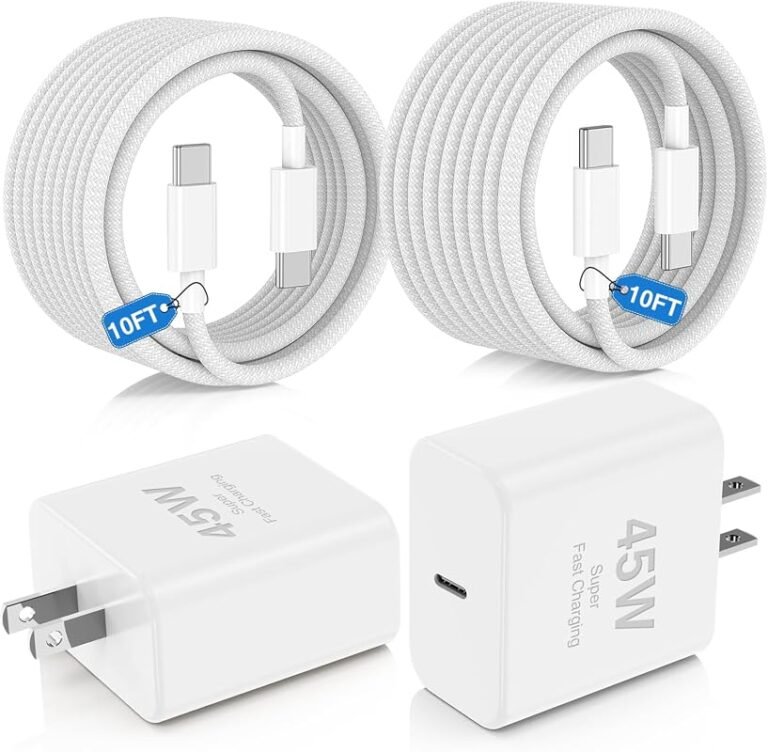
| 45W–65W USB-C | Yes | Phone, tablet, and laptop | Best for several devices. |
| 100W USB-C | Yes, if compatible | Higher-power USB-C laptops | Safe but unnecessary for the phone alone. |
Wired USB-C and MagSafe have different adapter needs. Apple lists a 20W or higher adapter for wired fast charging. The newer MagSafe setup needs a 30W or higher adapter to reach up to 25W on compatible iPhone 16 models.
| Charging method | Maximum listed speed | Adapter needed | Best for |
|---|---|---|---|
| USB-C wired | Up to 50% in about 30 minutes | 20W or higher | Speed, efficiency, and lower cost |
| MagSafe | Up to 25W | 30W or higher with compatible MagSafe Charger | Easy magnetic charging |
| Qi2 | Up to 15W | Depends on the Qi2 charger | Compatible third-party magnetic chargers |
| Qi | Up to 7.5W | Depends on the wireless charger | Basic wireless charging |
Yes. Many USB-C MacBook, iPad, Samsung, Google, Anker, Belkin, and UGREEN chargers can power the iPhone 16.
- Check the adapter port. The included cable needs a USB-C port.
- Look for USB-PD. USB Power Delivery helps the phone and adapter choose a safe power level.
- Check the wattage. Use 20W or more for wired fast charging.
- Inspect the cable. Replace frayed, bent, loose, burnt, or discolored cables.
- Use a known brand. Avoid unmarked chargers with no output or safety information.

This charger has two USB-C ports and one USB-A port. A single USB-C device can receive up to 65W. The charger shares its power when several devices connect.
Yes. A working USB-C MacBook adapter can safely charge the iPhone 16. The phone controls how much power it accepts.
A MacBook charger is a good no-cost option at home. A smaller 20W or 30W adapter is easier to carry when you do not need laptop charging.
Apple says the iPhone 16 can reach up to 50% in about 30 minutes with a 20W or higher adapter and a USB-C charging cable.
Real results vary. Charging may slow when the phone is hot or cold. Games, navigation, video calls, setup tasks, and a weak cable can also reduce the net charging speed.
The old article described 65W as “very fast.” That can mislead buyers. The 65W rating is the charger’s maximum capacity, not the amount the iPhone 16 will always use.
A 65W charger is valuable because it can also power a laptop or several devices. It is not a guarantee that the iPhone will charge far faster than it does with a suitable 20W or 30W adapter.
| Problem | Likely cause | What to try |
|---|---|---|
| Slow wired charging | Low-power adapter, USB-A, heat, or heavy phone use | Use a 20W-or-higher USB-C PD charger and lock the screen. |
| No charging response | Bad outlet, cable, adapter, or debris | Test each part one at a time with known-good accessories. |
| Charging starts and stops | Loose cable, damaged port, or heat | Stop forcing the plug and inspect the cable and port. |
| MagSafe is slower than expected | Older MagSafe model, weak adapter, case, heat, or poor alignment | Use a compatible charger, 30W adapter, and proper alignment. |
| Multi-port charger becomes slower | Power is shared between devices | Disconnect another device or use the highest-output port. |
- Buying a Lightning cable: The iPhone 16 uses USB-C.
- Buying 65W only for more phone speed: Buy it for laptop or multi-device use.
- Using 20W for a 25W MagSafe target: Use 30W or more with the compatible MagSafe Charger.
- Buying a fake adapter: Poor chargers may have weak protection and inaccurate labels.
- Charging under bedding: Trapped heat can slow charging and raise risk.
- Ignoring cable damage: Replace frayed or loose accessories.
Which charger does iPhone 16 use?
It uses a USB-C cable and a USB-C power adapter. Use 20W or more for wired fast charging.
Does iPhone 16 come with a charger?
It comes with a USB-C cable, but Apple does not include the wall power adapter.
Is a 20W charger enough for iPhone 16?
Yes. Apple lists a 20W-or-higher adapter for fast wired charging.
Do I need a 30W charger?
You do not need 30W for Apple’s wired fast-charge claim. You need 30W or more for the fastest supported MagSafe setup.
Can I use a 65W charger?
Yes. A compatible USB-C PD charger is safe. The iPhone requests only the power it supports.
Can I use a MacBook charger?
Yes. A working USB-C MacBook charger can safely charge the iPhone 16.
How fast can iPhone 16 charge?
Apple says it can reach up to 50% in about 30 minutes with a 20W-or-higher wired adapter.
How fast is MagSafe charging?
Compatible iPhone 16 models support MagSafe up to 25W with the newer MagSafe Charger and a 30W-or-higher adapter.
Does iPhone 16 support Qi2?
Yes. Apple lists Qi2 wireless charging up to 15W.
Why is my iPhone 16 charging slowly?
Common causes include USB-A charging, a low-power adapter, a damaged cable, heat, heavy phone use, or shared power from a multi-port charger.
Pick Apple 20W for one iPhone. Pick a 30W adapter for 25W MagSafe. Pick Anker 65W for a phone, tablet, and laptop setup.
Check Apple 20W Price