

Do Multi-Port Chargers Work With All Devices?
Yes, multi-port chargers work with most modern devices. However, charging speed, power delivery, cable quality, and device compatibility can affect performance. Understanding how these chargers work helps you get the best results and avoid charging problems.
Multi-port chargers work with most smartphones, tablets, wireless earbuds, smartwatches, laptops, gaming accessories, and other USB-powered gadgets. The charger must provide enough power and support the charging standard your device uses.
As Ethan Walker, I regularly test phones, laptops, power banks, and USB-C accessories. In my experience, multi-port chargers are a convenient and safe way to charge several devices at once. They work well for most users when the charger offers sufficient power and quality charging protocols.
Introduction
Many homes now have several devices that need charging every day. Phones, tablets, earbuds, smartwatches, and laptops all compete for outlet space.
That is why multi-port chargers have become so popular.
But many people still ask: do multi-port chargers work with all devices?
The short answer is yes, for most devices. Yet there are a few limits you should know before plugging everything in.
How Multi-Port Chargers Work
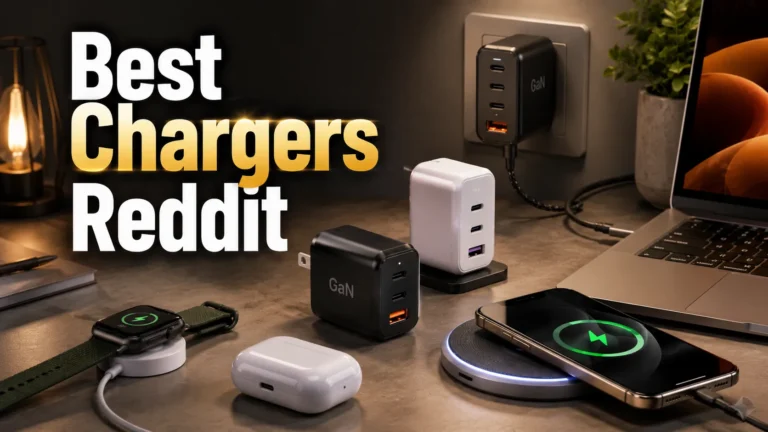
A multi-port charger uses one wall outlet and splits power across several charging ports.
Some chargers distribute power evenly. Others automatically adjust power based on connected devices.
Many modern chargers include USB-C Power Delivery and intelligent charging systems.
Always check the total wattage of a charger. More power usually means better performance when several devices charge at the same time.
Which Devices Usually Work With Multi-Port Chargers?
| Device Type | Compatibility |
|---|---|
| Smartphones | Excellent |
| Tablets | Excellent |
| Wireless Earbuds | Excellent |
| Smartwatches | Very Good |
| Laptops | Depends on power output |
| Gaming Accessories | Excellent |
| Power Banks | Excellent |
| Smart Home Gadgets | Usually Compatible |
Most USB-powered devices work without issues.
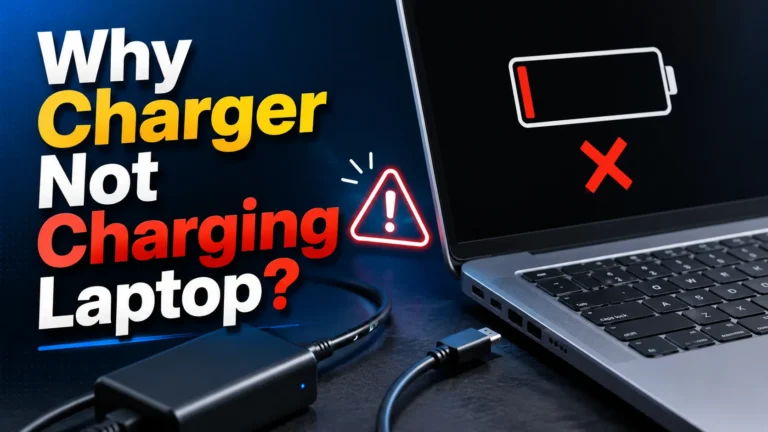
Some laptops need high-wattage USB-C charging. A low-power multi-port charger may charge them slowly or not at all.
Why Some Devices Charge Slower
Not all devices charge at the same speed.
Several factors affect charging performance:
- Total charger wattage
- Number of connected devices
- Cable quality
- Fast charging support
- Device battery management
If several high-power devices are connected at once, charging speeds may decrease because available power gets shared.
Charging Standard Comparison
| Charging Standard | Purpose |
|---|---|
| USB-A Standard Charging | Basic charging |
| USB-C Power Delivery | Fast charging and laptop support |
| Quick Charge | Faster phone charging |
| Adaptive Charging | Automatic power adjustment |
Compatibility Checklist
- Check charger wattage
- Use certified charging cables
- Confirm your device supports USB charging
- Verify fast charging standards
- Inspect ports for damage
Device Compatibility Overview
Pros and Cons
- Fewer wall adapters needed
- Charges multiple devices together
- Reduces cable clutter
- Often includes smart power management
- Convenient for travel
- Power may be shared between devices
- Low-quality chargers can perform poorly
- Some laptops need higher wattage
- Charging speed can vary
How to Check If Your Device Will Work
Most devices use USB-A or USB-C.
Compare your device needs with charger output.
Damaged cables can reduce charging speed.
Monitor charging speed with one and multiple devices connected.
Troubleshooting Common Problems
| Problem | Possible Solution |
|---|---|
| Slow charging | Use higher wattage charger |
| Device not charging | Check cable and port |
| Laptop charges slowly | Verify USB-C Power Delivery support |
| Intermittent charging | Replace damaged cable |
| Overheating | Disconnect devices and inspect charger |
Safety Tips
Charging safety matters just as much as compatibility.
| Safety Practice | Benefit |
|---|---|
| Use certified chargers | Reduces risk of damage |
| Use quality cables | Improves charging reliability |
| Keep charger ventilated | Helps prevent overheating |
| Avoid damaged ports | Protects devices |
| Inspect chargers regularly | Improves long-term safety |
When I test charging accessories, I always recommend checking power ratings first. Most compatibility issues come from insufficient power rather than the charger itself.
Did you know? Modern smart chargers can automatically identify connected devices and adjust power output for safer charging.
Helpful Resources
For additional charging guidance, you can review information from Apple Support, USB-IF, Battery University, FTC, and ENERGY STAR.
Frequently Asked Questions
They work with most USB-powered devices, but charging speed and power requirements may vary.
Yes, if the charger provides enough wattage and supports USB-C Power Delivery.
It can if the charger has limited power and several devices draw power at the same time.
Quality chargers with safety protections are generally safe for everyday use.
Yes, many fast charging standards require compatible high-quality cables.
Yes, most multi-port chargers are designed to charge both devices at the same time.
Common causes include low charger wattage, poor cables, or power sharing between devices.
Related Guides
- How USB-C Power Delivery Works
- How Fast Charging Affects Battery Health
- Choosing the Right Charging Cable
- Common USB Charging Problems Explained
Conclusion
So, do multi-port chargers work with all devices?
In most cases, yes. They work with smartphones, tablets, earbuds, smartwatches, power banks, gaming accessories, and many laptops.
The key is choosing a charger with enough power and using quality cables.
Always follow safe charging practices and check compatibility requirements for larger devices.
For most people, a good multi-port charger makes daily charging simpler and more organized.
- Most USB-powered devices work with multi-port chargers
- Power output affects charging performance
- Quality cables improve results
- Laptops often require higher wattage
- Certified chargers are the safest choice
Multi-port chargers are compatible with most modern devices. Check power ratings, use quality cables, and choose a charger that matches your charging needs for the best experience.


2 Comments