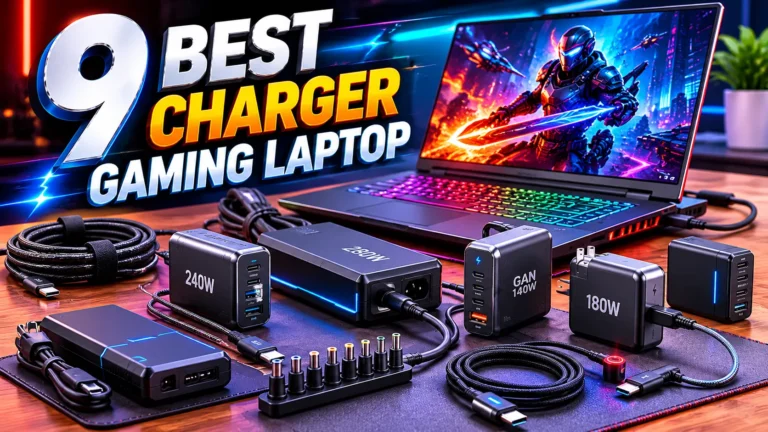
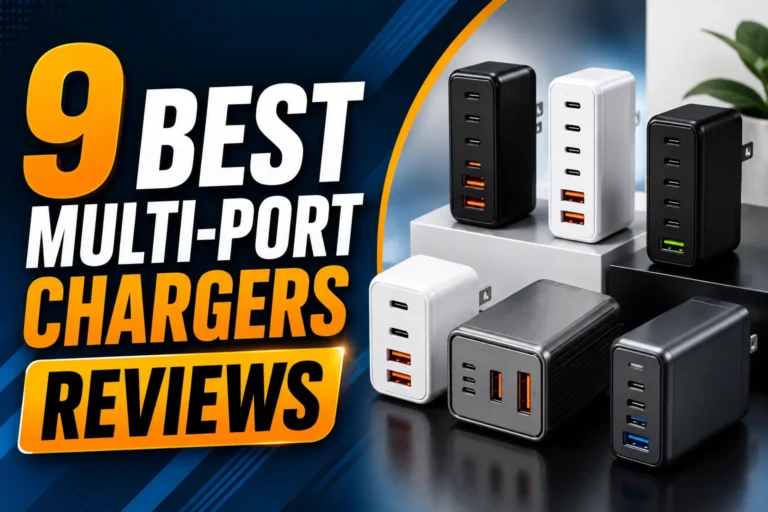
9 Best Wall Chargers for Multiple Devices: Top Picks for Fast, Reliable Charging
Affiliate disclosure: As an Amazon Associate, Gadget Makers Blog may earn from qualifying purchases. This does not change the price you pay.
Wall chargers that power several devices at once have become essential in homes and offices. They let people charge phones, tablets, headphones, and other gadgets from one outlet instead of using multiple adapters. Models range from simple multi-port USB-A blocks to compact USB-C GaN chargers that deliver faster charging and take up less space.
Buyers should focus on total power output, port types (USB-C vs USB-A), and safety features like overcurrent and temperature protection. A charger that provides enough watts per port and supports modern fast-charge standards will keep devices charged quickly and safely. Size, build quality, and compatibility with PD (Power Delivery) or QC (Quick Charge) matter too, since they affect speed and convenience.
This guide tests and compares multi-device wall chargers across performance, safety, and value to help readers pick the best option for their needs.
9 Best Wall Chargers for Multiple Devices
Below is a short list of the best wall chargers for charging several devices at once. It helps readers pick chargers with enough ports, good safety features, and strong power output.
QINLIANF 5‑Outlet Wall Charger with 4 USB Ports

It is a solid choice for someone who needs extra outlets and USB charging from a single duplex receptacle without buying a power strip.
Pros
- Adds five AC outlets and four USB ports from one wall socket.
- Secures to the wall with a center screw so it won’t pull out easily.
- Built‑in surge protection aims to protect multiple devices.
Cons
- Bulky profile can stick out from the wall and block adjacent space.
- USB‑C is 5V/3A only and does not support higher‑voltage fast charging.
- Only fits standard duplex outlets and not GFCI or unusual layouts.
This device gives many plugs in a compact package and keeps cords organized. It suits kitchens, offices, or travel spots where one outlet must serve several devices.
The surge protection and multiple USB ports make it useful for charging phones, tablets, and small devices. Users should note the USB speeds are moderate and not the latest fast‑charge standards.
Installation requires removing the outlet cover and fastening the included screw; the unit needs a duplex outlet with enough space. It may not fit every wall plate or be ideal where low profile is required.
Anker 6-Port Desktop Charger

This charger is a solid choice for buyers who need one compact unit to power several phones, tablets, and a laptop at once because it blends high total output with six ports and a small footprint.
Pros
- Charges many devices at once without needing multiple adapters.
- Small size keeps desks tidy and easy to pack for travel.
- Includes a cable organizer and backed by Anker support.
Cons
- Only one USB-C port delivers the top 30W speed for bigger laptops.
- USB-C cables are not included, so buyers must add their own.
- Can feel heavy for some users who want a very lightweight travel charger.
It delivers strong total power across six ports, so users can charge a laptop, phone, tablet, and accessories together. It works best when the highest-speed device uses the main USB-C port.
The compact design saves space on a nightstand or work desk and helps reduce cable clutter. The added silicone organizer helps keep cords in place.
Some buyers may need extra cables and should note only one port reaches the 30W peak for bigger laptops. Still, it suits homes, small offices, and travelers who face limited outlet access.
Anker Zolo 50W 2-Pack
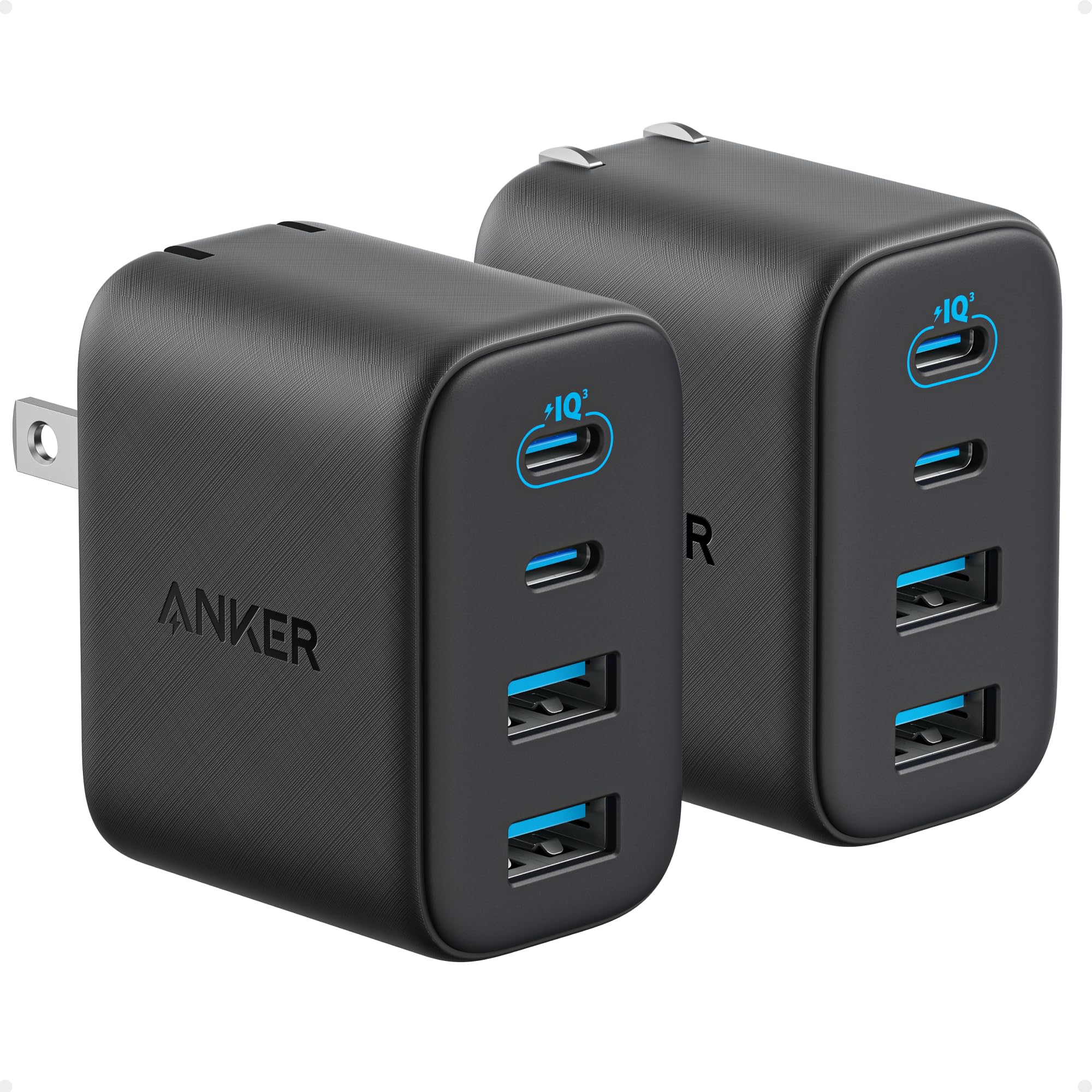
This charger pack is a smart buy for someone who needs fast, stable charging for several devices at once.
Pros
- Charges four devices at once with a mix of USB-C and USB-A ports.
- Keeps strong output on USB-C even when multiple ports are used.
- Small, travel-friendly size with foldable plugs.
Cons
- Two-pack may be more than one person needs.
- Plastic body can feel light compared with heavier bricks.
- No bundled long cable included in most cases.
The Anker Zolo 50W two-pack gives solid multi-device power in a compact design. It balances a 30W USB-C port and a 20W USB-C port so a phone and tablet can charge well together.
Users who travel will like the foldable prongs and small footprint that tuck into a bag. It also has older USB-A ports, which helps when cords vary between devices.
Safety features and Anker’s warranty add peace of mind, and the two-pack offers spare chargers for different rooms. It suits families or people with many gadgets but may be overkill for someone who only needs one charger.
Anker PowerPort 6

It is a solid pick for families or small offices that need to charge many USB devices at once because it offers six ports and good safety features.
Pros
- Charges up to six devices at once.
- Compact shape that saves desk space.
- Built-in safety systems and UL certification.
Cons
- Does not support Qualcomm Quick Charge.
- Total output can limit fast charging on all ports at once.
- Not compatible with some older iPod and tablet models.
The charger gives six USB ports in a small package, so it helps reduce clutter on a desk or in a travel bag. Users who own multiple phones, tablets, or accessories can plug them in and keep cords tidy.
Anker’s PowerIQ and VoltageBoost aim to provide the best charge each device can accept without extra settings. The hub is UL certified and includes surge protection and temperature control to lower the risk of damage.
People should note it won’t deliver special fast-charge protocols like Qualcomm Quick Charge, and the total 60W shared across ports means one device may charge slower when many are connected. It also lists a few device incompatibilities, so buyers should check their gear before relying on it.
Anker 67W Prime Charger

It’s a solid choice for someone who wants one compact charger to power a phone, tablet, and laptop with fast, safe charging.
Pros
- Very compact for a high-wattage charger.
- Can charge three devices at once.
- Built-in safety features reduce overheating risk.
Cons
- Full laptop speed may drop when multiple devices charge together.
- Might be bulky on crowded power strips.
- No detachable cable included.
The charger provides up to 67W through a small GaN design that fits in a bag easily. It works best for people who travel or want fewer bricks on a desk.
It has two USB-C ports and one USB-A port, so a phone, tablet, and notebook can share one outlet. The unit shifts power between ports, so a single device can get most of the 67W when it’s the only load.
ActiveShield 2.0 and other protections help keep charging stable. Buyers who need true full-speed multi-device laptop charging may prefer a higher-wattage hub, but this unit balances size and power well.
Duloch 60W 5-Port Charger
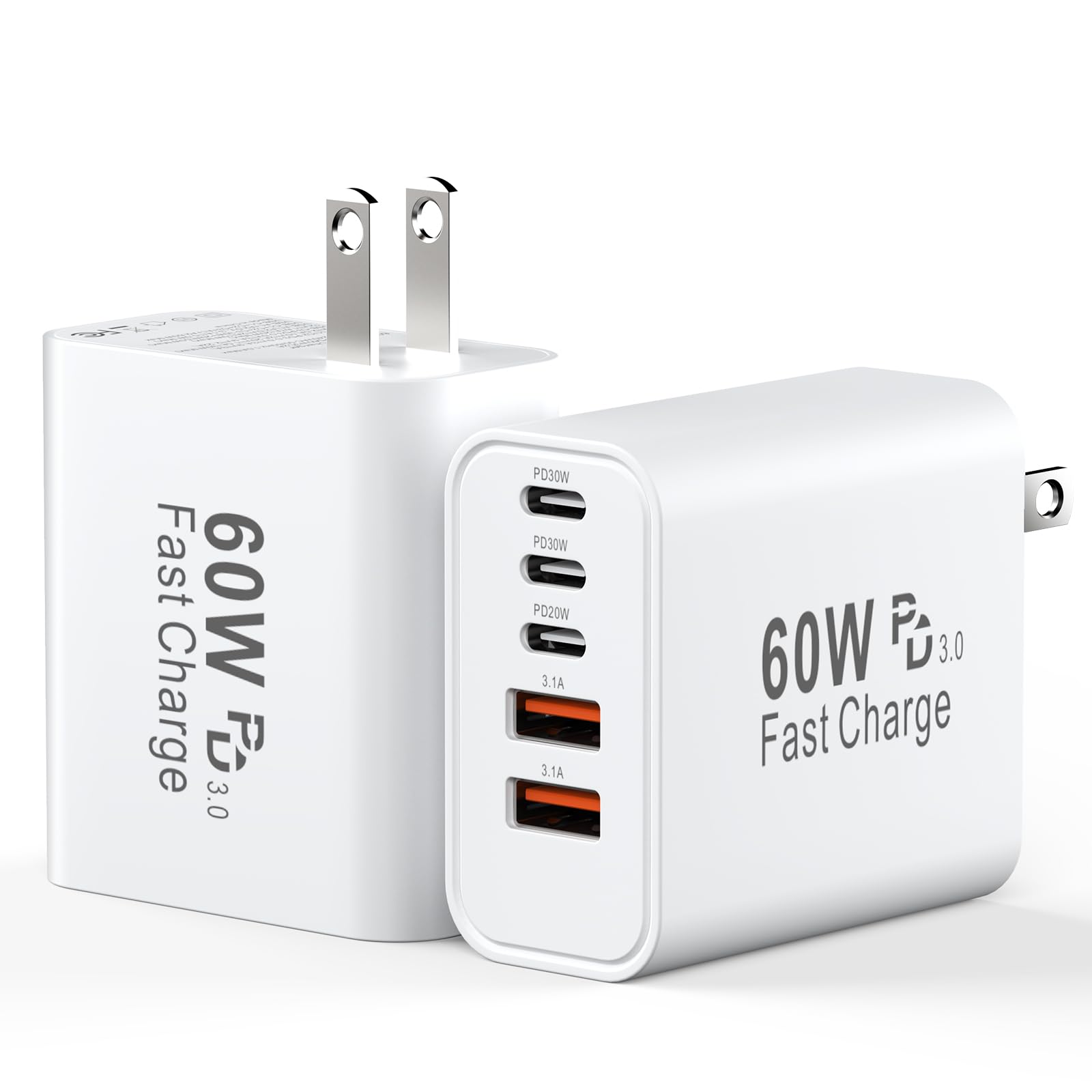
It is a solid choice for someone who needs to charge five devices at once without clutter.
Pros
- Charges up to five devices at the same time.
- Two USB-C ports can deliver faster power to phones and tablets.
- Compact and easy to carry.
Cons
- Plug prongs do not retract for travel.
- No power light or charge indicator.
- May not reach top speeds on all device combinations.
It offers a lot of ports in a small package, so users can replace several chargers with one unit. The shared 60W output and smart load distribution let multiple devices charge reasonably fast.
They get two identical chargers in the box, which helps if they want one for home and one for travel. The lack of a status LED and non-retractable prongs are minor annoyances for people who want a simple multiport block.
This charger aims for broad device support and safety with an internal chip to cut heat and prevent overcharging. It works well for families or travelers who need to power phones, tablets, and accessories from a single outlet.
Anker 9-in-1 Desktop Charger

It is a strong pick for someone who needs many ports in one compact charger and wants basic surge protection.
Pros
- Lots of ports for phones, tablets, and a laptop at once
- Built-in surge protection for added safety
- Flat plug and stable base fit tight spaces
Cons
- Heavier than small travel chargers
- Mostly USB-C; older USB-A devices may need adapters
- Not smart-home enabled
The unit puts three AC outlets and multiple USB ports into a single desktop power strip. It suits a desk, nightstand, or shared charging station where several people plug in devices.
Its safety features aim to protect gadgets from common electrical faults. The charger’s weight helps it stay put when devices are plugged in, though that makes it less travel-friendly.
Users who favor modern USB-C gear will like the port mix, while owners of older gear might need extra cables or dongles. The flat plug helps keep the strip close to walls or furniture.
Buyers can check current price and details here: Anker 9-in-1 Desktop Charger
GKUTW 8‑Port GaN Charger

It is a strong pick for someone who needs to charge many devices at once because it offers eight independent ports and high power in a compact GaN design.
Pros
- Charges up to eight devices at the same time without splitting advertised power.
- Uses GaN III tech for a smaller size and better heat handling.
- Includes a long power cord and covers laptops plus phones and tablets.
Cons
- Eight ports add bulk compared with single-port chargers.
- Full laptop speeds require the right USB-C port and cable.
- White plastic may show dirt or scuffs over time.
This charger aims to replace several bricks with one station that handles phones, tablets, laptops, and accessories. It promises full-speed outputs on multiple ports and a 65W boost for a main laptop port.
They highlight GaN III circuitry for better efficiency and heat control, which helps keep the unit smaller than old-style chargers. The 1.5 m power cord lets the station sit on a desk or nightstand without crowding outlets.
People looking to cut down on clutter will like having a single hub for a family or a group of devices. Be sure to use the proper USB-C cable for high-wattage laptops and expect a larger footprint than a single charger.
Belkin 7-in-1 GaN Charging Station
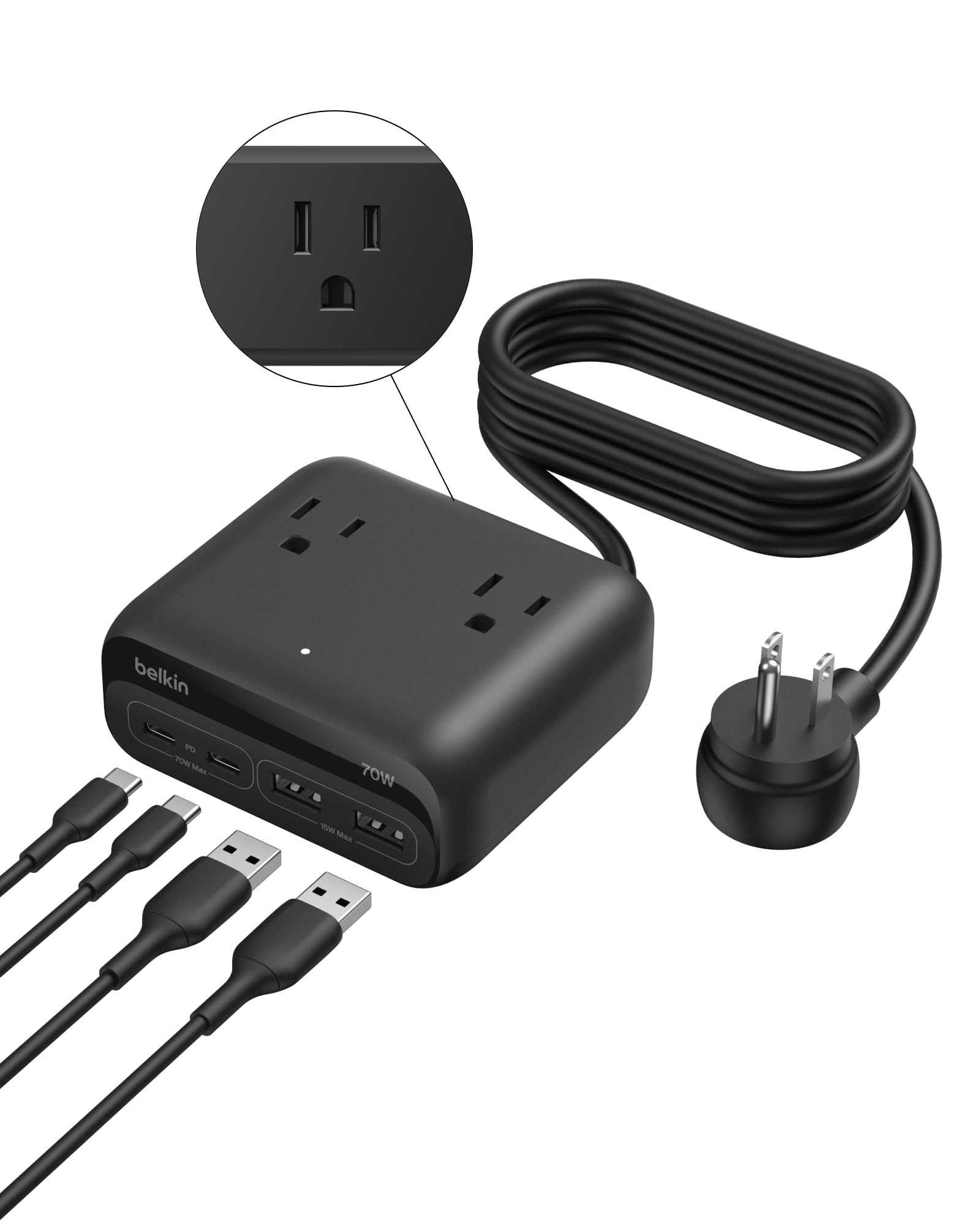
It is a solid choice for someone who needs to charge several devices at once thanks to its mix of AC outlets and fast USB-C ports.
Pros
- Charges up to seven devices at once.
- Fast charging with dual USB-C power delivery.
- Built with safety features and a strong warranty.
Cons
- Shared 70W output can limit full-speed charging for many devices at once.
- Boxy shape may be hard to fit in tight spots.
- Not meant to be ultra-portable despite being compact.
This charging station gives a neat way to replace multiple plugs and chargers. It combines three AC outlets with four USB ports so a desk or bedside area looks less cluttered.
Safety features and a Connected Equipment Warranty add peace of mind for people with expensive gear. The 5-foot flat plug cord helps reach awkward outlets while staying low to the wall.
Power is shared across ports, so users with many power-hungry laptops might see slower charge rates when everything is plugged in. The recycled-plastic housing and two-year coverage are nice touches for buyers who care about durability and sustainability.
Buying Guide
When choosing a wall charger for multiple devices, they should check the total power output first. Look for a charger with enough watts to run all devices at once. A higher watt rating means faster charging for laptops, tablets, and phones.
They should compare port types next. USB-C PD ports often deliver the most power. USB-A ports work for older devices. A mix of port types offers the most flexibility.
Safety matters. Choose chargers with built-in protections like overcurrent, overvoltage, short-circuit, and temperature control. These features help protect devices during charging.
Pay attention to charging technology. Features such as power negotiation (PD, QC) allow devices to draw the right amount of power. This leads to more efficient and safer charging.
Consider build quality and size. A compact, well-ventilated charger fits travel and home use better. Heavier or larger units may run cooler and last longer.
Check cable and connector compatibility. Cables can limit charging speed even if the charger is powerful. Using certified cables improves performance and safety.
Look at port layout and labeling. Spaced ports prevent crowded plugs and help heat dissipation. Clear labels or icons show which port offers high wattage.
Think about future needs. A charger with extra ports or higher wattage can handle new devices later. This can reduce the need to buy another charger soon.
Compare warranty and customer support. A longer warranty and easy support indicate better product confidence. They should read specs carefully to match needs.
Editor’s Choice
The top pick balances power, ports, and safety for most homes and travel kits. It charges phones, tablets, and laptops without slowing down, and it stays cool during heavy use.
| Feature | Details |
|---|---|
| Model | Anker 737 (Nano II) or similar |
| Ports | 2–3 USB-C PD ports + 1 USB-A |
| Total Power | 65–100W depending on model |
| Best for | Families, remote workers, travelers |
| Safety | Overheat, overcurrent, and short-circuit protection |
It delivers fast charging across devices thanks to smart power distribution. Devices share power efficiently, so a laptop and phone can charge at useful speeds simultaneously.
The charger remains compact despite strong output. Its foldable plug and light weight make it easy to pack for trips.
They include clear LED or color indicators for status and power delivery. Setup is plug-and-play, with no confusing steps.
Price varies but usually reflects build quality and power. Users should pick a model with at least one high-watt USB-C PD port for laptops and multiple ports for phones and tablets.
Where to Buy – Best Amazon Deals
They can find many wall chargers on Amazon with fast shipping and clear customer reviews. Amazon lists chargers by brand, price, and features, which makes comparison easy.
Look for these quick buying tips:
- Filter by Prime for fast, reliable delivery.
- Sort by Customer Reviews to see real-world feedback.
- Check the Q&A for compatibility answers from other buyers.
Top deal types to watch for on Amazon:
- Daily deals and Lightning Deals often drop prices for limited hours.
- Bundle offers include cables or multi-port adapters at lower cost.
- Refurbished units can save money and often include warranties.
They should read specs like total wattage, USB-C Power Delivery, and GaN tech before buying. Also verify seller ratings and return policy to avoid counterfeit or poor-quality products.
Example quick checklist:
- Confirm port count and wattage
- Check USB standards (PD, QC)
- Read top 5 reviews for common issues
- Compare price history with browser extensions
They can use Amazon’s “Compare” feature to see multiple chargers side-by-side. This saves time and helps pick a charger that fits device needs and budget.
Conclusion
They should pick a charger that fits their device mix and daily habits. A few high-power USB-C ports and one or two USB-A ports cover most needs, while compact designs help with travel.
Look for chargers with 60W–100W total output for laptops plus phones. For phones and tablets only, 30W–65W is usually enough.
Safety features matter. Overheat and overcurrent protection reduce risk, and reputable brands provide better warranty and support.
Port layout and cable length affect convenience. A charger with spaced ports prevents bulky plugs from blocking neighbors.
Recommended choices include GaN chargers for size and efficiency, multiport hubs for many devices, and surge-protected models for use near power strips. Match the charger to device wattage and charging standards like PD (Power Delivery).
They can balance cost and features by prioritizing needed ports, total wattage, and safety. Buying a bit more power than needed helps future-proof devices.
FAQs
What should they look for in a multi-device wall charger?
They should check total wattage, number and type of ports (USB-C/USB-A), and support for fast charging like PD or QC. Look for safety features such as overcurrent, overvoltage, and temperature protection.
Can one charger power a laptop and phones at the same time?
Yes, if the charger has enough total wattage and a USB-C PD port rated for the laptop. Phones can use remaining ports but charging speed may slow when multiple high-power devices are connected.
Is it safe to charge several devices at once?
It is safe when using a certified charger from a reputable brand with built-in protections. Avoid cheap, uncertified chargers and damaged cables to reduce risk.
Do cables affect charging speed?
Yes. High-quality cables that support the charger’s protocol (e.g., USB-C PD) allow faster charging. Old or thin cables can limit power and slow charging.
How many ports are ideal for travel?
Three to four ports cover most needs: one high-power USB-C for a laptop or tablet and two or three lower-power ports for phones and accessories. Compact size and foldable plugs help with packing.
Are GaN chargers worth it?
GaN chargers are smaller and more efficient than older designs while delivering the same or higher power. They usually run cooler and are a good choice for multiple-device setups.
Should they worry about compatibility?
Most modern devices follow USB standards and will negotiate proper power. Check device manuals if unsure, especially for laptops with unique power needs.
What about warranties and support?
Longer warranties and responsive customer support indicate manufacturer confidence. Keep receipts and register the product when possible.