Does iPhone 7 Have Wireless Charging in 2026 Explained
Does iPhone 7 have wireless charging? No, it does not. Apple never built wireless charging into the iPhone 7, so you need a case or receiver to add it. In 2026, it is still a common question because many users keep this phone as a backup, starter device, or car phone.
Does iPhone 7 Have Wireless Charging in 2026 Explained
If you still use an iPhone 7, you are not alone. A lot of people keep older iPhones for calls, music, travel, kids, or as a backup phone. And one of the most common questions in 2026 is simple: does iPhone 7 have wireless charging?
The short answer is no. The iPhone 7 does not have built-in wireless charging. Apple added native wireless charging later, starting with the iPhone 8 and iPhone X. So if you place an iPhone 7 on a wireless pad, nothing happens unless you add special hardware.
That does not mean you are stuck with cables forever. There are ways to add wireless charging to an iPhone 7, and some of them work well for light daily use. But before you buy anything, it helps to know what the phone can and cannot do. That way, you avoid wasting money on the wrong charger or a weak accessory.
- Point 1: The iPhone 7 does not have built-in wireless charging.
- Point 2: You can add wireless charging with a Qi receiver or a wireless charging case.
- Point 3: Charging speed on the iPhone 7 is slower than on newer iPhones, even with add-on accessories.
- Point 4: A wired Lightning cable is still the most reliable and fastest way to charge the iPhone 7.
- Point 5: Wireless charging accessories can be useful for desks, nightstands, and car mounts.
- Point 6: In 2026, many users upgrade because newer iPhones support better charging and stronger battery life.
- Point 7: If you want a simple setup, choose a certified Qi accessory and avoid cheap, weak add-ons.
📑 Table of Contents
- Does iPhone 7 Have Wireless Charging?
- Why Apple Left Wireless Charging Out of the iPhone 7
- How to Add Wireless Charging to an iPhone 7
- How Good Is Wireless Charging on iPhone 7 Add-Ons?
- Best Use Cases for iPhone 7 Wireless Charging
- iPhone 7 vs Newer iPhones: What Changes?
- What to Look for Before Buying a Wireless Charging Accessory
- Should You Upgrade Instead of Adding Wireless Charging?
- Final Verdict: Does iPhone 7 Have Wireless Charging?
Does iPhone 7 Have Wireless Charging?
The direct answer
No, the iPhone 7 does not have wireless charging built in. It only charges through the Lightning port. If you want to charge it on a wireless pad, you need an add-on like a Qi receiver or a wireless charging case.
Why this matters in 2026
This question still comes up because wireless charging is now common. Many people expect every iPhone to support it. But the iPhone 7 came out before Apple made wireless charging a standard feature. So the phone works fine, but it is not native to the wireless charging world.
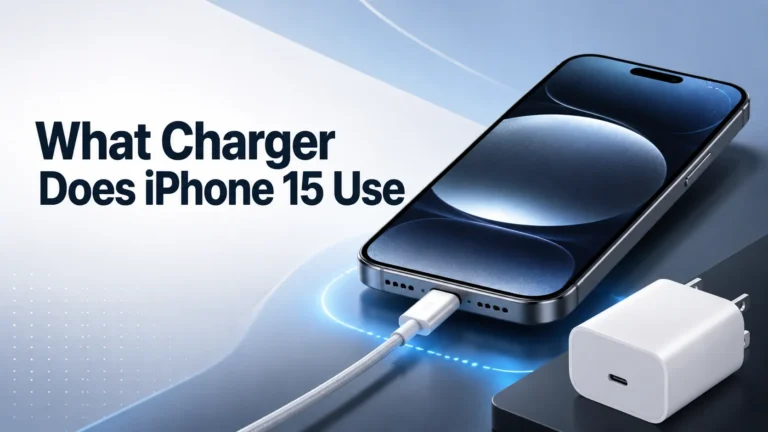
If you are comparing older and newer models, it helps to read guides like what charger the iPhone 15 uses or what charger the iPhone 16 uses. Those newer phones have very different charging options, which shows how much charging tech has changed.
Why Apple Left Wireless Charging Out of the iPhone 7
Timing and hardware limits
The iPhone 7 launched in 2016. At that time, wireless charging was still less common in mainstream phones. Apple usually waits until a feature feels mature and useful before adding it. The iPhone 7 also had a metal back, which is not ideal for standard wireless charging.
Wireless charging needs a design that works well with a charging coil inside the phone. Apple moved to a glass back on the iPhone 8 series, which made wireless charging possible without major trade-offs.
What Apple changed later
With the iPhone 8, Apple finally added native Qi wireless charging. That change made a big difference. From that point on, you could place the phone on a compatible pad and charge without plugging in a cable.
So if you are wondering whether the iPhone 7 was “supposed” to have wireless charging, the answer is still no. It was simply made before Apple adopted the feature.
How to Add Wireless Charging to an iPhone 7
Option 1: Qi wireless receiver
A Qi receiver is a thin accessory that usually plugs into the Lightning port and sits under a case. When you place the phone on a wireless pad, the receiver helps transfer power into the phone. This is the most common way to add wireless charging to an iPhone 7.
This setup can work well for casual use. It is handy if you want to drop the phone on a desk pad at night or keep a simple charging spot at work. But it is not as clean as native wireless charging, and it can be slower than a cable.
Option 2: Wireless charging case
Some cases include wireless charging support. These are often easier to use because they combine protection and charging in one product. The phone sits inside the case, and the case handles the wireless power transfer.
Still, quality matters a lot. Cheap cases may fit poorly, get warm, or charge very slowly. If you go this route, look for a well-reviewed product with clear Qi support and solid build quality.
Option 3: Just use a cable
For most iPhone 7 owners, a Lightning cable is still the best choice. It is faster, more stable, and cheaper. If you need dependable daily charging, wired charging wins almost every time.
If you are also trying to improve charging habits, our guide on best charging habits for iPhone can help. It covers simple ways to protect battery health and keep charging smooth.
How Good Is Wireless Charging on iPhone 7 Add-Ons?
Speed is not the main advantage
Wireless charging on an iPhone 7 is about convenience, not speed. Even with a good receiver, the charging rate is usually slower than a wired connection. That means it is fine for overnight charging or desk use, but not ideal when you need power fast.
In real life, you may notice that the phone charges more slowly if it is in use while charging. Watching videos, using maps, or gaming can reduce the benefit even more.
Heat can be a factor
Wireless charging often creates more heat than wired charging. Heat is not great for battery health, especially on an older phone. The iPhone 7 battery is already aging in 2026, so keeping temperatures low matters.
If your phone gets hot while charging, remove the case, check the pad, and make sure the accessory is certified. A bad charger can cause more harm than good.
Reliability in daily use
Wireless charging add-ons can be useful, but they are not as reliable as a cable. A slight shift on the pad can stop charging. Thick cases can also interfere with power transfer. That is why many users keep wireless charging as a backup, not as their main charging method.
Best Use Cases for iPhone 7 Wireless Charging
Desk and bedside charging
This is where wireless charging makes the most sense. You place the phone down and pick it up later. No plugging and unplugging. No worn cable ends. For people who use their iPhone 7 as a nightstand phone, this is a nice upgrade.
Office and home setups
If you keep your phone in one place for long periods, a wireless pad is convenient. It keeps your desk neat and avoids cable clutter. It is also useful if you rotate between a work desk, kitchen counter, and bedroom.
Travel and backup phone use
Some people use the iPhone 7 as a travel backup phone. In that case, wireless charging can be a nice bonus if you already own a pad or a charging stand. But for travel, a cable and a small power bank are still more practical.
If you want to pair an older iPhone with portable power, see what fast charging power banks work with iPhone. It is especially helpful if you want a flexible charging setup while away from home.
iPhone 7 vs Newer iPhones: What Changes?
Native wireless charging makes a big difference
The biggest change is simple: newer iPhones support wireless charging out of the box. That means no extra receiver, no special case, and fewer points of failure. You just place the phone on a compatible charger and it starts charging.
That convenience is why many users eventually upgrade. The iPhone 7 can be made wireless, but it was never designed around that feature.
Better charging ecosystem
Newer iPhones also work better with modern charging accessories. MagSafe, faster wired charging, and better accessory support all make the experience smoother. If you are comparing options, a newer model is usually easier to live with day to day.
For readers who like magnetic charging gear, our guide on MagSafe power banks with fast charging is a good look at how far the ecosystem has come.
Battery age matters too
In 2026, many iPhone 7 batteries are old. Even if the phone works well, the battery may not hold charge like it used to. That makes charging speed and heat even more important. If your phone drains fast, a battery replacement may help more than a wireless accessory.
What to Look for Before Buying a Wireless Charging Accessory
Check for Qi support
Always look for Qi compatibility. That is the standard most wireless chargers use. If a product does not clearly say Qi, skip it. You want something that is known to work safely and consistently.
Think about case thickness
The iPhone 7 may need a slim case for wireless charging add-ons to work well. Thick cases can block the signal or make charging unstable. If you already use a protective case, check whether the receiver or charging case will still fit properly.
Choose the right power level
Do not assume more watts always means better results. The iPhone 7 is an older phone, so it will not benefit from the same fast-wireless features found on newer models. A solid, well-made charger is better than a flashy high-watt charger that is not a good match.
Look at build quality and safety
Cheap wireless chargers can overheat, disconnect, or wear out fast. A safer choice is a known brand with good reviews and basic protection features. If you want to avoid battery stress, this matters a lot.
For more help choosing a good budget option, check out what budget chargers work with iPhone. It is a useful starting point if you want value without poor quality.
Should You Upgrade Instead of Adding Wireless Charging?
When an add-on makes sense
If you like your iPhone 7 and only want a more convenient charging setup, an add-on can be worth it. This is especially true if the phone is a backup device or a home-only phone.
When upgrading is the better move
If you use the iPhone 7 every day, upgrading may be the smarter choice. Newer iPhones give you native wireless charging, better battery life, faster charging, and better app support. That means less hassle and a better long-term experience.
In simple terms, adding wireless charging to an iPhone 7 is a workaround. Upgrading is the real fix.
Final Verdict: Does iPhone 7 Have Wireless Charging?
No, the iPhone 7 does not have wireless charging built in. But you can add it with a Qi receiver or a wireless charging case if you really want the convenience. Just keep expectations realistic. It will not be as fast or as smooth as native wireless charging on newer iPhones.
For most people in 2026, the best choice is still a good Lightning cable. It is faster, cheaper, and more reliable. If you want wireless charging for a desk or bedside setup, an add-on can be nice. If you want the best overall experience, upgrading to a newer iPhone is the smarter move.
So the answer to “does iPhone 7 have wireless charging” is clear: no, not natively. But with the right accessory, you can get close enough for light daily use.
Frequently Asked Questions
No, the iPhone 7 does not have built-in wireless charging. It only supports charging through the Lightning port unless you add a wireless charging accessory.
Yes, you can add wireless charging with a Qi receiver or a wireless charging case. These accessories let the phone work with a wireless charging pad, but the setup is usually slower than a cable.
It can be safe if you use a certified, good-quality accessory. Cheap chargers may create extra heat, which is not ideal for an older battery.
Not by itself. The iPhone 7 needs an add-on receiver or compatible case first. After that, a standard Qi charger should work if the accessory is properly made.
Yes, wireless charging is usually slower than wired charging on the iPhone 7. A Lightning cable is still the fastest and most reliable option for daily use.
If you use the iPhone 7 every day, upgrading is often the better choice. Newer iPhones offer native wireless charging, better battery life, and fewer charging problems overall.

Tech & Gadget Reviewer
Ethan Walker is a tech enthusiast and gadget reviewer with over 8 years of hands-on experience testing consumer electronics, smart home devices, and cutting-edge accessories. He helps readers make smarter buying decisions through honest, in-depth reviews.