9 Best Smart Lights for Home Assistant: Top Picks, Compatibility, and Setup Guide
9 Best Smart Lights for Home Assistant
The best smart lights for Home Assistant are the ones that fit your preferred control method, integrate reliably, and give you the brightness, color, and automation features you actually need. For users who prioritize local Zigbee control, THIRDREALITY is one of the strongest options in this list.

THIRDREALITY ZL1 Smart Color Bulb 4-Pack
The THIRDREALITY ZL1 is the strongest Home Assistant-focused pick in this list because it uses Zigbee 3.0 and can pair directly with Home Assistant through a compatible Zigbee coordinator. THIRDREALITY documents support for both ZHA and Zigbee2MQTT workflows. :contentReference[oaicite:1]{index=1}
- Direct Zigbee-based Home Assistant compatibility
- Supports ZHA and Zigbee2MQTT setups
- Color and tunable-white control
- Avoids adding more Wi-Fi devices to your router
Main trade-off: It requires a compatible Zigbee hub or coordinator.
Check Price on Amazon →Quick Comparison: Best Smart Lights for Home Assistant
| Product | Connection | Best For | Home Assistant Fit | Verdict | Amazon |
|---|---|---|---|---|---|
| THIRDREALITY ZL1 4-Pack | Zigbee | Local Home Assistant setups | Strong | Editor’s Pick | View |
| Linkind Matter 6-Pack | Wi-Fi / Matter | Cross-platform homes | Potentially strong with a supported Matter setup | Best Matter Option | View |
| Govee Smart Bulbs 4-Pack | Wi-Fi | Color scenes and app control | Model support should be verified | Best for Govee Users | View |
| DAYBETTER 6-Pack | Wi-Fi | Low-cost multi-room setup | Integration path may depend on platform setup | Budget Pick | View |
| Govee A19 2-Pack | Wi-Fi / Bluetooth | Bright color lighting | Verify model-specific local support | Bright Alternative | View |
| Linkind Smart Bulbs 4-Pack | Wi-Fi / Bluetooth | Value color lighting | Check integration method before buying | Value Alternative | View |
| Luckystyle 4-Pack | Wi-Fi | Basic smart-color lighting | Indirect ecosystem integration may be required | Budget Alternative | View |
| Sylvania Smart+ Wi-Fi | Wi-Fi | Simple voice-assistant lighting | Home Assistant path is less straightforward | Consider Carefully | View |
| DAYBETTER 100 ft LED Strip | Wi-Fi | Accent and room lighting | Indirect integration path | Best LED Strip | View |
9 Best Smart Lights for Home Assistant
The products below cover several different Home Assistant setups. The list intentionally separates strong local-integration options from products that may rely more heavily on Wi-Fi, cloud services, or third-party integrations.
1. THIRDREALITY ZL1 Smart Color Bulb 4-Pack
The strongest choice here for users who want a Zigbee-first Home Assistant setup with direct compatibility rather than relying primarily on a cloud connection.
- Zigbee 3.0 connectivity
- Documented Home Assistant support
- ZHA and Zigbee2MQTT pairing options
- Good fit for local automations
- Requires a Zigbee coordinator or compatible hub
- Not ideal for someone who wants Wi-Fi-only setup
- Colored output may look less bright than white modes
Skip it if: You do not want to add a Zigbee coordinator.
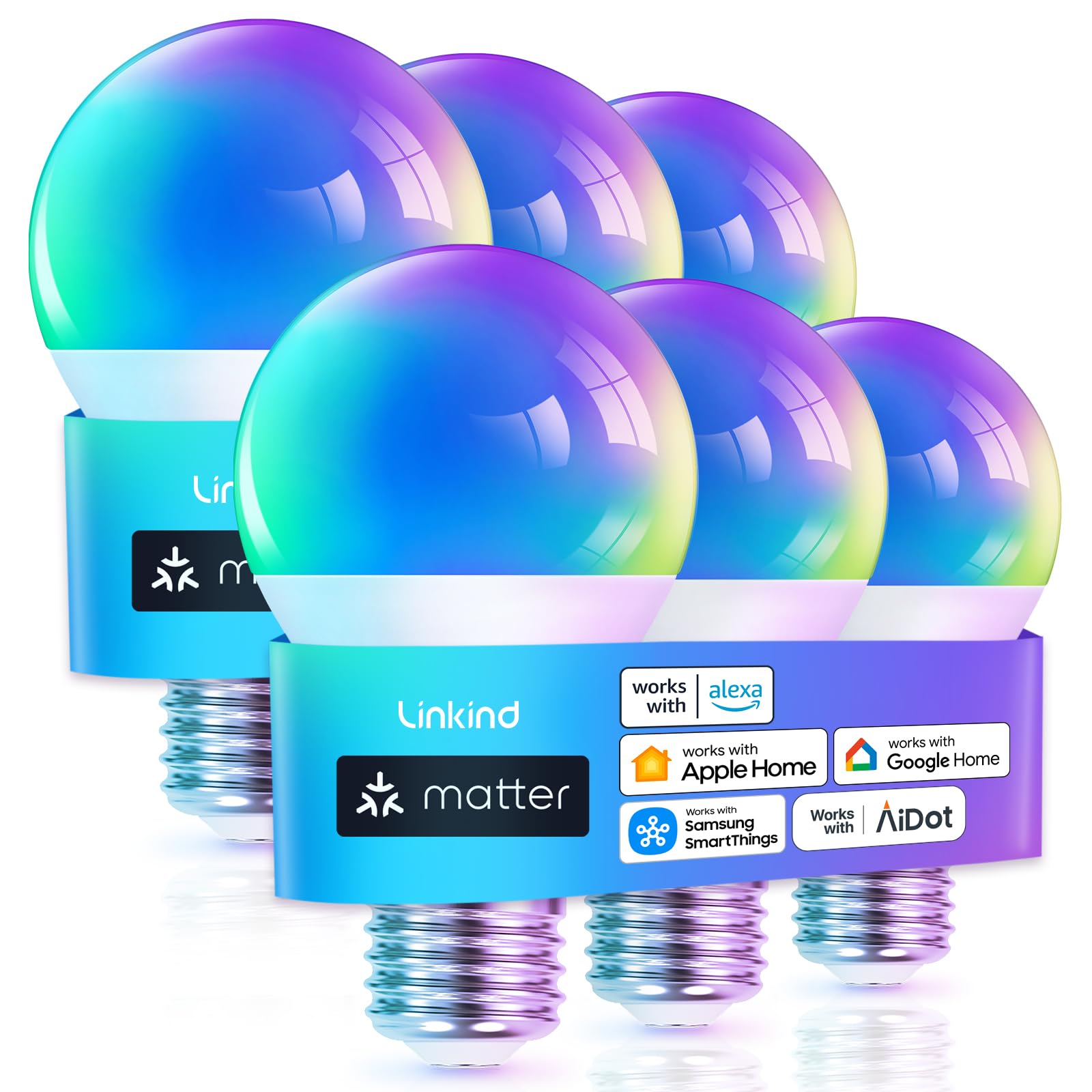
2. Linkind Matter Smart Bulb 6-Pack
A useful choice for households that want Matter-based interoperability and a larger six-bulb pack for multiple rooms.
- Matter support
- Six-bulb pack
- Color and tunable-white control
- Broad smart-home ecosystem positioning
- 2.4 GHz Wi-Fi requirement
- Not intended for traditional dimmer switches
- Matter setup quality depends on the rest of your smart-home network
Skip it if: You specifically want Zigbee mesh lighting.

3. Govee Smart Bulbs 4-Pack
A colorful and easy-to-expand option for people already using Govee products, but Home Assistant compatibility should be checked against the exact model before purchase.
- Wide color and scene selection
- App grouping and schedules
- Voice-assistant support
- Good fit for mood lighting
- 2.4 GHz Wi-Fi required
- Not compatible with standard wall dimmers
- Local Home Assistant support is model-specific
Skip it if: You need guaranteed model-specific local Home Assistant control without verification.

4. DAYBETTER Smart Bulbs 6-Pack
A budget-oriented option for users who want to cover several rooms without spending heavily on each bulb.
- Six bulbs in one pack
- Color and dimming controls
- Voice-assistant support
- Low-cost way to expand smart lighting
- 2.4 GHz Wi-Fi required
- Cloud or third-party integration may be involved
- Connection reliability can vary by setup
Skip it if: You want the cleanest Home Assistant-native experience.

5. Govee Smart A19 Bulbs 2-Pack
A useful option for bedrooms or living spaces where strong white output and color control matter more than building a Zigbee mesh.
- Bright everyday-light positioning
- RGB and tunable-white options
- Wi-Fi and Bluetooth connectivity
- Useful for room scenes
- Local Home Assistant support depends on exact model
- Some advanced behavior depends on the Govee ecosystem
- Not designed for conventional dimmer switches
Skip it if: You want a documented Zigbee-first Home Assistant setup.

6. Linkind Smart Bulbs 4-Pack
A lower-cost color-lighting option for users who primarily want app and voice control and are comfortable checking the exact Home Assistant integration path before purchasing.
- Four-bulb pack
- Color plus tunable white
- App and voice controls
- No dedicated hub required for basic use
- 2.4 GHz Wi-Fi setup
- Integration path is not as direct as a Zigbee-first product
- Not compatible with traditional dimmers
Skip it if: Local Home Assistant integration is your top priority.

7. Luckystyle Smart Bulbs 4-Pack
A low-cost color-lighting choice for users who want schedules, app control, and voice features without paying for a premium lighting ecosystem.
- Affordable four-pack
- Color and scheduling features
- Voice-assistant compatibility
- Standard E26 format
- 2.4 GHz Wi-Fi required
- Full features rely on the companion app
- Home Assistant control may be indirect
Skip it if: You want a mature local-integration ecosystem.

8. Sylvania Smart+ Wi-Fi A19 4-Pack
A familiar lighting-brand option for app and voice-assistant use, but Home Assistant integration has historically required less-direct approaches than Philips Hue or straightforward Zigbee bulbs.
- No dedicated hub needed for standard Wi-Fi use
- Color and tunable-white lighting
- Works with major voice assistants
- Four-pack format
- Home Assistant integration is less straightforward
- 2.4 GHz Wi-Fi required
- App capabilities may feel limited compared with premium ecosystems
Skip it if: Home Assistant is the primary reason you are buying the bulbs.

9. DAYBETTER 100 ft Smart LED Strip
A better fit for accent lighting, entertainment rooms, shelves, and large decorative runs than for replacing everyday ceiling bulbs.
- Very long lighting run
- App and voice-assistant control
- Useful for accent and entertainment lighting
- Music-sync effects
- Not a direct replacement for normal room lighting
- Adhesive performance can vary by surface
- 2.4 GHz Wi-Fi required
Skip it if: You need dependable general-purpose white lighting.
What Makes a Smart Light Good for Home Assistant?
Smart lights can all look similar on an Amazon listing, but the experience inside Home Assistant can vary dramatically. The most important difference is how the light communicates with Home Assistant and whether that control depends on a vendor cloud service.
Zigbee vs Wi-Fi vs Matter for Home Assistant
| Protocol | Main Advantage | Main Trade-Off | Best For |
|---|---|---|---|
| Zigbee | Local mesh networking and broad Home Assistant use | Requires coordinator or compatible hub | Home Assistant-first households |
| Wi-Fi | No separate radio hub for basic operation | May rely more heavily on vendor apps or cloud APIs | Simple smaller installations |
| Matter | Cross-platform interoperability | Implementation quality still varies by product | Mixed smart-home ecosystems |
| Philips Hue Bridge | Mature local Home Assistant integration | Additional bridge hardware | Users prioritizing ecosystem maturity |
Why Local Control Matters
Local control is one of the biggest reasons many people choose Home Assistant. When a light can communicate locally, a basic automation does not necessarily need to travel through the internet and back through a vendor’s servers.
That can improve resilience and reduce dependence on an external service. It also makes the architecture easier to understand because Home Assistant remains the primary automation controller.
This is why the THIRDREALITY ZL1 is ranked above the generic Wi-Fi bulbs in this guide. It has a documented Zigbee path into Home Assistant through both ZHA and Zigbee2MQTT. :contentReference[oaicite:4]{index=4}
Can Govee Lights Work Locally With Home Assistant?
Yes, some Govee lights can. Home Assistant maintains an official Govee lights local integration that uses Govee’s Local API. However, support is tied to specific model numbers, so you should not assume every Govee bulb or strip works locally just because it carries the Govee brand. :contentReference[oaicite:5]{index=5}
How to Choose the Right Smart Light
Start with your Home Assistant architecture rather than the bulb’s marketing features.
Home Assistant Smart-Light Buying Checklist
- Confirm the exact model’s Home Assistant compatibility
- Check whether control is local, cloud-based, or both
- Confirm Zigbee coordinator requirements if applicable
- Check E26/E27 or other socket compatibility
- Check bulb brightness and white-temperature range
- Confirm whether traditional dimmer switches are supported
- Review the number of bulbs needed before choosing a multi-pack
- Consider whether you want Wi-Fi load or a separate Zigbee mesh
- Verify Matter controller requirements when choosing Matter bulbs
Which Smart Light Should You Buy?
| Your Priority | Recommended Product | Why |
|---|---|---|
| Best Home Assistant fit | THIRDREALITY ZL1 | Documented Zigbee support with ZHA and Zigbee2MQTT |
| Matter ecosystem | Linkind Matter 6-Pack | Designed around Matter interoperability |
| Budget multi-room setup | DAYBETTER 6-Pack | Multiple bulbs at lower cost |
| Govee ecosystem | Govee Smart Bulbs | Good color features; check exact model support first |
| Long accent lighting | DAYBETTER 100 ft Strip | Better suited to decorative room lighting |
Final Recommendation
If Home Assistant is the main reason you are buying smart lights, the THIRDREALITY ZL1 is my first choice from this list because its Zigbee integration path is clear and documented.
Choose the Linkind Matter 6-Pack if Matter compatibility matters more, or consider the Govee options if you already use Govee products and confirm that the exact model works with the Home Assistant integration you want.
Frequently Asked Questions
What smart lights work best with Home Assistant?
Lights with well-documented local integrations or standards such as Zigbee are often the easiest to build reliable Home Assistant automations around. The THIRDREALITY ZL1 in this guide supports direct Zigbee pairing with Home Assistant.
Do I need a Zigbee hub for Home Assistant smart lights?
Only for Zigbee products. You need a compatible Zigbee coordinator or hub. Wi-Fi and Matter products use different connection methods.
Does Home Assistant support Philips Hue?
Yes. Home Assistant has an official Philips Hue integration for Hue Bridge devices, including lights, scenes, motion sensors, and remotes. :contentReference[oaicite:6]{index=6}
Can Home Assistant control Govee lights locally?
Some models can. Home Assistant has an official Govee lights local integration, but only listed supported models are guaranteed by that integration. :contentReference[oaicite:7]{index=7}
Is Zigbee better than Wi-Fi for Home Assistant?
Not universally, but Zigbee is attractive for Home Assistant users because it creates a separate smart-device mesh and commonly supports local control through ZHA or Zigbee2MQTT.
Are Matter bulbs good for Home Assistant?
They can be a strong option when you want interoperability across platforms. Always confirm the exact bulb and controller requirements before buying.
Do smart bulbs work when the internet goes down?
That depends on the integration. Locally controlled Zigbee or other local integrations can continue operating without external cloud access, while cloud-dependent devices may lose some functionality.
Can I use smart bulbs with a normal dimmer switch?
Many smart bulbs should not be used with conventional wall dimmers unless the manufacturer explicitly says they are compatible. Keep the bulb powered and control brightness through the smart-light system instead.
Conclusion
The best smart lights for Home Assistant are not simply the bulbs with the longest feature list. Integration quality matters more.
For a local-first Home Assistant setup, the THIRDREALITY ZL1 stands out because its Zigbee compatibility with Home Assistant is documented and it supports common ZHA and Zigbee2MQTT setups. :contentReference[oaicite:8]{index=8}
Linkind’s Matter bulbs make more sense for readers prioritizing cross-platform interoperability, while Govee can be a strong choice when the exact product model is supported by Home Assistant’s local integration. :contentReference[oaicite:9]{index=9}
Whichever product you choose, verify the exact model, protocol, socket type, and Home Assistant integration path before replacing every light in your home. Testing one or two bulbs first is the safer way to confirm that your automations, brightness, colors, and network setup behave as expected.