Best HBN Smart Plug App Guide for Easy Control
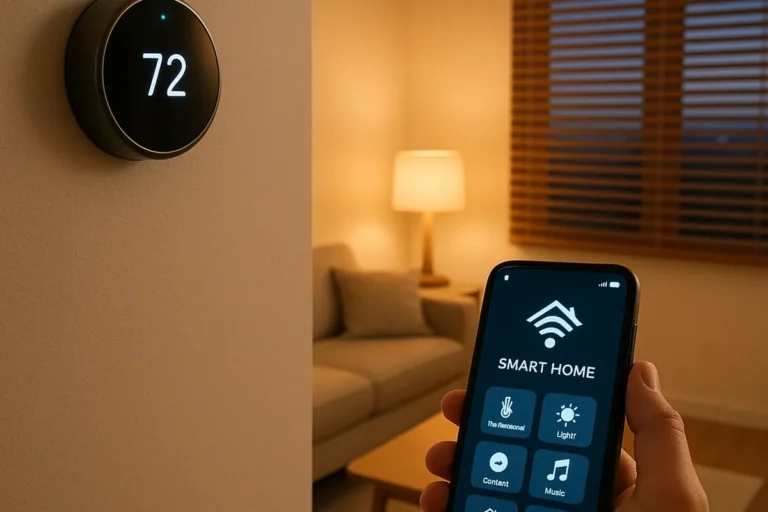
The hbn smart plug app is designed for simple home automation: turn compatible plugs on and off remotely, set schedules, and connect with voice assistants when supported. If you want an affordable way to automate lamps, fans, or small appliances without rebuilding your whole smart home, this app is usually aimed at that kind of everyday use.
- Best use: Simple control for lamps, fans, and small appliances.
- Setup focus: Most pairing issues come from 2.4 GHz Wi-Fi or weak signal.
- Buyer’s check: Verify electrical rating, app support, and outlet clearance first.
- Safety first: Avoid overloads, heat buildup, and damp locations.
- Best fit: Beginners who want low-cost automation without advanced smart home features.
Best HBN Smart Plug App Guide for Easy Control: What It Does and Who It’s For
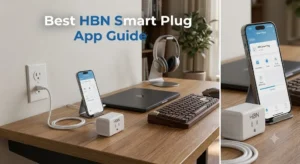
Quick answer: the HBN smart plug app is for scheduling, remote switching, and voice-assistant control of compatible HBN plugs
In practical terms, the app gives you phone-based control over a plug that would otherwise be manual only. The exact feature set can vary by model and firmware, so it is worth checking the product page and app listing before you buy.
Ideal users: renters, budget-minded smart home beginners, and anyone automating lamps, fans, or small appliances
This kind of setup makes the most sense if you want easy routines rather than a complex smart home platform. It is also a good fit for people who want to automate seasonal décor, a bedside lamp, or a coffee maker on a simple schedule.
How the HBN Smart Plug App Works in Daily Use
Core functions: on/off control, timers, schedules, countdowns, and scene-style automation
Most smart plug apps focus on a few core actions: toggling power, creating timers, and setting repeat schedules. Some also support grouped actions or scene-style automation, but that depends on the specific HBN model and the app version you install.
Connectivity basics: Wi-Fi setup, app pairing, and what 2.4 GHz support means in 2026
Many smart plugs still rely on 2.4 GHz Wi-Fi for setup and daily operation. In 2026, that is still common because 2.4 GHz usually reaches farther through walls than 5 GHz, but it can also be more crowded in busy apartments and neighborhoods.
If your router combines both bands under one network name, setup can be easier or harder depending on the plug and app behavior. When pairing fails, the issue is often not the plug itself but the network band, signal strength, or router settings.
App requirements to verify: smartphone OS, account setup, permissions, and router compatibility
Before installing, confirm that your phone’s operating system is supported by the current app listing. Also check whether the app requires an account, what permissions it asks for, and whether your router allows the type of local or cloud connection the plug expects.
- Check the exact plug model, outlet fit, and whether the app supports your phone’s OS version
- Confirm router compatibility, 2.4 GHz support, and whether voice assistant integration is available for your region
- Review the manufacturer’s load limits, warranty terms, and current app update policy before relying on automation
HBN Smart Plug App Setup Guide: From Unboxing to First Automation
What to check before setup: plug dimensions, outlet clearance, and device placement
Smart plugs can be physically bulky, so outlet clearance matters more than many first-time buyers expect. If the plug blocks a second outlet or presses against furniture, it may be inconvenient or unsafe to use in that location.
Placement also matters for Wi-Fi stability. If the outlet is behind heavy furniture, near metal surfaces, or far from your router, the connection may be less reliable.
Step-by-step pairing flow: reset mode, network selection, naming devices, and testing commands
Common setup mistakes: wrong band, weak signal, app login issues, and overloaded outlets
The most common problems are usually basic: pairing on the wrong Wi-Fi band, weak signal strength, or a failed account login. Another frequent issue is trying to run too many high-draw devices from one outlet or power strip, which can create heat and overload risk.
Key Specifications and Buying Criteria to Compare Before You Install
Electrical limits to verify: rated wattage, amperage, and safe load for each outlet
The most important spec is the electrical rating. Check the plug’s wattage and amperage limits in the manual or product listing, then compare them with the appliance you plan to control.
For anything with a heating element, motor, or compressor, stay conservative and verify the load carefully. If the device draws close to the plug’s limit, choose a more suitable solution.
Build and cable considerations: plug size, outlet fit, cord quality on connected devices, and heat buildup
Physical fit matters because a smart plug can take up more space than a standard outlet adapter. Also pay attention to the cord and plug quality on the appliance you are connecting, since poor cords and loose connections can contribute to heat buildup.
Connectivity and control options: Wi-Fi stability, voice assistant compatibility, and manual override behavior
Not every smart plug behaves the same when the internet is down. Some features may still work locally, while others depend on cloud services, so it is smart to verify how the plug behaves during outages or router resets.
If you use Alexa or Google Home, confirm compatibility before buying. For readers comparing broader lighting options, our guides to smart light switches and smart lights for home automation can help you decide whether a plug, bulb, or switch is the better fit.
Warranty, support, and app update policy details worth confirming before purchase
Warranty terms and app support matter more than they seem at first. A smart plug that works today but stops receiving meaningful app updates can become harder to use over time, especially if your phone OS changes or your router is upgraded.
Real-World Benefits of Using the HBN Smart Plug App
Convenience wins: remote control for lights, seasonal décor, coffee makers, and fans
The most obvious benefit is convenience. If you forgot to turn off a lamp, want a fan running before you walk into a room, or need holiday lights on a schedule, the app can handle that without extra remotes or wall switches.
Energy and routine benefits: scheduling habits, reducing standby use, and automating repeat tasks
Smart scheduling can help you build routines around things you already do every day. It can also reduce unnecessary standby use for some devices, although the actual energy savings depend on the appliance and how you use it.
Practical value for households: accessibility, travel peace of mind, and simple home routines
For households with busy schedules, mobility limitations, or frequent travel, a smart plug can be a small upgrade that makes daily life easier. It is especially useful when you want to check or change a device’s state without being physically at home.
Limitations, Trade-Offs, and When HBN Is Not the Best Fit
Evidence limitations: app performance can vary by router, phone, and home layout
Because app performance depends on your network and devices, results are not identical from one home to another. A plug that works smoothly in one apartment may be less stable in a house with thicker walls or a more complicated router setup.
Common drawbacks: 2.4 GHz dependence, cloud reliance, and occasional reconnect issues
The biggest trade-offs are usually network-related. If your home setup is heavily optimized for 5 GHz or mesh networking, or if you want everything to work locally without cloud dependence, this type of smart plug may feel limited.
Reconnect issues can also happen after power outages, router changes, or app updates. That does not mean the product is unusable, but it does mean you should expect some occasional maintenance.
Best alternatives to consider: other smart plugs for stronger app ecosystems, Matter support, or local control
If you want broader ecosystem support, look at smart plugs that clearly list Matter support, stronger local control, or a more mature app platform. If you are still deciding whether a plug is even the right device, compare it with a bulb or switch in our guides to smart lights and smart light switches.
Safe Use, Maintenance, and Storage for Long-Term Reliability
Safety checks: avoid overloading, keep plugs dry, and monitor heat around high-draw appliances
Smart plugs should be treated like electrical devices first and smart devices second. Keep them away from water, do not use them with overloaded circuits, and be extra cautious with appliances that generate heat or run for long periods.
Maintenance habits: inspect plugs and cords regularly, clean dust from outlets, and update the app
Basic maintenance goes a long way. Check the plug and the connected appliance cord for wear, keep dust out of outlets, and install app updates from the official store when they are available.
Replacement guidance: signs the plug should be retired, including flickering, heat, or unstable connections
If the plug flickers, disconnects frequently, feels unusually warm, or shows visible damage, retire it and replace it rather than trying to keep it in service. Electrical safety is not a place to improvise.
Storage tips for seasonal use: unplug, label, and store in a cool, dry place
For holiday décor or other seasonal setups, unplug the device before storage and label it so you know where it belongs next year. A cool, dry storage spot is better than a garage floor, damp basement shelf, or cluttered drawer.
- Use simple device names that match the room and appliance.
- Test one schedule at a time before creating multiple automations.
- Keep the manual and app login details in a safe place for future resets.
- Recheck compatibility after router or phone changes.
Final Verdict: Is the HBN Smart Plug App Worth It in 2026?
Transparent recommendation: best for simple smart home automation on a budget, with clear safety and compatibility limits
The HBN smart plug app is a sensible choice if you want straightforward control without paying for a more advanced platform. It is best for basic routines, not for buyers who need the most polished ecosystem, the widest compatibility, or the deepest local-control options.
Bottom line on value: strong entry-level convenience if your needs are basic and your Wi-Fi setup is compatible
If your home Wi-Fi is stable, your appliance load is within spec, and you are comfortable checking compatibility before setup, the app can deliver useful everyday convenience. If any of those conditions are uncertain, compare alternatives first so you do not end up with a plug that is more frustrating than helpful.
Frequently Asked Questions
It lets you control compatible HBN plugs from your phone, set schedules, and use timers or countdowns. Some models also support voice assistants, but features can vary by version.
Many smart plugs require 2.4 GHz Wi-Fi for setup and use. Check the manual and app listing for your exact model before pairing.
Download the official app, put the plug into pairing mode, connect it to the correct Wi-Fi network, and name the device clearly. Then test basic on/off control before creating schedules.
It is usually best for lamps, fans, seasonal décor, and other small appliances that stay within the plug’s rated load. Avoid using it with devices that exceed the manufacturer’s electrical limits.
Disconnects are often related to weak Wi-Fi, router settings, or band-mismatch issues rather than the app alone. Recheck signal strength, network band, and firmware or app updates.
Yes, if you want simple automation and do not need advanced smart home features. Beginners should still verify compatibility, electrical limits, and app support before buying.