How to Connect Kasa Smart Plug Easily and Quickly
If you want to connect a Kasa smart plug quickly, the process is usually simple: plug it in, use the Kasa app, join the plug’s setup mode, and finish pairing on your home Wi-Fi. The main thing to verify before you begin is that your phone, router, and outlet setup match the model’s requirements.
- Setup basics: The plug usually pairs through the Kasa app on 2.4 GHz Wi-Fi.
- Safety first: Check wattage limits, outlet fit, and the connected device’s power needs.
- Best uses: Lamps, fans, and simple on/off appliances are the most practical fits.
- Troubleshooting: Most connection issues come from network settings, signal strength, or app permissions.
How to Connect Kasa Smart Plug: The Quick Answer for First-Time Setup
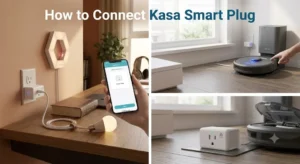
Start by installing the official Kasa app, powering on the plug, and making sure your phone is on the same 2.4 GHz Wi-Fi network the plug expects. Then follow the app prompts to add the device, name it, and test basic on/off control before you place it into daily use.
What a Kasa Smart Plug Does and How It Works in a Smart Home
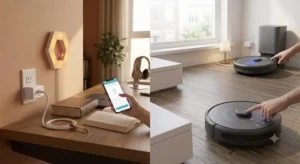
A Kasa smart plug turns a regular outlet into a controllable smart outlet for compatible devices. In practical terms, it lets you switch power on and off from an app, set schedules, and often use voice commands through a supported assistant.
Wi-Fi connection, app control, and voice assistant integration
Most Kasa plugs connect over home Wi-Fi rather than through a separate hub. That means the app becomes the control center for setup, scheduling, naming, and remote access, while voice assistants can offer hands-free control if the specific model and platform are supported.
If you plan to build a larger setup, a smart plug can be a simple entry point alongside smart bulbs or switches. For readers comparing lighting options, our guides on smart bulbs for Google Home and smart light switches can help you decide whether a plug or a fixture-level upgrade makes more sense.
Which devices it can safely automate and which ones to avoid
Smart plugs are best for devices that return to an “on when powered” state, such as lamps, some fans, humidifiers, coffee makers with a physical switch, and seasonal decor. They are usually not a good fit for devices that need constant power, have sensitive electronics, or must be controlled by a proper shutdown process.
Before You Start: Compatibility, App Requirements, and What to Verify
Before you connect a Kasa smart plug, confirm the basics so you do not waste time troubleshooting a setup issue that is really a compatibility issue. The exact requirements can vary by model, region, and firmware, so the official manual and app listing should remain your source of truth.
2.4 GHz Wi-Fi, smartphone OS, and Kasa app requirements
Many smart plugs in this category rely on 2.4 GHz Wi-Fi during setup, even if your router also supports 5 GHz. Your phone should also meet the current Kasa app’s operating system requirements, which can change over time as app updates roll out.
- Check compatibility, model number, app requirements, dimensions, ports, wattage, and intended use
- Confirm safety guidance, warranty, return policy, privacy settings, and update support
Plug size, outlet clearance, and device wattage limits to check
Some smart plugs are compact, while others can block adjacent outlets, especially on crowded power strips or wall plates. Measure the space around the outlet if you plan to use it in a tight area, and compare that with the plug’s physical shape before you buy or install.
Wattage and amperage limits matter just as much as app features. The smart plug must safely handle the connected device’s load, and that limit can differ by model and region, so verify it on the packaging or official product page rather than guessing.
Warranty details, regional voltage, and smart home ecosystem support
Check whether the plug is intended for your country’s voltage and outlet standard. Also confirm what ecosystems it supports, such as Alexa, Google Home, or other platforms, because support can vary by model and software version.
Step-by-Step Setup Guide to Connect a Kasa Smart Plug
The setup flow is designed to be beginner-friendly, but pairing still depends on a few small details. If you follow the sequence below and keep the network simple during setup, you can usually avoid the most common connection issues.
Preparing the plug, app, and home network
First, install the official Kasa app from your phone’s app store and sign in or create an account if required by the app version. Next, plug the smart plug directly into a wall outlet for initial pairing, because some devices behave more reliably when they are not behind a power strip or extension cord during setup.
- Keep your phone close to the plug during pairing.
- Use the same Wi-Fi network you want the plug to stay on.
- Temporarily avoid VPNs or network filters if the app recommends it.
Adding the plug in the Kasa app and completing pairing
Open the app, choose the option to add a new device, and follow the on-screen prompts until the plug enters setup mode. In many cases, the plug will blink to show it is ready, but the exact indicator can vary by model, so check the manual if the light pattern is unclear.
During pairing, the app may ask you to choose a Wi-Fi network and enter the password. If the process stalls, restart the plug, confirm that your phone is on 2.4 GHz Wi-Fi, and try again after a short wait.
Renaming, assigning rooms, and creating a simple automation
Once the plug is connected, give it a clear name such as “Desk Lamp” or “Bedroom Fan.” That makes voice commands and app controls easier to understand, especially if you manage multiple smart devices.
You can then assign the plug to a room and create a simple schedule, like turning a lamp on at sunset or powering a humidifier off at bedtime. For readers expanding beyond plugs, our roundups of smart lights and smart lights for home automation can help you plan a more complete setup.
Real-World Benefits, Best Uses, and Who This Smart Plug Fits
A smart plug is one of the easiest ways to add automation without replacing fixtures or rewiring anything. For many households, that makes it a practical first smart-home purchase rather than a complicated upgrade.
Convenience, energy scheduling, and remote control advantages
The biggest benefit is convenience. You can turn devices on and off from another room, from work, or while traveling, provided the plug remains connected to your network and the internet service is working normally.
Scheduling can also reduce wasted runtime for items that do not need to stay on all day. That said, energy savings depend on the device, usage pattern, and schedule you create, so results are not identical for every home.
Ideal users: renters, beginners, and budget smart home buyers
Kasa smart plugs are especially appealing to renters and beginners because they do not require permanent installation. They are also useful for budget-conscious buyers who want a simple, app-based automation tool without investing in a full hub-based ecosystem.
When a smart plug is not the best solution
A smart plug is not ideal when you need dimming, color control, or fixture-level lighting changes. In those cases, a smart bulb or smart switch may fit better, depending on the room and the wiring situation.
If you are comparing broader lighting options, our guides to smart lights that work with Google Home and smart lights that work with Alexa can help you match the right product to your ecosystem.
Common Mistakes, Connection Problems, and Safe Use Limits
Most pairing problems come from network settings, not from the plug being defective. Before assuming the device is bad, check the Wi-Fi band, app permissions, and signal strength in the room where the plug is installed.
Why pairing fails: network issues, app permissions, and signal range
Pairing can fail if the phone is on a different network than the plug should join, if the router separates bands in a confusing way, or if the signal is weak near the outlet. App permission issues, such as missing location or local network access on some phones, can also interfere with setup depending on the operating system.
Load limits, heat, and safe-use guidance for lamps, fans, and appliances
Always stay within the manufacturer’s load rating and avoid stacking high-draw appliances on a single outlet. Heat is a warning sign: if the plug, outlet, or connected cord feels unusually warm, stop using it and inspect the setup.
What to inspect regularly: plug condition, outlet fit, and cable quality
Check that the plug sits securely in the outlet and does not wobble. Also inspect the device cord and any connected extension cord for wear, cracked insulation, or loose prongs, since those issues matter as much as the smart plug itself.
Maintenance, Storage, and Long-Term Reliability Tips
Like other connected home accessories, a smart plug lasts longer when it is kept clean, dry, and within its stated operating limits. Good placement and basic care also reduce the chance of flaky connections over time.
Keeping the plug clean, dry, and properly ventilated
Wipe the exterior with a dry or slightly damp cloth only when the plug is unplugged, and never expose it to water or cleaning sprays. Leave enough space around the device for ventilation, especially if it is controlling anything that naturally produces heat.
When to replace a smart plug and signs of wear to watch for
Replace the plug if it shows cracks, overheating, unstable power behavior, or repeated connection failures that do not improve after normal troubleshooting. You should also retire it if the app or manufacturer stops supporting critical firmware updates and the device no longer fits your reliability needs.
Value, Alternatives, and Final Recommendation for 2026 Buyers
For most buyers, the value of a Kasa smart plug comes from simple setup, dependable app control, and a low-friction path into home automation. The best choice still depends on whether you want plug-level control, lighting control, or a more advanced ecosystem.
How Kasa compares with other smart plugs on price, app quality, and features
Compared with many other smart plug brands, Kasa is often considered a strong option for users who want a straightforward app and broad mainstream smart-home compatibility. However, exact pricing, feature bundles, and platform support can change by model and retailer, so compare current listings and the official spec sheet before deciding.
- Verify 2.4 GHz Wi-Fi, app requirements, and wattage limits before pairing.
- Use the plug for simple on/off devices, not for equipment that needs constant or specialized power.
- Choose it for easy automation; consider a smart bulb or smart switch if you need lighting-specific control.
Transparent verdict: who should buy it and who should consider another option
A Kasa smart plug is a solid fit for beginners, renters, and anyone who wants quick automation without a complicated setup. If you need dimming, permanent wiring changes, or a device with advanced energy monitoring or ecosystem-specific features, another smart-home product may be a better match.
For simple plug-in devices, Kasa smart plugs are an easy, practical way to add app control and scheduling. Just verify compatibility, load limits, and ecosystem support first so you choose the right model for your home.
Frequently Asked Questions
You usually need the official Kasa app, a compatible smartphone, and a 2.4 GHz Wi-Fi network. It also helps to verify the plug’s wattage limit and outlet clearance before you start.
Common causes include the wrong Wi-Fi band, weak signal, router settings, or missing app permissions on your phone. Try setup again near the router and confirm that your phone is on the same network you want the plug to use.
Smart plugs work best with simple on/off devices like lamps, some fans, and seasonal decor. Avoid anything that exceeds the plug’s rated load or should not lose power unexpectedly.
Many Kasa plugs support major voice assistants, but support varies by model and region. Check the official compatibility list or product page before buying if voice control matters to you.
If the plug, outlet, or connected cord feels unusually warm, stop using it and inspect the setup. Always stay within the manufacturer’s load rating and replace any damaged cords or plugs.
Yes, it is often a good fit for beginners who want simple app control and scheduling without rewiring. If you need dimming, fixture control, or advanced automation, a smart bulb or smart switch may be a better option.