Expert Help Wiring Smart Thermostats Lights and Outlets
Smart thermostats, lights, and outlets can often be installed safely, but only when the wiring, load type, and device requirements match. If the circuit is unclear, the home is older, or the HVAC system is complex, expert help is the safer choice.
If you need expert help wiring smart thermostats, lights, and outlets, the safest approach is to start with compatibility, circuit type, and your comfort level before touching any wires. A simple device swap can be DIY-friendly in some homes, but HVAC controls, older wiring, and outlet circuits often justify a licensed electrician.
- Compatibility first: Check neutral wires, load type, box depth, and HVAC support before buying.
- Thermostats differ: They depend on system wiring and may need a C-wire or adapter.
- Safety matters: Heat, loose connections, and damaged wiring are stop signs.
- Network reliability counts: Wi-Fi, hub support, and app quality affect long-term usefulness.
Expert Help Wiring Smart Thermostats, Lights, and Outlets: What You Need to Know First
Smart-home wiring is less about the “smart” part and more about whether the existing electrical system can support the device safely and correctly. The biggest mistakes happen when people assume all wall devices work the same, even though thermostats, lights, and outlets each handle power differently.
For homeowners, renters, and DIYers, the right path depends on whether you are replacing a basic switch, upgrading a thermostat, or adding a smart outlet in a location with modern grounding and protection. If any part of the setup is unclear, the official manual and a qualified electrician are more reliable than guesswork.
How Smart Home Wiring Works for Thermostats, Lights, and Outlets
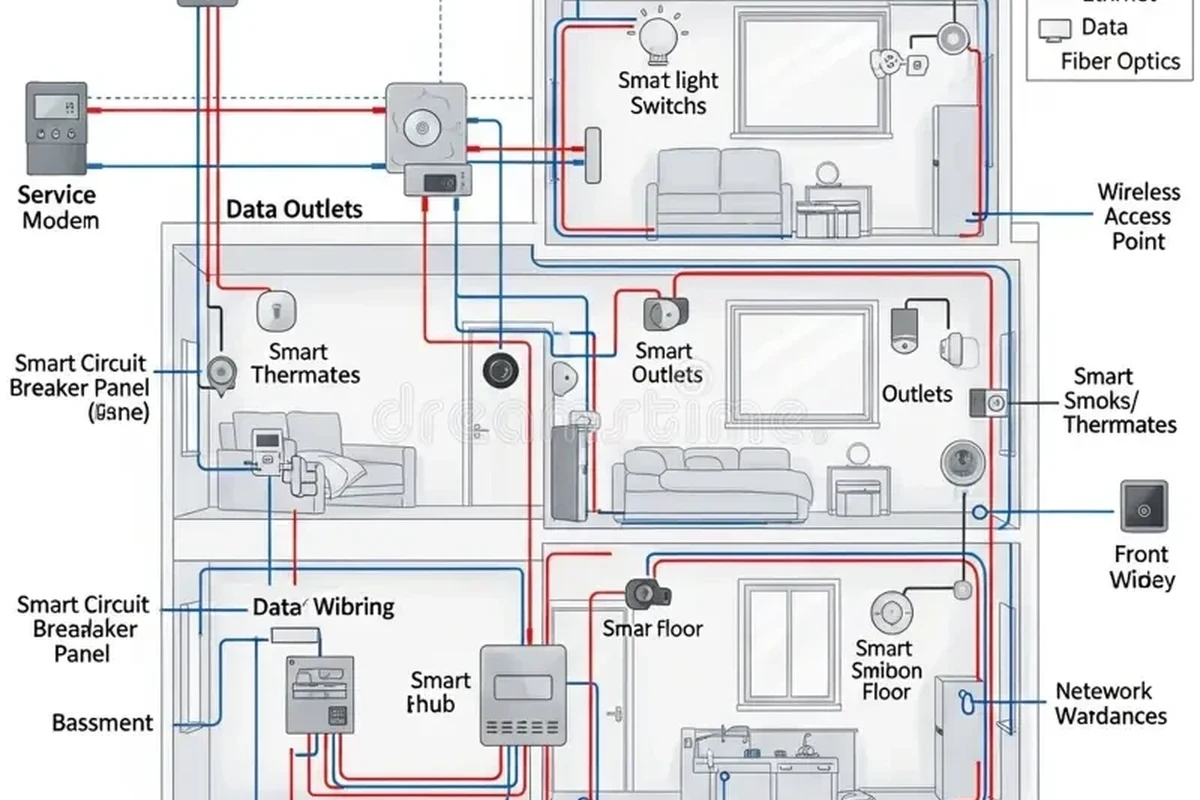
These devices all connect to household power, but they do not use it the same way. Smart thermostats usually control HVAC equipment, smart light switches interrupt a lighting load, and smart outlets deliver power to plug-in devices while staying within the limits of the circuit.
Basic electrical paths, load types, and why neutral wires matter
A light switch is usually part of a simple on/off path to a fixture, while an outlet is part of a receptacle circuit that may power multiple devices. A thermostat is different again because it communicates with heating and cooling equipment and may need low-voltage wiring, system-specific terminals, and a constant power source.
Neutral wires matter because many smart switches and some outlets need a neutral to power their internal electronics. Older homes may not have a neutral in every switch box, so a device that looks compatible on paper may not actually fit the wiring in the wall.
Many smart switches need power even when the light is off, which is one reason neutral-wire support is such a common compatibility check.
How smart switches, smart outlets, and smart thermostats differ in setup
Smart switches usually replace a wall switch and control one or more hardwired lights. Smart outlets replace a standard receptacle and are often used for lamps, small appliances, or rooms where app control is more useful than a wall switch.
Smart thermostats are the most system-dependent of the three. They must work with the HVAC equipment already installed, which is why the manufacturer’s compatibility checker and wiring diagram matter more than brand preference alone. If you are also comparing smart lighting options, our guides to smart lights and smart light switches can help narrow the control method that fits your home.
Who This Guide Fits: Homeowners, Renters, and DIYers at Different Skill Levels
This topic fits anyone trying to make a home easier to control, more efficient, or more automated. The challenge is that the same device may be a straightforward swap in one home and a code-sensitive project in another.
When a simple swap is realistic and when a licensed electrician is the better choice
A simple swap is more realistic when the existing wiring is modern, clearly labeled, and already matches the device’s requirements. That usually means the box has enough room, the circuit is in good condition, and the instructions do not call for any unusual adapters or added components.
A licensed electrician is the better choice when the home has aluminum wiring, damaged insulation, no neutral in a switch box, an older HVAC setup, or signs of heat, corrosion, or loose connections. Renters should also check lease terms and building rules before changing hardwired devices.
If you see burn marks, melted insulation, buzzing, repeated breaker trips, or a warm wall plate, stop and get professional help before using the circuit again.
Key Specs to Check Before You Buy or Install
Compatibility is the most important spec category because a smart device can look modern and still be wrong for the circuit. Confirm the electrical rating, the wiring type, and the control platform before assuming it will fit your home.
Voltage, amperage, wattage, and circuit compatibility
For outlets and switches, verify that the device is rated for the circuit it will serve and the load it will control. For thermostats, confirm HVAC system compatibility rather than focusing only on voltage, because the system type and terminal requirements are often the deciding factor.
With lighting, check whether the smart switch is intended for incandescent, LED, dimmable LED, ceiling fans, or another load type. A mismatch can cause flickering, humming, reduced lifespan, or a device that does not operate correctly.
Dimensions, wall box depth, and device fit for older homes
Older wall boxes can be shallow, crowded, or filled with splices that leave little room for a larger smart switch or outlet. Even if the electrical rating is correct, a device that physically fits poorly can create stress on wires and make the wall plate sit unevenly.
Thermostats also need enough wall space for the base and display, plus a clean surface for secure mounting. If the existing opening is damaged or oversized, a trim plate may be needed, but the exact accessory depends on the model.
Connectivity requirements: Wi-Fi, Zigbee, Z-Wave, Matter, and app support
Smart wiring is only useful if the device can connect to the ecosystem you actually use. Some products rely on Wi-Fi, while others use Zigbee, Z-Wave, or Matter through a compatible hub or controller.
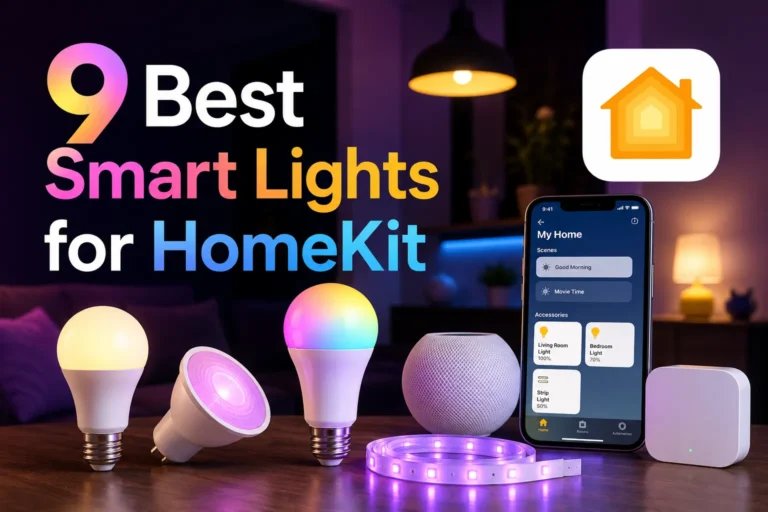
App support matters too, especially if you want scheduling, remote access, voice control, or energy monitoring. Before buying, confirm the supported phone operating system, the required app version, and whether the device works with your preferred platform. If smart-light compatibility is your main concern, see our guides on smart lights that work with Alexa and smart lights for Google Home.
- Check the exact model number, wiring requirements, and load compatibility
- Confirm box depth, app support, and whether a hub or C-wire is required
- Review warranty terms, return policy, and current safety notices
Setup and Installation Guide: What Expert Help Typically Covers
Professional help usually starts with identifying the circuit, verifying the wiring, and confirming that the device is appropriate for the home. That process reduces the chance of installing something that works briefly but fails later or creates a safety issue.
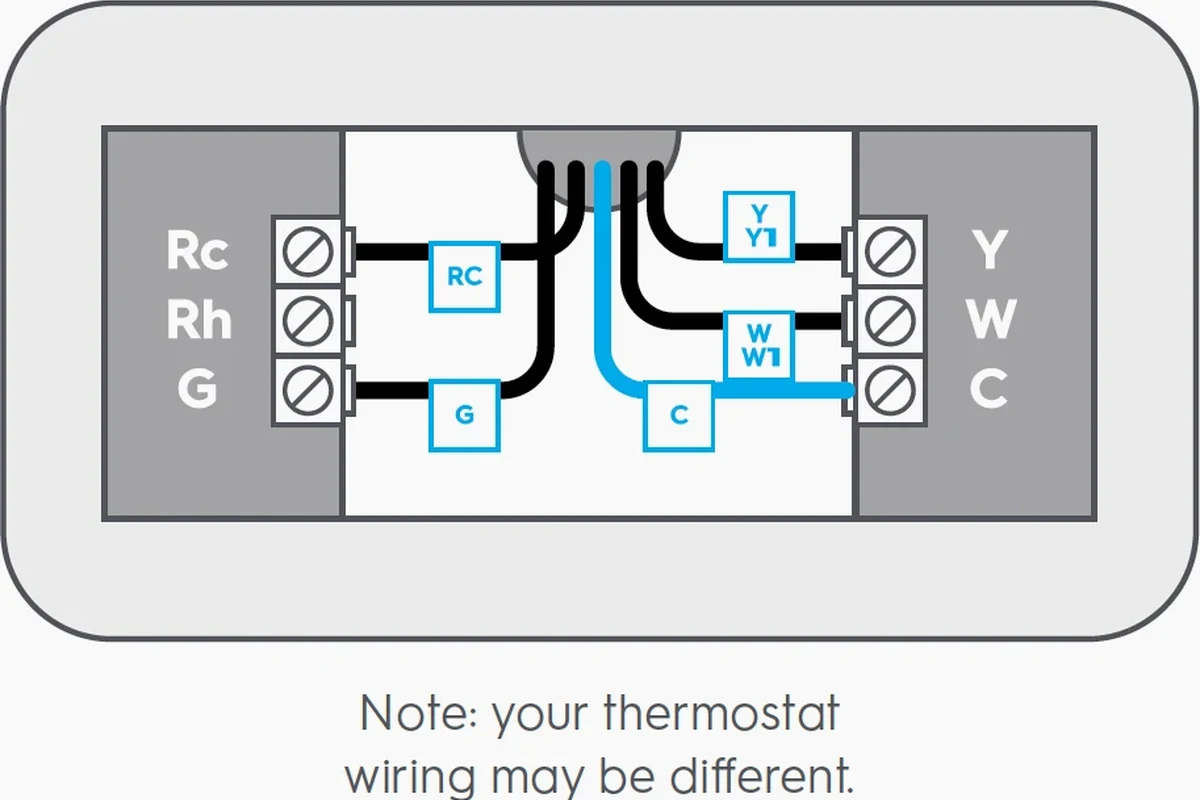
Thermostat wiring labels, HVAC compatibility, and C-wire needs
Thermostat installation often begins with labeling the existing wires before removing the old unit. That step matters because HVAC terminals are not interchangeable, and swapping them incorrectly can prevent heating, cooling, or fan control from working as intended.
Many smart thermostats need a C-wire or another approved power solution to run reliably. If the wiring does not include one, the manufacturer may offer an adapter or alternate method, but the correct choice depends on the HVAC system and the specific thermostat model. When in doubt, follow the manufacturer’s compatibility guide instead of relying on general wiring advice.
Light switch and outlet installation steps, breaker shutdown, and wire verification
For switches and outlets, safe installation typically includes turning off the breaker, confirming the circuit is dead with an appropriate tester, and identifying line, load, neutral, and ground conductors. That verification step is essential because wire colors alone are not always enough to identify function.
After the device is mounted, the faceplate should sit flush and the conductors should not be pinched. Smart switches for lights often need pairing through an app after installation, and some smart outlets require setup steps in the manufacturer’s app before automation features become available.
Take a clear photo of the wiring before disconnecting anything. It can help with reassembly, troubleshooting, and conversations with an electrician or support team.
When professional calibration, pairing, or firmware updates are needed
Some smart thermostats benefit from professional setup when the HVAC system has multiple stages, heat pumps, auxiliary heat, or unusual control logic. In those cases, the device may technically power on but still need configuration to behave correctly.
Pairing problems and firmware updates are also common during first setup. If the app cannot discover the device, the router settings, Bluetooth permissions, or hub compatibility may need to be checked. Always use the official app and update path from the manufacturer rather than third-party tools.
Safety Guide: Common Mistakes, Code Issues, and Red Flags
Smart devices should make a home more convenient, not less safe. The most common problems come from overloaded circuits, loose terminals, improper grounding, and installing electronics in places they were not designed to handle.
Overloaded circuits, loose connections, and heat buildup risks
A smart switch or outlet does not eliminate the load on the circuit, so the total connected demand still matters. Loose connections can create heat buildup, intermittent operation, flickering lights, or damage to the device and surrounding wiring.
If a device feels hot, smells unusual, or behaves erratically, stop using it and inspect the installation according to the manual. Never assume a smart feature is the cause of the problem without checking the underlying wiring and load first.
Grounding, GFCI/AFCI considerations, and moisture-prone locations
Grounding and protective devices matter more in kitchens, bathrooms, garages, basements, laundry areas, and outdoor-adjacent spaces. Some locations require GFCI or AFCI protection depending on the circuit and local code, and the device must be suitable for the environment.
For outlets in moisture-prone areas, use only products rated for that location and follow the manufacturer’s installation instructions. A smart outlet is not a substitute for proper protection, enclosure, or code-compliant placement.
Signs to stop and call an electrician immediately
Stop immediately if the breaker trips repeatedly, the wiring appears damaged, the box is overcrowded, or the device does not match the circuit type. Also stop if the thermostat wiring is unlabeled, the HVAC system is unfamiliar, or the home has older wiring that is difficult to verify safely.
Do not continue if you find frayed insulation, corrosion, arcing marks, or a loose receptacle. Those are signs the circuit needs professional attention before any smart device is installed.
Real-World Benefits, Limitations, and Trade-Offs
Smart wiring can improve comfort and control, but the value depends on how you live and how dependable your home network is. The best setup is the one that fits your routines without creating constant troubleshooting.
Energy savings, automation convenience, and remote control advantages
Smart thermostats can help with scheduling, temperature adjustments, and remote access when you are away from home. Smart lights and outlets add convenience through routines, voice control, and app-based control that can be useful for families, remote workers, and anyone with a busy schedule.
These features may support energy savings, but the actual result depends on usage habits, home insulation, climate, and HVAC efficiency. Automation is most valuable when it reduces forgotten lights, unnecessary heating or cooling, or the need to walk across the house to control a device.
Limitations around older wiring, incompatible HVAC systems, and network reliability
Older wiring can limit what you can install without upgrades. Some HVAC systems also do not support every smart thermostat, and some homes have Wi-Fi dead zones that make app control unreliable.
That is why “smart” should not mean “more complicated than necessary.” If a device depends on a hub, a specific router setting, or a weak signal, the convenience can drop quickly unless the network is stable and the installation is done carefully.
Maintenance, Troubleshooting, and Long-Term Care
Once installed correctly, smart thermostats, lights, and outlets still need occasional attention. Small maintenance habits help preserve reliability and make it easier to catch problems early.
Inspecting devices, cleaning faceplates, checking connections, and replacing worn parts
Check faceplates and wall devices periodically for looseness, discoloration, or heat. Clean surfaces with a dry or lightly damp cloth only if the manufacturer allows it, and avoid liquid intrusion near openings or buttons.
If a switch, outlet, or thermostat starts acting inconsistently, inspect the visible connections only if it is safe and you are qualified to do so. Otherwise, contact a professional. Worn parts, cracked plates, or damaged terminals should be replaced promptly.
App updates, reset procedures, and how to handle intermittent disconnects
App updates can improve compatibility, security, and bug fixes, but they can also change menus or pairing steps. If a device disconnects intermittently, check the router placement, signal strength, hub status, and whether the manufacturer has posted firmware notes.
Reset procedures vary by model, so use the official manual before attempting a factory reset. If the device keeps dropping offline after a proper reset, the issue may be the network rather than the hardware.
Final Recommendation: When Expert Help Is Worth It
Expert help is worth it when the device depends on unknown wiring, an older home, a complex HVAC system, or a circuit that shows any sign of wear. In those cases, the extra cost is usually easier to justify than the risk of a bad install or repeated troubleshooting.
Best-value scenarios for DIY support versus full professional installation
DIY support makes the most sense when the existing wiring is clear, the device documentation matches the home, and you only need help with a straightforward swap or app setup. Full professional installation is the better choice when the wiring is unclear, the box is cramped, the system is incompatible, or you want a clean, code-conscious result without trial and error.
For most homes, the smartest approach is to verify compatibility first, then decide whether you need partial DIY help or a licensed electrician for the actual wiring. If the project involves HVAC complexity, older wiring, moisture-prone locations, or any visible damage, professional installation is the safer and more cost-effective path.
Frequently Asked Questions
Many smart thermostats need a C-wire or another approved power solution, but requirements vary by model and HVAC system. Always confirm compatibility with the manufacturer’s guide before buying or installing.
Sometimes, yes, if the wiring is modern, the box has enough room, and the switch matches the load type. If the box is crowded, the wiring is unclear, or there is no neutral where one is required, hire an electrician.
Only if the outlet and circuit are rated for that load and the appliance is appropriate for smart control. Check the device’s electrical rating and avoid using it with anything the manufacturer says is unsupported.
Verify voltage, amperage, load type, box depth, neutral-wire needs, and app or hub compatibility. Also review the manual, warranty terms, and any local code or safety requirements that apply.
Intermittent disconnects are often caused by weak Wi-Fi, hub issues, router settings, or outdated firmware. Check the network first, then follow the manufacturer’s reset and update instructions.
Stop if you see burn marks, loose or damaged wiring, repeated breaker trips, moisture concerns, or a system you do not fully understand. Complex HVAC setups and older wiring are also good reasons to get professional help.