Do Smart Lights Work with Alexa A Complete Guide
Yes, smart lights work with Alexa, and they can make your home easier to control with simple voice commands. This guide explains how compatibility works, what features to look for, and how to choose the right smart lights for your setup. You will also learn the best use cases, common problems, and smart buying tips so you can get the most from Alexa lighting.
- Point 1: Most smart lights work with Alexa if they support Wi-Fi, Zigbee, Matter, or the brand’s Alexa skill.
- Point 2: Alexa can control power, brightness, colors, scenes, and routines on compatible smart lights.
- Point 3: Setup is usually simple, but the exact steps depend on the bulb brand and connection type.
- Point 4: A stable home network matters a lot for fast response and fewer disconnects.
- Point 5: Not every smart light has full Alexa features, so check for dimming, color support, and voice scene control before buying.
- Point 6: Smart lights are great for bedrooms, living rooms, and home automation, especially when paired with Alexa routines.
- Point 7: If you want the easiest path, choose bulbs that are clearly labeled Alexa-compatible, like the options covered in our best smart light bulbs for Alexa guide.
📑 Table of Contents
- Do Smart Lights Work with Alexa? The Short Answer
- How Alexa Connects to Smart Lights
- What Features Alexa Can Control
- How to Check Compatibility Before You Buy
- Best Use Cases for Alexa Smart Lights
- Performance, Reliability, and Daily Experience
- Buying Tips: How to Choose the Right Smart Light for Alexa
- Common Problems and Easy Fixes
- Conclusion: Should You Buy Smart Lights for Alexa?
Do Smart Lights Work with Alexa? The Short Answer
Yes, smart lights work with Alexa in most cases. That is the good news. If you buy the right bulb, strip, or lamp, Alexa can turn it on, dim it, change the color, and even place it into a routine. For many people, that means no more walking across the room just to kill the lights.
This is one of those smart home upgrades that feels small at first, then becomes part of daily life. You say, “Alexa, turn on the bedroom lights,” and it just happens. It sounds simple because it is simple. But there are a few details that matter, and those details decide whether your setup feels smooth or annoying.
If you have been asking, do smart lights work with Alexa, the real answer is yes, but compatibility depends on the light’s connection type, app support, and feature set. Some lights work right away. Others need a hub or a skill. A few support Alexa only for basic on and off control. That is why it helps to know what you are buying before you spend money.
How Alexa Connects to Smart Lights
Wi-Fi Smart Lights
Wi-Fi smart lights connect directly to your home network. This is the most common setup for beginners. You screw in the bulb, open the app, connect it to Wi-Fi, and link it to Alexa. No extra hub is needed for many models. That makes the setup fast and easy.
The big benefit is convenience. The downside is that too many Wi-Fi devices can crowd your router. If your home already has lots of smart gear, you may notice slower responses. For most homes, though, Wi-Fi smart lights work well and are easy to manage.
Zigbee Smart Lights
Zigbee lights use a low-power mesh connection. They usually need a hub or an Alexa device with a built-in Zigbee hub, like some Echo models. Once connected, they can be very stable. They also do not depend as much on your Wi-Fi traffic.
This is a strong choice if you want a more reliable smart home setup. Zigbee is often better for larger homes or rooms with many lights. It is also a good pick if you want your lights to respond quickly with fewer delays.
Matter and Thread Support
Newer smart lights may support Matter, and some also use Thread. Matter is designed to make smart home devices work more easily across brands. If a light supports Matter and Alexa, setup can be simpler than older systems. You may also get better long-term compatibility.
Thread is a low-power network that helps devices stay connected through a mesh. It can improve reliability, but you still need the right Alexa hardware or a compatible hub. If you want future-friendly tech, Matter support is a smart feature to look for.
What Features Alexa Can Control
Basic Voice Commands
At the most basic level, Alexa can turn smart lights on and off. That alone is useful. You can also ask Alexa to dim lights if the bulb supports dimming. This is perfect for movie night, bedtime, or late-night use when you do not want bright light in your face.
Simple commands are where smart lights shine. You can group them by room and say things like, “Alexa, turn off the kitchen lights.” That saves time and makes the whole home feel more connected.
Color and Scene Control
If you buy color smart lights, Alexa can often change the color too. You can ask for warm white, cool white, or a specific color like blue or red. Some brands also let Alexa trigger scenes. That means one command can set multiple lights to a certain mood.
This is where smart lighting becomes fun. A game room can go red. A bedroom can shift to soft amber. A living room can switch to bright white for cleaning. If you want more ideas, our guide to the best smart lights for bedroom use is a helpful place to start.
Routines and Automation
Alexa routines are one of the best reasons to use smart lights. You can set lights to wake you up slowly in the morning. You can have them turn on at sunset. You can even make them switch off when you say goodnight.
Routines make the system feel smart instead of just remote-controlled. They are also useful for security. If you are away, you can make the lights come on at set times so the house looks occupied.
How to Check Compatibility Before You Buy
Look for Alexa Compatibility on the Box
The easiest way to avoid problems is to check the packaging. If the bulb says “Works with Alexa,” that is a strong sign it will connect well. Still, it is smart to check the product page too. Some lights work with Alexa only through a third-party app or a bridge.
Do not assume every smart bulb works the same way. Two bulbs may both be “smart,” but one may support full Alexa voice control while the other only supports app control. That is a big difference in daily use.
Check Whether a Hub Is Needed
Some smart lights need a hub. Others do not. If you want a simple setup, hub-free Wi-Fi bulbs are the easiest route. If you care more about stability and building a full smart home, a hub-based system may be worth it.
This matters because a hub adds cost and another device to manage. But it can also improve response time and make your system more dependable. Think about your room count, your router strength, and how many smart devices you already own.
Read the Alexa Feature List
Not all Alexa-compatible lights support every feature. Some work with voice on/off only. Others support dimming, color changes, schedules, and groups. Before buying, check what Alexa can actually do with that specific light.
This is especially important if you want to use voice commands for more than basic control. If you want advanced features, make sure the bulb supports them in Alexa, not just in its own app.
Best Use Cases for Alexa Smart Lights
Bedrooms
Bedrooms are one of the best places for smart lights. You can dim them for sleep, brighten them in the morning, and turn them off without getting out of bed. That feels like a luxury, but it is also practical.
Many people build a “goodnight” routine that turns off the lights, locks the door, and lowers the thermostat. Smart lights make that routine feel complete.
Living Rooms and Media Rooms
In living rooms, Alexa smart lights are great for mood control. You can use warm light for relaxing, bright light for cleaning, or color scenes for parties and gaming. If you have a TV setup, smart lights can help reduce glare and make the room feel more polished.
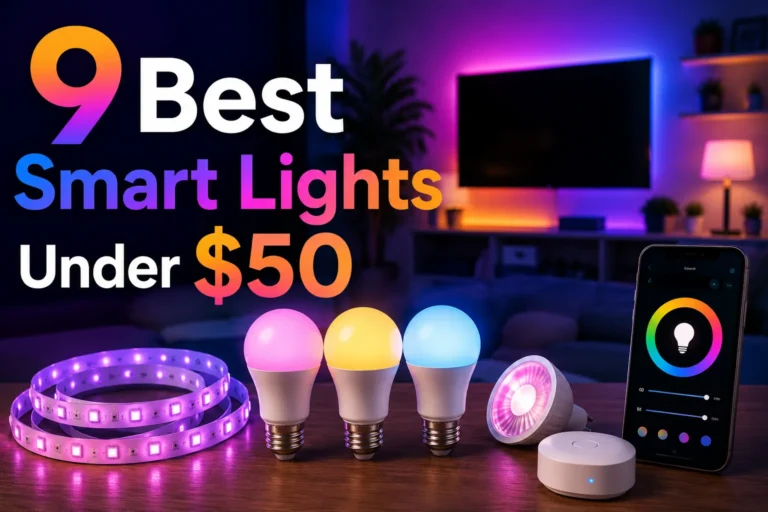
For accent lighting, light strips are also a strong option. If you want to explore that style, see our list of the best smart light strips.
Kitchens and Hallways
Kitchens and hallways benefit from voice control because your hands are often full. You can ask Alexa to turn on the lights while carrying groceries or cooking. This is one of the most practical uses for smart lighting.
Hallways also work well with motion-style routines. Even if the light is not tied to a motion sensor, you can automate it with time-based schedules so it is ready when you need it.
Performance, Reliability, and Daily Experience
Response Speed
Most smart lights respond quickly when the network is healthy. Wi-Fi bulbs may take a second or two. Zigbee and Thread-based lights can feel a little faster and more stable. The difference is small, but you notice it when you use voice commands every day.
If the light responds slowly, the issue is often not Alexa itself. It may be the router, weak signal, too many devices, or a poor brand app. A strong Wi-Fi setup helps a lot.
Brightness and Color Quality
Brightness is measured in lumens. For a standard room, look for enough output to match the space. A dim bulb may work for mood lighting, but it can feel weak in a kitchen or office. Color quality also matters. Better bulbs give cleaner whites and richer colors.
If you care about how a room looks on camera, or how it feels at night, choose a light with good color accuracy. Cheap bulbs can look flat or uneven. That can make the whole room feel less premium.
App Quality Matters
Alexa is only part of the experience. The bulb’s own app matters too. You may need it for setup, firmware updates, scenes, and advanced settings. A bad app can make even a good bulb feel frustrating.
Before buying, check reviews for app stability. If people say the light disconnects often or the app crashes, that is a warning sign. Good hardware with poor software is still a poor experience.
Buying Tips: How to Choose the Right Smart Light for Alexa
Match the Light to the Room
Start with the room, not the brand. A bedroom may need warm dimming. A kitchen may need bright white light. A game room may need color effects. Pick the feature set that fits the space.
If you are still deciding what kind of Alexa-friendly bulb to buy, our roundup of what smart lights work with Alexa can help narrow the field.
Choose the Right Ecosystem
Some brands are better for beginners. Others are better for full smart homes. If you only want simple voice control, a basic Wi-Fi bulb may be enough. If you want stronger automation, look for Zigbee or Matter support.
If you are comparing brands, think about long-term support. A cheap bulb is not a deal if the app stops getting updates or the connection keeps dropping.
Watch for Extra Costs
Some smart lights look cheap at first, but the extras add up. You may need a hub, a bridge, or a higher-end Echo device. You may also want matching bulbs for a whole room, which raises the total price fast.
That said, smart lighting can still be affordable. If you want to stay on budget, look at options that focus on value and core Alexa support first.
Common Problems and Easy Fixes
Alexa Cannot Find the Light
If Alexa cannot find the light, first check the bulb app. Make sure the bulb is connected to Wi-Fi and that the skill is enabled in Alexa. Restarting the bulb, the app, and the router often helps too.
Light Keeps Disconnecting
Weak Wi-Fi is a common cause. Move the router closer, reduce network congestion, or use a hub-based bulb if your home has many smart devices. Firmware updates can also fix connection bugs.
Voice Commands Do Not Work Right
Sometimes Alexa hears the command, but the light does the wrong thing. This can happen if the room name is confusing or the device name is too similar to another one. Use clear names like “desk lamp” or “bedroom lamp.”
Simple naming helps a lot. It makes voice control feel faster and less annoying.
Conclusion: Should You Buy Smart Lights for Alexa?
Yes, smart lights work with Alexa, and they are one of the easiest smart home upgrades to enjoy every day. They are useful, flexible, and easy to automate. If you want better lighting control without a big learning curve, Alexa smart lights are a strong buy.
My recommendation is simple. If you are new to smart home gear, start with a Wi-Fi bulb that clearly says it works with Alexa. If you want better reliability or plan to build a larger setup, consider Zigbee or Matter support. And if you want the best results, choose lights based on the room, not just the price.
In short, do smart lights work with Alexa? Absolutely. The real question is which smart lights fit your home best. Once you choose the right one, Alexa can make your lighting feel smarter, easier, and more useful every single day.
Frequently Asked Questions
No, not all smart lights work with Alexa. You need a bulb or light that supports Alexa directly, through a skill, or through a compatible hub like Zigbee or Matter.
Many do, but not all. Wi-Fi bulbs need your home network, while Zigbee or Thread lights may use a hub or compatible Echo device instead.
Yes, many smart lights work without a hub. Hub-free Wi-Fi bulbs are common and easy to set up, which makes them a good choice for beginners.
Yes, if the smart light supports dimming. You can usually ask Alexa to set a brightness level or dim the light to a specific percentage.
This usually happens because the bulb is not connected properly, the Alexa skill is not enabled, or the device name is unclear. Restarting the light, app, and router often helps.
Yes, they are worth it for most homes. They add convenience, better room control, and useful automation, especially when you use routines and voice commands often.

Tech & Gadget Reviewer
Ethan Walker is a tech enthusiast and gadget reviewer with over 8 years of hands-on experience testing consumer electronics, smart home devices, and cutting-edge accessories. He helps readers make smarter buying decisions through honest, in-depth reviews.